Oct 6, 2026
Snapchat CAPI explained & full setup guide
Written by
Ira Holubovska
Updated Sep 24, 2025 comments
In this post, we will discuss the Snapchat Conversions API and how to set it up in two ways:
Snapchat Conversions API: an overview
Snap Conversions API allows passing web, app, and offline events from your server to Snap servers. The official documentation says that Snap CAPI helps lower cost per action by improving conversion tracking and targeting.
Snapchat CAPI supports the same events and event parameters as web pixels. There are two main ways of implementing Snap CAPI: direct integration, which means sending server-side information from your servers directly into Snap’s servers, or partner integrations, which include the server Google Tag Manager. Let’s first talk about Snap CAPI properties.
Snapchat event deduplication
Like Facebook and TikTok, Snapchat supports event deduplication, which means you can use browser and server tracking simultaneously. To remove redundant events, you should consider using event deduplication.
The primary deduplication keys are Client_dedup_id (which allows for a 48-hour deduplication window) and Transaction_id (which provides a 30-day deduplication window).
The Snap tag for web Google Tag Manager does not support event_id, so you should use a Custom HTML tag in web GTM to set up event deduplication.
Snapchat CAPI events
CAPI supports all standard event names available for Snap web pixel and custom event names.
Event parameters
Snapchat has detailed documentation that describes what event parameters CAPI supports. All user parameters (plain text email, mobile identifier, IP address, and phone number) should be normalized. After normalization, they should be hashed with lowercase hex SHA256 format. The Stape Snap CAPI tag does all these transformations automatically.
Server event testing
Though Snapchat has excellent functionality for testing pixel events using the pixel diagnostics page, unfortunately, for now, Spanchat does not have functionality for testing server events in real-time, similar to FB’s test ID. After each setup, we will show you how to test your configuration.
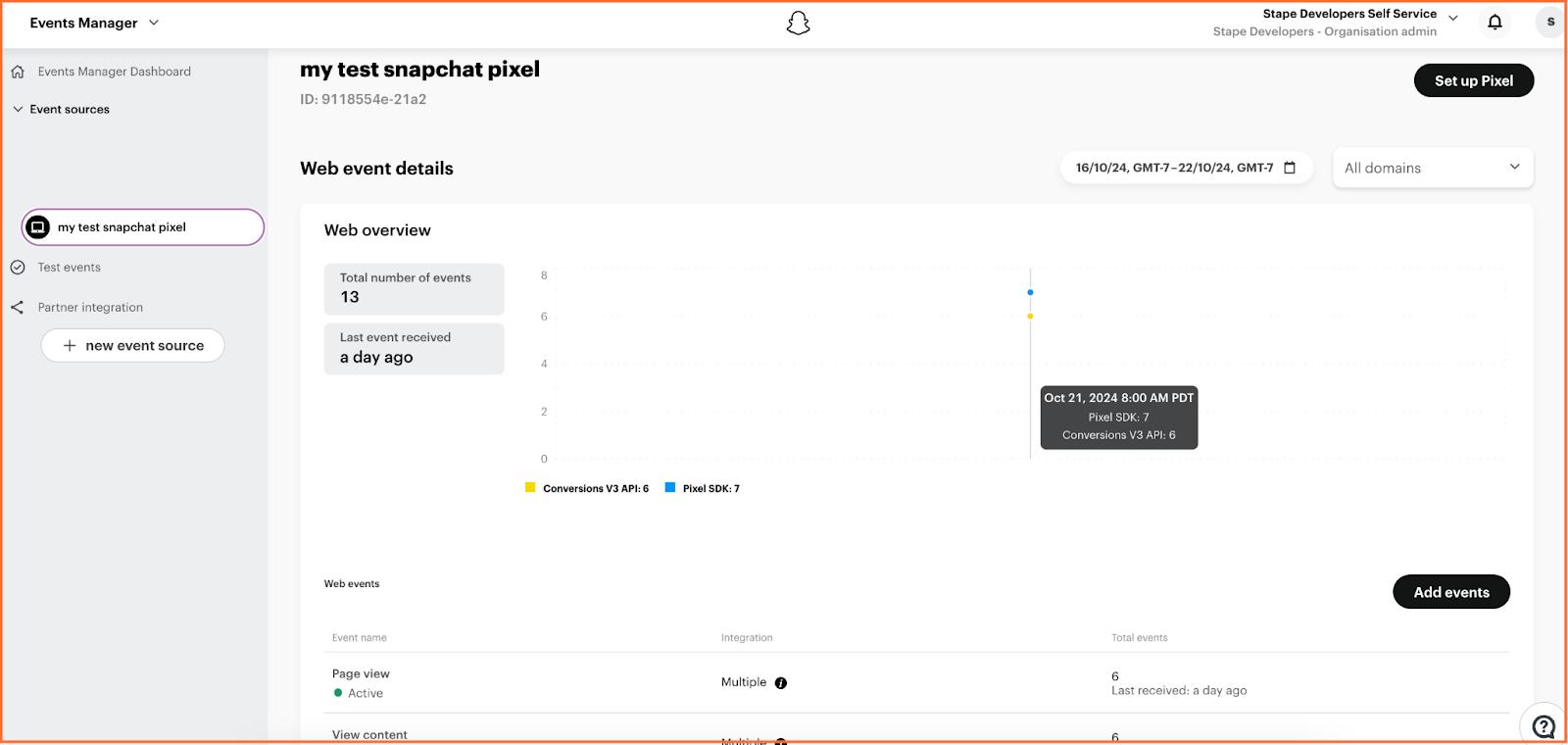
The only way to check that Snap received and processed server data correctly is by checking via Conversions API data in the Snap events manager.
What tracking method should you choose?
Comparison table
| Snap CAPI through sGTM | Snap CAPI Gateway | |
| Setup complexity | More complex configurations, you need web and server GTM containers | Easier to set up; you only need to have a web GTM container |
| Ability to set up server-side tracking for other platforms | More flexible, enabling setup for various platforms | Setup is possible only for Snapchat |
| Price | Depends on the number of requests, check the calculator to see the price for your website | 10$/month for each Pixel or 100$/month for 100 Pixels |
Snap Conversions API tag suits best for:
- Businesses with in-house technical expertise or dedicated support teams.
- Advanced users who want full control over their tracking setup.
Snap Conversions API Gateway suits best for:
- Small to medium businesses or advertisers looking for a quick and efficient way to enable server-side tracking.
- Users who want a ready-to-go solution without deep technical involvement.
| Alternatively, you can set up your tracking with a server GTM container. Check out the difference between the sGTM container and a gateway setup in our blog article. |
Benefits of Snapchat Conversions API through sGTM
Here's why Snapchat's CAPI is excellent for improving your ads and getting better data:
Privacy
At its core, server-to-server tracking is a technology building with a privacy policy in mind. Unlike web pixel tracking, with s2s tracking, you can strictly control which data you send to each network. They will receive only data configured in server requests.
Better ads optimization
CAPI helps collect more user data, making Snap advertising algorithms more sufficient. In the official documentation, Snapchat says implementing CAPI will help improve cost per action.
More quality audience
CAPI will improve remarketing and lookalike campaigns since it will send Snapchat more data about your users. The number of events should also increase. When users do not allow apps or sites to track users, CAPI can still send events.
Improved conversion tracking
Since server events can't be blocked in most cases, it will allow users to track all events generated by users.
Pricing
To set up the Snapchat CAPI via server Google Tag Manager with Stape, you first need a Stape account. You can create it for free and start with a Free plan.
The total price of the Snapchat CAPI via sGTM with Stape depends on the number of GA4 requests; check the calculator to see the price for your website.
How to set up Snapchat Conversions API using server Google Tag Manager
2. Send data to the server GTM container. You can do it by setting up server-side Google Analytics 4 or Data Tag/Data Client.
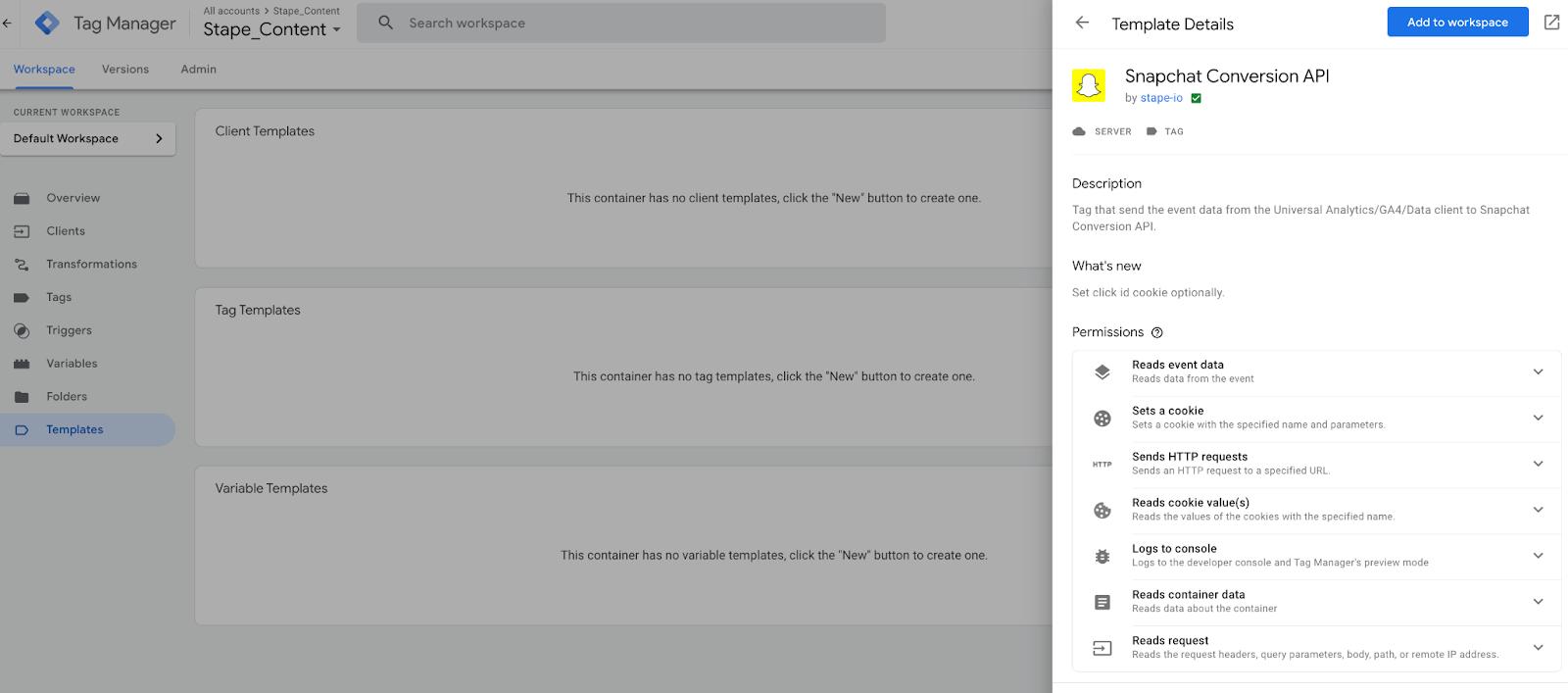
3. To add the tag from the GTM Template Gallery, go to sGTM template Gallery → Open Templates sections in the server Google Tag Manager container → Click Search Gallery in the Tag Templates section → search for the Snapchat Conversions API from Stape→ click Add to workspace.
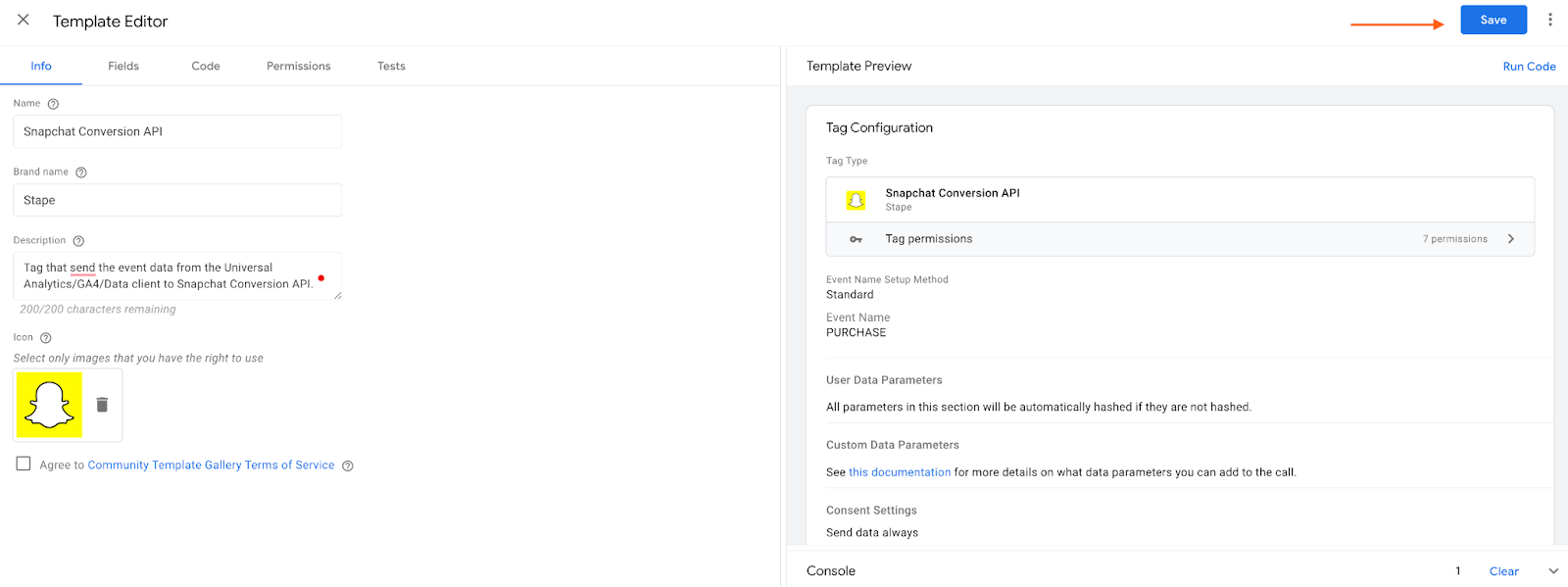
4. To import the tag in case you download the tag from GitHub, click three dots in the top right corner → Click Import → Select the Snapchat tag template you’ve recently downloaded from GitHub → Click Save.
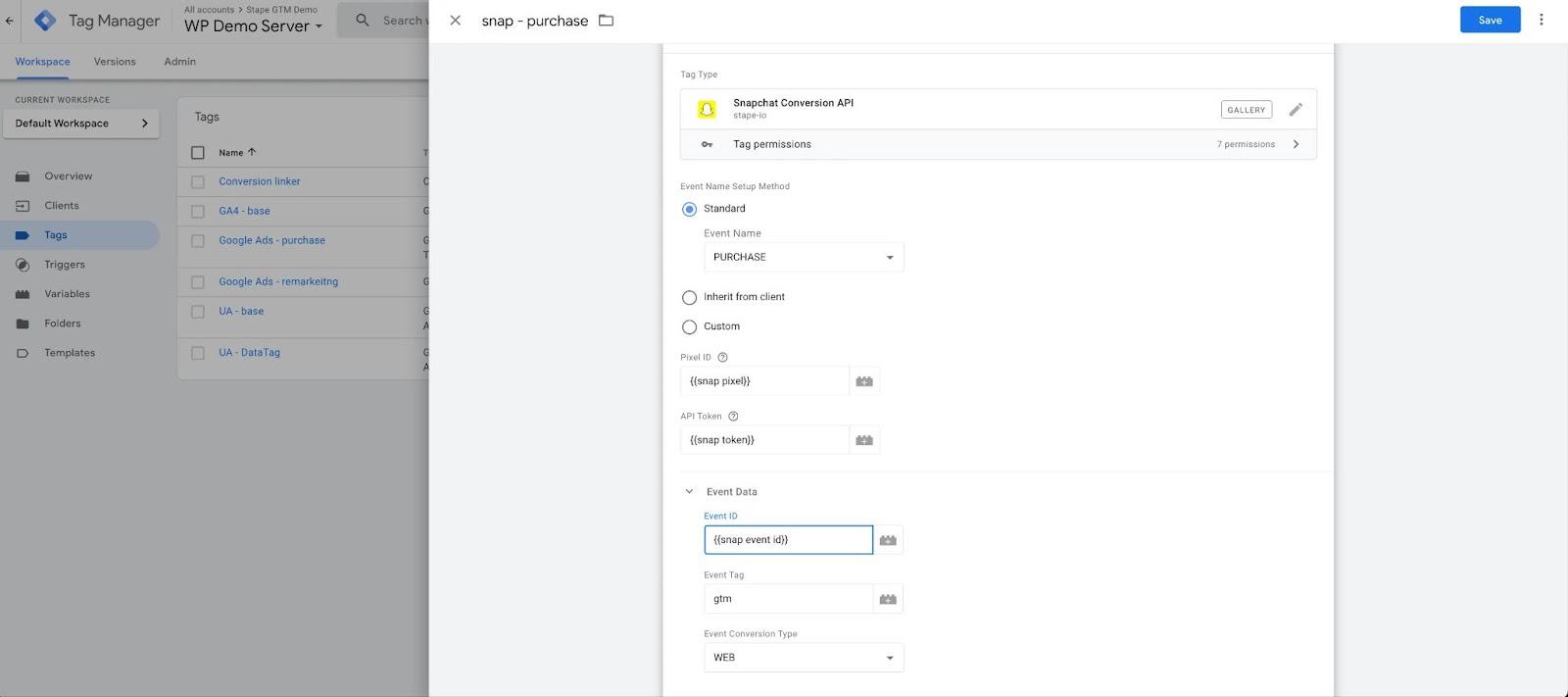
5. Create a Snap tag in the sGTM container → Select the event name.
Standard - select one of the standard names.
Inherit from the client - in this case, the tag will try to parse sGTM event names and match them to Snap standard events.
Custom - use a custom name.
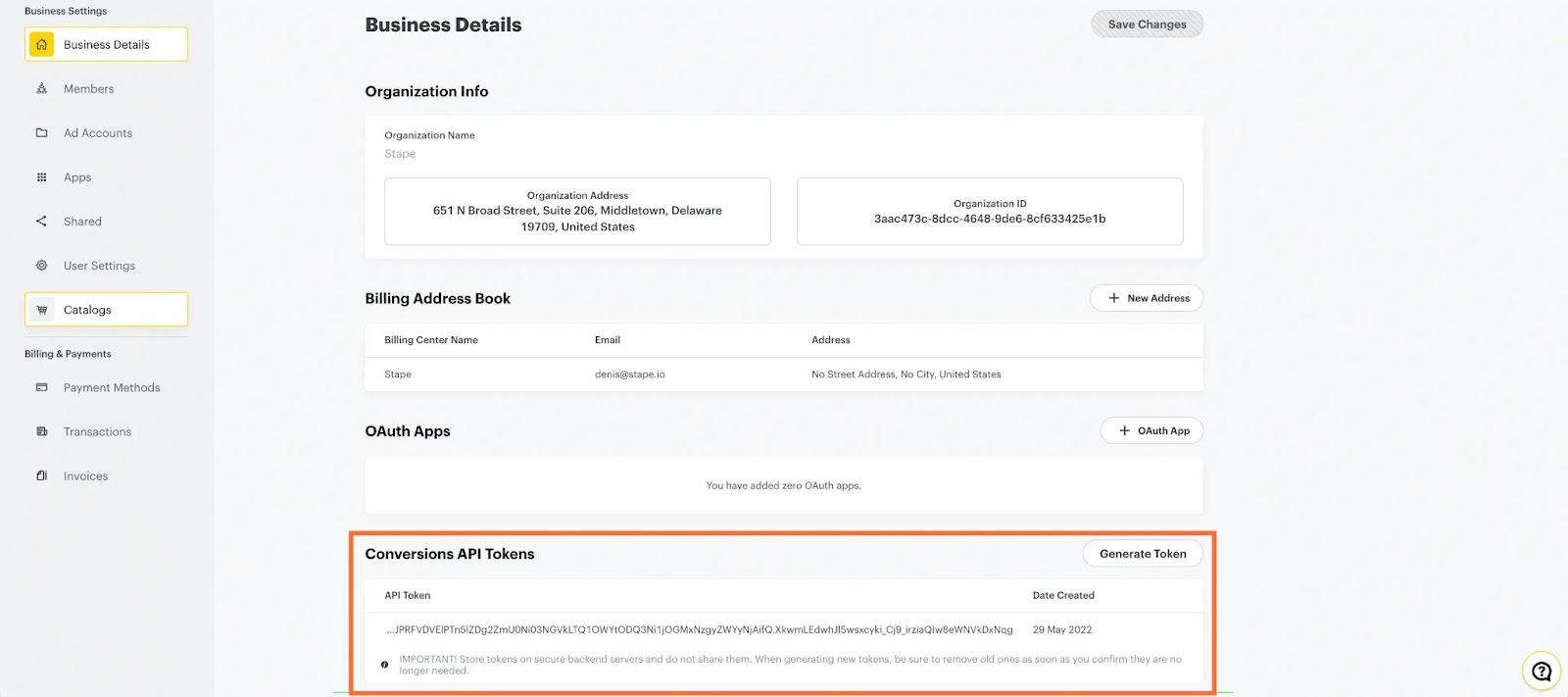
6. Add Snap Pixel ID → Add Conversions API Token. To create Conversions API Tokens, go to Business Settings and click Generate Token in the Conversions API Tokens section.
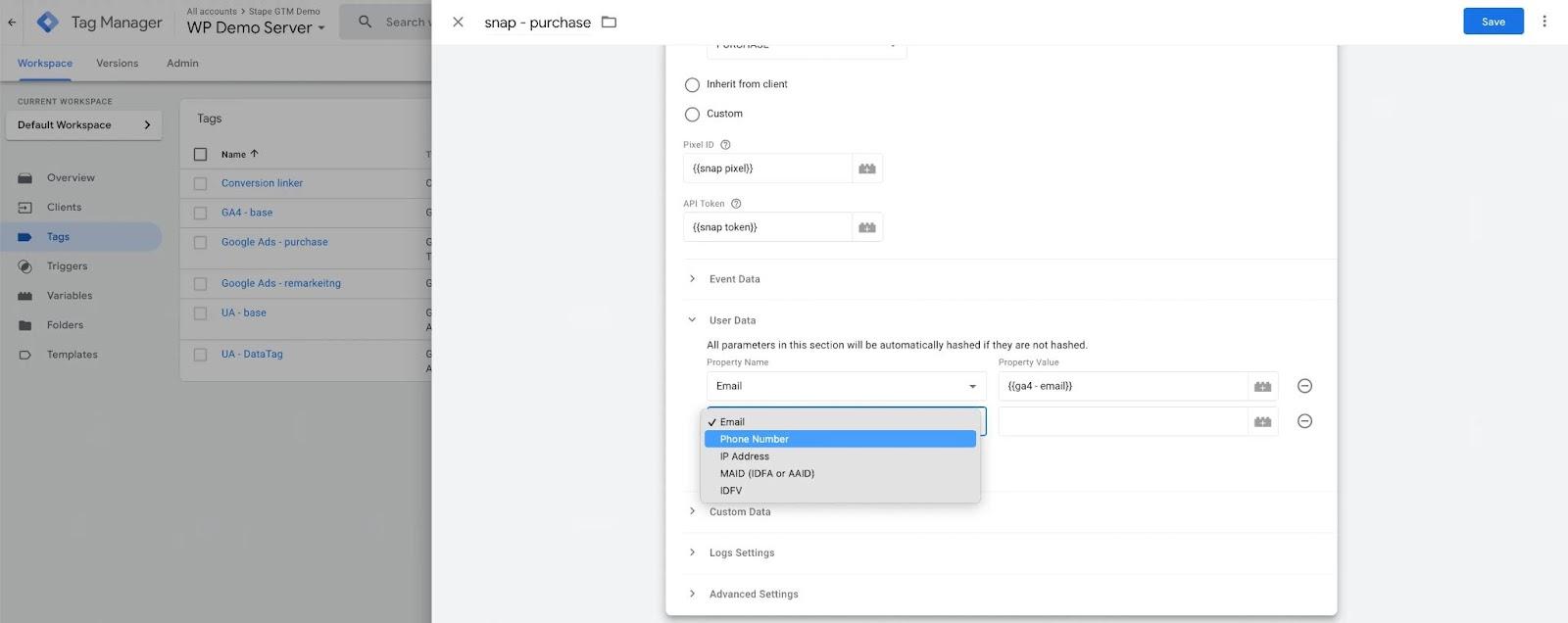
7. Add user and events data.
8. If you want to use hybrid method (web+server) tracking for Snap, ensure you’ve added event ID to web and server Snap tags. The web Snap tag does not support event_id, so use custom HTML to set up Snap web tags.
Testing the setup
Open web and server GTM debugs and test that Snap tags are triggered correctly.
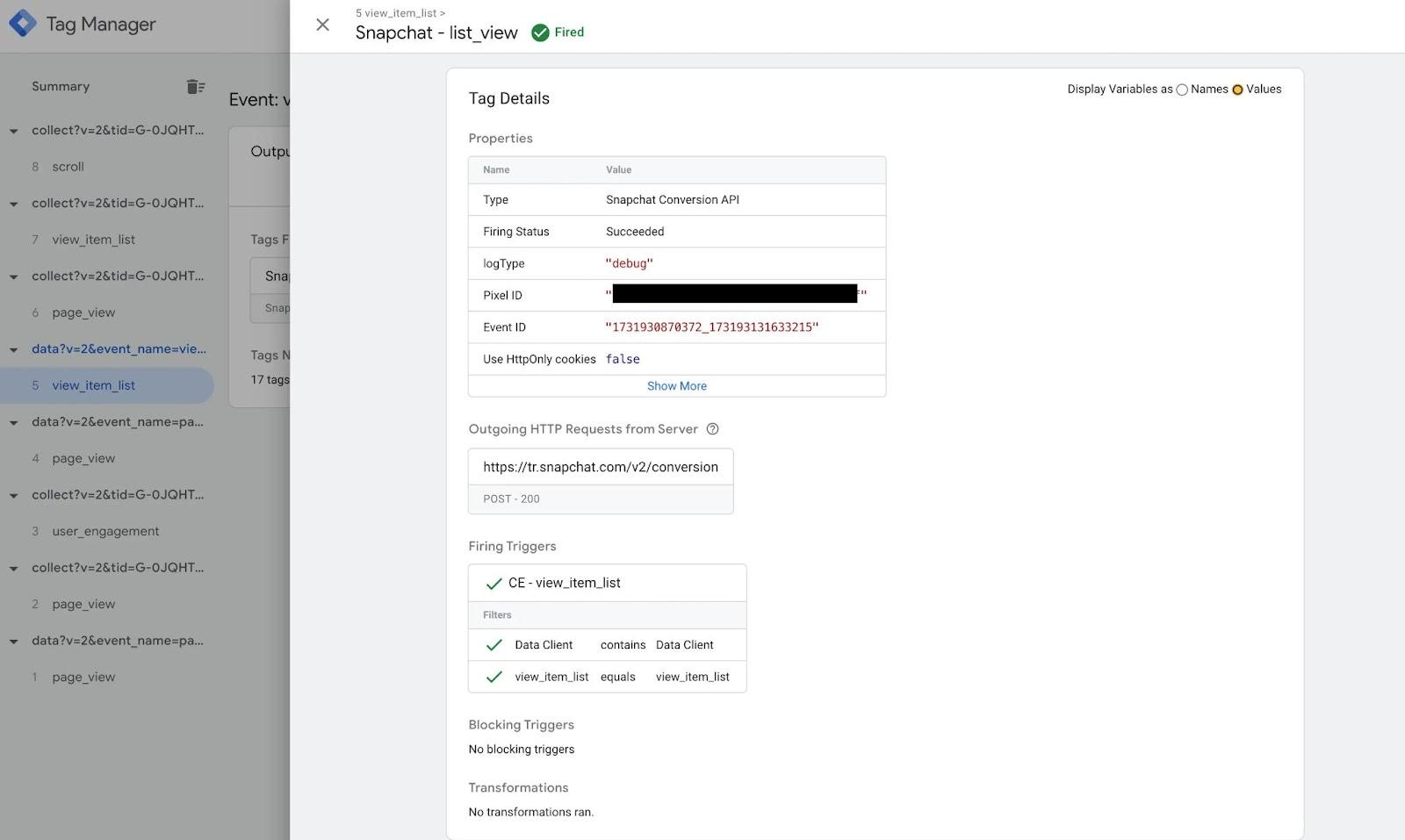
Unfortunately, Snap does not have a real-time tool to troubleshoot server events. The only option to verify that Snap received server events is to wait until you see them in Snap Events Manager.
Snapchat CAPI Gateway: the fastest way to set up Snapchat CAPI
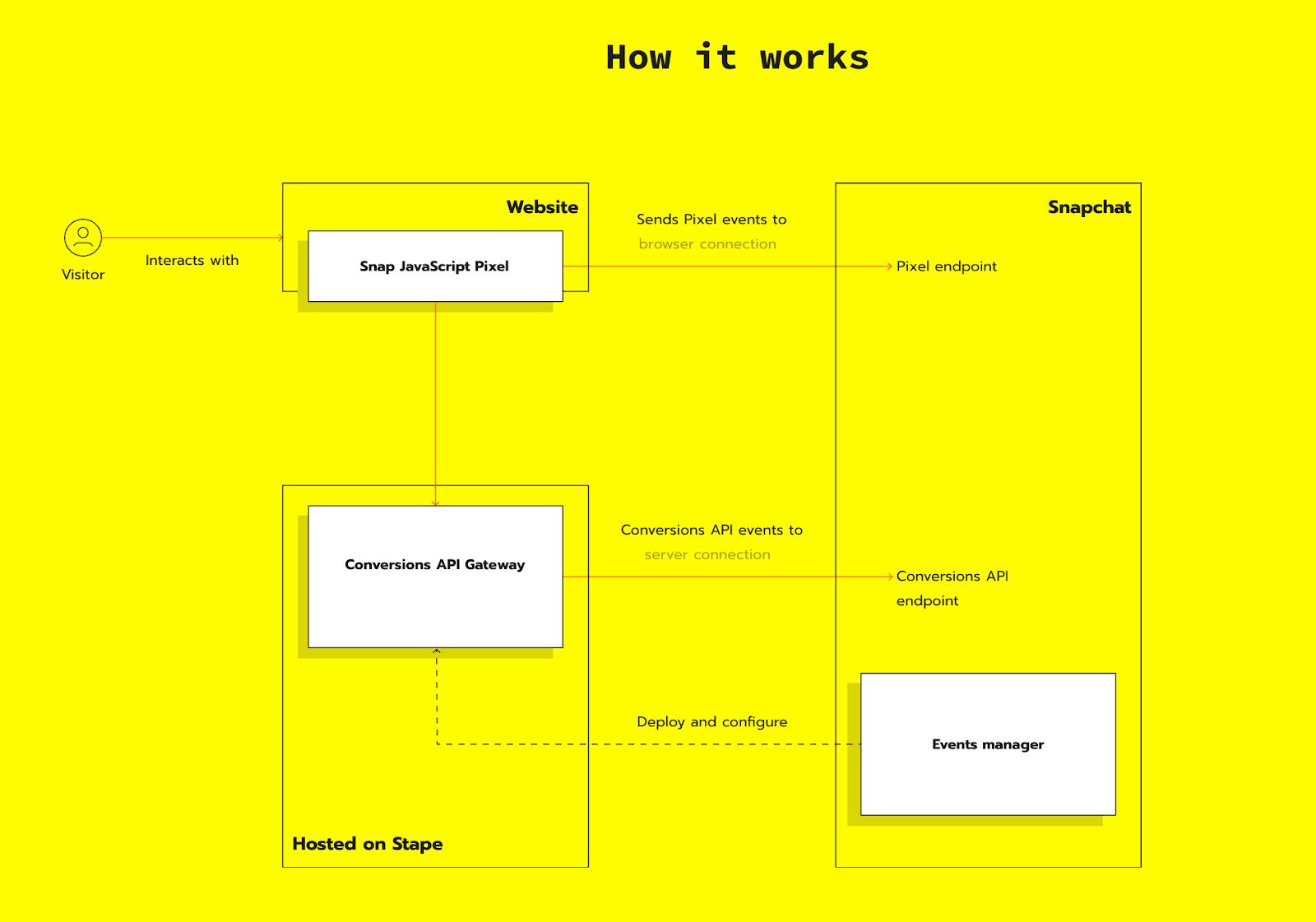
Snapchat Conversions API Gateway is the latest solution for implementing the Snap Conversions API, offering the most straightforward setup process.
With Snap CAPI Gateway, you don't need to configure event deduplication or spend endless hours on tagging. It allows you to send user parameters and events directly from a server. Plus, it supports multiple Pixels within a single instance, even if different Business Managers manage their accounts.
Overview of Snapchat Conversions API Gateway
The environment is a crucial feature of the Snapchat CAPI Gateway. Each Snapchat Conversions API Gateway instance operates on a cloud server, which manages all communication between the Snapchat Pixel and the Conversions API.
Once the Snap Pixel is linked to the Conversions API Gateway environment, it uses web events to track data from the server. Before implementing the Snapchat Conversions API Gateway, it is crucial to ensure that web events are accurate and contain all the necessary user and product information.
While server-side tracking offers significant benefits, setting up the Snap Conversions API can be time-consuming and often requires technical expertise, which can be challenging for some advertisers. But! Snapchat Conversions API Gateway addresses this by providing the fastest solution for implementing Snapchat server-side tracking without requiring specialized skills.
Pricing
You can try Snapchat CAPI Gateway for free for 7 days without providing any billing details.
There are two plans:
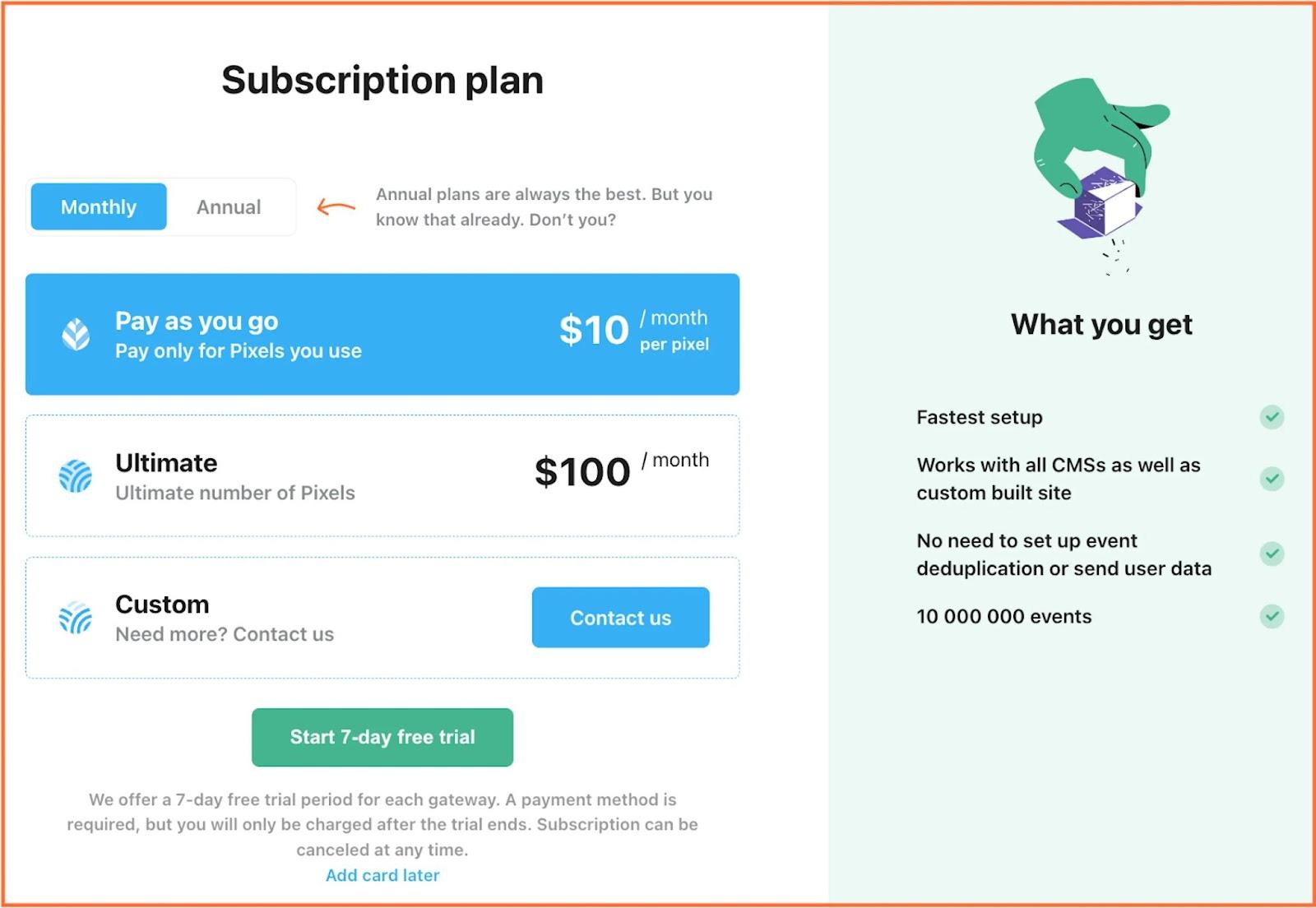
- Pay as you go. $10 per month per Pixel.
- Ultimate. $100 per month for 100 Pixels.
Snapchat CAPI Gateway benefits
Low price
Stape’s Snapchat CAPI Gateway is the most straightforward and cheapest way to set up and host Snap CAPI. Start with a free plan and then proceed with only $10 per month per Pixel!
Easy setup
You don't need to hire developers or tracking specialists to set up the Snapchat CAPI Gateway. The setup process is much simpler than a standard Conversions API implementation.
No maintenance required
Updates are automatic, so no manual adjustments to settings or servers are needed. When adding a new event, just set up web tracking, and the Conversions API Gateway will automatically start tracking from the server.
How to set up Snapchat Conversions API Gateway
How to set up Snapchat Conversions API Gateway
| Before you begin, ensure that Snapchat web tracking is configured on your site, whether implemented through a GTM container, embedded directly in the website code, or integrated via a plugin. This setup allows you to use existing web events. |
1. Create a Snap CAPI Gateway on Stape
1.1. Create an account or log in to Stape. In the Snapchat section, click Create Gateway.

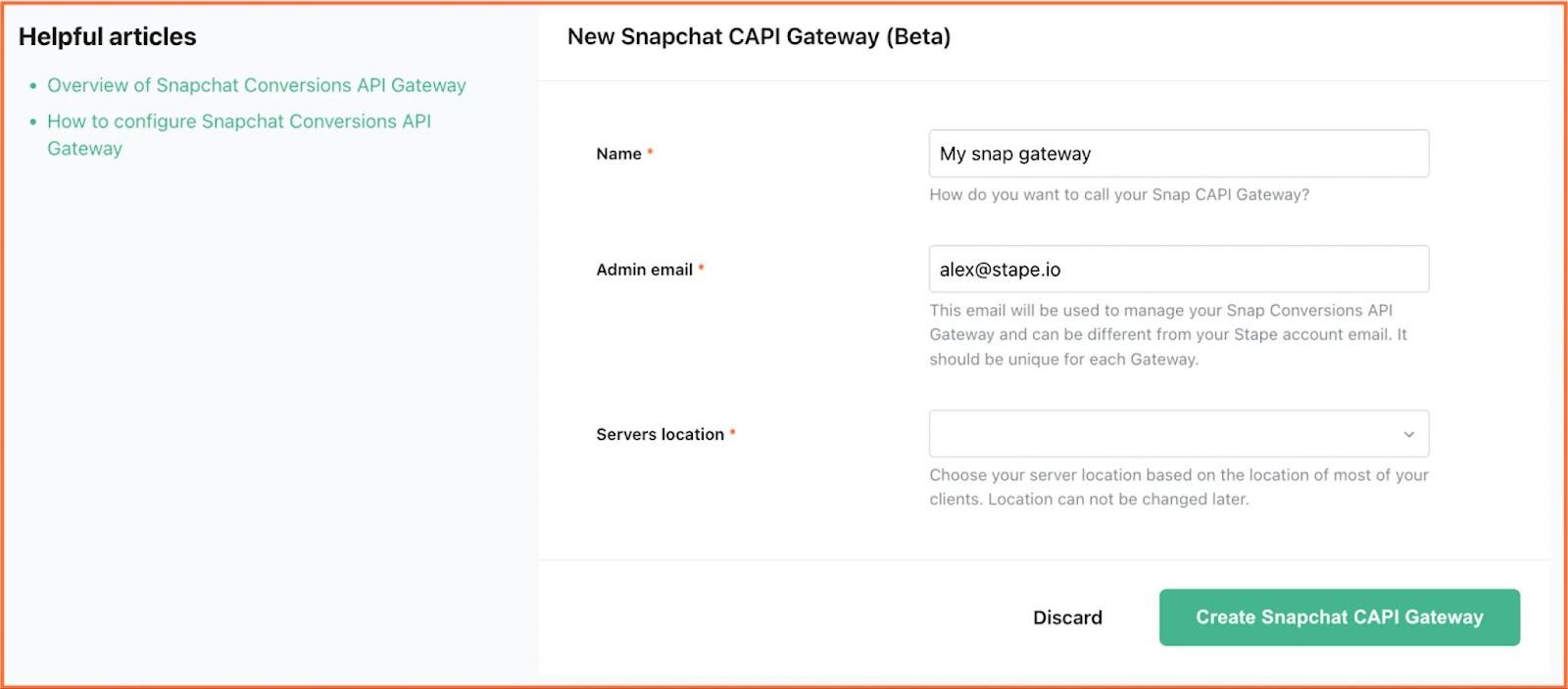
1.2. Write in the gaps:
- Gateway name. You can create a random name.
- Admin email. This email will manage your Snap Conversions API Gateway and can differ from your Stape account email. It should be unique for each Gateway.
- Server location. Select a location closer to your website visitors.
Click Create Snapchat CAPI Gateway.
1.3. Choose a subscription plan. Stape offers:
- 7-day free trial.
- Pay-as-you-go plan - 10/month per Pixel.
- Ultimate plan - 100/month for 100 Pixels.
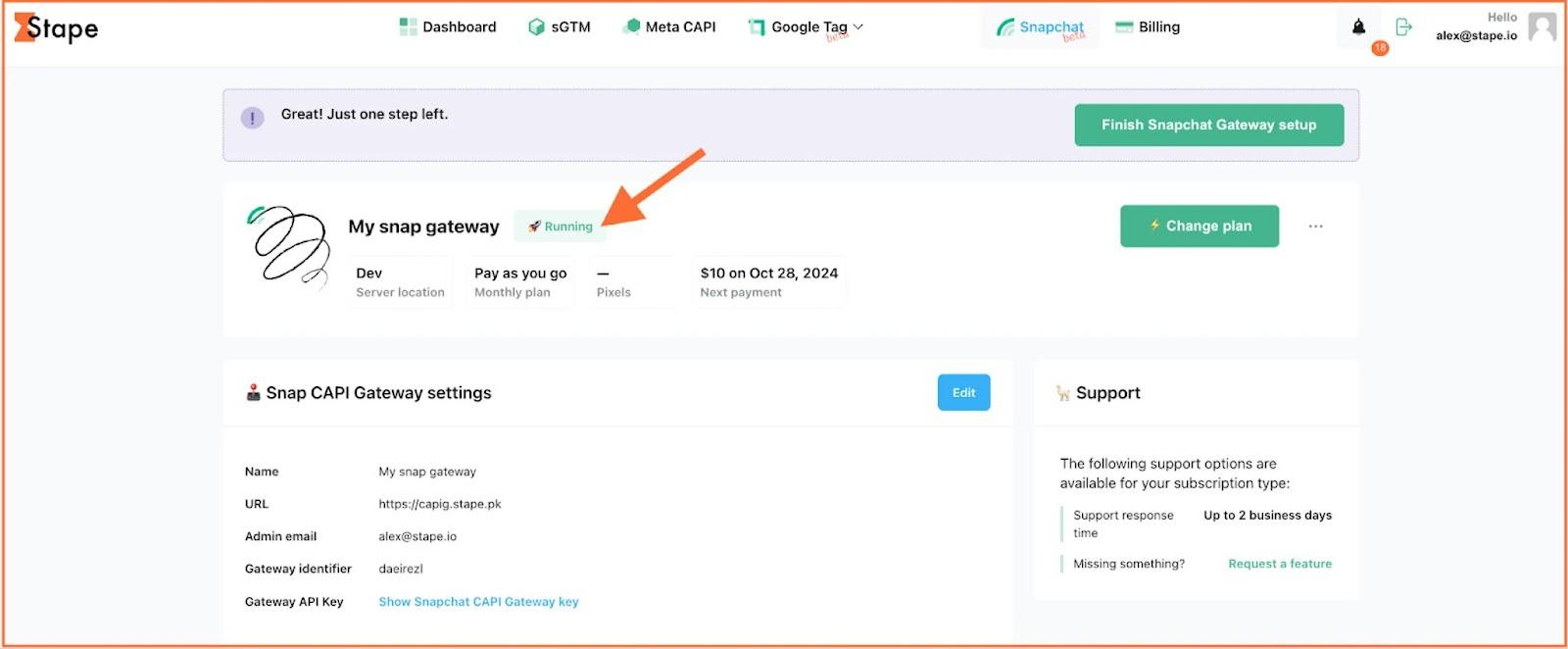
1.4. Wait till the status of your gateway is Running.
2. Connect your Pixel
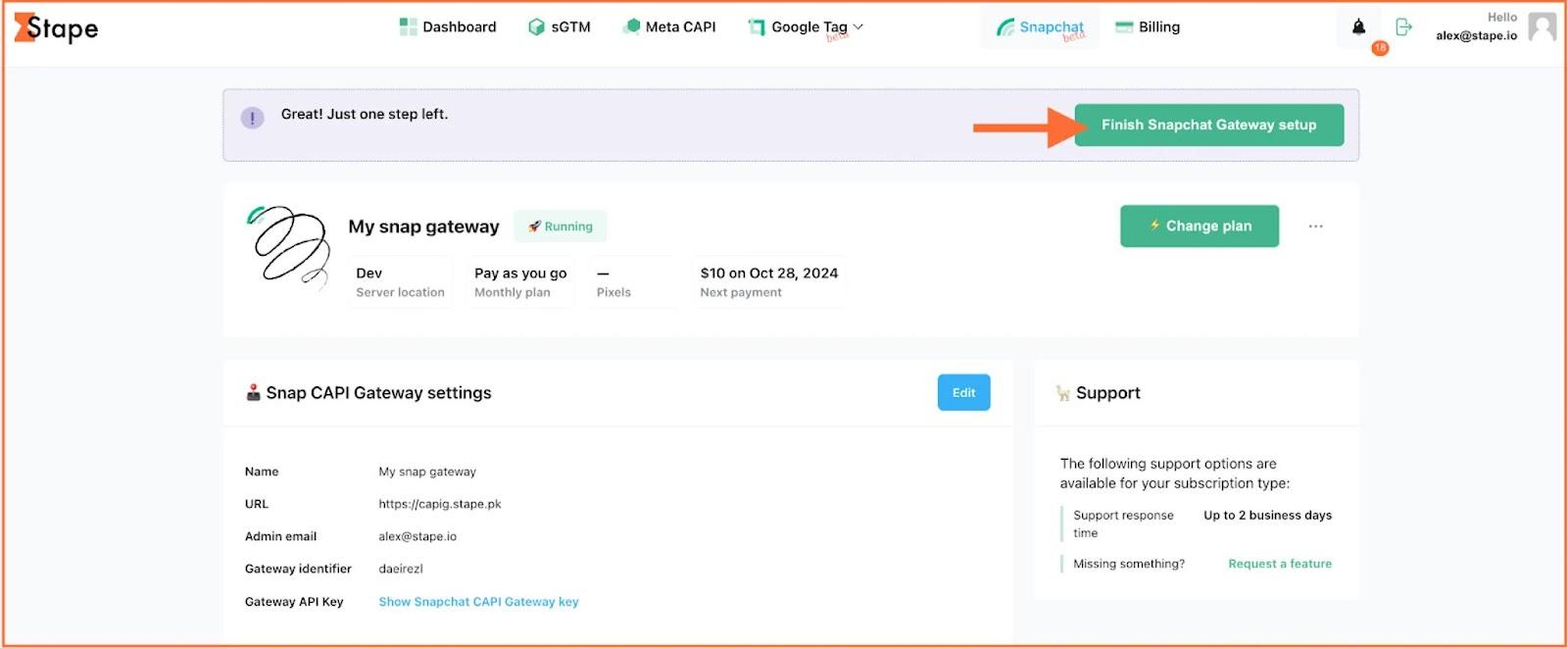
2.1. Click Finish Snapchat Gateway setup.
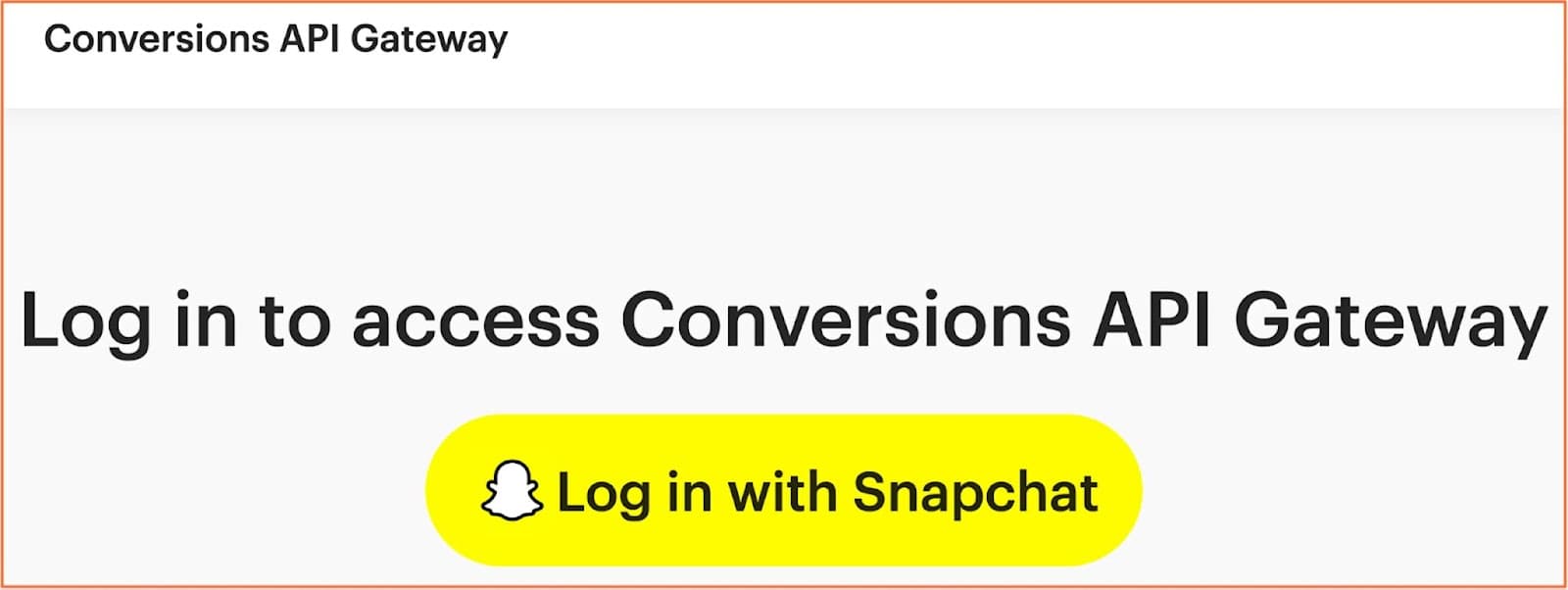
You will be redirected to the login interface of Snapchat Gateway.
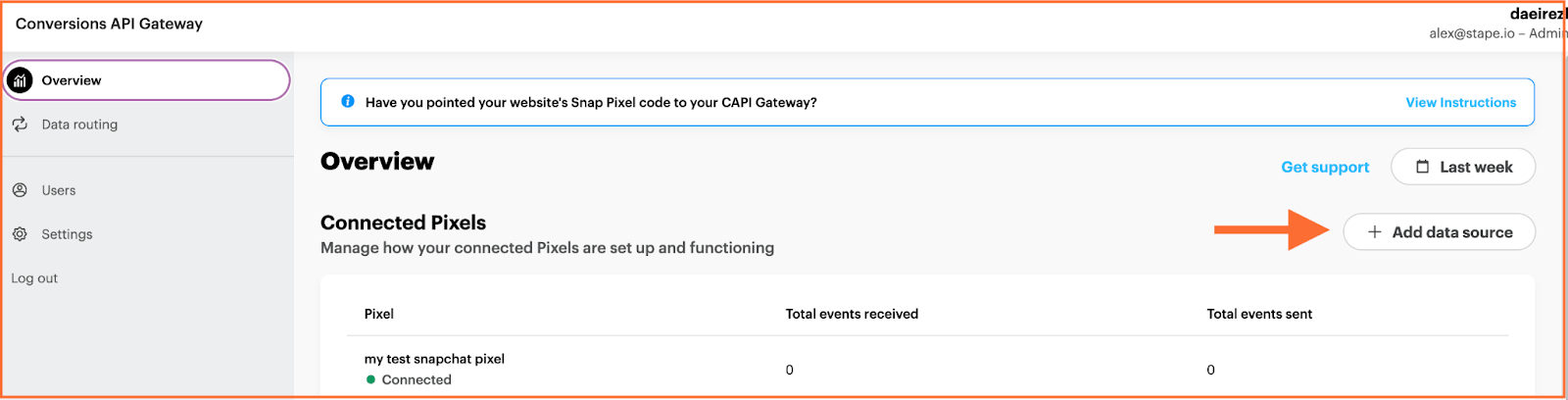
2.2. Click Add data source on the left in the Conversions API Gateway hub.
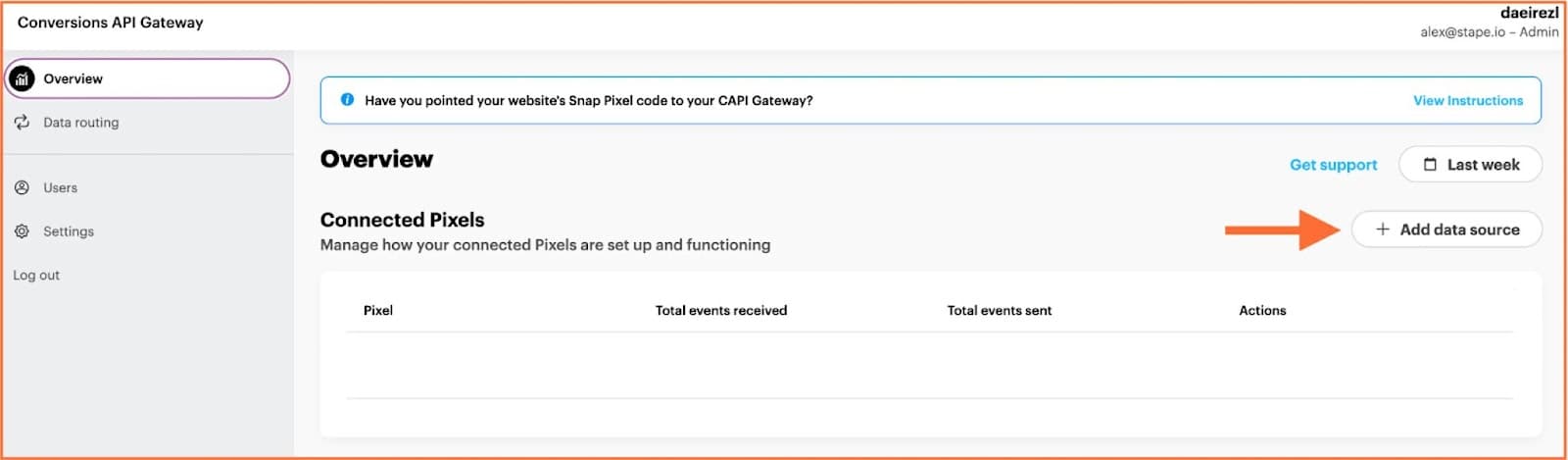
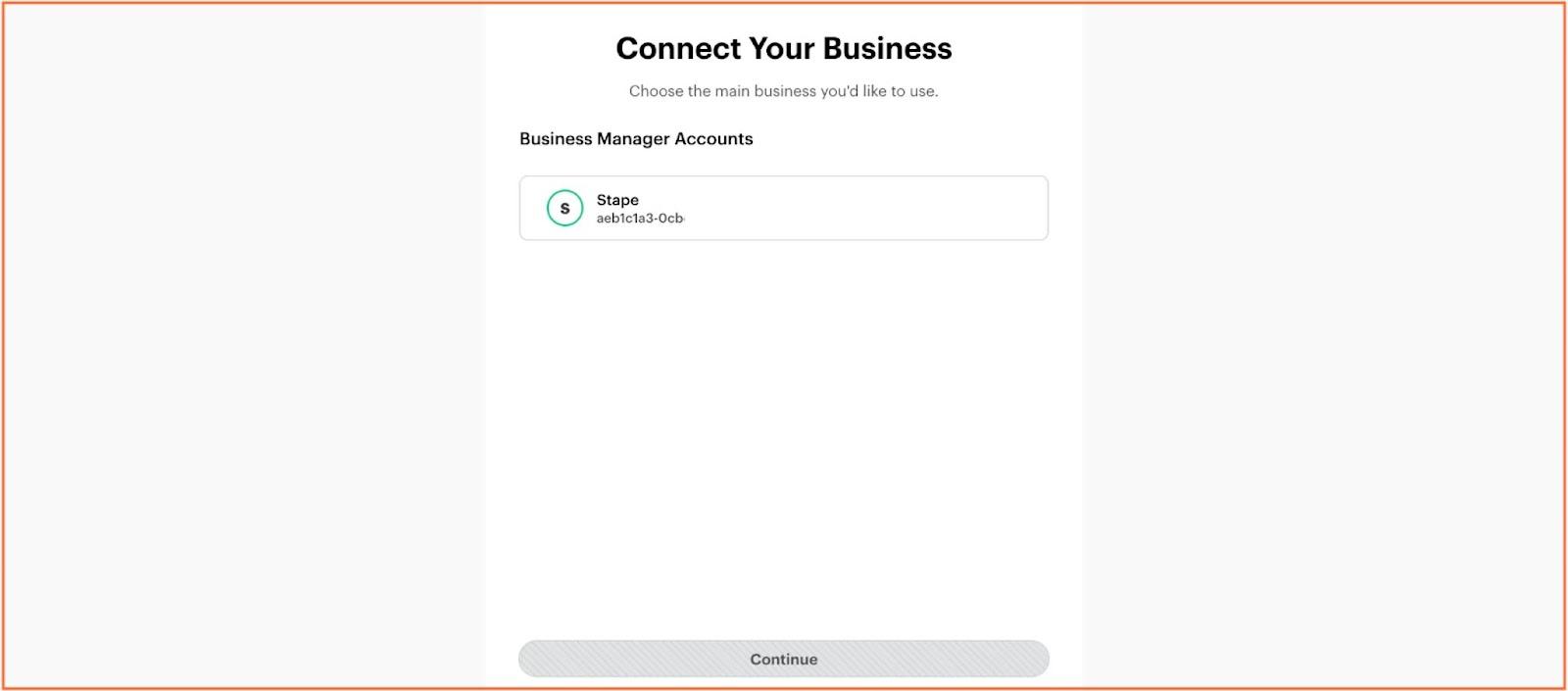
2.3. Choose the account and the Pixels you want to connect and confirm your choices.
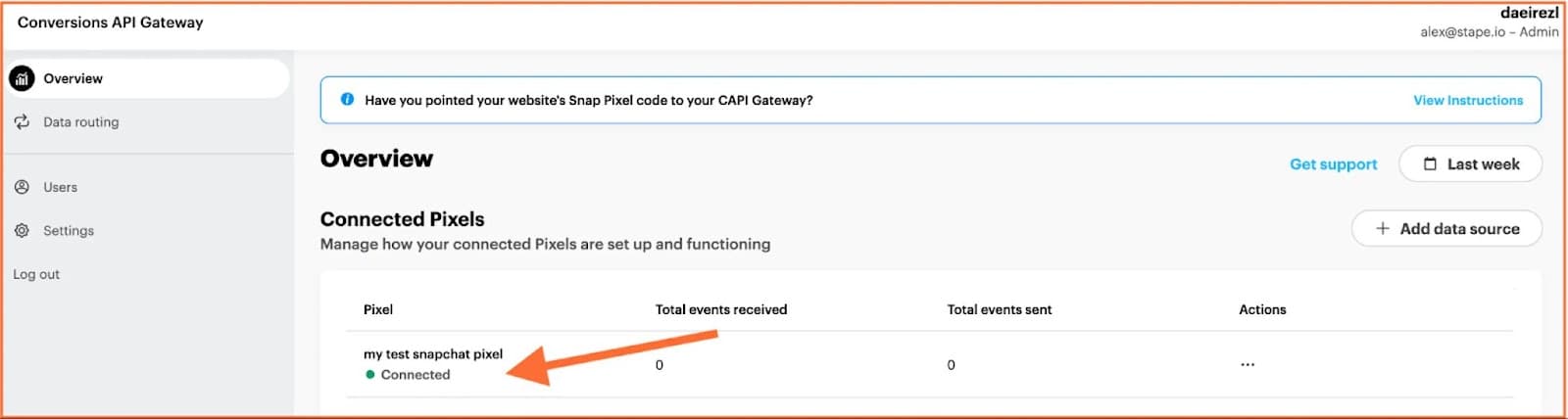
2.4. You will see the added Pixel in your dashboard.
3. [Recommended] Add a custom domain
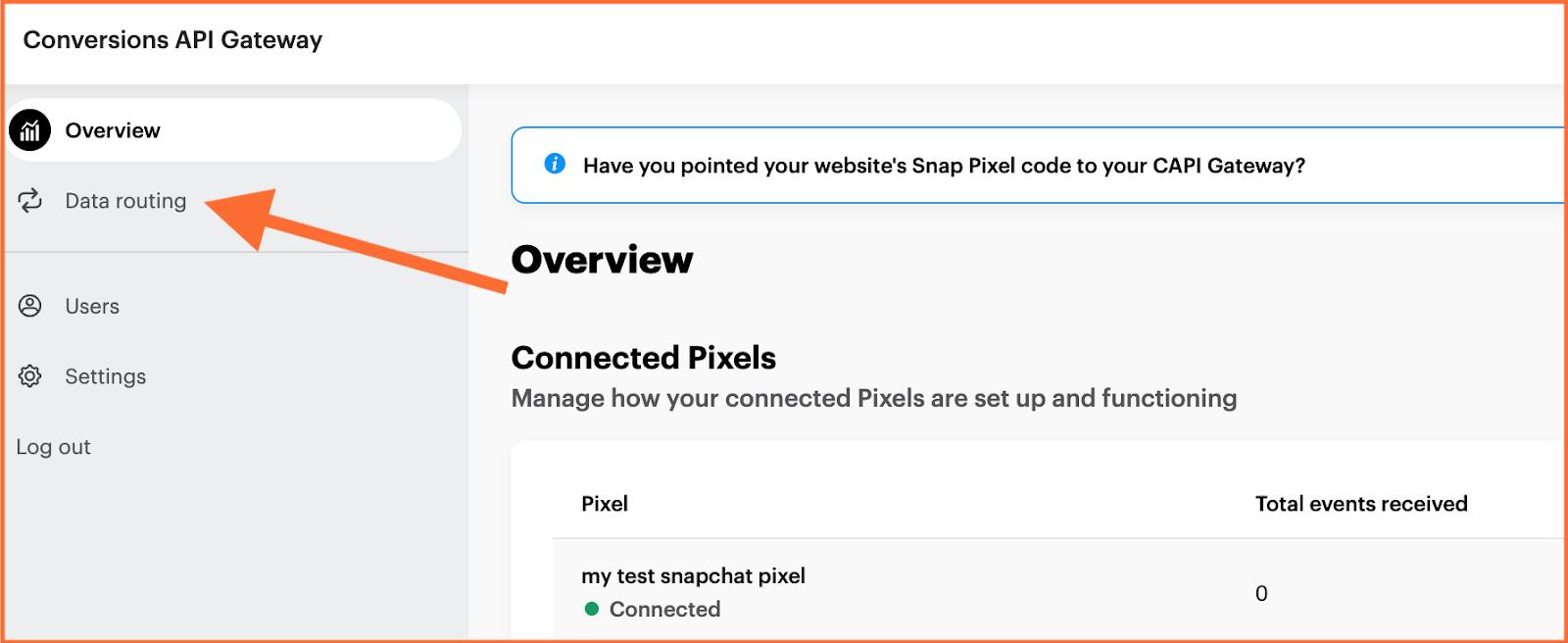
3.1. Click Data Routing on the left menu.
3.2. Click Add Subdomain. Enter your custom domain.

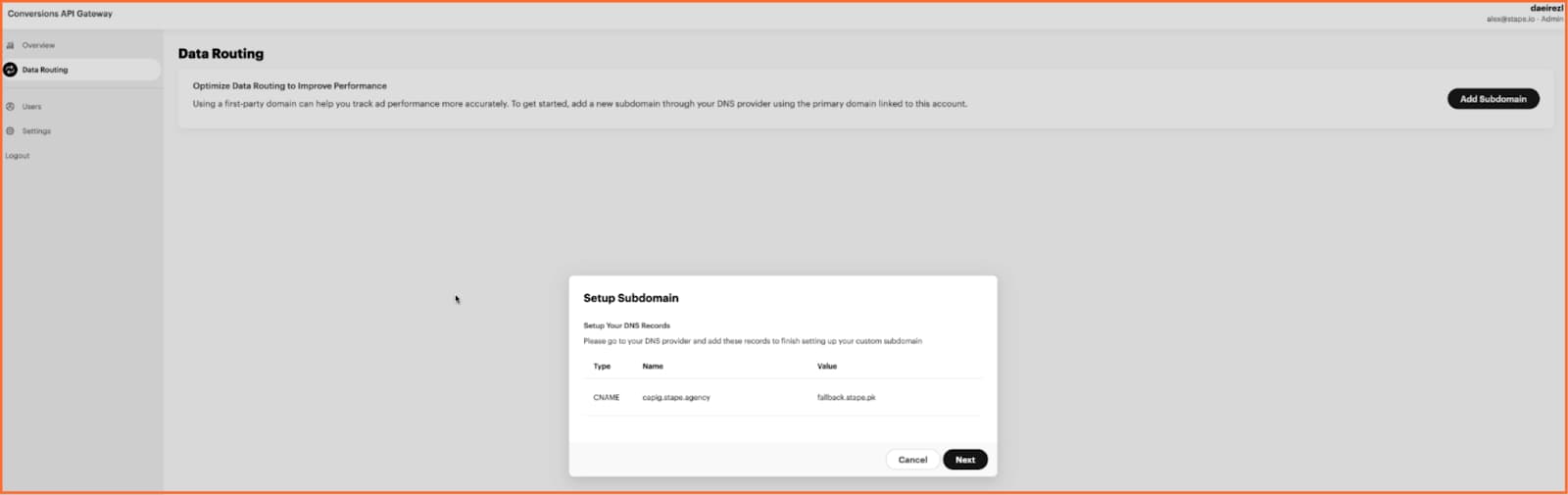
3.3. Log in to your DNS provider and set records (if you use Cloudflare, the settings should look like on the screenshot).
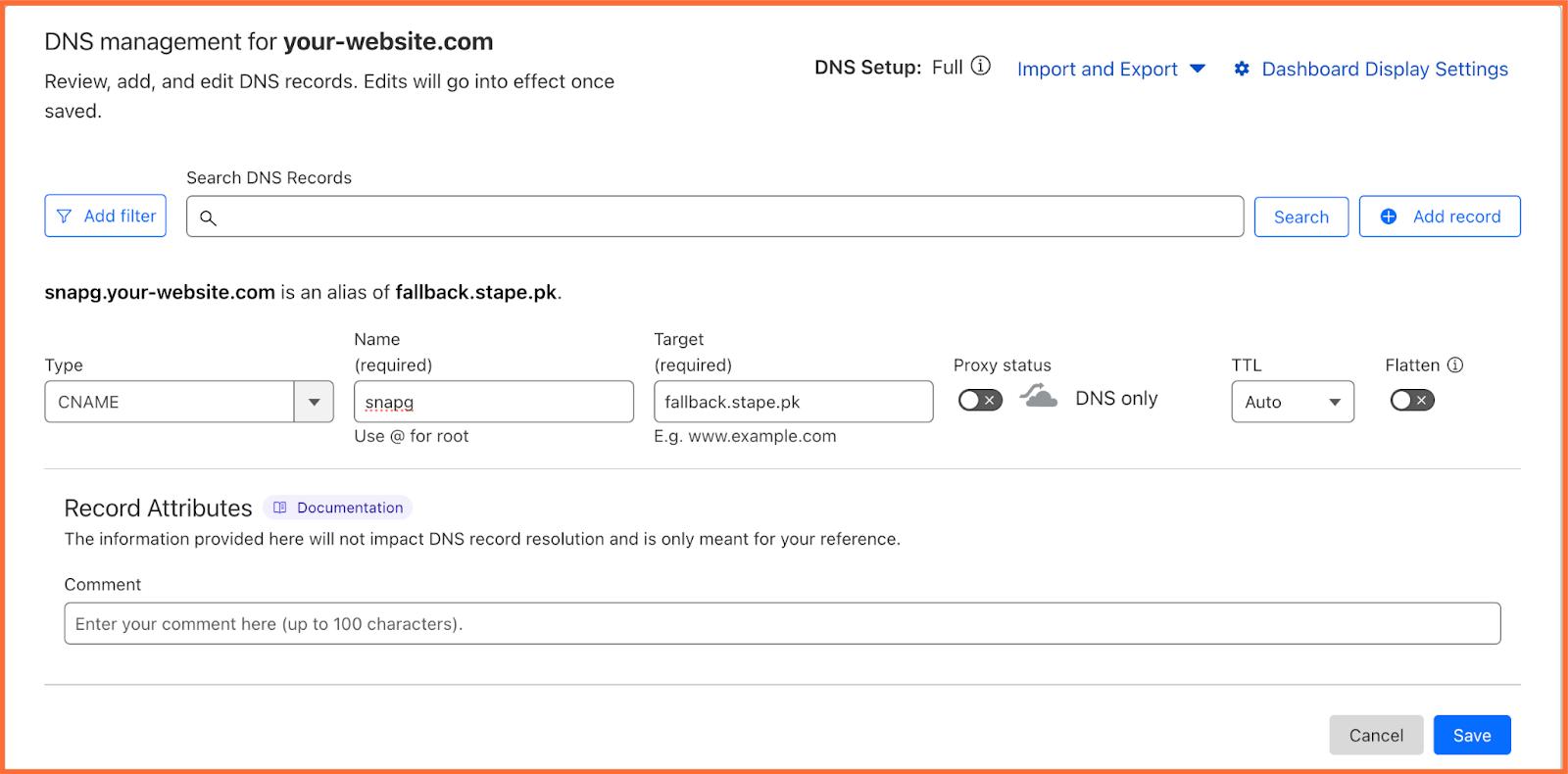
3.4. And that’s it! You’ve successfully set up your subdomain.
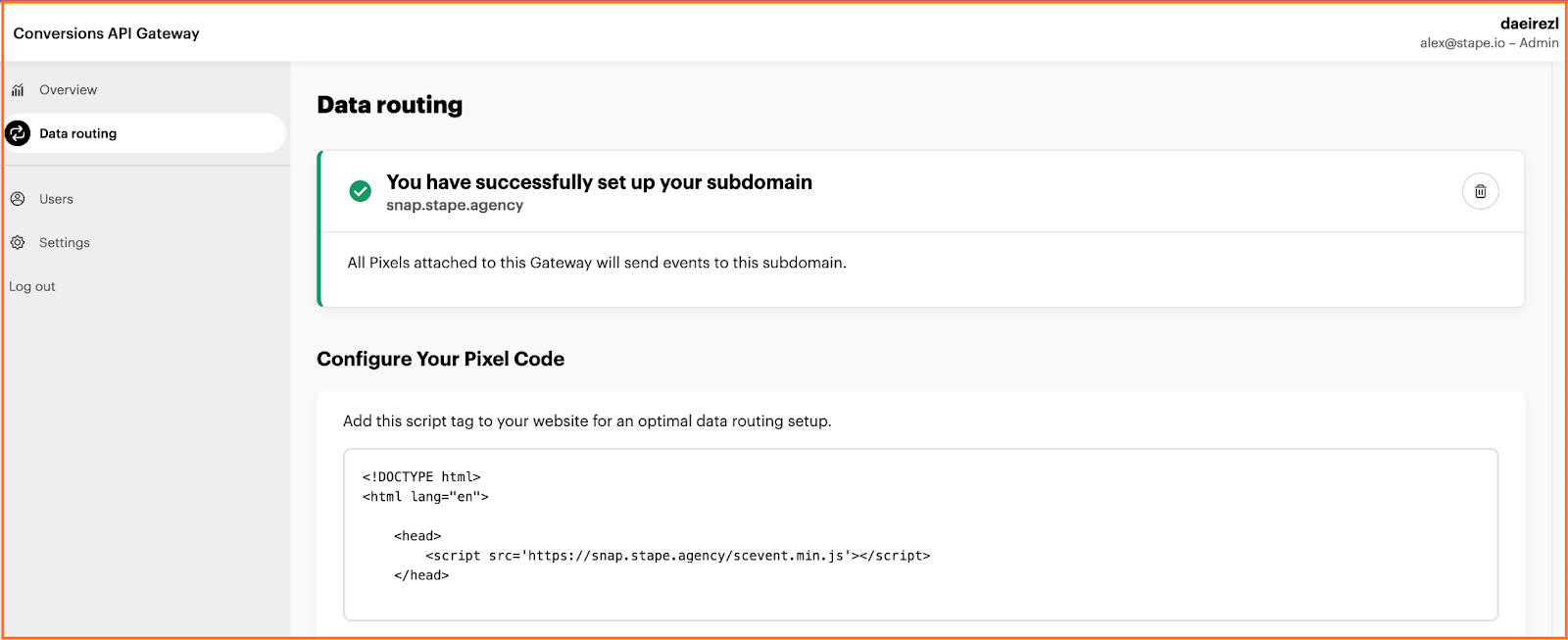
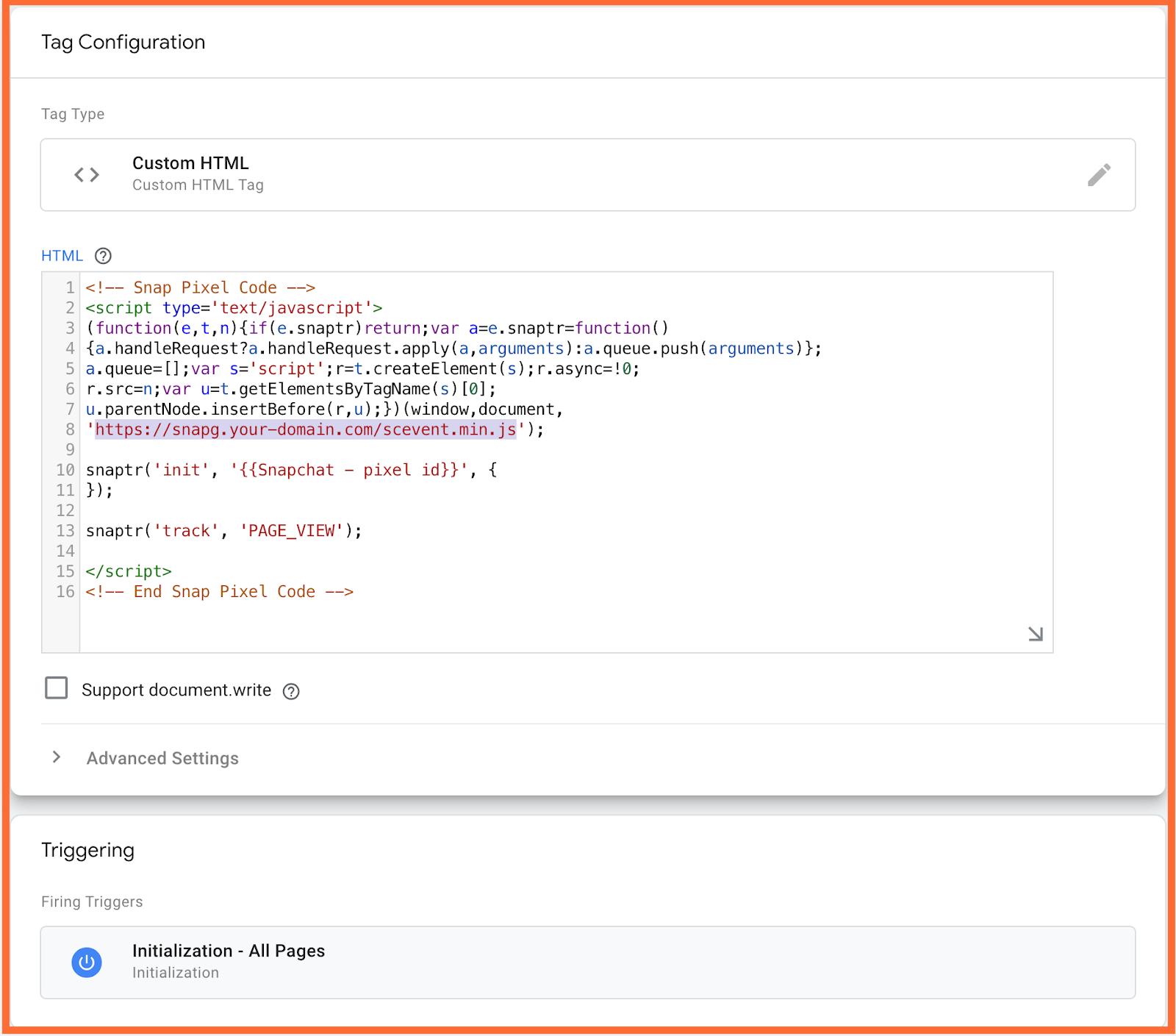
4. [Recommended] Load Snap js from your subdomain
This will help you increase the protection of your events from ad blockers.
After validating your Data routing domain, you will see a link that you can use to download Snap js on your site:
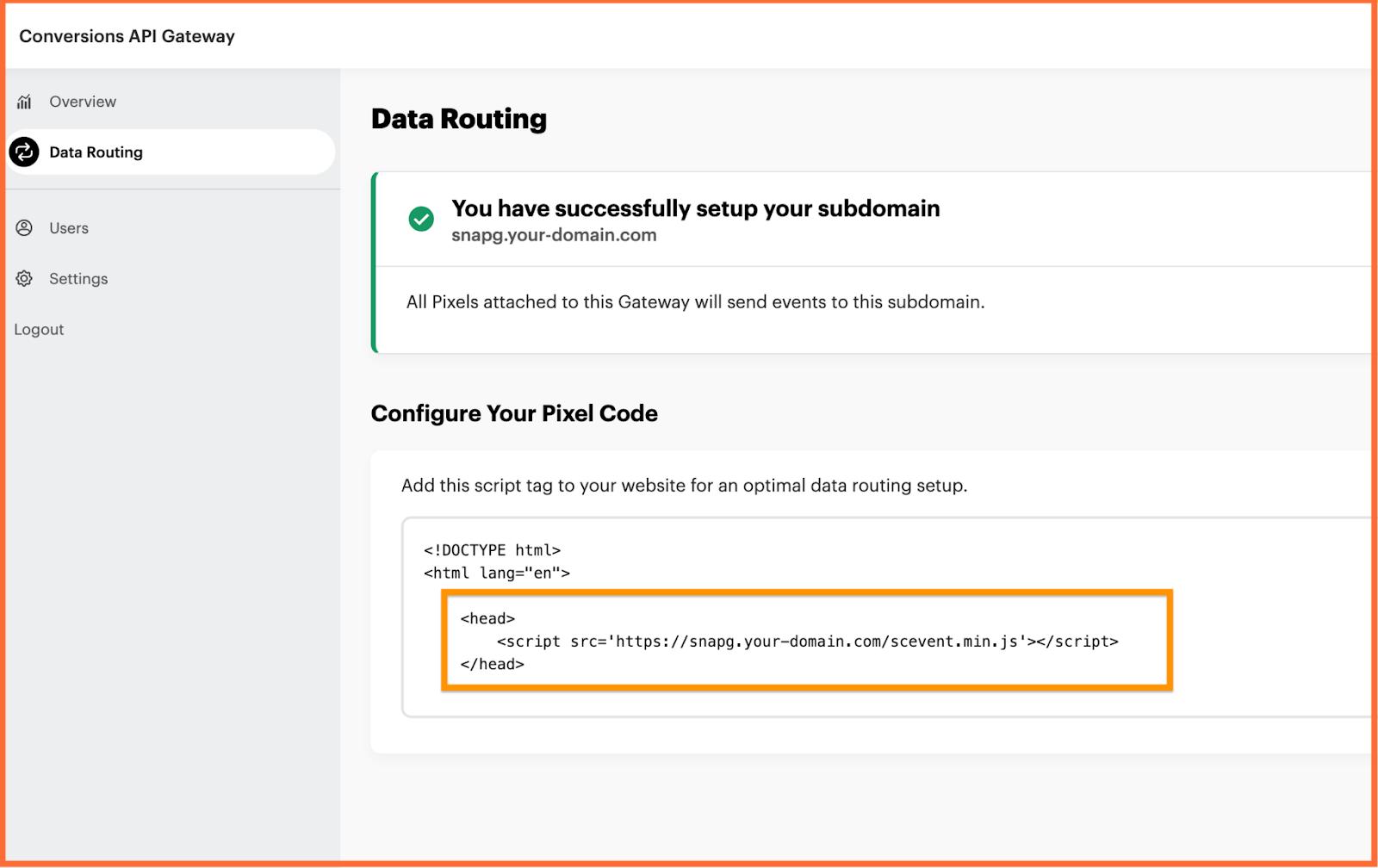
You can add this to your site's code or change it in the default Snap js snippet:
5. [Optional] Add new Pixels
You can use a single Snapchat CAPI Gateway to set up multiple Snapchat Pixels. Additionally, Pixels from various Snapchat Business Accounts can be connected to the same CAPI Gateway, provided you have admin access to all the Pixels.
The process is straightforward: configure your Snapchat CAPI Gateway, then add new Pixels through the hub interface. Simply click Add data source.
6. Test your setup
As mentioned before, Snap CAPI Gateway uses web events to track data from the server.
6.1. Within 30 minutes of connecting your Pixel to the Snap CAPIG hub, you should notice that the event count is no longer zero, and you should also see the names of the events that have been received.
6.2. You can also verify that events are sent correctly to the Snap CAPIG hub by checking the website console:
- 1.Open your browser developer network tab on your site.
- 2.Check that events were sent to your Conversions API Gateway URL (see the screenshot below).

Conclusion
We hope this guide has helped you understand Snapchat tracking and the options available to improve your ad performance. Whether you're looking to dive into the more advanced Snapchat Conversions API (CAPI) through Google Tag Manager for complete control and customization or prefer the more straightforward and faster route with the Snap CAPI Gateway, both methods have their strengths.
The Snapchat CAPI offers more profound insights into user behavior, better ad optimization, and more accurate conversion tracking. If you want more flexibility and are comfortable with technical setup, using Google Tag Manager can give you a highly customized tracking experience. On the other hand, if you're looking for something quick and easy with minimal setup, the Snap CAPI Gateway offers a streamlined solution without needing to be a tech expert.
No matter your chosen path, we’re here to make it easier for you. If you have any questions or need help with setup, don’t hesitate to reach out—we’re always happy to assist. And if you're ready to test out the Snap CAPI Gateway, you can start with a 7-day free trial to see how easy it is to implement and track your events.
Remember, tracking your ads effectively is critical to getting better results and improving your campaigns. So, take your time to explore both options and reach out if you need any guidance along the way. We're here to help!
Want to start on the server side?
Try for freeRecommended for you
Blog
How to set up Instagram Conversions API
Instagram ads tracking is key to accurate data. Learn how Meta Conversions API improves tracking accuracy, audience targeting, and conversions.
Jun 4, 2025

Comments