Jul 28, 2026
Meta omnichannel ads guide: sync online & offline conversions
Written by
Uliana Lesiv
Updated Sep 14, 2026 comments
Key takeaways
- Omnichannel is a business strategy that connects online and offline touchpoints into a single customer view.
- The strategy is most effective for industries with physical stores.
- Meta has moved out of the beta omnichannel campaign type to fully support the strategy.
- Meta Conversions API for offline events is required for configuring an omnichannel campaign. It allows businesses to sync physical store data with digital campaign metrics.
- For tracking customer behavior online, you can still use Meta Pixel only, though combining web and server solutions is recommended.
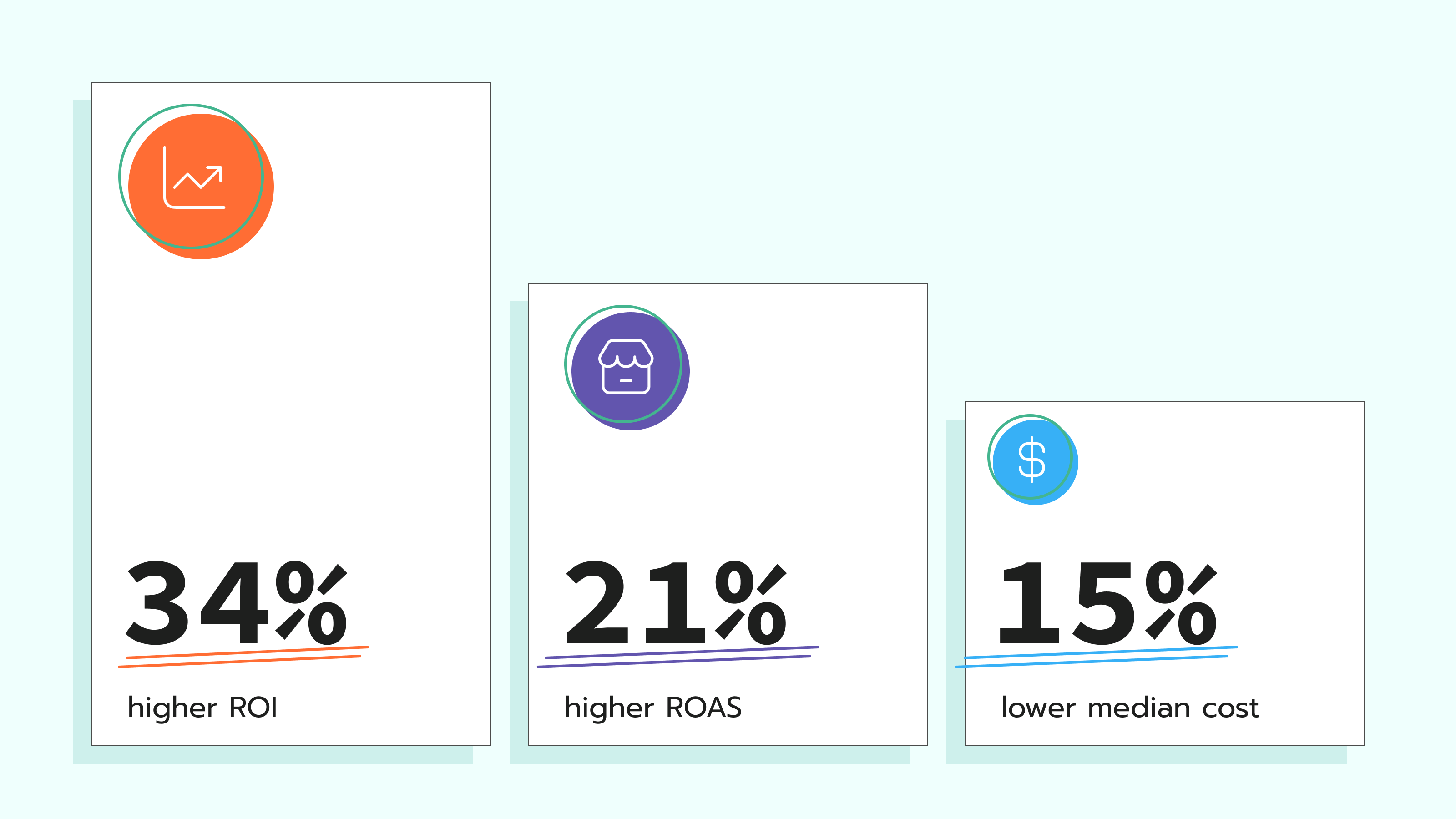
- Early tests have shown high effectiveness of omnichannel campaigns for businesses: 15% lower total cost per result than website-only optimization, and 34% higher ROI.
Use case for omnichannel tracking and optimization
Some industries combine online and offline channels; examples of such industries include retail, travel, telecommunications, and restaurants. They run ad campaigns online, but have some users who make purchases in brick-and-mortar stores. Real estate Facebook Ads examples often follow this same pattern, where a buyer researches listings online but ultimately visits a property or signs in person.
In such scenarios, tracking and optimizing only website purchases means you’re missing the full value of advertising. When a customer sees the ad, researches online, and then goes into your store to buy, that sale often goes unnoticed in ad campaign optimization. As a result, the strategic decisions are made on online-only data.
Why does omnichannel matter?
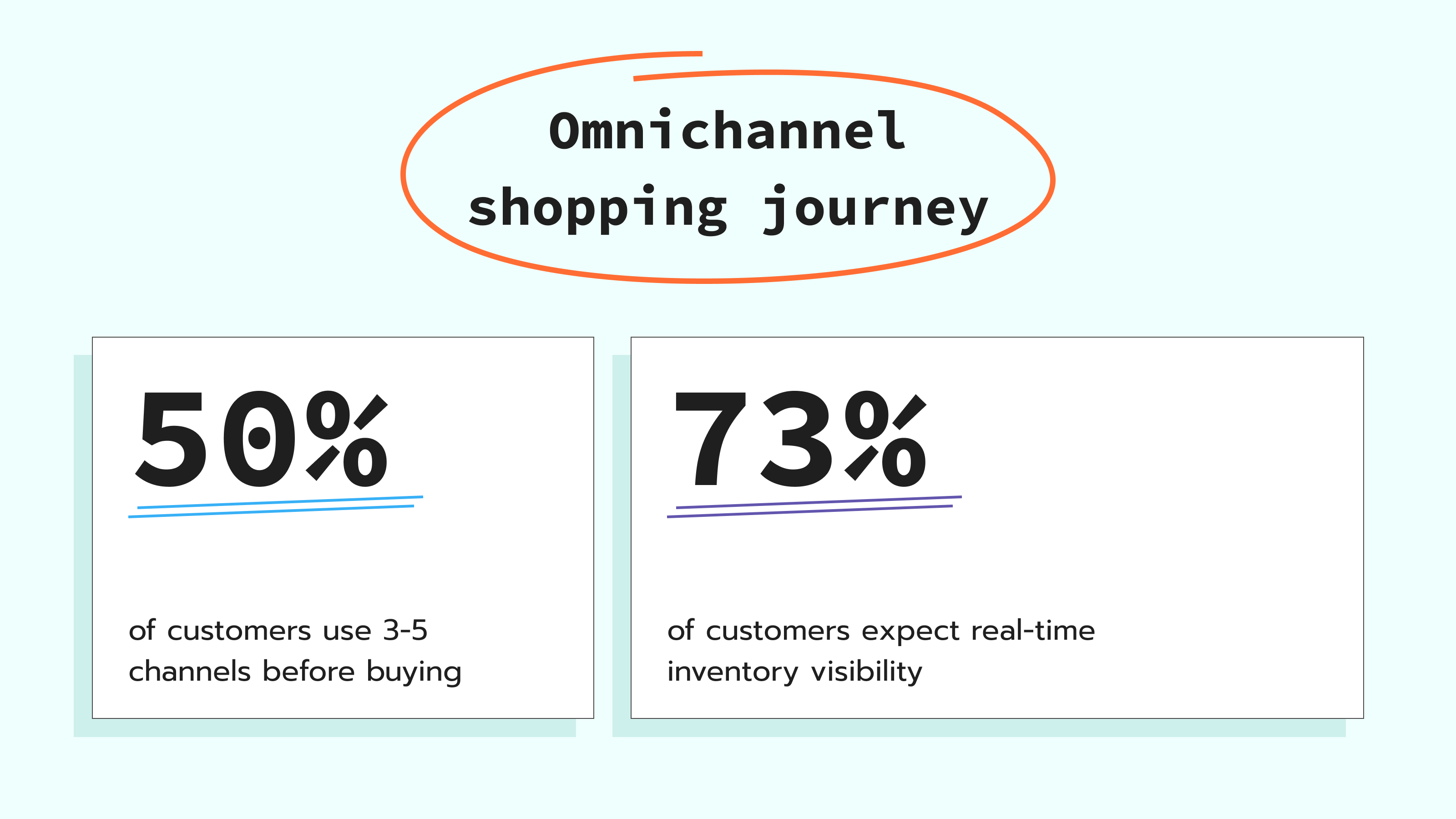
It gives a more complete picture of how your customers buy. New Store's global omnichannel report shows that 50% of customers use from three to five channels per journey before buying. In addition, customers expect a smooth omnichannel experience; according to the PYMNTS Global Digital Shopping Index report, 73% of users expect real-time visibility into both online and in-store inventory. These statistics highlight how today’s online and in-store customer journeys have become connected.
Meta Ads omnichannel solution
To address the need to track and optimize based on omnichannel interactions (not online-only), Meta launched Omnichannel ads. The solution helps optimize across both website and in-store outcomes in one sales campaign, instead of splitting budgets. It was recently moved out of beta. Availability varies by market and account eligibility; check Ads Manager/your representative for enablement.
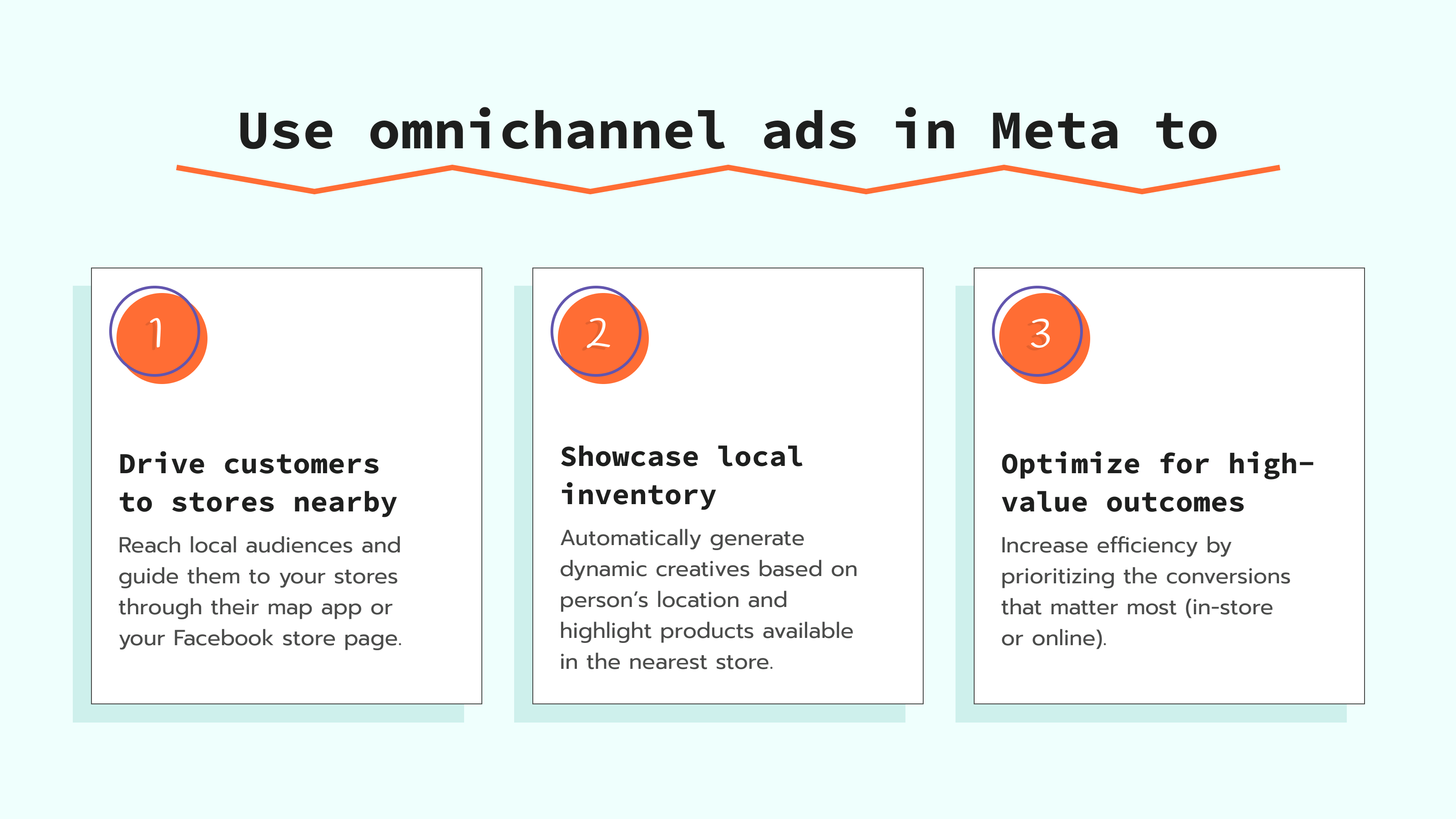
You may see minimum signal-quality requirements in Events Manager (e.g., an offline event quality score target). At the moment of writing the article, there is a requirement for an offline data quality score; you need to have at least an 8.5 score. The threshold can vary as the product evolves; use Events Manager eligibility prompts as the source of truth.
When running Omni ads, you need to have both online and offline signals connected. Together, these signals help improve targeting, attribution, and overall campaign performance by giving Meta a more complete understanding of customer interactions across channels.
In this article, we will consider available options for configuring online signals as well as what Conversions API for offline events is, and how to configure Omnichannel ads in Meta.
Online signals: Pixel and Conversions API for web
Online signals capture customer actions that took place on your website (e.g., page views, purchases, form submissions, or add-to-cart events). There are two ways to track online signals:
- Client-side only with Meta Pixel
- Hybrid approach with Meta Pixel + Meta Conversions API
The Meta Pixel sends data on user behavior directly from the browser to Meta. When you add the Conversions API, event data is also sent directly from your server — creating a more reliable setup that's less affected by ad blockers and browser restrictions.
✍️ Note:
A Pixel-only setup will work for tracking website activity in omnichannel campaigns, but pairing it with the Meta Conversions API is recommended for more complete and reliable data tracking.
Using both solutions together helps ensure that your campaigns continue to receive high-quality conversion signals. With such signals, Meta can optimize ad targeting more effectively and maximize campaign outcomes.
To learn more about the benefits of the Meta Conversions API for sending online signals and how to set it up, please refer to our guide on the Meta Conversions API. For sites with embedded content, iframe tracking GTM setups can also affect how completely these online signals are captured.
Conversions API for offline events and why it is required
While the Meta Pixel tracks activity on your website, CAPI for offline events is a server-to-server integration that reports conversions that happened outside the website (e.g., in-store purchases). It sends data from your Point of Sale (POS) system or CRM directly to Meta. Using identifiers such as hashed email addresses or phone numbers, CAPI can match in-store transactions with users who previously interacted with your ads on Meta platforms.
To be eligible for omnichannel optimization, advertisers typically need a reliable, ongoing feed of offline events; in many cases, this is implemented via Conversions API (offline).
Manual uploads of CSV files may not meet eligibility requirements and can limit campaign optimization. Such an approach to data collection reflects Meta’s machine learning needs in a constant stream of data (which is complicated by manual file uploads) to understand which users are worth your budget.
Methods to track offline events using CAPI
Before configuring the Conversions API for offline events, you need to select the method that works best for your case. There are such options available:
| Method | Opt for the method if you are | Setup complexity | Find out more about the method |
| Stape's Conversion Tracking CRM Apps | - using one of the CRMs: HubSpot, Salesforce, Pipedrive, Zoho, and HighLevel - planning/already configured server-side tracking solution for website (Meta CAPI, Meta CAPIG, Signals Gateway) | Low | 1. Stape's Conversion tracking apps: use cases and benefits 2. List of currently available apps |
| Send via webhook | - using the CRM not presented on the list above - using POS, or a custom solution, such as triggering events via a Shopify Flow webhook - not going to implement a server-side tracking solution for website tracking | Medium | 1. Meta offline conversion using server GTM 2. What are webhooks, and how to use them |
Want to try the server side?
Try for freeOmnichannel campaign configuration step-by-step
Step 1. Configure offline conversions tracking
Based on the method that works for your case, configure CAPI offline events tracking. The guidance can be found in the corresponding collapse element:
Step 2. Connect the required datasets to the ad account
Connecting the datasets is required to grant permission for attribution/optimization using offline events. By linking the dataset to your ad account, you give Meta permission to match your offline customer data (like hashed emails from your POS/CRM) against the data that the platform has on users' online behaviour.
Keep in mind that match quality varies; send multiple high-quality identifiers where permitted, and monitor match diagnostics in Events Manager.
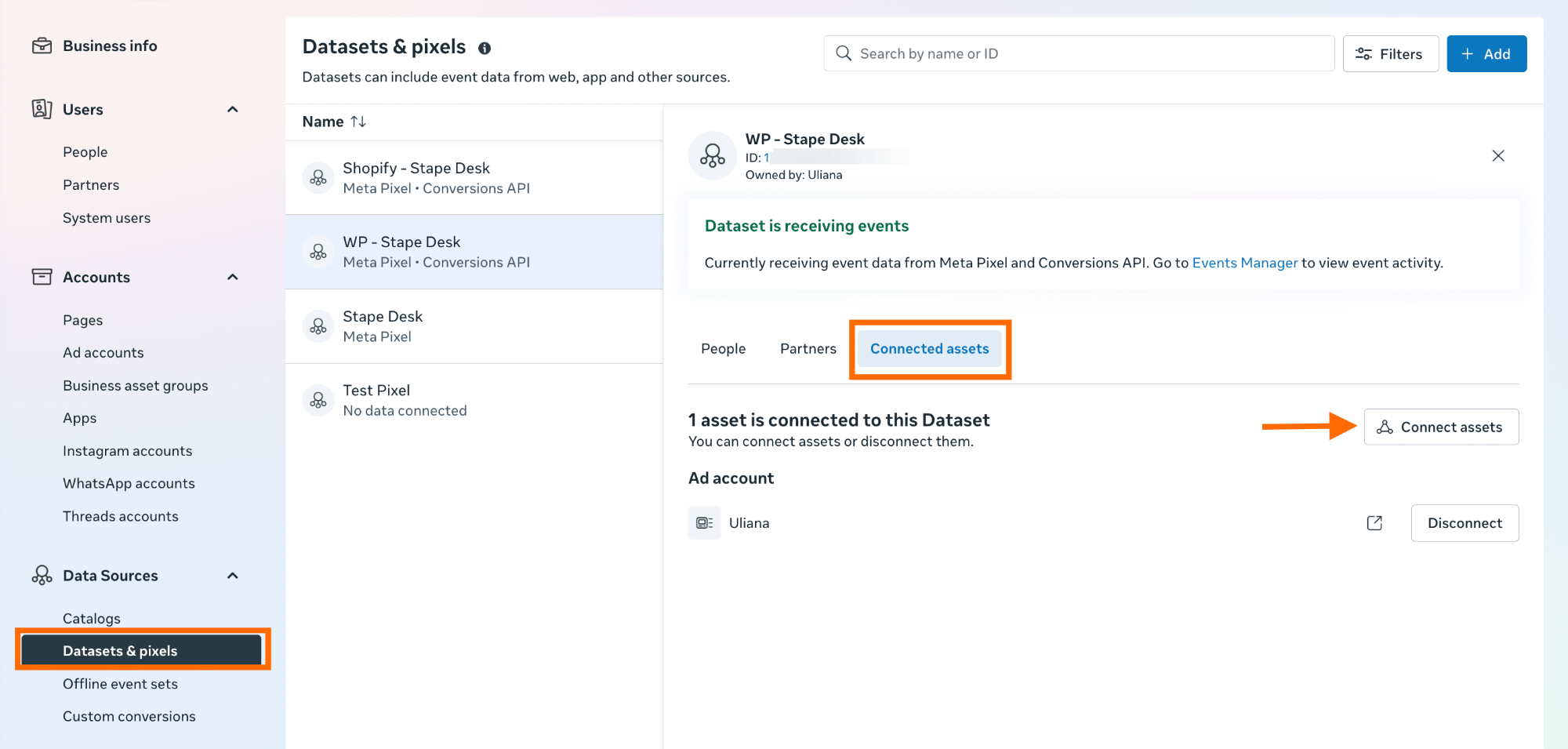
To add the dataset to an ad account, go to Meta Business Settings → click on "Data Sources" → select "Datasets & pixels" → select the dataset you use for receiving offline CAPI events → click on "Connected assets" tab → Connect assets.
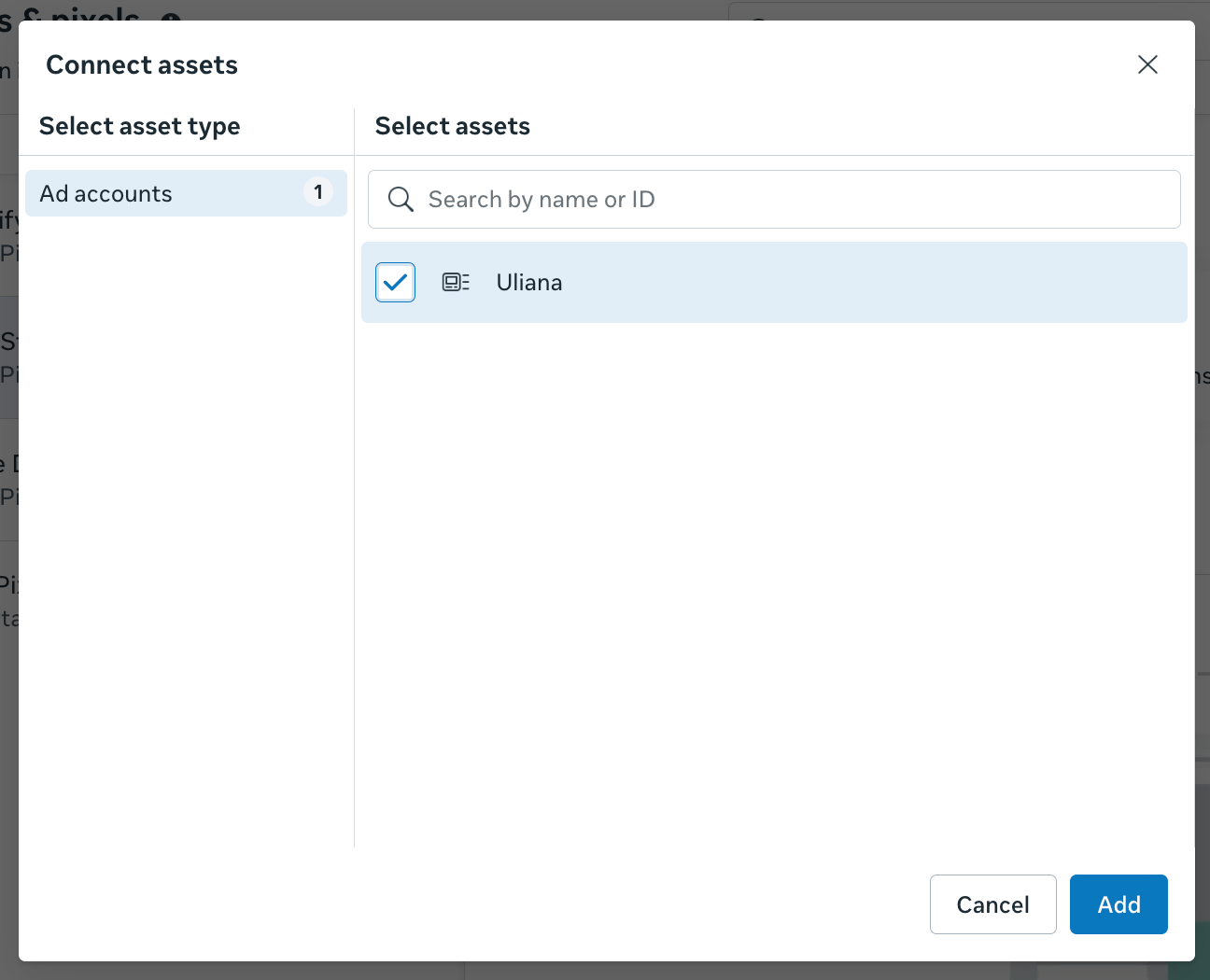
Select the account and click "Add".
Step 3. Check offline data quality score, improve if needed
Note:
For running omnichannel campaigns, Meta also requires a consistent web signal to be sent. To meet this requirement, you should have at least Meta Pixel configured. If you don't have it configured yet, check our guide.
To configure a Meta omnichannel campaign, you need to have an offline data quality score of 8.5 or higher.
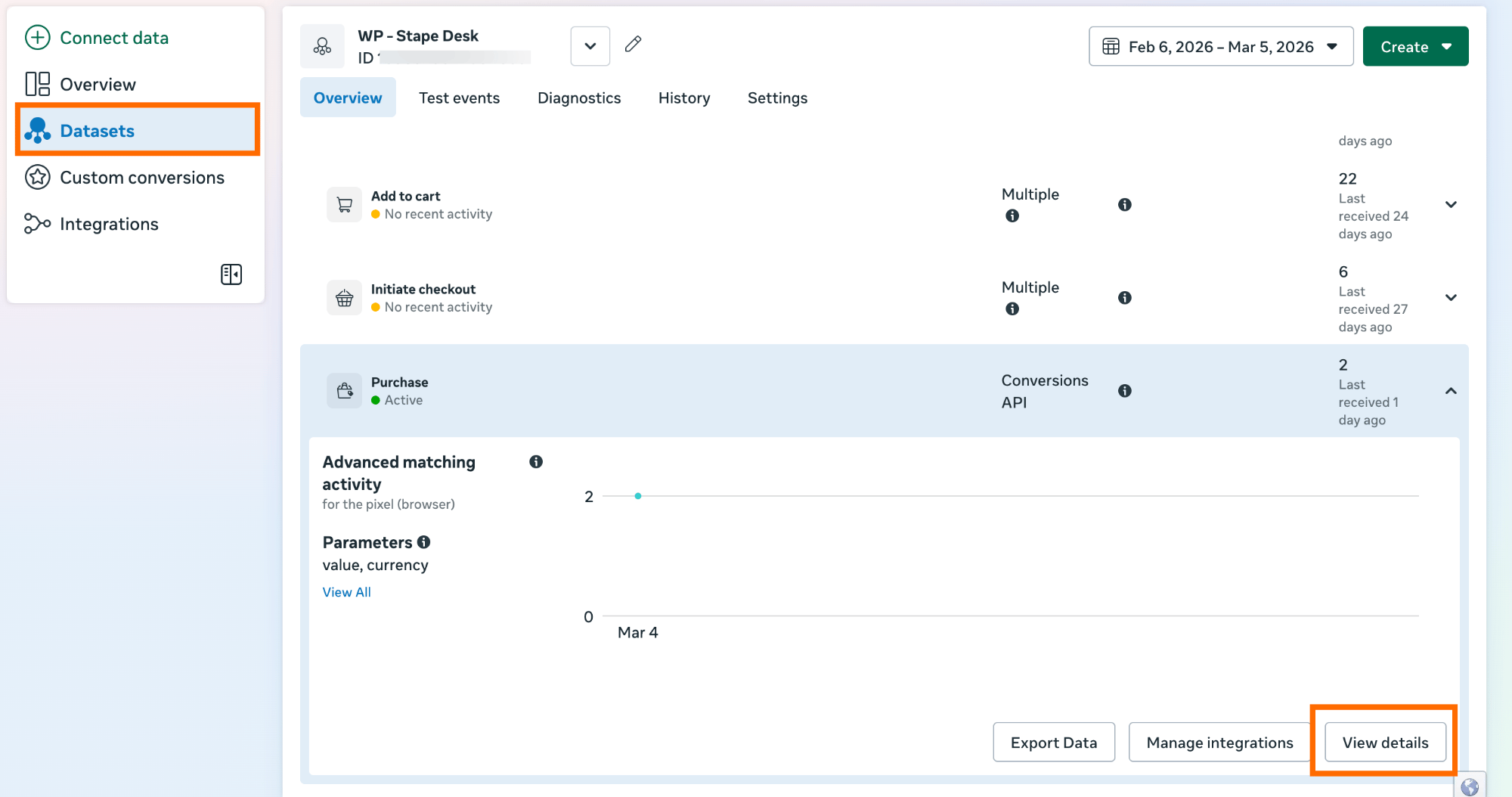
3.1 Check your offline data quality score to see if you can use the omnichannel ad campaign type. Go to Events Manager → Overview → click on the required dataset → click on the conversion you need → click "View details".
3.2 Navigate to the "Event Quality" tab in a pop-up window. Here you will see the Event Quality Score.
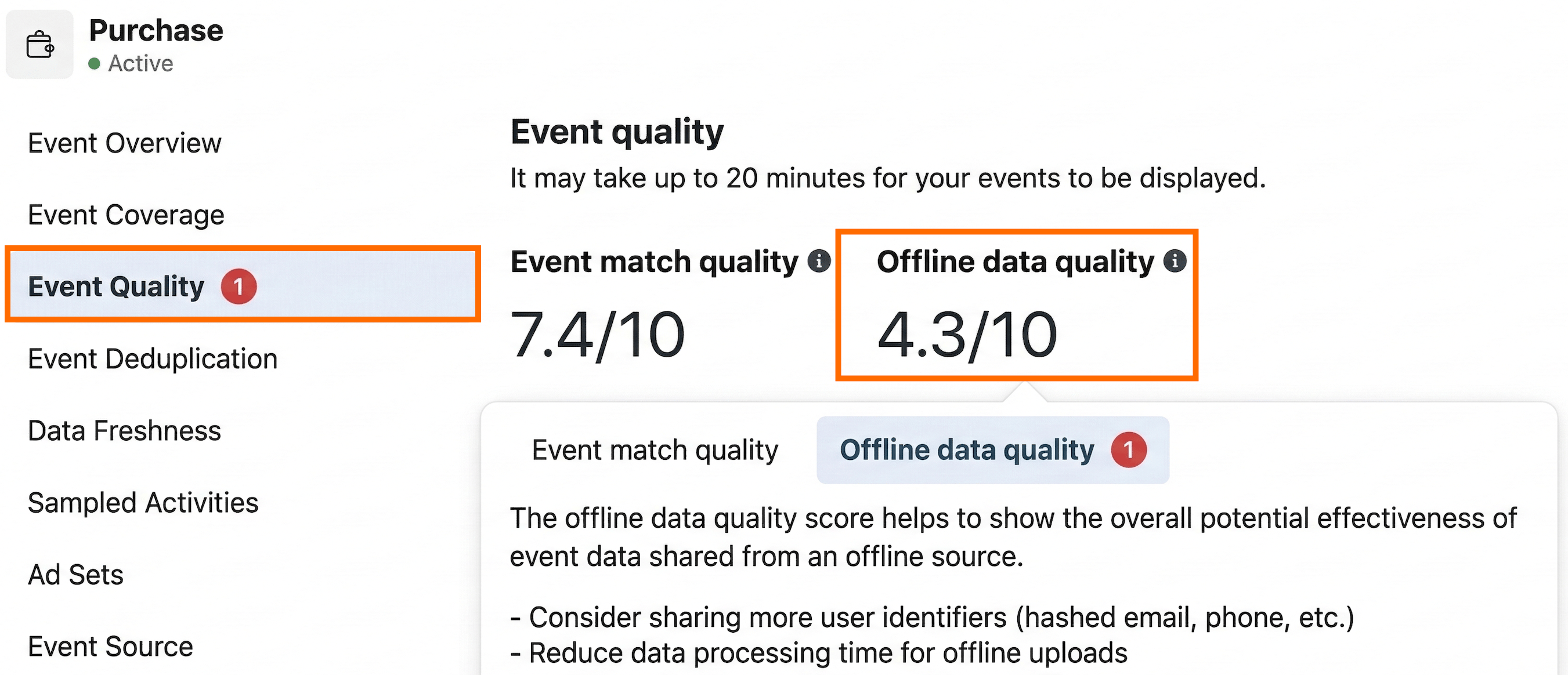
If the score is below 8.5, follow the recommendations from the collapse element to improve it:
Step 4. Create an omnichannel campaign in Meta Ads
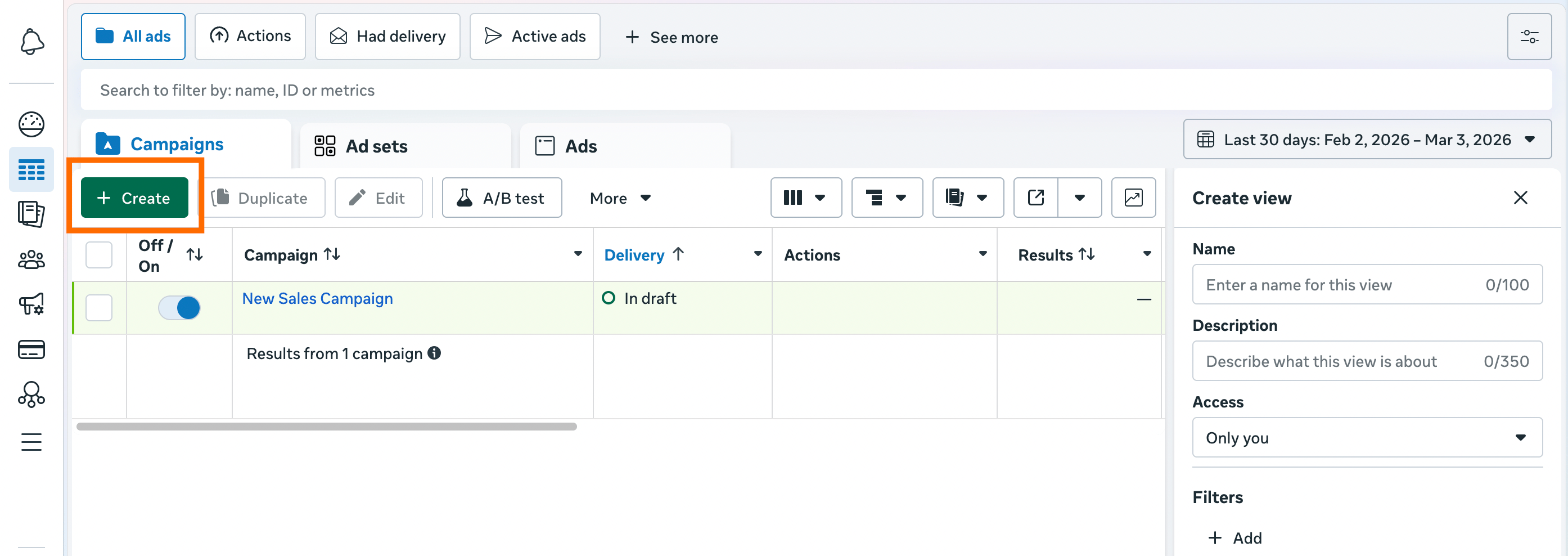
4.1 To create an omnichannel campaign, go to Ads Manager → click "Create".
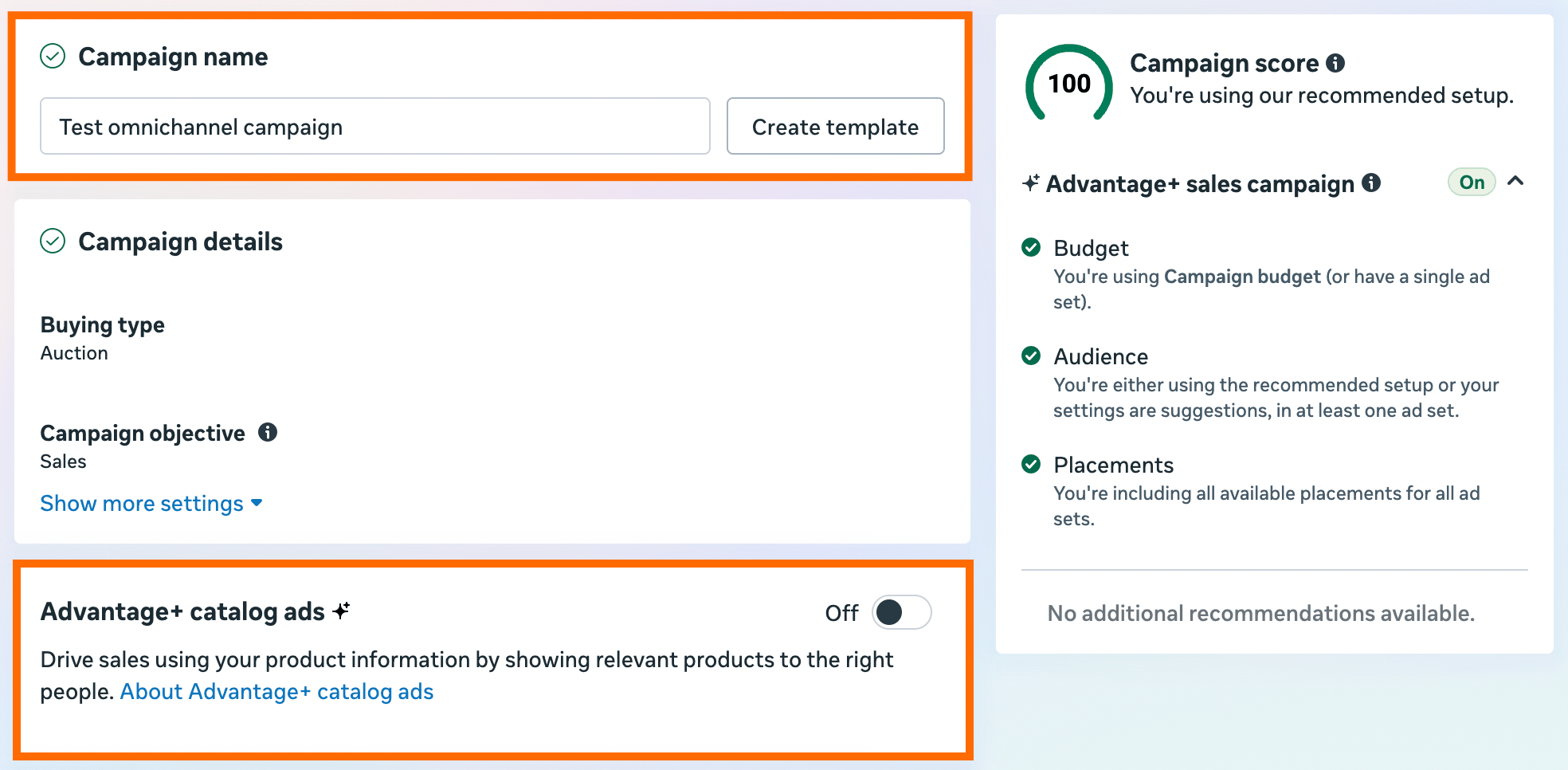
4.2 Choose "Sales" as a campaign objective → click "Next" → on the screen, add the Campaign name.
Meta also provides an option to turn on Advantage+ catalog ads - an automated format that provides personalized product ads from your catalog to users. To do it, Meta uses its machine-learning optimization. Enable Advantage+ catalog ads if you have a catalog and want dynamic product delivery; otherwise, stick with a single image/video.
4.3 Set the campaign budget, add other configurations that meet your needs, and click "Next".
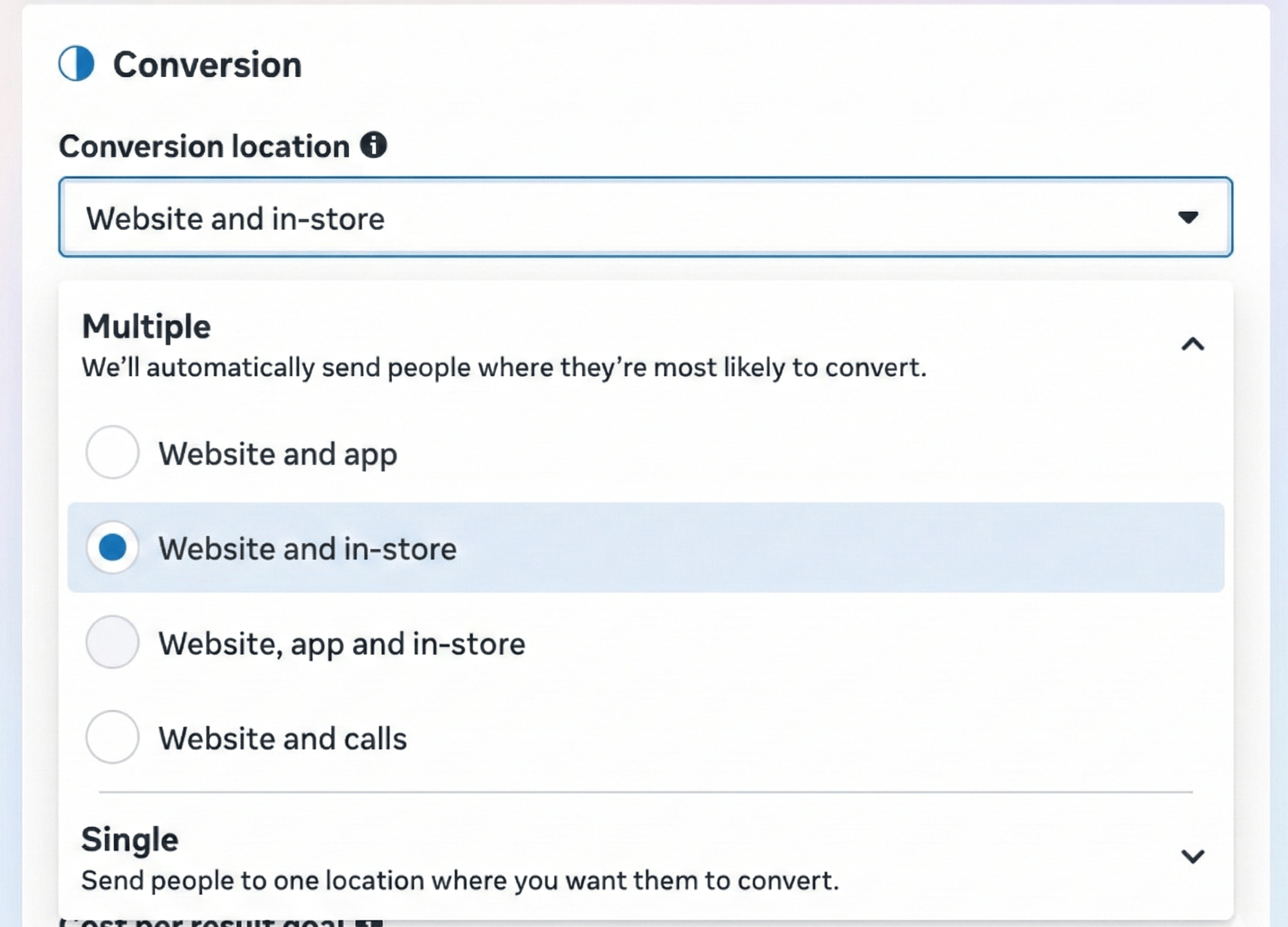
4.4 On this step, select "Website and in-store" or "Website, app and in-store" as Conversion location.
After choosing the Conversion location, the performance goal will automatically be set to maximize the number of conversions, and the conversion event will default to Purchase. You won’t be able to select a different performance goal or conversion event.
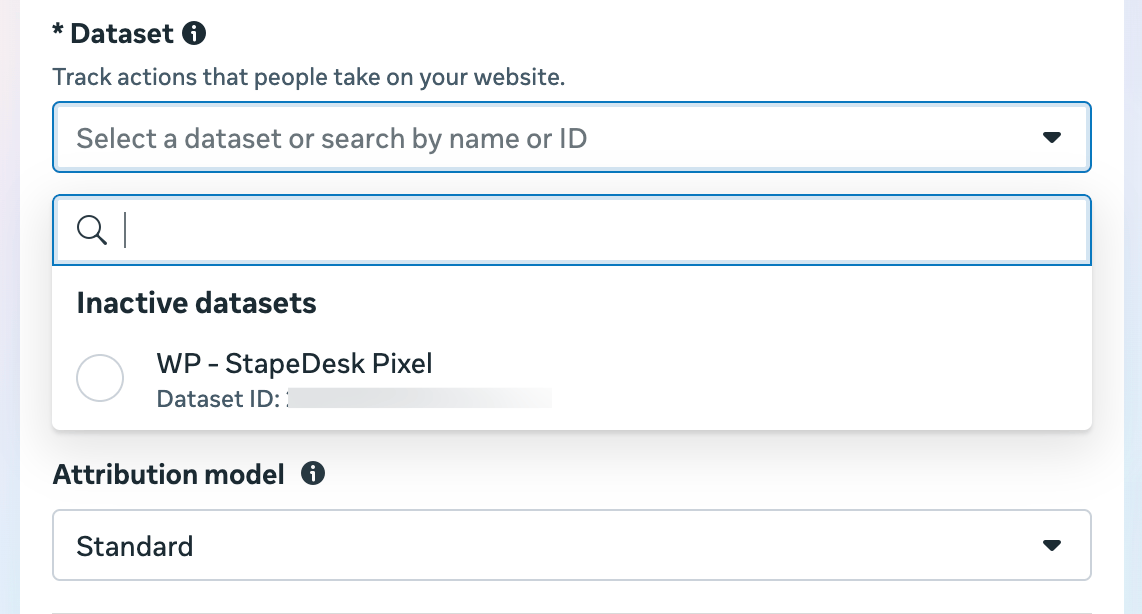
4.5 In the "Dataset," select the dataset that receives both website and offline events. "Purchase" will be chosen by default as the conversion event.
Configure the ad campaign according to your needs.
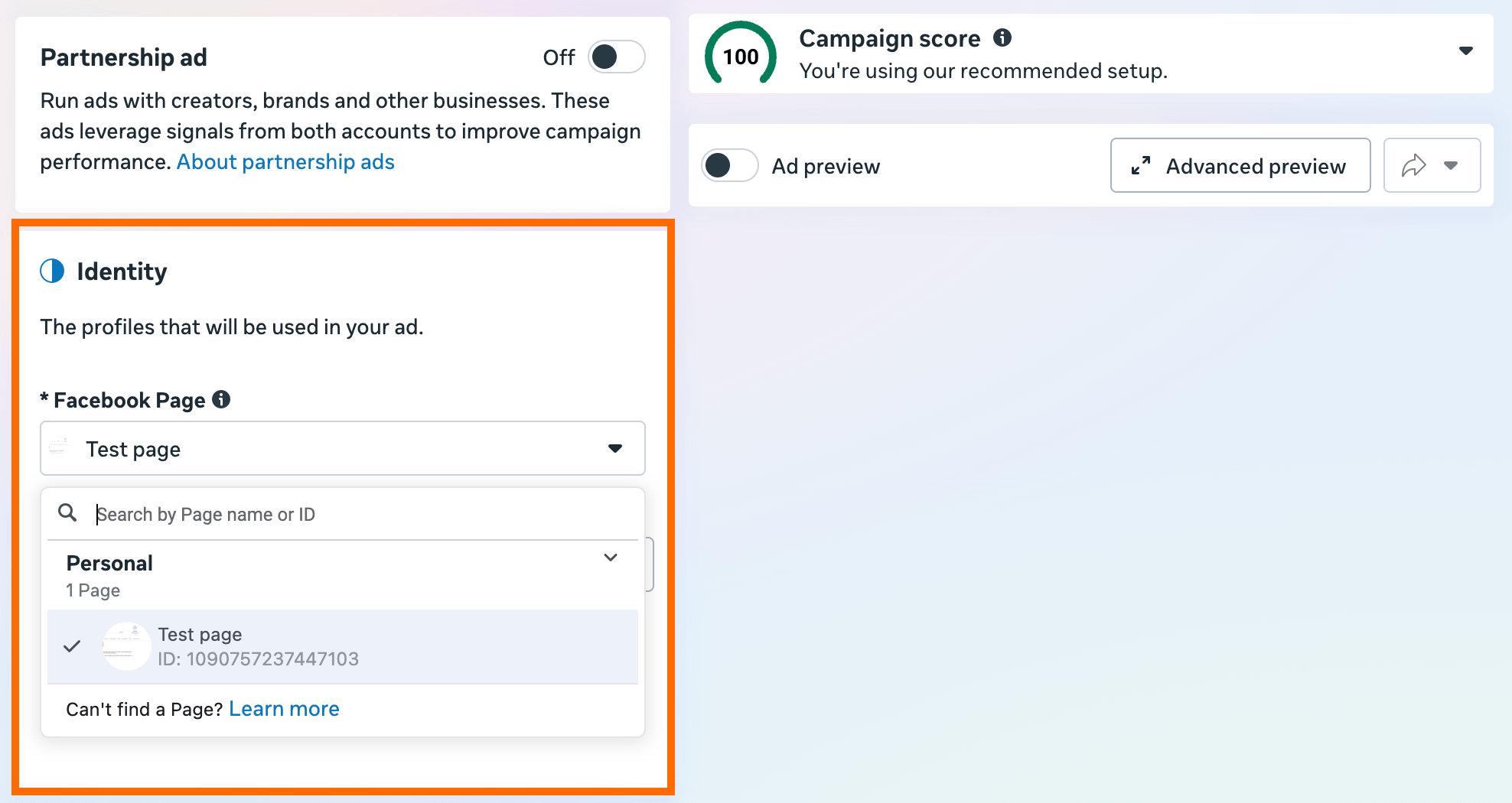
4.6 On the next step, select or create a Meta page that has a store Pages structure. If you've selected Advantage+ catalogue ads, skip this step.
4.7 In the Ad setup, select Manual upload as your media setup and Single image or video as your format. If you've selected Advantage+ catalogue ads, skip this step.
Complete the campaign configuration and publish the campaign.
| For more details on the omnichannel campaign configuration, check Meta's documentation. |
Step 5. Test and measure omnichannel campaign performance
Once the setup is complete, the next step is to validate that the configuration works properly and sends reliable signals.
Start by checking your offline signal quality (offline data quality score) to ensure attribution/measurement is consistent and signals keep flowing.
Note:
Keep in mind that it may take up to 48 hours for signal quality to stabilize after launching an omnichannel campaign.
Next, check that product and inventory information is up to date. If omnichannel features such as local inventory visibility are enabled, items should appear correctly in real time, so that the customer experience is consistent across channels.
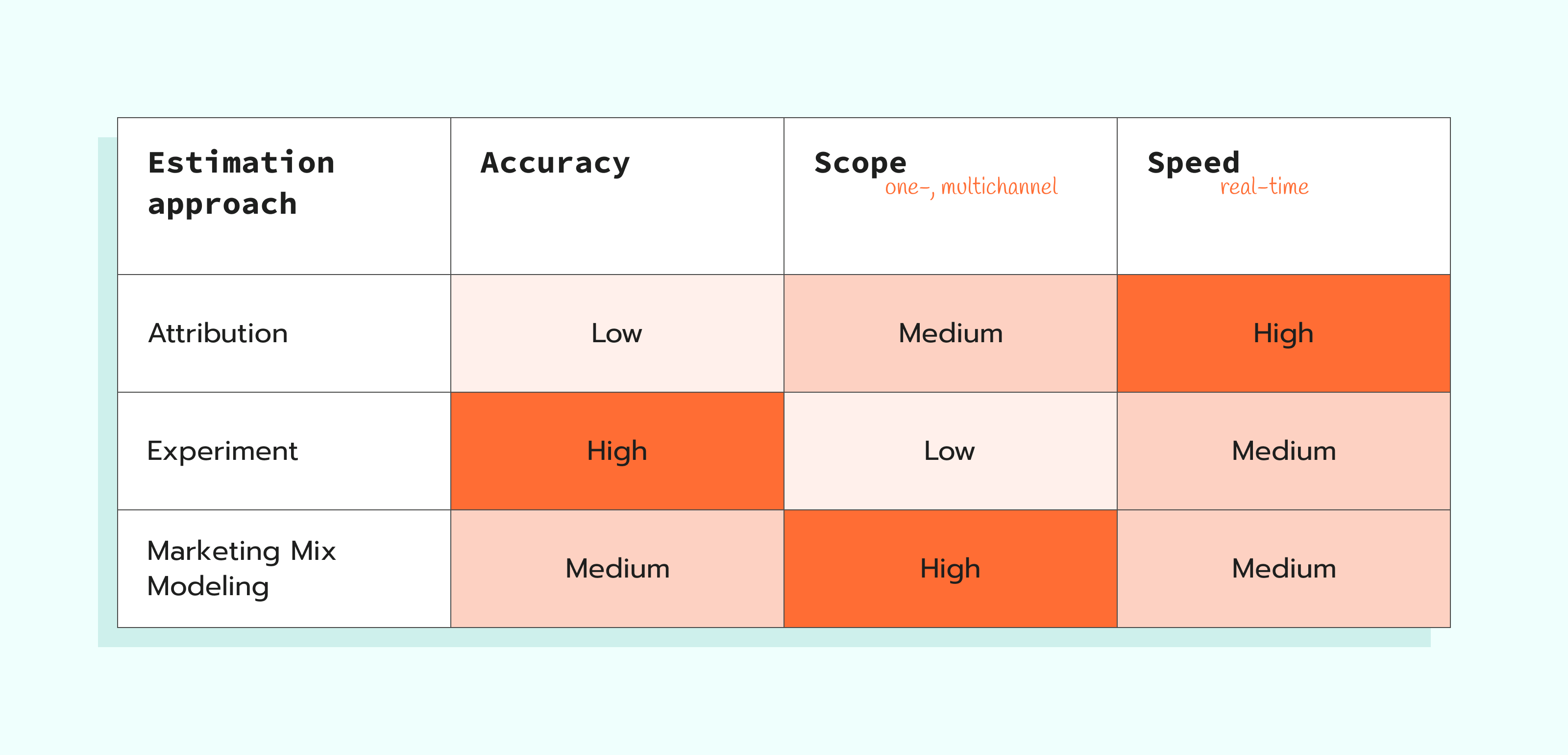
After confirming that the campaign setup is functioning as expected, evaluate its impact on business. A good practice is to run an omnichannel campaign alongside your standard campaigns. Such an approach allows you to compare performance and understand whether omnichannel optimization works for your case. In fact, it is a controlled experiment: you will need to either compare an omni campaign directly against your current ads or set a baseline to see the value of omnichannel for your case.
Finally, we recommend using Marketing Mix Modeling (MMM) in your measurement framework. It will help you understand how your Meta spend is affecting your business compared to other channels (like physical stores or other digital platforms).
What results to expect
Based on initial tests, businesses that run omnichannel campaigns can expect growth across several performance indicators:
- Efficiency. Advertisers see a 15% lower median cost per omnichannel purchase compared to web-only optimization [1].
- Higher Return on Investment (ROI). The tests show a 34% increase in ROI on average. With omnichannel campaigns, the system can better identify high-value customers [2].
- Incremental growth. Optimizing for both online and offline signals, the companies have achieved a 21% higher store incremental ROAS [3].
Best practices for running omnichannel campaigns
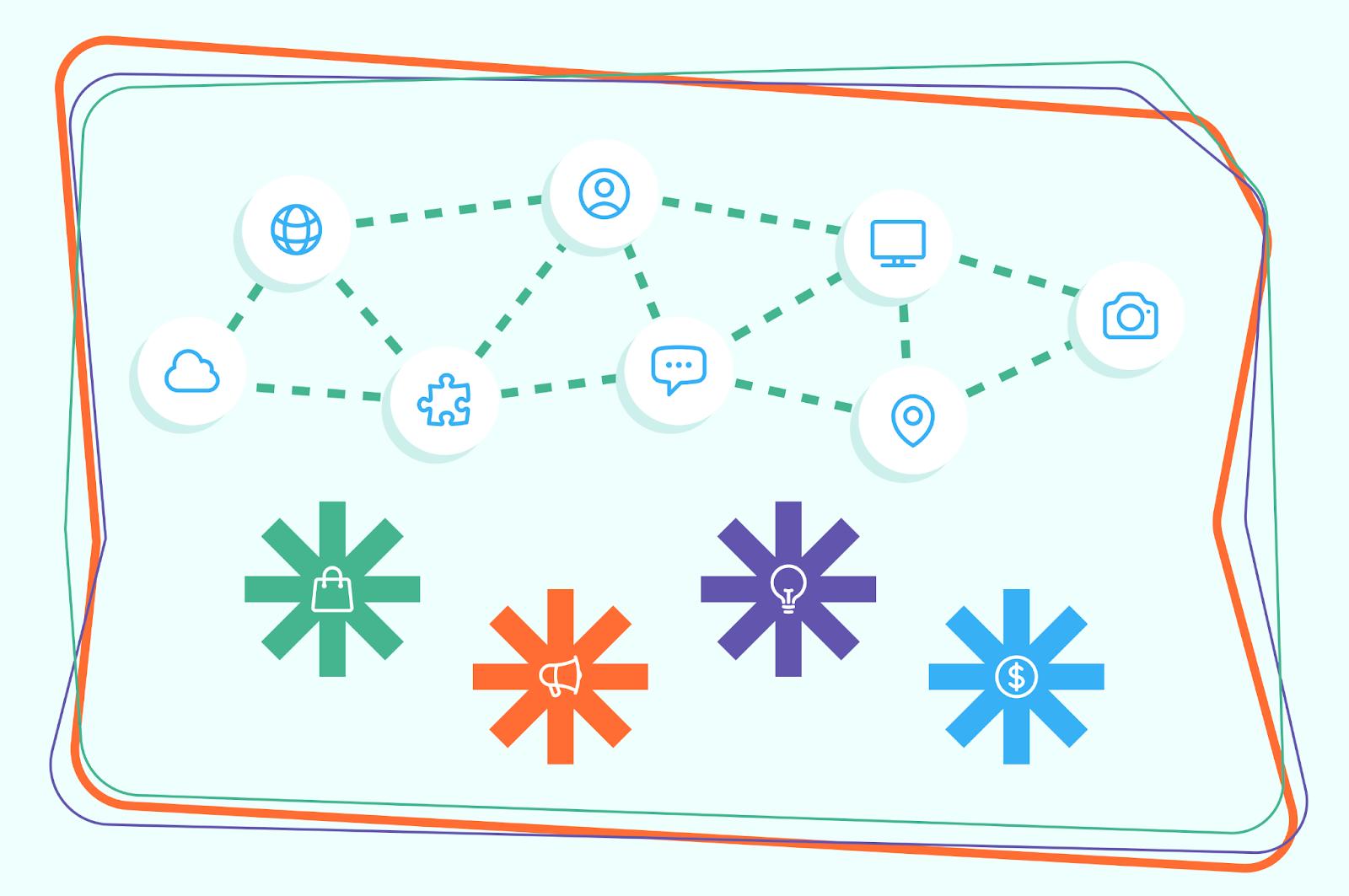
Use Conversions API for both online and offline events
Configuring Conversions API for online events isn’t mandatory to run omnichannel campaigns, but it is highly recommended as a best practice for improved performance. Due to server-side connection, you can track data more precisely and get a clearer picture of the customer journey.
With both online and offline events feeding the algorithm via Conversions API, Meta's algorithms can better identify high-value customers and provide effective results across all touchpoints.
👉 Find out more on Meta Conversions API in our guide.
Configure Conversion Location Value Rules
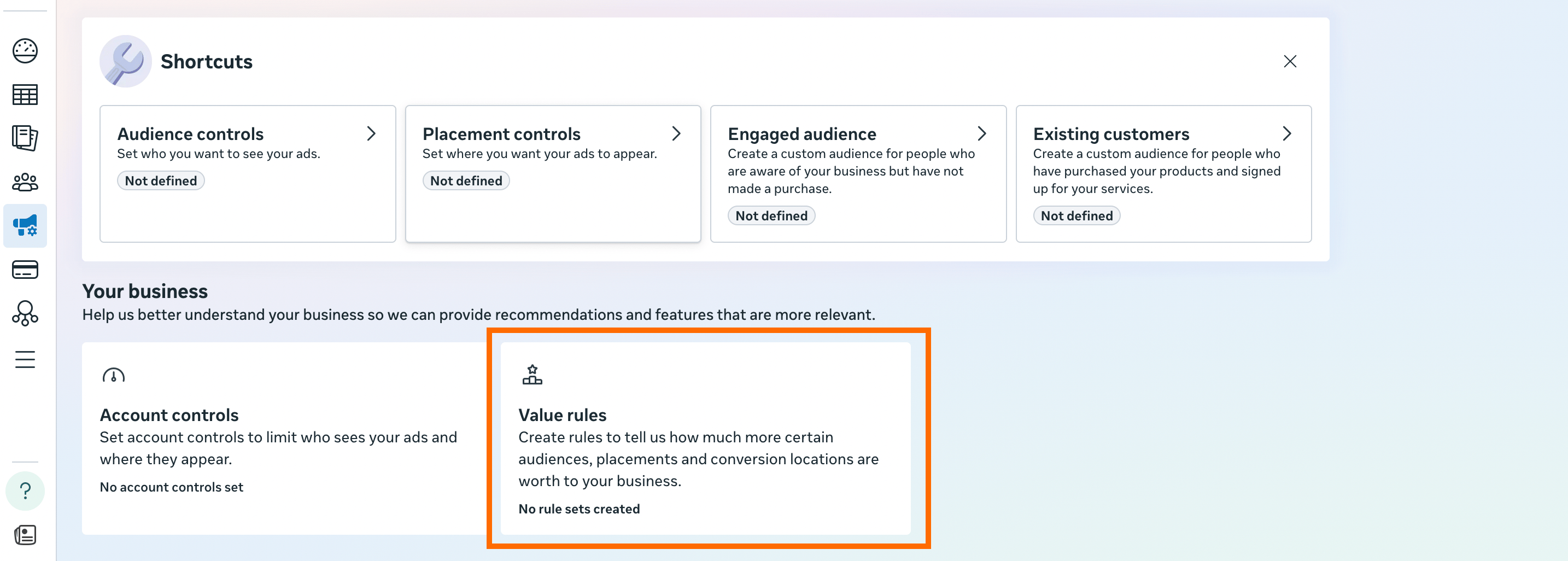
Setting up Conversion Location Value Rules helps Meta algorithms optimize campaigns for the outcomes that matter most in each location. You can set values to specific stores or regions, for example, high-margin products or stores with strategic importance.
👉 Meta has a detailed guide on how to configure value rules.
To make the rollout easier, we’ve also prepared a practical Meta Omnichannel Ads playbook covering the requirements, setup steps, and best practices. You can download it below.
Final words
Omnichannel ad campaigns can be highly valuable for businesses that work across both online and offline channels. With CAPI for offline events, these businesses can better understand the full customer journey and optimize campaigns for both web and in-store outcomes.
Initial tests show significant improvements in efficiency and ROI, but it is important to remember that these results are not universal. The impact of omnichannel optimization can vary depending on your specific business model, customer behavior, and industry. Running controlled experiments is highly recommended. Testing is the only way to understand how the campaign performs for your case.
Download the Meta Omnichannel Ads playbook
Recommended for you
Blog
Meta Custom Audiences guide: how to create and automate
Increase ROAS by targeting high-intent users with Meta Custom Audiences. Reach leads, work on retention, and use server-side tracking to ensure data accuracy.
Sep 14, 2026

Comments