Oct 5, 2026
GDPR and Google Analytics 4 - all-in-one expert guide
Written by
Tymofii Sankov
Published Nov 5, 2026 comments
Key takeaways
- Google Analytics 4 is not automatically GDPR compliant. Compliance depends on how you configure GA4, what data you collect, your legal basis for processing, and how you respect users’ choices.
- GDPR and cookie consent are related but not identical. GDPR governs personal-data processing, while ePrivacy rules also affect cookies and similar tracking technologies used by analytics platforms.
- Google Consent Mode v2 helps tags respond to consent choices, but it does not make a setup compliant on its own. You still need a properly configured CMP, appropriate legal basis, and data-minimization practices.
- Server-side tracking can give you more control over what data reaches GA4 and other platforms, but it does not bypass GDPR requirements. Stape can help manage data and consent signals more precisely.
You want to know how many visitors came from Google Ads, which landing page generated your leads, and whether yesterday's €2,000 campaign actually sold anything. Reasonable requests. Then GDPR enters the room. Suddenly, a simple Google Analytics setup involves consent banners, personal data, Google Signals, international data transfers, retention periods, Consent Mode, and approximately 47 browser tabs explaining what all of those things mean.
The good news is that you still can proceed with your analytics. The less convenient news is that there is no big green “Make Google Analytics GDPR compliant” button hiding somewhere in GA4 Admin.
For anyone researching GDPR Google Analytics requirements, the most important thing to understand from the start is that GDPR compliance depends on how you use and configure Google Analytics, what data you collect, why you collect it, what happens to that data, and how you respect your visitors' choices.
This guide explains the current relationship between GDPR and Google Analytics, including GA4 privacy controls, Consent Mode v2, cookies, international transfers, practical settings you should review, and where server-side tracking is in all that story.
Is Google Analytics GDPR compliant?
The short answer is: Google Analytics 4 can be used in a GDPR-compliant setup, but using GA4 does not automatically make your analytics compliant. That distinction matters. GDPR does not maintain a list of analytics platforms with a “verified” tick next to them. Its task is to regulate what happens to personal data, where, and under what circumstances.
So, whether your GA4 setup is compliant depends on how you use it. You need to have an appropriate legal basis for processing, collect only the data you actually need, respect users' consent choices where required, configure retention and advertising features appropriately, and account for data sharing and international transfers.
In other words, the more useful question is not simply “Is Google Analytics GDPR compliant?” but “Is the way my business uses Google Analytics compliant?” That answer can be yes. But GA4 will not do all the work for you.
Why GDPR applies to Google Analytics 4
A common misunderstanding is that GDPR applies only when you collect obvious information such as someone's name, phone number, or email address. The specter of its duties, though, is much broader. Under GDPR, personal data means information relating to an identified or identifiable natural person. An identifier does not necessarily need to say “John Smith.” Online identifiers and several pieces of information combined can also allow a person to be distinguished or identified.
That matters for Google Analytics because analytics measurement can involve identifiers and information about a person's device and activity. Google states that Analytics can collect first-party cookies, device and browser information, on-site or app activity, and IP addresses during collection, although GA4 does not log or store those IP addresses.
Thus, if you were hoping that replacing names with a random set of numbers would make all your GDPR-related concerns disappear in a puff of smoke, unfortunately, we have bad news for you. Pseudonymization works well as part of a bigger system, but it alone does not make you GDPR compliant.
There is another distinction marketers should know: GDPR is not the only European rule involved in analytics tracking. The ePrivacy framework, for instance, regulates storing information on or accessing information from a user's device. In practice, this is why cookies and similar tracking technologies often require prior consent unless an applicable exemption exists. Of course, the implementation may differ depending on location; that is why it is important to consult your local laws as well before making any decisions.
For an average marketing team, the practical lesson is simpler: Do not treat “GDPR compliance” as a hypothetical checkbox inside Google Analytics. Your website, consent platform, Google tags, Analytics settings, advertising integrations, and privacy documentation form one system, and it is your responsibility to check whether it operates correctly.
What personal data does Google Analytics 4 collect?

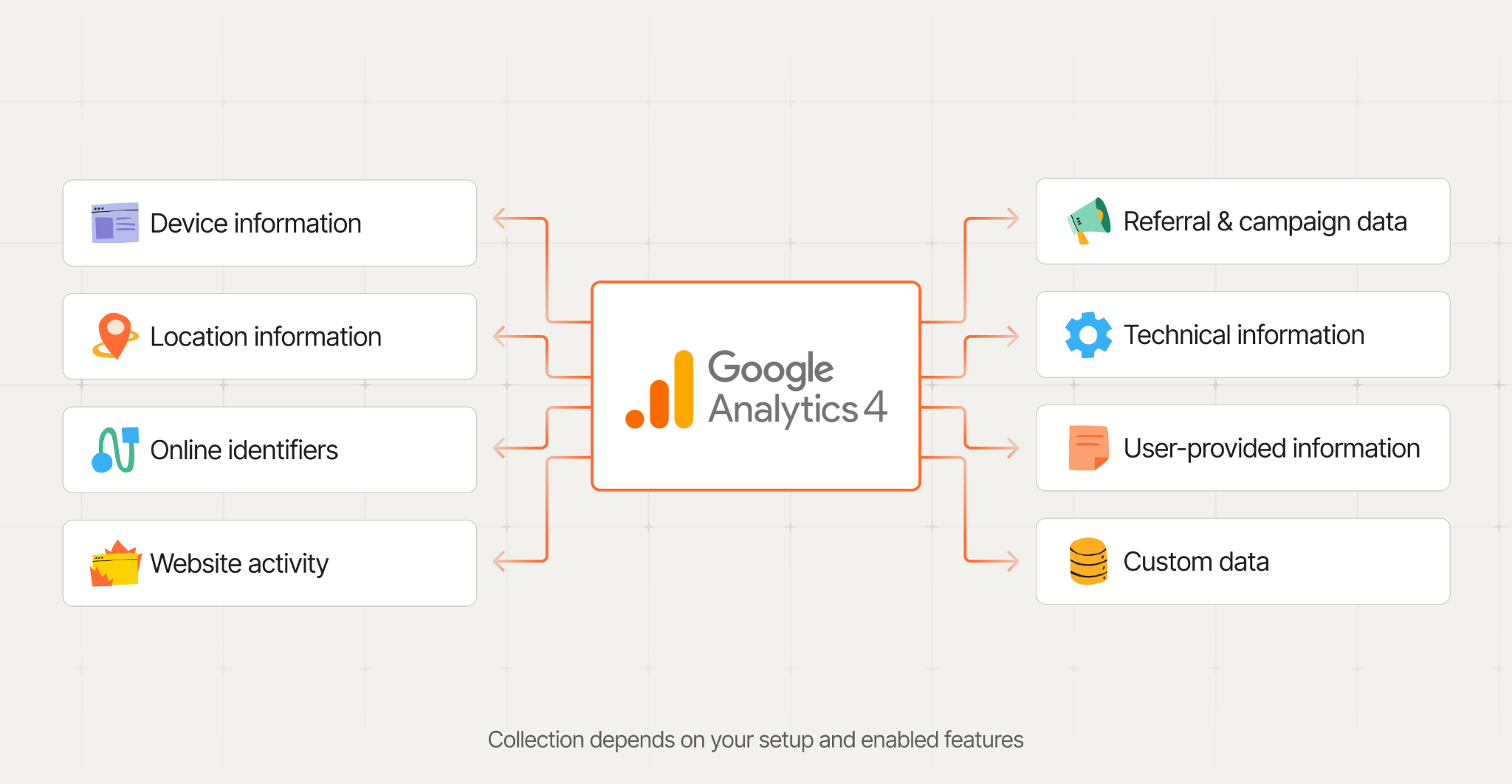
GA4 works with events: it measures interactions such as page views, sessions, scrolls, purchases, clicks, and other events you choose to configure. Depending on your implementation and enabled features, you may get different data on those interactions.
| Data type | Examples |
| Device information | Device type, operating system, browser information, screen resolution |
| Location information | Country, region, city or other location data derived during processing |
| Online identifiers | GA client identifiers, User-ID if configured, advertising identifiers where applicable |
| Website activity | Pages viewed, events, session activity, purchases, conversions |
| Referral and campaign information | Referral source, campaign data, ad-click information |
| Technical information | User agent and other request-related information |
| User-provided information | Data intentionally configured through supported Google features |
| Custom data | Event parameters, user properties, custom dimensions you configure |
Many businesses do not even realize how much control they have over the gathered data. For example, Google lets GA4 users disable granular location and device-data collection on a regional basis. Doing so prevents Analytics from collecting such data as city, browser version, detailed device information, and operating-system version for the selected regions.
What about IP addresses?
The IP matter deserves its own explanation because a remarkable amount of old Google Analytics GDPR advice still tells people to “turn on IP anonymization.” In fact, that advice comes largely from Universal Analytics.
For GA4, Google states that IP masking is not necessary because IP addresses are not logged or stored. They may be used in the UK, EU, and Switzerland for geolocation before being discarded, but such IP lookups take place on regional servers before traffic is forwarded for further Analytics processing.
Unfortunately, this does not mean that you can lean back in your chair and relax while IPs are being automatically removed from all the storage. The only thing that changes: you simply do not need to handle the anonymize_ip setting, as many guides still suggest, because it is a legacy item.
Be careful with the data you add yourself
Another important distinction exists between what GA4 collects by design and what you may send to it unintentionally. As we have already established, Google's Analytics policies prohibit sending information that Google could recognize as personally identifiable information, such as email addresses and personal phone numbers. Now, imagine your website generates this URL after somebody submits a form and gets redirected to the thank-you page, and GA4 collects it:
example.com/thank-you?email=anna@example.com
If that full URL reaches GA4, you suddenly have a much more interesting privacy problem than the marketing team intended. Of course, Google has data-reduction controls that can remove selected URL query parameters before anything is sent to Analytics, but this is your ultimate and last-chance safeguard. Your responsibility is to configure the system in a way that personal information does not get into the tracked data package in the first place.
Google Analytics and GDPR: key regulatory developments
You may have seen claims that Google Analytics was “declared illegal in Europe.” Shortly, it is not. There is some history behind such allegations, though, which provides a good angle on how the EU privacy rules are developing.
- 2020 - Schrems II. The Court of Justice of the EU invalidated the EU-US Privacy Shield, creating major concerns around transfers of personal data from Europe to US companies.
- 2022 - Google Analytics rulings. Data protection authorities in Austria, France, and several other European countries challenged specific Google Analytics implementations, primarily because of transfers of personal data to the US.
- 2023 - EU-US Data Privacy Framework. The European Commission adopted a new adequacy decision allowing data transfers to certified US organizations under the framework. Google LLC is certified under it.
- 2025 - Framework upheld. The EU General Court dismissed a challenge seeking to annul the EU-US Data Privacy Framework.
As a result, the legal environment around GDPR and Google Analytics is different from the one behind the 2022 rulings. The EU-US Data Privacy Framework currently provides a mechanism for relevant transfers to Google, but there are still nuances you should be aware of, and they can be considered only for each case individually. In short, consent, data minimization, retention, transparency, and other GDPR requirements still apply.
How to make Google Analytics GDPR compliant
As we keep highlighting throughout this guide, there is no universal step-by-step formula how to make Google Analytics GDPR compliant in every situation. What we can give you is a practical framework that helps you move in the right direction.
| Define your purpose. Decide what you need Google Analytics for and collect only the data necessary for the goals. |
| Review legal basis and consent requirements. Determine the appropriate lawful basis under GDPR and check ePrivacy consent requirements. |
| Use a CMP and configure Consent Mode. Collect and store the visitor’s choices with a CMP, then pass them to Google tags with Consent Mode. |
| Minimize the data GA4 collects. Review your settings and events. Disable unnecessary features and limit granular data where possible. |
| Review advertising and data-sharing settings. Check Google Signals, Ads personalization, and GA4 data-sharing options. Enable only what you need. |
| Control retention and prevent PII leaks. Set a justified retention period and audit your implementation for accidental personal-data collection (e.g., in URLs, events, forms). |
| Document and maintain the setup. Review Google’s data-processing terms, update your privacy notice, and ensure you can handle data-subject requests. |
At this point, it is also worth changing how you look at Google Analytics GDPR compliance. Instead of treating it as a boring set of mandatory settings, think of it as an opportunity to review what data your business actually needs. You may be surprised by how much data you collect simply because a feature was enabled at some point — not because anyone still uses it.
Google Consent Mode v2 and GDPR
So far, everything is great; we have decided that it is essential to be conscious about your analytics, clearly understand what data you need, and disable everything you do not need. The question now is how to stick it all together. How to let Google tags know what they are allowed to collect, and what they are not.
Attentive readers have noticed that we mentioned Google Consent Mode in the scheme above, and it is exactly that type of glue. In other words, it receives the information on what a user has given their consent to and makes the tags behave accordingly. It can communicate 4 main signals:
analytics_storage = granted→ GA4 can use analytics cookies;denied→ it cannot use that storage and may send limited cookieless signals in Advanced Consent Mode*.ad_storage = granted→ Google can use advertising-related storage;denied→ ad cookies/storage are restricted.ad_user_data = granted→ user data can be sent to Google for advertising purposes;denied→ that advertising use is blocked.ad_personalization = granted→ data can be used for personalized ads;denied→ personalization is disabled.
*With Basic Consent Mode, Google tags are blocked until consent is granted. With Advanced Consent Mode, tags load with the default consent state and may send limited cookieless signals when consent is denied.
For a typical GA4 setup using a CMP and Google Consent Mode, the process should look like this:
User visits website → CMP displays consent banner → user makes a choice → CMP passes the consent state → Consent Mode updates Google tags → GA4 / Google Ads tags send or restrict data accordingly
So where does Google Consent Mode GDPR connection come in? Well, hopefully you are not tired of hearing this, but Consent Mode does not make your setup compliant by itself. It helps Google tags respect the user’s consent choice. In short, GDPR sets the rules, your CMP collects the choice, and Consent Mode helps enforce it in your tracking setup

Server-side tracking for GA4 and GDPR
Server-side tracking can support Google Analytics GDPR compliance because it gives you an extra layer of control before data reaches Google. Instead of sending everything directly from the browser, you can process requests in a server GTM container and remove unnecessary parameters, filter personal data, or decide which platforms should receive an event. This does not make GA4 GDPR compliant automatically, though. You still need a proper consent setup, a valid legal basis, and clear rules for what your server container is allowed to process and forward.
How Stape can help with a GDPR-conscious GA4 setup
Stape does not make your GA4 setup GDPR compliant with one switch - sadly, we have not invented that one yet. What it does provide is infrastructure and tools that give you more control over where your data is processed, what reaches advertising and analytics platforms, and how users’ consent choices are handled.
- Stape Europe and EU server locations let you run the server-side part of your tracking infrastructure within the EU. Stape Europe currently offers locations in Poland, France, the Netherlands, and Italy.
- Data Tag / Data Client helps send data from web GTM to server GTM, where you can control and transform values before forwarding them to GA4 or other platforms.
- Consent Parser decodes Google Consent Mode v2 signals inside server GTM, helping server-side tags react to the user’s consent state.
- Google Consent Mode Listener monitors consent changes and pushes an update event to the dataLayer, giving GTM a reliable way to react when a user changes their preferences.
The important part still remains yours: you decide what data is collected, which platforms receive it, and when consent is required. Stape gives you the infrastructure and controls to implement those decisions more precisely. In addition to that, we are also GDPR compliant, with our security and compliance documentation - including ISO 27001 and SOC 2 - available through the Stape Trust Center for teams that need to verify these requirements.
What data should you send to GA4 - and what should you avoid?
Finally, a question everyone was waiting for us to answer. Simply speaking, do not send GA4 directly identifying information as ordinary analytics data, and do not collect data you do not need.
| Data | What to do |
| Page views, events, campaign and ecommerce data | Send the information you actually use for analytics, attribution, conversions, and business reporting. |
| Names, email addresses, phone numbers, postal addresses | Do not send them as ordinary GA4 event data. Google prohibits sending information it can recognize as PII. |
| URLs and page titles | Check that they do not contain names, emails, phone numbers, account details, or other personal information. Google specifically warns that PII often leaks through URLs and titles. |
| URL query parameters | Keep useful parameters such as campaign information, but remove or redact parameters that can contain personal data. |
| Form values | Do not automatically pass submitted form fields into GA4 events. Review exactly which values your tags collect. |
| Custom events, parameters and dimensions | Send only values with a clear measurement purpose. Avoid adding personal information simply because GTM makes it technically possible. |
| User-ID | Use a pseudonymous internal identifier. It must not contain information that a third party could use to identify the person, such as their email address or phone number. |
| Granular location and device data | Collect it only if you actually need it. GA4 lets you disable city, User-Agent, device model, screen resolution, and other granular data by region. |
| User-provided data for supported Google features | Treat this separately from ordinary analytics events. GA4 supports specific user-provided-data implementations for fields such as email or phone, but they must be configured through the supported feature rather than simply added to your event parameters. |
In practice, the safest GA4 setup is usually also the simplest one: fewer unnecessary data points, fewer privacy headaches.
Conclusion
GA4 can fit into a GDPR-conscious analytics setup, but compliance depends on how you configure and use it. Collect only what you genuinely need, respect consent choices, keep personal data out of ordinary analytics events, and review your setup regularly. Privacy works best when it is built into measurement from the start.
FAQ
Want to try the server side?
Try for freeRecommended for you
Sep 15, 2025
Blog
Cookies, the GDPR, and the ePrivacy Directive
What cookies do and why they matter. How cookies are affected by the GDPR, CCPA, ePrivacy Directive and ePrivacy Regulation. Cookie compliance best practices.
Oct 5, 2026

Comments