
AI Assistant
AI Assistant is Stape's built-in AI tool that answers questions about your Stape account and connected platforms and performs measurement actions directly from the Stape interface.
You can use it to manage Stape containers, domains, power-ups, analytics, and subscriptions, as well as connect Google Tag Manager (GTM), Google Analytics 4 (GA4), and Google Ads to review configurations, manage tracking setups, troubleshoot issues, and perform supported actions.
How to access AI Assistant
AI Assistant is available on Stape Pro plans and higher. Open the AI Assistant tab and start typing. Connect your GTM or GA4 account when you want the AI chat to work with those properties.
Learn more about AI Assistant's current capabilities and limitations and how to set it up.
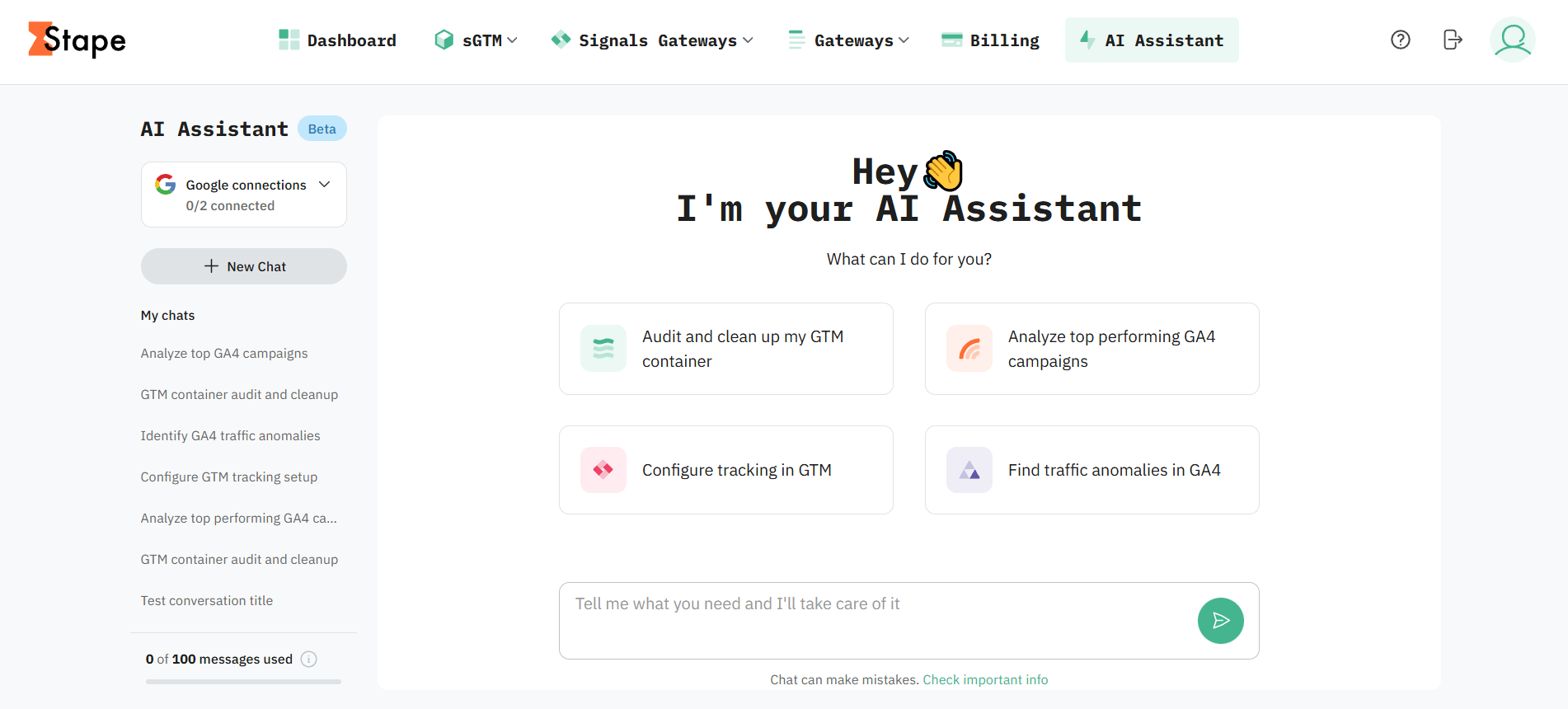
How AI Assistant works
You can use it to review setup details, check container information, work with GTM elements, or get data from GA4. This helps you perform tracking tasks without writing API requests or searching through several browser tabs.
Key features
- Built-in conversational interface. Ask questions and make requests directly from your Stape account.
- Stape account access. View and manage container settings, domains, power-ups, and subscriptions, and check monitoring data.
- Google Tag Manager connection. Connect your Google account to audit Google Tag Manager setups and manage tags, triggers, variables, clients, transformations, versions, and workspaces.
- Google Analytics 4 connection. Access connected Google Analytics 4 accounts and properties, manage data streams, and review event configurations.
- Google Ads connection. Review conversion actions, configure conversion tracking, audit Enhanced Conversions, and diagnose tracking or attribution issues.
- No-install setup. Ask AI Assistant to check your tracking setup and make supported changes without installing Node.js, Claude Desktop, or individual Model Context Protocol (MCP) servers.
- Suggested prompts. Use the suggested options in the AI Assistant interface to explore supported tasks and start conversations.
- Included monthly usage. Enjoy up to 100 AI Assistant messages per month.
- Preserves primary LLM usage. Handle routine measurement tasks inside Stape and reserve external AI tools for broader or more advanced workflows.
Key benefits by platform
Stape
- Manage Stape infrastructure faster. Access and update container settings, domains, power-ups, and other configurations directly through chat.
- Simplify domain management. Create, validate, update, or troubleshoot domains and DNS records without opening multiple settings.
- Monitor container performance more easily. Retrieve usage statistics, daily metrics, and analytics data to see how your containers are performing.
- Reduce administrative work. Check subscriptions and billing information, or manage plan changes through the same AI-assisted workflow.
Google Tag Manager
- Audit GTM setups faster. Review containers, workspaces, versions, environments, tags, triggers, and variables without checking each setup manually.
- Reduce repetitive configuration work. Create and manage tags, triggers, variables, clients, and transformations through chat.
- Manage deployments more efficiently. Create versions, publish changes, or return to earlier configurations in the same workflow.
- Keep complex setups organized. Manage folders, synchronize workspaces, and resolve configuration conflicts in large GTM setups.
Google Analytics 4
- Find the right GA4 setup faster. Discover accounts, properties, and data streams without searching through multiple GA4 interfaces.
- Review data collection more efficiently. Inspect existing events and data streams to understand how tracking is configured.
- Validate event implementation. Check that event logic is applied to the expected property and data stream before investigating reporting issues.
- Spend less time navigating GA4. Access key information about properties, streams, and events through one chat.
Google Ads
- Set up conversion tracking faster. Review conversion actions and configure the required web or server GTM tags without putting the setup together manually.
- Improve Enhanced Conversions implementation. Audit the triggers, variables, and first-party data collection needed for Enhanced Conversions.
- Troubleshoot tracking issues faster. Investigate attribution differences and drops in conversion delivery across your website, server-side GTM, and Google Ads.
- Improve tracking consistency. Review the path from website events through GTM and sGTM to Google Ads to find where conversion data stops arriving.
Use cases by platform
Stape
- Check container settings and retrieve details about existing containers.
- Manage bot detection and ad-blocking bypass settings.
- List, create, update, delete, and validate domains connected to containers.
- Retrieve DNS record details for domain setup and troubleshooting.
- Configure Stape power-ups based on your tracking needs.
- Review usage statistics, daily metrics, and analytics data to monitor container performance.
- Check subscription plans and billing periods.
- Manage subscription changes or cancellations.
Google Tag Manager
- Audit GTM accounts, including containers, workspaces, versions, and environments.
- Create, update, retrieve, and remove GTM tags.
- Configure tag firing options, consent settings, and schedules.
- Create and manage custom event, click, timer, and other triggers.
- Manage built-in and custom variables used in tracking logic.
- Manage server-side clients and transformations.
- Create and publish new GTM versions.
- Revert to previous configurations when needed.
- Organize tags, triggers, and variables into folders.
- Synchronize workspaces and resolve configuration conflicts.
Google Analytics 4
- Discover GA4 accounts and properties associated with your connected credentials.
- Identify the correct GA4 property for a website or application.
- Review and manage web, Android, and iOS data streams.
- Explore existing GA4 events.
- Review event configuration and tracking logic.
- Check whether tracked events are reaching the expected GA4 setup.
Google Ads
- Review existing Google Ads conversion actions.
- Configure the necessary web or server GTM tags for conversion tracking.
- Audit Enhanced Conversions implementations.
- Check whether the required triggers and variables are configured to collect first-party data.
- Troubleshoot attribution differences between your website, sGTM, and Google Ads.
- Investigate drops in conversion delivery and other tracking issues.
Turn tracking questions into actions
Ask questions and complete supported tasks across Stape, GTM, GA4, and Google Ads from one chat in your Stape account.
Useful links
Related to this solution
Related to this solution
Blog
Practical prompts for AI Assistant: analyze tracking and analytics configurations
Check out ready-to-use prompts for Stape's AI Assistant to audit GTM containers, analyze GA4 data, fix Meta tracking issues, and configure power-ups.
Solutions
GTM MCP server
GTM MCP server lets your AI app manage GTM accounts, containers, tags, and permissions with plain text requests.
Solutions
Stape MCP server
Stape MCP server connects your AI app to Stape, so you can manage Stape containers by typing what you need instead of writing API requests.