AI Assistant overview
Updated Sep 14, 2026
Stape AI Assistant is an AI chat tool that you can find in your Stape account. It works like a familiar AI chat (similar to Gemini or ChatGPT) and gives you a fast way to manage your server-side tracking setup, get answers about your Stape account, and analyze data from your connected Google platforms – all without leaving Stape.
Note:
AI Assistant is currently in Beta and comes with a few conditions:
- It’s available only for the Standard accounts in the Global location.
- You need to add billing info to your account, and have at least 1 product for the AI Assistant to appear in the menu. For the instructions read the How to add billing info to your account article.
- The assistant is limited to 100 messages per month. If you reach your monthly limit, you won't be able to send new messages or start new chats until your limit resets.
What AI Assistant can do
General capabilities
- Container settings – retrieves information about your existing containers, and manages bot detection or ad-blocking bypass settings.
- Domains – lists, creates, updates, deletes, and validates domains associated with your containers, as well as fetches DNS record details.
- Power-ups – configures various power-ups based on your input.
- Monitoring and analytics – retrieves usage statistics, daily metrics, and analytics data to help you monitor your container's performance.
- Subscription and billing – views your current plans, billing periods, and manages subscription changes or cancellations.
Working with Google Tag Manager
- Audit – lists all GTM containers in your account, including their workspaces, versions, and current environments.
- Tag management – creates, gets, updates, and removes GTM tags. It can also help you manage tag firing options, consent settings, and schedules.
- Trigger and variable management – manages your triggers (including custom event, click, or timer triggers) and variables (built-in and custom) to ensure your data collection logic is correct.
- Client and transformation management – manage server-side clients and transformations directly, allowing for data processing before it's sent to end destinations.
- Version control – creates new versions, publishes your changes, and reverts to previous configurations to manage your deployment process safely.
- Workspace organization – organizes your configuration into folders, moves entities, and handles workspace synchronization and conflict resolution.
Working with Google Analytics 4
- Account and property discovery – lists all GA4 accounts and properties associated with your credentials to help you identify the correct setup for your site.
- Data stream management – reviews and manages your web, Android, and iOS data streams.
- Event configuration – explores existing events and helps ensure your tracking logic is correctly applied.
Working with Google Ads
- Conversion tracking setup – reviews your conversion actions and helps you configure the necessary GTM tags (server or web) to send conversion data to Google Ads accurately.
- Enhanced conversions – audits your tagging implementation for Enhanced Conversions, ensuring you have the necessary triggers and variables set up to collect first-party data.
- Tracking diagnostics – identifies attribution discrepancies or delivery drops between your site, sGTM, and Google Ads.
How to find AI Assistant
- 1.Log in to your Stape account.
- 2.On the top-level menu click AI Assistant.
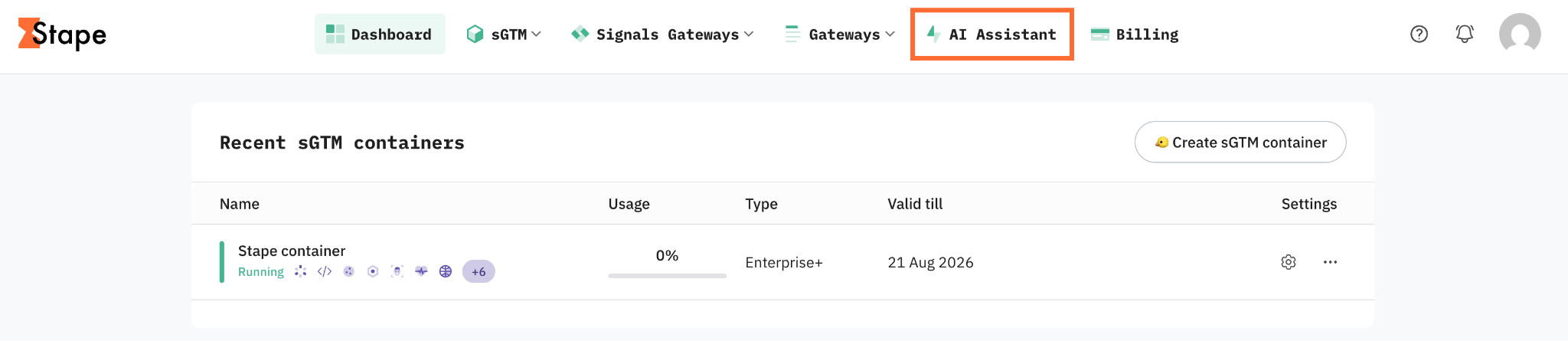
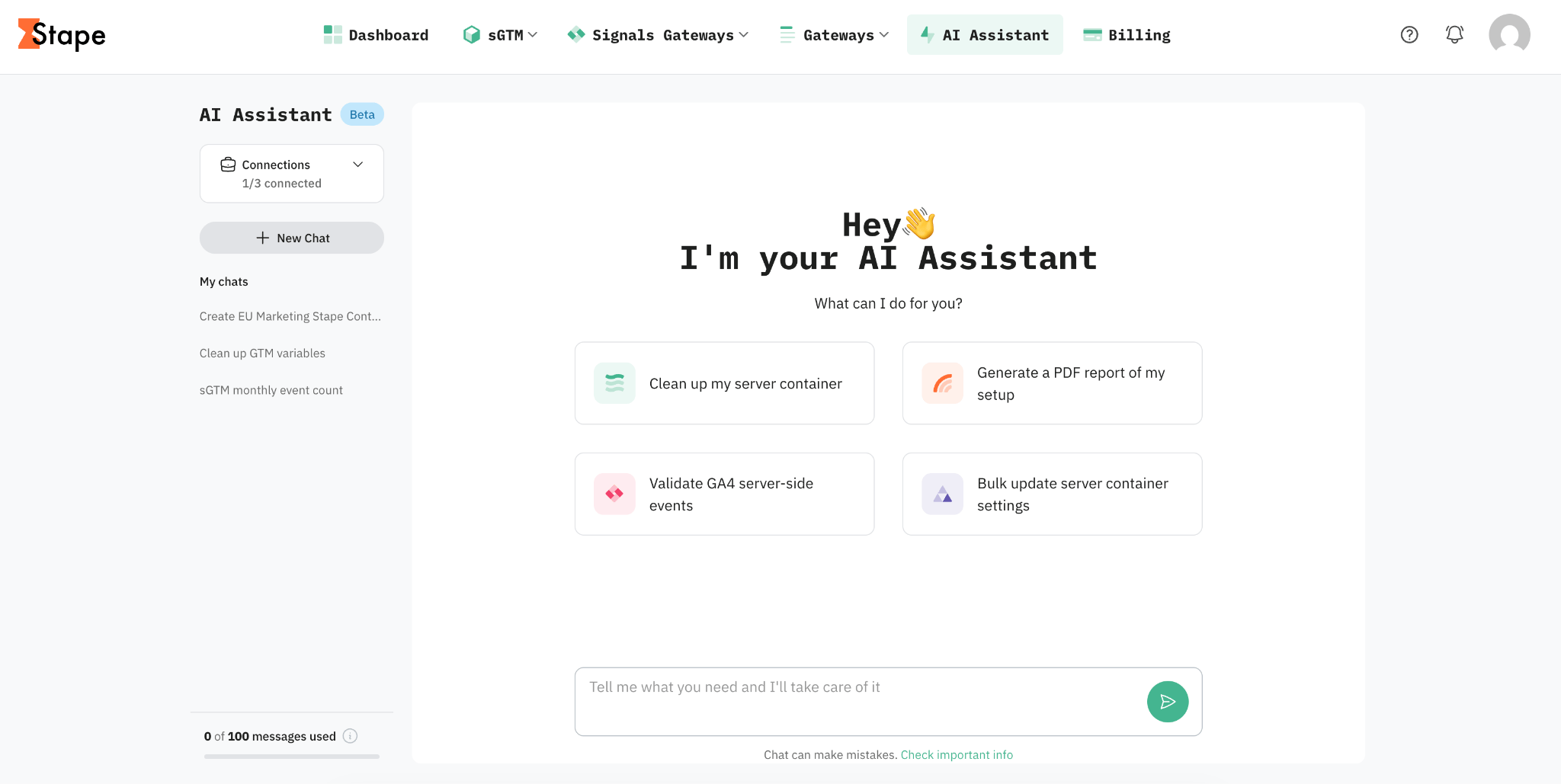
3. You’ll be redirected to a full-screen chat interface. For more information on how to use the assistant, read the How to use AI Assistant article.
Use cases
- 1.Audit for issues. For example, you could say “Audit my GTM container and flag anything that looks broken or misconfigured.” AI Assistant gets a summary of potential problems (for example, tags without triggers, duplicate variables, or misfiring configurations) before they cause tracking gaps.
- 2.Remove clutter from a container. You could say "Remove unused variables from my GTM container." AI Assistant scans the container and cleans up variables that aren't referenced by any tag or trigger.
- 3.Analyze campaign performance. Write "Analyze my top performing GA4 campaigns over the last 30 days." Get a quick performance breakdown without building a custom GA4 report.
- 4.Learn about Stape features easily. Ask "How do I set up first-party cookies for my server container?" and get instant answers about Stape features and settings without leaving your account.
- 5.Post-change verification. You could say "I just updated my checkout tracking – can you review the related tags and variables for errors?". The assistant confirms recent manual changes didn't break anything.
For more use cases, check out our article on prompts for AI Assistant.
Was this article helpful?
🍽 Table of content:
Comments