How to use Stape API
Updated Oct 14, 2026
- 1.Copy your account API key from your Stape account. For the instructions on how to find the key, read Account API Keys.
- 2.Open the API reference suitable for your Stape account location:
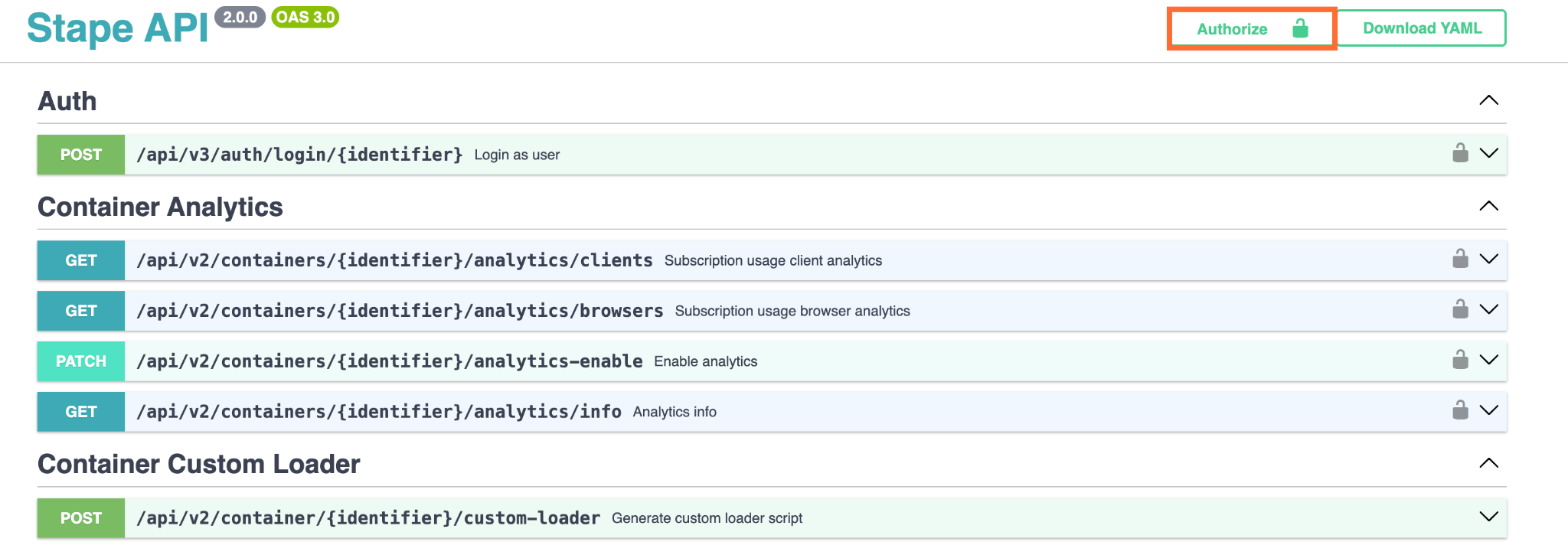
3. Click the Authorize button.
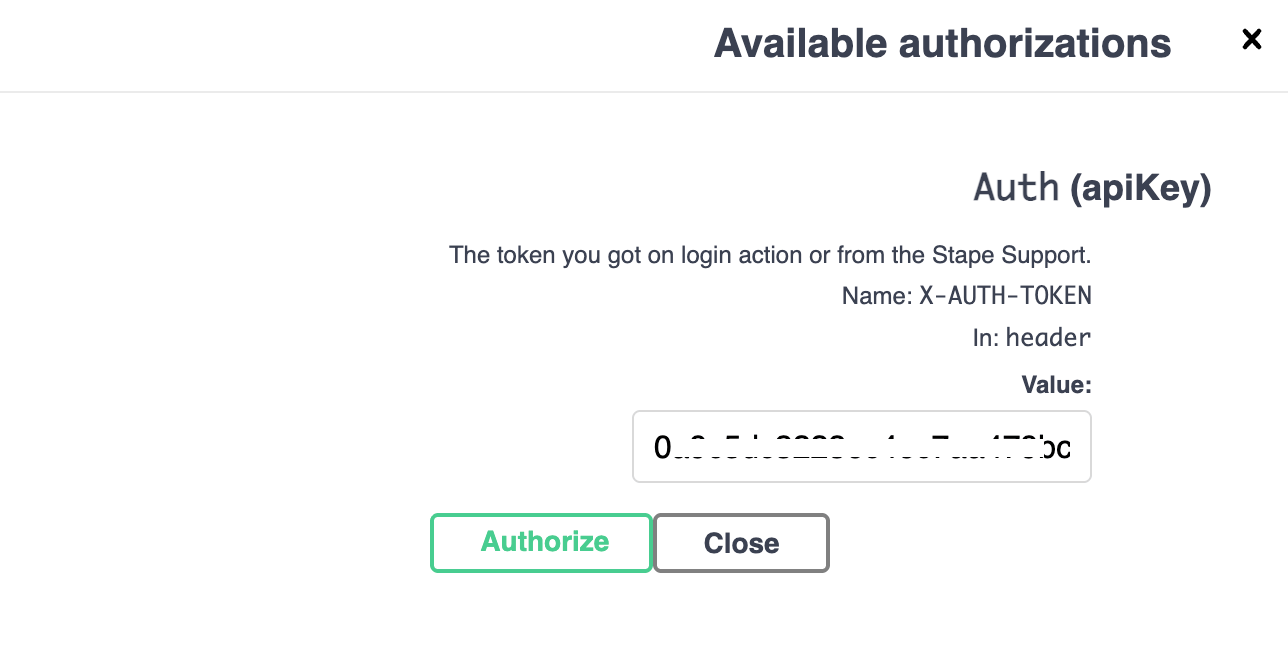
4. Enter the API key you copied previously and paste in the pop-up.
5. Click Authorize.
How to use the API playground
If you expand any endpoint, you'll find a playground, where you can send real requests to your own Stape container and see the actual responses, without writing any code or leaving the browser.
You'll see the request parameters that are required to enter, and request body, if applicable. You can use the provided example value for testing purposes.
- 1.Click the Try it out button to start.
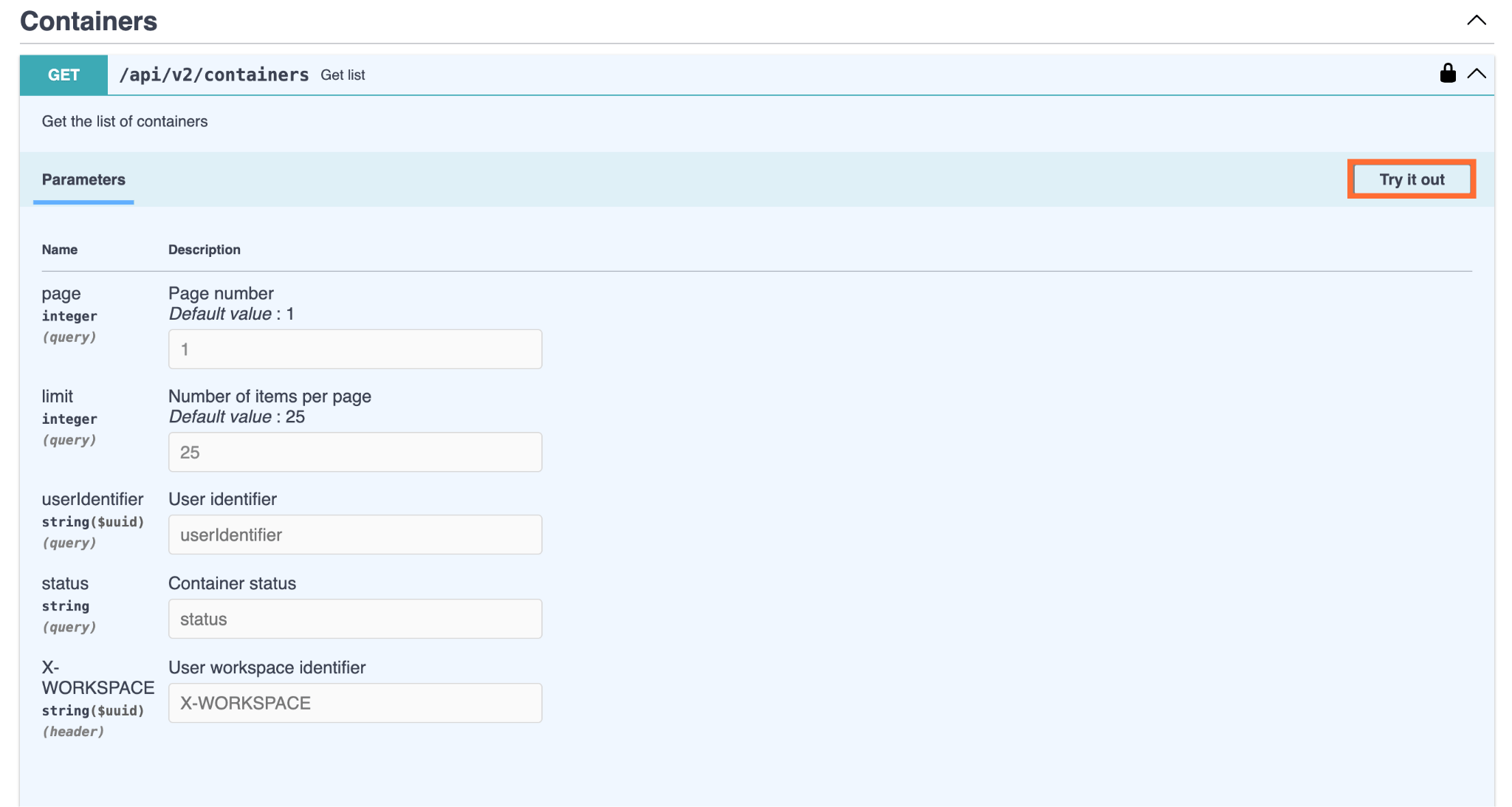
2. Enter the parameters (and request body if applicable), and click Execute.
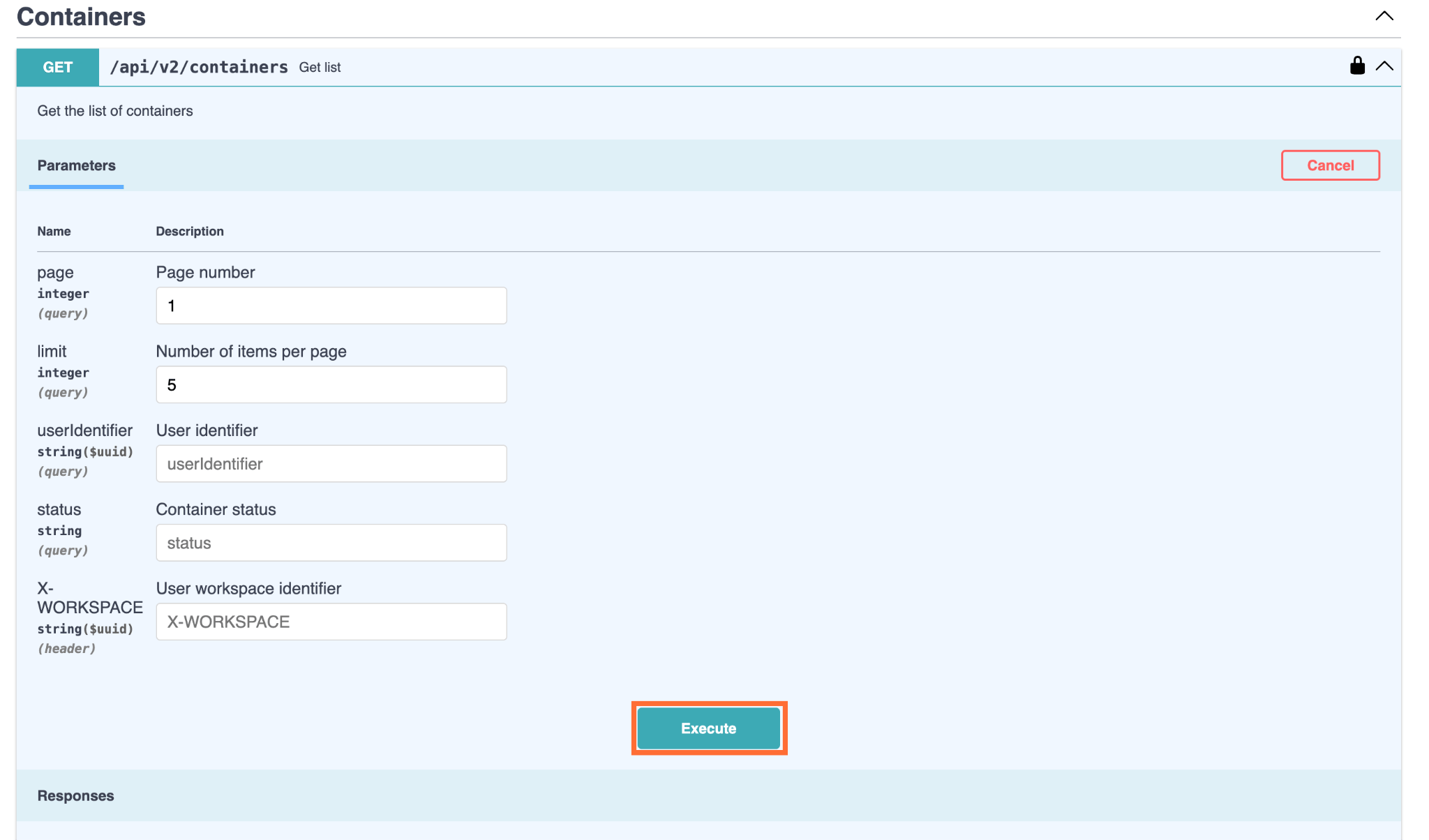
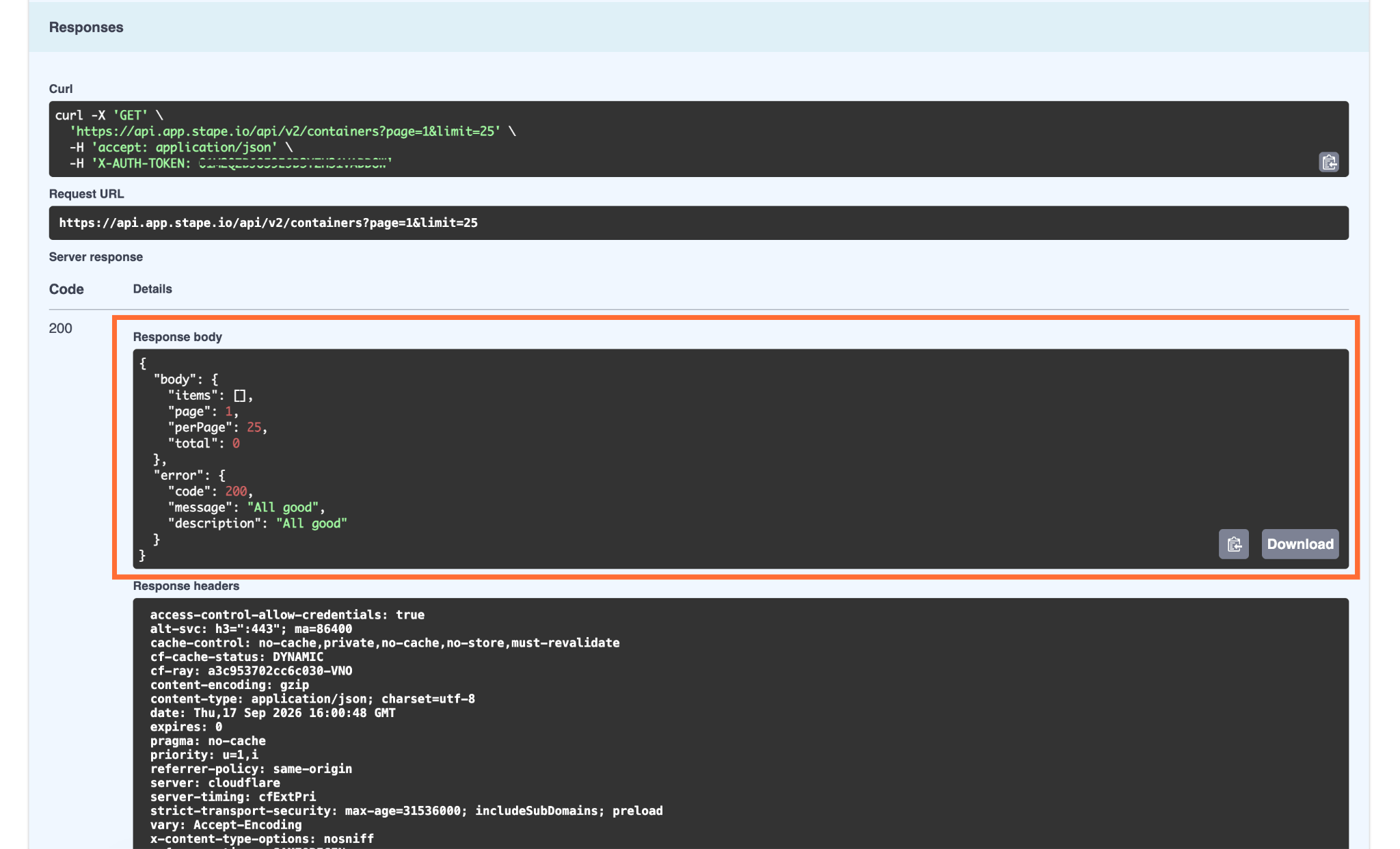
3. Under Responses, you'll get the full curl request and an applicable response.
JS example
Here's a quick example in Javascript of how you can send the requests from your application in Global location.
- 1.Define the container URL, API key and base URL constants:
listContainers().catch((err) => console.error(err.message));
const API_HOST = "https://api.app.stape.io";

const API_KEY = process.env.STAPE_API_KEY;

const apiBase = `${API_HOST}/api/v2`;
2. Add a small request helper, where path is the part after /api/v2. For example, for listing the containers, the path will be /containers.
async function stapeRequest(path, options = {}) {
  const res = await fetch(`${apiBase}${path}`, {
    headers: {
      Authorization: API_KEY,
      "Content-Type": "application/json",
    },
    ...options,
  });
3. Parse the body and define the error handling:
 const body = await res.json().catch(() => null);

  if (!res.ok) {
    const message = body?.error?.message || `HTTP ${res.status}`;
    throw new Error(`Stape API error: ${message}`);
  }

  return body;
}
4. Wrap the call:
async function listContainers() {
  const containers = await stapeRequest("/containers");
  console.log(containers);
  return containers;
}
5. Run the function:
listContainers().catch((err) => console.error(err.message));
The full code:
const API_HOST = "https://api.app.stape.io";
const API_KEY = process.env.STAPE_API_KEY;
const apiBase = `${API_HOST}/api/v2`;

async function stapeRequest(path, options = {}) {
  const res = await fetch(`${apiBase}${path}`, {
    headers: {
      Authorization: API_KEY,
      "Content-Type": "application/json",
    },
    ...options,
  });

  const body = await res.json().catch(() => null);

  if (!res.ok) {
    const message = body?.error?.message || `HTTP ${res.status}`;
    throw new Error(`Stape API error: ${message}`);
  }

  return body;
}

async function listContainers() {
  const containers = await stapeRequest("/containers");
  console.log(containers);
  return containers;
}

listContainers().catch((err) => console.error(err.message));
Was this article helpful?
🍽 Table of content:
Comments