Quora Conversion API tag
The Quora Conversion API tag by Stape enables server-side conversion tracking for Quora Ads through your Google Tag Manager server container (sGTM). It sends website or app events and their parameters directly to Quora using the Quora Conversions API, reducing reliance on browser-based tracking and giving you more control over the data you share.
- The tag supports two event name methods: Standard, where you select a Quora standard event, and Inherit from the client, where the tag matches incoming sGTM event names to Quora standard events.
- It supports event deduplication to help prevent duplicate conversions when the same event is sent through multiple tracking methods.
- You can configure conversion data, device event data, and user data overrides, and authenticate requests using your Quora Ads Account ID and Conversion API Access Token.
Before you begin
To use this tag, you'll need:
Also, please ensure that you already have Google Tag Manager web and server containers, as well as a configured server container and custom domain in Stape. Please follow these guides if you don’t have any of those:
In addition, you’ll need to configure sending data to the server GTM container. The most popular options for sending data to sGTM are Google Analytics 4 and Data Tag/Data Client. For more information, read the Send data to server container article.
How to set up the Quora Conversion API tag
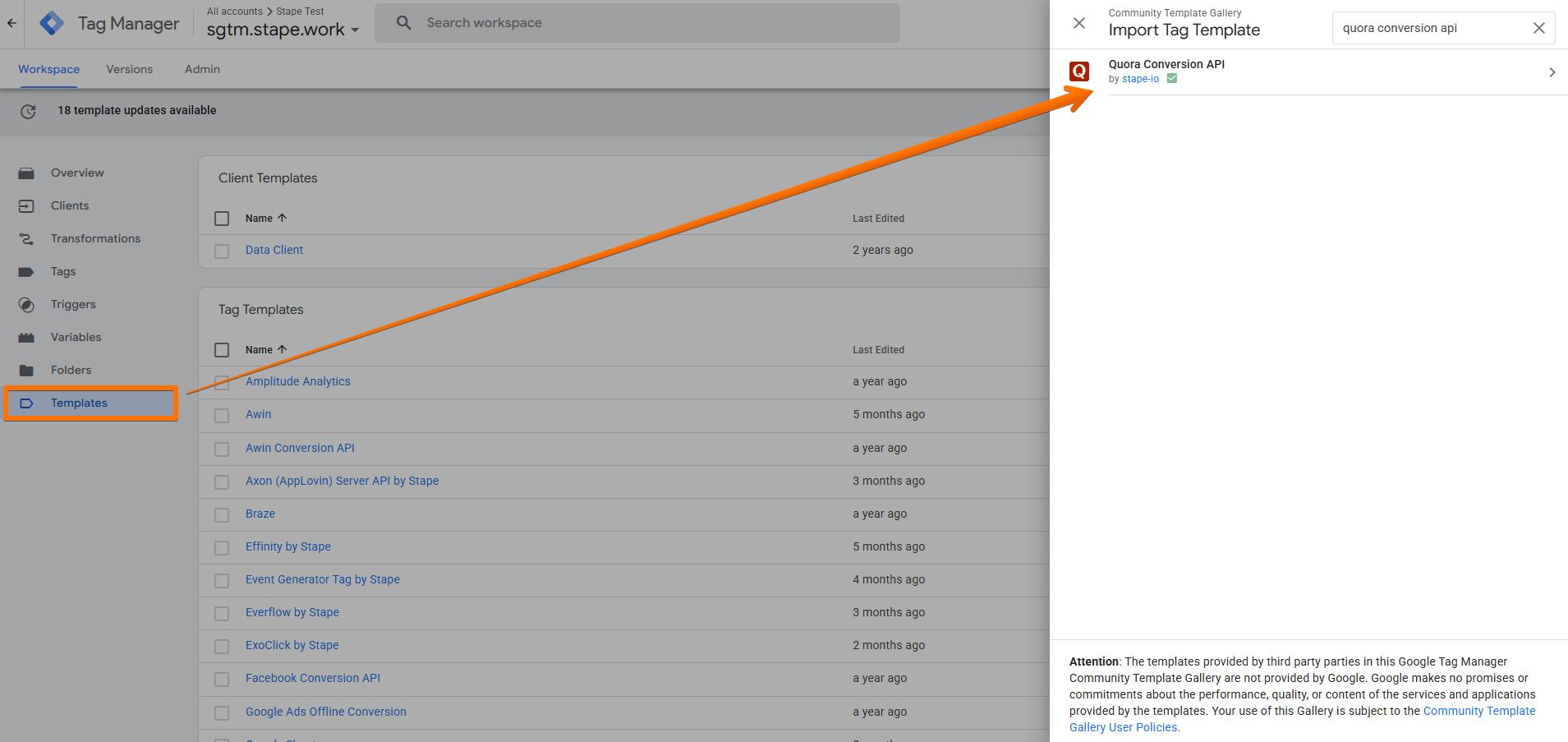
1. Add the Quora Conversion API tag template in the server GTM container by importing it from the Template gallery:
- Search for the Quora Conversion API tag by Stape in the Google Tag Manager Template Gallery.
- Click Add to workspace.
2. Create the Quora Conversion API tag:
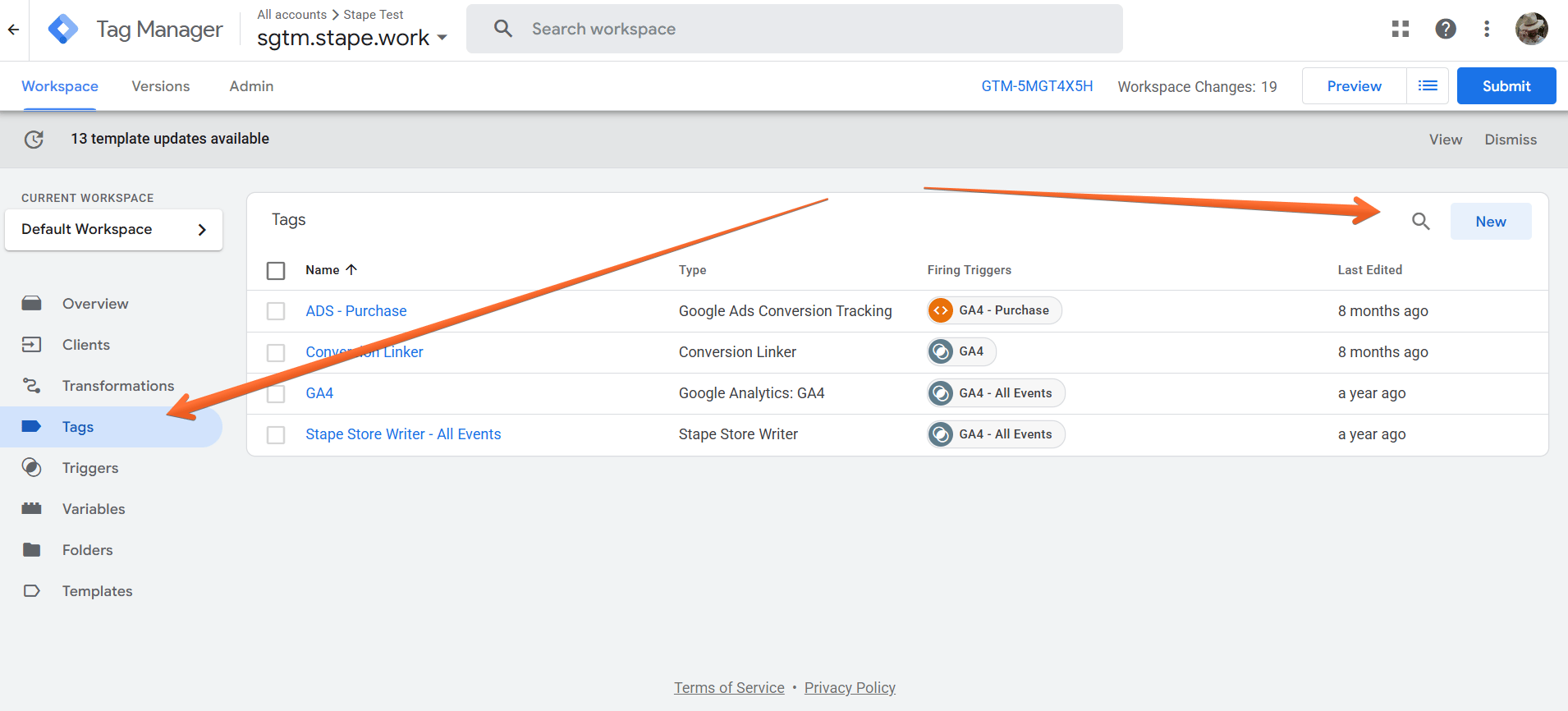
- Go to the Tags menu → click New.
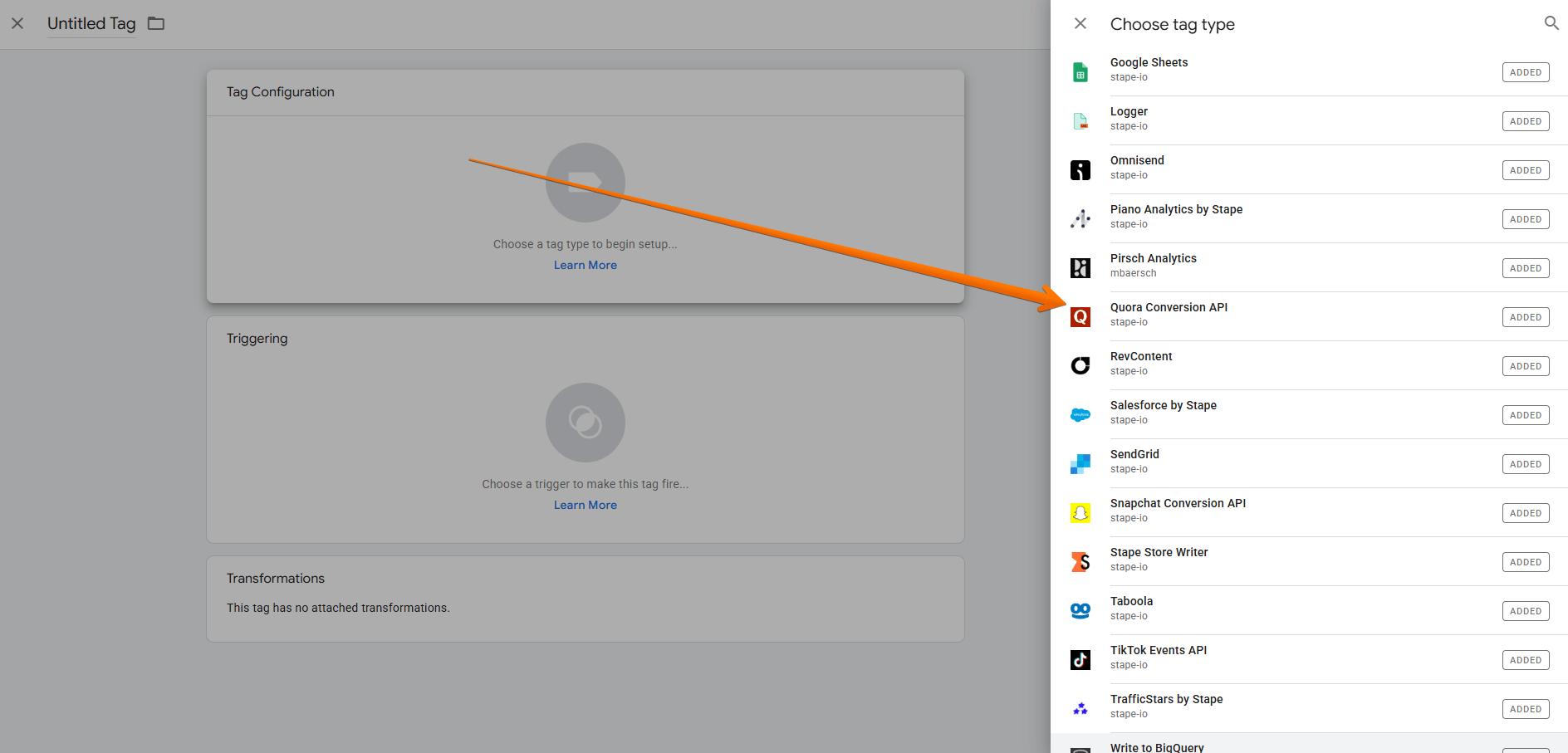
- Click Tag Configuration → select Quora Conversion API.
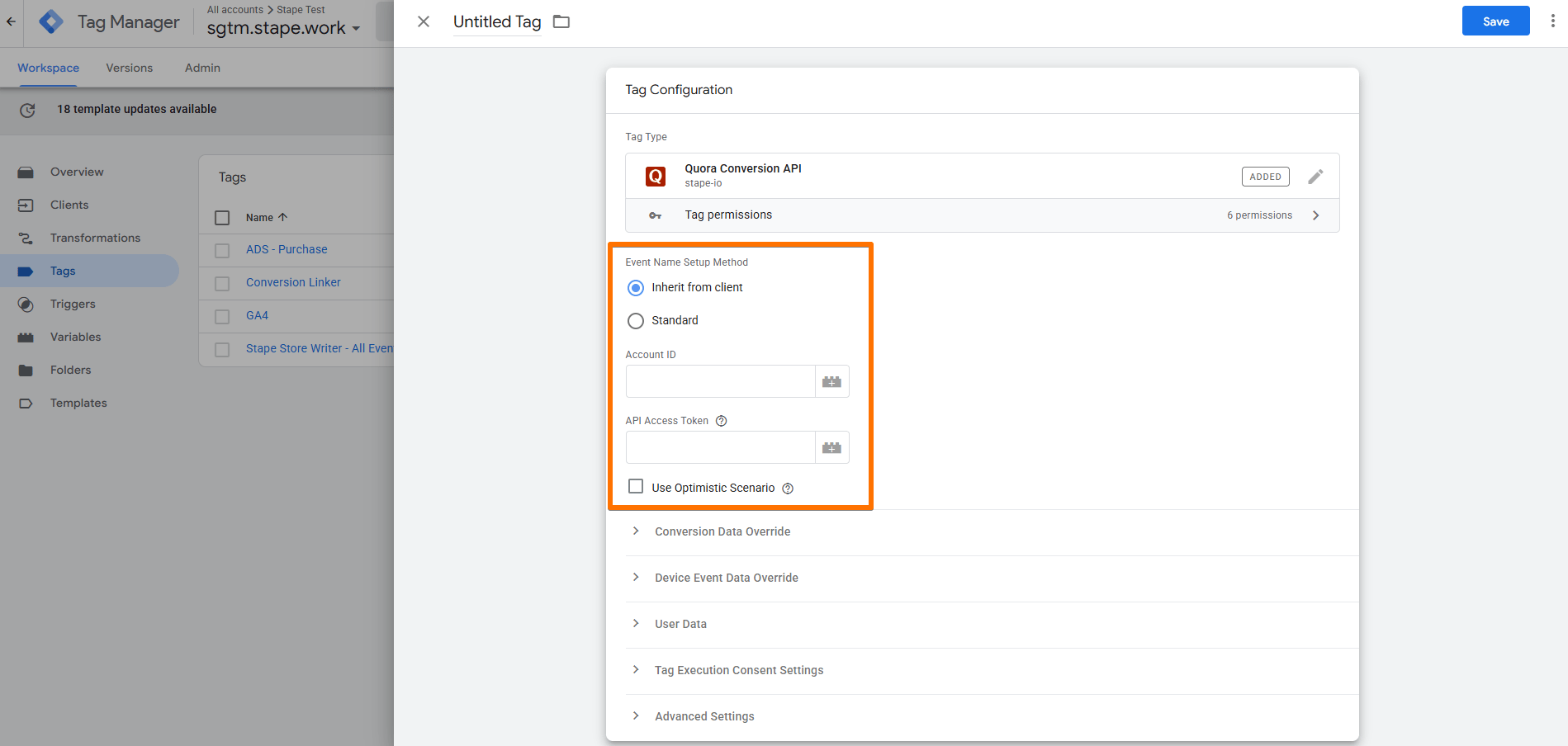
3. Configure the Quora Conversion API tag:
- Event Name Setup Method - select how you wish to send events:
- Inherit from the client - the tag will parse sGTM event names and match them to standard events.
- Standard - select one of the standard Event Names (such as Generic, Search, AddToCart, etc.)
- Account ID - your Quora Ads account ID, located in Quora Ads Manager → Account Settings.
- API Access Token - you can generate an Access Token in your Quora Ads account in the Conversion API tab by clicking Generate Token. Learn more in Quora’s guide on Conversion API.
- Use Optimistic Scenario - the tag will call gtmOnSuccess() without waiting for a response from the API.
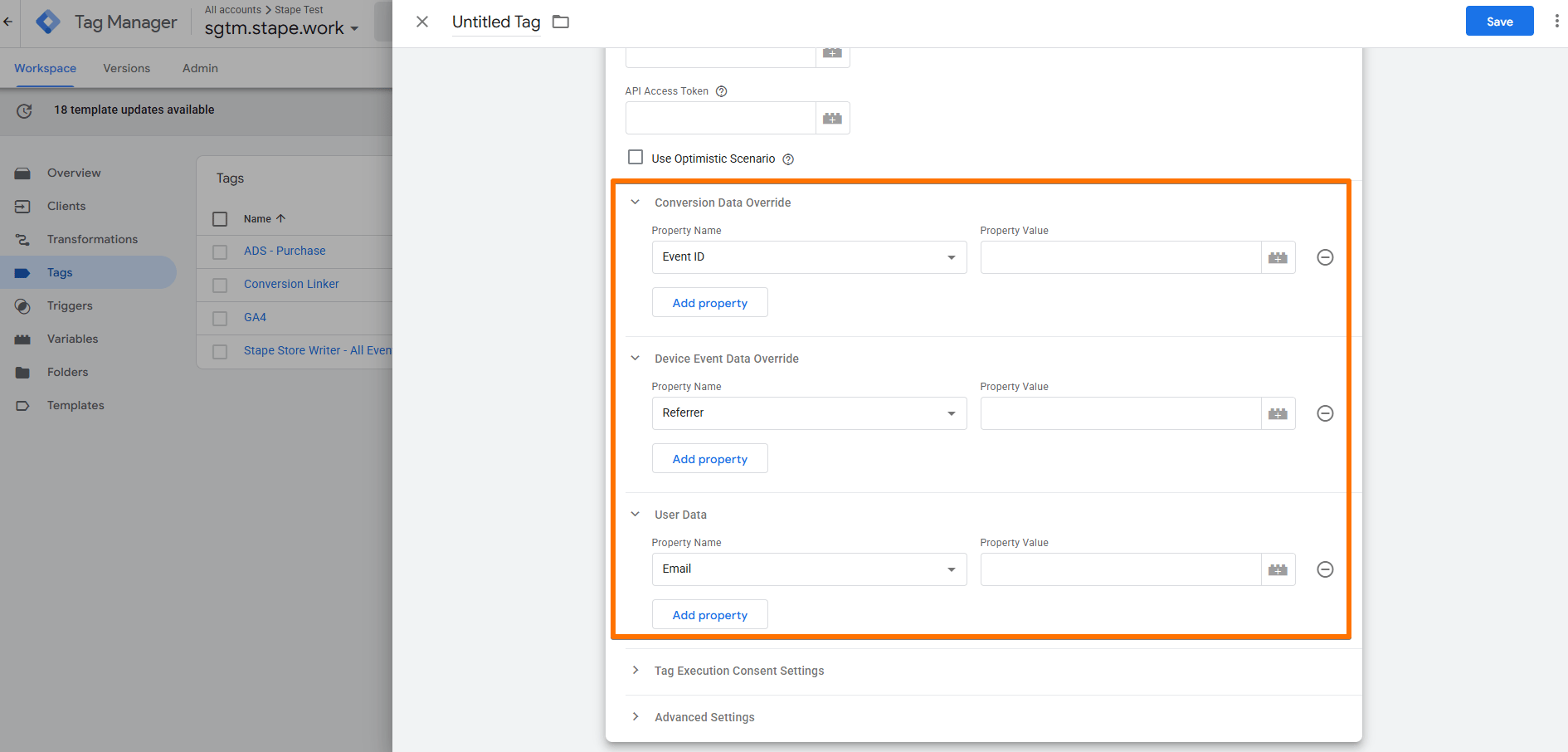
- Conversion Data Override - specify or override conversion-related parameters sent to Quora, such as Event ID, Click ID (qcld), or Value. This allows you to provide information specific to each conversion.
- Device Event Data Override - specify or override device and event context information sent to Quora, such as Referrer, User Agent, or Mobile Device ID. This helps provide additional context for the conversion event.
- User Data - specifies user information to include with the conversion event, such as IP address, Email, or Phone number. This data helps Quora match conversions to users for attribution and ad optimization.
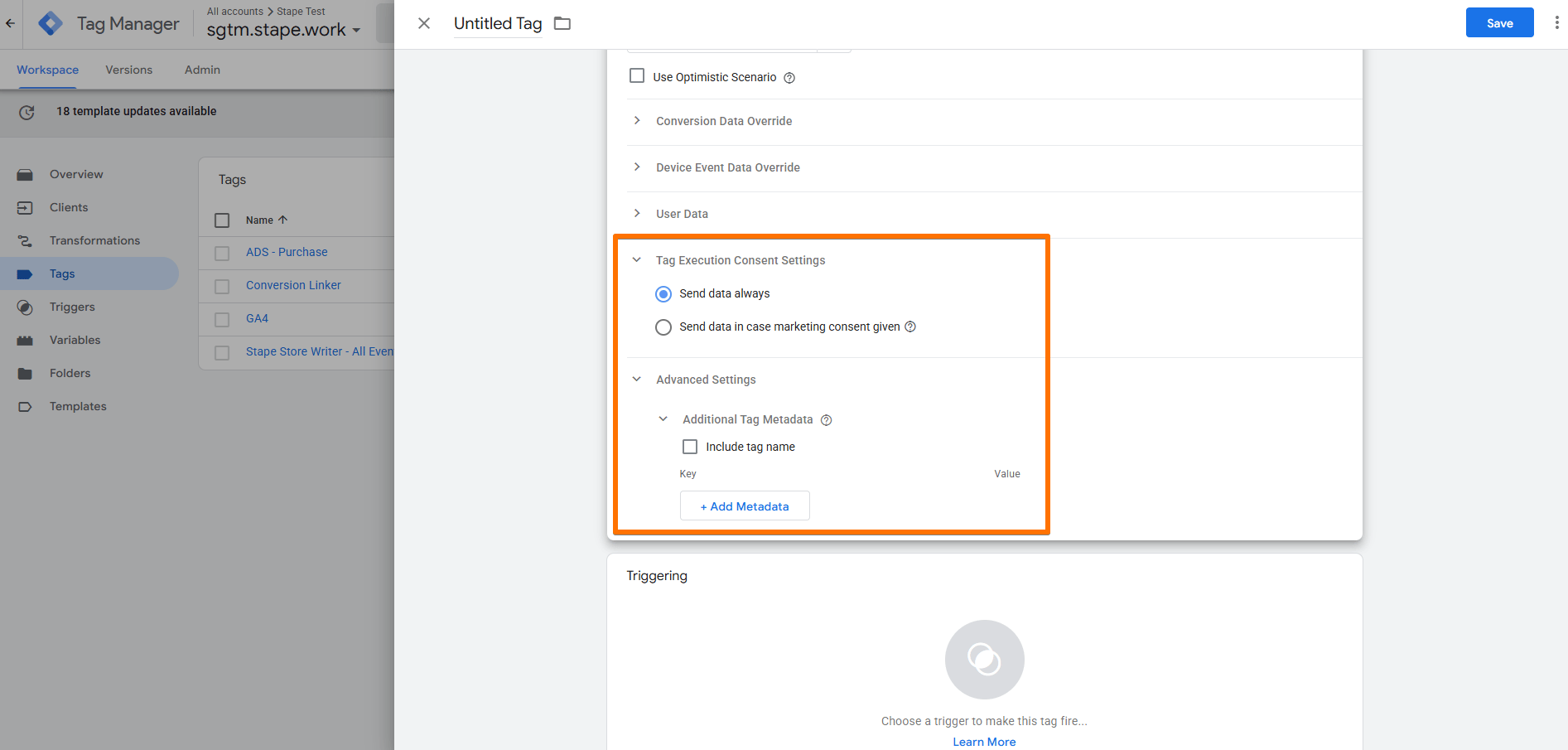
- Tag Execution Consent Settings - choose if you wish for the tag to wait for marketing consent from the user before firing.
- Advanced Settings (Additional Tag Metadata) - specify additional tag metadata to be included in the event data when the tag is fired. For more information, see the Google documentation.
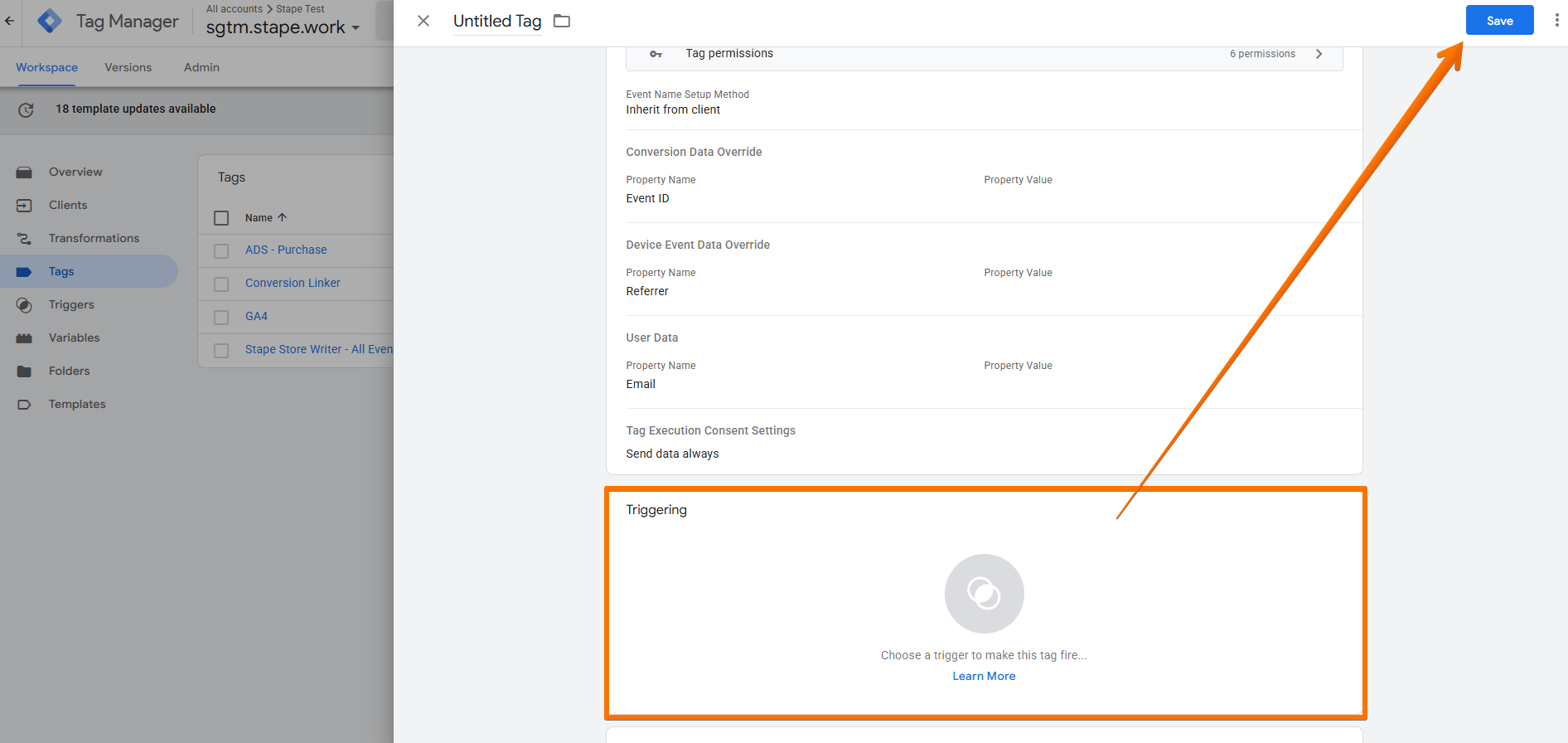
4. Add the Trigger for the tag, give it a descriptive name, and click Save.
Testing
You can test the configurations in Google Tag Manager. Click on Preview, trigger the event on your website with actions like viewing a page or completing a transaction, and check whether the tag has fired.

Find out more about debugging and monitoring server-side tracking configuration in our guide.
Was this article helpful?
🍽 Table of content:
Comments