HubSpot tag
Updated Aug 10, 2026
The HubSpot Tag for server-side Google Tag Manager (sGTM) is a beneficial solution for data tracking and CRM integration. It allows its users to move beyond client-side tracking limitations such as ad blockers and browser restrictions.
Benefits of using the HubSpot tag for sGTM
- Secure and reliable data sending. The server-side connection ensures data is sent to the HubSpot API securely, without relying on potentially blocked browser-side JavaScript.
- Centralized customer data. With the tag, you can collect all relevant customer information in one place.
- High data quality. The server-side connection helps minimize the impact of browser restrictions and ad blockers.
- Integration options. Integrations with platforms like Google Analytics and Facebook allow for attributing ad interactions directly to HubSpot contacts.
Tag’s functionality
You can use this tag to:
- Track custom behavioral events.
- Track eCommerce events.
- Create new contacts.
- Update existing contacts.
- Associate custom objects with contacts.
- Send visitor information.
For example, personalize the user experience by identifying logged-in users (passing their name and email to HubSpot for chat) and using that identification for targeted actions (like displaying pop-ups only to users who are not logged in).
Prerequisites for setting up the HubSpot tag
To set up the tag, you need to have both Google Tag Manager web and server containers set up, along with a configured server container and custom domain in Stape.
If you haven’t set these up yet, refer to the following guides:
How to set up the HubSpot tag
Add the HubSpot tag to your server GTM container.
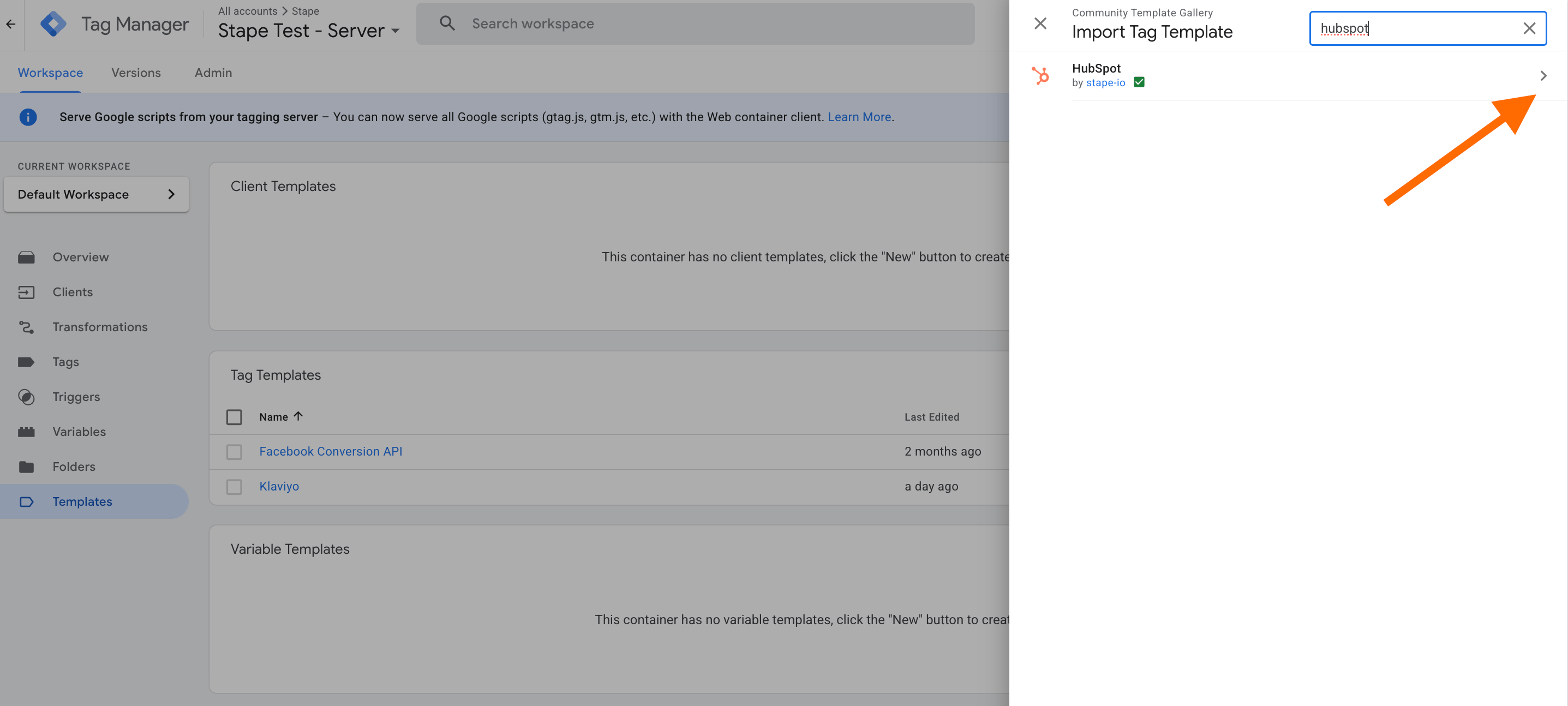
In the server GTM container, go to Templates → Tag Templates → Search Gallery → search for HubSpot → add a tag to your workspace.
Configure the tag based on your tracking needs:
Was this article helpful?
🍽 Table of content:
Comments