Oct 2, 2026
Best WordPress plugins for your website in 2027
Written by
Maryna Semidubarska
Published Oct 2, 2026 comments
Key takeaways
- Choose plugins around the jobs your website needs, from collecting leads to taking payments and tracking sales.
- Check what the free version includes. Hosting, email delivery, payment processing, and other services often have separate costs.
- Test the full customer journey after installing a plugin, including forms, checkout, confirmation emails, and conversion tracking.
Your website needs tools that work together, whether you publish articles, collect inquiries, or sell products. Visitors should find the information they need and take the next step, such as joining your email list or submitting a contact form. Your tracking setup should help you measure these actions.
This guide ranks WordPress plugins by category and explains their strengths, costs, and limits, so you can build a setup that fits your business.
What is a WordPress plugin?
A WordPress plugin is software you add to your website to extend its features. For example, a form plugin collects inquiries, while an eCommerce plugin adds products, a cart, and checkout.
Some plugins work inside WordPress. Others connect your site to a separate service, such as an email platform or payment provider.
Before installing anything, check whether your hosting plan or existing plugins already provide the feature you need.
How to choose a WordPress plugin
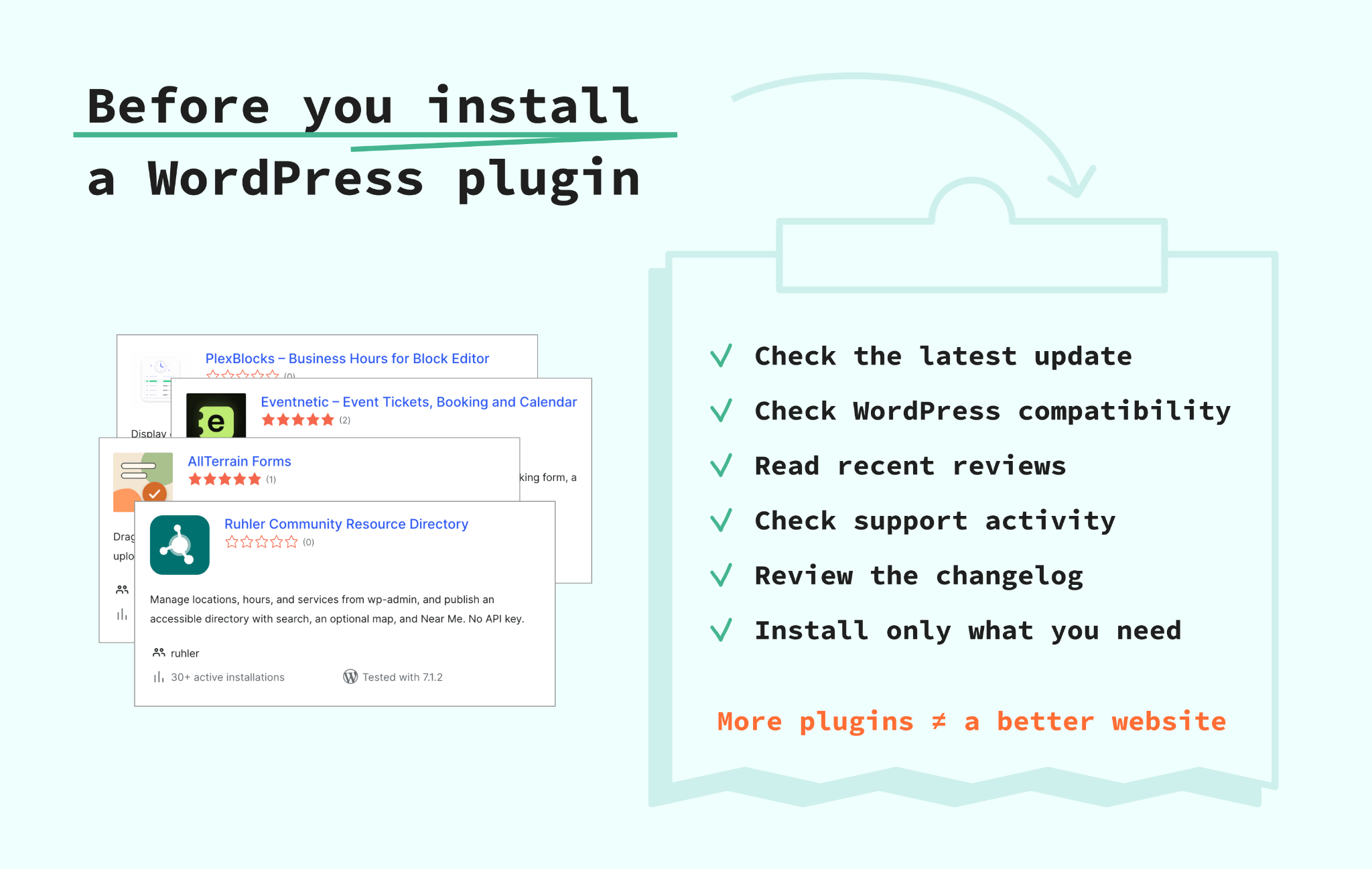
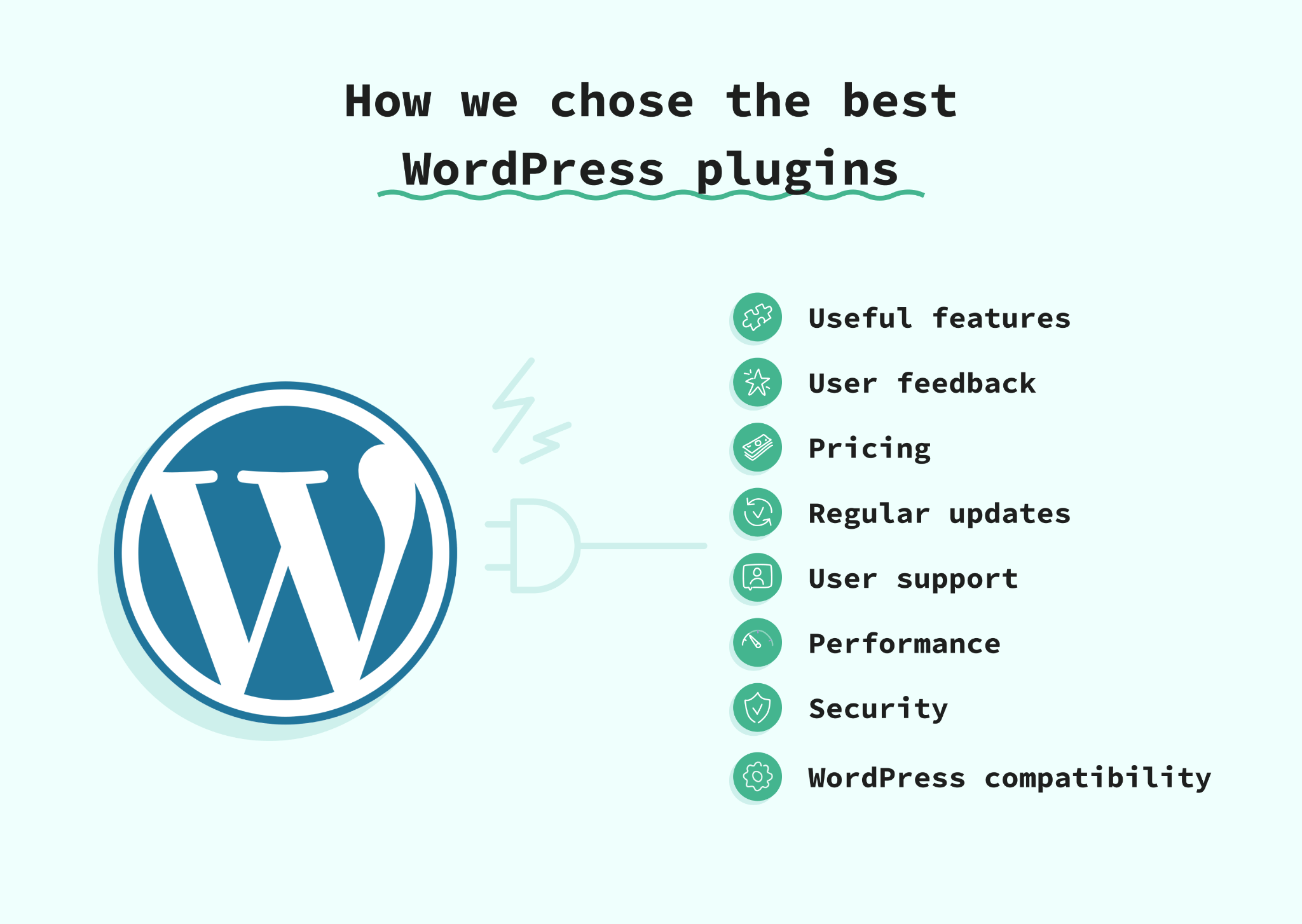
We reviewed official product pages, WordPress listings, documentation, and available update histories in September 2026. We considered:
- Usefulness for a specific task and the work needed to set it up.
- Compatibility information, maintenance, and access to support.
- Free features, paid upgrades, and separate service costs.
- Overlap with tools you already use.
The rankings reflect this research.
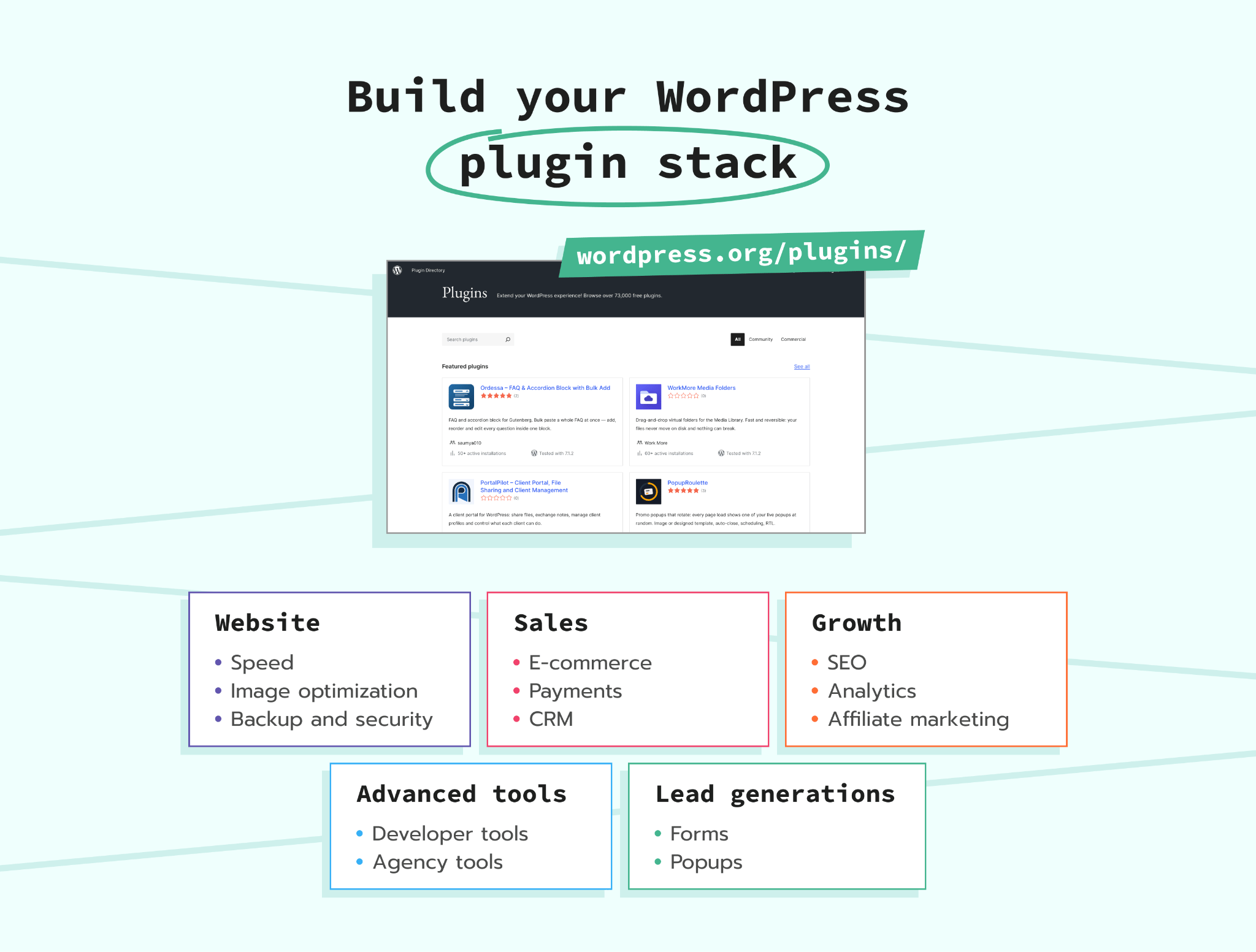
For a typical business website, start with these:
| What you need | Our first pick | How you pay |
|---|---|---|
| Conversion tracking | Stape Conversion Tracking | Free plugin |
| Search visibility | Rank Math | Free and paid plans |
| Website security | Wordfence | Free and paid plans |
| Scheduled backups | UpdraftPlus | Free and paid plans |
| Page caching | WP Rocket | Paid license |
| Contact forms | WPForms | Free and paid plans |
Best WordPress tracking and analytics plugins
1. Stape Conversion Tracking for browser and server-side tracking
Stape Conversion Tracking plugin adds Google Tag Manager (GTM) to your website and supports both browser and server-side tracking.
For WooCommerce stores, it adds events such as product views, cart additions, and purchases to the data layer, where GTM reads information about activity on your site. You get these eCommerce events without writing custom code for each one.
In server-side setups, the plugin also offers a same-origin option. This loads GTM through your website’s own domain. You set it up inside WordPress without changing your content delivery network (CDN) settings.
Stape Conversion Tracking is a free plugin. Follow our WordPress tracking setup guide to set it up.
2. Site Kit by Google for reports in WordPress
Site Kit brings information from Google Analytics 4 (GA4), Search Console, and other Google services into your WordPress dashboard. Choose it if you want to review traffic and search performance without opening several tools.
The plugin is free. It connects Google services, but a server GTM setup requires separate configuration. If that is your goal, use our GA4 setup guide for WordPress.
Check which tool inserts your tracking code. Adding the same tracking through several plugins risks duplicate events.
Best WordPress SEO plugins
1. Rank Math for several SEO tasks in one plugin
Rank Math helps you set search titles, check content, and manage redirects when a page address changes. It also creates a sitemap, a list of your pages for search engines, and adds structured data to describe your content.
Start with the free version and enable the features you need. Paid plans and optional AI tools add capabilities, so check their separate limits.
2. Yoast SEO for guidance while writing
Yoast SEO gives you content and readability feedback inside the editor, alongside technical SEO features. It is a useful choice when several people write or edit your pages and need a shared review process.
A free version covers core tasks, while Premium adds tools such as AI writing support. Treat its recommendations as prompts for review. A green score does not guarantee search traffic.
Best WordPress security plugins
1. Wordfence for a firewall and malware scanning
Wordfence combines a firewall, malware scanning, and login protection. A firewall checks incoming traffic and blocks requests that match its security rules. Two-factor authentication adds another check when you log in.
The free version includes these core protections. Premium receives new firewall rules and malware signatures immediately, while the free version receives them 30 days later. Choose it when you want these controls in WordPress and review alerts regularly.
2. Sucuri Security for monitoring and security checks
Sucuri Security records security activity, checks for file changes, and scans publicly accessible pages for malware. It suits you if your hosting already provides protection and you want ‘a second opinion’ on suspicious activity.
The monitoring plugin is free. Sucuri’s firewall is a separate paid service. Its remote scanner sees what is accessible from outside your site, so factor that scope into your choice.
Best WordPress backup plugins
1. UpdraftPlus for scheduled backups
UpdraftPlus lets you schedule backups, save them to supported remote storage, and restore your site from WordPress. The free version supports services including Google Drive and Dropbox.
It is our first pick when your main need is a repeatable backup routine. Premium adds features such as automatic backups before updates and more storage destinations.
2. Duplicator for backups and moving websites
Duplicator packages a website's files and database so you can copy or move a site. It suits a hosting change or a project where you need to recreate an existing website.
The free version provides backup and migration tools. Scheduled backups and several external storage integrations require Pro. For either plugin, practice restoring a backup on a test copy. For a busy store, choose a backup schedule that reflects how often new orders arrive.
Best WordPress plugins for speed and optimization
1. WP Rocket for a guided optimization setup
WP Rocket combines page caching with options for optimizing styles, delaying scripts, and loading images when needed. Caching saves a ready version of a page so your website does less work on each visit.
It is a paid plugin suited to you if you want several performance controls together. Test forms, checkout, and tracking after changing script settings.
2. LiteSpeed Cache for compatible hosting
LiteSpeed Cache is a free plugin with caching and optimization features. Its page cache requires compatible LiteSpeed hosting or the QUIC.cloud service. Some general optimization features work on other servers.
Choose it first if your website’s hosting already uses LiteSpeed. Check which QUIC.cloud services and usage limits apply before enabling everything. With either plugin, confirm your host’s caching setup and keep cart, checkout, and account pages out of shared page caching.
Best WordPress image optimization plugins
1. ShortPixel Image Optimizer for compression choices
ShortPixel compresses images and creates WebP and AVIF versions, formats designed to reduce file size. It offers different compression modes, useful when you need to balance product photo detail with loading speed.
There is a limited free allowance, plus paid options. Thumbnails and other image versions affect usage, so estimate your full image library before choosing a plan. Keep originals and inspect a few product photos before processing the entire store.
2. Imagify for automatic image optimization
Imagify resizes and compresses new uploads and processes existing images in bulk. It also creates WebP and AVIF versions. Choose it if you want image optimization to become part of your normal upload routine.
The free plan includes 20 MB of optimization per month; larger libraries need a paid allowance. Check whether your host or another plugin already handles compression and image delivery before adding a second tool for the same job.
Best WordPress contact form plugins
1. WPForms for common business forms
WPForms gives you a form builder and templates for tasks such as contact requests and feedback. The free Lite version is a useful starting point for a basic inquiry form.
Paid plans add features such as file uploads and conditional logic, which shows different fields depending on someone’s answers.
2. Gravity Forms for more detailed workflows
Gravity Forms suits applications, quote requests, and forms with several steps. You get conditional fields and tools for collecting detailed information, with additional integrations available through its plans.
It requires a paid license, so check which extensions your workflow needs. If you use Gravity Forms to collect leads, you can also track successful form submissions for advertising. For example, Meta advertisers can send a Lead event after a form is submitted successfully. Our Meta Conversions API guide for WordPress explains the setup.
Best WordPress popup plugins
1. Popup Maker for straightforward campaigns
Popup Maker lets you display an offer after a delay or a visitor’s click, and choose the pages where it appears. It works with popular form plugins, making it a useful starting point for a signup offer or announcement.
The core plugin is free. Features such as exit intent, which reacts when someone appears ready to leave, require a paid upgrade. Set rules that stop the same popup from appearing again and again.
2. OptinMonster for detailed targeting
OptinMonster connects WordPress to a separate campaign platform with popups, banners, and targeting options. Choose it when you need to manage different offers for different visitor groups.
Its WordPress plugin is free, but the service requires an account. The starter allowance is limited, with paid plans for ongoing use and advanced features. Check campaign impression limits and upgrade settings. On mobile, test that visitors can close your popup and continue shopping easily.
Best WordPress eCommerce plugins
1. WooCommerce for physical and mixed product stores
WooCommerce adds products, inventory, a cart, checkout, and order management to WordPress. It supports physical products and digital downloads, making it our first choice for a store with different product types.
The core features are free. Your full budget includes hosting, payment processing, and any paid extensions for features such as subscriptions or bookings. Follow our WooCommerce conversion tracking guide to check purchases, values, currencies, and refunds.
2. Easy Digital Downloads for digital products
Easy Digital Downloads focuses on selling products such as ebooks, templates, and software. You get digital product delivery, customer records, and sales reporting without planning a physical shipping workflow.
A free version covers basic selling. Recurring payments, software licensing, and other advanced features require paid options. Review payment fees as well as the plugin price. Choose it when digital downloads are your main business, and check how customers receive their files after payment.
Best WordPress CRM plugins
1. HubSpot for shared sales and marketing work
The HubSpot plugin connects your website with HubSpot’s CRM, forms, live chat, and email tools. It suits you when several people need access to a contact’s history and next steps.
The plugin and basic CRM tools are free, while advanced features use paid plans. Your contacts are managed in HubSpot’s service. Check future costs for the contacts, users, and automation you expect to need before making it central to your workflow.
2. FluentCRM for email marketing inside WordPress
FluentCRM stores contacts in your WordPress database and helps you organize lists and email campaigns. It suits you if you want to manage that work from your website dashboard.
There is a free version, with paid integrations and automation features. Email sending still needs a separate email delivery service, such as Amazon SES, Mailgun, SendGrid, or Brevo. Each service has its own limits and costs.
Best WordPress payment plugins
1. WooPayments for WooCommerce checkout
WooPayments lets you accept payments and manage transactions, refunds, and disputes from your store dashboard. It is a starting choice when you already use WooCommerce and want payments within that workflow.
Installation is free, with transaction fees instead of a standard monthly plugin charge. Check supported countries, payment methods, and fees before setup, including costs for international payments and currency conversion where relevant.
2. WP Simple Pay for standalone payment forms
WP Simple Pay connects WordPress with Stripe so you can charge for a service through a payment form. It suits consultations, deposits, and other offers that do not need a full shopping cart.
The free Lite version adds a 3% fee on top of Stripe’s fees. Pro removes that additional plugin fee and adds features. Compare the license cost with your expected payment volume, and test both a successful payment and its confirmation.
Best WordPress affiliate marketing plugins
1. AffiliateWP for running your own program
AffiliateWP helps you register partners, track referrals, and manage commissions when they promote your products. It integrates with tools including WooCommerce and Easy Digital Downloads.
Choose it if you want to run your own affiliate program. It is a paid plugin, with advanced features depending on the plan. Confirm which commission rules and payout methods you need, then test a referral purchase and refund before inviting partners to join.
2. PrettyLinks for promoting other brands
PrettyLinks manages links that send your readers to another business. You can create branded links and track clicks, which is useful when you publish product guides or affiliate content.
The free version covers basic link management, while paid plans add automation features. This is the choice for earning commissions from other brands. Click counts alone do not show completed purchases, so compare them with reports from the affiliate programs you use.
Best WordPress dropshipping plugins
1. Dropshipping for WooCommerce for supplier management
Dropshipping for WooCommerce lets you assign products to suppliers, import their inventory, and send order notifications. Suppliers get the information they need to fulfill orders.
It is a paid extension that requires WooCommerce. Choose it when you already have suppliers and need a shared order process. Check how each supplier updates stock and shipment details. Place a sample order to review the delivery experience before sending customers through it.
2. AliDropship Woo for AliExpress sourcing
AliDropship Woo imports AliExpress products into WooCommerce and helps with pricing, product updates, and order placement. It suits you when AliExpress is your chosen supply source.
The vendor sells it for a single payment, with WooCommerce and hosting required separately.
Best IDX plugins for WordPress
Internet Data Exchange (IDX) lets eligible property businesses display listings from a multiple listing service (MLS). Check your local MLS coverage and approval requirements first.
1. IMPress for IDX Broker for property search and leads
IMPress for IDX Broker connects WordPress with your IDX Broker account. It adds property search tools, listing displays, and lead management features.
The connector plugin is free, while live IDX service requires a paid account. It is our starting choice for agencies that want those features together. Check which search tools your plan includes and how listing pages fit your website before committing. Your MLS also controls which listing data is available for display.
2. Realtyna WPL for a custom property website
Realtyna WPL provides property listings, search filters, and customizable fields. It supports an MLS connection through Realtyna’s services, including MLS On The Fly.
The basic plugin is free, while live MLS access needs a separate paid service. Choose it when your project needs more control over property information and search. Request a full quote covering data access and required extensions, and confirm that your exact MLS is supported.
Best WordPress plugins for developers and agencies
1. MainWP for managing client websites
MainWP gives you one dashboard for managing updates across several WordPress sites. Install the dashboard on a separate WordPress site and its Child plugin on each client site.
The core tools are free, with paid extensions. It suits ongoing maintenance contracts. You manage the dashboard’s hosting and security, so include that work in your service plan. Test important updates before applying them across your whole client list.
2. Advanced Custom Fields for structured content
Advanced Custom Fields adds dedicated fields to editing screens, such as a team member’s role or a property’s floor area. It helps you create a consistent editing experience for clients.
There are free and paid versions. To show the custom fields on your website, you need a WordPress theme or page builder that supports them, or some custom development work. For client tracking projects, keep our WordPress Meta Conversions API templates guide alongside your launch checklist.
3. Query Monitor for finding technical problems
Query Monitor shows database queries, software errors, and requests made to external services. It helps your developer identify which plugin or theme needs attention.
It is free, but interpreting its results takes technical knowledge. Use it during investigation on a test site. It reports problems for you to diagnose; fixes still need to be made in the responsible code or settings.
Best WordPress plugins for business websites
1. WP Mail SMTP for website emails
WP Mail SMTP connects WordPress to an email delivery provider. It is useful for inquiry notifications, password resets, and order emails that your business depends on.
The free version supports several providers. Paid plans add features such as detailed email logs, and the delivery service has separate costs or limits. Complete the sender setup and test delivery. Successful sending still depends on authentication, provider rules, and the recipient’s mail system.
2. Uncanny Automator for repeated tasks
Uncanny Automator connects supported plugins and apps through rules. For example, a form submission starts an action in your CRM.
It has free and paid options, with some integrations and actions requiring an upgrade or a connected account. Choose it once you know which manual task you want to remove. Check both the action that triggers the rule and its final result before letting it run unsupervised.
FAQ
Want to join the server side?
Try for freeRecommended for you
Oct 2, 2026
Blog
WooCommerce conversion tracking with server-side GTM
Set up WooCommerce server-side tracking with sGTM, Stape plugin, key store events, fixes, and platform checks.
Oct 2, 2026

Comments