Sep 9, 2026
How to fight and prevent ad fatigue in 2026?
Written by
Maryna Semidubarska
Published Jul 24, 2026 comments
Key takeaways:
- Ad fatigue happens when the same audience sees the same creative or message too many times and stops responding.
- Diagnose it by checking how many times each person sees the ad, together with click-through rate (CTR), cost per acquisition (CPA), and reach.
- Prevent ad fatigue with planned creative rotation, broader relevant audiences, and different messages for each customer stage.
- Check tracking before replacing an ad because missing conversion data can make a healthy campaign look tired.
What is ad fatigue?
Ad fatigue happens when people stop reacting to an advertisement after seeing the same creative or message repeatedly. They start ignoring it, scrolling past it, or feeling irritated by it.
As attention falls, campaign results can change:
- The click-through rate decreases.
- The conversion rate falls.
- The cost per result increases.
- Impressions continue growing while reach slows down.
- Ad hides increase.
- The same ad budget brings in fewer conversions.
Meta calls this creative fatigue when the same image or video has been shown too many times to parts of the target audience. Meta can also display a Creative fatigue status in Ads Manager when the cost per result reaches at least twice the cost of ads used as a comparison.
Ad fatigue is not limited to visual creatives. People can also get tired of the same hook, offer, product angle, call to action, or promise. Replacing a blue background with a green one will not solve the problem when the entire message still feels the same.
It is important to separate three connected problems:
- Creative fatigue means that an image, video, headline, or ad concept has lost its ability to attract attention.
- Audience saturation means that the campaign has reached a large part of its available audience and keeps serving ads to the same people.
- Offer fatigue means that the audience understands the offer but no longer finds it strong enough to take action.
Each problem needs a different response. New visuals can fix creative fatigue, while a small audience needs wider targeting or tighter exposure control. A weak offer needs a stronger reason to buy.
Reasons for ad fatigue
Ad fatigue rarely comes from one isolated choice. It develops when campaign structure, creative production, and audience size work against each other.
The audience is too small for the budget
A high budget pushes more impressions into the same audience. Reach stops growing, but frequency continues to rise.
This is common in remarketing campaigns with short audience windows or several campaigns targeting overlapping groups.
The campaign depends on one winning ad
When one ad produces strong early results, the platform can start showing it much more often than the other ads. This extra exposure can make people get tired of it faster.
A winning ad still needs support from a varied creative library.
New ads repeat the same idea
New colors, crops, or layouts can create different versions, yet the ads may still feel identical.
When every version uses the same hook, promise, and story, people recognize the pattern and lose interest.
The message does not match the customer stage
Showing introductory ads to existing customers wastes attention. Showing urgent purchase messages to cold audiences can create pressure before enough interest exists.
Separate audiences according to their relationship with the business and adjust the message.
Remarketing is too aggressive
Remarketing audiences are smaller, so the same people can see your ads more often. After viewing one product, a visitor may keep seeing it across several placements for days, which can quickly feel repetitive.
To reduce this pressure, choose suitable audience windows, exclude people who have already converted, rotate creatives in a clear sequence, and use frequency controls where available.
The wording pushes the user too much
Commands, pressure, fake urgency, and messages that suggest the customer has no other choice can produce ad reactance.
High freedom-threatening language increased anger and negative thoughts compared with less forceful language.
Several ad sets reach the same people
When several ad sets target overlapping audiences, the same person can see similar ads from different parts of the campaign. Each ad set may look fine on its own, but together they can repeat the same message too often.
Check audience overlap across campaigns and reduce repeated ads shown to the same group.
Tracking loss creates a false fatigue signal
A consent update, broken tag, browser privacy update, or website update that changes the tracking code can reduce the conversions reported by an advertising platform. The campaign may still produce sales, but some conversion data no longer reaches the report.
Use the Website Tracking Checker by Stape to scan your setup for problems. Then test tags, requests, and consent data with Stape GTM Helper. After server-side tracking goes live, Stape Analytics helps you review restored data and bot activity.
Compare platform reports with confirmed sales or leads before changing a campaign that appears tired.
What does not contribute to ad fatigue?
A drop in engagement or conversions does not automatically mean that people are tired of seeing the ad. Several other problems can create similar results without causing ad fatigue:
- Incomplete conversion tracking that makes results look weaker than they are.
- A slow website, broken form, or checkout issue that prevents people from converting.
- Seasonal changes that reduce demand for the product.
- A weak offer that does not give people enough reason to act.
- Targeting that reaches people who are unlikely to be interested.
- Major changes to the budget, bidding strategy, or campaign settings that affect delivery.
These issues can make a campaign appear fatigued, but changing the creative will not solve the underlying problem. Check tracking, website performance, campaign settings, targeting, and the offer before deciding that the audience is tired of the ad.
Server-side tracking reduces data loss caused by browser restrictions and ad blockers, helping you see whether conversions are genuinely falling or simply missing from campaign reports.
How to spot existing ad fatigue
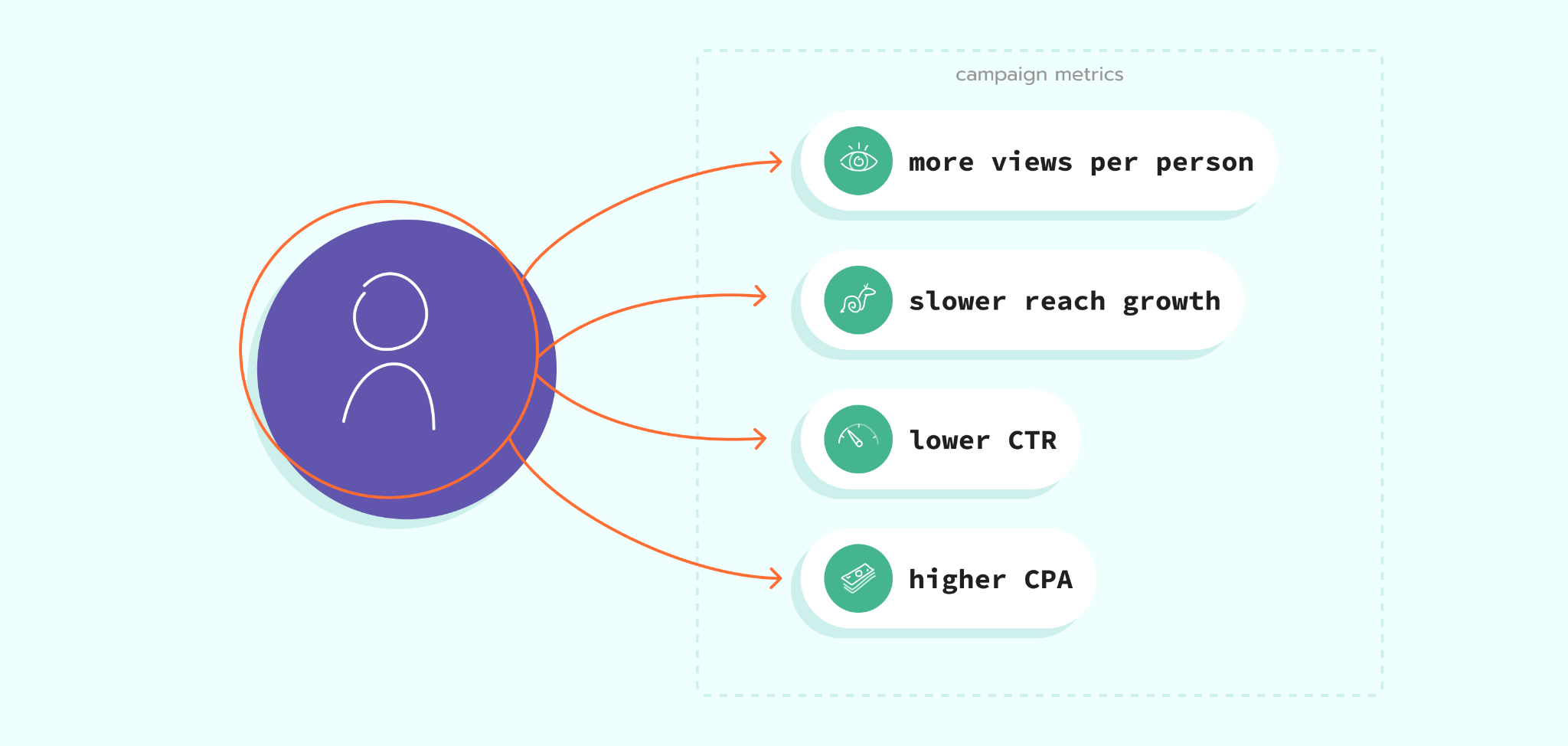
To spot ad fatigue, start with ad frequency, which shows how many times each person saw the ad on average.
Ad frequency is calculated as:
impressions ÷ reach
For example, an ad with 60,000 impressions and a reach of 20,000 has an average frequency of 3.
Meta defines frequency as the estimated average number of times each account saw an ad. Google offers average impression frequency and frequency distribution metrics for supported campaign types.
Frequency alone does not confirm ad fatigue. Use the table below to connect changes in campaign performance with what they could mean and what to check next.
| What you notice | What it suggests | What to check next |
|---|---|---|
| More views per person and slower reach growth | The campaign is reaching the same people repeatedly | Audience size and targeting |
| Click-through rate (CTR) falls while frequency rises | People are losing interest in the ad | Creative concept and message |
| Cost per acquisition (CPA) rises while sales stay stable | Tracking could be missing conversions | Tracking setup and sales records |
| A new concept performs above the old ad | The old ad has likely lost attention | Creative rotation |
You should also check for other possible causes:
- The landing page was changed due to an A/B test or stopped working.
- The product became unavailable.
- The price or delivery conditions changed.
- A promotion ended.
- Competitors increased their spending.
- Search demand changed.
- Tracking tags stopped sending some events.
- Consent choices, browser restrictions, or ad blockers reduced measured conversions.
Ad blockers can prevent browser scripts from loading and create gaps in analytics data. Before declaring that an ad has stopped working, check how you can reduce the impact of ad blockers on tracking.
A controlled creative test gives you stronger proof. Keep the audience, optimization event, landing page, offer, and budget stable. Replace the old creative with a new concept. A clear improvement points toward creative fatigue. If both versions perform poorly, the problem sits elsewhere.
Fighting advertising fatigue: best practices
The first rule is simple: diagnose the cause before making major campaign changes.
A falling conversion rate does not automatically mean that people are tired of the ad. The issue can come from the website, targeting, measurement, product availability, or a weaker offer.
Start with the campaign timeline. Mark the date when performance began changing and compare it with changes made to the creative, budget, audience, landing page, tracking setup, and promotion.
Next, identify where performance starts to weaken.
- Visual fatigue: one image or video loses clicks and engagement, while a new visual using the same message performs better.
- Message fatigue: different visuals built around the same promise or benefit all begin losing performance.
- Audience saturation: frequency keeps rising, reach grows slowly, and the same people receive the ads repeatedly.
Once you know where the decline begins, you can choose the right response.
For visual fatigue, introduce a new visual structure rather than a small design edit. Change the opening scene, product focus, person, setting, movement, or content format.
For message fatigue, introduce a different customer problem or product benefit. A new headline that repeats the same promise with different words is not a new angle.
For audience saturation, widen the qualified audience, remove unnecessary targeting limits, or reduce exposure. Do not broaden targeting without checking whether the new users still match the product.
Keep one successful ad active as a control when testing new concepts. This gives you a stable point of comparison and stops the team from replacing a winner with a weaker idea.
Review performance at the correct level. Campaign-level results can hide an exhausted ad that receives most of the budget. Check individual ads, assets, audiences, placements, devices, and funnel stages.
You can find more campaign-level checks in this guide to improve PPC performance.
Finally, protect the quality of your conversion data. Server-side tracking gives advertising platforms more complete conversion signals and helps you see whether reported performance matches business results.
7 ways to prevent ad fatigue
1. Create a rotation plan before the campaign launches
Do not wait until performance collapses to begin producing new ads.
Prepare several concepts before launch and decide when the team will review them. The review schedule can follow campaign volume rather than a fixed number of days. A large remarketing campaign can exhaust creative faster than a small campaign aimed at a broad audience.
Keep approved backup ads ready. When fatigue appears, you can launch a replacement without pausing the campaign for several days.
A rotation plan should include:
- The current control creative.
- New concepts ready for testing.
- The audience and funnel stage for each concept.
- Clear conditions for pausing or replacing an ad.
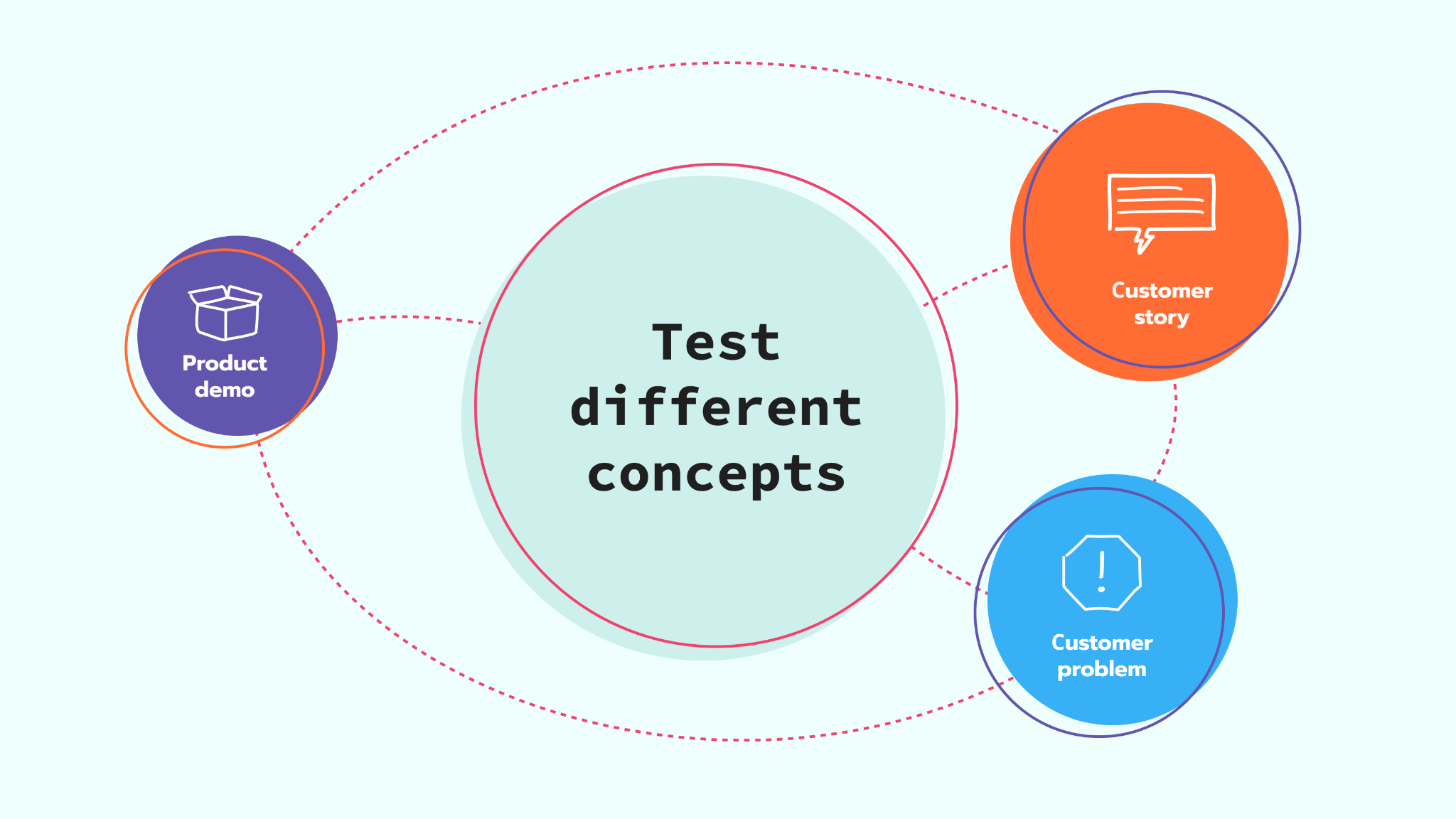
2. Test different concepts, not minor edits
A new creative needs to feel new to the audience.
Changing a button color, moving the logo, or rewriting one line does not create enough distance from the original ad. Build variations around different ideas.
One concept can focus on the customer’s problem. Another can demonstrate the product. A third can answer an objection. Since these concepts work for different reasons, they give the platform meaningful options.
Customer and product data can support stronger concepts. Purchase history can show which product benefits matter most to repeat customers, while customer relationship management (CRM) data can separate new leads from existing clients. Marketing data enrichment brings these signals together so you can create more relevant audience segments and ad messages.
3. Adapt creative to each placement
A creative designed for one placement can feel slow or unclear in another.
Vertical video needs to communicate quickly on Stories, Reels, Shorts, and other full-screen placements. Feed ads have more space for context. Display banners need a clear message that remains readable at a small size.
Do not crop the same asset into every available shape and call it a complete creative set. Keep the campaign idea consistent, but adapt the opening, framing, text size, video pace, and call to action to the placement.
Meta supports placement asset customization across its platforms, which lets advertisers adapt creatives to specific placements.
4. Expand the audience without losing relevance
Small audiences reach saturation quickly, especially when the budget is high.
Review whether detailed targeting, location settings, age limits, exclusions, or remarketing windows have made the audience smaller than necessary. Remove limits that do not support the campaign goal.
Audience expansion does not mean showing the ad to random users. Keep the offer relevant and give the platform enough conversion data to find people with a higher chance of taking action.
Use customer stages to control the message. A previous buyer should not receive the same introduction as a person who has never visited the website.
5. Build a message sequence
Repeated exposure is less tiring when the message changes as the customer moves closer to a decision.
A prospect can first receive an educational ad. The next ad can demonstrate the product. A later message can answer a purchase objection or introduce an offer.
This approach creates continuity without repeating one message. It also stops remarketing campaigns from following visitors with the same product image for several weeks.
Strong segmentation and targeted advertising strategies help you match each message to the customer’s current stage.
6. Control frequency where the platform allows it
Frequency is the average number of times each person saw your ads during the selected period. A frequency of three means each reached person saw them three times on average.
Some campaign types let you control this through frequency capping, a setting that limits how often ads appear to the same person. Do not use a generic cap. Consider your campaign goal, buying cycle, available creative, and past performance. Review frequency together with reach, click-through rate (CTR), cost per result, and conversions.
In Google Ads, frequency capping is available in the campaign settings for Display and Video campaigns, but not for Demand Gen campaigns.
YouTube Target frequency is different. It asks Google to optimize toward an average frequency rather than setting a strict limit. Google recommends using at least as many unique creatives as your selected target frequency.
7. Improve measurement before scaling
Poor measurement can make a performing ad look exhausted or send campaign optimization in the wrong direction.
If you're setting up server-side tracking for the first time, the server-side tracking course can help you understand the fundamentals before you start diagnosing campaign issues.
Start with the Website Tracking Checker by Stape to audit your tracking and find setup issues.
To set up the server-side tracking faster, use the Setup Wizard by Stape. It generates tailored GTM templates for your website and advertising platforms. For sGTM, Data Tag/Data Client helps transfer event and customer data from the web container to the server container.
During testing of your setup, use the Stape GTM Helper to check tags, requests, and consent data.
After launch, Stape Analytics helps you review recovered requests and bot traffic. Compare platform conversions with confirmed sales or leads to separate ad fatigue from a measurement problem.
Facebook ad fatigue solutions
Start in Meta Ads Manager and review results in two places. First, open Ads to compare each individual ad. Then open Ad sets to check whether a particular audience is seeing your ads too often. Add reach, impressions, frequency, CTR, cost per result, CPM, and conversion rate to the report.
Meta may also show a Creative fatigue status in the Delivery column when it detects that people have seen an ad too many times. Use this as an extra warning, then confirm it with the metrics above. Look for rising frequency together with a lower click-through rate (CTR), fewer conversions, or a higher cost per result.
Use the following process:
- 1.Compare the last stable period with the current period.
- 2.Identify which individual ad receives most of the impressions.
- 3.Check whether frequency rises while cost per result increases.
- 4.Compare placements and audience segments.
- 5.Create an ad with a new main idea and compare its results with the current ad.
- 6.Keep the offer and landing page with no changes during the test.
- 7.Pause the tired ad after the new version has enough data.
For the replacement, change the main creative idea. Try a product demonstration instead of a static benefit ad, a customer story instead of a product image, or an objection-focused concept instead of another discount message.
Adapt assets to Meta placements rather than using one creative everywhere. Keep the first seconds of video clear, especially for placements where people scroll quickly.
You should also check the audience structure. Widen an unnecessarily narrow prospecting audience, exclude recent customers from acquisition ads, and give remarketing users a sequence of messages.
Finally, check that missing conversion data is not making the ad look less effective than it is. A reliable Facebook tracking setup can combine Meta Pixel for browser events with Meta Conversions API Gateway for server events. The gateway handles deduplication automatically, so Meta does not count the same conversion twice.
More complete conversion data supports better Facebook ad optimization. It helps you understand whether performance dropped because people are tired of the ad or because some conversions are missing from the report.
Google Ads ad fatigue solutions
Ad fatigue looks different across Google campaign types.
For Display and Video campaigns, repeated impressions are a direct concern. Review unique reach, average impression frequency, seven-day frequency, 30-day frequency, and frequency distribution.
Google Ads provides frequency distribution groups such as 1+, 2+, 3+, 5+, and 10+. These reports help you see how much of the audience has received repeated exposure.
Use frequency capping for eligible Display and Video campaigns when exposure becomes excessive. Google does not offer this control for every campaign type, so check the current settings available inside the campaign.
For YouTube campaigns, rotate several distinct videos. Change the first seconds, story structure, speaker, demonstration, and call to action. Google recommends rotating two or three ads in and out of Video campaign auctions to reduce ad fatigue.
Search campaigns need a different diagnosis. A user searches with active intent, so repeated exposure does not work in the same way as passive feed or video advertising.
Check whether:
- Search terms still match the offer.
- Headlines have become too similar.
- Competitors have changed their messages.
- The landing page matches the query.
- Conversion tracking remains accurate.
- One asset or combination receives weak results.
Responsive search ads can use up to 15 headlines and four descriptions. Google tests combinations to match ads with search queries. Each asset should be clear alone and in combination with other assets.
Google replaced the old responsive search ad Performance labels with full asset statistics. Full asset performance data is available for dates from June 5, 2025. In 2026, advertisers can use these statistics to compare assets and find which ones need replacement.
Do not fill all headline fields with small rewrites of one sentence. Use different benefits, objections, product categories, customer needs, and calls to action to improve Google Ads performance.
Conversion tracking also needs attention. Missing Google Ads conversions can look like declining creative performance and give automated bidding less information. A correctly configured Google Ads server-side conversion tracking setup can send conversion data through the server container.
FAQs
Want to start on the server side?
Try for freeRecommended for you
May 8, 2026
Blog
10 tips how to optimize Facebook Ads for better performance in 2026
Discover the best Facebook advertising tips to boost your ROI! Learn how to optimize Facebook Ads with these 10 expert strategies for better performance in 2026.
Oct 2, 2026

Comments