Oct 1, 2026
How does server-side tagging work?
Written by
Maryna Semidubarska
Updated Sep 30, 2026 comments
Key takeaways:
- Server-side tracking adds an extra layer between your website and the tools you use, so you have more control over what data is shared.
- The event still starts on your website, then it passes through a server Google Tag Manager container before going to platforms like Google Ads or Meta Ads.
- Server-side setup keeps tracking more stable when browsers and ad blockers limit cookies and scripts, while consent rules still apply.
What is server-side tracking?
Server-side tracking is a new way to send website data to your analytics and ad platforms. For many years, most companies used web tracking, also called client-side tracking, where data goes straight from the browser to tools like Google Analytics, Google Ads, or Meta Ads. Then, Google Tag Manager server container was introduced, and this gave marketers and analysts a new way to manage how data is processed and shared.
How does server-side tracking work?
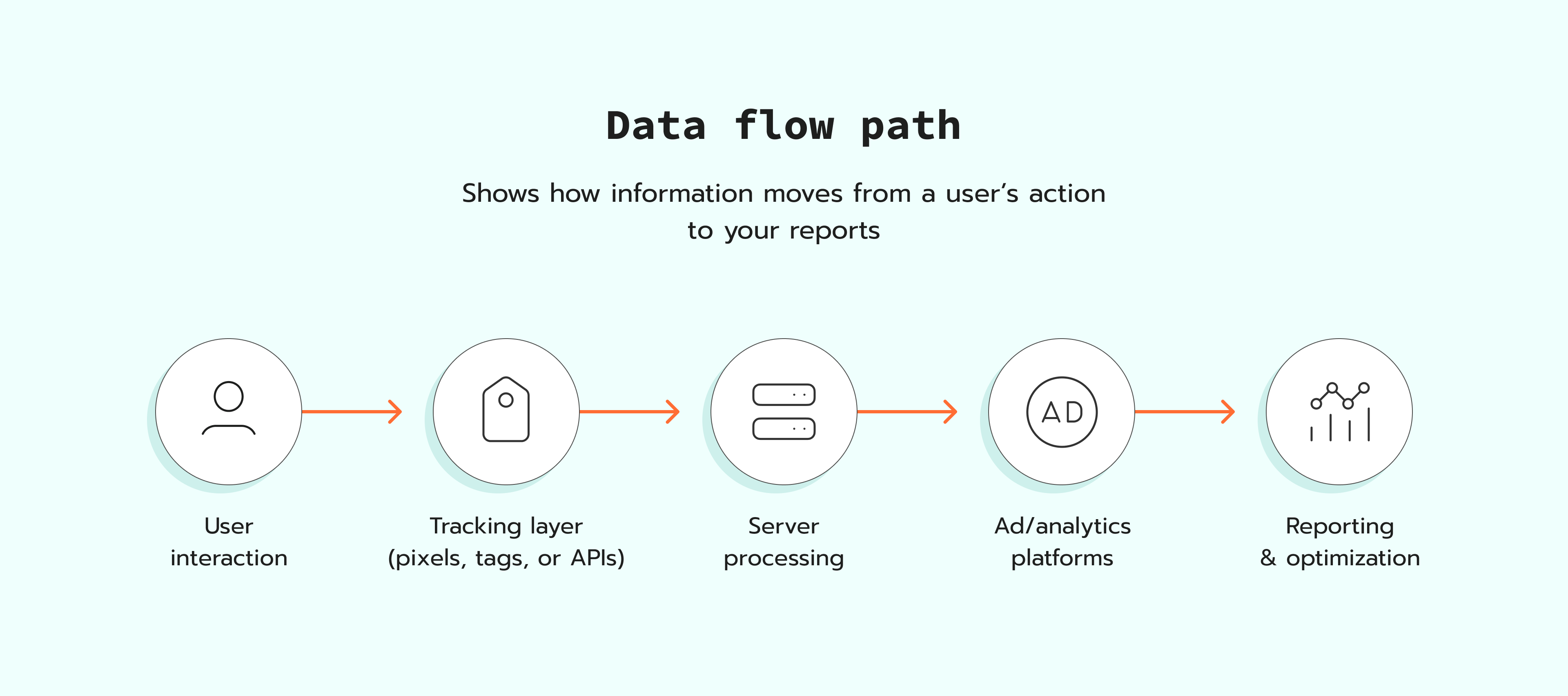
With server-side tracking, user actions are still collected on the website in the browser. But instead of sending that data straight to ad and analytics platforms, the data first passes through a server Google Tag Manager container running on a cloud server. This gives you more control over what data is sent and where, and how it is formatted.
Here is the base flow:
1. A visitor opens a page, and your web Google Tag Manager container loads.
2. The site collects the details for the event, for example, order value and products.
3. Your web Google Tag Manager container sends the event to your server Google Tag Manager container, typically over HTTPS to a first-party subdomain such as anything.yoursite.com.
4. A client in the server Google Tag Manager container, such as the GA4 client or Data Client, receives the request, matches it against its configured request rules, and turns it into event data the container can work with.
The server container runs this event data through any tags, variables, and triggers you've configured – this is where fields get renamed, sensitive values get stripped or hashed, and backend data (if any) gets merged in.
5. The server Google Tag Manager container applies the rules you set and sends the event to the platforms you chose through their server-side APIs (for example, the GA4 Measurement Protocol, Meta Conversions API, or Google Ads Enhanced Conversions).
Each destination platform returns a response (typically an HTTP status code), which the server container logs – this is what lets you check, after the fact, whether a given event was accepted or rejected by each platform.
Because the server container sits between the browser and every destination, it can also do things a browser-based tag cannot: hold an event briefly to enrich it with backend data that arrives after the initial page action (like a payment confirmation), route the same event differently to different platforms, or drop an event entirely if it fails validation – none of which requires touching the code running in the visitor's browser.
With server-side tracking, you decide what data is forwarded. You also decide how fields are mapped per destination. For instance, when configuring AdWords conversion tracking, this server-side approach allows you to seamlessly filter out sensitive information or append backend parameters, like offline order statuses, before the payload ever reaches Google's advertising networks.
Key components of server-side tagging
A server-side tracking setup works in three layers: website, server, and destinations. Your website layer includes your site, your data layer, and your web Google Tag Manager container. This is where events are created from user actions. For eCommerce setups, such as Shopify GA4 eCommerce tracking, this is where product and order details become event parameters.
Next, there is a cloud server that runs your server Google Tag Manager container. This container receives event requests from the browser through your subdomain, for example, anything.yoursite.com. In the server container, you set the rules for what is forwarded, what is removed, and how each platform should receive the event.
The destination layer is the analytics and ad platforms that receive the final events, like GA4, Google Ads, and Meta. By consolidating these endpoints, you can manage everything from high-volume retail pixels to specialized conversion tracking LinkedIn modules in a single unified hub. If you're on Shopify, configuring Shopify DNS records correctly is also a key part of setting up a custom subdomain for your server container. The server Google Tag Manager container sends the events to these platforms through their APIs, so the platforms receive the events in the format they expect.
What is the main difference between server-side and client-side tracking?
The main difference between server-side tracking and client-side tracking is where the event goes first. In client-side tracking, the browser sends the event directly to platforms like GA4 or Meta. In server-side tracking, the browser sends the event to a server Google Tag Manager container first. Then the server forwards it to each platform.
Server-side tracking gives you more control over the data flow, because:
- You decide what data each platform receives.
- You can rename events and adjust parameters for each platform.
- You can add backend data that the browser does not have, such as an order ID confirmed by your payment system.
- You can reduce the number of third-party requests made directly from the browser.
Why is server-side tracking important?
A switch to server-side matters because browser-based tracking breaks more often than it used to. Here are the main reasons, and what happens next:
- Browsers limit third-party cookies, so some identifiers stop working.
- Scripts fail to load or load too late, so events are missed.
- Ad blockers and browser privacy features can block third-party requests, so some tracking calls never reach the platform.
While using CAPI implementations or a tag gateway by Google helps route browser hits through a first-party domain to reduce these blocks, server-side tracking goes further by giving you control after the browser creates an event. You can forward more complete data by cleaning payloads, filling missing fields when you have a reliable source, and blocking suspicious or internal traffic. You can set more resilient cookies as first-party cookies, and you can keep data routing aligned with your legal and security needs.
Server-side tracking case studies
Server-side tracking case studies show how server-side tracking can help you collect complete data, keep attribution stable, and send conversions to ad platforms in a consistent way.
Before server-side tracking implementation: in Safari, Google Ads click ID cookies expire after 24 hours, so purchases that happen later lose the click ID and stop being attributed in Google Ads.
After: 18.26% more conversions tracked thanks to the server-side tracking.
Before server-side tracking implementation: Finobo tracked only about 10% of leads, so most lead events did not reach the ad platform with stable attribution details.
After: tracked leads increased to 85% after switching to server-side tracking and sending lead events through the Meta Conversions API. A similar setup can be used to generate lead GA4 events with more complete attribution data.
Before server-side tracking implementation: GA4 eCommerce reporting had data discrepancies, so marketing decisions were based on incomplete numbers, partly due to inconsistent use of recommended events GA4 naming conventions across the site.
After: 76% of all previously blocked requests were recovered, plus Cookie Keeper reached a 99.99% success rate, which provided complete and accurate tracking data.
Before server-side tracking implementation: Atasun Optik tracked with client-side GTM, GA4, and Meta Pixel, but Safari traffic and ad blockers caused missing events and weaker attribution.
After: Meta Ads reported a +93% increase in conversions attributed via Conversions API, and Stape Analytics showed 46% of affected hits were recovered into the user journey.
Does server-side tracking use cookies?
Server-side tracking still uses cookies. The difference is that requests can go through a subdomain on your domain, such as anything.yoursite.com. This lets the server set and refresh first-party cookies, which are more stable than third-party cookies set from a vendor domain.
Some platforms can also use other identifiers, such as a hashed email, user ID, or order ID, if consent allows it. These identifiers can support matching and attribution, but they do not replace cookies for the whole setup. They are also not unique to server-side tracking, because browser-based setups can send some of them too.
Want to start on the server side?
Try for freeRecommended for you
Blog
Server-side tagging for agencies: why it's time to make the switch for your clients
If you're an agency providing marketing services to clients, it's time to start implementing server-side tagging. Here you can find out why.
Nov 4, 2025

Comments