
Meta Connection
The Meta Connection is a solution that automates data flow between your sGTM container and Meta Custom Audiences. It is designed to work with the Meta Custom Audiences tag by Stape. Sync your audiences effortlessly and stop relying on static CSV lists!
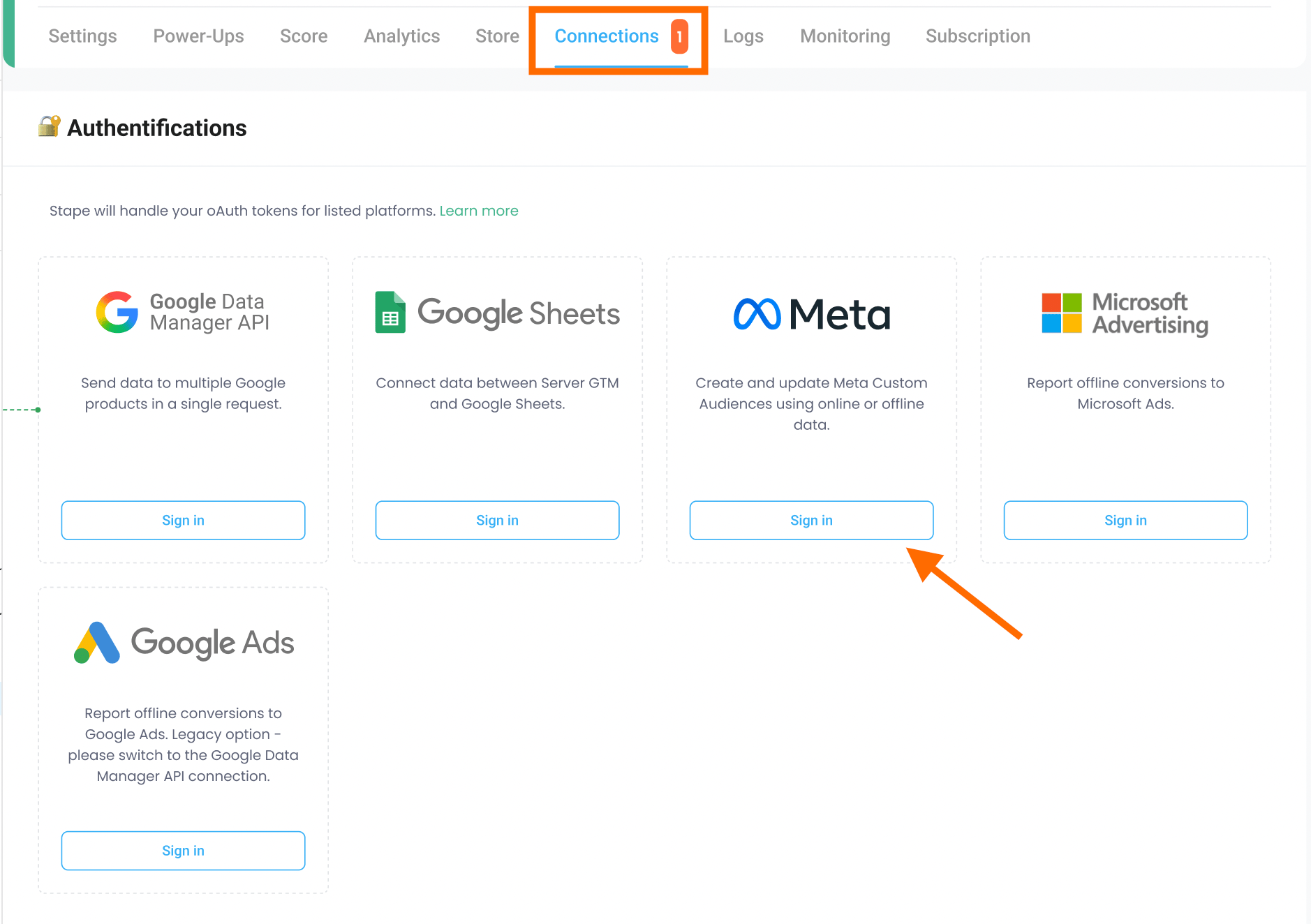
To get started, log in to your Stape account, open your container, navigate to the Connections tab, and click Sign in next to Meta using an account with the appropriate Ads permissions.
ℹ️ Available to all Stape users with a Pro plan or higher.
How it works
Once connected, Meta Connection automatically syncs your first-party data from your Stape container to Meta Ads in real time. No CSV uploads or manual steps are needed - data is sent or removed instantly, keeping your audiences up-to-date.
Benefits of Meta Connection
- Eliminate manual work with CSV files. Automate data sending to your Meta Custom Audiences. Ensurethat data is sent or removed instantly, providing an automated synchronization and freeing up hours of manual work, which could be spent on formatting and uploading CSV files.
- Keep your Meta Custom Audiences up-to-date. With real-time syncing between your Stape container and Meta Ads accounts, your audiences show the latest user data. This ensures your ads are targeting the right users, improving campaign performance.
- Improve Audience Match Rate. By using the Meta Connection to send first-party data directly from the server, you reduce the impact of browser limitations and ad blockers that often impact user identifiers. Using precise user IDs results in a higher Audience Match Rate within Meta Ads.
- Use a simple, no-code setup. Instead of hiring a developer to build a custom API integration, you can sign in to Meta directly through the Stape interface. This OAuth connection allows you to reduce the time and money spent on processing the automation.
Ready to scale your retargeting? Sign in to your Meta Connection in the Stape admin panel now - it’s free and takes less than five minutes!
Useful links:
Related to this solution
Google Sheets Connection
Learn about the advantages of Google Sheets Connection in the Stape admin account and how to connect it in a few minutes.
Google Ads Connection
Find out a new feature developed by Stape - Google Ads Connection. See how you can benefit from it and how to implement it to ease server-side tracking setup.
Google Data Manager API Connection
Find more about Google Data Manager API Connection in the Stape admin account and connect it in a few minutes.