Sep 28, 2026
December 2025 release: POAS Data Feed
Updated Jul 6, 2026 comments
POAS Data Feed is a Stape power-up that lets you send profit data to analytics and ad platforms instead of only order revenue. Thanks to this power-up, you can use a business value that shows what the company earns from each sale. And you have this data inside your server Google Tag Manager to use for profit-based reporting or feeding ad algorithms to optimize towards more profitable products.
POAS Data Feed is available for Stape users on Pro plans and higher. You can find it in the Power-ups tab in your Stape account.
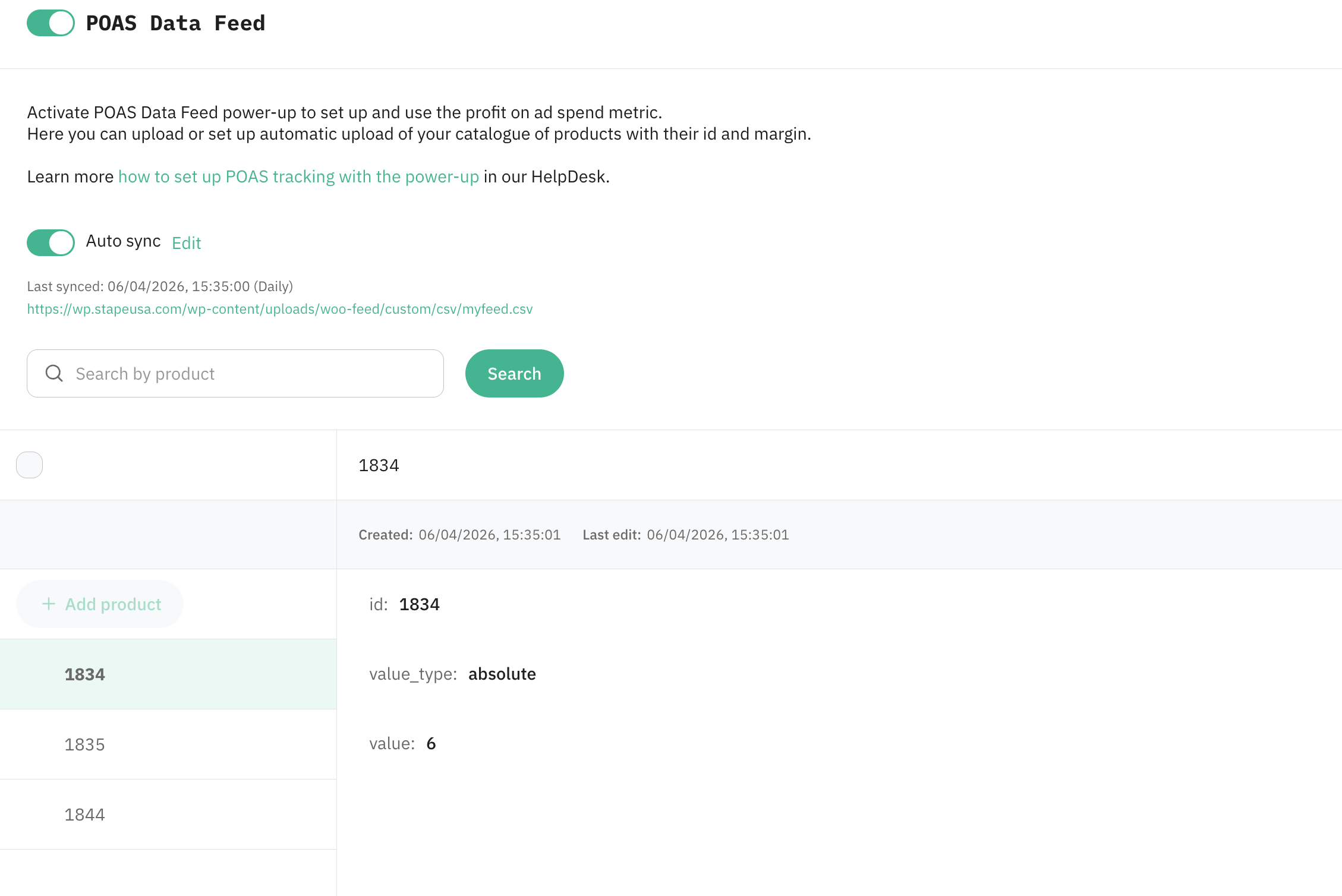
How does POAS Data Feed work?
POAS Data Feed keeps product cost and profitability data in Stape’s secure storage. When a purchase or conversion event reaches your server Google Tag Manager container, it matches the product ID from the event with your catalog, calculates profit based on fixed values or percentages, and sends that final amount to your analytics and ad platforms.
You can also keep the catalog updated without manual work, as POAS Data Feed supports automatic updates of your data.
| Watch this video to learn how POAS Data Feed works and how to send profit data to ad platforms with GTM and server Google Tag Manager. |
Watch this video to learn how POAS Data Feed works
Why use POAS Data Feed?
The first reason is reporting. ROAS shows revenue against ad spend, but it does not include product costs. POAS helps you look at the amount left after expenses, so campaign reporting shows actual business performance.
The second reason is easier product value updates. Margin values are added in a product catalog, which can be any external tool, and then this catalog is connected to the POAS Data Feed. Thanks to the auto sync function, these values will be updated in the power-up if any changes are made.
The third reason is data protection. Profit values are calculated on the server, away from the browser or the data layer.
The fourth reason is ad platform optimization. When you send profit data, ad platforms can use it to optimize campaigns toward products that bring more profit instead of only higher revenue.
How to set it up
In the POAS Data Feed Helpdesk guide, you can find step-by-step guides for Shopify and WooCommerce. The same setup principle also works for other eCommerce CMSs and custom websites. If you have any questions, you can contact our support team.
Useful links
Want to try the server side?
Try for freeWas this article helpful?
Recommended for you
Blog
Profit tracking with sGTM and Data Store: a complete guide
Learn how to track real profit using server-side GTM and Data Store. Build accurate, margin-based tracking and improve ad performance across Google Ads, Meta, and GA4.
Mar 30, 2026

Comments