Google Analytics 4 segments reviewed & explained
Written by
Tymofii Sankov
Key takeaways:
- GA4 segments are subsets of users, sessions, or events that meet specific conditions, and you use them in Explorations. The scope you pick (user, session, or event) decides which data is included, so match it to your question.
- Conditions with AND/OR logic, sequences, and exclusions let you build precise segments without changing the underlying data. GA4 allows up to 10 segments per exploration and 4 applied at once.
- Segments are for in-depth analysis of past data. Filters narrow the current view, audiences are reusable groups for advertising, and comparisons give quick splits in standard reports.
- Segment numbers can be misleading because of missing events, sampling, or data thresholds. Server-side tracking helps your segments rely on more complete data.
Google Analytics 4 gives you a large amount of data, but looking at all users, sessions, and events together does not always answer specific business questions. This is where GA4 segments become useful.
Google Analytics 4 segments let you isolate a particular subset of data and analyze it separately. For example, you can create a segment for users who completed a purchase, sessions that came from organic search, or events triggered on a specific page. This makes it easier to compare behavior, identify patterns, and understand how different groups interact with your website or app.
At the same time, segments can be confusing because they overlap conceptually with audiences, filters, and comparisons. In this guide, we will explain how they work, how to create them, what limitations to consider, and how the quality of your tracking data can affect the results you see.
What is a segment in Google Analytics 4?
A Google Analytics segment is a subset of users, sessions, or events that meets specific conditions. Segments are primarily used in Explorations to focus analysis on selected parts of your data rather than the entire dataset. It can therefore work at three different scopes: user, session, or event. The selected scope determines which data is included when the conditions are met. For example, a user segment can include the activity of qualifying users, while an event segment includes only qualifying events. This distinction is the basis for the three types of segments available in GA4.
The 3 types of GA4 segments
The right segment type depends on what exactly you want to isolate in your analysis and what business goal you have behind it:
- User segments include users who meet specified conditions. They are useful when you want to analyze people based on their behavior or attributes across multiple sessions.
- Session segments include sessions that meet the selected conditions. They help when the analysis should focus on a particular visit rather than the user as a whole.
- Event segments include individual events that match the conditions you set. They are the narrowest option and are useful when you need to analyze specific interactions.
The same condition can produce different results depending on the scope it is applied to, so choosing the correct scope is essential.
How GA4 segment conditions work
Conditions define which data qualifies for segmentation in Google Analytics. They can be based on a dimension, metric, event, or event parameter. You can also combine several conditions to make the segment more specific.
For example, you may include users from a particular country who also completed a purchase. This demonstrates how the AND logic works. With OR logic, meeting either condition is enough (e.g., include users who completed the purchase or added an item to the cart). It is also worth mentioning condition scope, which determines whether the conditions must be met within the same event, within the same session, or across multiple sessions, depending on the segment type.
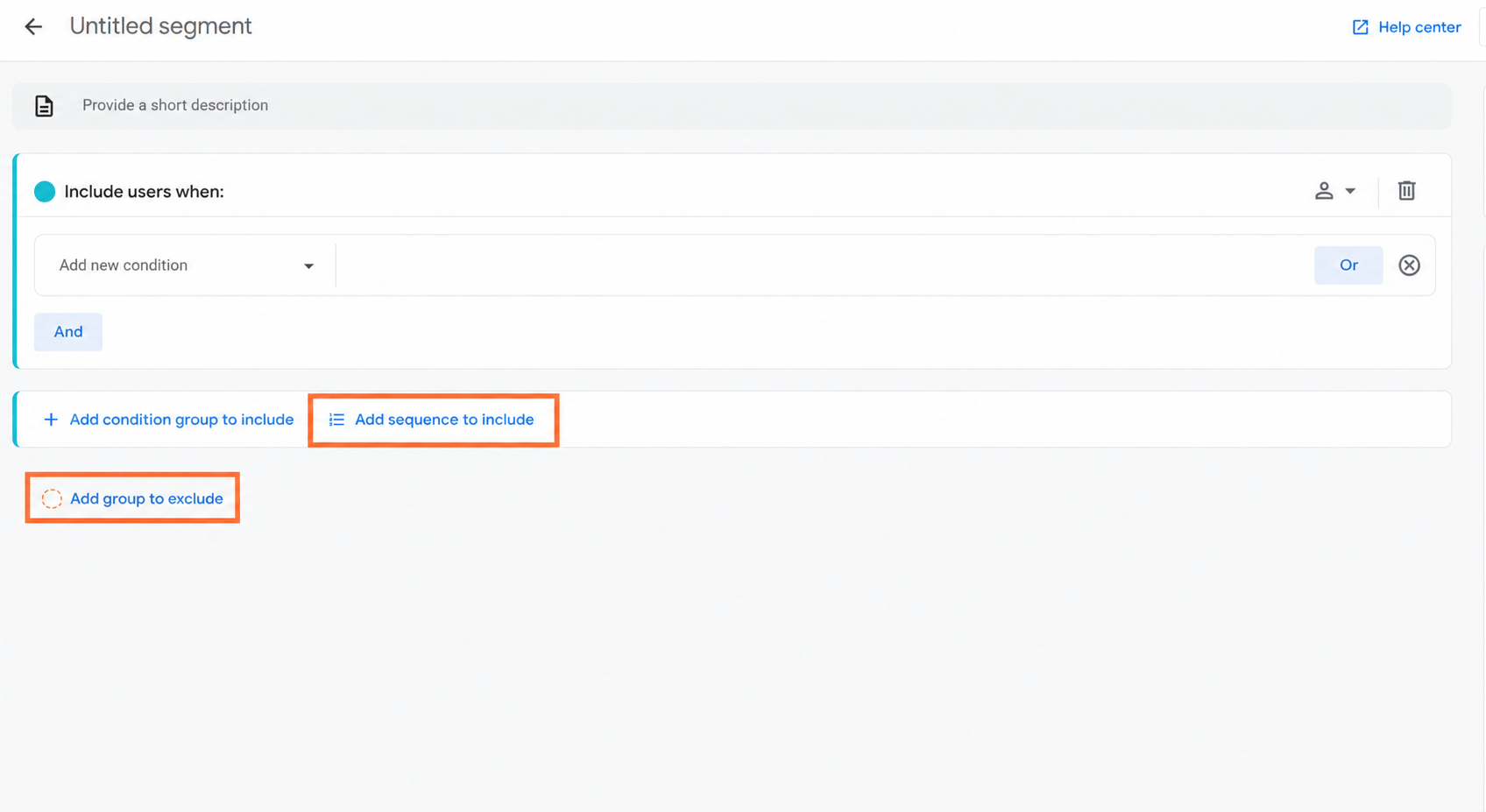
In addition to that, GA4 also allows more advanced capabilities. Sequences are used when the order of actions matters, such as users who viewed a product and then completed a purchase. Exclusions do the opposite: they remove users, sessions, or events that meet specified criteria. Together, these options let you build Google Analytics custom segments around fairly precise behavioral patterns without changing the underlying data.
How to create a segment in GA4
Creating Google Analytics segments takes only a few steps, but the exact setup depends on whether you want to analyze users, sessions, or individual events. The process starts in Explorations, where segments can be created and applied to your analysis.
Explorations is GA4’s workspace for more detailed, customizable analysis beyond standard reports. It lets you combine dimensions, metrics, segments, filters, and different visualization techniques to investigate specific questions in your data.
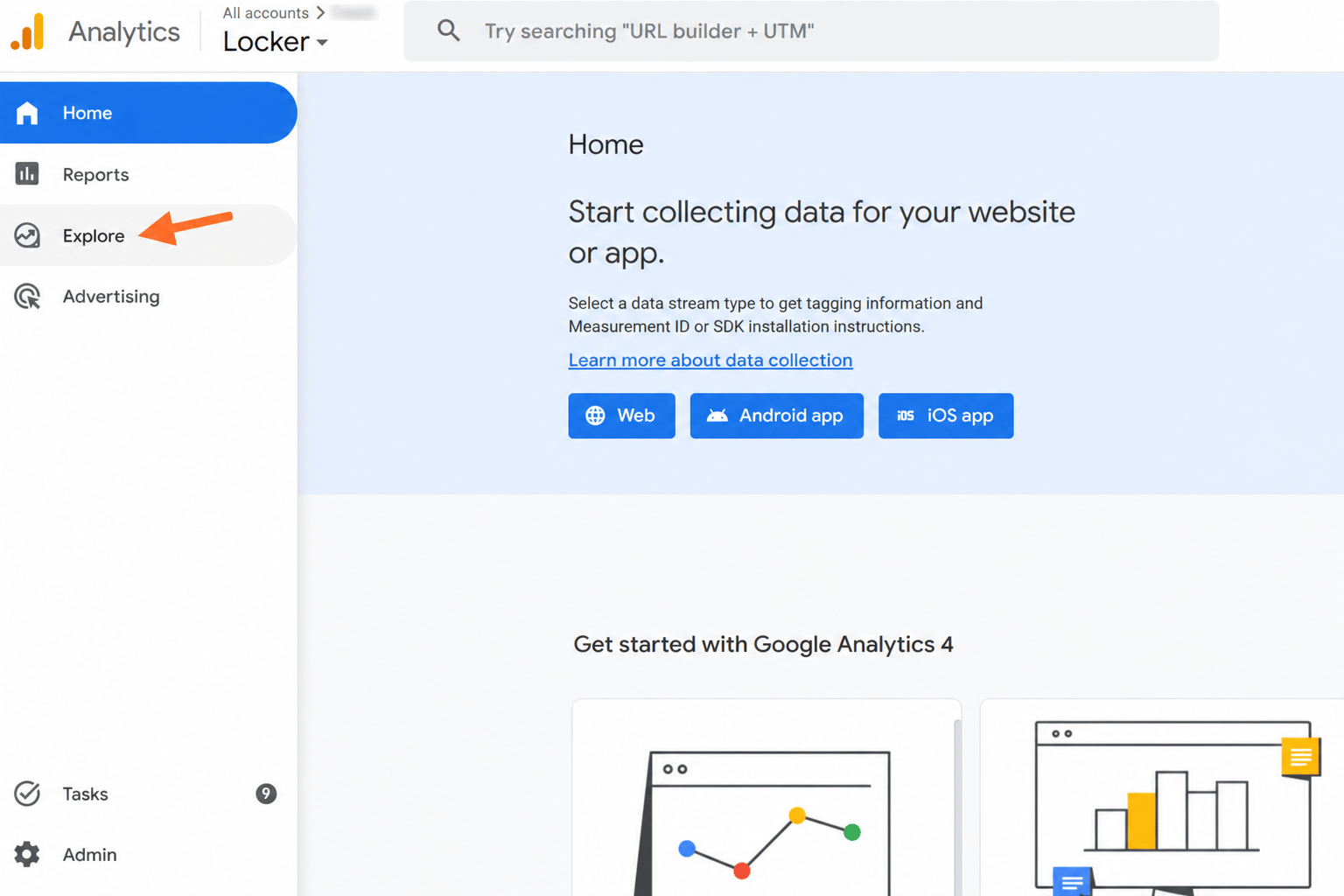
1. In Google Analytics 4, open Explore from the left-hand menu.
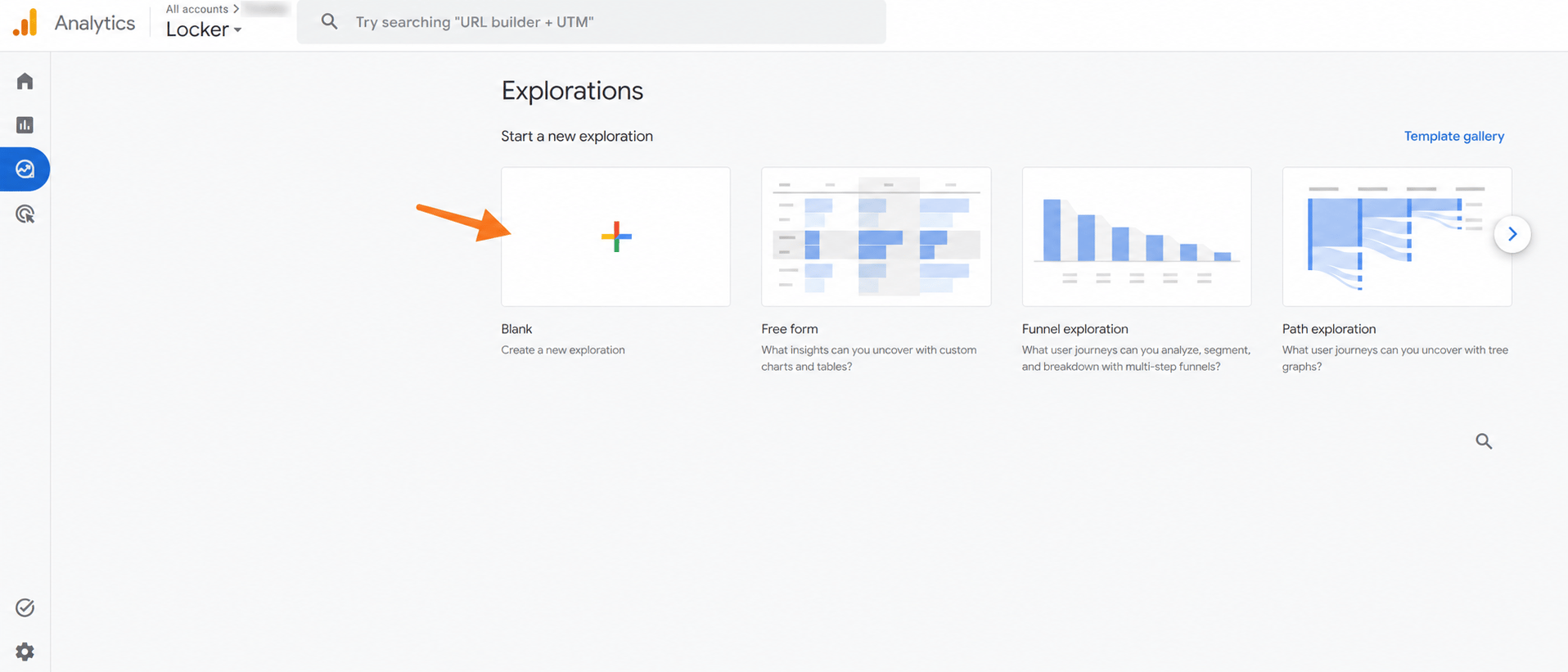
2. Create a new exploration (you can also use the suggested templates or edit an existing exploration, if you have any).
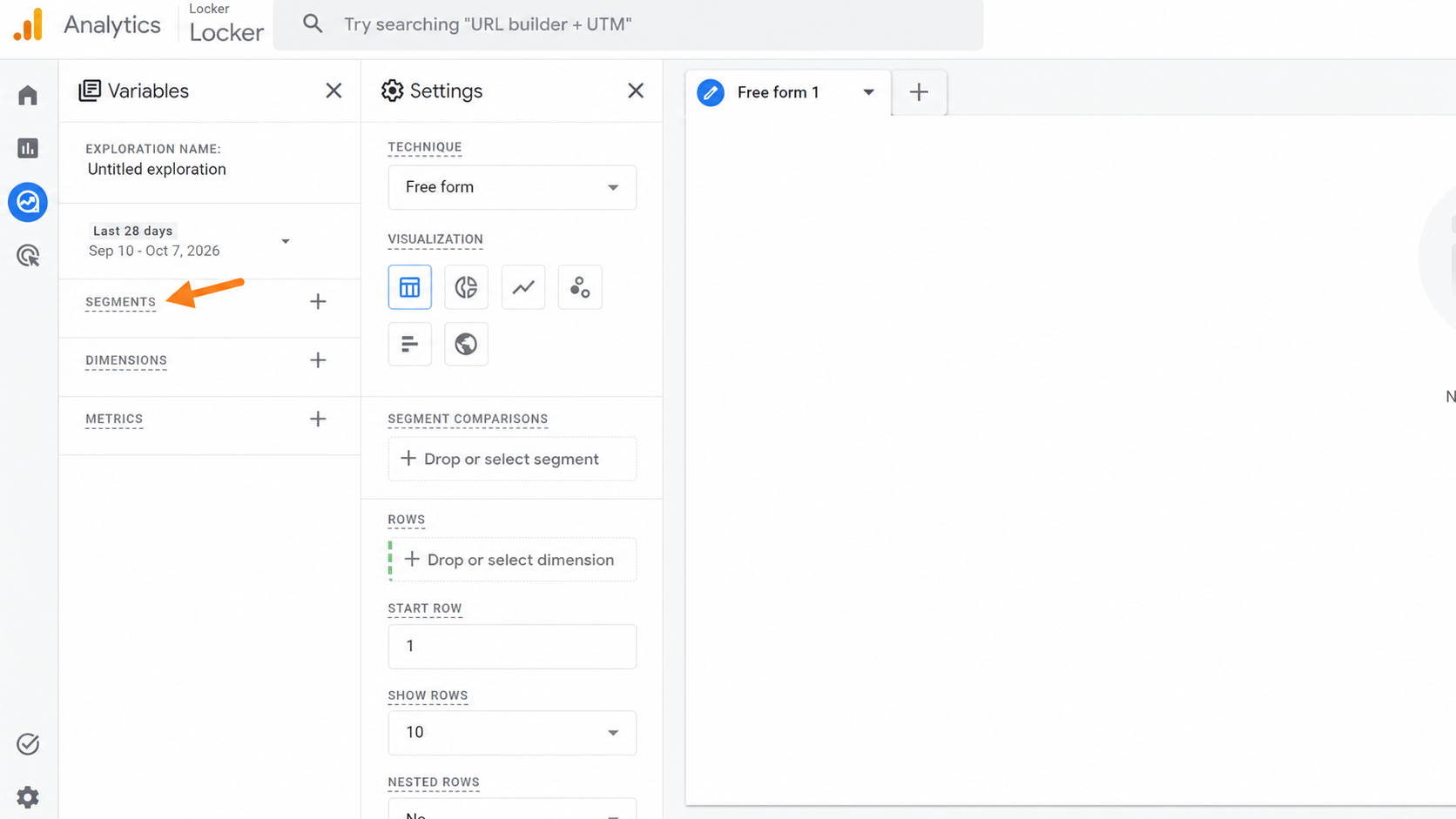
3. In the Variables column, find Segments and click the + icon.
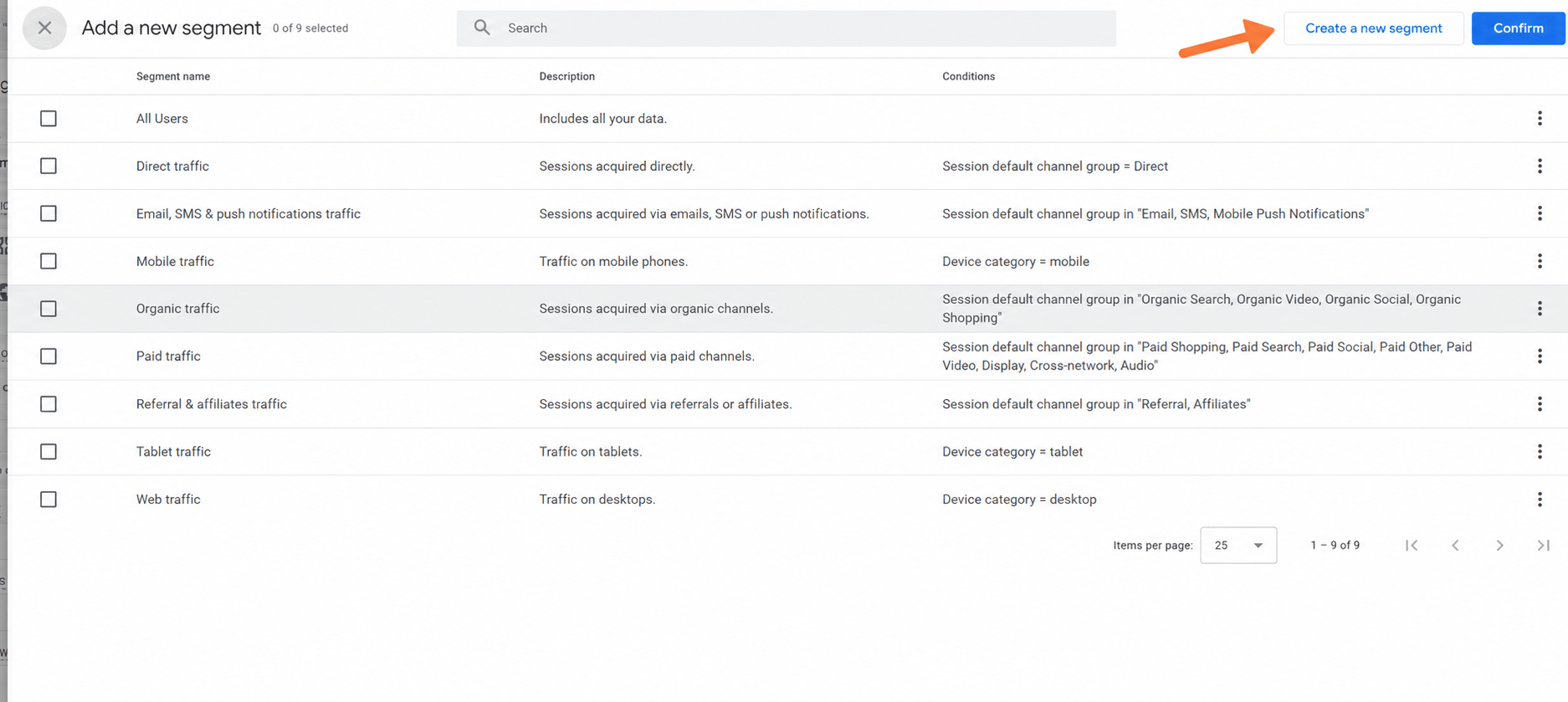
4. Here, you can choose one of the suggested templates, but we will proceed with the creation of our own. Click Create new segment.
5. Choose the segment scope: User segment, Session segment, or Event segment. You can also start with one of GA4’s suggested segments (we will proceed with the User segment).
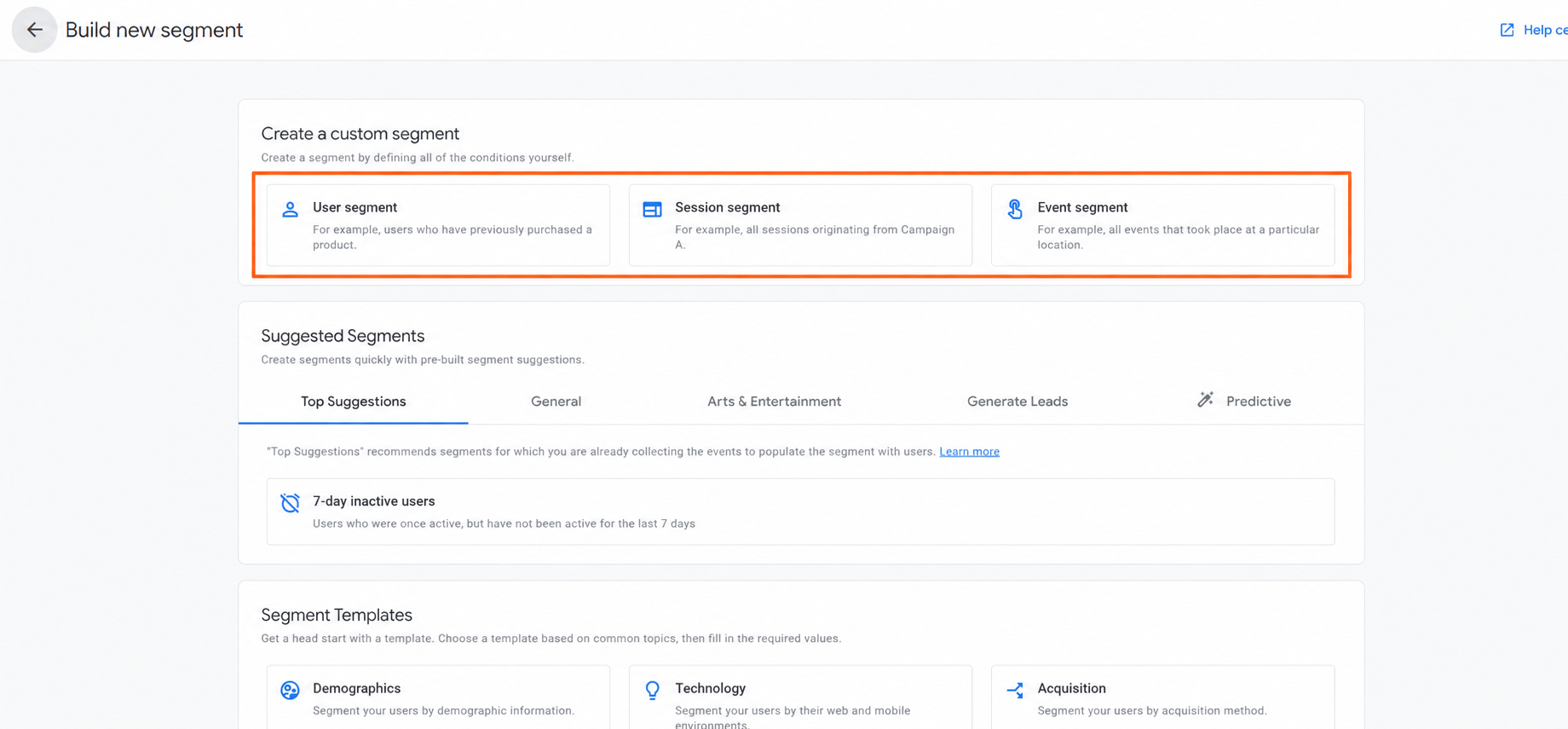
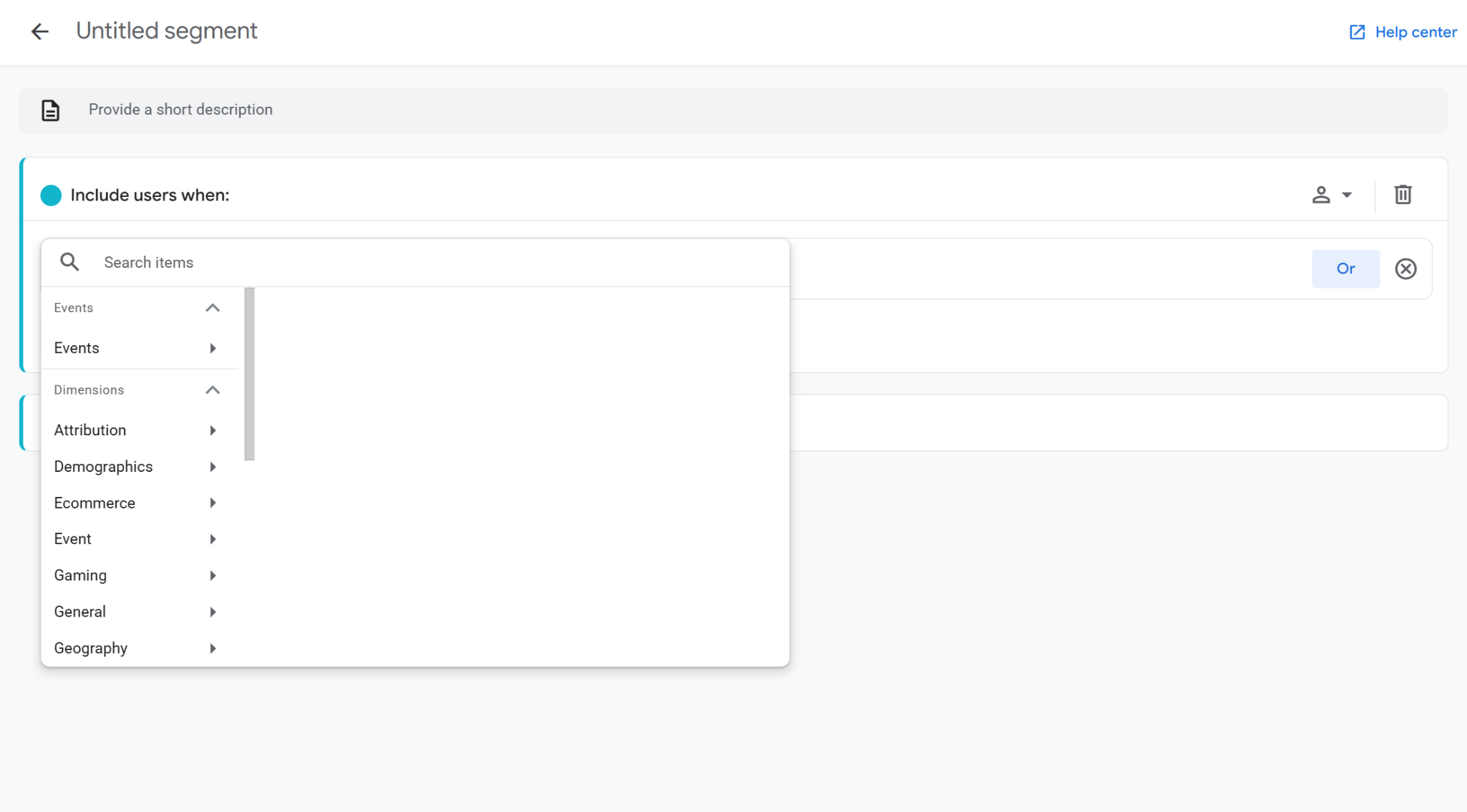
6. The most interesting part starts here. Name the segment as you like (yes, this is the most interesting thing) and add the conditions that define the included data. You can use the OR logic in one condition and AND logic to add more conditions (the button is hidden by the list now). What exactly to include here? Depends only on your needs, decisions, and plans.
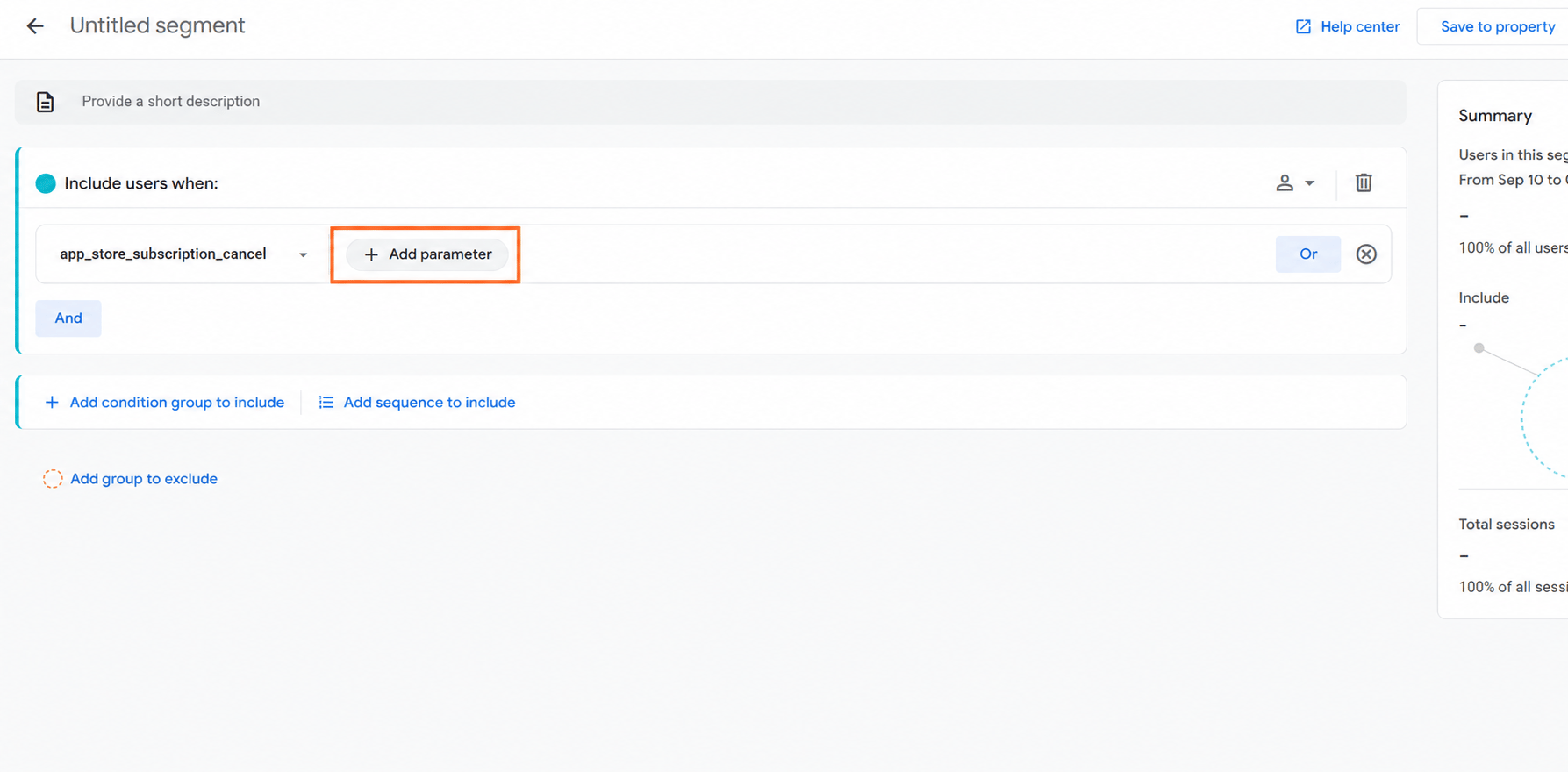
7. If you need to customize the condition, you can do that by clicking Add parameter and adding the required specification.
8. We discussed Sequences and Exclusions above. You can add both at this stage by clicking on the corresponding buttons and following steps 6 and 7 again for the new item.
9. Click Apply or Save to property at the top-right corner. In the first case, it will be automatically activated for the exploration; in the second, you will have to add it manually later by dragging it from Variables to Segment comparisons in the Settings panel.
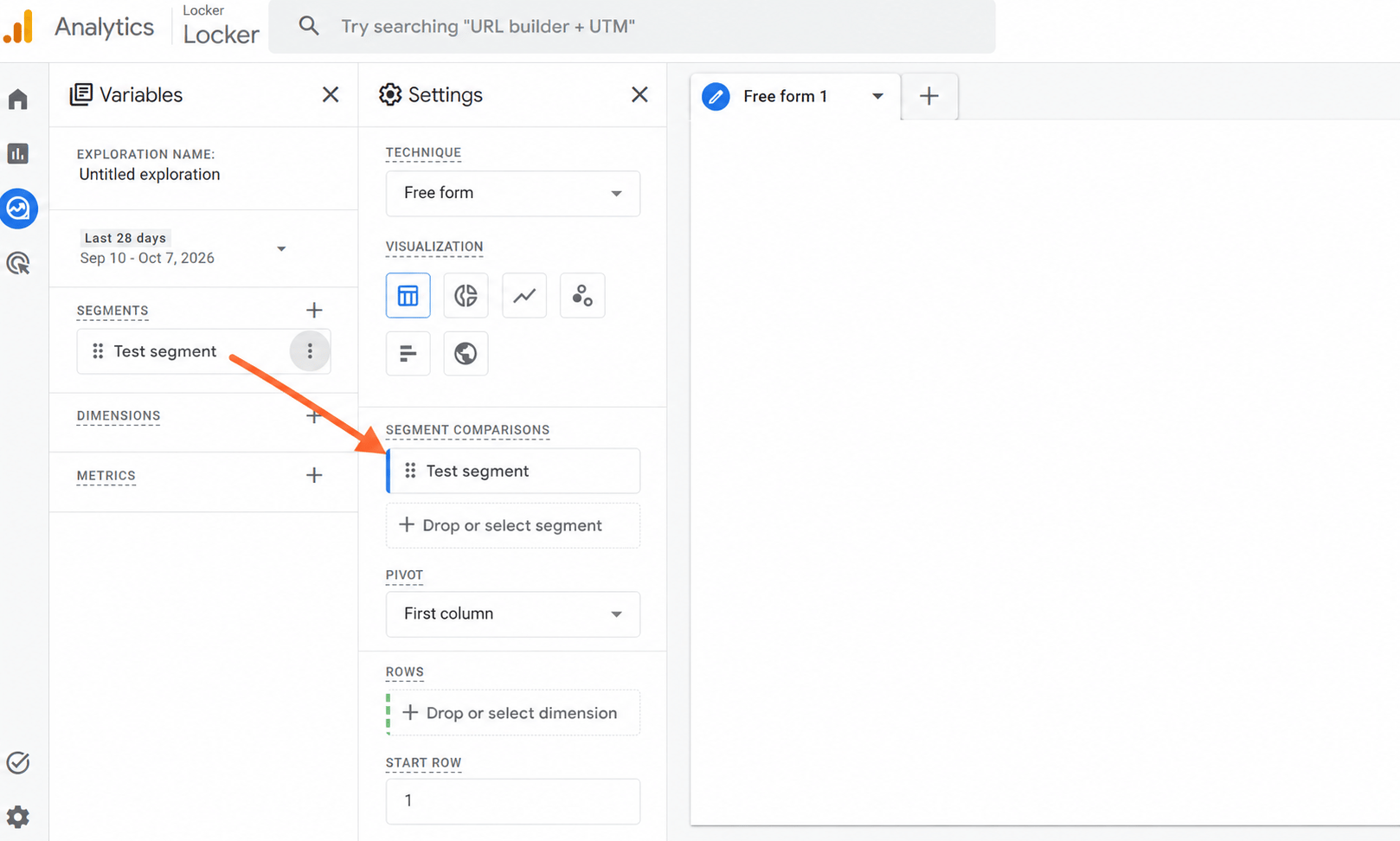
Once you segment Google Analytics data this way, the exploration will show data for the selected segment and allow you to compare it with other added segments.
Common GA4 segment examples you can copy
If you struggle to understand what to begin with, you can use one of the setups below as a starting point. In each case, create a new segment and reproduce the listed conditions in the segment builder (step 6 in the guide above).
Obviously, it is impossible to remember all the events, especially if you do not configure them often. That is why, if you struggle to understand which exact event you need, check the official list kindly provided to everyone interested by Google.
GA4 segments vs. filters vs. audiences vs. comparisons
Segments, filters, audiences, and comparisons can all narrow down GA4 data, but they are not interchangeable. The main differences are where they are used, what type of data they work with, and whether the resulting group is meant only for analysis or can be reused elsewhere.
| Feature | Best used for |
| Segments | Analyzing a defined group of users, sessions, or events in Explorations. Segments are retroactive for the selected date range. |
| Filters | Restricting the data shown in the current exploration based on dimensions or metrics. |
| Audiences | Creating groups of users that can change over time and be used in Analytics and connected advertising products. Unlike segments, audiences are not populated retroactively. |
| Comparisons | Comparing subsets of data directly in standard reports, for example, mobile vs. desktop users or traffic from different countries. |
A simple way to choose is to start with the goal. Segments will not allow you to do what audiences can, especially when it comes to maintaining reusable user groups for advertising activation. Thus, if you need deeper analysis in Explorations, use a segment; if you only want to narrow the current view, use a filter; and if you want a quick comparison inside reports, use comparisons.
Why your GA4 segments might show misleading data
A segment can be built correctly and still show numbers that look wrong. In most cases, the problem is not the segment itself but the data it receives, the scope of the conditions, or the way GA4 processes and displays that data. Before you segment Google Analytics 4 data for further analysis, make sure the underlying tracking is reliable.
Missing or incorrectly collected events
Segments can only work with the data available in GA4. If an event such as purchase, begin_checkout, or a custom event is not implemented correctly, users who should qualify for the segment may simply never appear in it. This is especially important for behavior-based segments. Before changing the segment conditions, verify that the required events are actually being collected and contain the expected parameters.
Incorrect segment scope
The same condition can return very different results depending on whether it is used in a user, session, or event segment. For example, a user segment can include a person based on behavior across multiple sessions, while a session segment only includes qualifying sessions. If the scope does not match the question you are trying to answer, the numbers may look inconsistent even though GA4 is working correctly.
Different date ranges
Segments are evaluated against the date range used in the exploration. If you compare their results with another report that uses a different period, the numbers will not necessarily match.
Date range can also affect whether there is enough data for a meaningful comparison, particularly for smaller segments.
Sampling
GA4 Explorations can use sampled data when a query includes more than 10 million events in a standard property. In that case, GA4 analyzes a portion of the available events and scales the results instead of processing every event individually. GA4 shows this in the data quality indicator, so it is worth checking before treating small differences as tracking problems.
Data thresholds
GA4 can withhold some data to protect user privacy, particularly when an exploration contains demographic information, Google Signals data, or very small groups of users. This can make a segment appear smaller than expected. Expanding the date range may sometimes reduce the effect because more users are included in the analysis.
Different processing logic
A segment, audience, comparison, and filter may use similar-looking conditions without producing identical numbers. They are different GA4 features and are evaluated in different contexts. For that reason, a mismatch does not automatically mean one of the results is incorrect. When investigating a discrepancy, compare the scope, date range, conditions, and feature being used before drawing conclusions.
How server-side tracking can improve the data behind GA4 segments
While most of the issues described above can be fixed by reviewing and modifying the configuration on your side, the problem of missing events is much broader than it might seem. This can happen due to browser restrictions, ad blockers installed on the user’s side, privacy protections, and other factors that prevent some interactions from reaching GA4.
In this case, switching to server-side tracking can help. It does not automatically improve the data itself, but it gives you more control over how data is collected, processed, and prepared before it is sent to GA4. As a result, your segments can rely on more complete data and miss fewer users or events.
How Stape can help
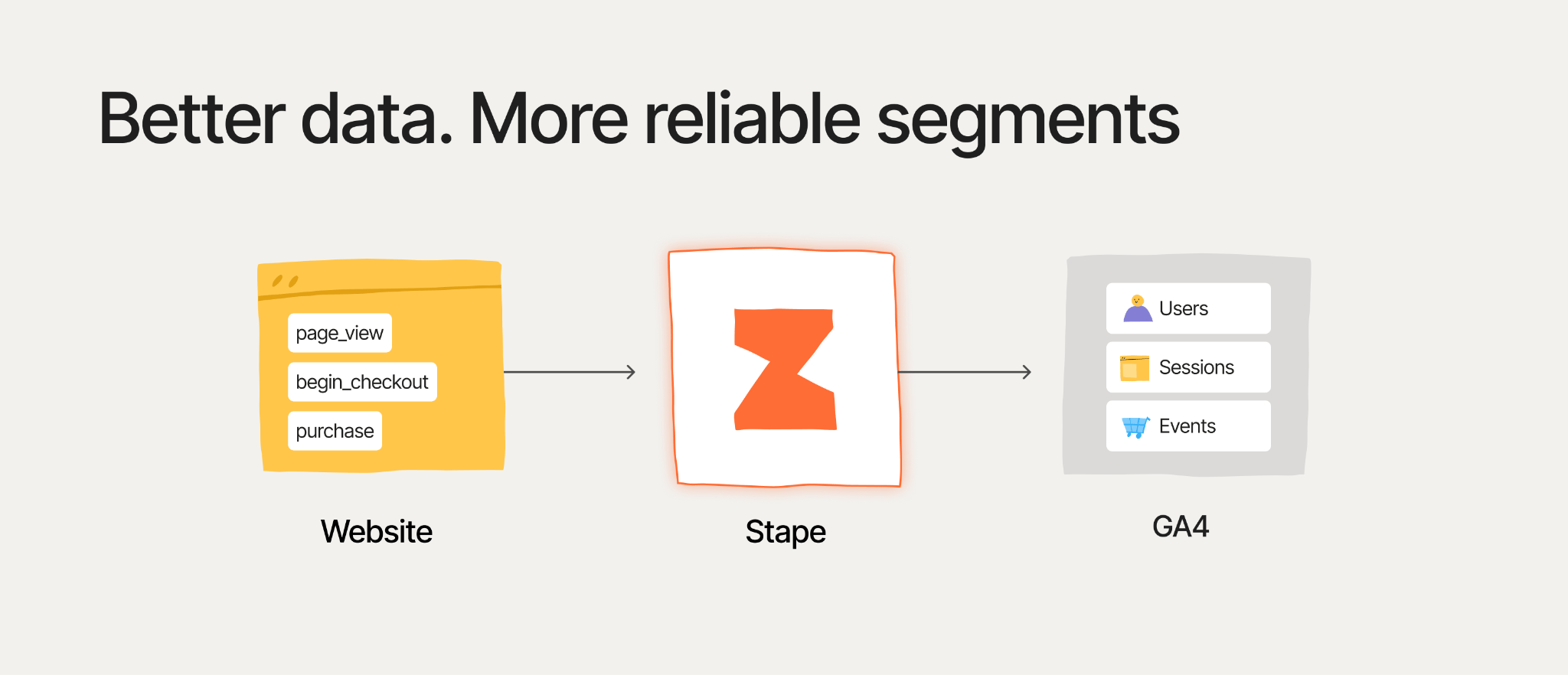
Stape is a server-side tracking services provider with a huge infrastructure and dozens of features, some of which can be especially useful to help your GA4 segments function correctly.
- Custom Loader lets GTM and GA4 scripts load through your own domain, which can make tracking more resilient to browser and ad-blocking restrictions.
- Cookie Keeper is designed to extend cookie lifetime where browser restrictions can shorten it, helping preserve session and attribution continuity.
- Website Tracking Checker audits your tracking setup, including analytics implementation, cookies, client- and server-side routing, and tracking-related performance issues, and provides recommendations on what can be improved.
- GA4 Server MCP is a modern twist to link an AI agent with your GA4 and use it to review, find, and identify segments, as well as view general GA4 reports, evaluate its efficiency, etc.
You may have already heard about server-side tracking and decided to stay away from it because it feels too complex and confusing. In a vacuum - yes, but with Stape - no. You can use our Stape Gateway to configure everything quickly and almost automatically, specifically for GA4, or use the Setup Wizard, which also automates the setup but focuses on your business requirements instead of the target platform.
While you still can configure all the tags in your server GTM container manually, the Setup Wizard allows you to use a custom template created specifically for your business based on the platforms you use. Check our detailed guide on how to use the Setup Wizard to get started with your tracking in minutes.
GA4 segment limits and quotas you should know
If you thought that you can create a segment for every possible case, user type, and action, rethink. Unfortunately, GA4 limits how many segments you can create, save, and apply at the same time. These limits are usually enough for regular analysis, but they matter if you work with many reusable segments or complex Explorations.
- You can create up to 10 segments per exploration.
- You can apply up to 4 segments to a single exploration technique at one time.
- You can save up to 50 segments per standard GA4 property.
- Google Analytics 360 increases the saved segment limit to 200 per property.
Explorations themselves also have limits: a standard property allows up to 200 explorations created per user and 500 shared explorations per property. If a query processes more than 10 million events, GA4 may use sampled data instead of the full dataset.
These limits do not usually affect smaller setups, but they are worth keeping in mind when you build many Google Analytics custom segments or maintain a large number of Explorations.
Conclusion
GA4 segments are a practical way to move beyond broad reports and focus on the users, sessions, or events that matter for a specific question. The key is to choose the right scope, keep the segment logic aligned with the business goal, and remember that the result is only as reliable as the data collected in the first place.
Once the setup is clear, segments can help you compare behavior, investigate funnels, analyze traffic sources, and isolate important user groups without changing the underlying GA4 data. And if missing or inconsistent events become a problem, improving the tracking setup itself can make those analyses much more reliable.
FAQ
Want to start on the server side?
Try for freeRecommended for you
Solutions
GA4 Advanced tag
Google Analytics 4 Advanced Tag for Google Tag Manager server-side will help you to improve tracking accuracy and optimize your campaigns.
Feb 3, 2025

Comments