Send Telegram notifications using Google Tag Manager server container
Written by
Ira Holubovska
Let’s say that you started a new campaign or launched a website and want to receive real-time notifications about new orders.
Checking conversions inside Google Analytics can be time-consuming. So what is the best way to send information about user activity on your site or orders from specific traffic sources? We created a Telegram tag for the Google Tag Manager Server container that can send notifications about user actions on the website to the Telegram channel. We also have a similar tag for Slack notifications.
The Telegram tag for the Google Tag Manager server container allows receiving real-time Telegram notifications on every conversion and user action on the site. The notifications can be sent to multiple recipients.
You can also use the Telegram tag to send notifications about website errors. It’s an easy way to monitor user activity on the site.
How does the Telegram Tag for Google Tag Manager server container work?
Whenever a conversion takes place, a message gets pushed into the channel. You can send user or order details inside the Telegram notification or add any information you can get using Google Tag Manager. It can be a traffic source, product name, or category. You can also send notifications to different channels depending on what traffic source is responsible for the conversion. You, your developers, SEO managers, PPC managers, or developers can be subscribers.
Telegram tag communicates with telegram API. And the setup is done inside the Google Tag Manager server container.
How to send Telegram notification using Google Tag Manager server container
2. Send required data from Web to Server container. This guide will show how to use the GA4 tag to get data inside the server container. The first step would be to set up GA4 tracking inside the Web container. Add transport URL to the GA4 Configuration tag and set up GA4 event tag that will include required user and event parameters.
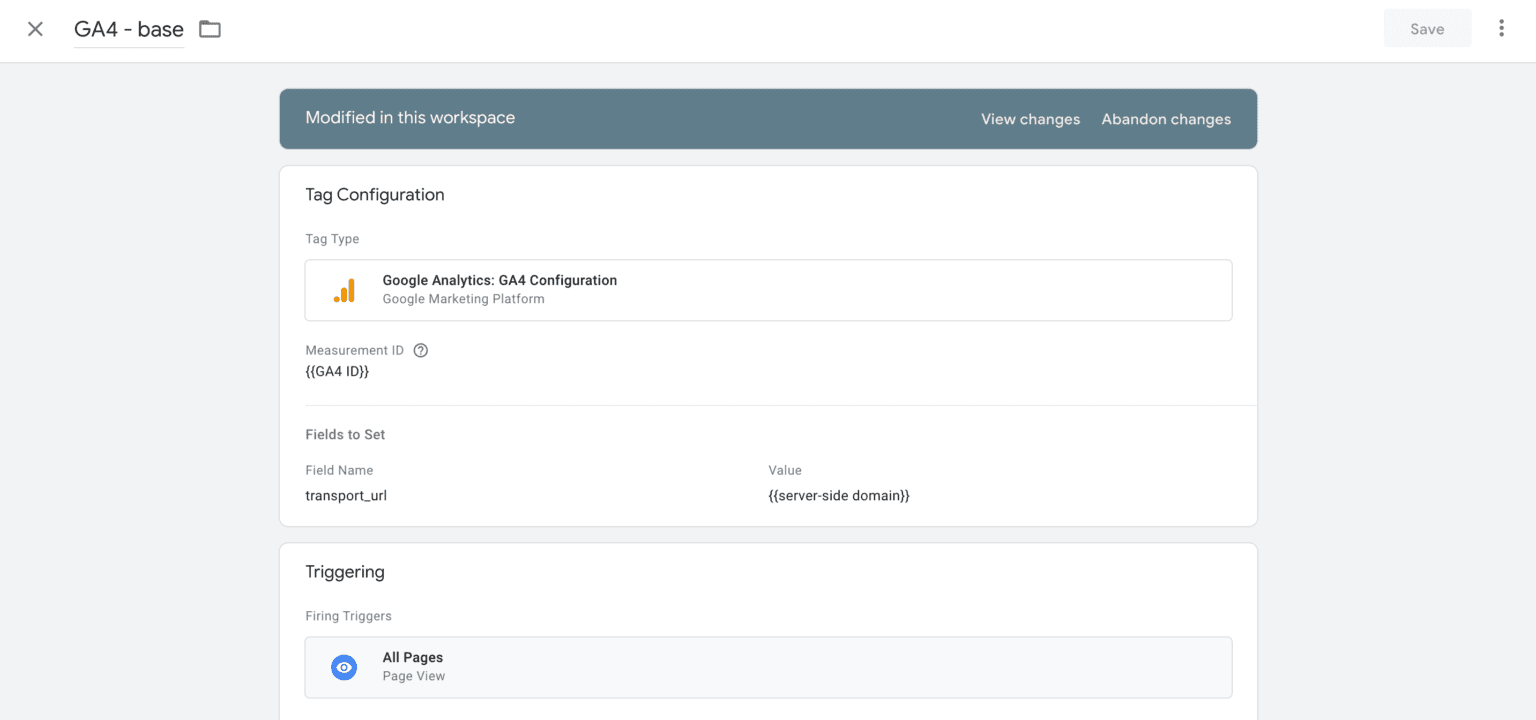
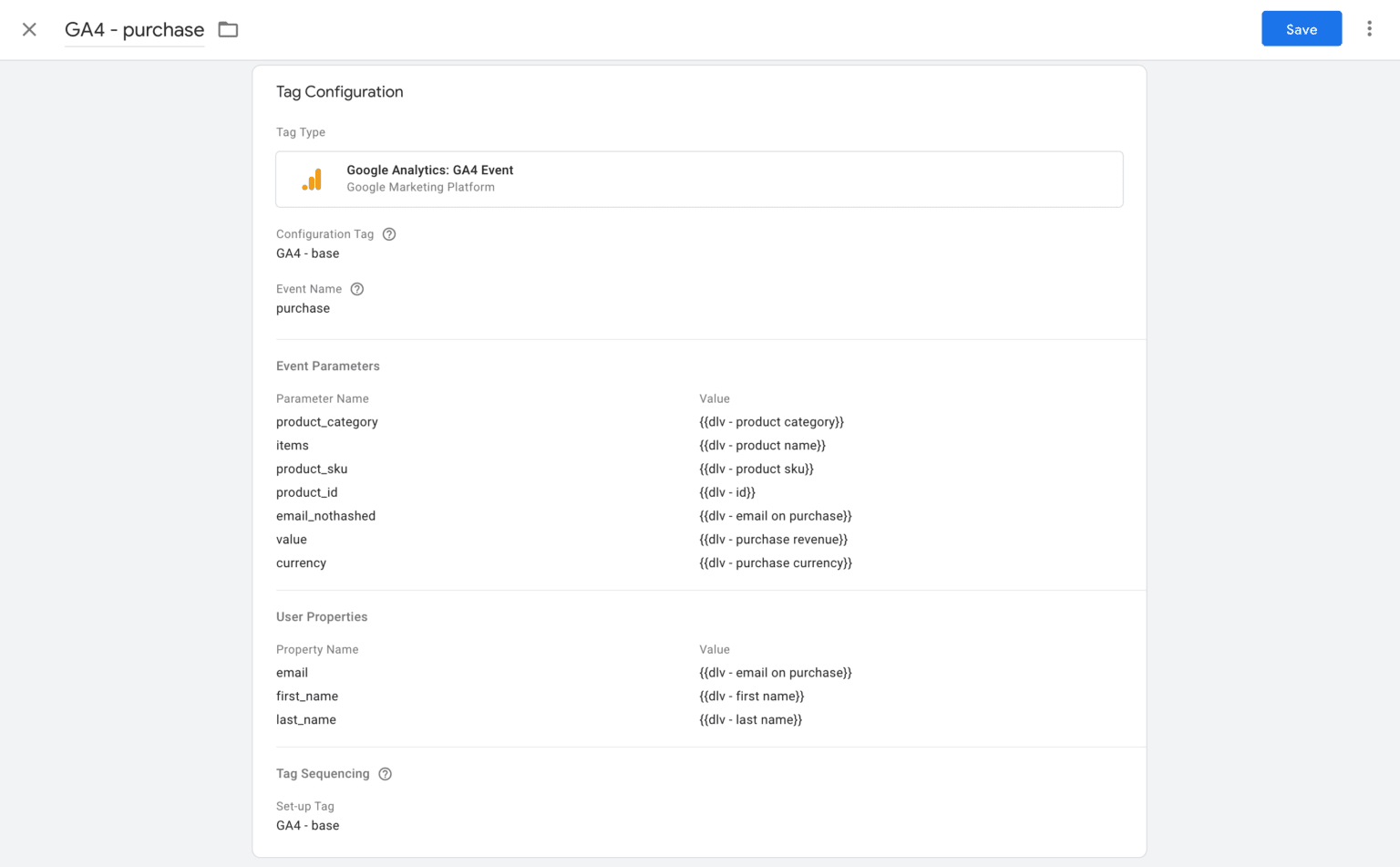
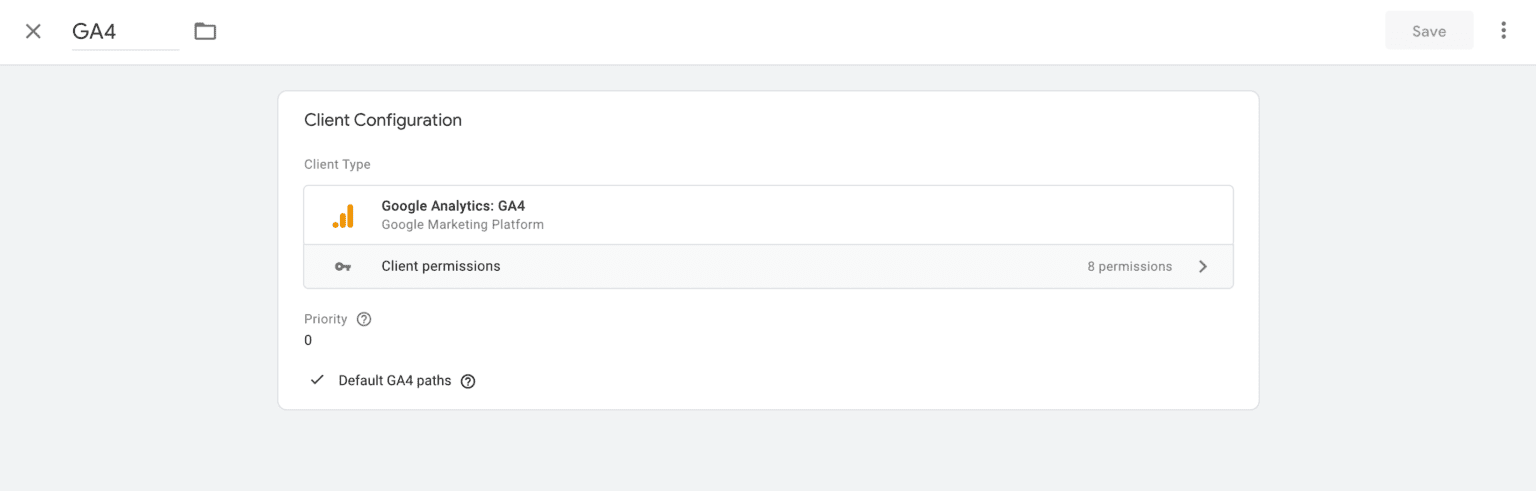
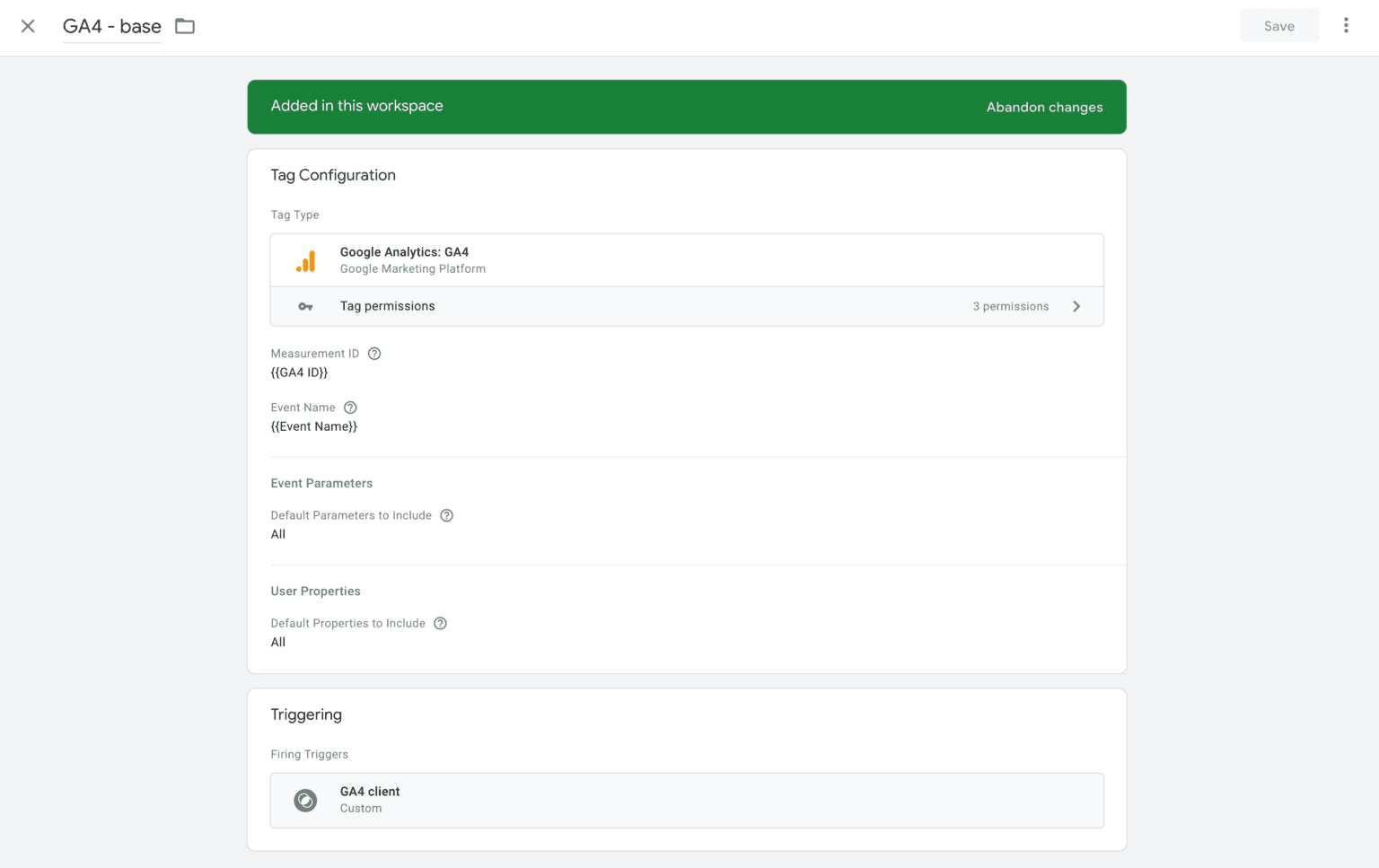
3. Go to the Server container, add a GA4 client inside the Server container, and create a GA4 tag that will trigger all requests from the GA4 client.
4. Create variables inside the Server container that take the necessary event data.
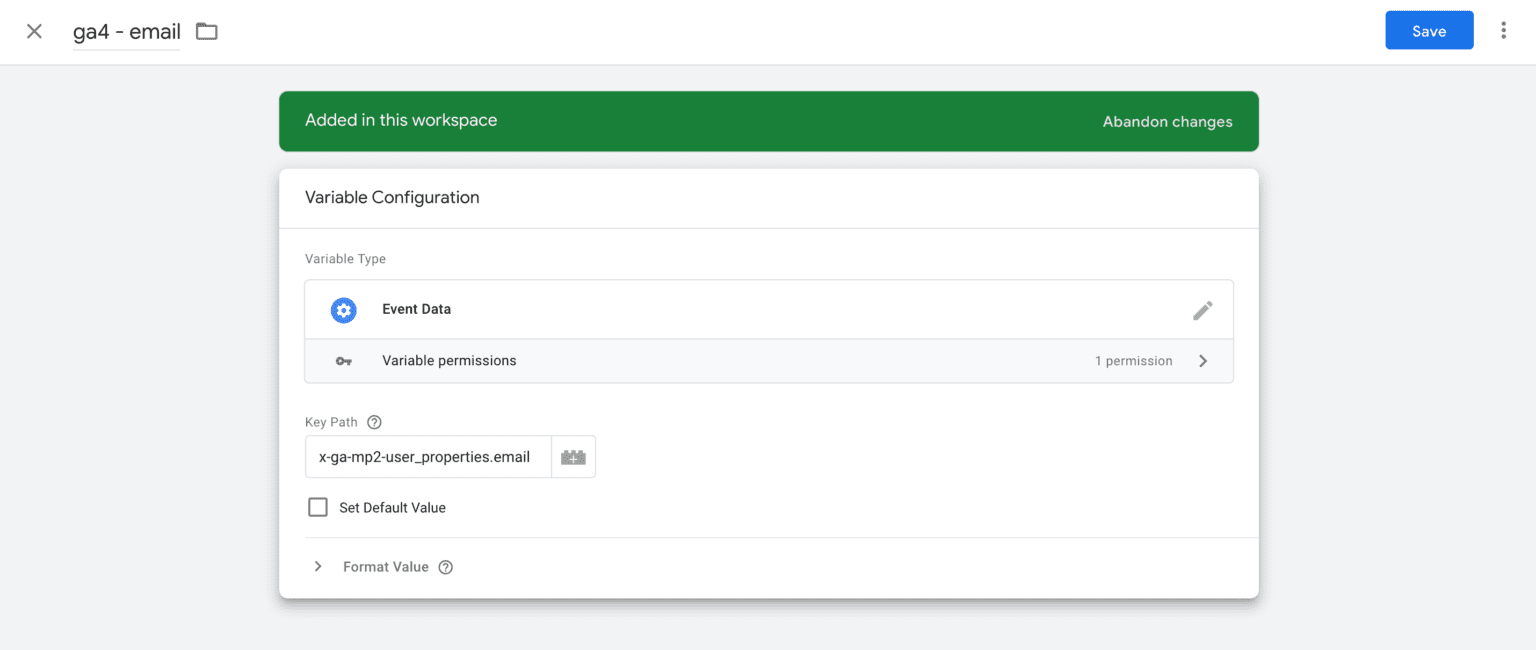
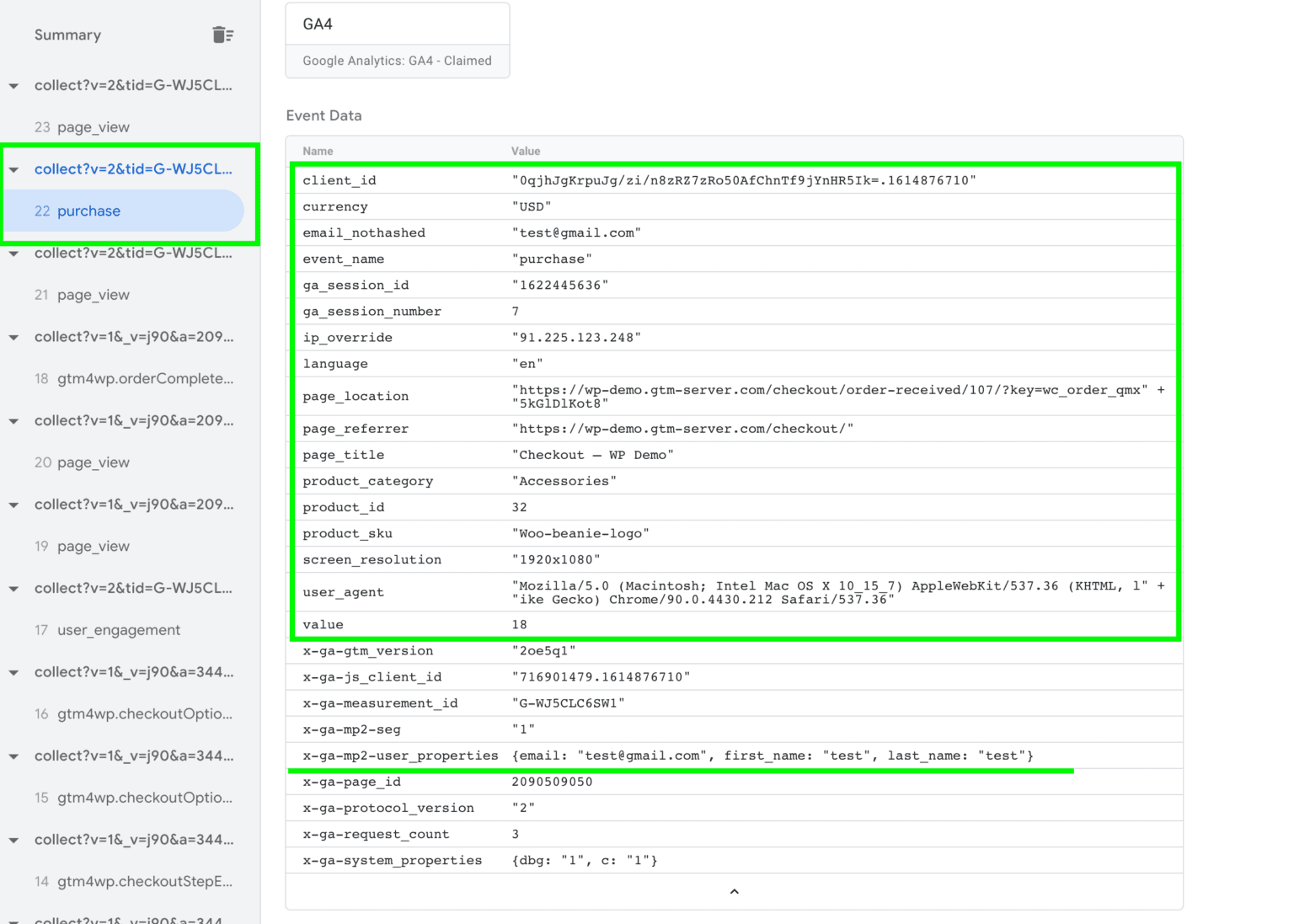
5. Add a Telegram tag to the Server container. You can add it from the Template gallery or by clicking this link.
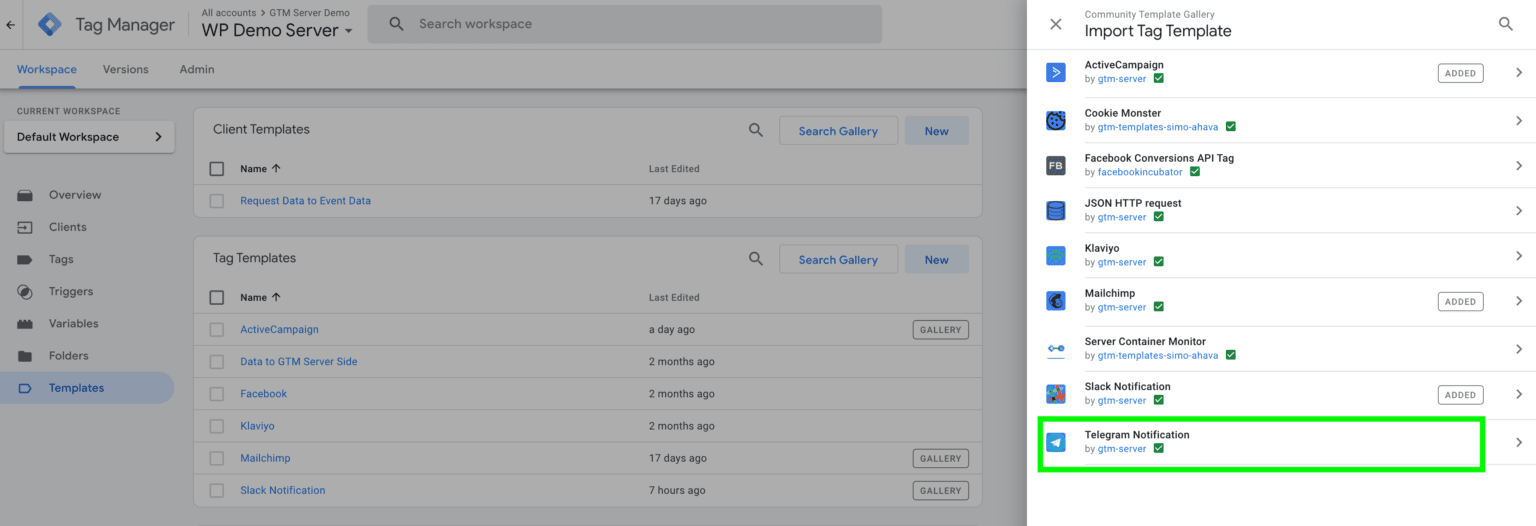
6. Create a new tag inside the Server container -> Tag type Telegram Notification.
7. You will need to add an Access Token to the Telegram tag. Here is a link to a detailed description of how to create an Access token. To create a new bot click this link, it will open the Telegram app -> Click start -> Type command /newbot -> Telegram will ask you to create a bot name -> In the next step, it will ask you to create a username for your bot; it should end with _bot -> You should see the message saying that your bot was created -> Access token for this bot -> Copy access token and add it inside the Telegram tag.
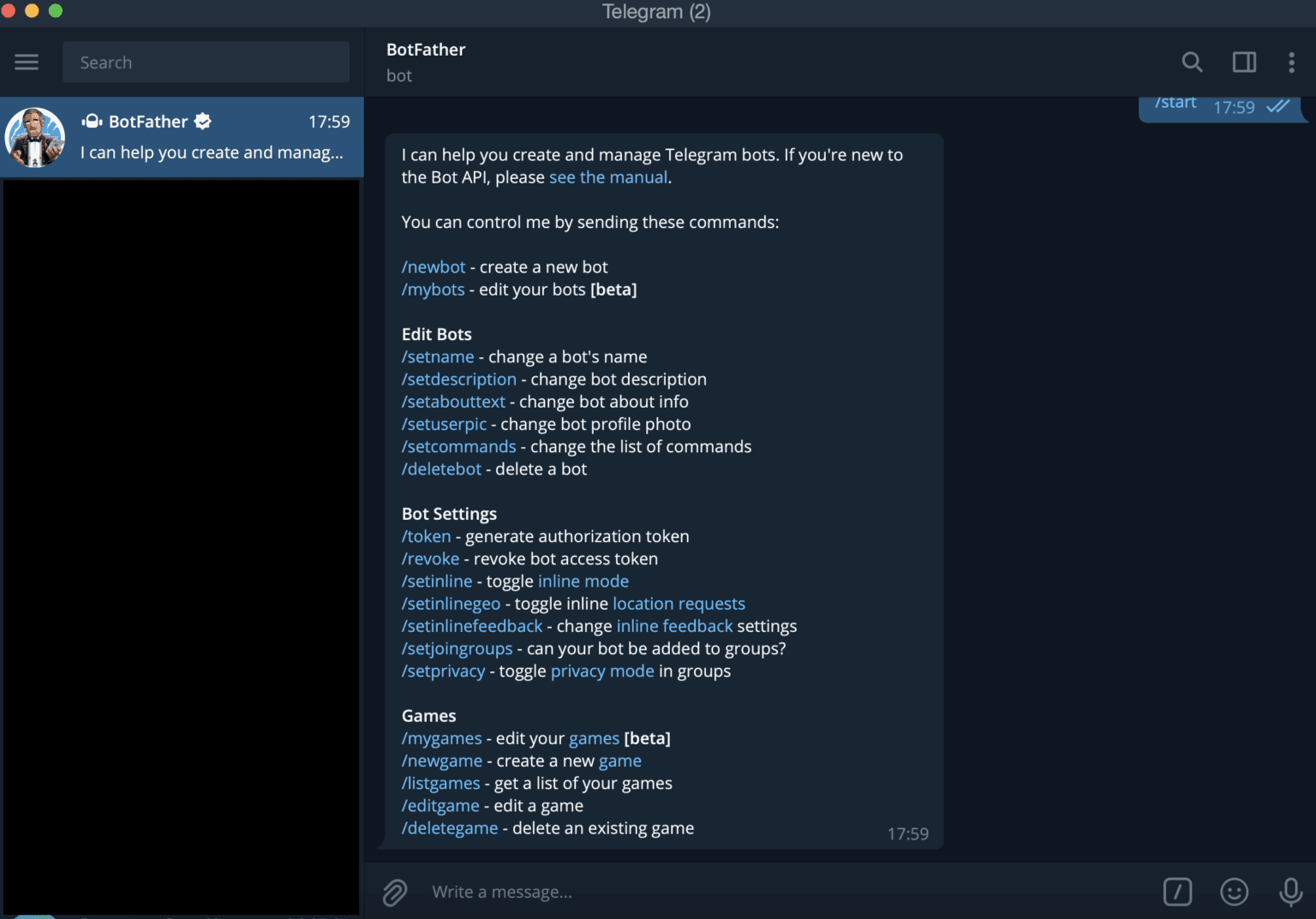
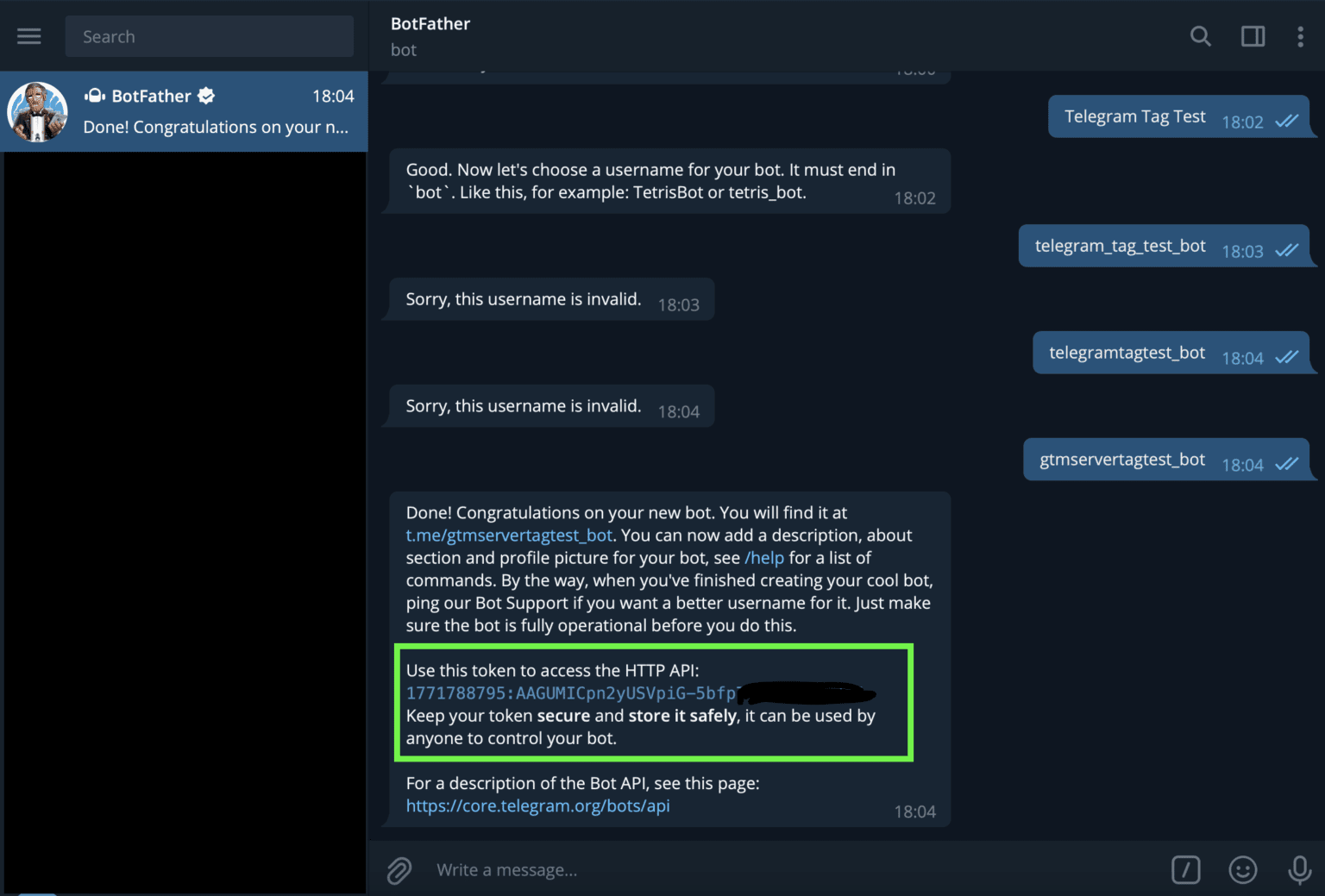
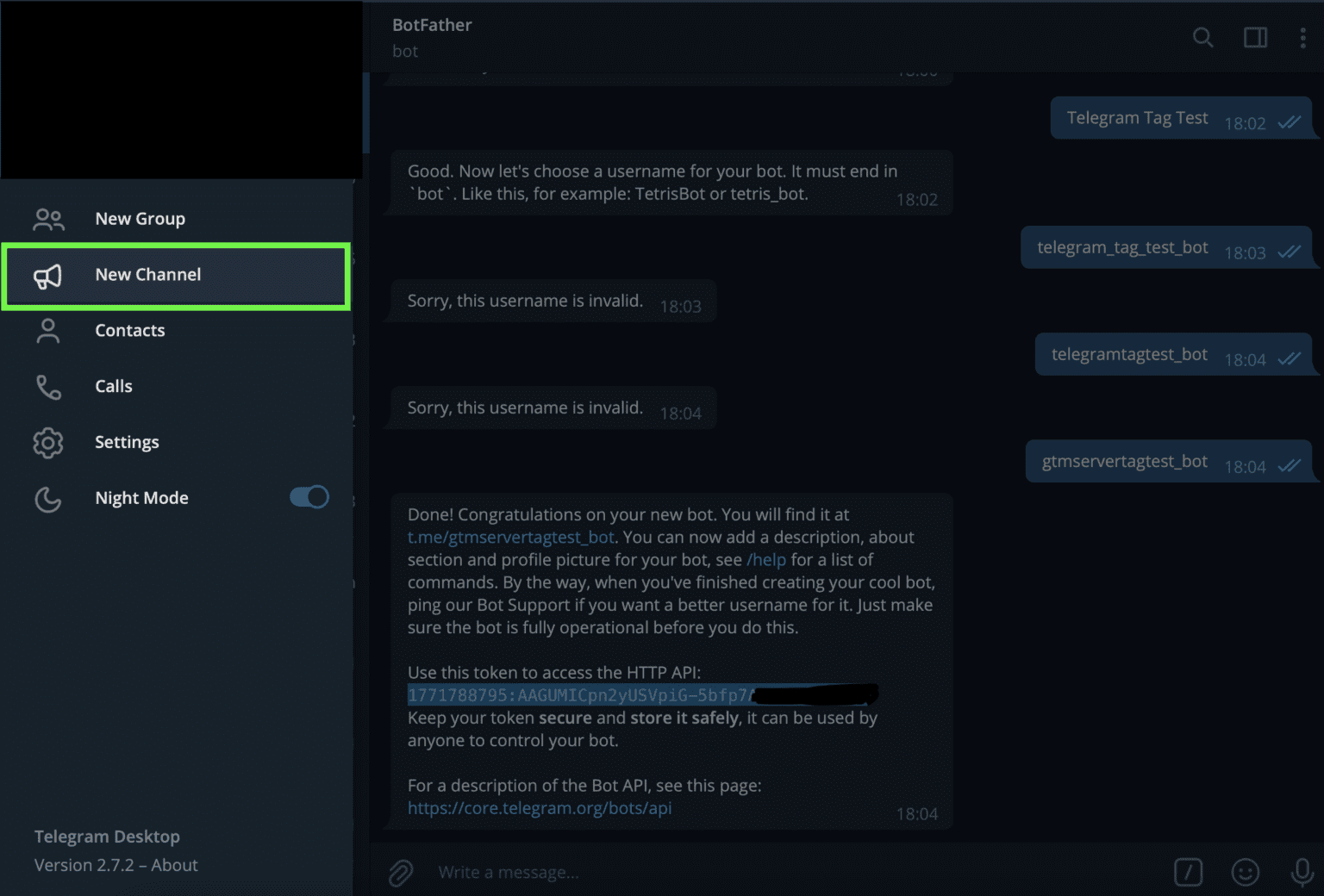
8. Add the channel name. To create a new channel, click on the hamburger menu on the top left corner. Please note that you need to create a public channel.
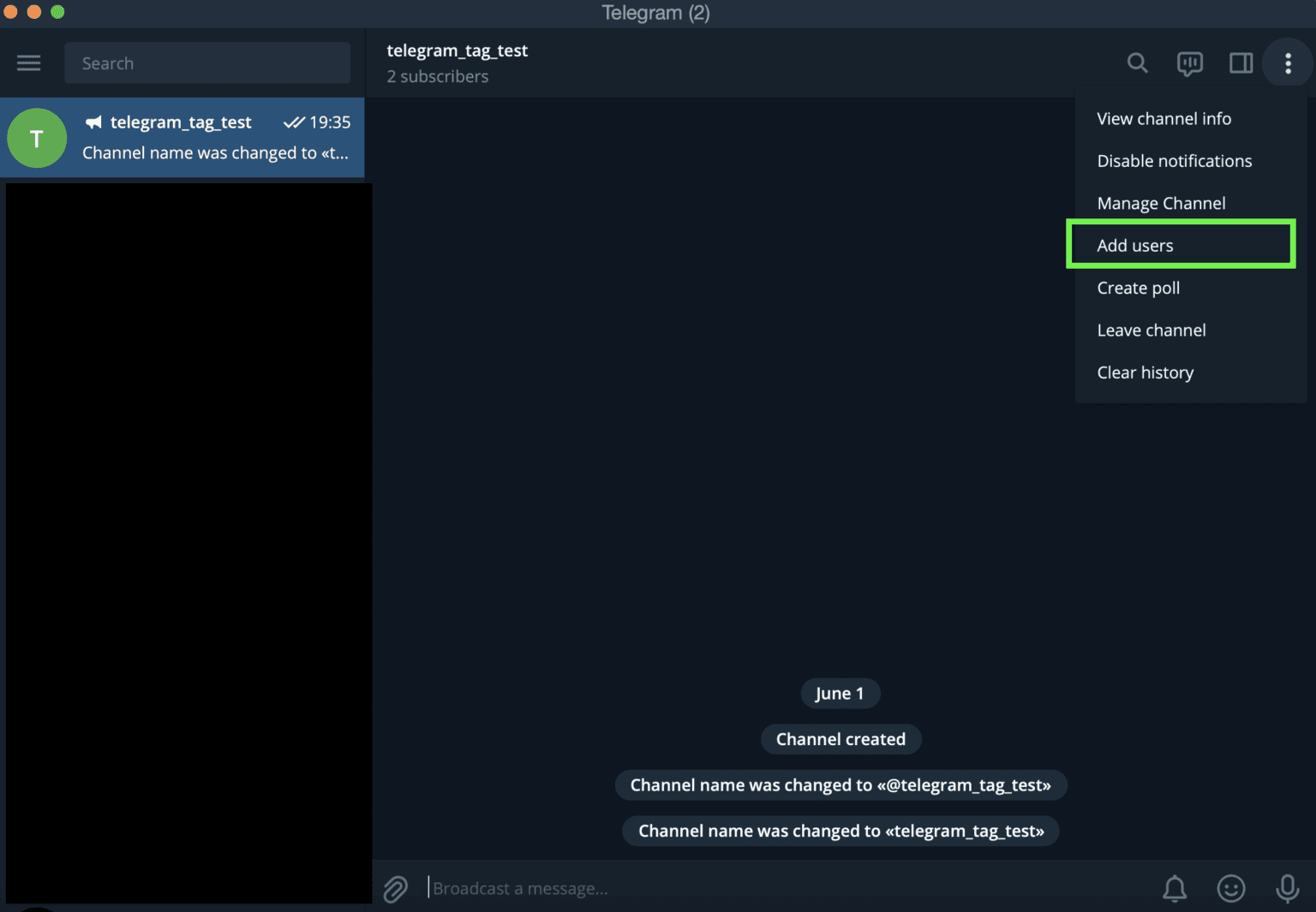
9. Open the channel that you’ve recently created and invite the bot you’ve created in step #7. To do that, click manage users -> Add a bot name -> Click add.
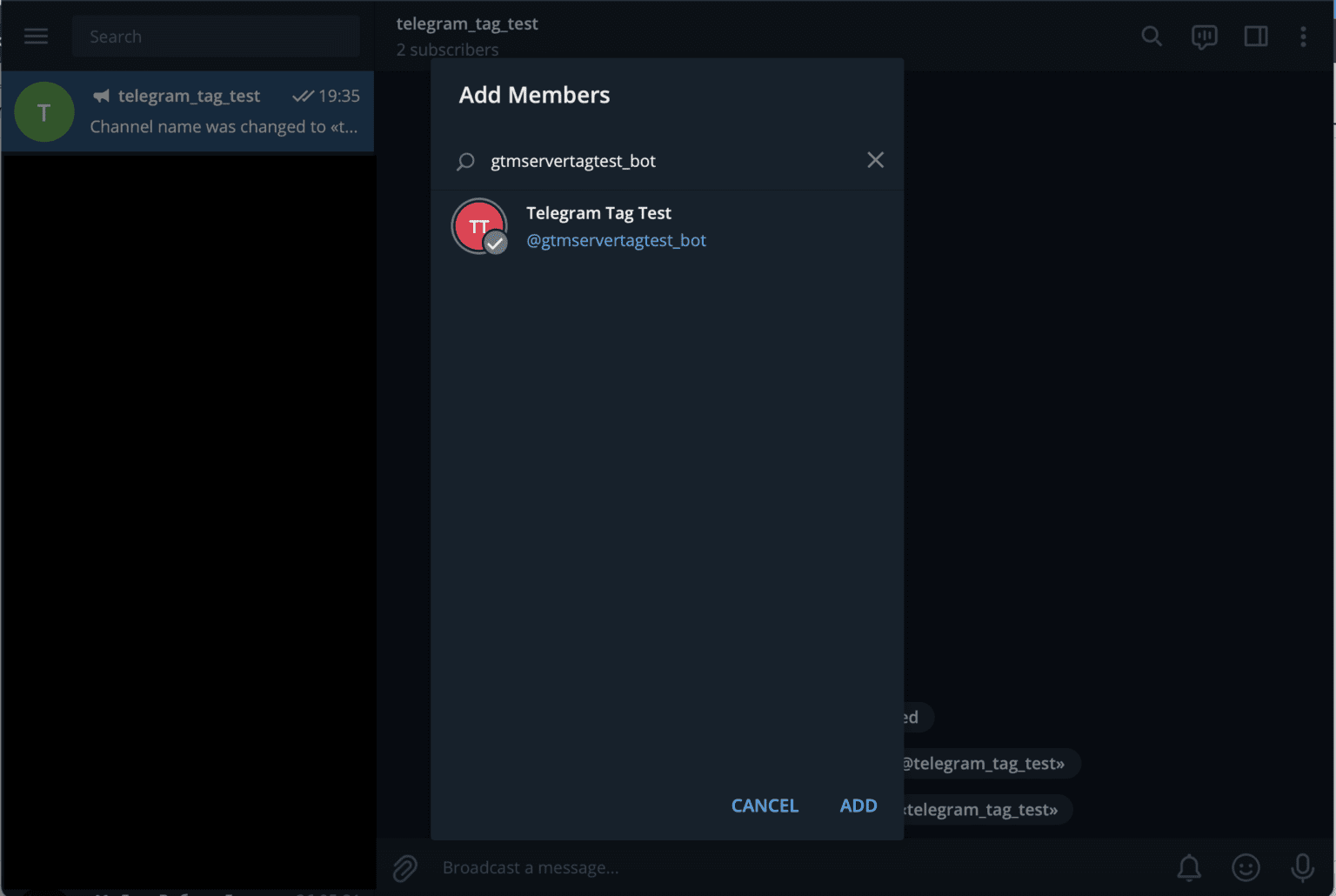
10. Add Notification Text. You can add variables inside the notification text. Add a trigger for the tag. In my case, Telegram notification will trigger after a successful purchase.
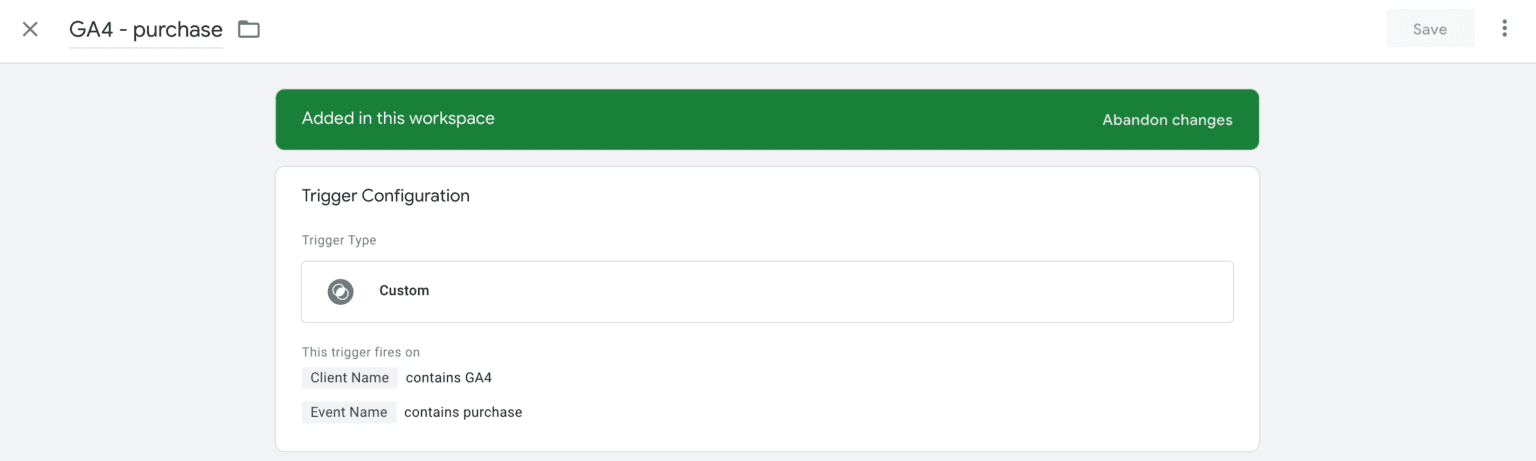
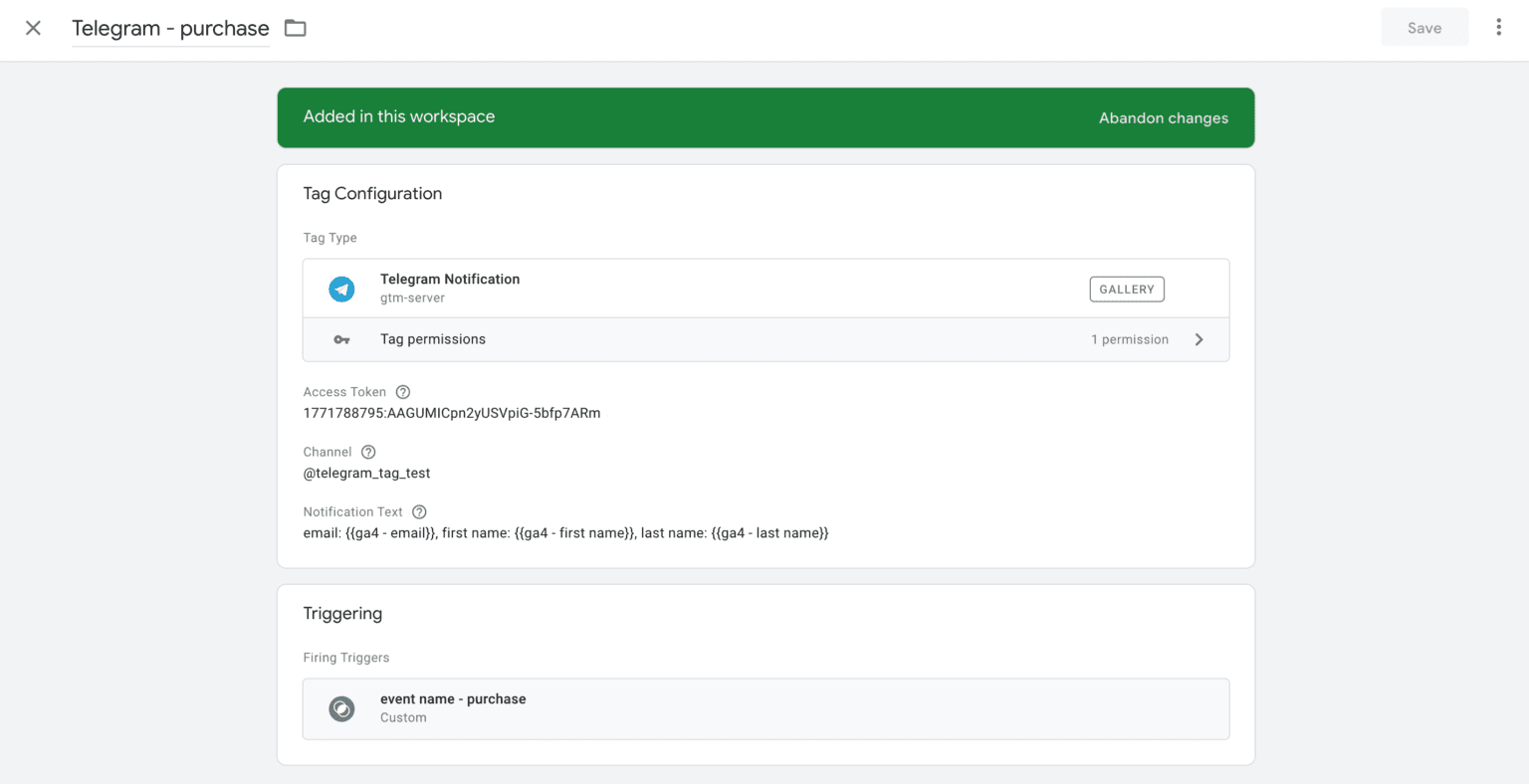
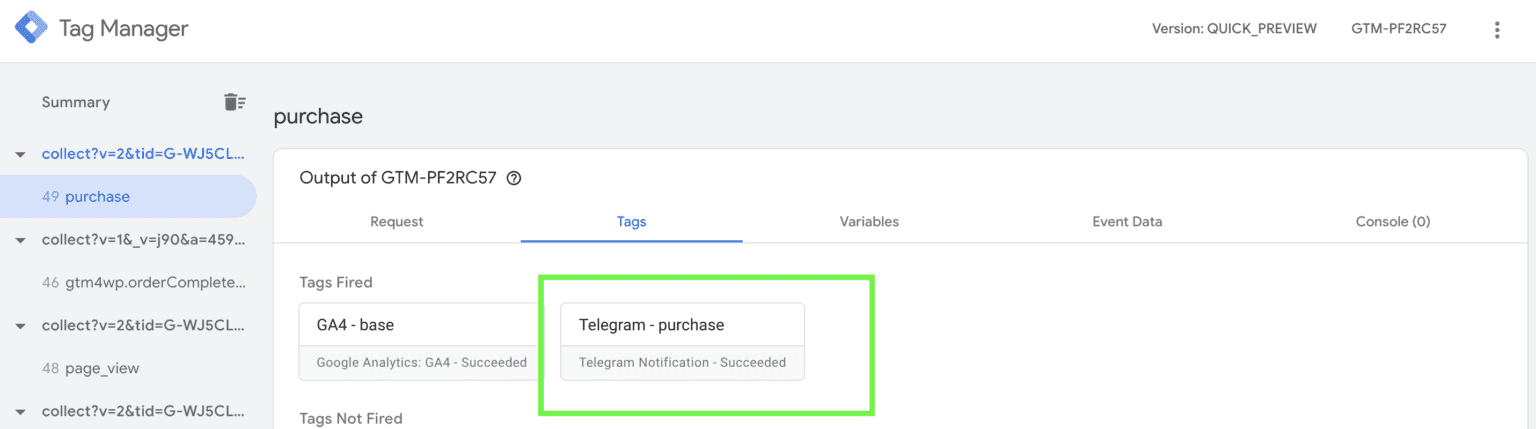
11. Open the preview mode of the web and server container and test the Telegram tag. If everything works correctly, you will see a message in the Telegram channel, and the tag status will be Succeeded.

Conclusion:
That’s about it! You’ve just finished setting up e real-time Telegram notifications. It means you will instantly know when a conversion takes place and will have access to all the user and product parameters. You can upgrade the trigger so it will work only for special products, traffic sources, or only when transaction revenue is more than X.
Want to learn how to send Telegram notifications on server?
Find out how much it will cost! Click Get assistance, fill up the form, and we will send you a quote.
Get assistanceRecommended for you
Blog
Set up TikTok server-side tracking with TikTok Events API
This article will describe how to use the TikTok events API. You will learn about what it is and why you need it for accurate event tracking.
Oct 6, 2026

Comments