Sep 29, 2026
Send Slack notifications using Google Tag Manager server container
Written by
Ira Holubovska
Updated Jun 20, 2025 comments
We created a tag for the Google Tag Manager server container that sends a notification to Slack. With the help of this tag, you can send any information about user actions on your site to the Slack channel. This tag allows adding variables, such as product and user information, inside the notification. You can notify your team about a new purchase, abandoned cart, or a new quote request from clients. One of the use cases of this tag is to send notifications to the sales team Slack channel about new orders immediately. You can also use this tag to monitor your site stability.
How does the Slack tag for the Google Tag Manager Server container work?
To send Slack notifications, you will need to have a configured GTM server container with the user and event data you want to send inside the Slack message. You will also need to create a Slack app and generate a webhook URL for this app. It may sound complicated, but everything can be set up in a few clicks. I will cover all steps in this how-to, including creating a Slack app and webhook URL.
Using Slack tag to test if Facebook tracking is blocked by iOS 14
One of the non-standard use cases of the Slack tag is to verify whether Facebook conversion tracking was blocked for iOS 14 users who opted out of tracking. Let’s say you’ve implemented Facebook conversion API, and you’re using a custom subdomain for the tagging server. It means that you can see events in the test events tool inside the Facebook business manager. But how can you verify that Facebook conversion tracking works for iOS 14 users who opted out of tracking?
You can set up Slack Tags that will use the same trigger as your Facebook CAPI. Open your FB ad on the iPhone that opted out of Facebook tracking, click on the ad, and test events. If tracking works, you will see Slack notifications. Since Slack and Facebook use the same triggers, you can say that Facebook tracking works too.
How to send Slack notifications using the Google Tag Manager server container
send slack notifications using Google Tag Manager Server Container
2. Open Server container and add Slack tag from the template gallery or by clicking this link.
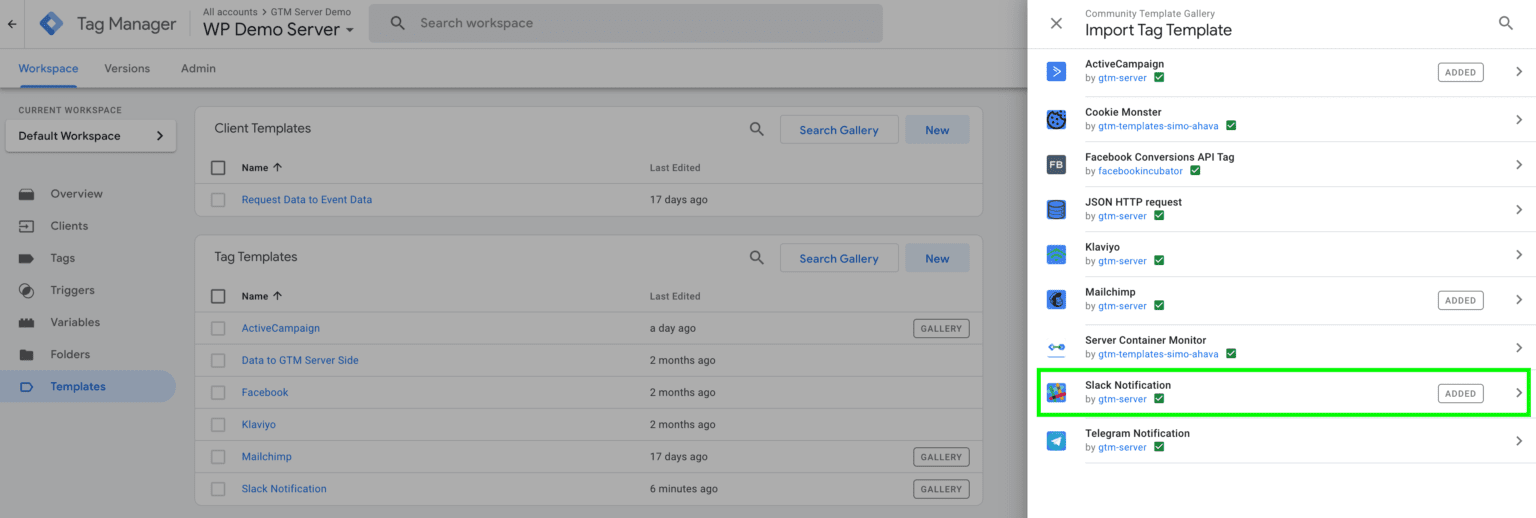
3. In this example, I will show how to send a Slack notification on a successful purchase. First of all, you need to make sure that the Server container has the required purchase information. If not, you will need to configure it.
Let me show you how to send data from the web to the server container. I have a data layer inside the Web container with order information. I will use the GA4 tag to send data from the web to the server container. Inside the Web container, I’ve set up a GA4 Configuration tag with the configured transport URL that sends requests to my tagging server URL. I also set up a GA4 Purchase Event with purchase details.
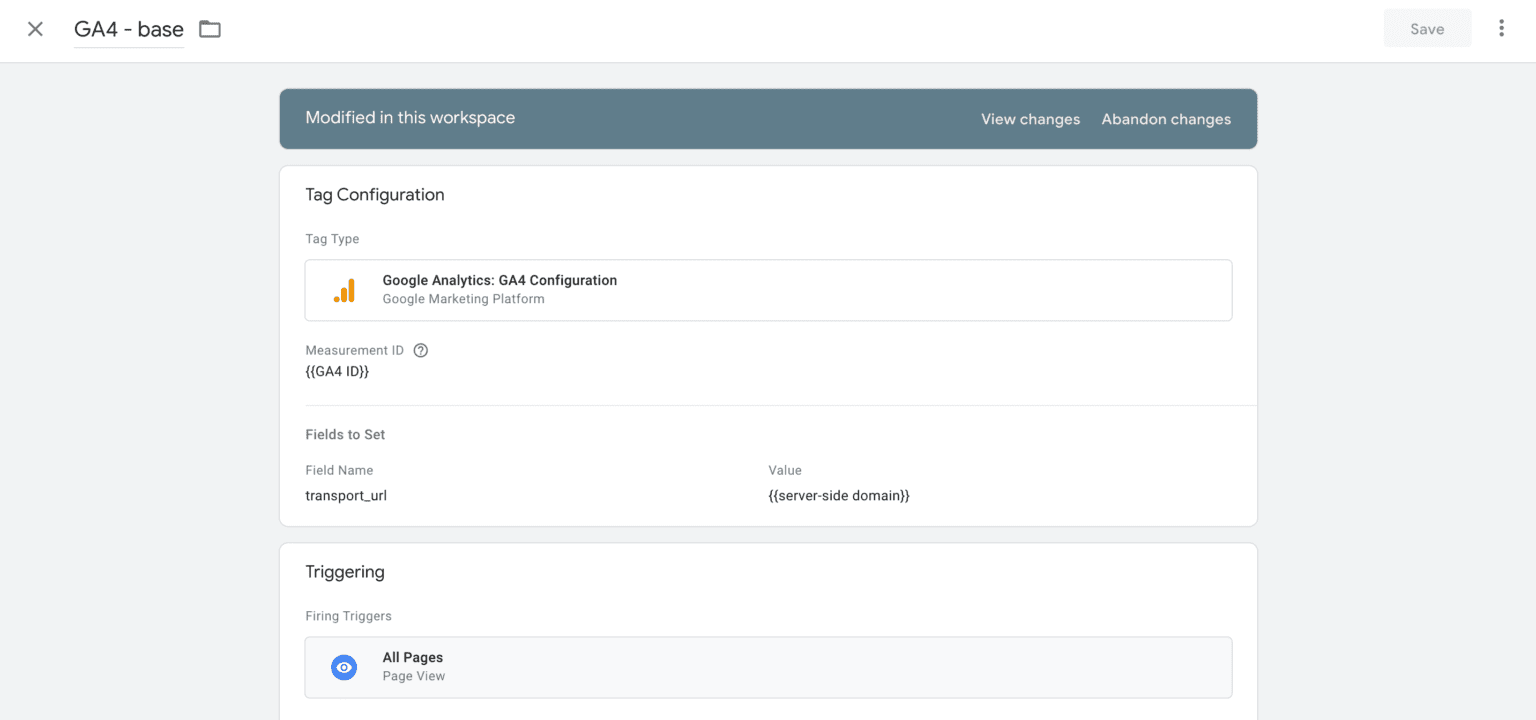
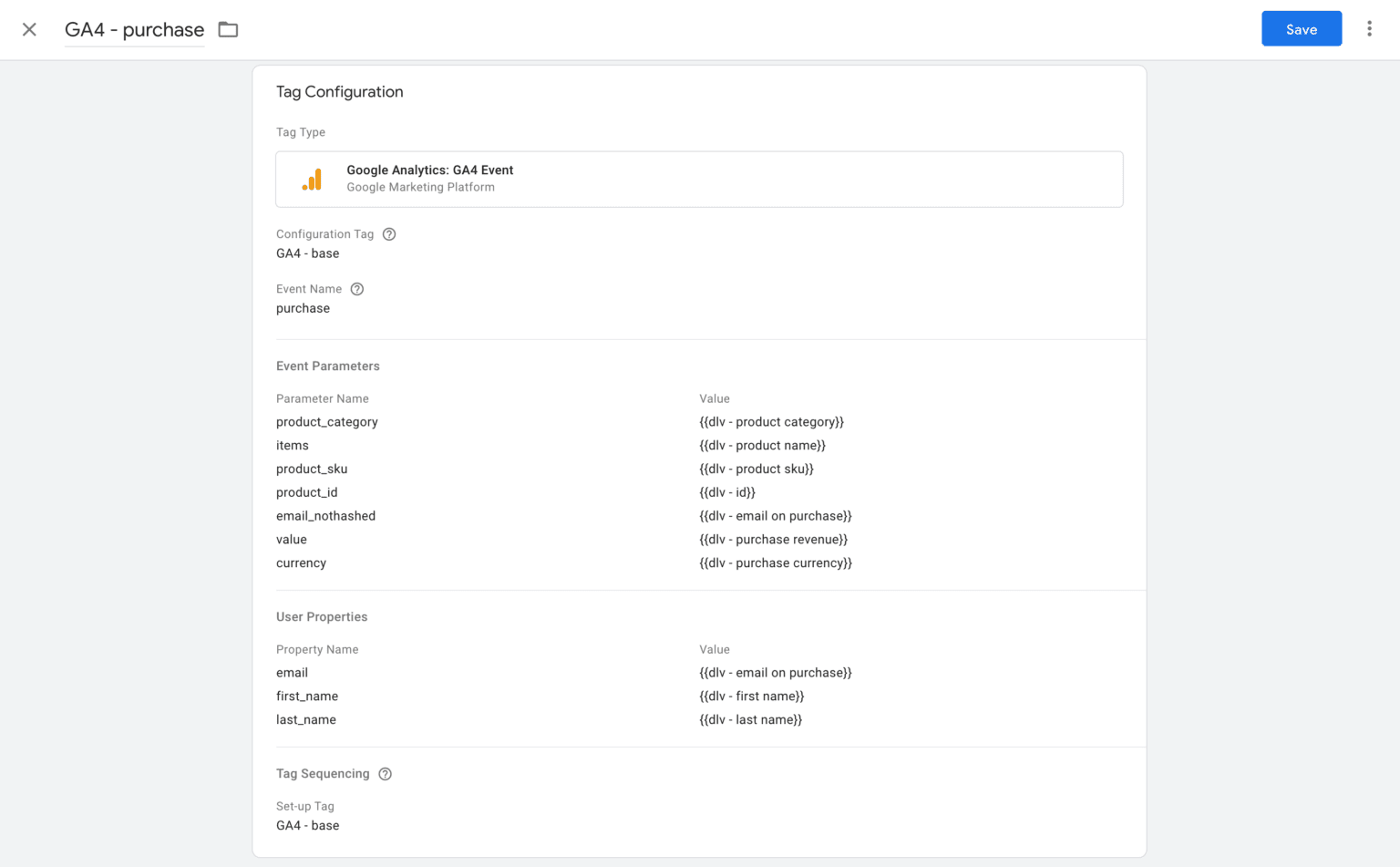
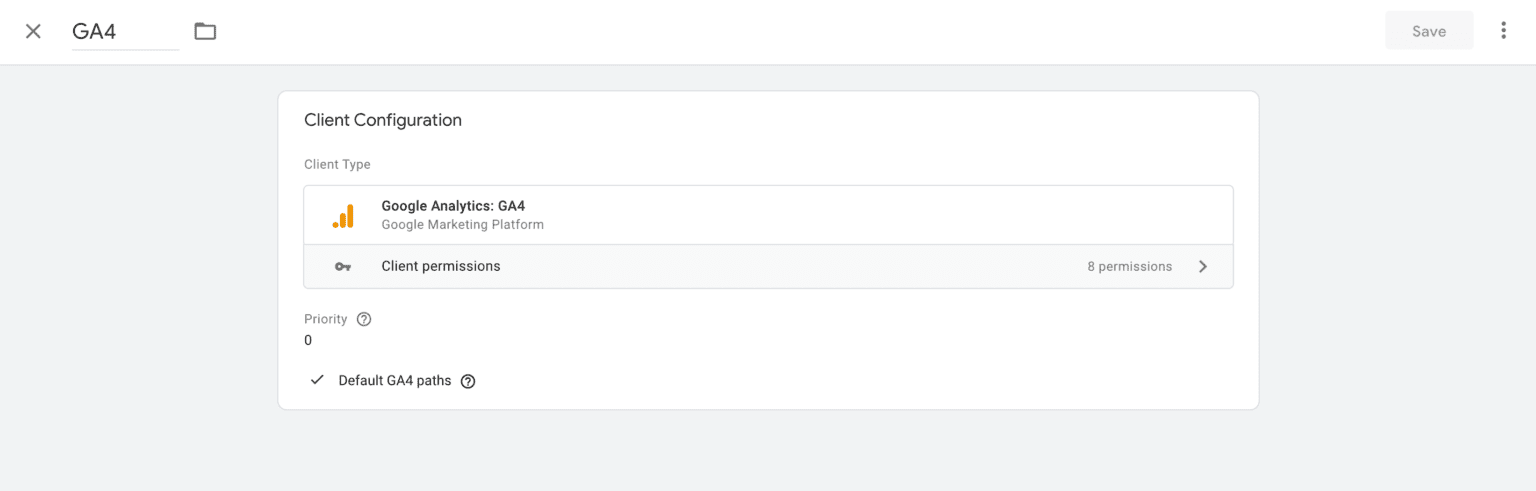
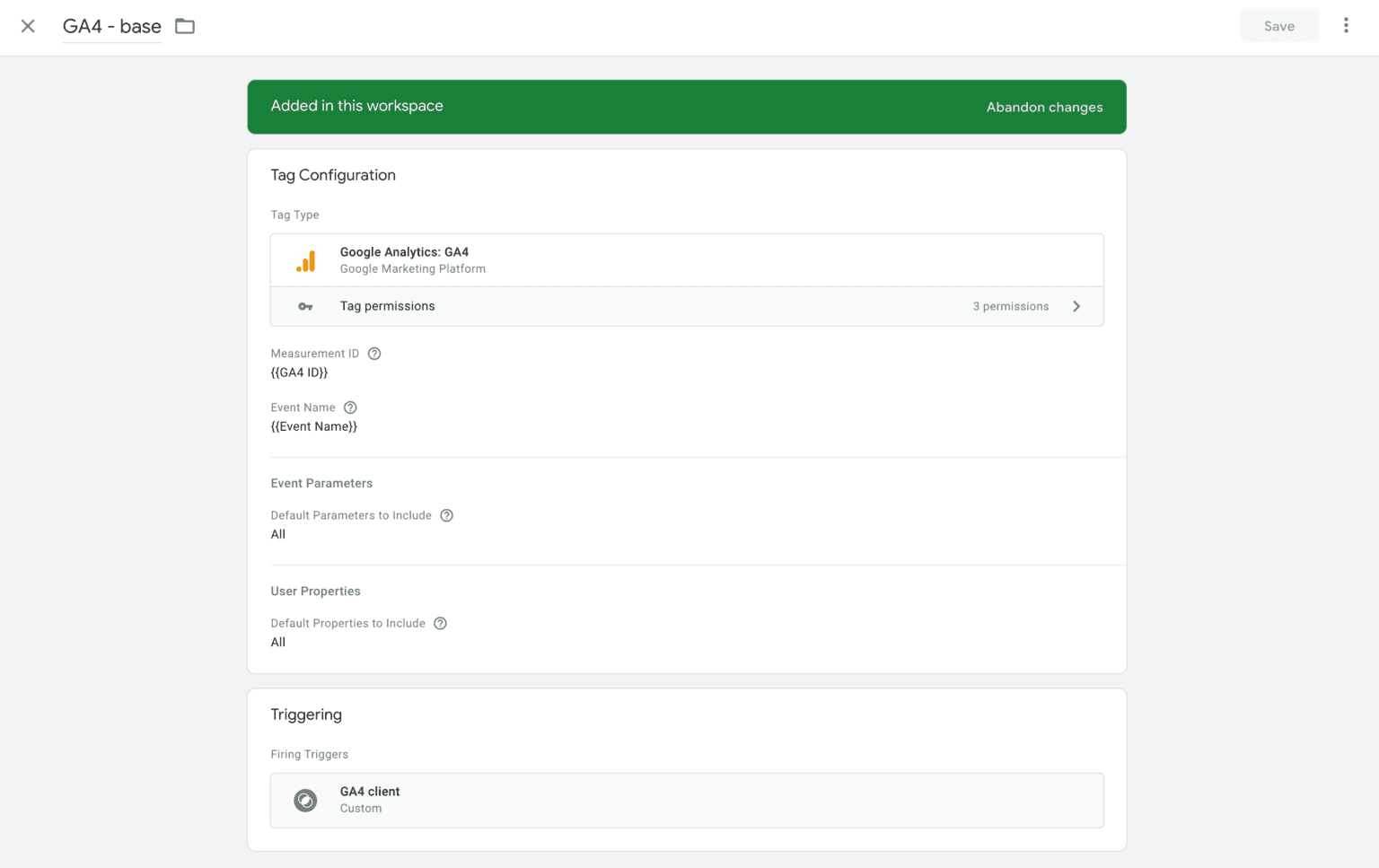
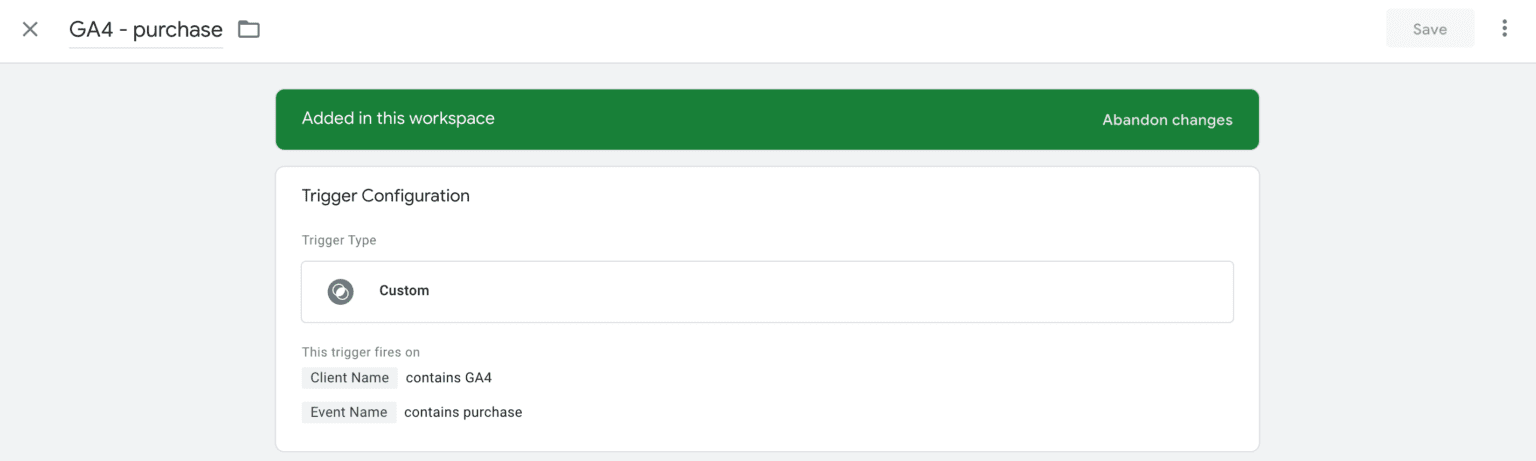
4. Inside the Server container, we've added a GA4 tag that triggers every time a GA4 client is claimed.
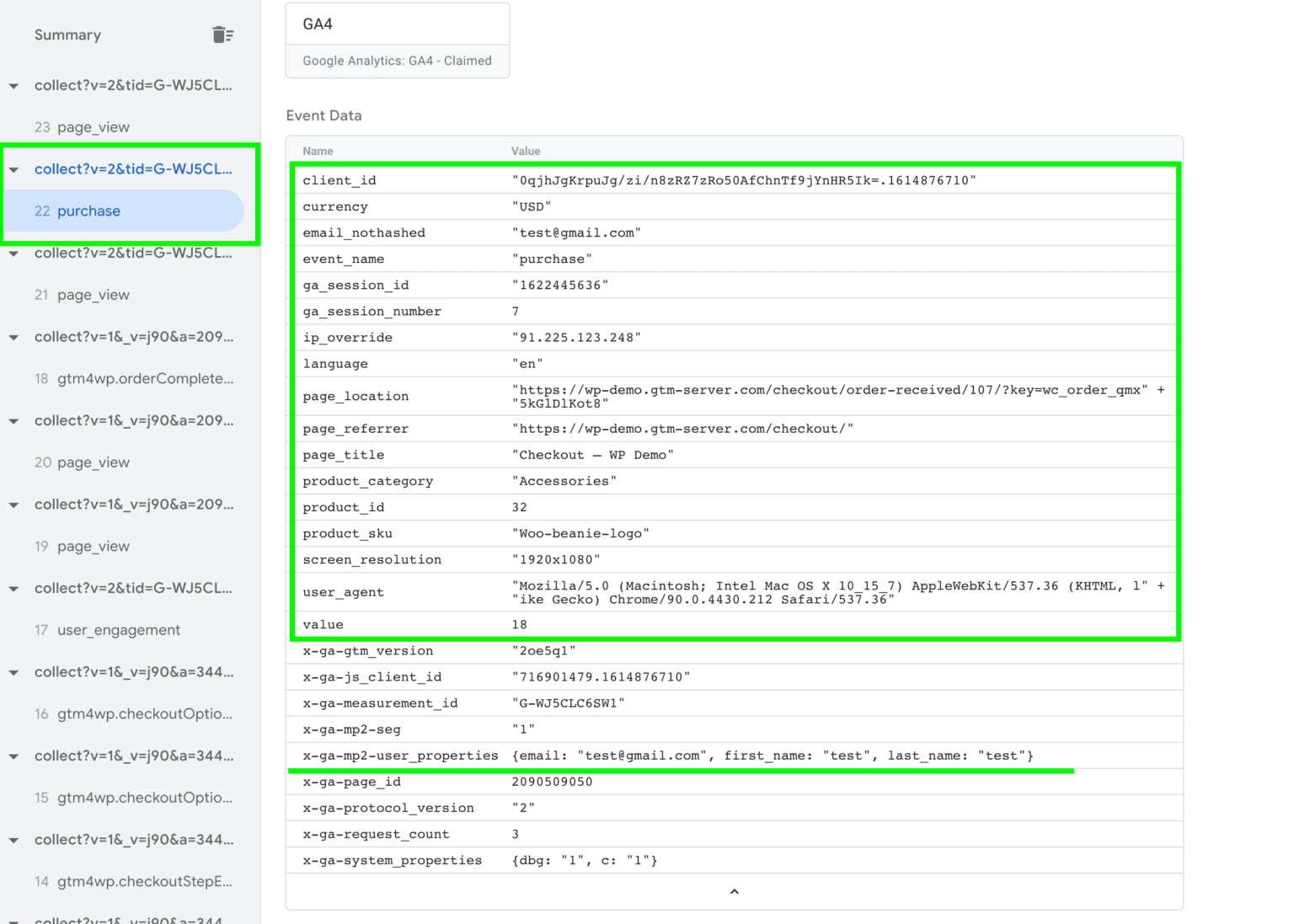
5. Open the preview mode of the Web and Server container and check if the Server container sees order data.
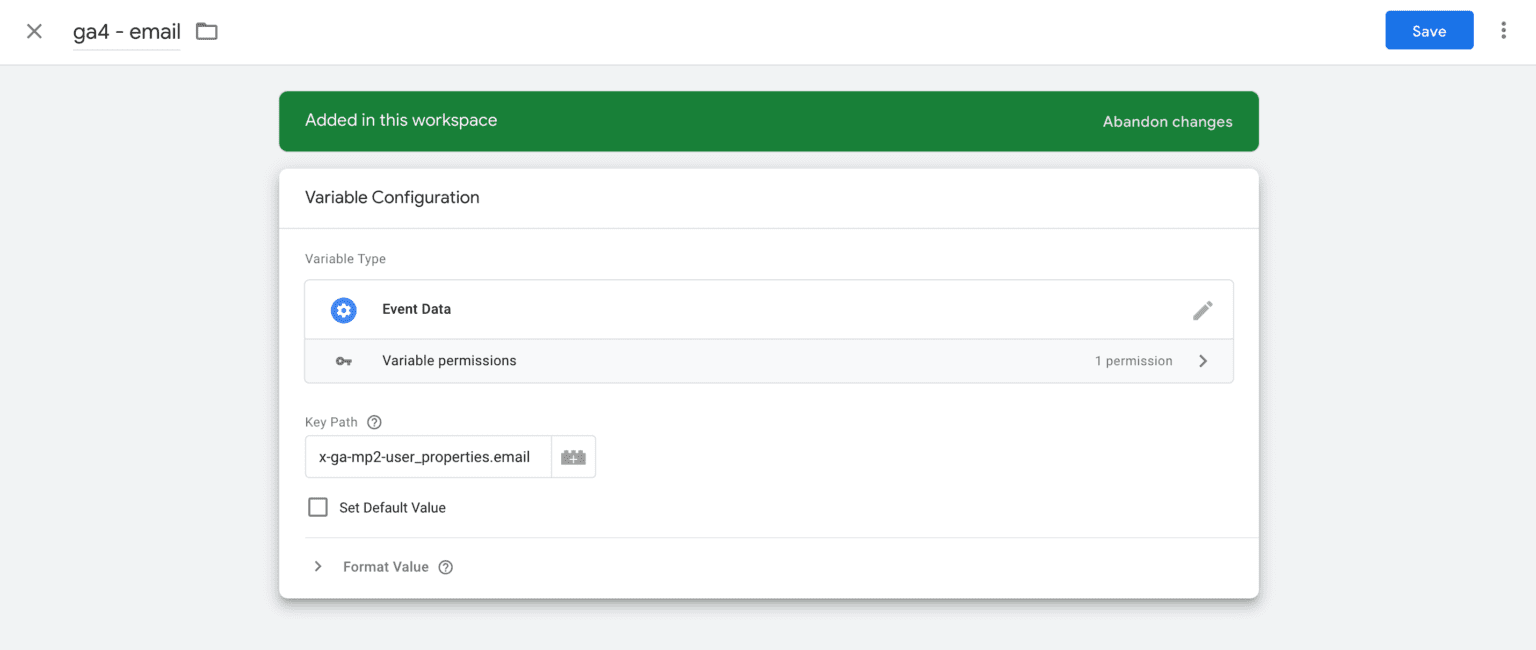
6. Create variables inside the Server container that will take event data. Variable type Event Data -> Add Key Path -> Click Save. We will use these variables for the Slack notification.
7. Go to the Tags tab inside the Server container -> Click New -> Tag type Slack Notification.
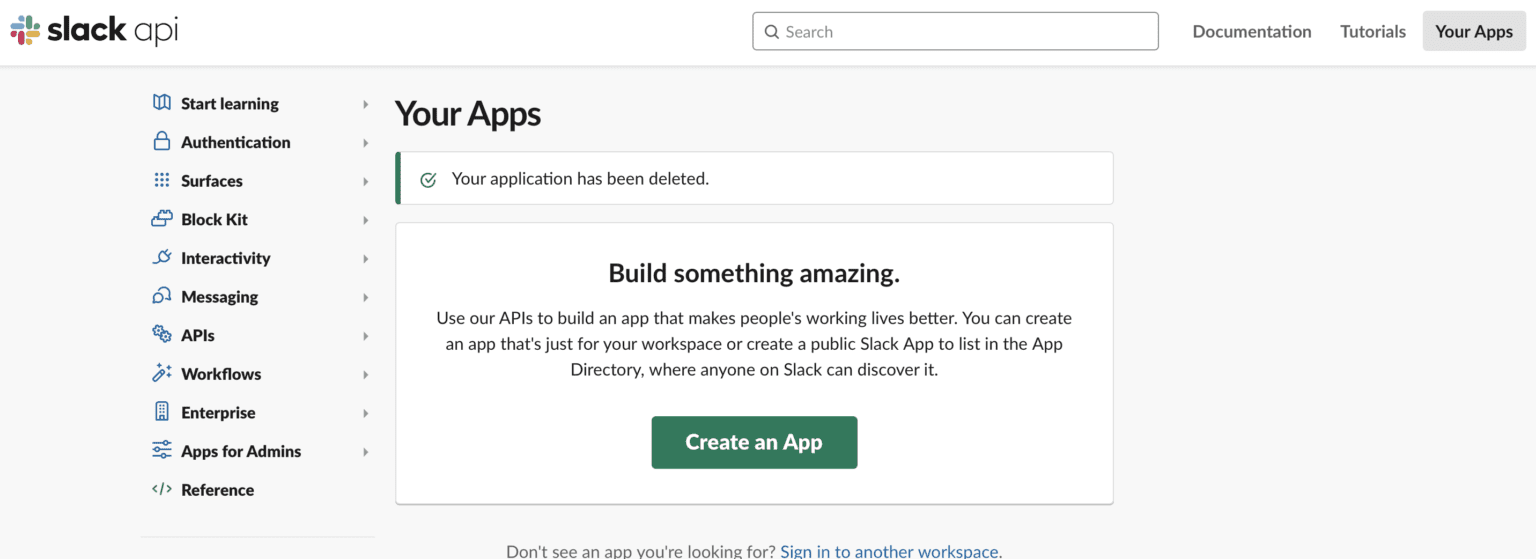
8. We need to create a Slack App and then generate a Webhook for it. Click this link -> Click Create An App -> Select From scratch -> Name your app and select Slack Workspace.
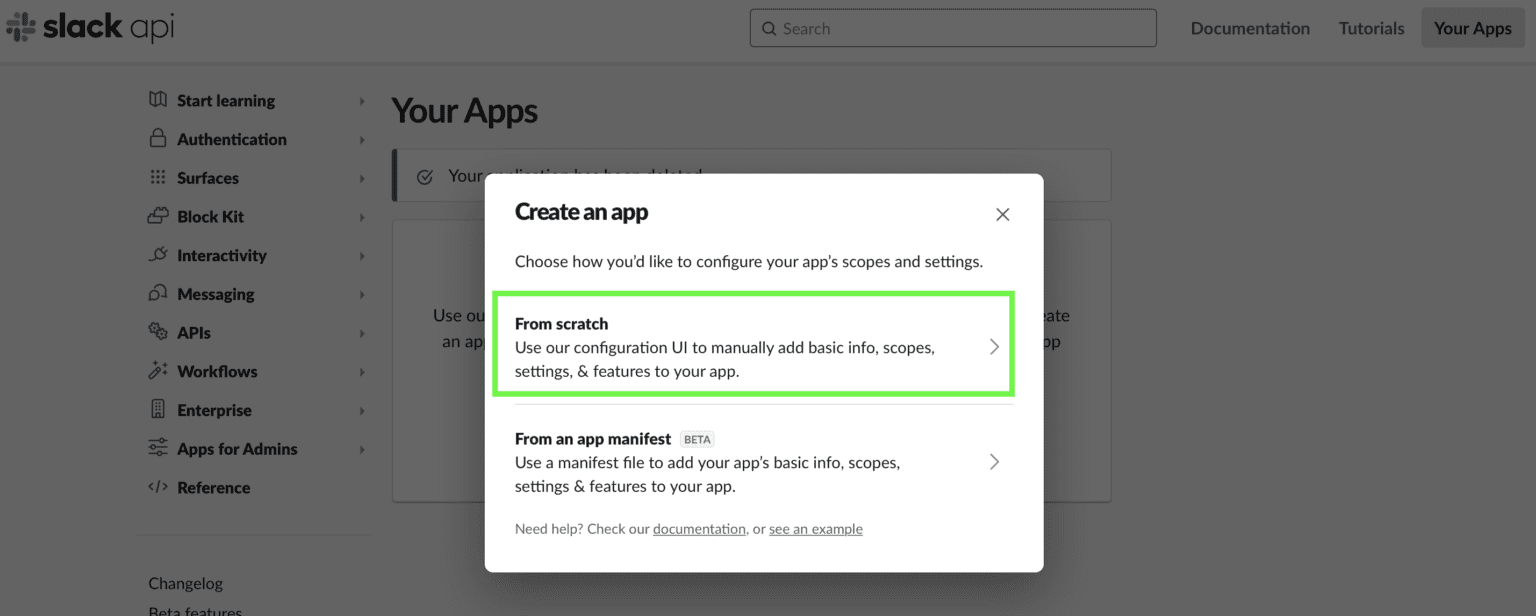
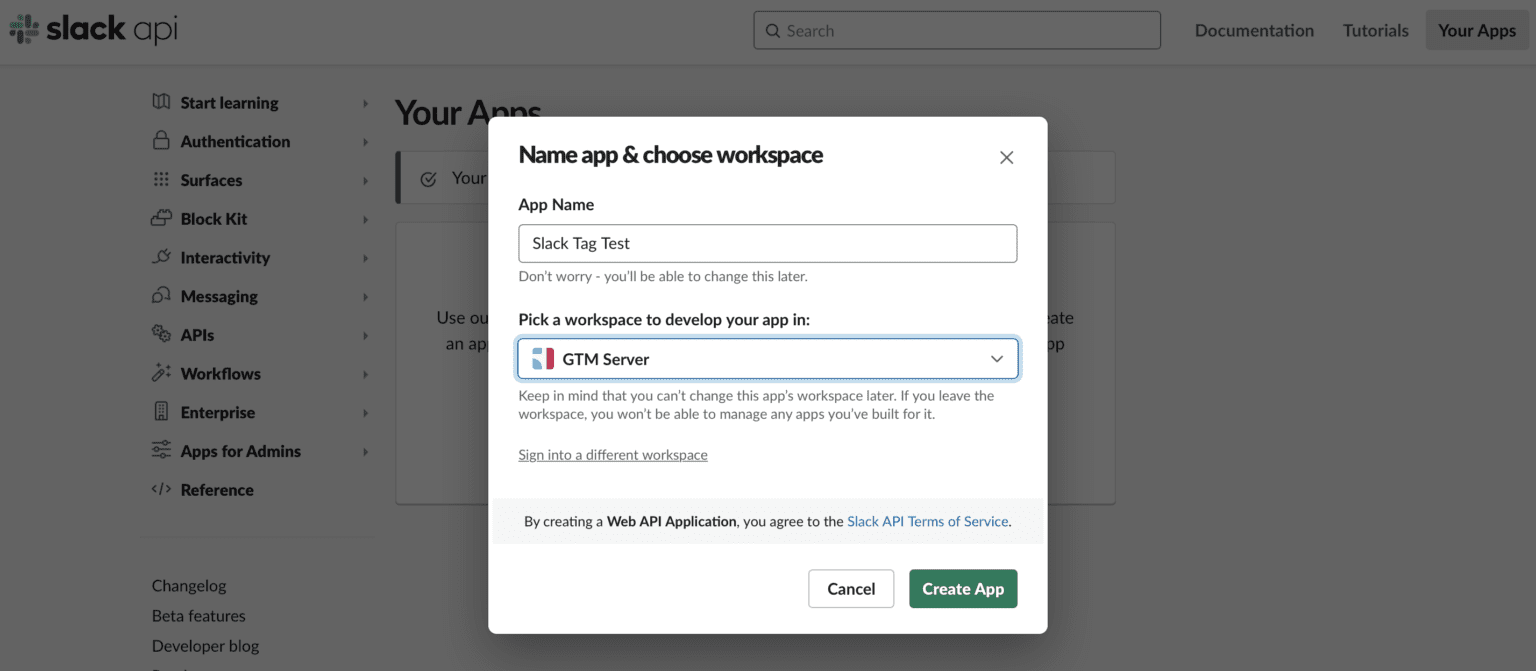
9. Generate an incoming webhook for the app that we’ve recently created. Click Incoming Webhook -> Click the Activate Incoming Webhooks toggle to switch it on -> Scroll down and click Add New Webhook to Workspace -> Select channel you want to send notifications to and click Allow -> Copy the Webhook URL.
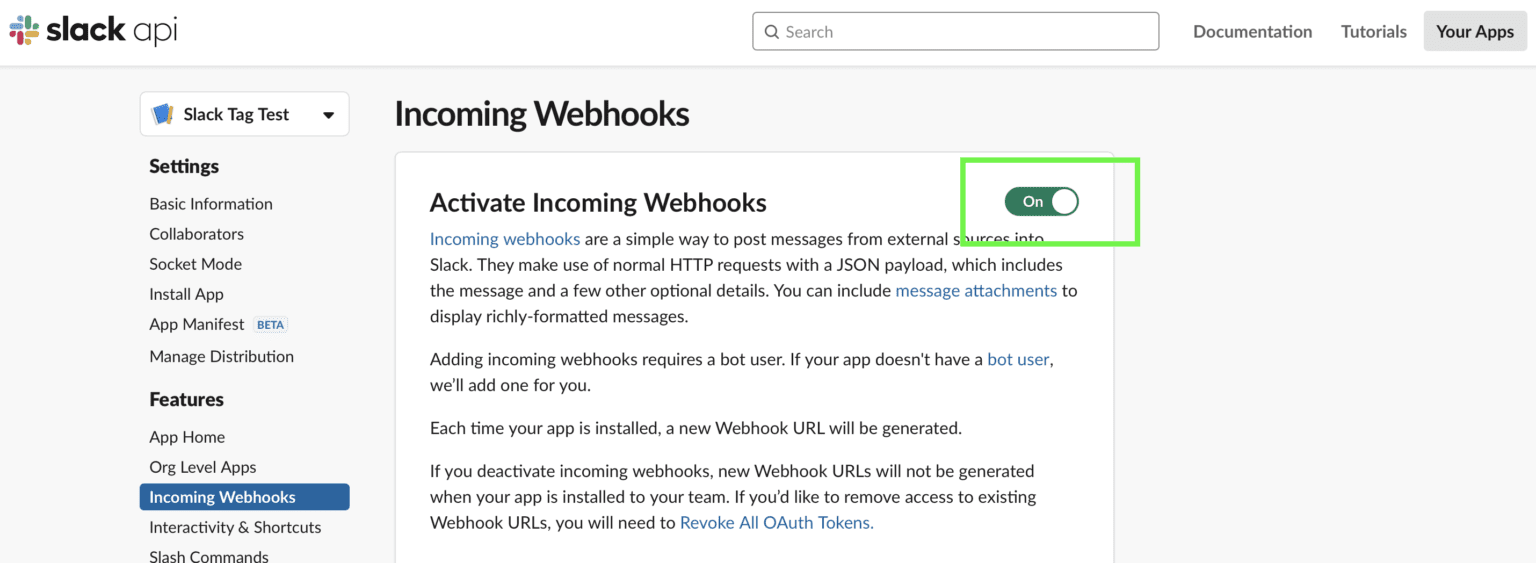
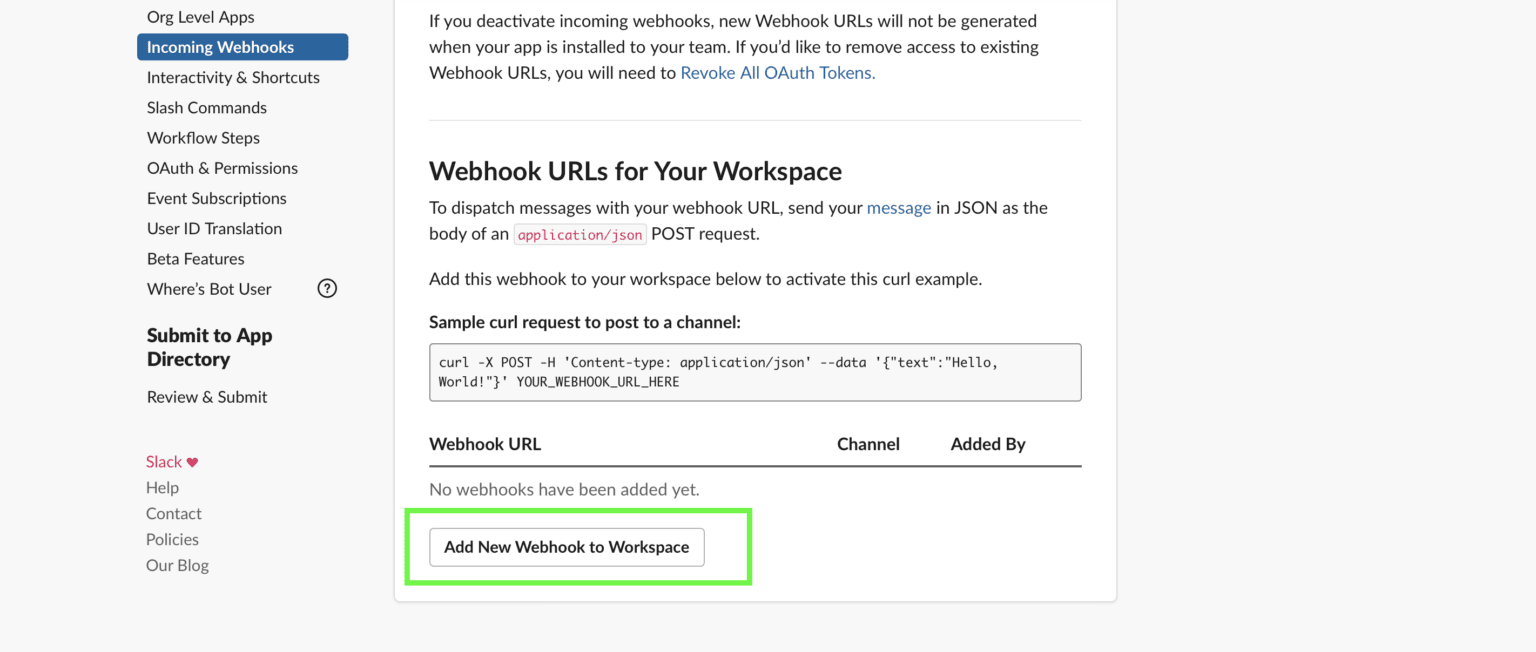
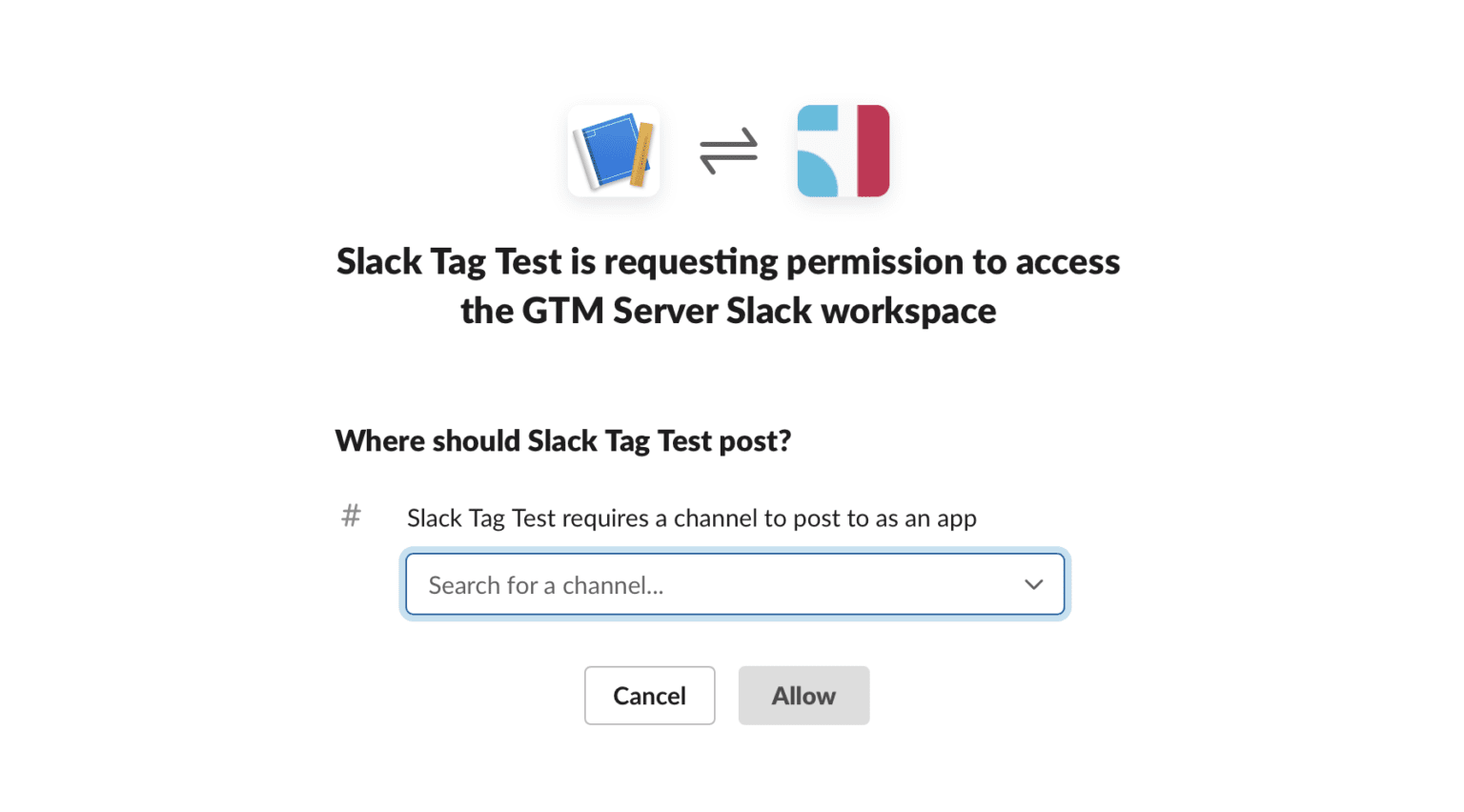
10. Paste Webhook URL into the Slack Tag.
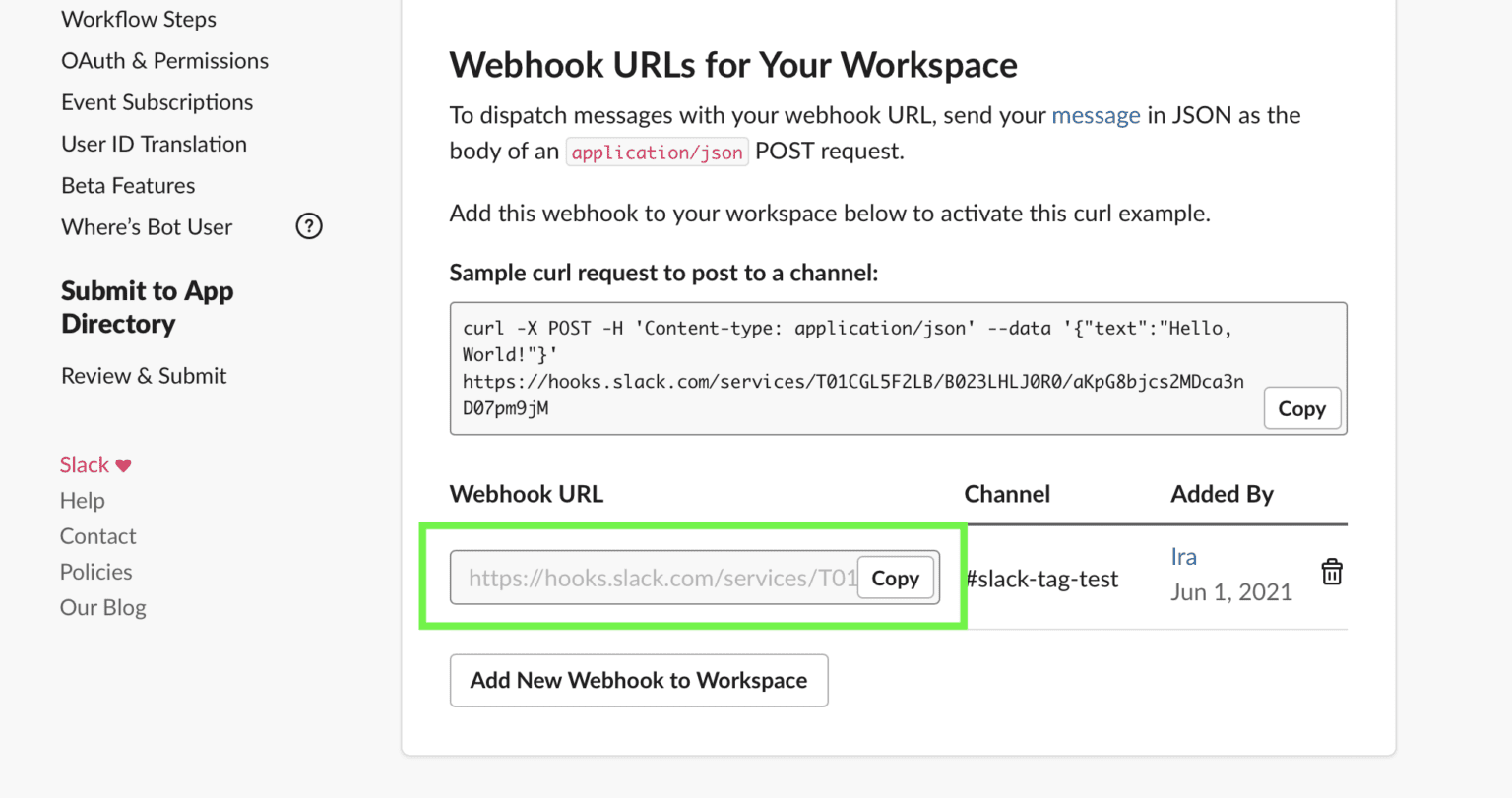
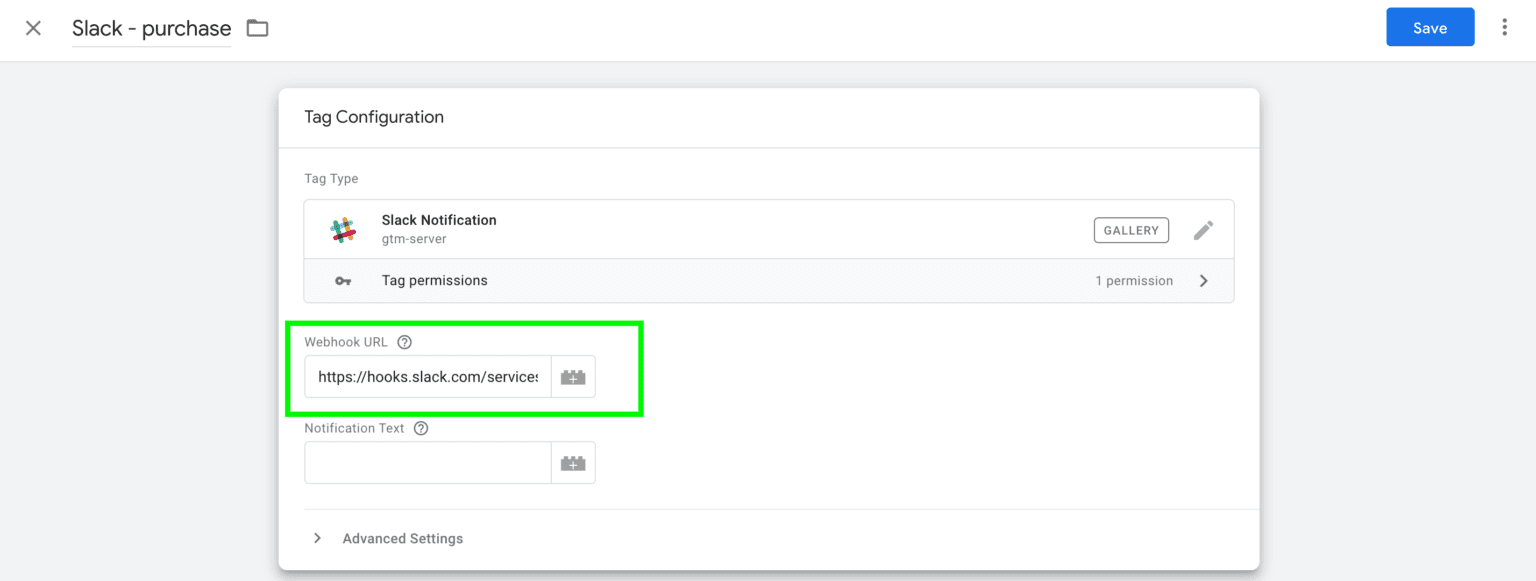
11. Create a Slack notification text. You can add variables here. Add a trigger and click save.
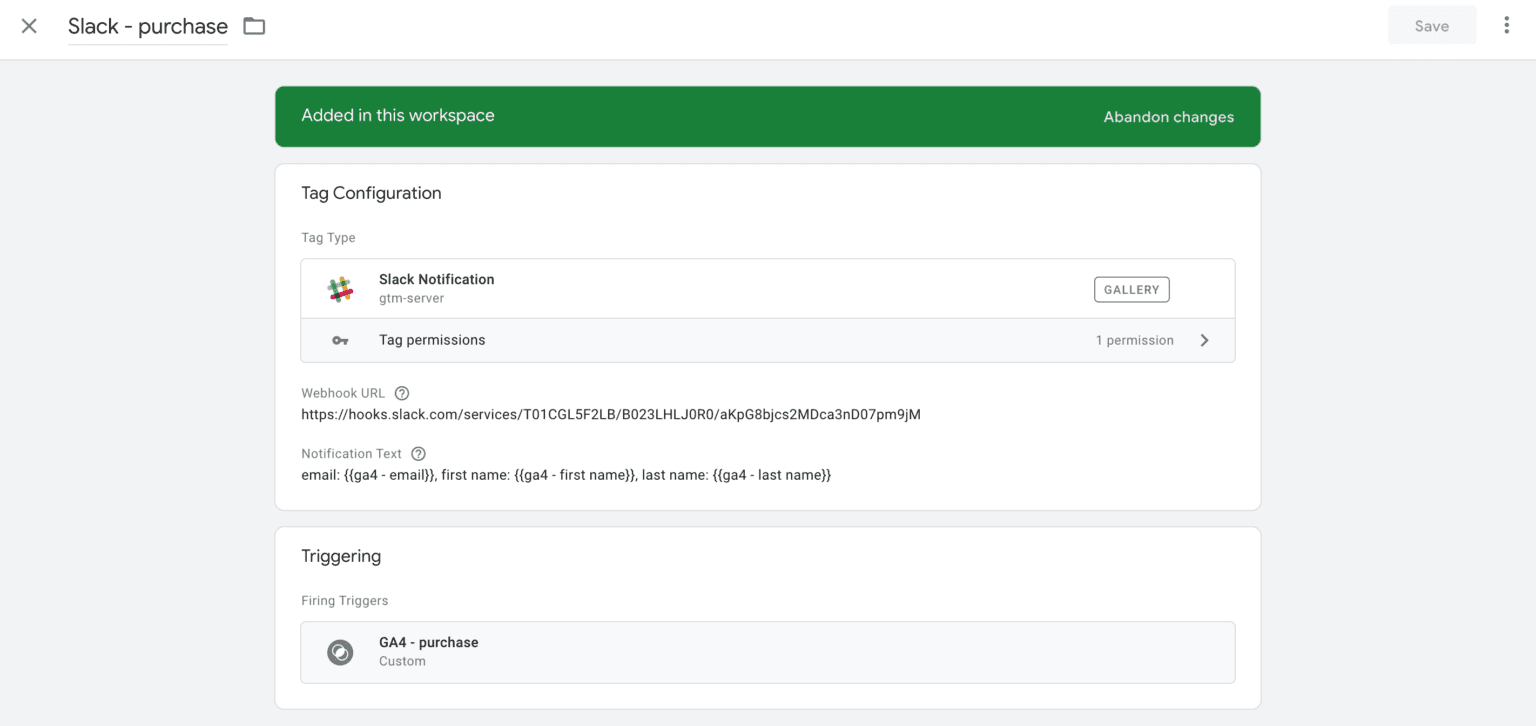
12. Open the preview mode of the Web and Server containers and test if notification works.

13. Publish web and server containers.
Conclusion
The developers and enterprises are continuously looking for new solutions to facilitate their workflow with Slack better. I hope this post will help you set up Slack notifications for the critical events on your site.
Want to learn how to send Slack notifications on server?
Find out how much it will cost! Click Get help, fill up the form, and we will send you a quote.
Get helpRecommended for you
Oct 6, 2026
Blog
Send Telegram notifications using Google Tag Manager server container
Checking conversions inside Google Analytics can be time-consuming. So what is the best way to send information about user activity on your site or orders from specific traffic sources? We created a Telegram tag for the Google Tag Manager Server container that can send notifications about user actions on the website to the Telegram channel. We also have a similar tag for Slack notifications. The Telegram tag for the Google Tag Manager server container allows receiving real-time Telegram notifications on every conversion and user action on the site. The notifications can be sent to multiple recipients.
Apr 16, 2025

Comments