Sep 28, 2026
Track Google Ads Conversions using Data Manager API
Written by
Uliana Lesiv
Updated Sep 14, 2026 comments
Data Manager API is a unified API for tracking conversions. Customer actions are first sent to the sGTM container, where data is processed, secured, and attributed. Stape ensures the sGTM container then sends the conversion data directly to Google's servers via an API connection. Such a flow allows for minimizing the impact of browser limitations like ad blockers and cookie restrictions, which leads to more reliable, accurate conversion reporting.
What is the Data Manager API?
Google Data Manager API is a unified API created to help advertisers connect and manage their first-party data (e.g., data from CRM, behavioral data from the website/app) across Google advertising products. Using the Google Data Manager API, the data can be sent to the required destination (like Google Ads and Display & Video 360) with a single API call.
From October 2025, the Google Data Manager API became available for all users.
Use cases
Offline/Enhanced Conversions for Leads tracking
If you have a flow where you capture acquisition leads through online interactions and then sell the goods or services offline, sending conversion data back to the advertising platform is essential for performance estimation.
With the Data Manager API, you can automatically send offline/enhanced conversion data (e.g., sales that happened in a physical store or over the phone) from your Customer Relationship Management (CRM) or Point of Sale (POS) System and match the data against the Google ad click a user eventually has made.
Enhanced Conversions for Leads is an upgraded method of Offline Conversion Tracking for lead generation businesses. Below, we highlight the difference between both:
| Offline Conversion Tracking | Enhanced Conversions for Leads | |
|---|---|---|
| Purpose | Supply Google Ads with data on users' offline behavior after interaction with the ad online. | Supply Google Ads with data on users' offline behavior after interaction with the ad online. |
| User identifier(s) | Google Click ID (GCLID) - a unique ID of each ad click. | In addition to GCLID, it uses hashed first-party customer data (such as email address or phone number). |
| How it matches offline conversions with online interactions | Matches the GCLID the platform received from CRM/POS with the GCLID of the original ad click. | Uses the hashed customer data to match the conversion to a logged-in Google user or the data from CRM/POS. |
| Matching accuracy | Less reliable due to browser restrictions and cookie expiration. | More accurate as it uses first-party data, helping to track conversions even when GCLIDs are lost or users switch devices. |
Implementation solution
💡Google Data Manager API Conversion Events tag - using the tag, you can configure offline conversion tracking by adding GCLID and/or specifying the first-party customer data (email, phone, address, mobile device ID, third-party user ID).
In this article below, we'll show how to implement the solution.
Creating and keeping up-to-date Customer Match lists in Google Ads/Display & Video 360
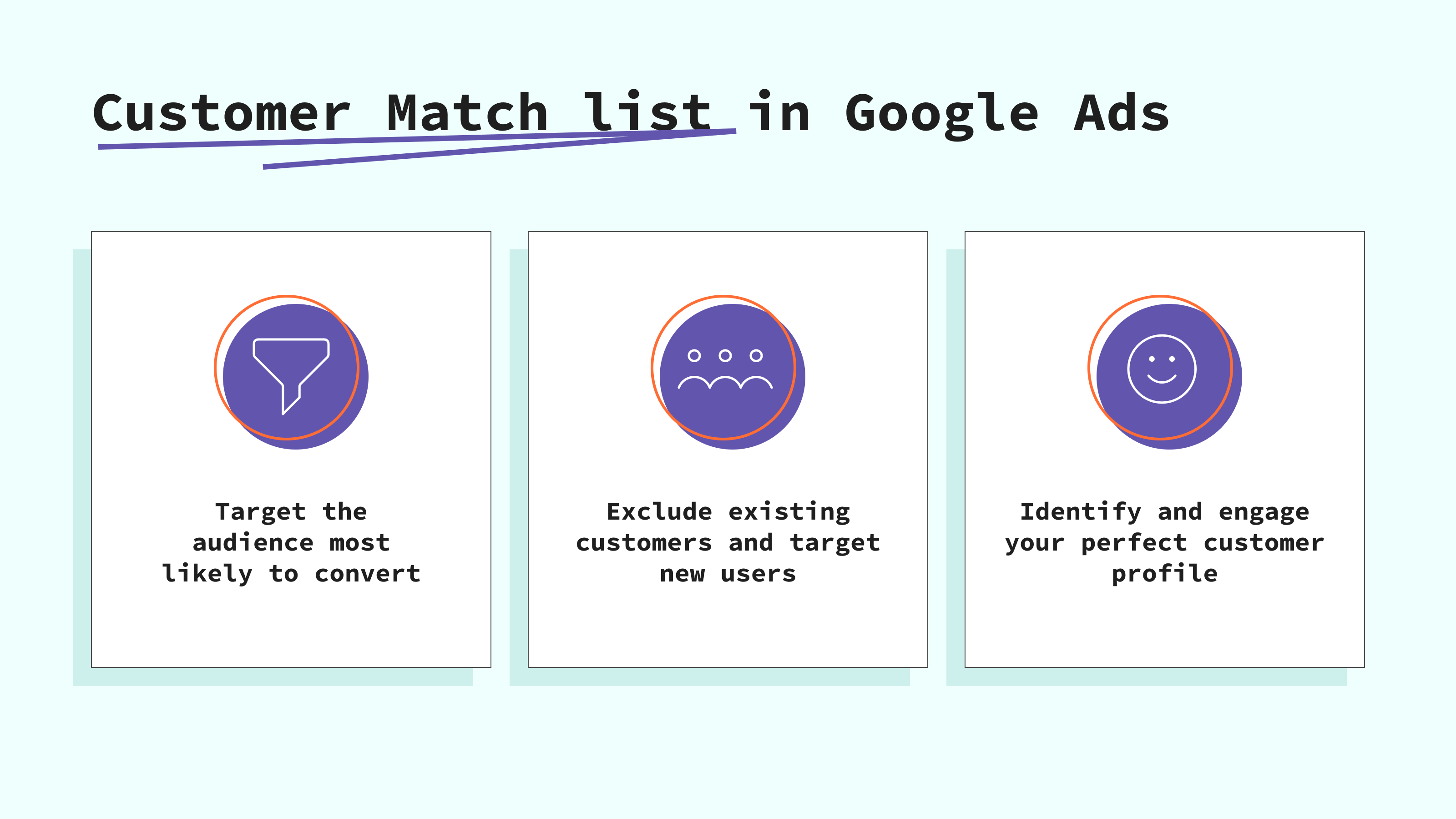
The Customer Match list in Google Ads/Display & Video 360 is an audience targeting feature that allows advertisers to segment users and target the audience with high conversion intent or exclude a specific segment from advertising.
There are two ways to create and fill Customer Match lists - manual and automatic. The manual method is downloading the first-party data from your CRM in CSV format and uploading it to Google Ads/Display & Video 360. That's an inconvenient way, as you will need to update the data frequently. With the Data Manager API, you can configure automatic Customer Match lists creation and updating.
Implementation solution
💡Google Data Manager API Customer Match tag or Stape Conversion Tracking CRM/CMS apps - both solutions can transfer data from your CRM and send data to Google Ads/Display & Video 360, creating Customer Match lists and updating the data in them without any manual actions.
Below in this article, we'll consider the methods in detail.
Server-side online events tracking
The Google Data Manager API allows you to send both online and offline conversion events directly to Google Ads. This API is part of a broader shift toward server-side data tracking. It is often used along with the server Google Tag Manager (GTM). It allows advertisers to gain more control over data, bypass browser restrictions, and improve data quality.
Implementation solution
💡Google Data Manager API Conversion Events tag - it allows you to send server-side online conversions to Google Ads via the Data Manager API.
Sending event data as an additional data source
Google has released a feature that allows you to enrich the web tag with data from CRM or databases. In this way, you receive a more complete picture of ad campaign performance. We have considered Google's feature, its use cases, and benefits in our other blog post.
Implementation solution
💡Google Data Manager API Conversion Events tag - send data from CRM/databases directly to the Google Ads tag environment.
Advantages of using the Data Manager API
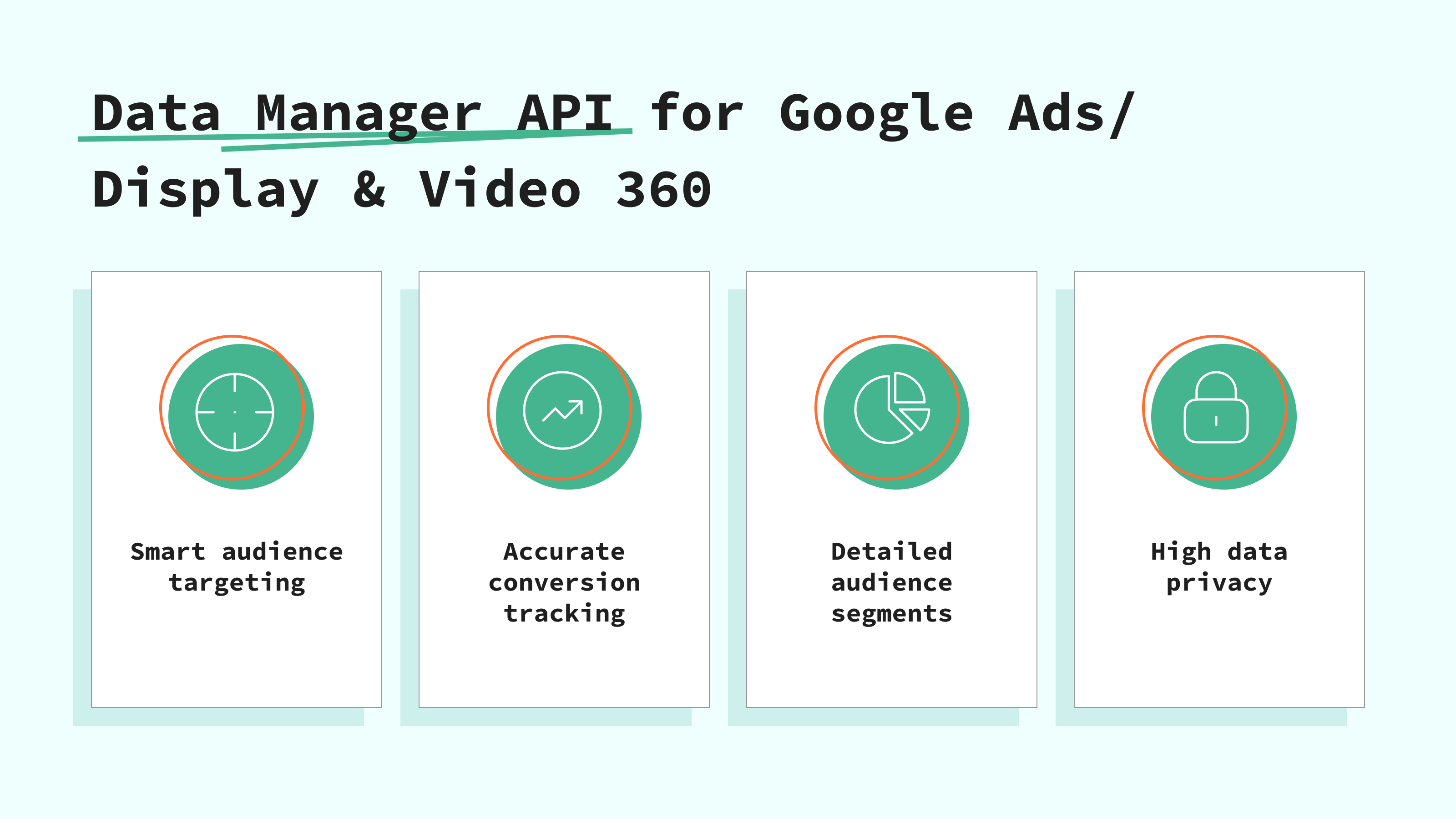
- Improve ad audience targeting. After supplying Google Ads/Display & Video 360 with first-party data, the platform analyzes it, takes the identifiers, and matches them against the identifiers of logged-in Google users. Then the lists are created in Google Ads/Display & Video 360, and later, they can be used while creating ad campaigns to target a highly intended audience.
- More accurate conversion tracking. By sending offline conversion data, the advertisers get a more complete view of ad performance. It is important for more effective campaign optimization.
- Create audience segments. Implementing the Data Manager API allows the use of first-party customer data to create detailed audience segments. Then these segments can be included or excluded in ad targeting.
- High privacy. The system supports secure methods to transfer data from CRM/POS to Google Ads/Display & Video 360 (like hashing personally identifiable information).
Pre-requisites
Regardless of the solution you choose to send data to Google Ads/Display & Video 360, you will need the following to get started:
- Configured the server GTM container.
- Configured data transfer from the web to the server GTM container. You can set it up using server-side Google Analytics 4 or Data Tag/Data Client.
- Select and set up an authentication method.
Regardless of the tag you are going to configure (Customer Match or the Conversion tag), you need to set up one of the authentication methods:
- Use Stape's connection (recommended) - the easiest way to handle the authentication. You just need to activate the Data Manager API Connection in the Stape admin account.
- Use own Google Credentials - if you don't use Stape's services or have a free plan on Stape, opt for this authentication method.
Click on the authentication below that fits you the best and follow the instructions:
Configure Data Manager API for Google Ads/Display & Video 360 using Stape's solutions
Click on the solution that meets your tracking needs, find out more about it, and follow the configuration instructions 👇
Common configuration mistakes and their fixes
Terms not accepted
To populate the Customer Match list, you need to accept a few terms of use:
- Customer Match terms.
It's a legal agreement within Google Ads where you confirm that any data you upload has been collected in compliance with Google's policies (first-party only, clear opt-in). You can read more about the Customer Match policy on Google's end.
How to fix: the Customer Match terms usually pop up when you create the Customer Match list for the first time. Later, it must reappear; be sure to confirm that you comply with the policy.
- Enhanced conversion terms.
Enhanced Conversions sends hashed first-party data (emails, phone numbers) from your website to Google to "fill in the gaps" when cookies are blocked. That's a list of terms that allows Google to use this hashed data to match conversions to signed-in Google accounts.
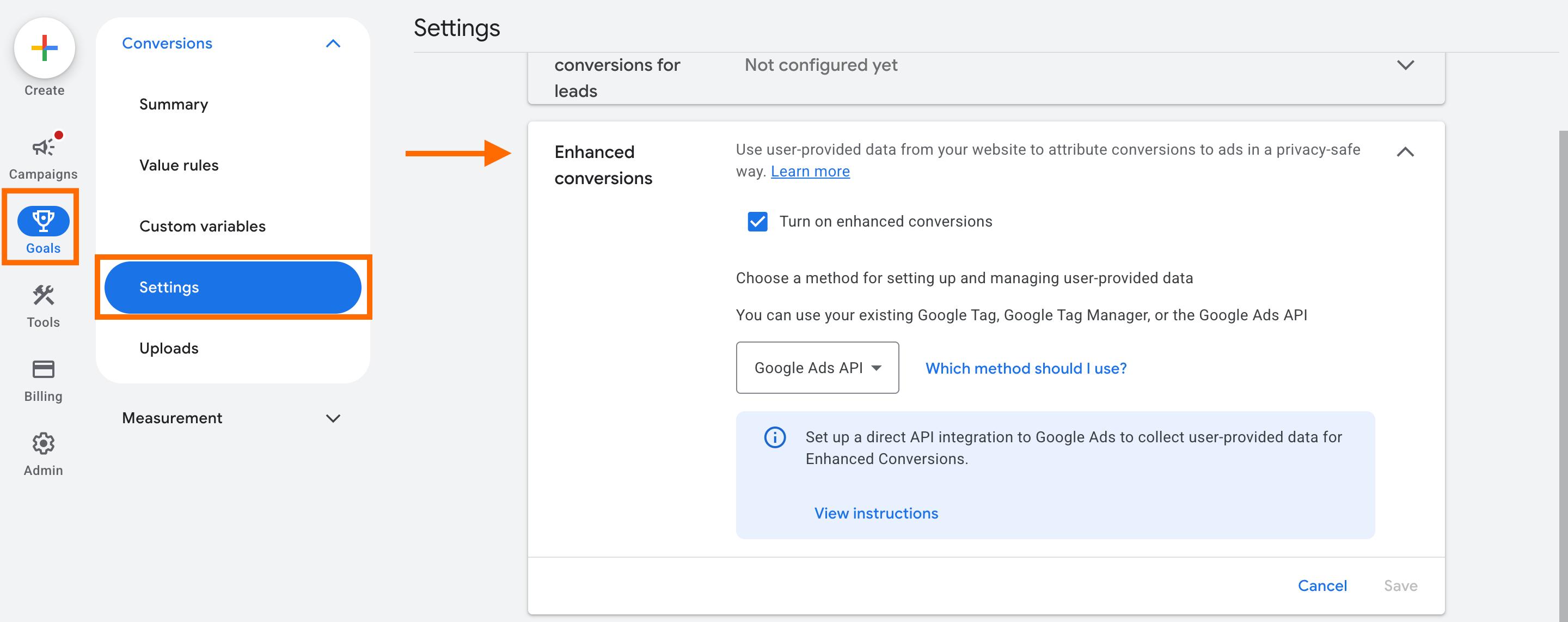
How to fix: go to the Goals section → Settings → Enhanced Conversions. Check the box next to Turn on enhanced conversions. A window with terms must pop up; be sure to accept the terms.
Note: if your conversions are managed via the Manager Account (MCC), the customer data terms must be accepted from the manager's account.
Enhanced conversions for leads aren't turned on
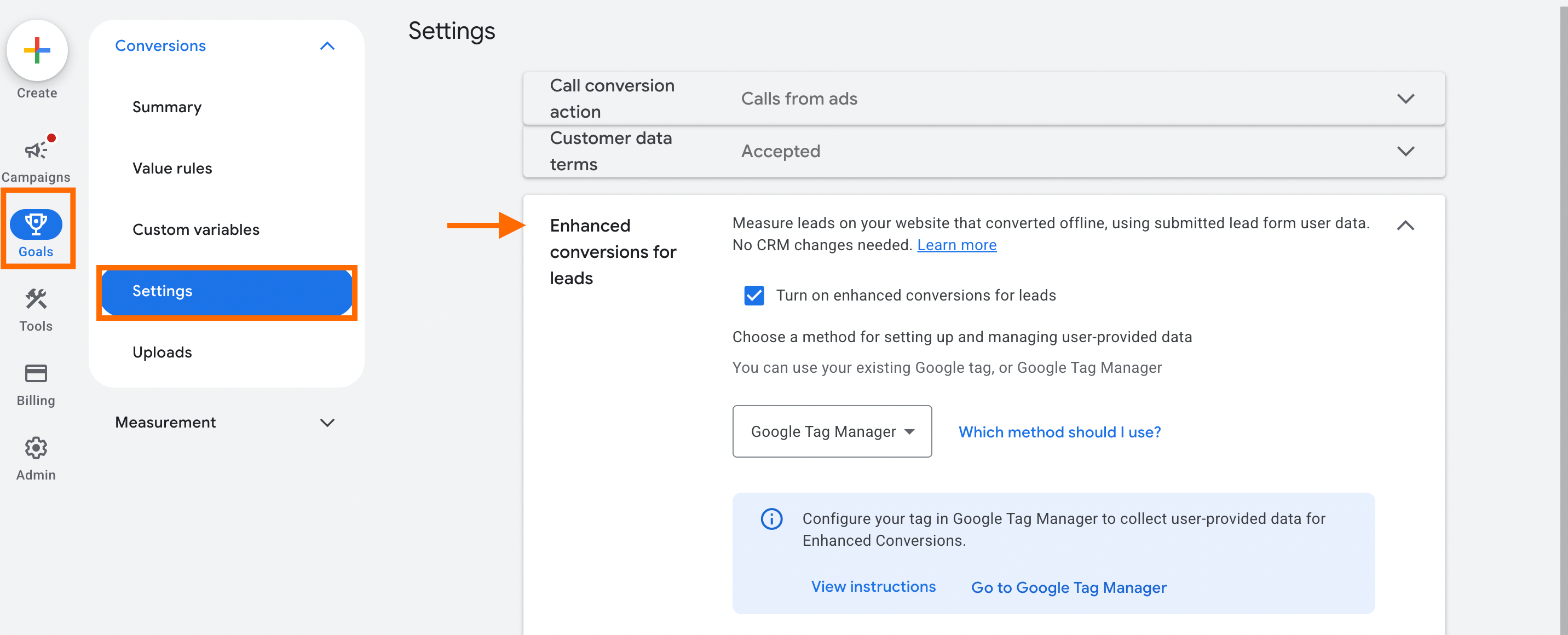
Enhanced Conversions for Leads (ECfL) is the specific feature that allows Google to attribute conversions using first-party data (like hashed emails) rather than just Google Click ID (GCLID). ECfL provides the framework to match CRM data using hashed first-party identifiers (like emails) instead of cookies or click IDs.
How to fix: go to the Goals section → Settings → Enhanced conversions for leads. Check the box next to Turn on enhanced conversions for leads. A window with terms must pop up; be sure to accept the terms.
Not an appropriate access level for the connection account
To link a third-party tool (like Stape) to your Google Ads account via the API, the user account needs specific permissions. Lower access levels (like Read-only or Billing) cannot grant the necessary scopes for the Data Manager API to "write" or "upload" data to the account.
How to fix: Obtain Standard or Admin access to authorize the OAuth flow.
The transaction_id isn't sent with the event
transaction_id for Google's new feature that allows unifying and recovering lost conversions within Google Ads. The feature is required to match your external source's events with those already tracked by your website tag. For more information on Google's additional sources measurement feature, check our article. |
If you encounter the error says REQUIRED_FIELD_MISSINGThe reason is often that you selected a conversion type that requires a Transaction ID, but didn't provide one in the tag.
The requirement is determined by the Conversion Action Type:
- Website (any online conversions) - a
transaction_idis mandatory. - Offline (import from clicks) or enhanced conversions for leads - a
transaction_idis optional.
For more info on when transaction_id is required, refer to Google's documentation.
If you are reporting an online "Website" conversion, you must provide a transaction_id regardless of whether the event is a purchase, a lead, or any other type.
How to fix: You need to provide the transaction_id.
Be sure to have a variable that will grab transaction_id in your Google Data Manager API Conversion Events tag.
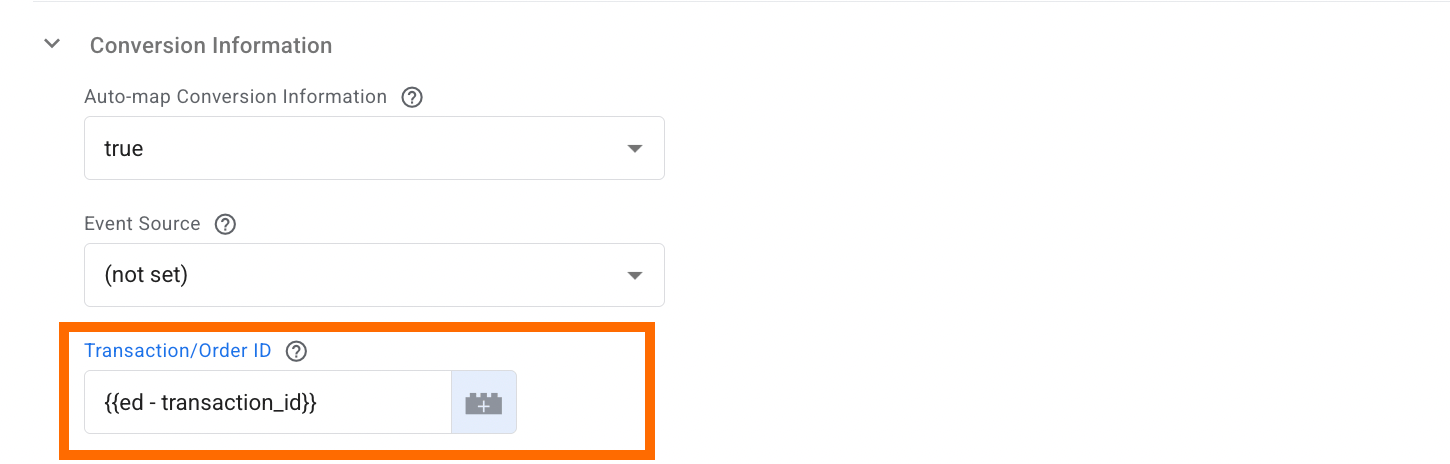
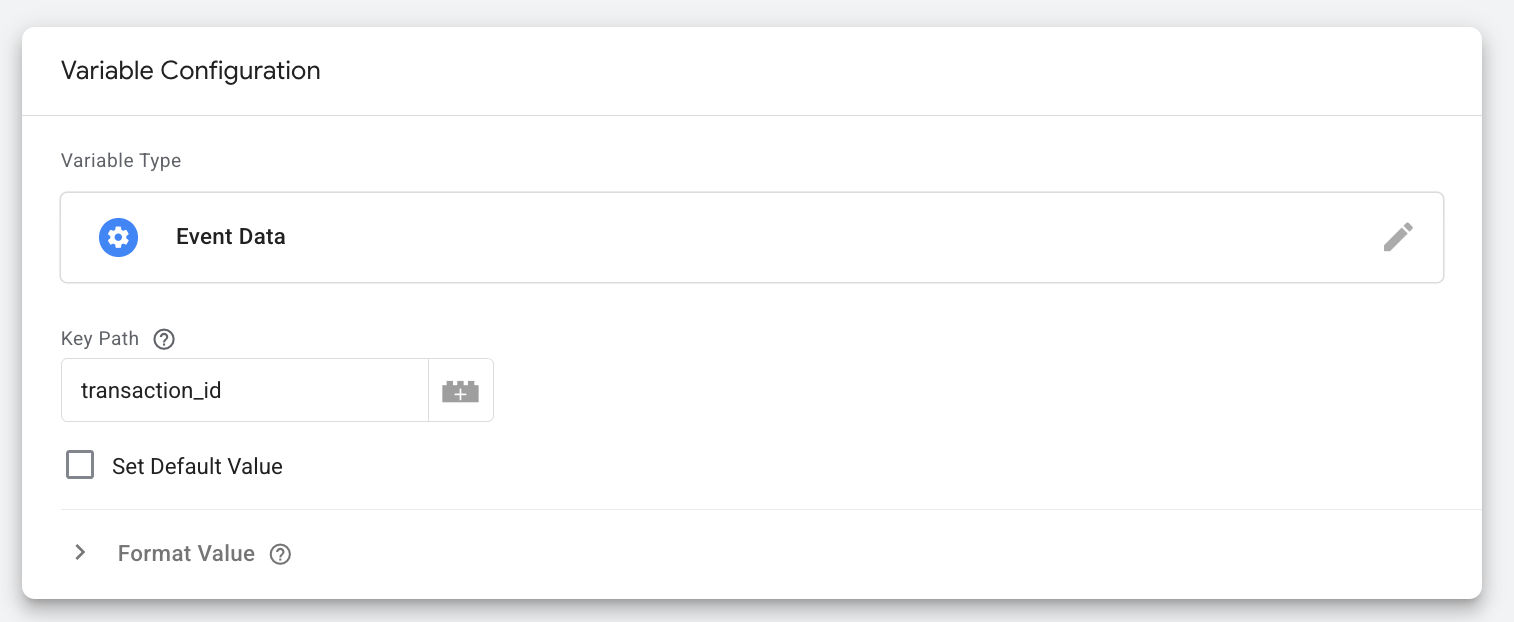
The variable configurations:
- Variable Type - Event Data
- Key Path -
transaction_id
Consent is not specified or has the wrong format
The error INVALID_ARGUMENT for ad_personalization or ad_user_data points to consent. It means that the consent signal was either missing or sent in a format the API didn't recognize.
Google can process only three values:
CONSENT_GRANTEDCONSENT_DENIEDCONSENT_STATUS_UNSPECIFIED
As provided in the tags:
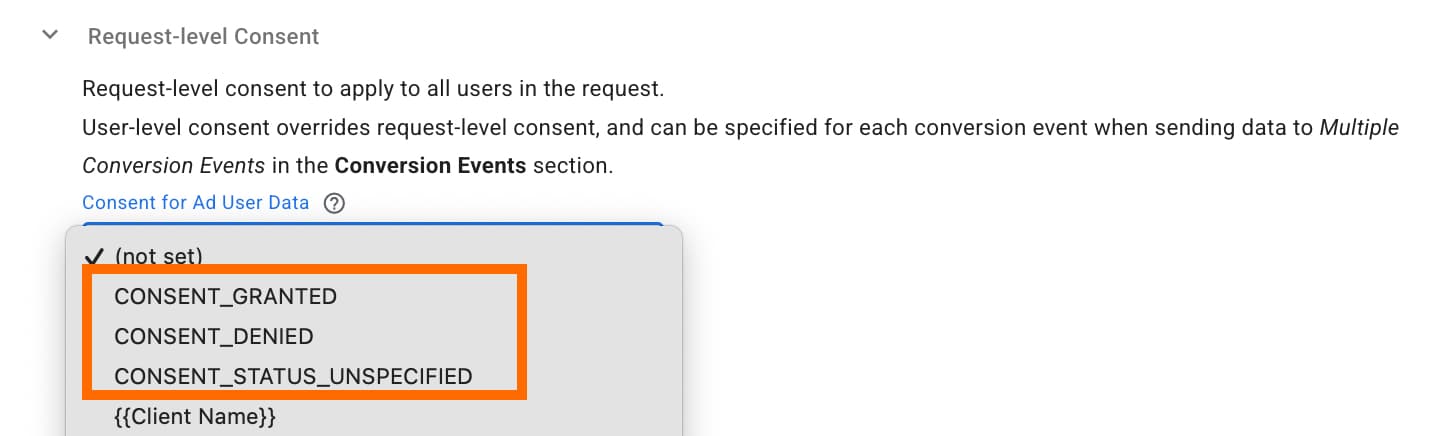
How to fix: check whether you specified the consent status in the Request-level Consent section of the tag.
If you are dynamically viewing the consent status and using a variable in the Request-level Consent section, you need to transform the values into the appropriate ones that will be understandable for Google. For this purpose, use the LookUp variable.
Conclusion
With the Google Data Manager API, you transfer first-party data from CRM/POS systems or server-side online events directly into Google Ads/Display & Video 360. Whether you are tracking offline conversions/Enhanced Conversions for Leads, or managing Customer Match lists automatically, the Data Manager API provides an efficient and scalable solution.
Want to start on the server side?
Try for freeRecommended for you
Blog
A guide on how to set up Google Ads conversion tracking in 2026
A step-by-step guide to conversion tracking Google Ads setup: configure the conversion tag in GTM, plus fixes for firing, duplication, and reporting issues.
Sep 28, 2026

Comments