Enricher power-up
Updated Aug 31, 2026
The Enricher power-up enriches event data with user data that was collected earlier. It allows you to store datasets from each interaction to create a repository of user information that can be referenced in real time. With a power-up’s help, the system can recognize returning users and enrich events they trigger.
Enricher is available on the Pro plan and higher. To check your current plan or upgrade, go to your sGTM container settings.
How to set up Enricher power-up
1. Log in to your Stape account and select your sGTM container from the dashboard.
2. Go to Power-ups and click Use next to the Enricher panel.
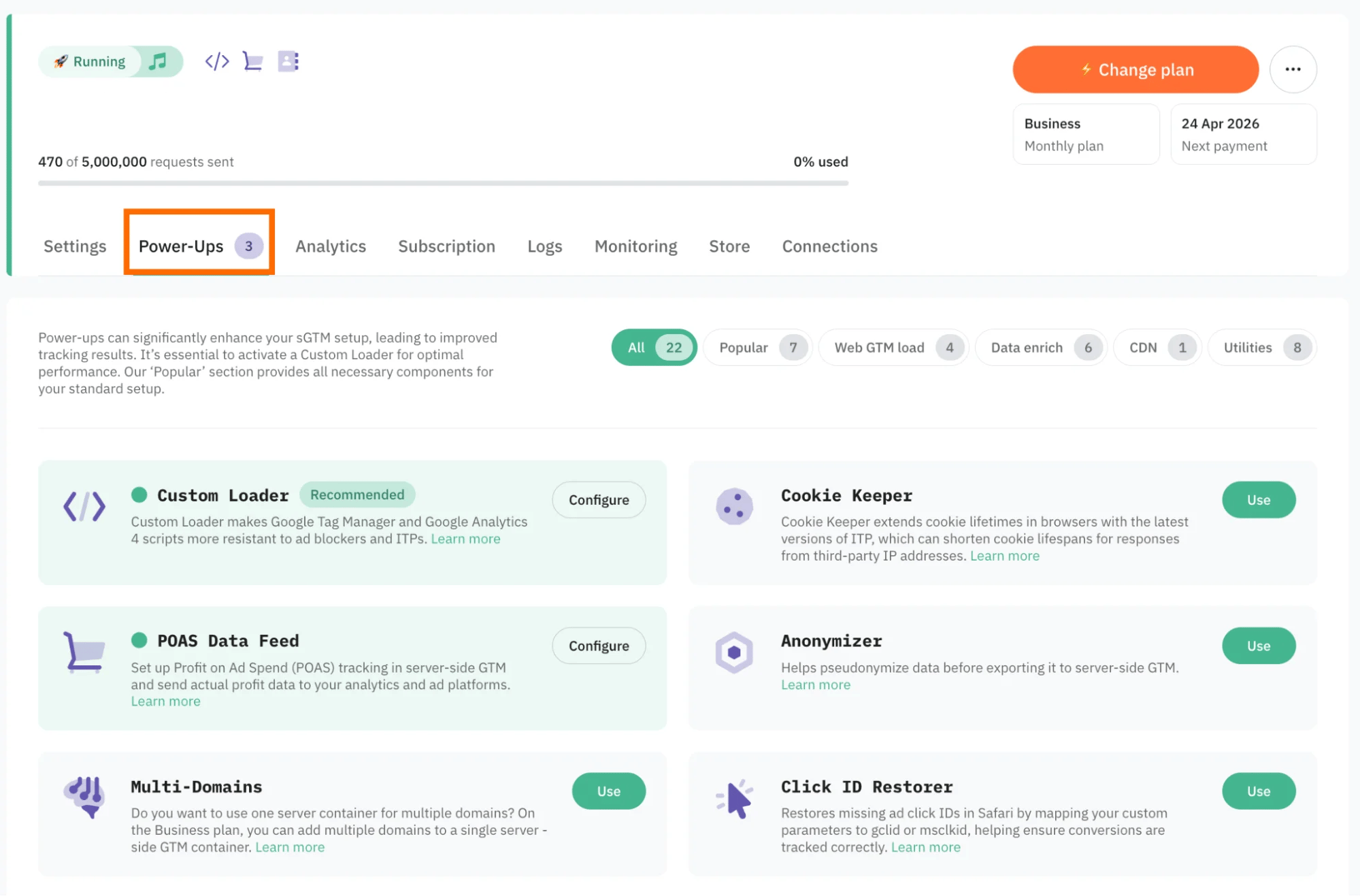
3. Toggle the Enricher switch to enable it.
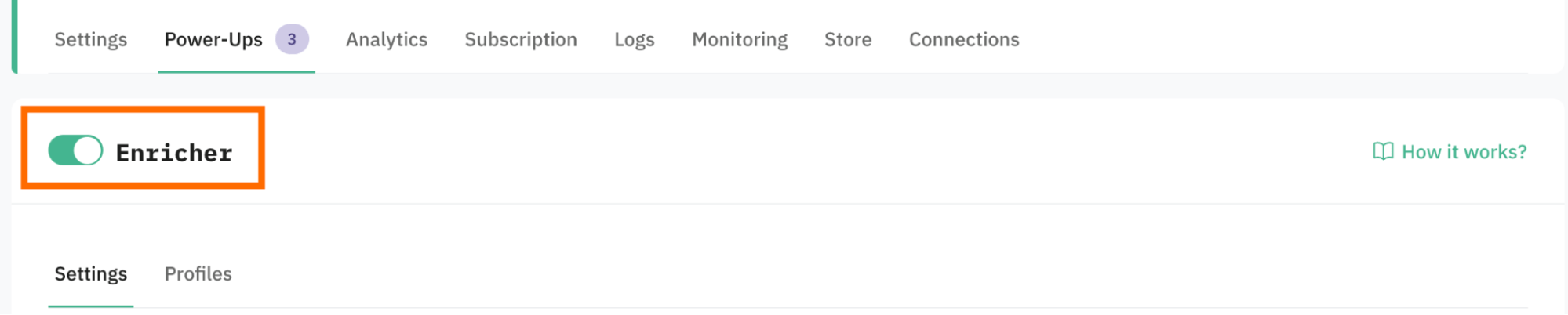
4. Select the Enrichment mode:
- Automatic (applied by default) - the data from the Enricher power-up will be mapped to standard parameters for /g/collect (GA4) and /data (Data Client) requests. As a result, the majority of tags will automatically parse and use this data without any additional configuration.
- Semi-automatic - the data from the Enricher power-up will be added as custom parameters prefixed with
‘enricher_{standard_parameter_name}’.These parameters will be available in the Event Data, allowing you to configure your own logic on how to use the enriched data points.
Note:
Based on the Enrichment mode, the data is added using the different parameter keys, which we outline further down this guide.
The following request parameters are currently used to identify a user. They are evaluated in the order listed below, from highest to lowest priority:
- 1.
email_addressparameter (from the standard payload fields) - 2.
_sbpcookie (set by Stape CMS apps) - 3.
FPIDcookie (set by GA4) - 4.
_gacookies (set by GA4) - 5.
_dcidcookie (set by Data Client) - 6.
stape-user-idheader (provided by the Stape Power-Up)
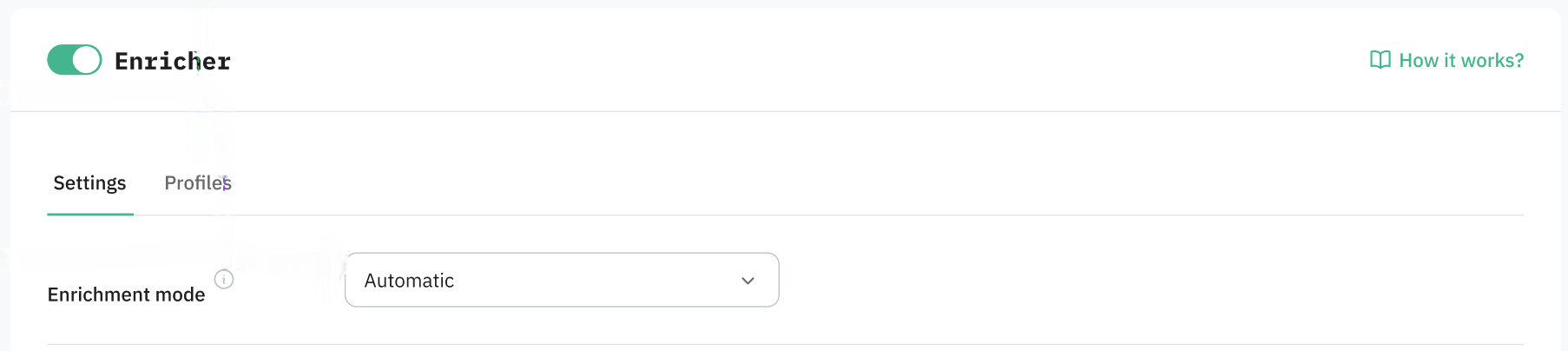
5. Select a method for storing user data by enabling the toggle next to the method. You can also use both.
- Cookies - if you opt for this method, a cookie called
_sbpeewill be generated, and the user's data will be stored in this cookie. This is a less reliable method than Stape Store, as cookies can be manually deleted by the user. - Stape Store - a built-in NoSQL database; with this method, users' data will be stored in the database and used to enrich incoming events. Storing data in a database is more consistent and reliable than using cookies, but it also comes at a cost - the stored data counts toward your usage quota within your subscription plan.
| Note: if you opt for Stape Store, you will need to activate the feature to start using it. We describe Stape Store in detail in our other article. |
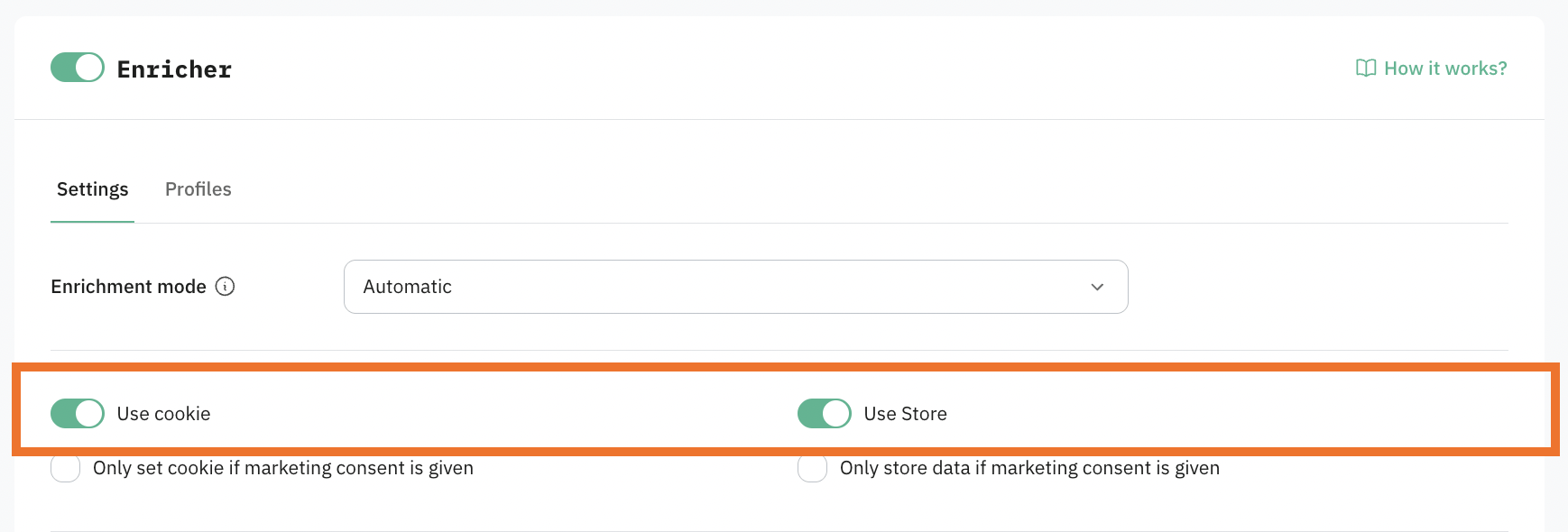
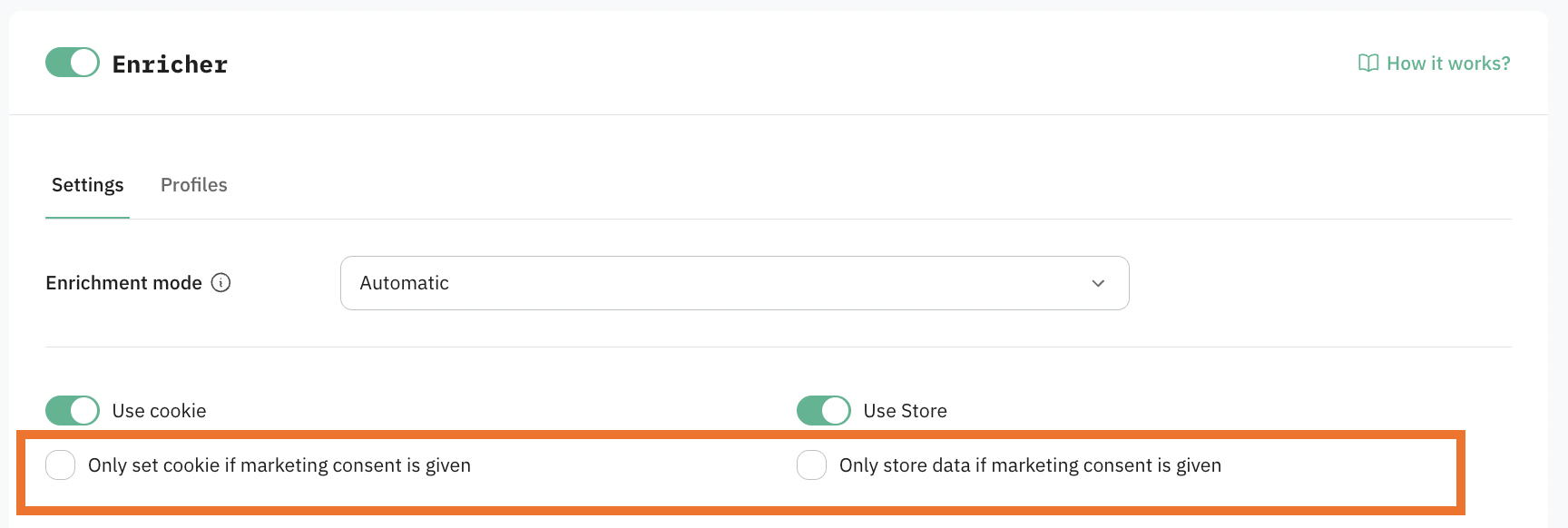
6. Configure how the power-up will work with consent.
If you need the power-up to be compliant with data regulations (especially if you target EU countries or some US states that have mandatory data protection laws), click on “Only set cookie/store data if marketing consent is given”. If enabled, Consent Mode V2 parameters are used for /collect requests, and the consent_settings object is used for /data requests.
After enabling this option, the event data won't be enriched with the user data you already have for cases when a user didn't give consent to process the data.
Be sure to update your cookie policy and cookie banner. Because the power-up sets a _sbpee cookie to store encrypted user data, you must provide users with an explicit opt-in choice.
7. Select data points from the list.
These are parameters that will be saved in a cookie/Stape Store (depends on the power-up configuration method you've selected). Later, the data will be used to enrich events/incoming requests.
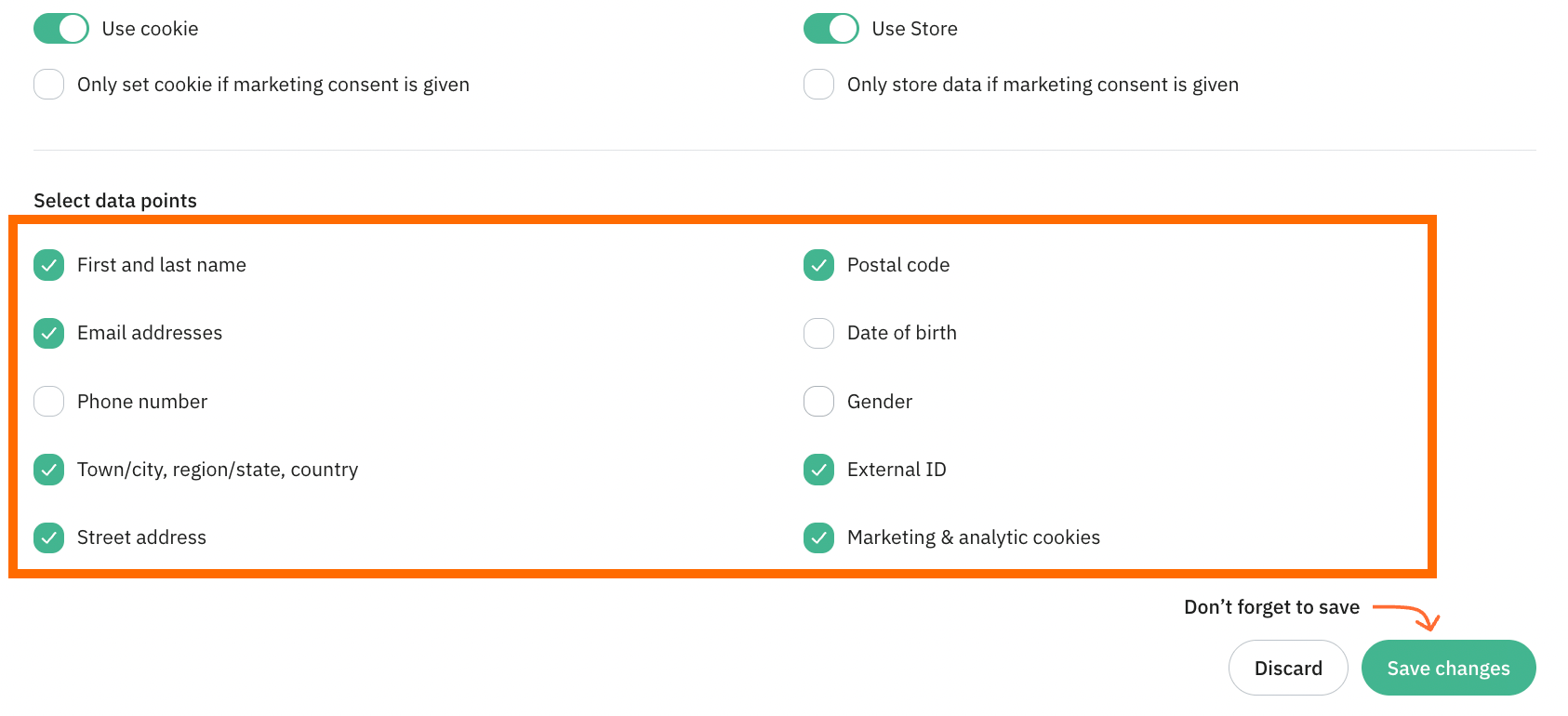
These parameters define what information will be available for event enrichment in both Automatic and Semi-automatic modes.
After selecting datapoints, the behavior depends on the enrichment mode:
- In Automatic mode, the selected data is automatically used to enrich incoming events in sGTM without any additional configuration.
- In Semi-automatic mode, the selected data is stored and attached to events, but you must explicitly map it in your sGTM tags using Event Data variables before it can be used.
For the Semi-automatic mode, you must manually create and use Event Data variables in your sGTM tags. These variables must correspond to the datapoints selected in the Enricher power-up. Here is an example of sGTM tag config:
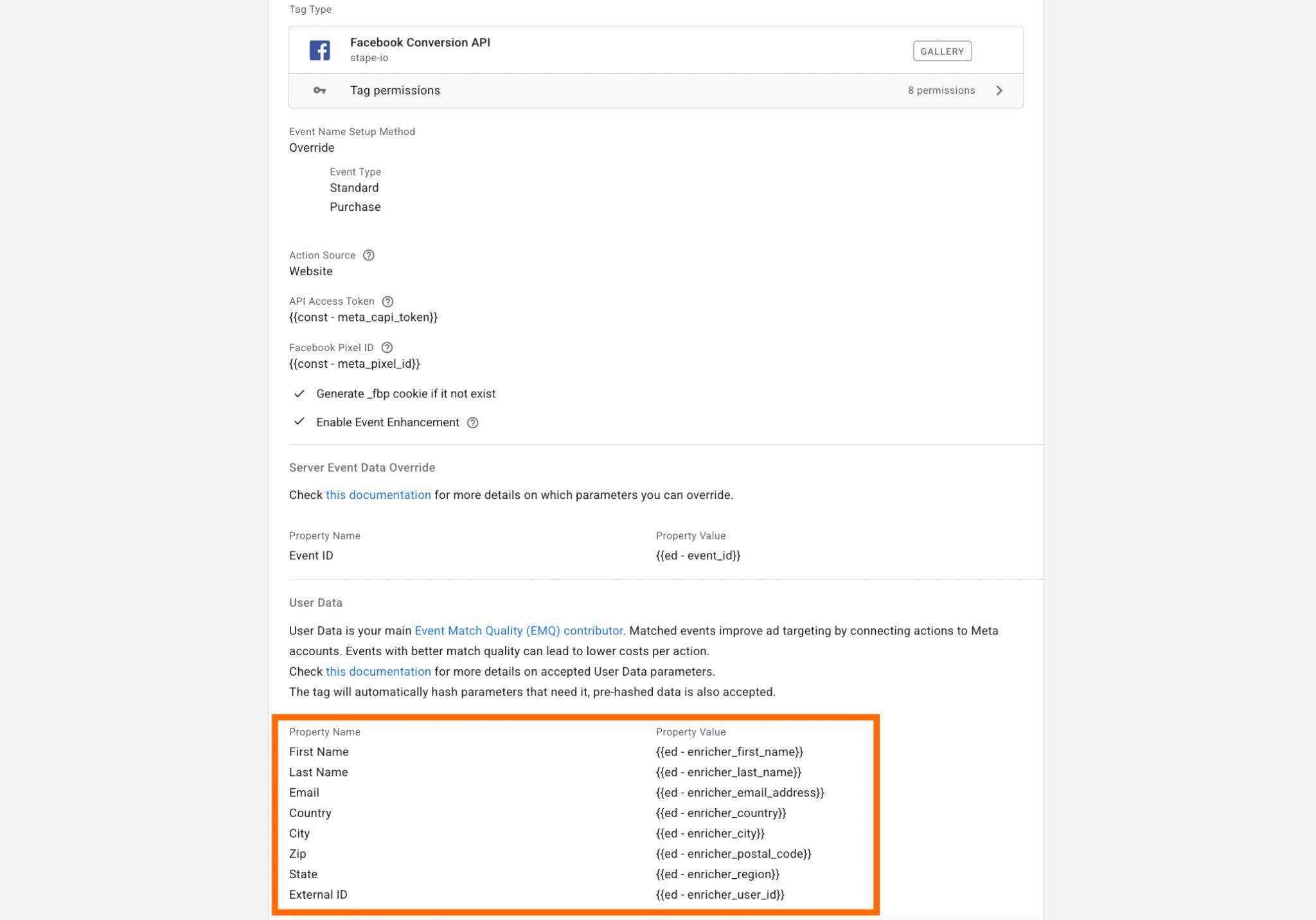
The Key Path in the Event Data variable must start with enricher_. Based on the request type (/g/collect or /data), the path will differ; refer to the table below:
| Stape Store/Cookie key | Event data parameters in /g/collect requests | Event data parameters in /data requests |
|---|---|---|
| email_address | enricher_ep.user_data.email | enricher_email_address |
| phone_number | enricher_ep.user_data.phone_number | enricher_phone_number |
| first_name | enricher_ep.user_data.address.0.first_name | enricher_first_name |
| last_name | enricher_ep.user_data.address.0.last_name | enricher_last_name |
| city | enricher_ep.user_data.address.0.city | enricher_city |
| country | enricher_ep.user_data.address.0.country | enricher_country |
| region | enricher_ep.user_data.address.0.region | enricher_region |
| postal_code | enricher_ep.user_data.address.0.postal_code | enricher_postal_code |
| street | enricher_ep.user_data.address.0.street | enricher_street |
| date_of_birth | enricher_db | enricher_db |
| gender | enricher_gender | enricher_gender |
| external_id | enricher_user_id | enricher_user_id |
For automated Enrichment mode, the enriched data is added using the following keys in the cookie/Stape Store. There are some differences between parameters for /g/collect and /data requests, displayed in the table below:
| Stape Store/Cookie key | Event data parameters in /g/collect requests | Event data parameters in /data requests |
|---|---|---|
| email_address | ep.user_data.email | email_address |
| phone_number | ep.user_data.phone_number | phone_number |
| first_name | ep.user_data.address.0.first_name | first_name |
| last_name | ep.user_data.address.0.last_name | last_name |
| city | ep.user_data.address.0.city | city |
| country | ep.user_data.address.0.country | country |
| region | ep.user_data.address.0.region | region |
| postal_code | ep.user_data.address.0.postal_code | postal_code |
| street | ep.user_data.address.0.street | street |
| date_of_birth | db | db |
| gender | gender | gender |
| external_id | user_id | user_id |
Among the data points, there is also Marketing & analytics cookies.
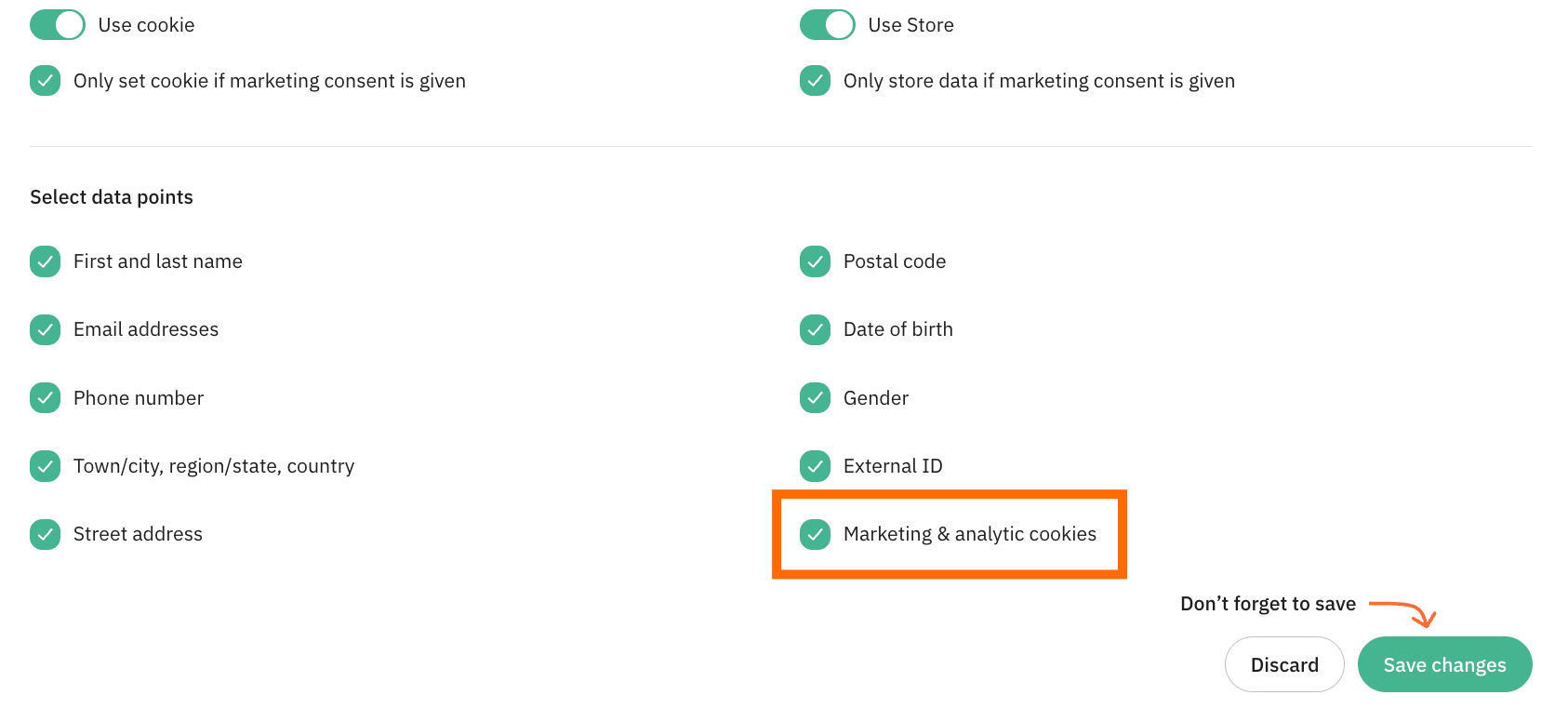
In the table below are listed the Marketing & analytics cookies we use to identify the user (if you opt for “Marketing & analytics cookies” as a data point), as well as the parameters that will be available in the incoming requests in sGTM.
| Cookie name | Event data parameters in /g/collect and /data requests for automated Enrichment mode | Event data parameters in /g/collect and /data requests for semi-automatic Enrichment mode |
|---|---|---|
| _fbp | _fbp | enricher_fbp |
| _fbc | _fbc | enricher_fbc |
| _ttp | _ttp | enricher_ttp |
| ttclid | ttclid | enricher_ttclid |
| li_fat_id | li_fat_id | enricher_li_fat_id |
| _epik | _epik | enricher_epik |
| _scclid | _scclid | enricher_scclid |
| _scid | _scid | enricher_scid |
| FPGCLAW | FPGCLAW | enricher_FPGCLAW |
| _gcl_aw | _gcl_aw | enricher_gcl_aw |
| FPID | FPID | enricher_FPID |
| _ga | _ga | enricher_ga |
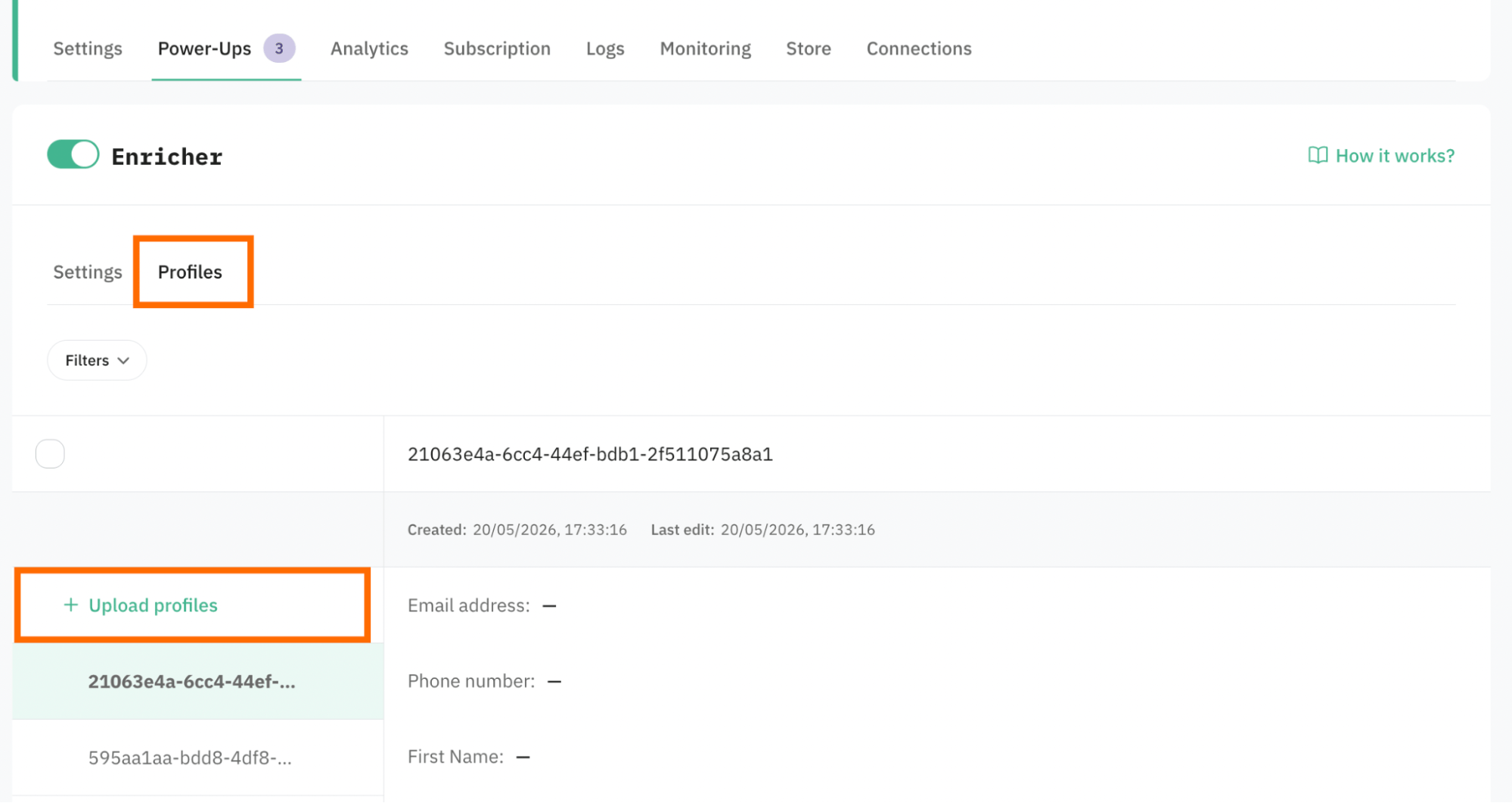
8. If you opt for the Use store option, the tab Profiles is available for you.
It gives the ability to upload a CSV with profile data (for example, uploaded from the CRM/CMS). If the profiles are uploaded, the power-up will take the data you provided and try to match it with online data activity, creating a more complete user journey.
To upload profile data, click Upload profiles and select your file.
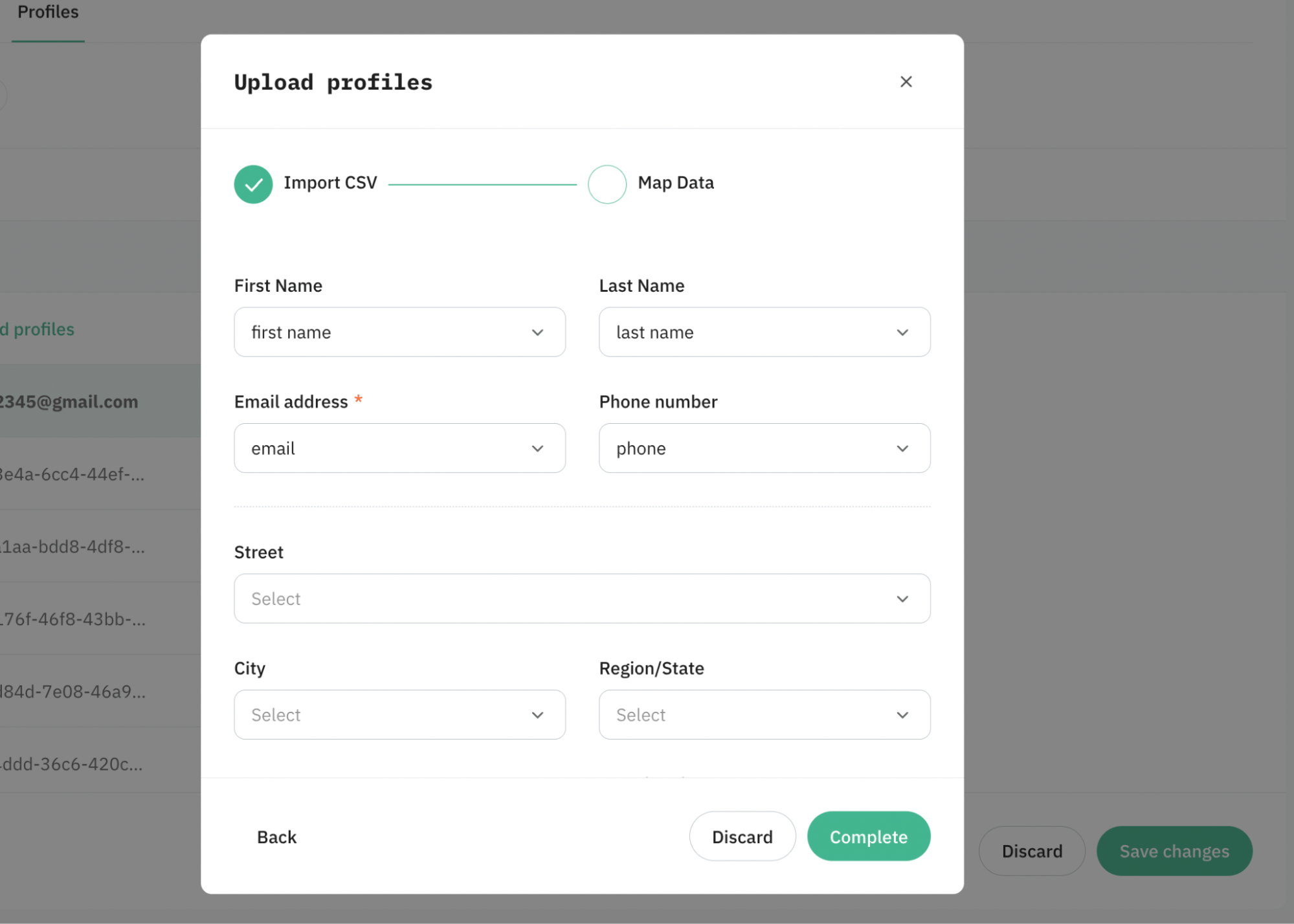
Map the fields within the power-up with the dataset uploaded. Please note: the email address is a mandatory parameter, since it's a primary user identifier.
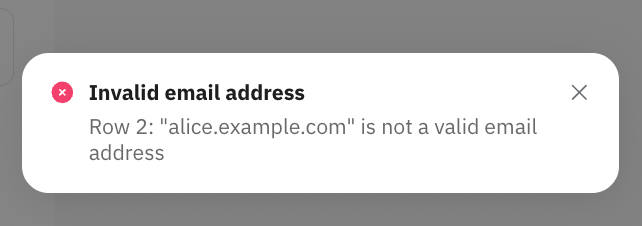
During CSV upload, email addresses are validated before the import starts. If the file contains invalid or unsupported email addresses, the upload will fail, and an error message will be displayed.
Also, during CSV upload, all field values are validated according to the limits defined in the table below. If a value exceeds the maximum allowed length, it will be silently truncated to fit within the limit (no error is returned).
| Parameter | Max allowed length |
|---|---|
| PhoneNumber | 32 chars |
| FirstName | 64 chars |
| LastName | 64 chars |
| City | 64 chars |
| Country | 64 chars |
| Region | 64 chars |
| PostalCode | 32 chars |
| Street | 128 chars |
| DateOfBirth | 32 chars |
| Gender | 16 chars |
| ExternalID | 64 chars |
9. Once configured, click Save changes.
Test the setup
To test the configuration, use the GTM preview.
- Authorize on your website and trigger some event. In the GTM preview, you should see your data available after authorization (email, phone, first and last name, etc., based on the configurations):
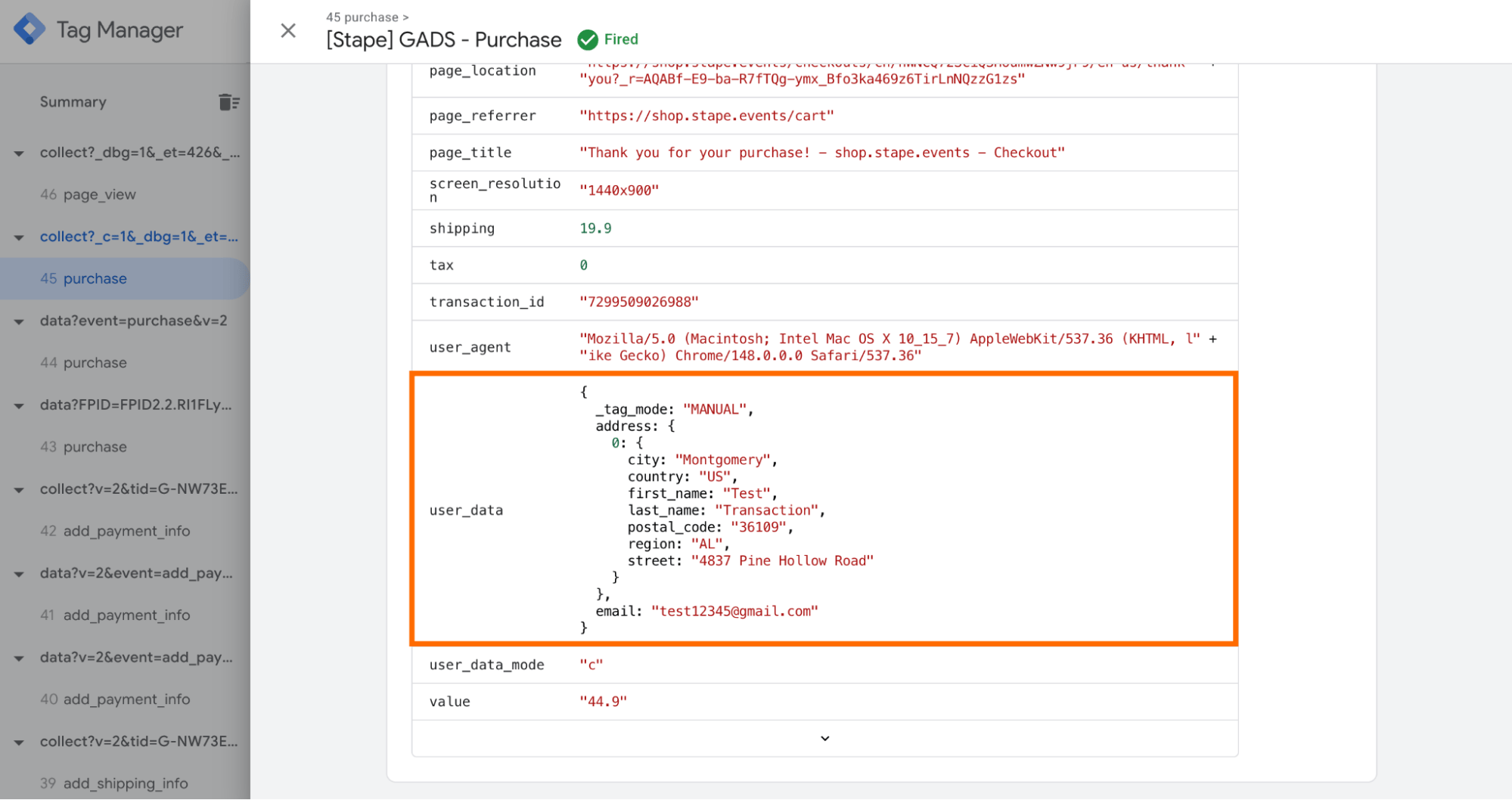
As well as the _sbpee cookie that stores the user data (all the user data is encrypted for security):
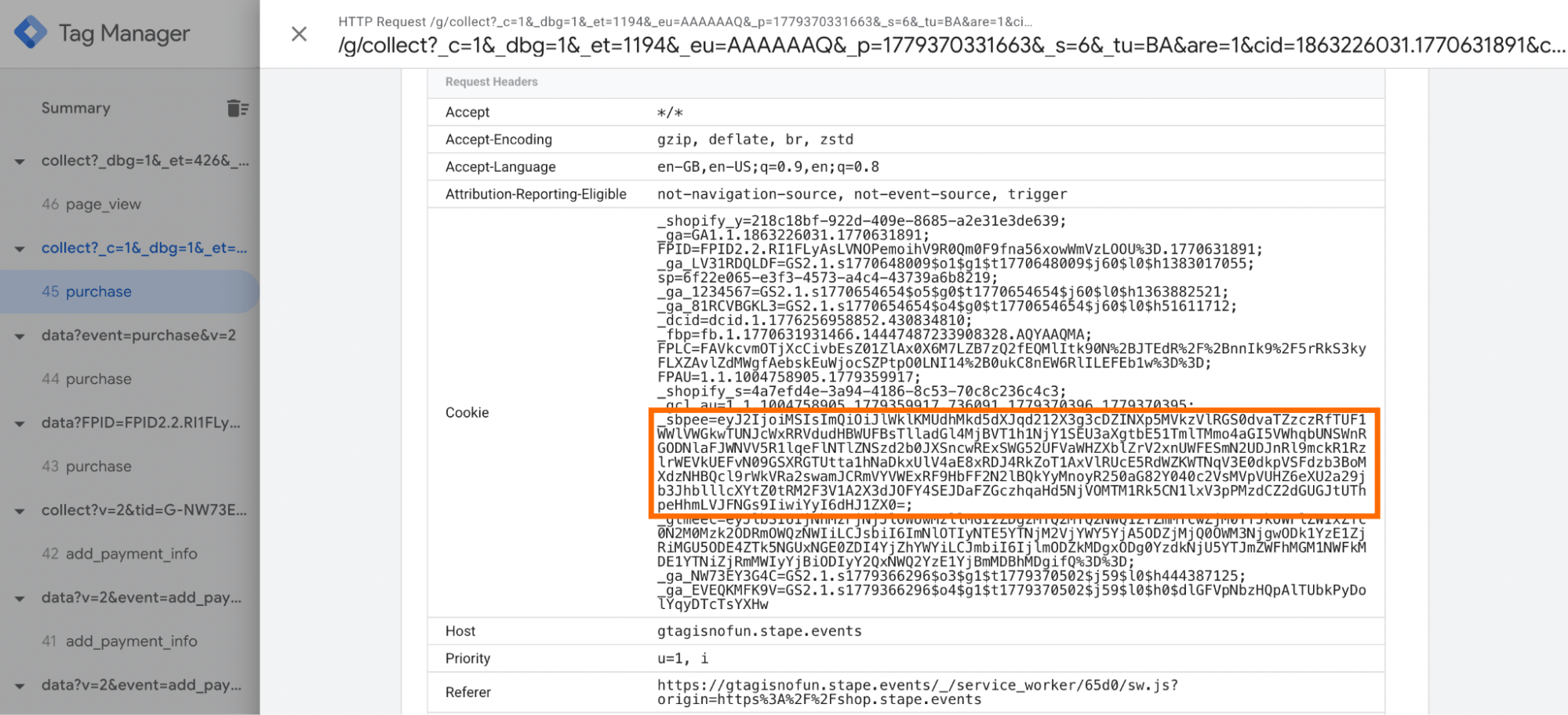
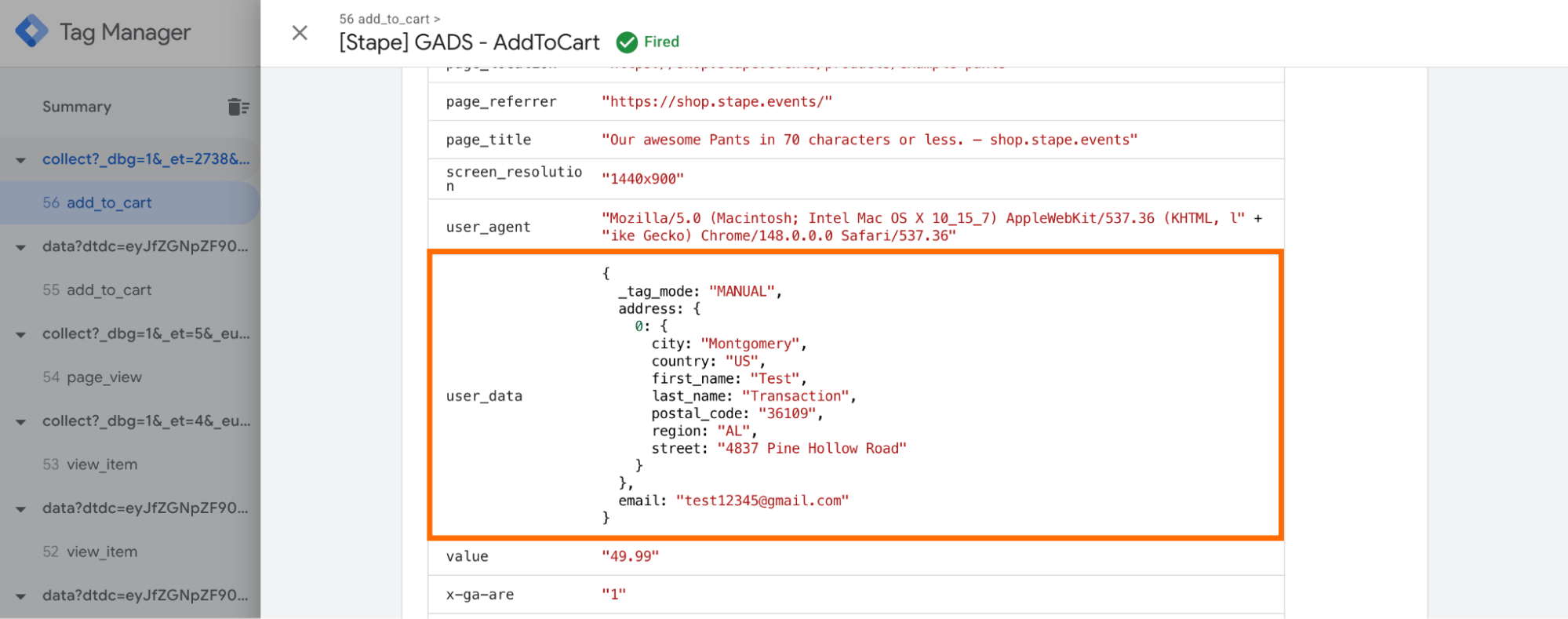
- Log out of your website and trigger another event, check the request you received. If everything is set correctly, you’ll see in the tag details additional parameters that you didn’t specify directly on the new page (like email, first, and last name - it depends on your configurations).
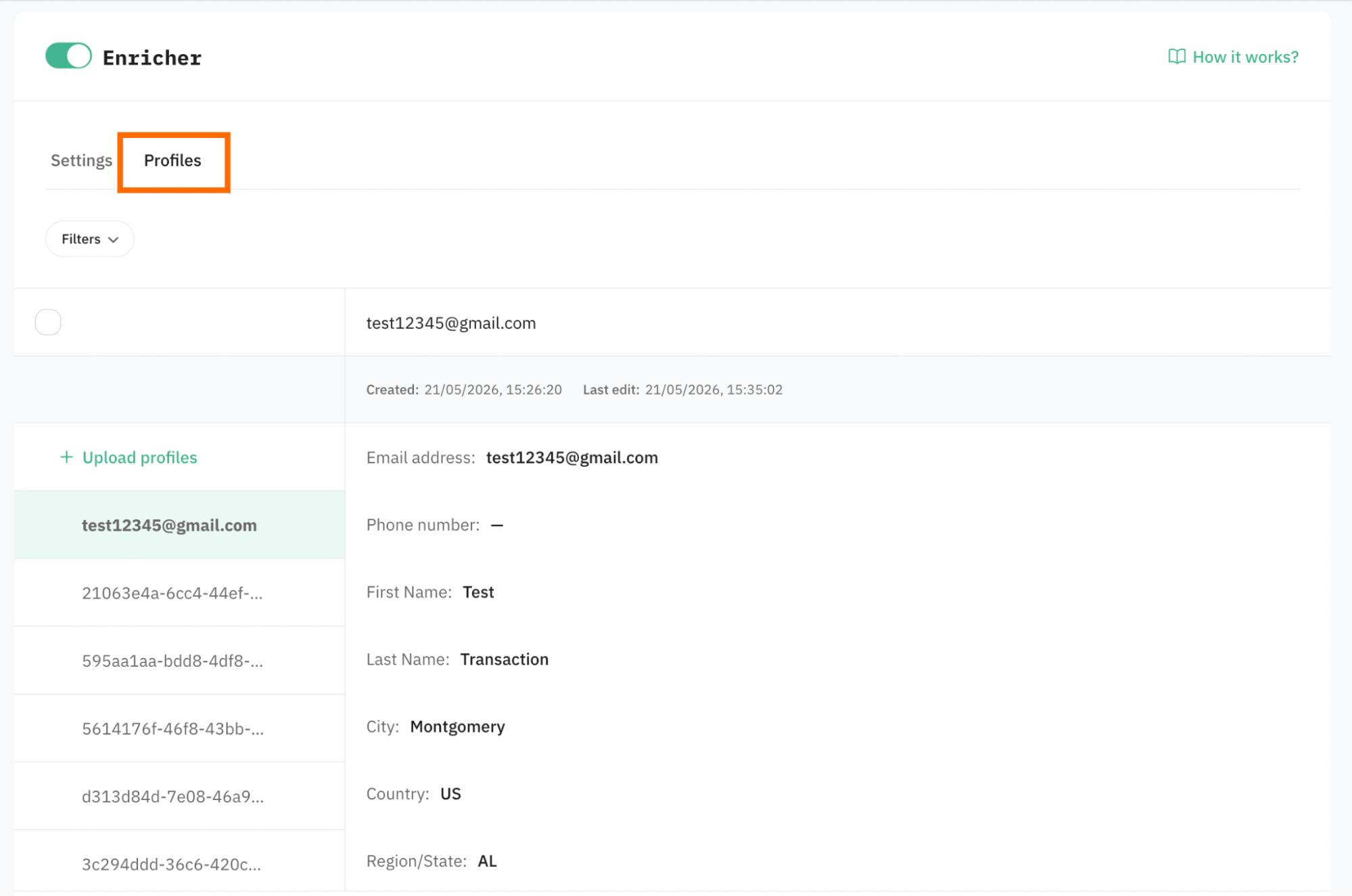
If you use Store as a config method, you can also use the Profiles tab within Enricher power-up to see that data was added to the Store.
Use cases
A typical scenario is that a business is struggling to connect user interactions across sessions because many incoming events lack identifiable data.
The data enrichment works by combining available identifiers and behavioral signals to create a more consistent view of the customer journey. When some identifiers are missing, interactions can still be associated with the same user profile based on available matching identifiers.
The use cases of Enricher power-up include the following:
- Increase event match quality for platforms
- Cross-device tracking and attribution
- Enrichment of webhooks with offline conversions, which helps to attribute online activities to offline sales.
Was this article helpful?
Comments