Dedicated IP power-up
Updated Apr 17, 2026
The Dedicated IP power-up routes all outgoing requests from your Stape container through a single, static IP address that never changes. This is particularly useful when destination endpoints require IP whitelisting before accepting requests.
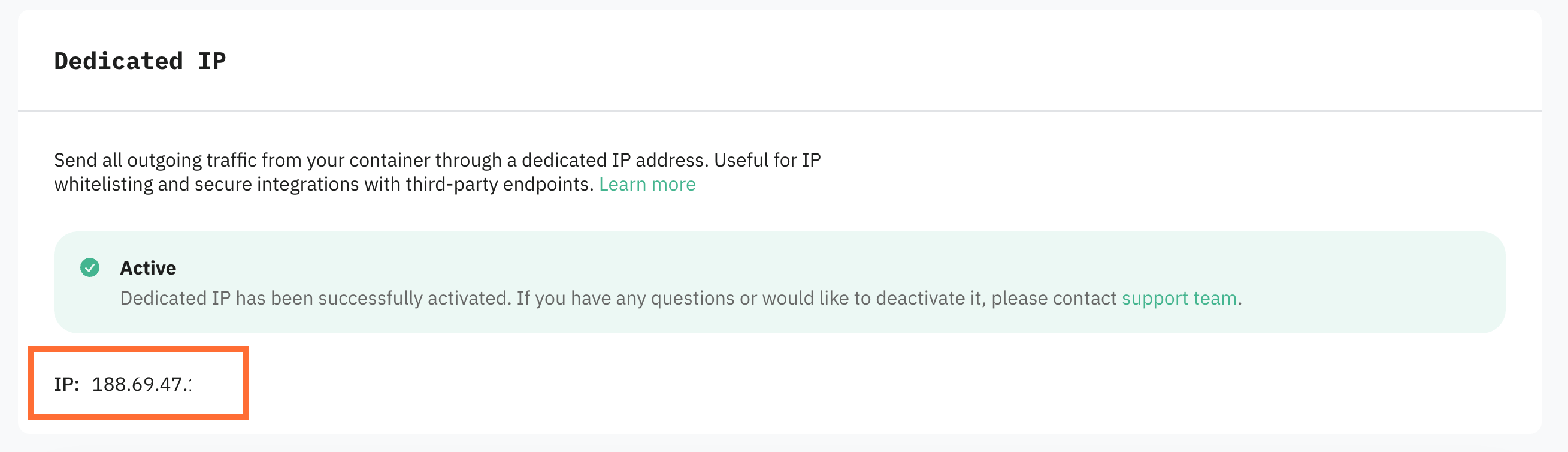
Dedicated IP is a custom paid power-up that requires manual activation by Stape's team. Once your request is submitted, the sales team will reach out within 24 hours to discuss details. After setup, your dedicated IP address will be visible in the power-up's dashboard.
How to set up Dedicated IP
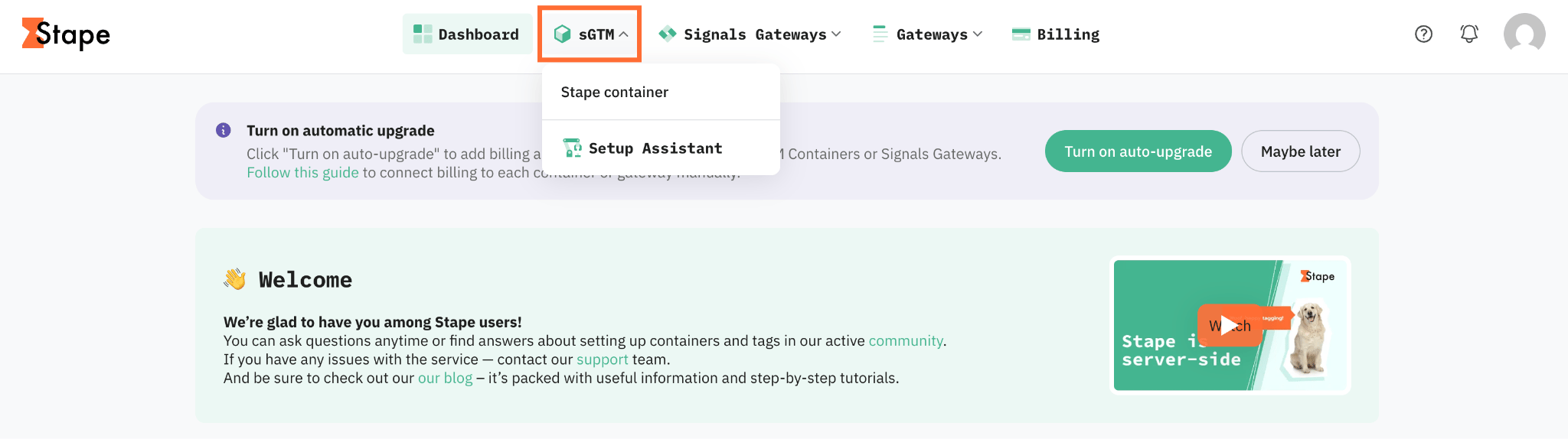
1. Log in to your Stape account and select your sGTM container from the dashboard.
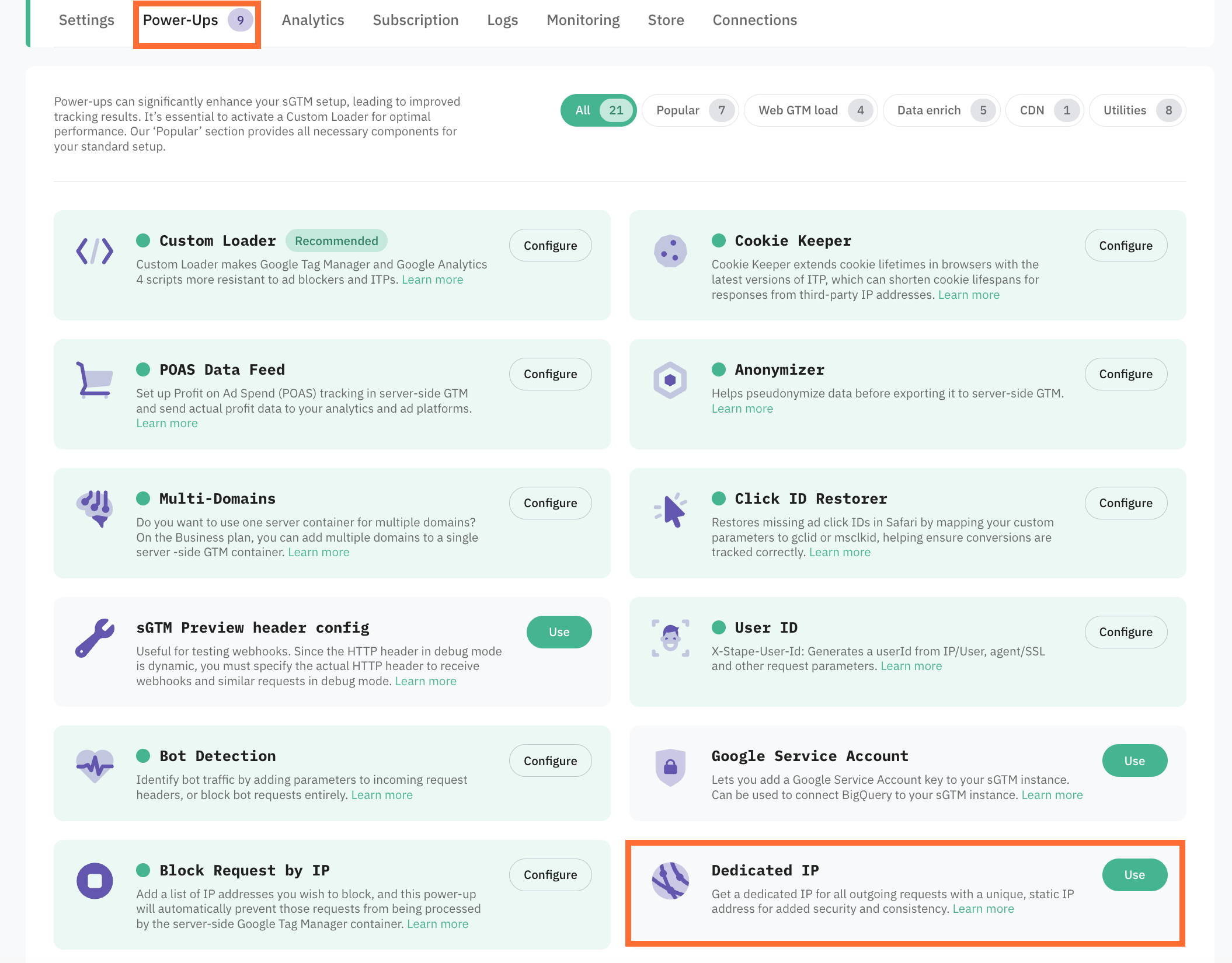
2. Go to Power-ups and click Use next to the Dedicated IP panel.
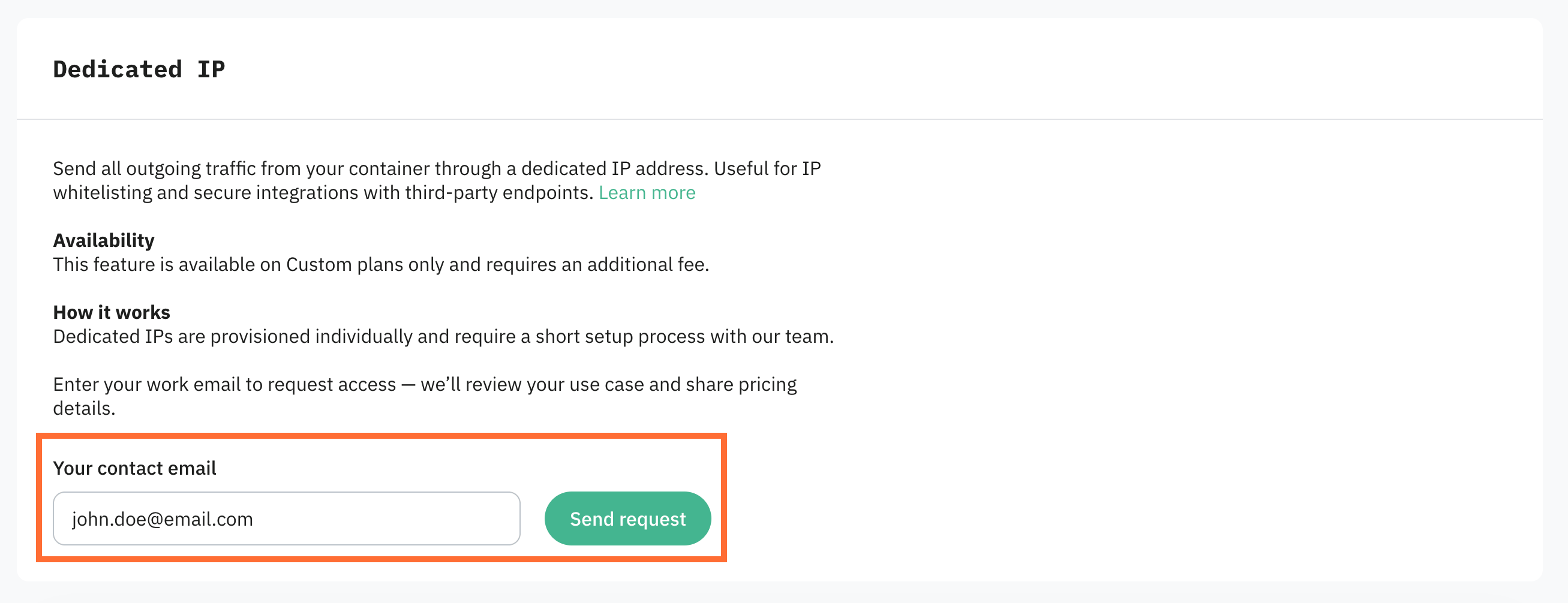
3. Enter your contact email and click Send request.
4. Wait for the Stape sales team to contact you. Once the power-up is activated, your static IP address will appear in the panel.
Testing
- 1.Send a test request from your Stape container to an endpoint you control, such as your own domain (e.g.,
yourdomain.com/data) or a mock collector service (like Postman). To send a test request, you need to add an HTTP Request tag to your sGTM container. - 2.Check the incoming request logs and verify the IP matches your assigned static IP.
Use case
A sample scenario is an eCommerce company that uses a third-party fraud detection service that only processes requests from pre-approved IP addresses. The company is sending order events through their Stape container, but the fraud service keeps rejecting requests because the source IP doesn't match what's on the approved list, and by the time they update it, the IP has already changed again.
You can solve this problem the following way:
- 1.Enable the Dedicated IP power-up to lock down a single static IP for all outgoing requests. Share that IP with the fraud detection provider and have them add it to their allowlist.
- 2.Send a test order event and check whether the fraud service receives and processes it without errors. If it does, the setup is working.
Was this article helpful?
🍽 Table of content:
Comments