Ad Blocker Info power-up
Updated Oct 2, 2026
The Ad Blocker Info power-up detects whether a user has an ad blocker enabled and passes that information to your sGTM setup via a request header. Once active, every incoming event includes an X-User-Adblocker header with a value of true (ad blocker is active) or false (no ad blocker).
When both the Custom Loader and Ad Blocker Info power-ups are active, Custom Loader stores an entry named _xsd in the browser’s localStorage. This flag indicates ad blocker detection (1 if detected, 0 if not) without storing any user identifier. Caching this value avoids re-checking for an ad blocker on every page load.
_xsd is only saved to localStorage when analytics_storage consent is granted in Google Consent Mode. If consent is denied or not configured, detection still runs in memory for the current page, but results aren’t persisted across visits, and the value is saved directly to localStorage.
If you use a Consent Management Platform (CMP), you should declare _xsd under the Analytics category.
Ad Blocker Info is available on the Pro subscription plan and higher. To check your current plan or upgrade, go to your sGTM container settings.
How to set up Ad Blocker Info
Note:
Ad Blocker Info only works if the Custom Loader power-up is already configured.
1. Log in to your Stape account and select your sGTM container from the dashboard.
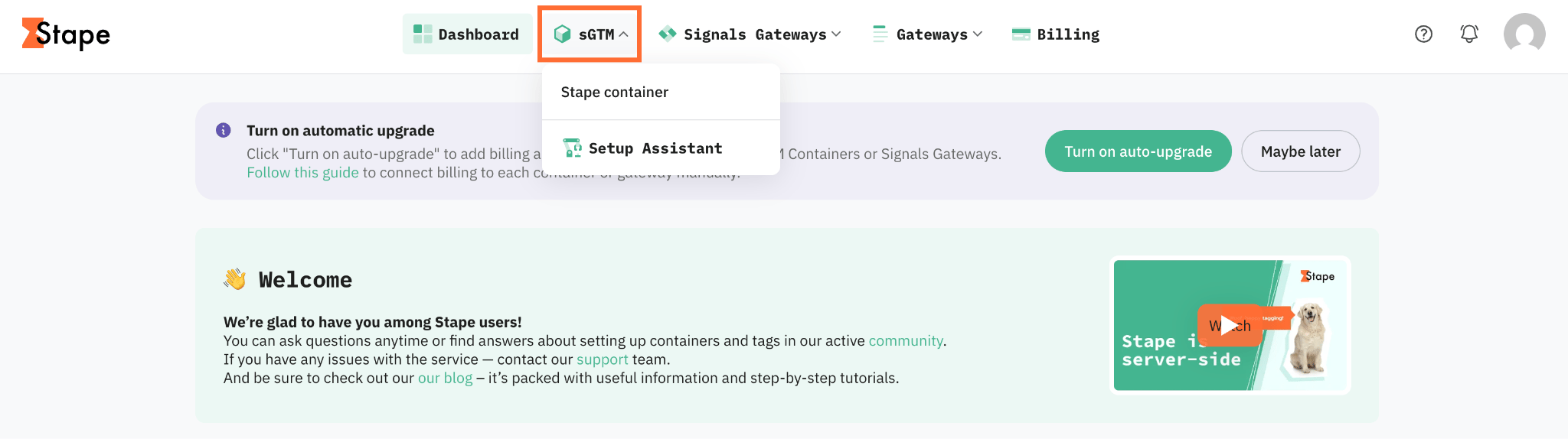
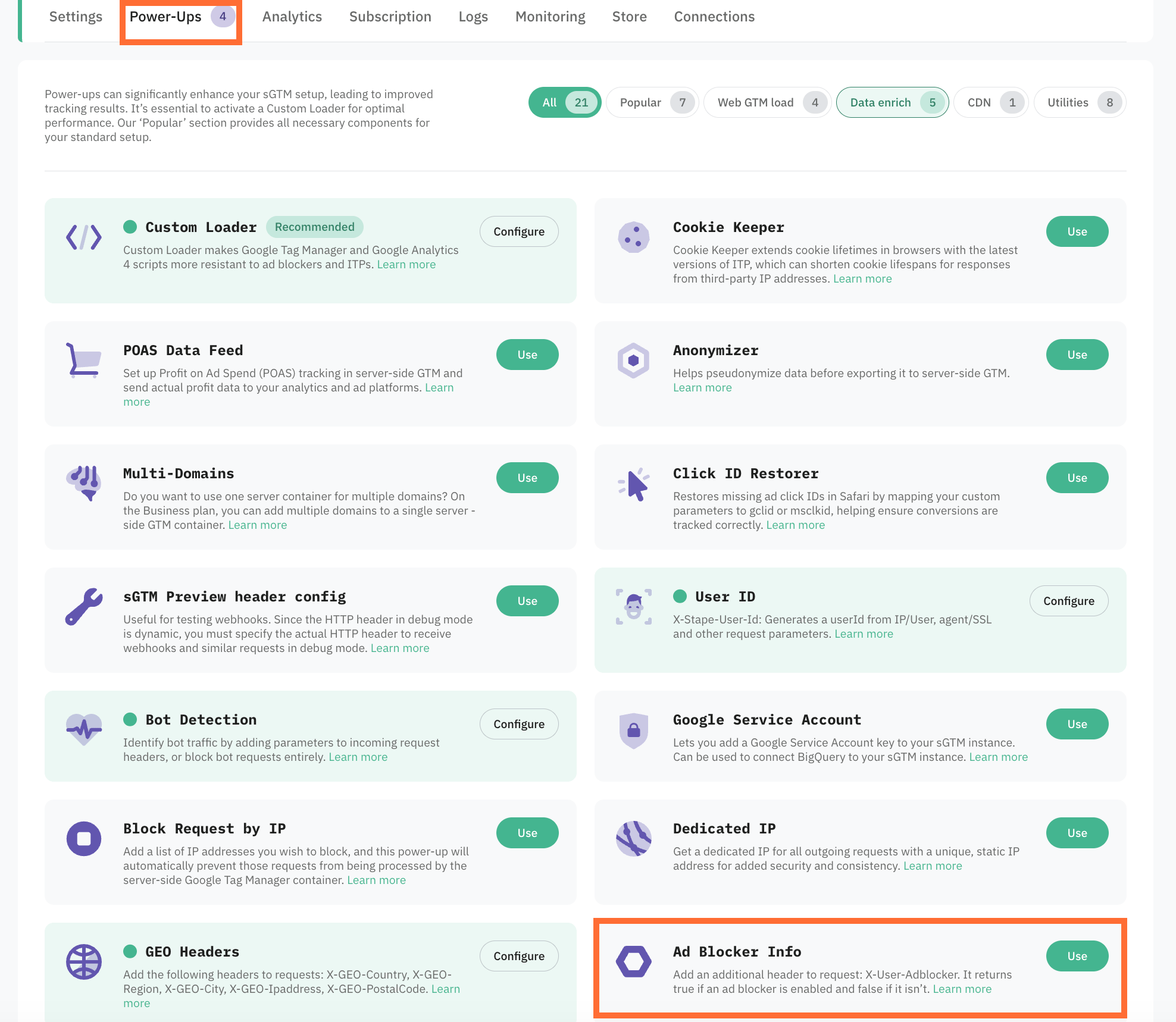
2. Go to Power-ups and click Use next to the Ad Blocker Info panel.
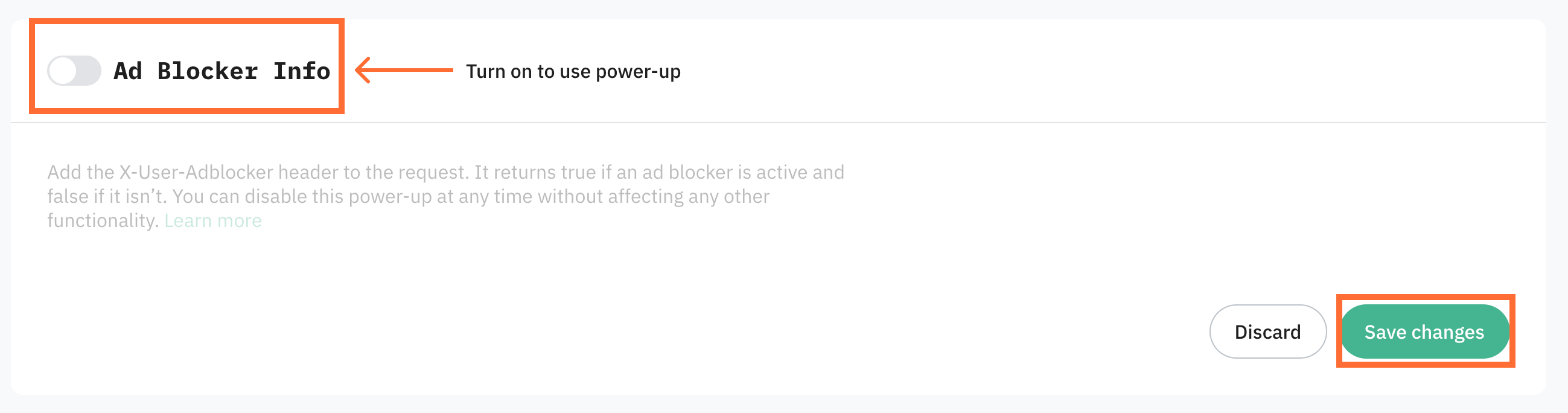
3. Toggle the Ad Blocker Info switch to enable it and click Save changes.
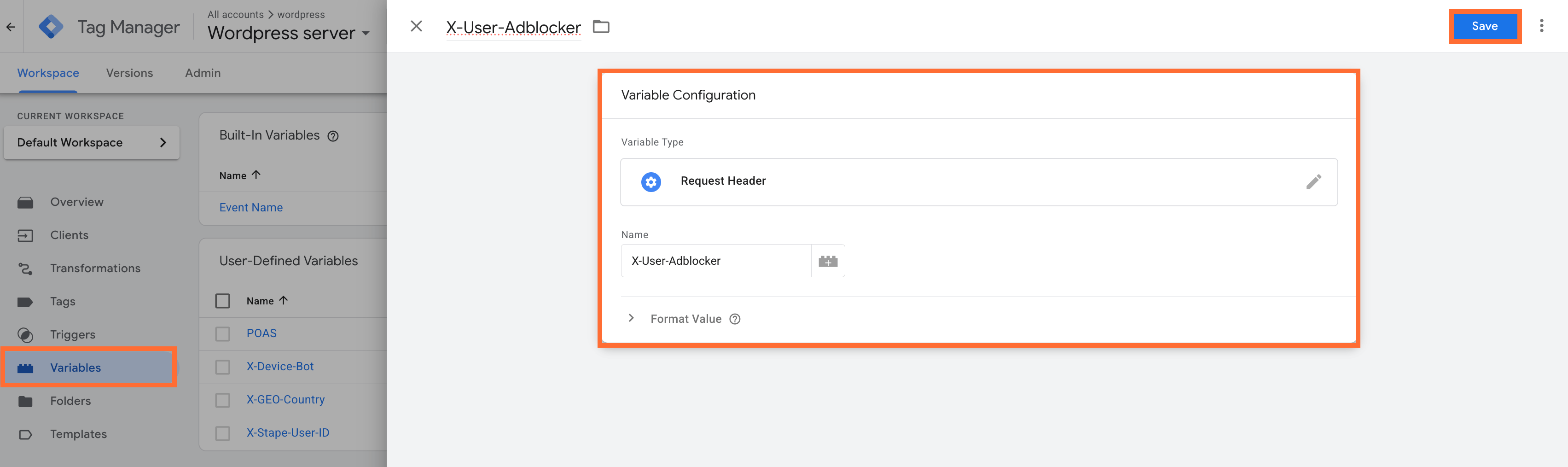
To use the header, create a variable with the type Request Header and enter the X-User-Adblocker name:
- 1.Go to your sGTM container.
- 2.Create a new User-Defined Variable with the type Request Header and enter the header name.
- 3.Click Save.
Testing
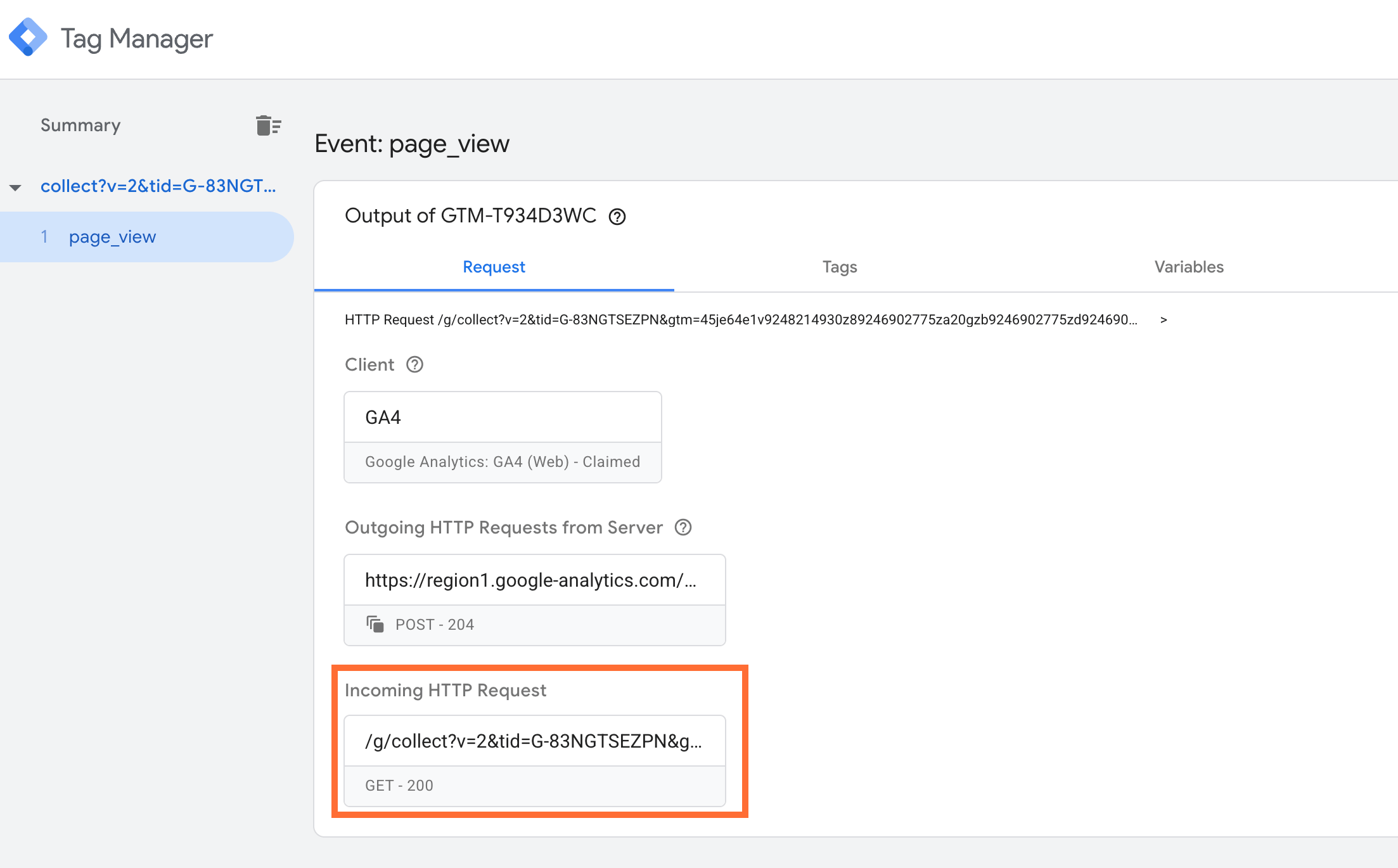
Open your sGTM container's Preview mode and trigger events on your website. Click on the Incoming HTTP Request.
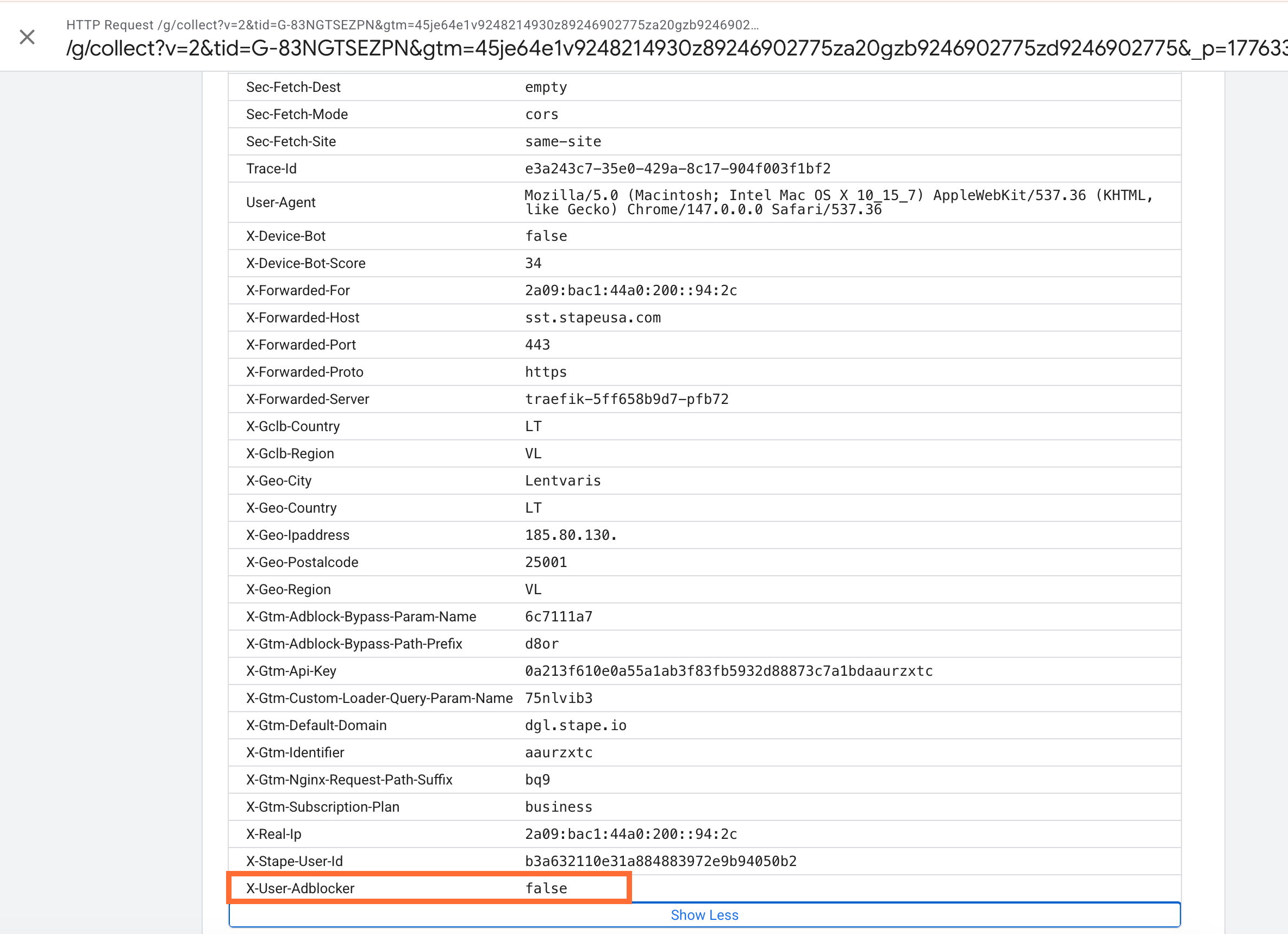
In the incoming requests, check for the X-User-Adblocker header - it’ll show true if an ad blocker is active, or false if it isn’t.
Use case
A sample scenario is a media publisher that runs display advertising and notices their reported impressions are consistently lower than what their analytics show for total page views. The team suspects that a large share of their audience is using ad blockers, and without knowing how large that share is, they can't accurately report reach, or adjust their monetization strategy.
You can identify this problem and fix it this way:
- 1.In GA4, compare your total sessions against your ad impression count from your ad network for the same time period. If impressions fall significantly short of sessions, ad blocker usage is likely contributing to the gap.
- 2.Enable the Ad Blocker Info power-up and configure a GA4 tag in your sGTM container to pass the
X-User-Adblockerheader value as a custom event parameter. This will allow you to segment sessions by ad blocker status directly in your GA4 reports. - 3.Monitor the data over the following 1–2 weeks to build a reliable baseline.
If ad blocker usage is the root cause, you will see a measurable percentage of sessions flagged with X-User-Adblocker: true, which directly explains the impression shortfall.
Was this article helpful?
🍽 Table of content:
Comments