Anonymizer power-up
Updated Jul 13, 2026
The Anonymizer power-up helps you change, remove or mask specific fields in your events before they leave your sGTM container for Google Analytics 4 (GA4). You’ll still receive your event data, but with exactly the level of privacy you’ve chosen to apply. Use the power-up to stay compliant with privacy regulations such as GDPR and CCPA without changing your existing tagging setup.
When using this power-up, you need to keep in mind the following trade-offs with these settings:
- IP address – GA4 location reports become less precise.
- Client ID – user counts and returning user metrics may fragment.
- General / System info – you lose only the fields you remove – user level, device, or session detail.
- Ads campaign attribution – campaign and ad-click attribution in GA4 breaks.
Anonymizer is available on the Free subscription plan and higher. To check your current plan or upgrade, go to your sGTM container settings.
Important:
Anonymization is processed in sGTM before data reaches GA4 and can’t be undone. To ensure your reports remain effective, please confirm your data requirements before choosing to remove any fields.
How to set up Anonymizer
1. Log in to your Stape account and select your sGTM container from the dashboard.
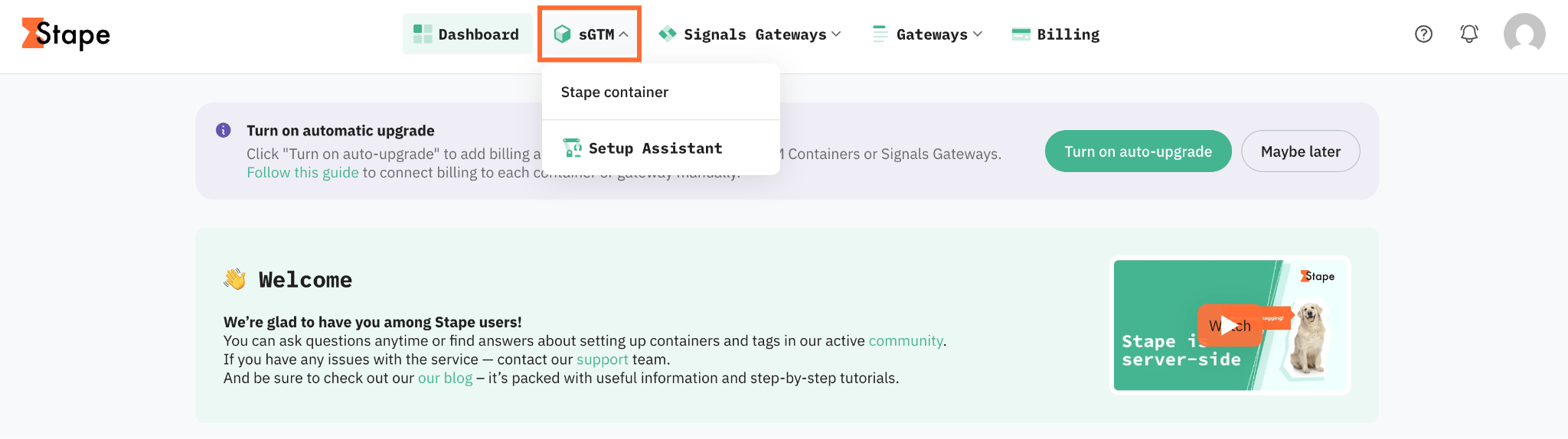
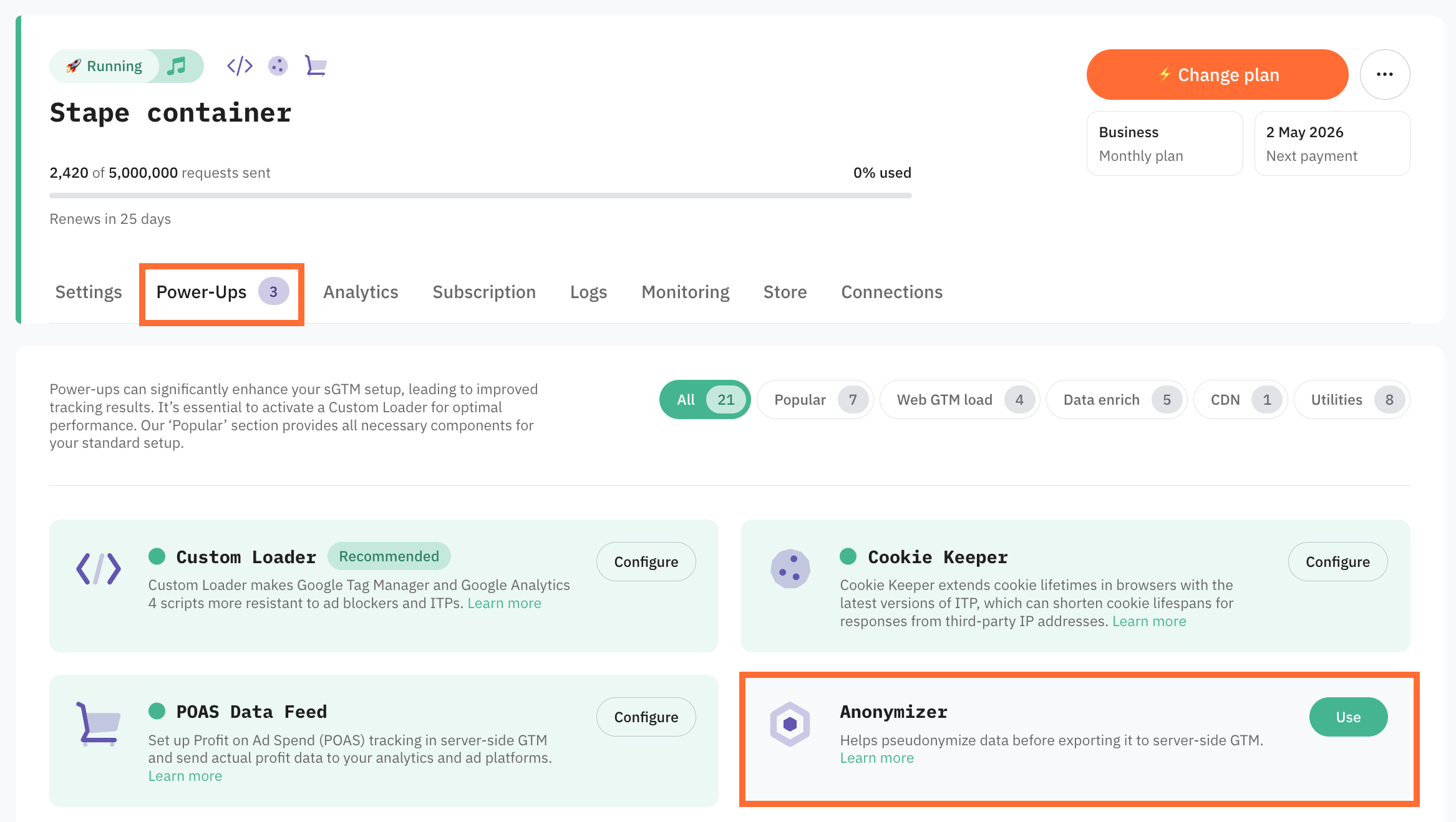
2. Go to Power-ups and click Use next to the Anonymizer panel.
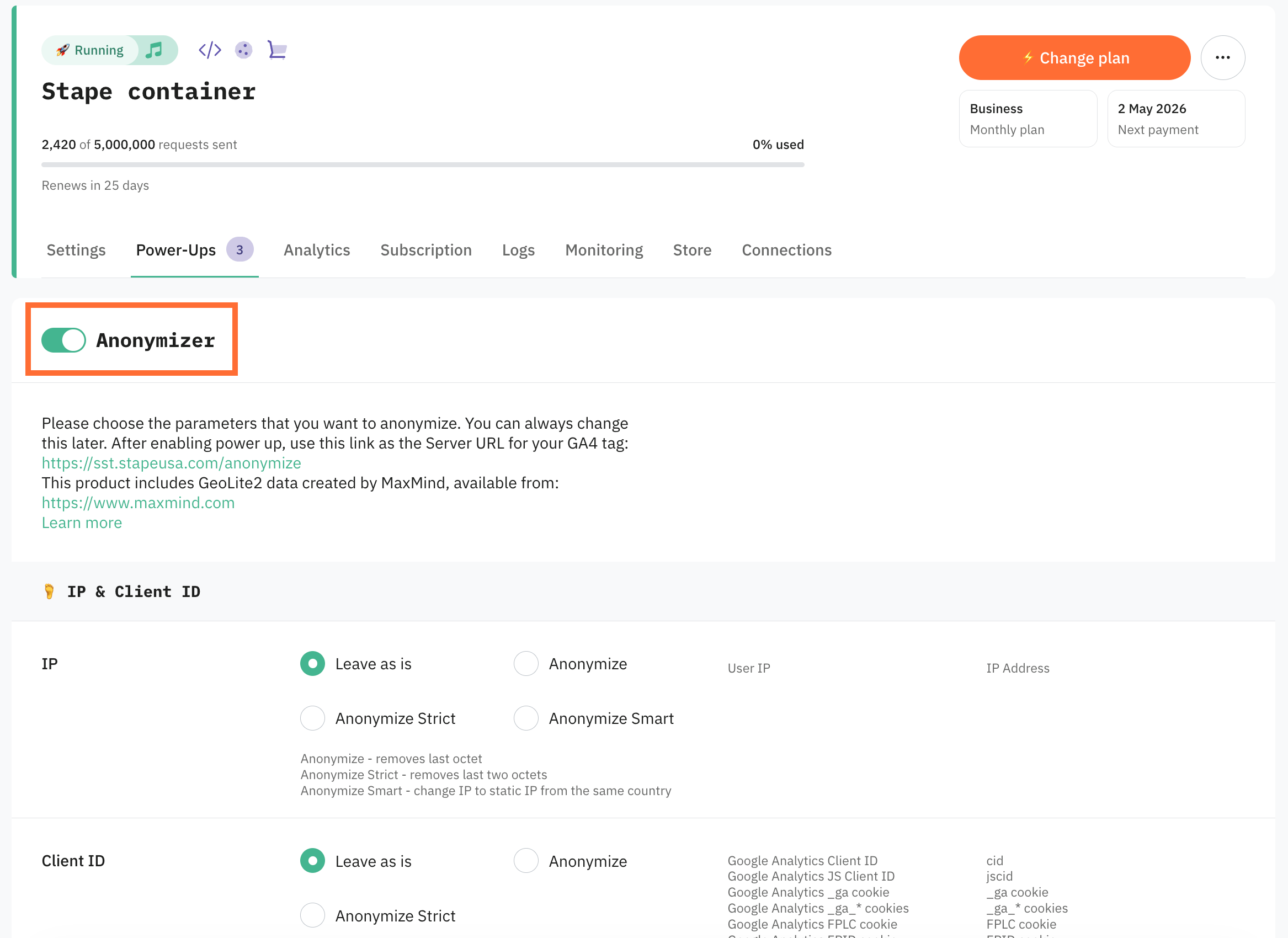
3. Toggle the Anonymizer switch to enable it.
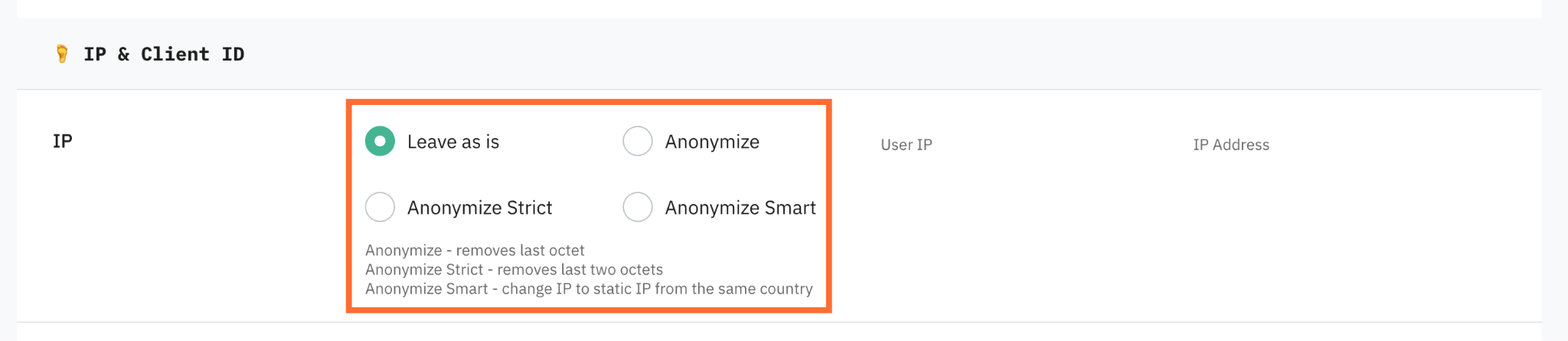
4. Configure each parameter group:
- IP – identifies a specific device, so it carries the highest identification risk. Select the mode by how much geographic detail you need to keep:
- Leave as is – no changes applied. Your geo accuracy is kept in full.
- Anonymize – removes the last octet. The precision becomes lower, keeping roughly region-level geo. For example, 203.0.113.42 becomes 203.0.113.0
- Anonymize Strict – removes the last two octets. The masking is stronger, geo becomes coarser. For example, 203.0.113.42 becomes 203.0.0.0.
- Anonymize Smart (IP only) – replaces the IP with a static IP from the same country. Keeps country-level geo without exposing the real IP. Anonymize Smart uses MaxMind GeoLite2 data.
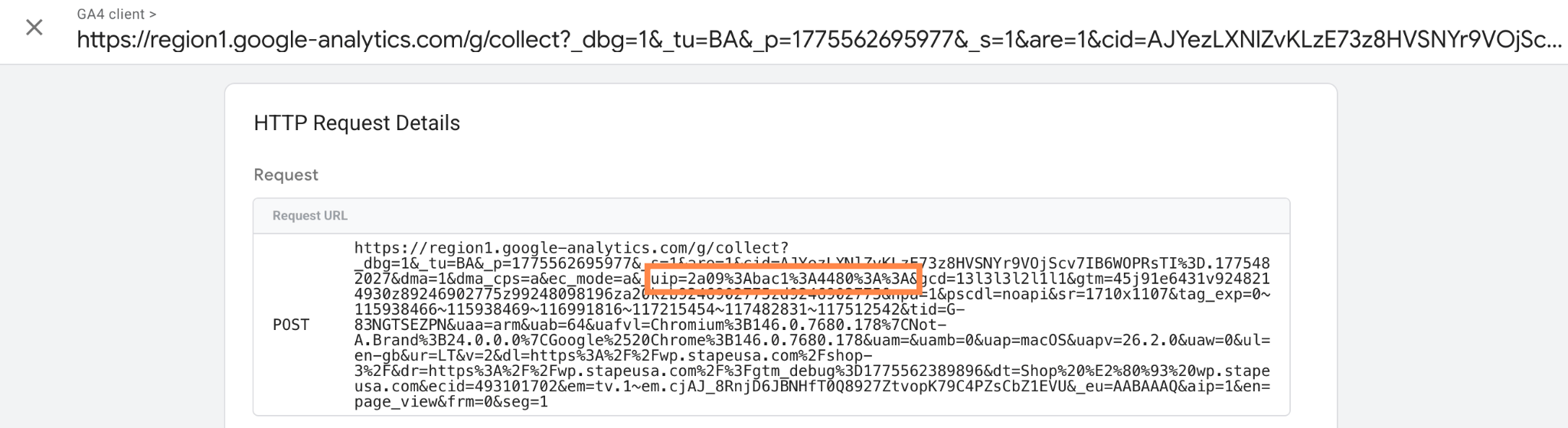
For IPv6 traffic, the Anonymizer power-up truncates trailing segments. In the sGTM debugger you may see something like _uip=2a09:bac5:4887:: with the last segments zeroed out.
- Client ID – identifies a specific person, so it carries the highest identification risk. Affected parameters are described in a table below:
- Leave as is – no changes applied.
- Anonymize – hashes IP and client ID, then appends the year and month. JS client ID, _ga, _ga_*, FPLC, and FPID cookies are removed.
- Anonymize Strict – hashes IP and client ID, then appends a timestamp. JS client ID, _ga, _ga_*, FPLC, and FPID cookies are removed.
Note:
Client ID anonymization works only if you use JavaScript-managed client identification.

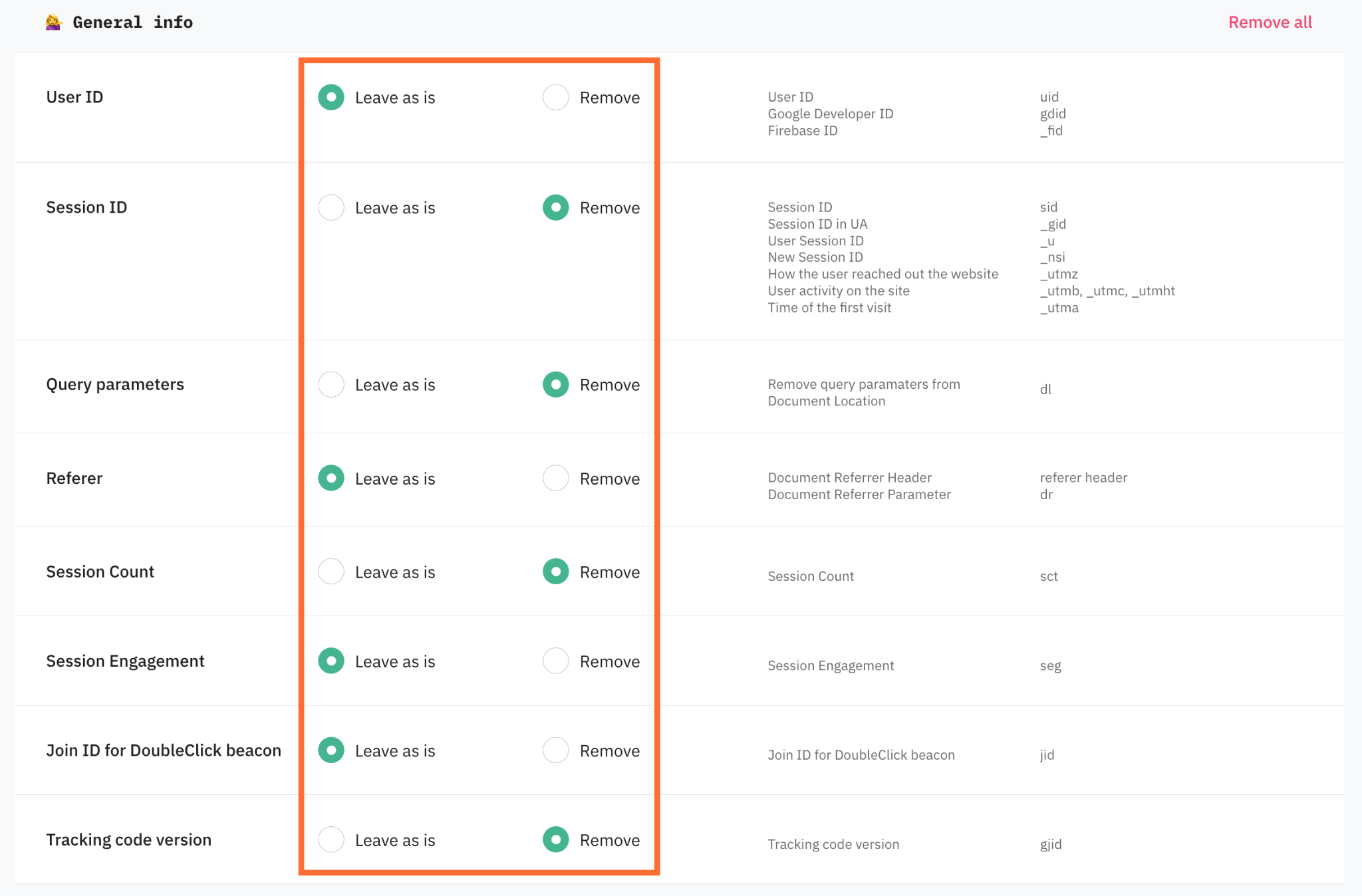
- General info – user and session identifiers, and visit history. Removing them limits user-level and session-level analysis in GA4. Affected parameters are described in a table below:
- Leave as is – no changes applied.
- Remove – removes the parameters.
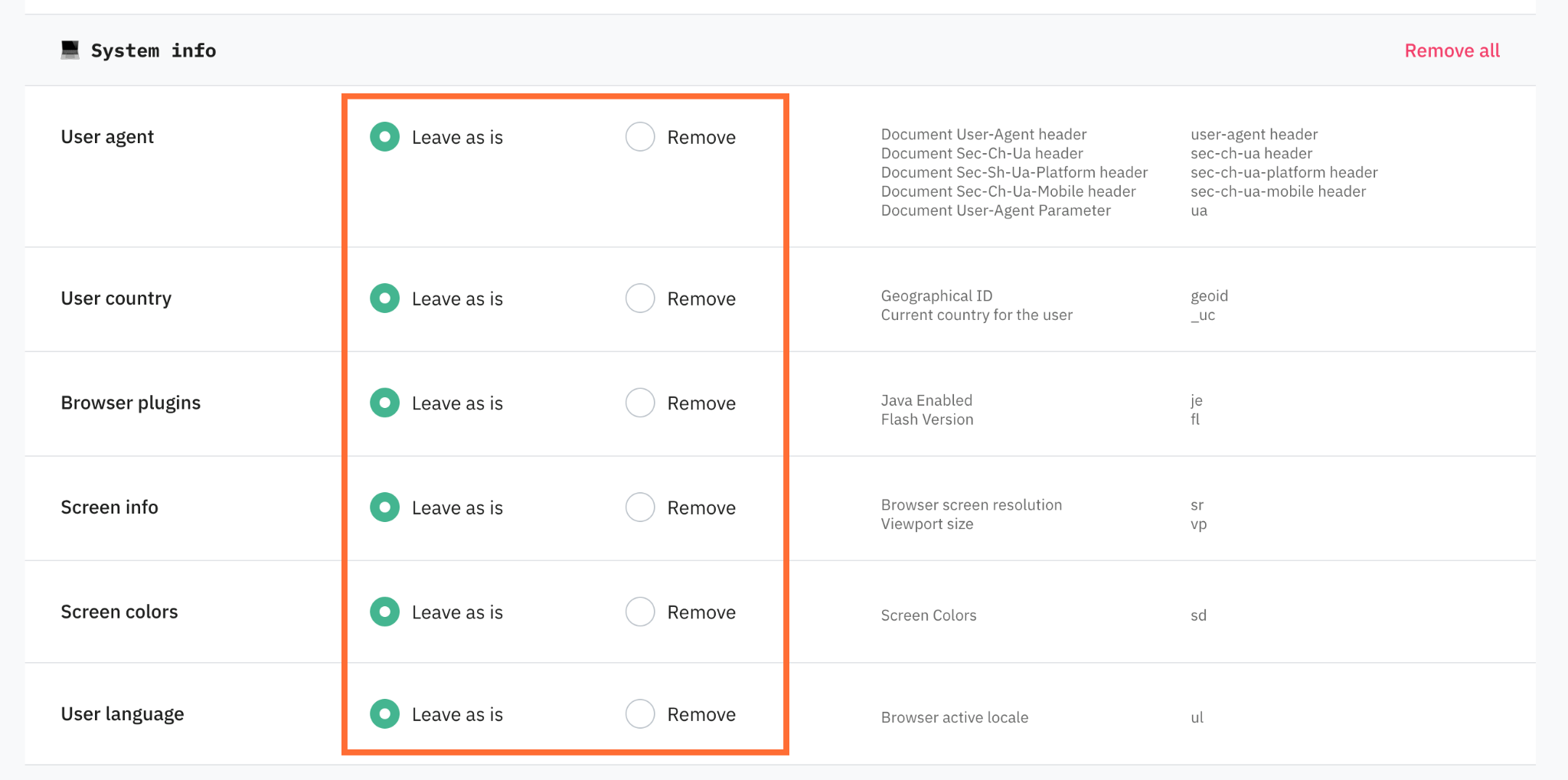
- System info – device and environment details. Removing them weakens device and technology reports and reduces the surface for fingerprinting. Affected parameters are described in a table below:
- Leave as is – no changes applied.
- Remove – removes the parameters.
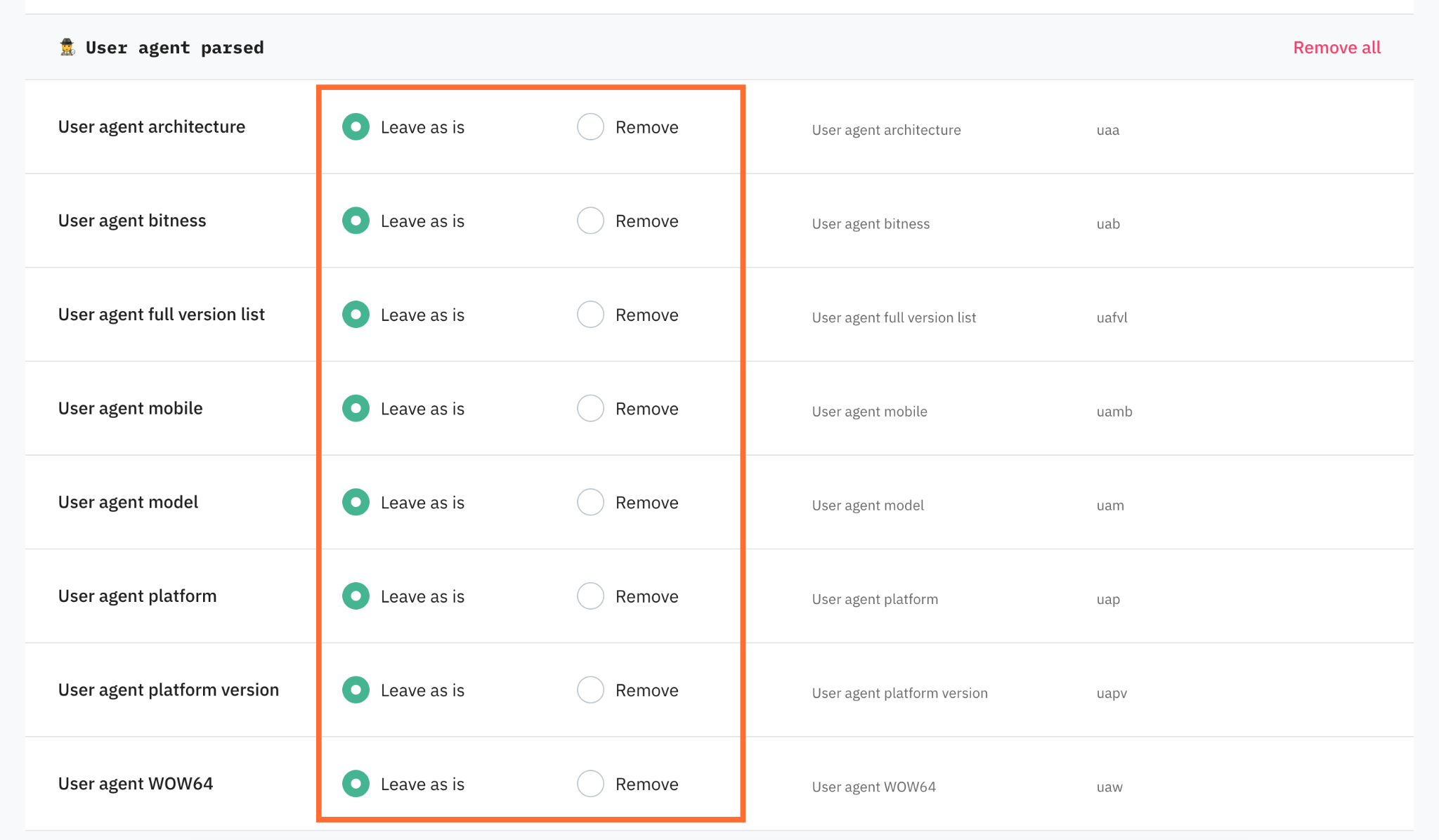
- User agent parsed – the individual Client Hints fields. Remove them to drop granular device detail while keeping the raw user agent, or vice versa. Affected parameters are described in a table below:
- Leave as is – no changes applied.
- Remove – removes the parameters.
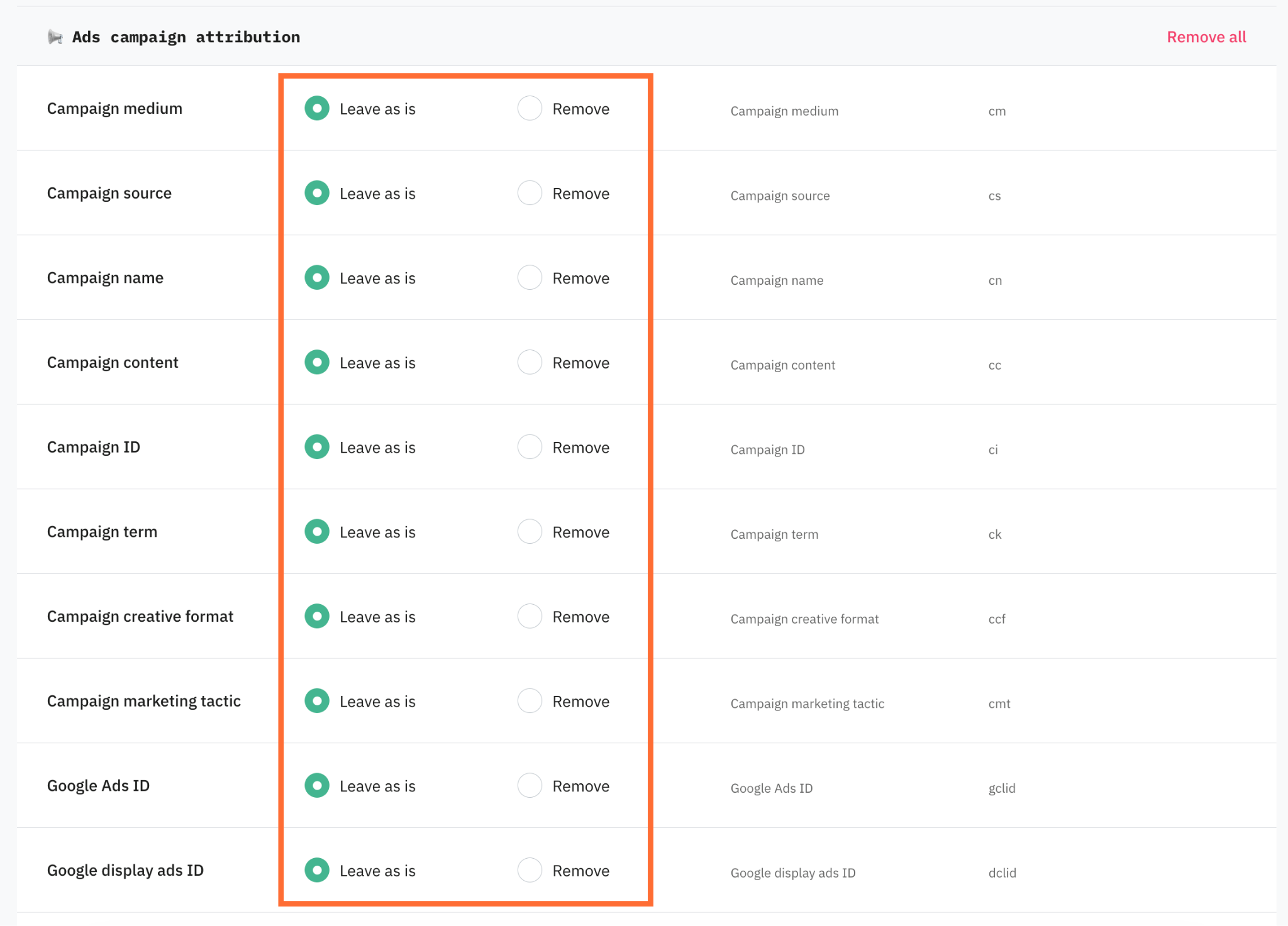
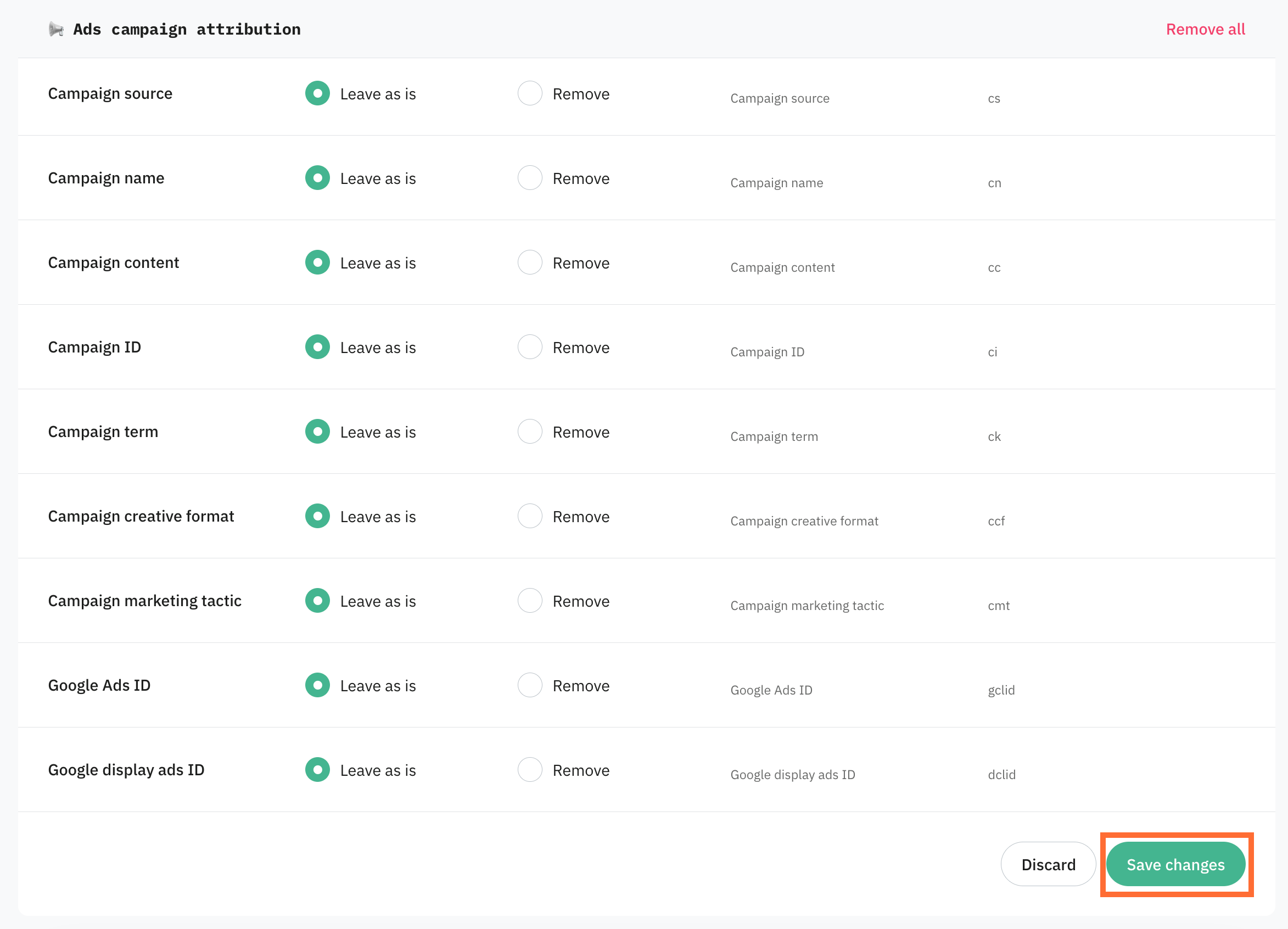
- Ads campaign attribution – UTM, ad-click data such as source or medium. Affected parameters are described in a table below:
- Leave as is – no changes applied.
- Remove – removes the parameters.
Warning:
Removing these parameters breaks campaign attribution in GA4 and your ad platforms. Remove ad data only when a regulation requires it.
5. Click Save Changes.
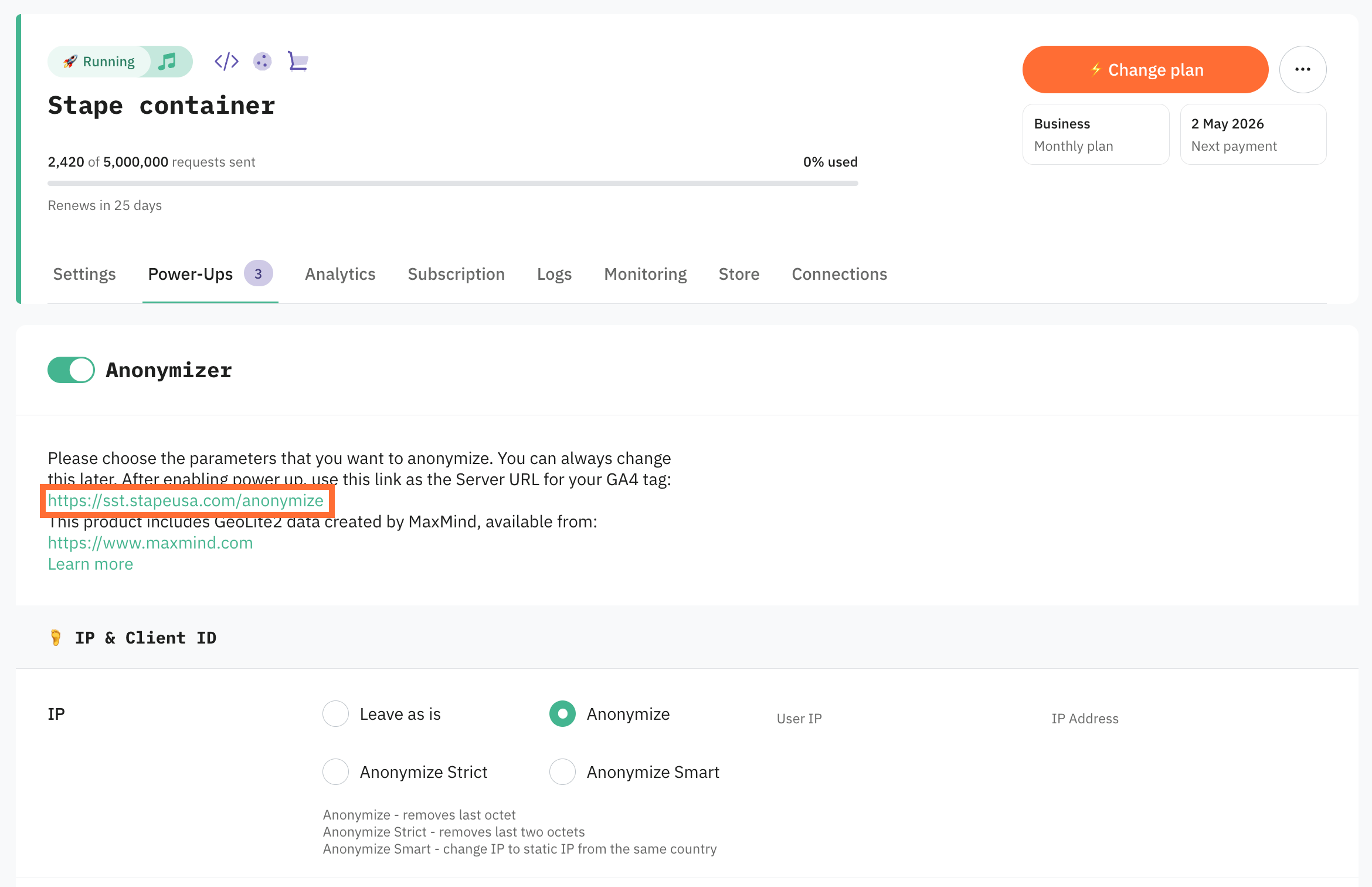
6. Copy the link shown under the Anonymizer switch.
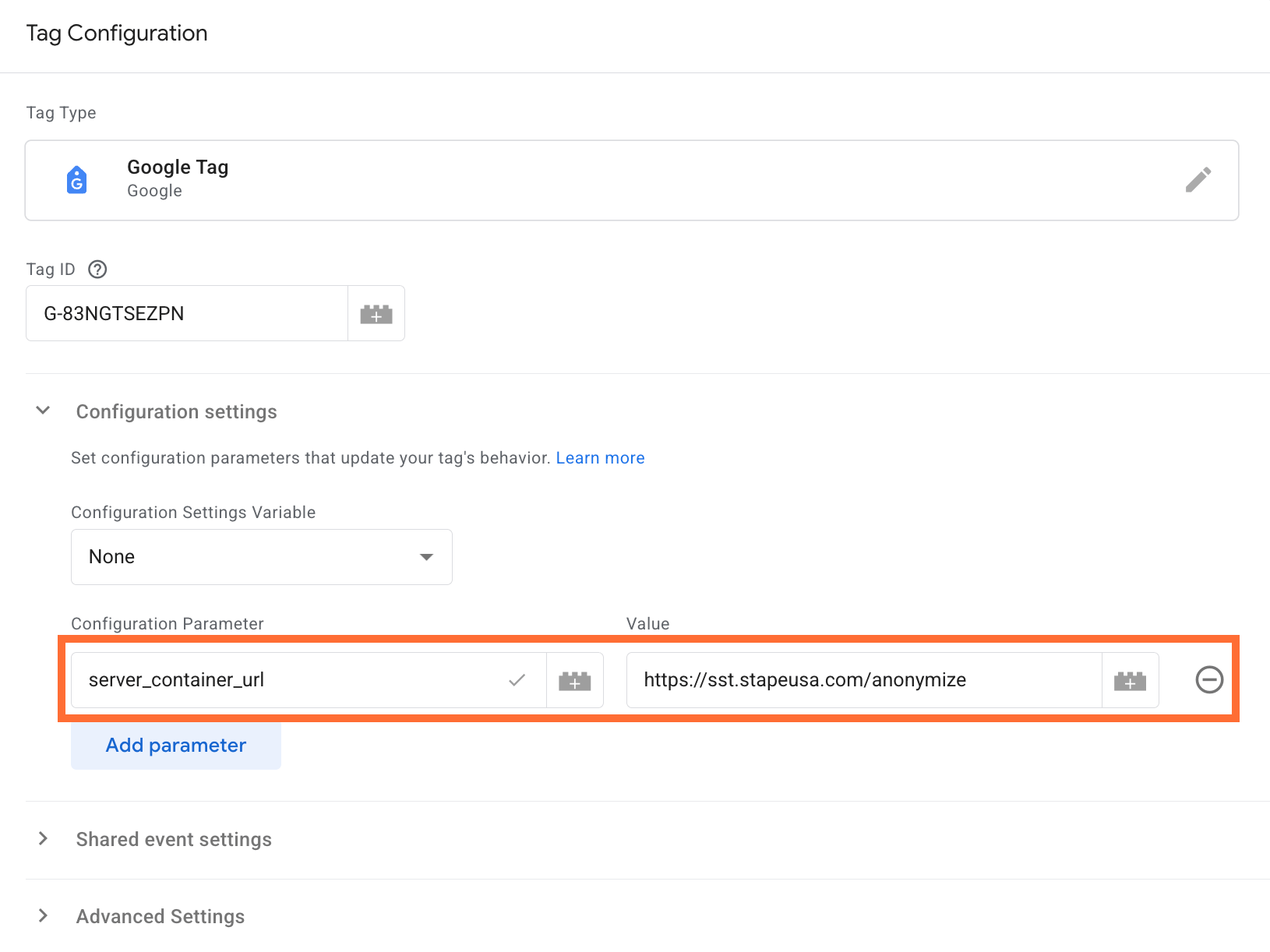
7. In your web container’s Google Tag replace the server_container_url value with the one you’ve just copied. If you don’t have the GA4 tracking configured, follow this guide.
Testing
There are several ways to test Anonymizer power-up.
Option 1. sGTM debugger
- 1.Open the sGTM debugger for your container.
- 2.Trigger a few events, including some with user parameters.
- 3.Inspect the outgoing GA4 requests and confirm the fields you configured are absent or masked. For example:
_uip=2a09:bac5:4887::– the IP is truncated (trailing segments zeroed).aip=1– the IP-anonymization flag is set.
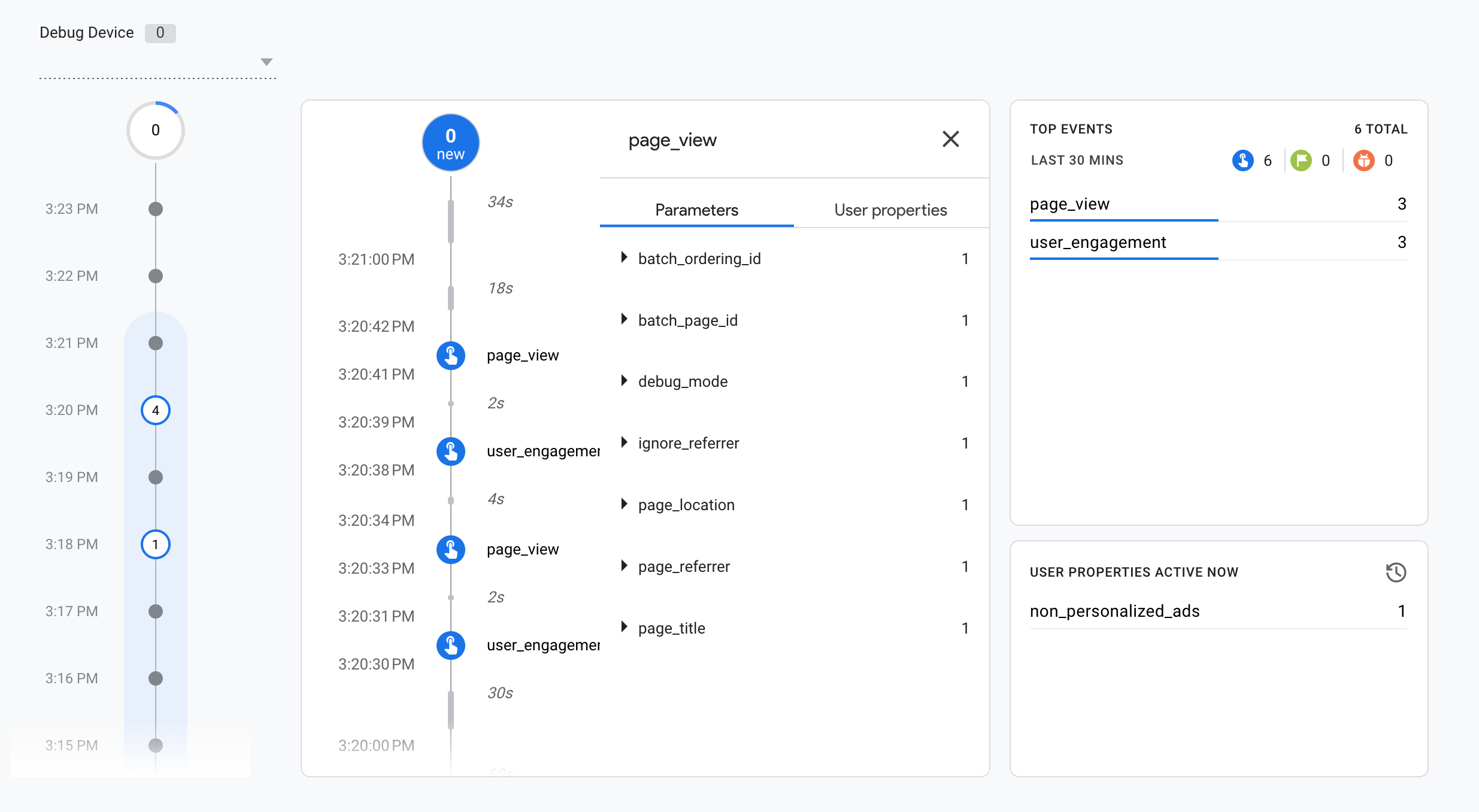
Option 2. GA4 debugger
Use the Google Analytics 4 debugger Chrome extension to check what data GA4 actually processes on its end:
- 1.Visit your website and trigger the events you want to test.
- 2.Go to GA4 → Admin → DebugView.
- 3.You'll see events streaming in real time. Click into an event and inspect its parameters. Any parameters you configured to remove in the Anonymizer should be absent here. This method can't confirm IP or Client ID anonymization, use Option 1 for those.
Common configurations
Here are some examples of common Anonymizer power-up configurations:
1. Minimal change when legal/compliance asked only to stop sending full IPs:
| Setting | Action |
| IP | Anonymizer |
2. When you use GA4 user_id for logged-in users but policy says that ID must not reach Google.
| Setting | Action |
| IP | Anonymize |
| General info | User ID → Remove |
3. Session analytics without users when you want event and session trends, not user-level analysis.
| Setting | Action |
| IP | Anonymize |
| Client ID | Anonymize |
| General info | User ID → Remove, Session ID → Remove |
4. Healthcare / finance when a data protection officer wants minimal personal data in GA4. Reporting accuracy is secondary.
| Setting | Action |
| IP | Anonymize Strict |
| Client ID | Anonymize Strict |
| General info | User ID → Remove, Referer → Remove, Query parameters → Remove |
| System info | Remove all |
| User agent parsed | Remove all |
| Ads campaign attribution | Remove all |
Use case
A sample scenario is an eCommerce store operating in the EU that collects behavioral data via GA4. Their legal team flags that full IP addresses are being forwarded to Google Analytics, which conflicts with their data processing agreement under GDPR.
You can identify this problem and fix it this way:
- 1.Open your sGTM debugger and inspect the outgoing GA4 requests. If you see a full IP address in the
_uipfield, that data is reaching Google's servers unmodified. - 2.Enable the Anonymizer power-up and configure it: set IP to Anonymize or Anonymize Strict.
- 3.Trigger a few test events, then re-inspect the outgoing GA4 request in the sGTM debugger. Confirm
_uipis truncated.
If configured correctly, GA4 will continue receiving event data for reporting while the fields that locate individual users are stripped before leaving your server.
Was this article helpful?
🍽 Table of content:
Comments