Oct 1, 2026
How to set up Eulerian with server GTM
Written by
Maryna Semidubarska
Published Jan 5, 2026 comments
Key takeaways:
- A server setup processes your events on a cloud server, which helps keep tracking more stable and accurate across different browsers and devices.
- Eulerian reads these server-side events through your first-party collection domain.
- All configuration happens in GTM: install the template, set up the tag, add triggers, and publish.
- Stape hosts the server container that forwards events reliably to Eulerian.
Attribution helps you understand which touchpoints guide a user toward a conversion. It shows how people move through your channels and what influences their decisions. When some events don't arrive, that path breaks. Reports look inconsistent, and it becomes harder to make marketing budget choices.
Seeing the full customer journey depends on having every important event recorded. Client-side tracking can miss some of these events because browsers close, cookies expire, or privacy rules block requests before they reach your tools. When this happens, parts of the path disappear.
A server-side setup reduces these gaps because events pass through a stable cloud environment, where they are processed and forwarded reliably. More events reach your analytics and marketing tools, so your attribution models work with a more complete picture.
If you are looking at a Unified Marketing Platform and are considering Eulerian, or have already made your choice, the good news is that there is a simple way to connect your Stape account and start sending data there. The tag is already created.
In this article, we'll show how to send your web events to Eulerian through a server GTM container hosted on Stape. This setup helps you collect more complete data and send it to your Eulerian collection domain.
The configuration includes the following steps, which we'll explain in detail:
- 1.Installing the Eulerian template in your server GTM container.
- 2.Creating and configuring the Eulerian server-side tag.
- 3.Setting up triggers for GA4 events.
- 4.Testing and publishing your setup in GTM.

Client-side vs server-side Eulerian data collection
With a classic client-side setup, tags for analytics and attribution run in the browser and call third-party domains. Browsers and ad blockers often block these calls or cut cookie lifetime, so a lot of visits and conversions never reach your tools.
Eulerian focuses on first-party and server-side collection. Data is collected under a domain that belongs to the advertiser and goes through a server environment instead of relying only on the browser. This makes the setup more resistant to tracking limits in Safari, Firefox, and Chrome, and keeps ownership of the data with the brand.
When you connect Eulerian to a server GTM container hosted on Stape, the browser still collects events, but they are processed on a cloud server before being sent to Eulerian. This helps recover events that would be lost in a pure client-side setup and gives a more complete view of visits and conversions.
Benefits of using Eulerian with server-side tracking
Server-side tracking with Eulerian brings several practical benefits for marketing teams:
- More complete first-party data. Eulerian combines first-party collection with server-side tracking to keep more events despite browser limits and ad blockers. According to Eulerian, classic third-party setups may capture only a fraction of the data that is available, while first-party collection helps recover a much larger share.
- Reliable measurement for all channels. Eulerian Marketing Platform aggregates KPIs from acquisition, conversions, retention, and lifetime value into one view. Online and offline touchpoints can be measured in a deterministic way, so reports reflect the real customer journey across channels.
- Strong privacy framework. Eulerian is built for compliance with European rules and highlights CNIL exemption, GDPR alignment, and a first-party approach that keeps data under the brand's control. This helps teams respect consent choices while still measuring performance.
- Adaptable setup. Eulerian is "server-side ready" and offers many connectors to send data into BI tools, ad platforms, and activation tools from the same dataset. This helps keep measurement stable as browsers change.
How server-side tracking with Eulerian and Stape works
In a typical setup with Stape and Eulerian, the flow looks like this:
- 1.A user visits your website. Web GTM fires tags such as GA4 tags in the browser and sends events to the server GTM endpoint on a subdomain like
anything.yoursite.com, which runs on a cloud server hosted by Stape. - 2.Inside the server container, the GA4 client receives the event. The Eulerian server-side tag template reads the event data (for example,
page_view,add_to_cart,purchase) and any extra parameters you pass, such as order value or user identifiers. - 3.The server container sends a request from the cloud server to your Eulerian data collection domain (for example,
sdf475.eulerian.io). Because collection is first-party and server-side, it is less affected by browser limits and ad blockers. - 4.Eulerian Marketing Platform stores and unifies these events. You can then use its reports for attribution, analytics, and activation, using the same dataset to understand which channels drive revenue and where to adjust spend.
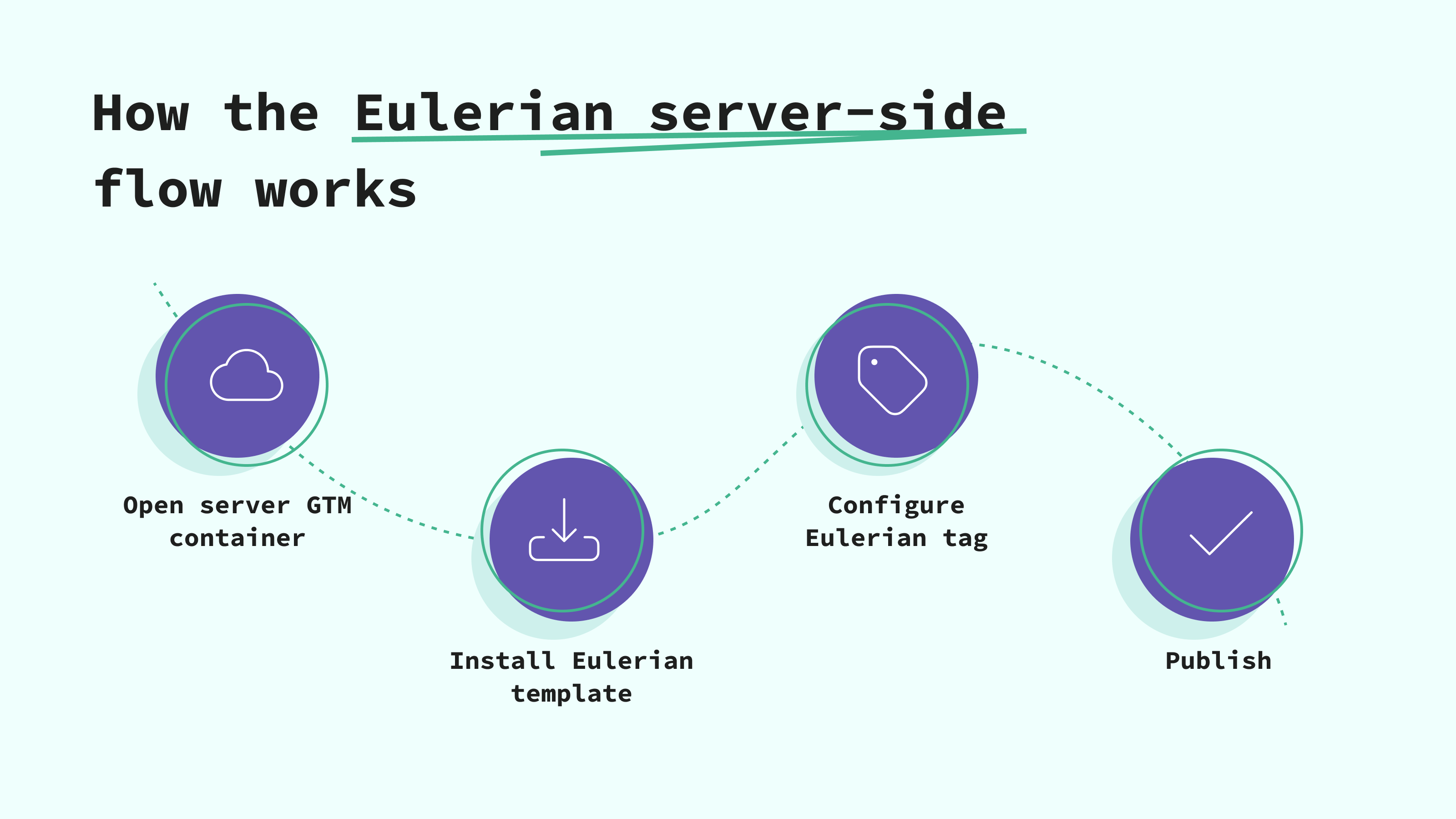
Prerequisites and setup steps for using Eulerian with the Stape-hosted server GTM
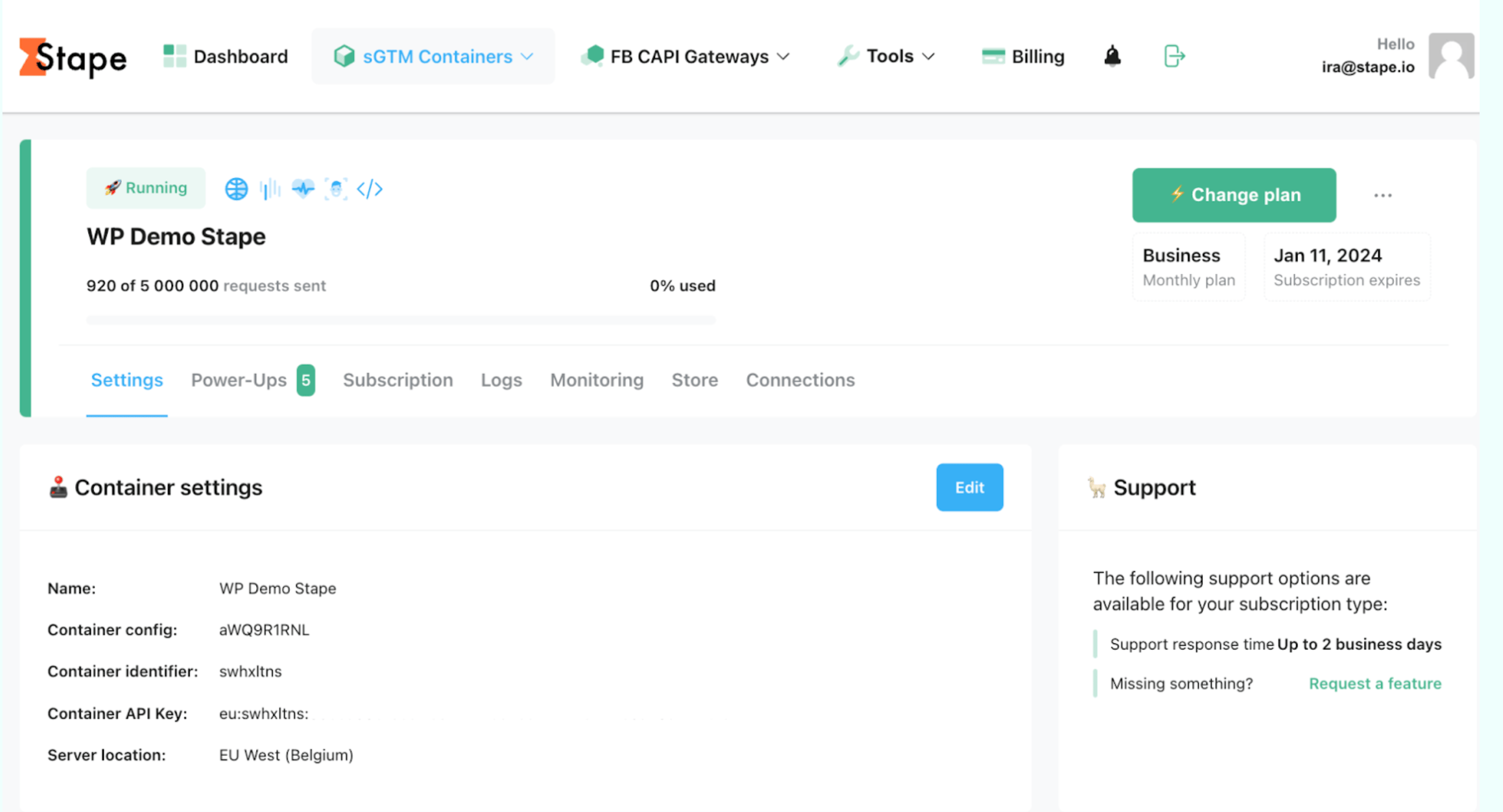
Prerequisites
Before you start the setup, make sure you have everything ready for the server container and the Eulerian integration:
⦿ A Google Tag Manager account with a server container.
⦿ Access to both GTM and Stape.
⦿ Your Eulerian data collection domain (e.g., sdf475.eulerian.io) was provided when your Eulerian account was created, you can create a free account:
- European Platform : https://routing.api.eulerian.com/?partner=stape
- Canadian Platform : https://routing.api.eulerian.ca/?partner=stape
Note:
In this article, we assume that your web GTM container already sends GA4 events to a server container. If you have not set up the web part yet, follow this Stape guide on how to start your tracking journey.
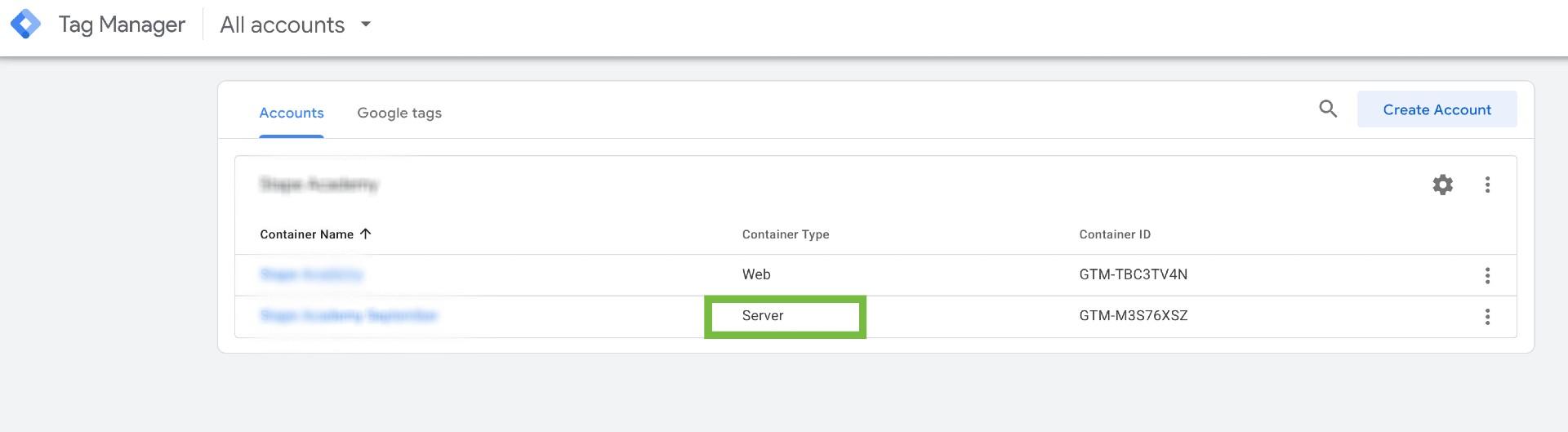
Step 1. Open your server container in GTM
1. Go to tagmanager.google.com.
2. Select your server container hosted on Stape.
3. You should see Server indicated near the container name.
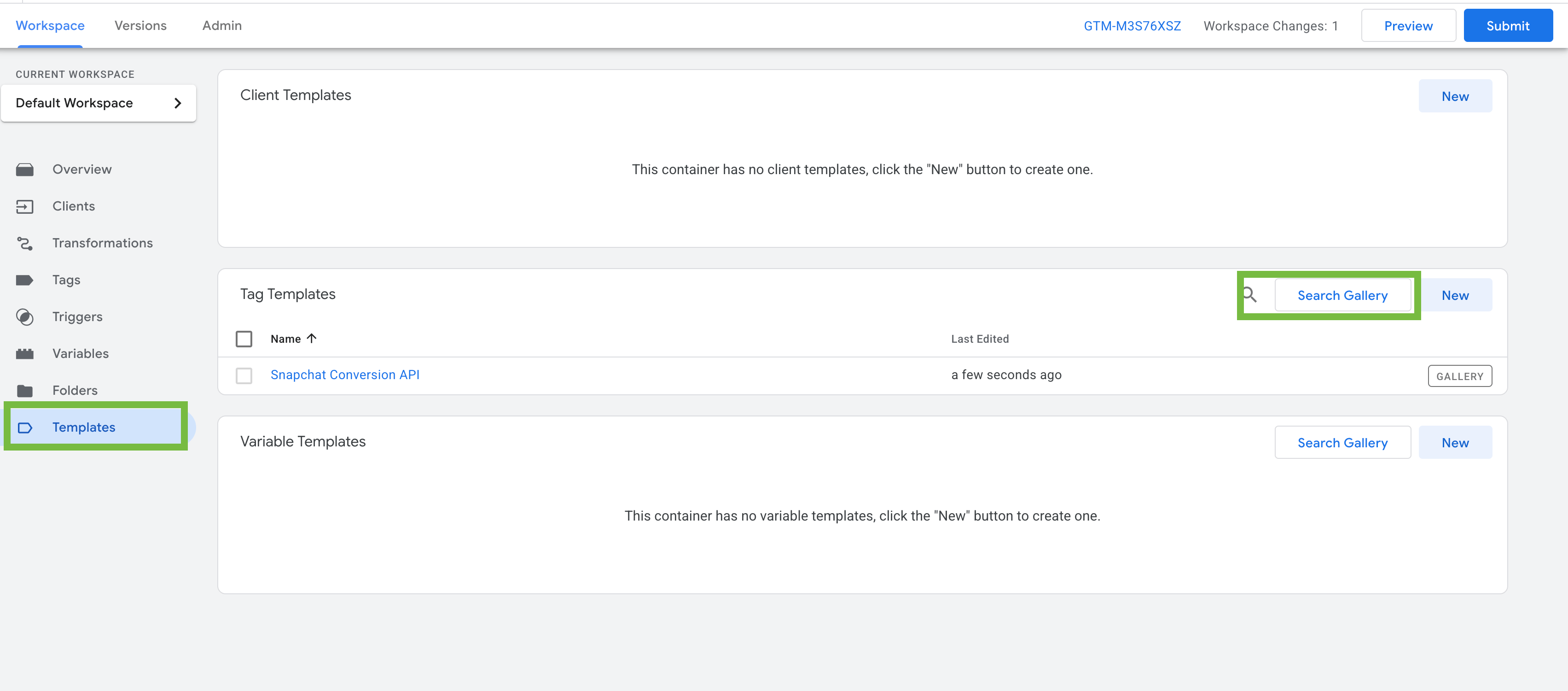
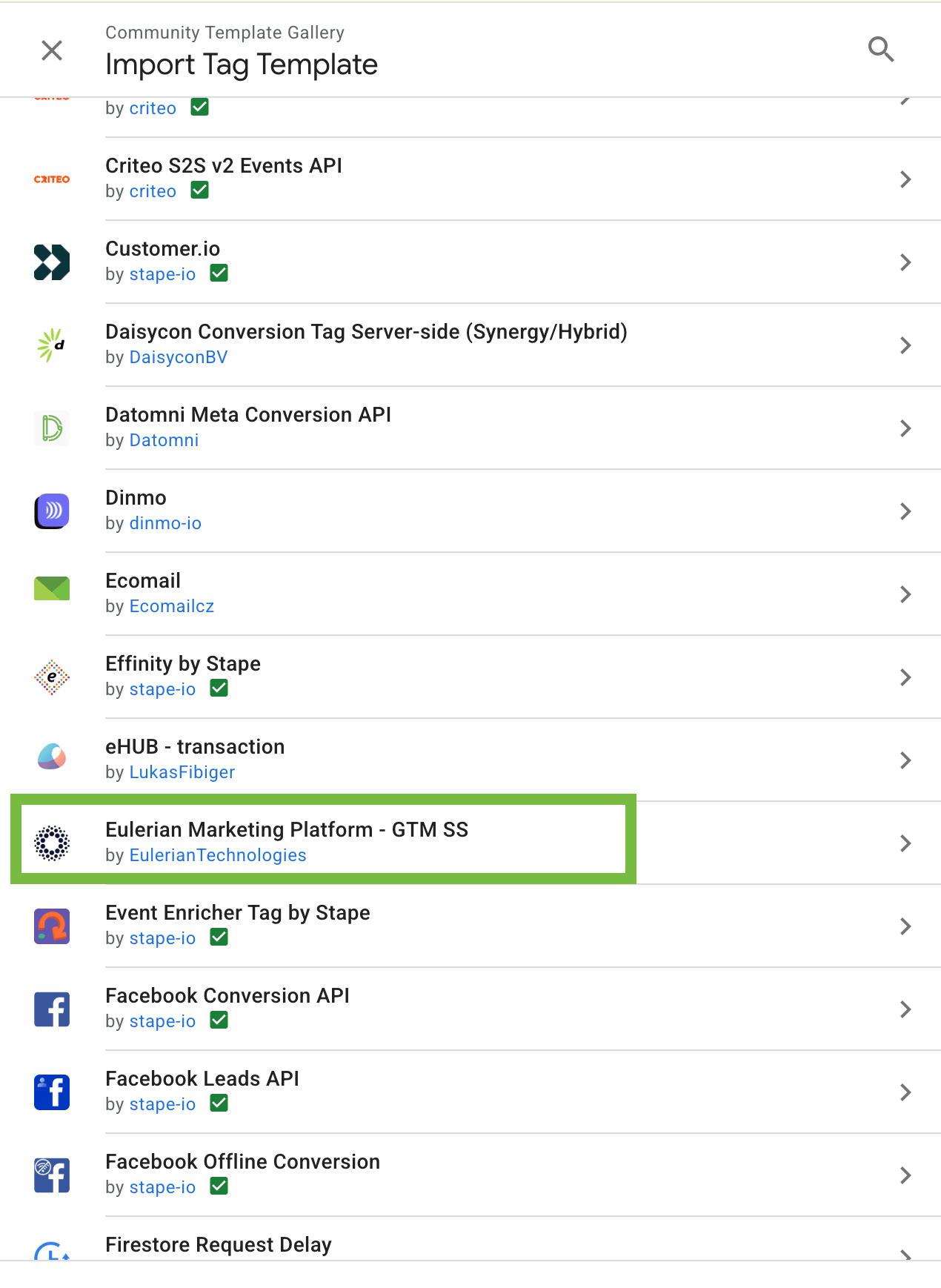
Step 2. Install the Eulerian template
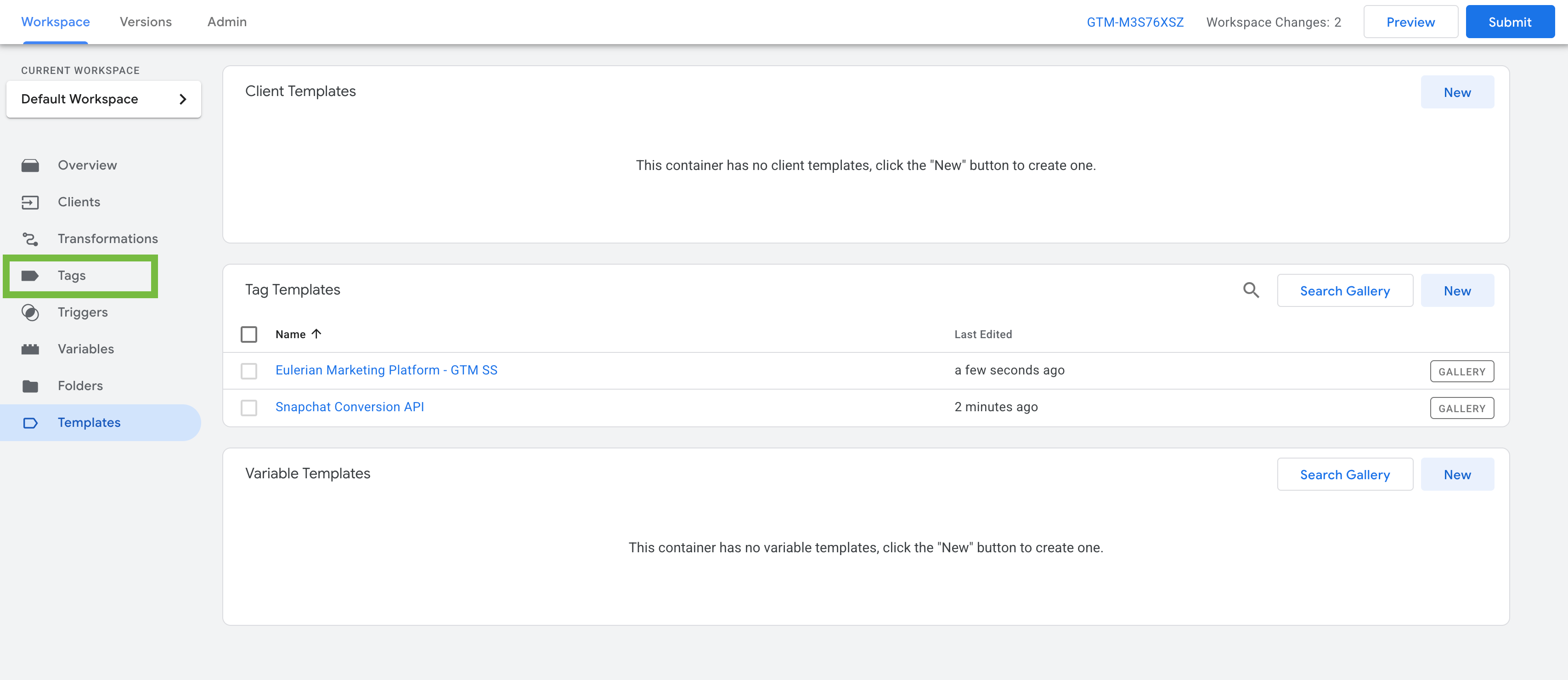
1. In your GTM workspace, open Templates → Tag Templates.
2. Click Search Gallery.
3. Type Eulerian Marketing Platform in the search bar.
4. Click Add to Workspace to install the template.
Step 3. Configure the tag
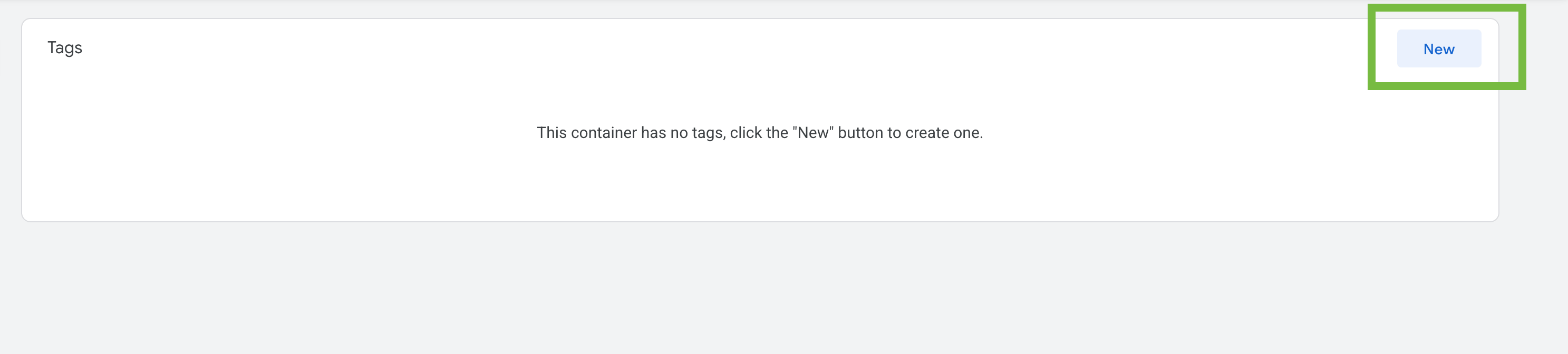
1. Go to Tags → New.
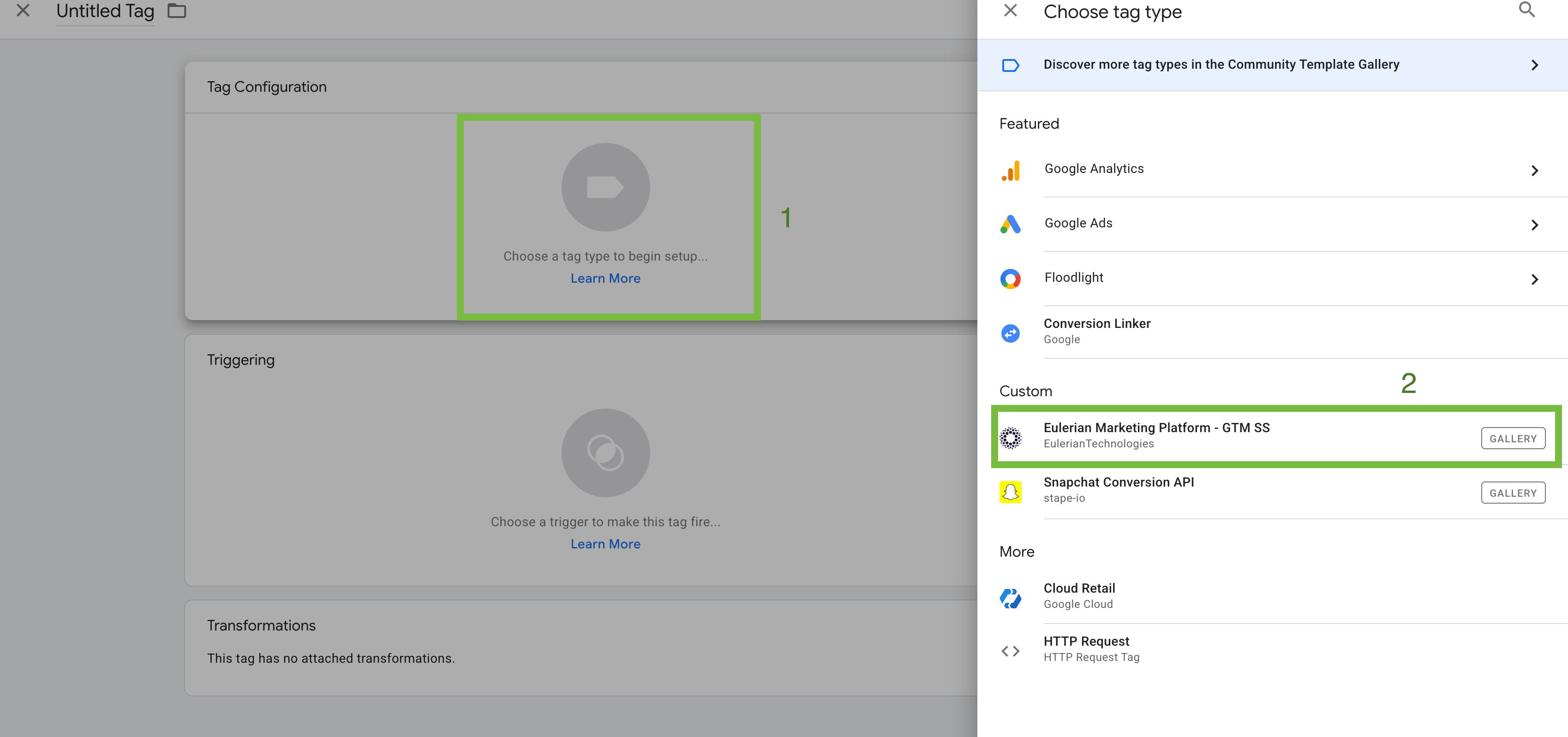
2. Select the Eulerian Marketing Platform template.
3. Go to your custom provided interface to get your data collection domain.
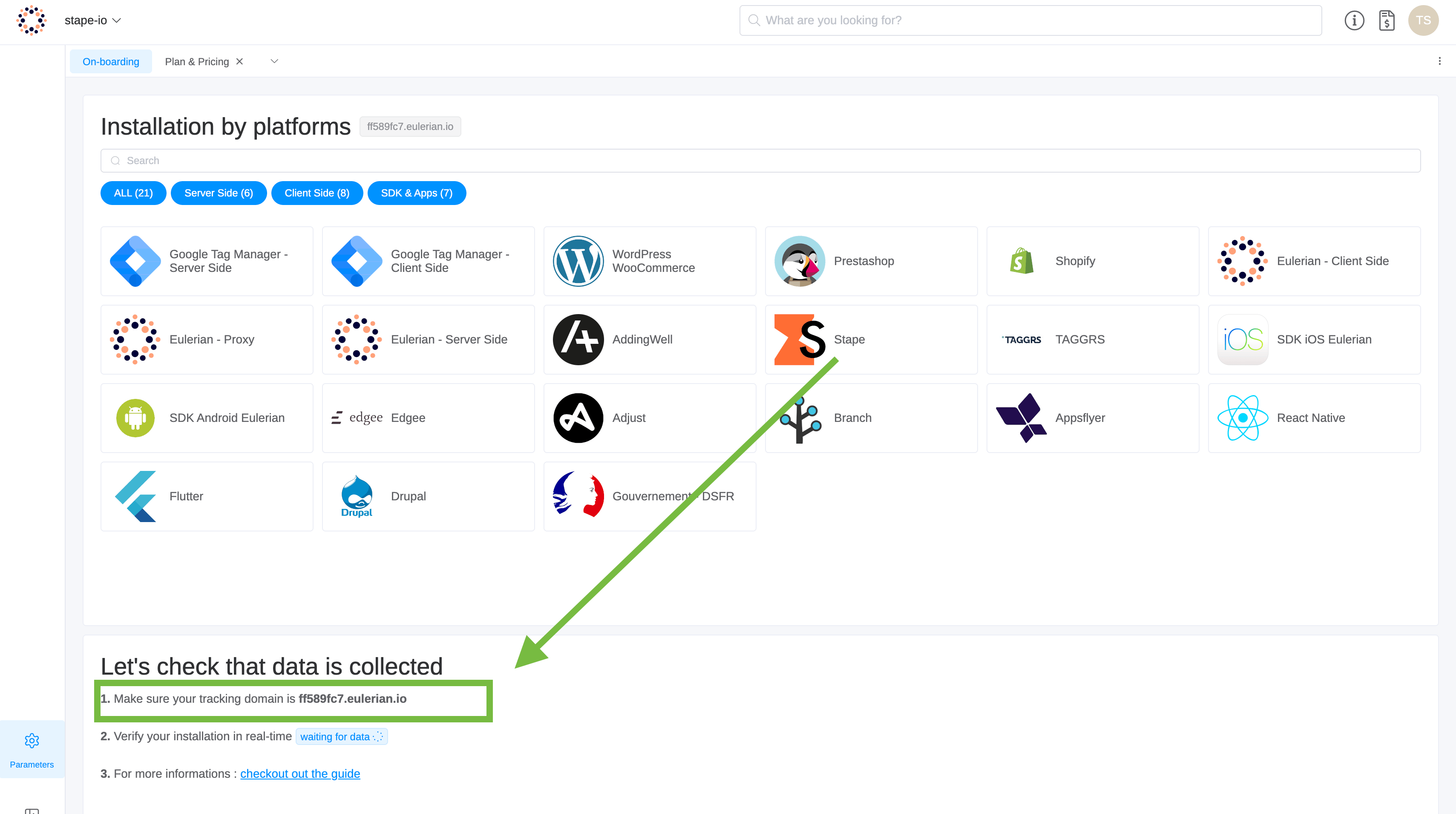
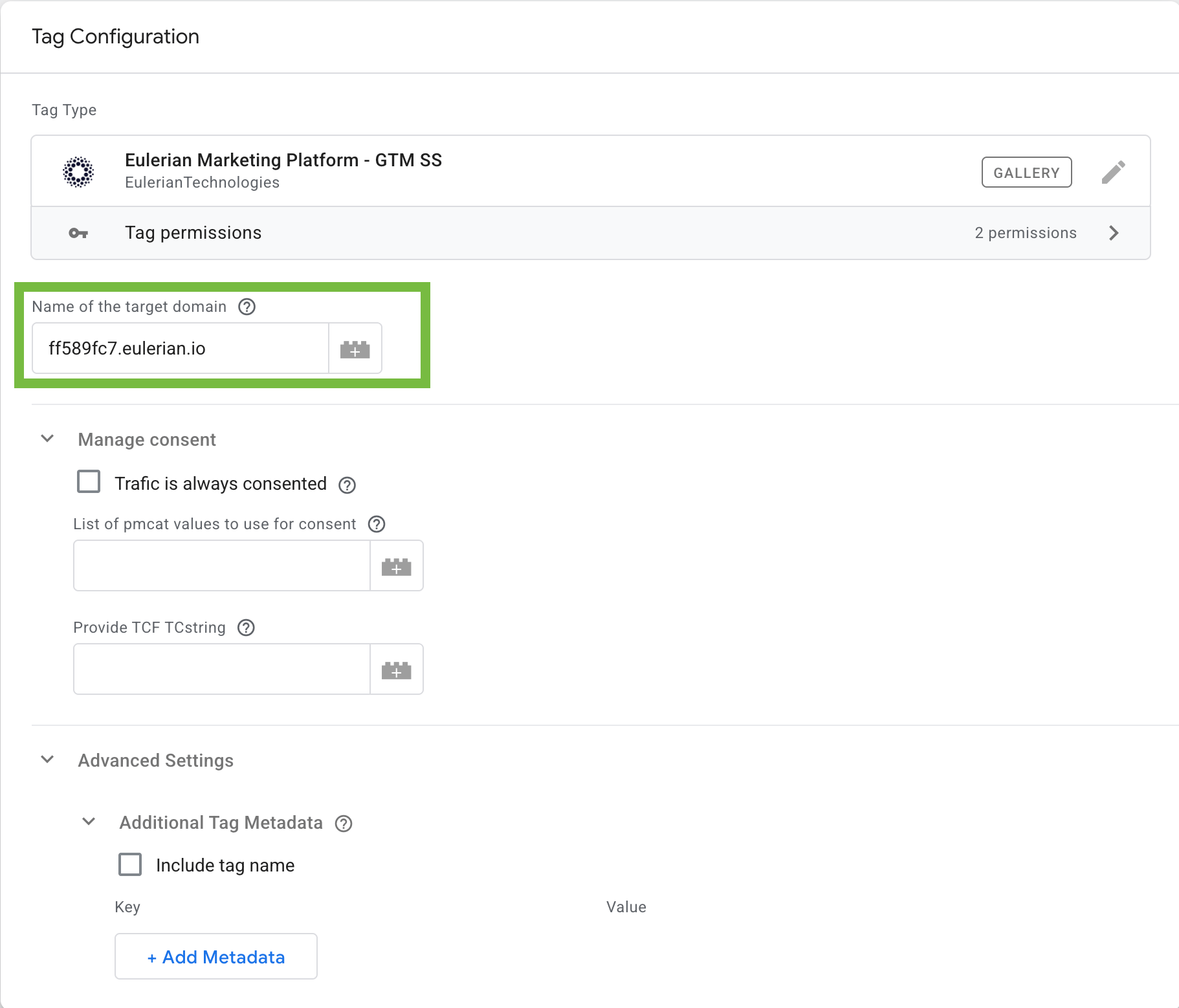
4. Enter the data collection domain in the Name of the target domain on https://tagmanager.google.com.
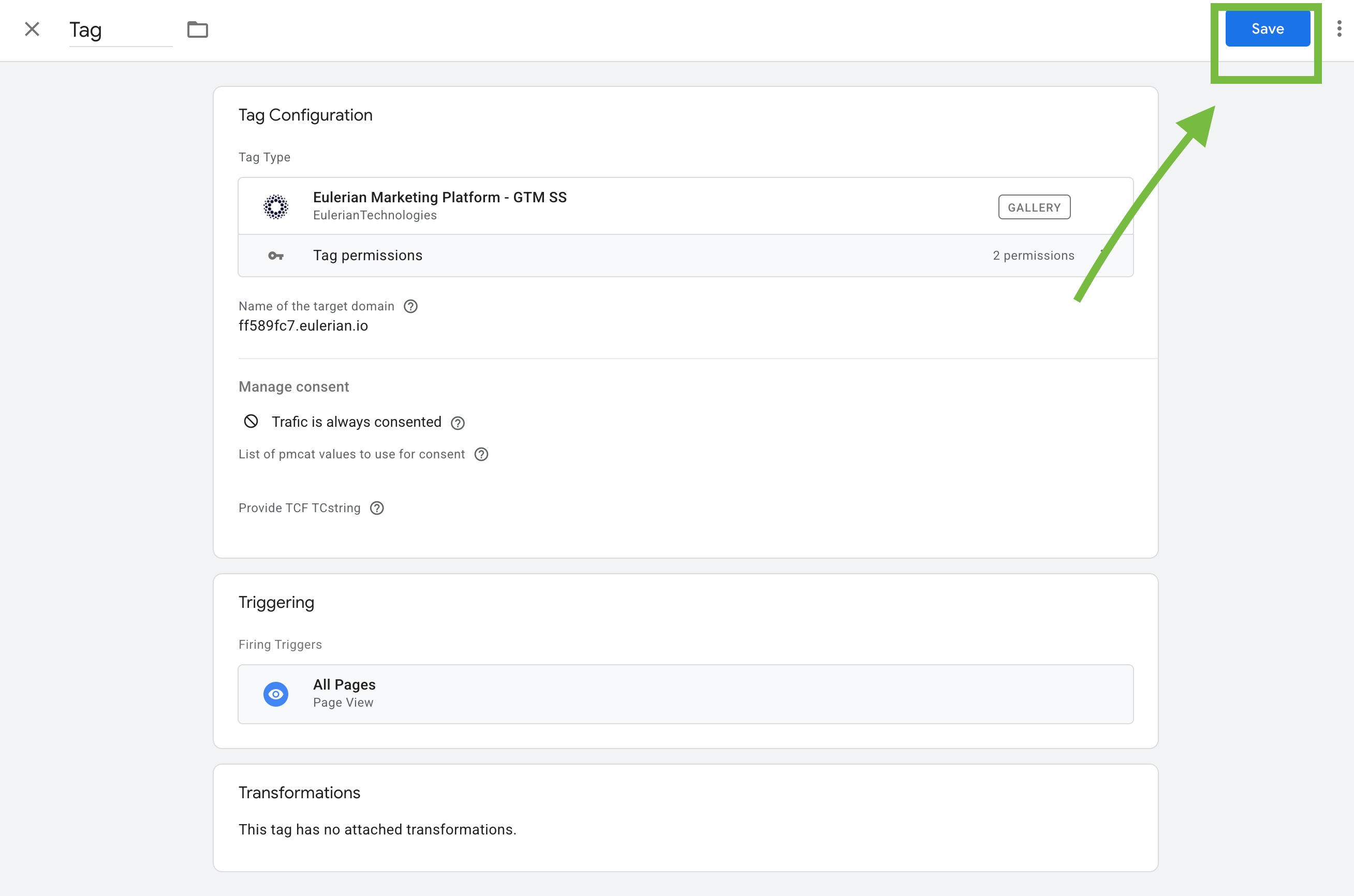
5. Save the tag.
Step 4. Set up triggers
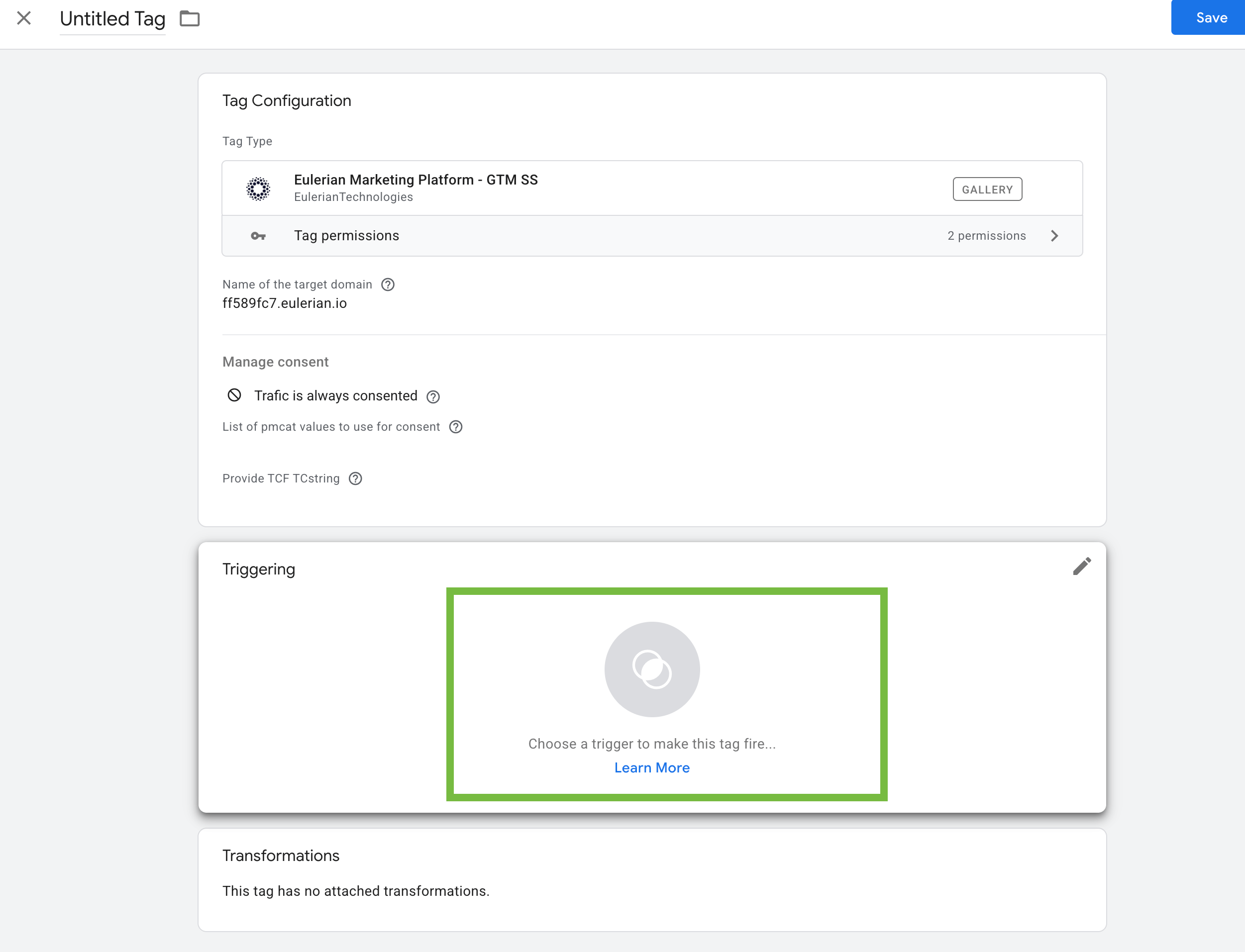
To ensure data is sent correctly to Eulerian, configure triggers in the server GTM:
- Global trigger:
Use the All Pages trigger so all GA4 events go to Eulerian. Client should be GA4.
- Specific triggers (optional):
For example, purchase, add_to_cart, or generate_lead events.

Step 5. Preview, test, and publish
1. Use the Preview mode in your server container to verify that data is sent to Eulerian.
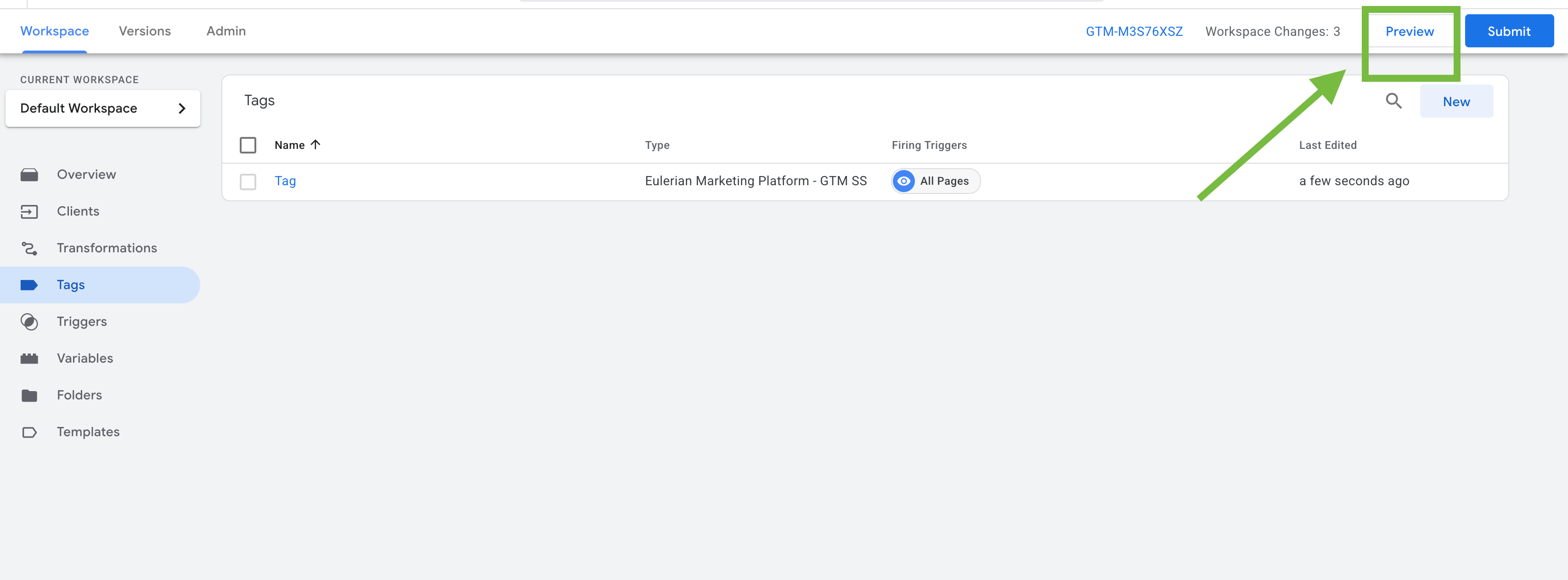
2. In your Eulerian account, check real-time reports to confirm events appear.
3. Once verified, click Submit / Publish in GTM.
Best practices for server-side tracking
Keeping your server setup consistent helps the integration work smoothly over time. Before wrapping up, here are a few simple practices that make the setup more stable and easier to maintain.
- Keep your server container and Stape hosting up to date.
- Ensure your GTM server container is correctly linked to your custom domain. Stape helps configure the domain and SSL so events can reach the server reliably.
- Regularly test your setup using GTM's preview mode before making changes.
Want to start on the server side?
Try for freeRecommended for you
Blog
What is first-party data and how to use it?
Learn with Stape what first-party data is, why it is better than third-party data, and where it can be used. A detailed review with examples.
Sep 18, 2026

Comments