How to fix GTM tags not firing with the All Pages trigger
Written by
Mykhailo Zernov
Key takeaways:
- Tags set to fire on All Pages may not trigger on the first page load if consent is still unknown, causing loss of UTMs, click IDs, and proper attribution.
- Stape's Website Tracking Checker can detect this misconfiguration and show which tags are affected.
- To fix it, use consent banner events (like
cookie_consent_update) as triggers instead of All Pages. - Testing the fix requires clearing cookies and cache, then ensuring tags fire immediately after consent is given.
There is a common yet often overlooked issue in server-side tracking: tags that fail to fire during the first page load. This usually happens because consent is still unknown when the page loads. As a result, you will lose UTM parameters and click IDs from the initial visit, when the most valuable tracking data is captured.
Example: tags like Meta's Page View are set to trigger on All Pages. At that moment, the consent banner hasn't yet been accepted, so the browser blocks the tag from firing. In this case, the tag will process only after the user provides their consent and visits a new page - but at that point, the session is no longer associated with any UTMs or click IDs, so the source will most often be registered as Direct.
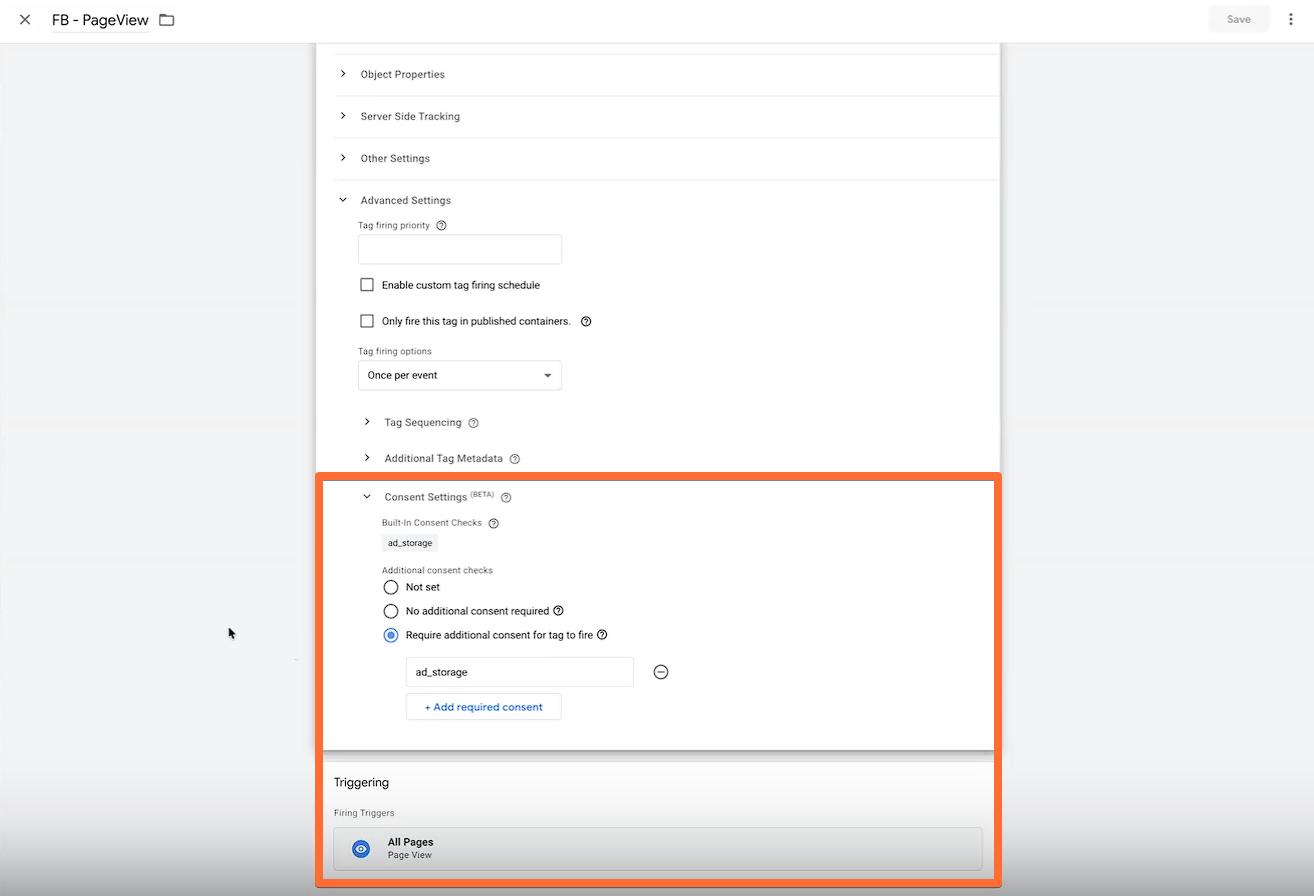
Here is how such a problematic configuration may look, where consent is required and the trigger is All Pages:
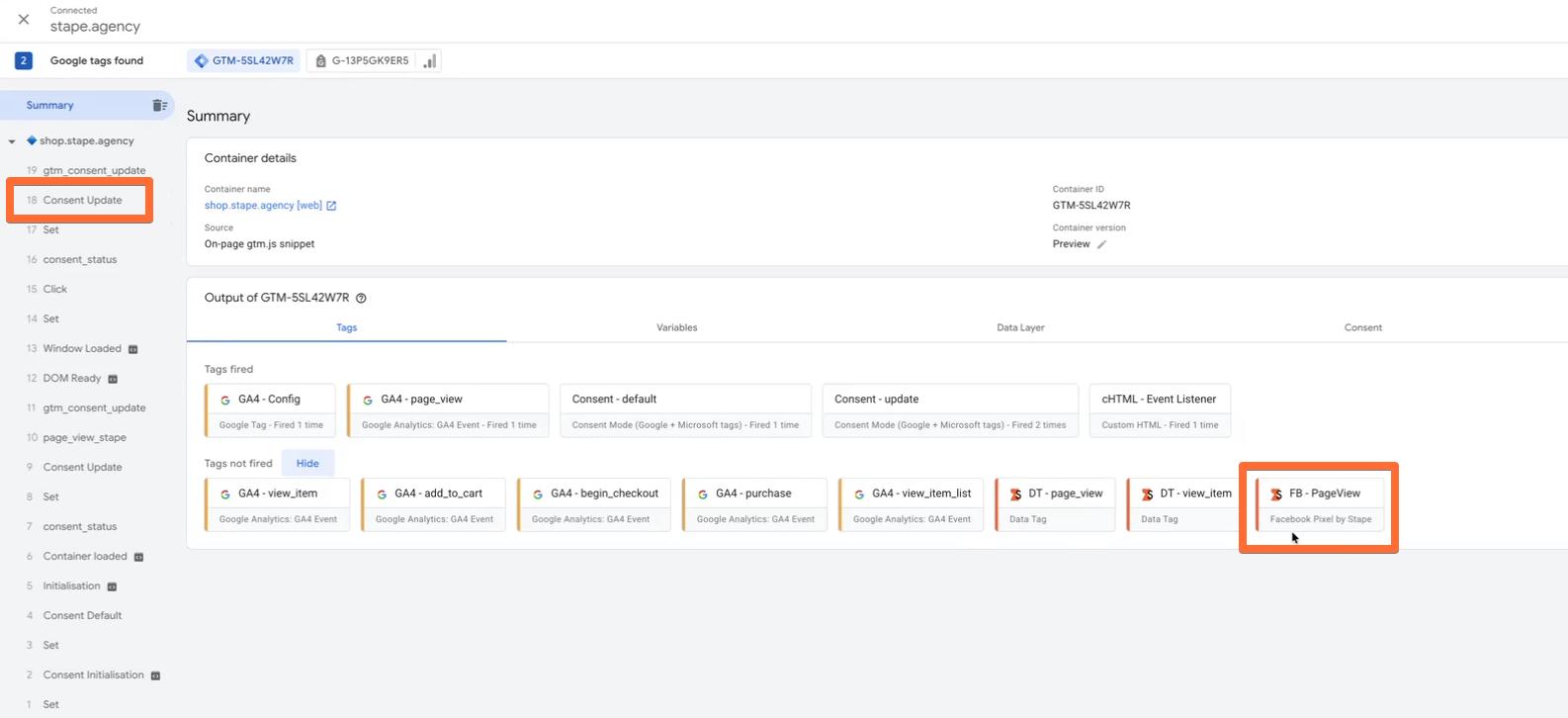
And here is the result - consent is provided, but the tag doesn't fire at first touch:
How to detect the first touch issue
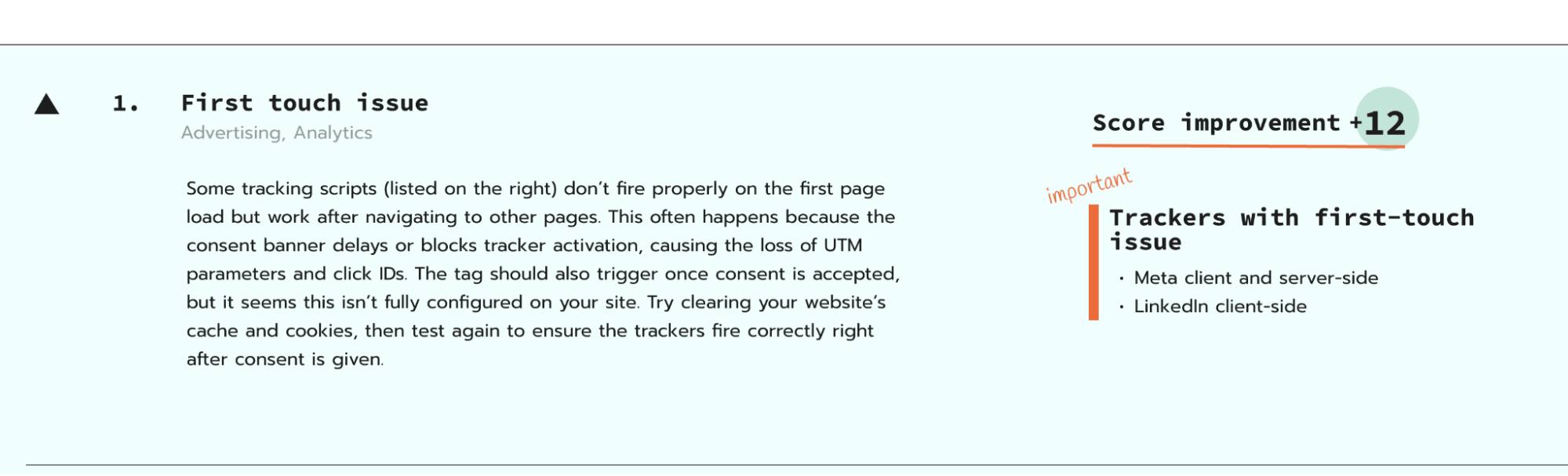
The easiest way to do it is using the Website Tracking Checker. It will alert you when it detects this misconfiguration and let you know which of your tags are having this problem. Enter your website URL, click Scan your site, and wait a couple of minutes. If your site has the first touch issue, you will see the respective message in the scan report.
How to fix the first touch issue
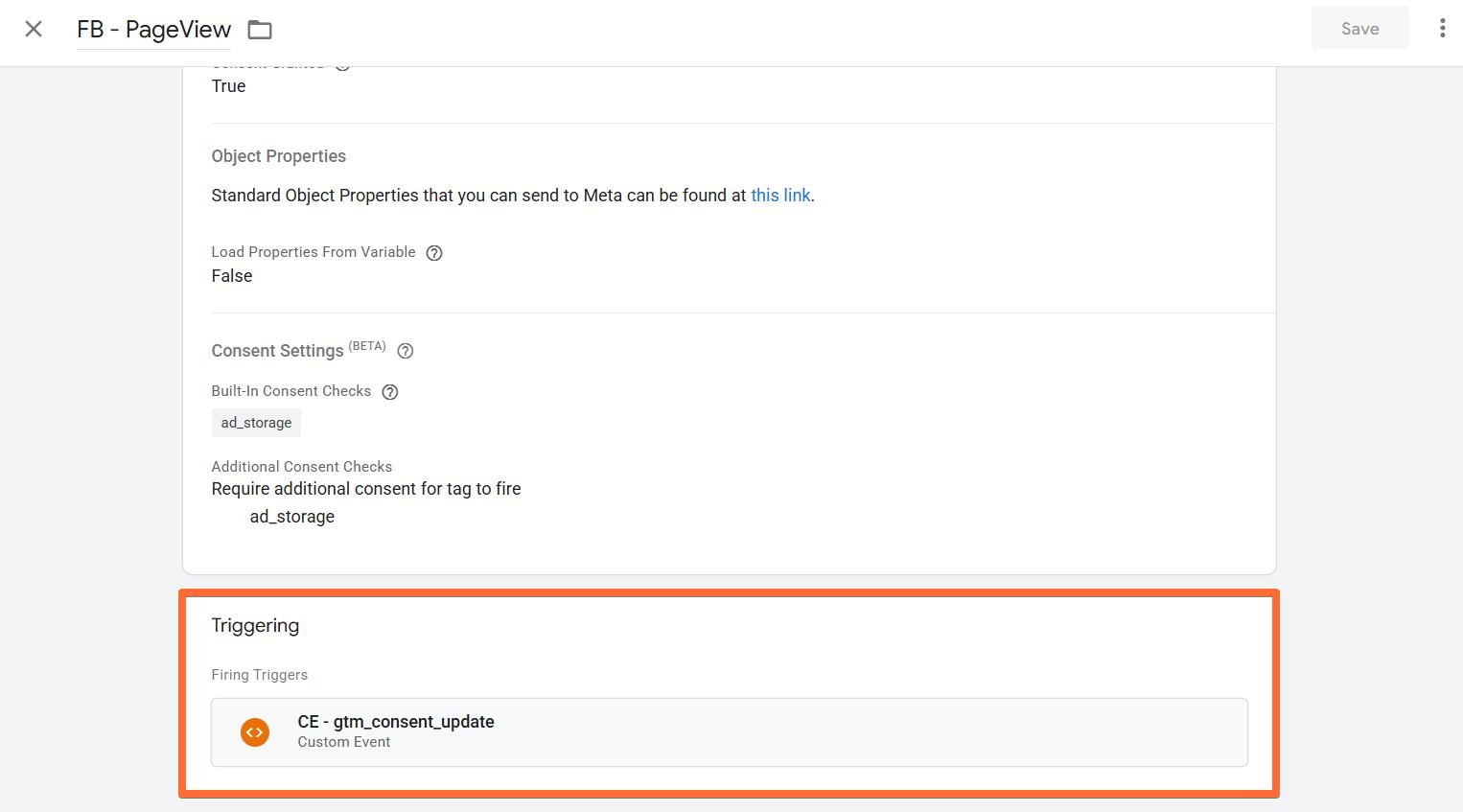
We recommend using data layer events from the consent banner, such as cookie_consent_update, as the trigger instead of All Pages. This ensures the tag fires right after consent is given, once tracking is allowed and all parameters are available. It also helps your tracking work consistently across different browsers and privacy settings.
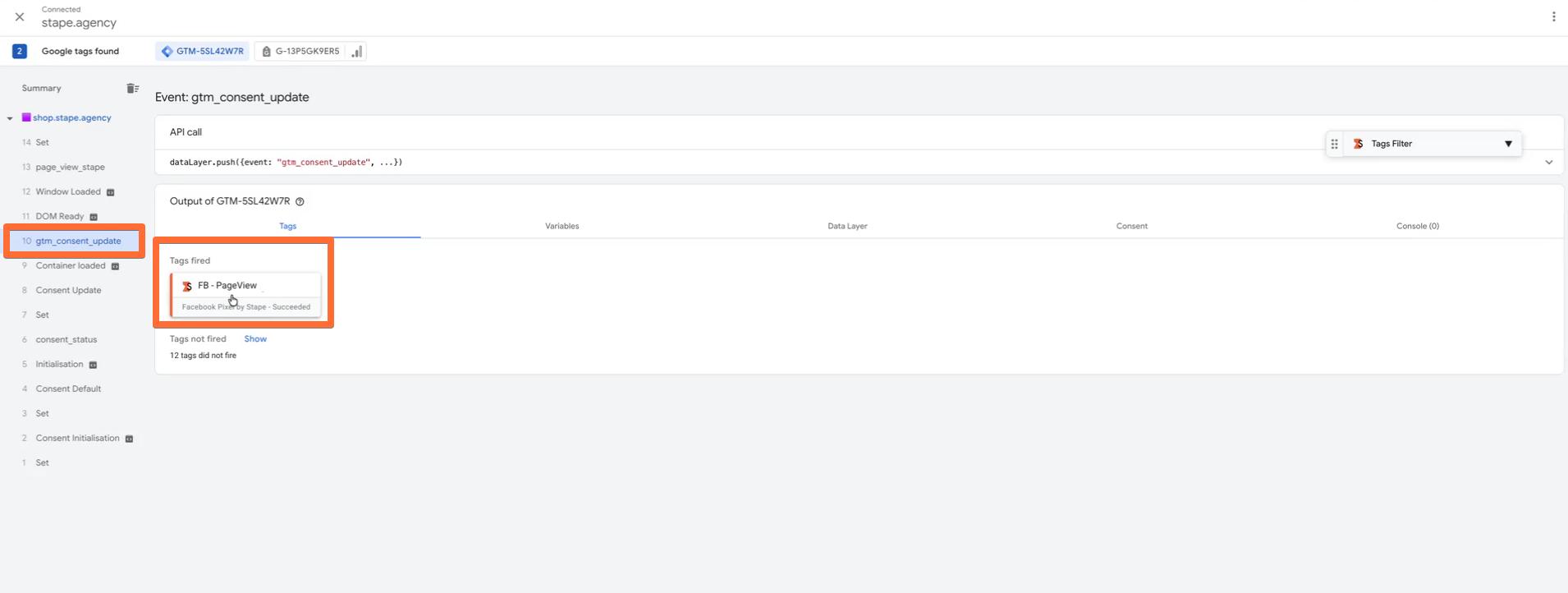
1. Find your consent banner event using the GTM Preview mode. They are unique depending on your consent banner provider - in our case, it's gtm_consent_update. If you can't find your consent-related events, you'll often find an option to enable the data layer event in your consent banner's configurations. If you still don't see the event, consult with your consent banner's support.
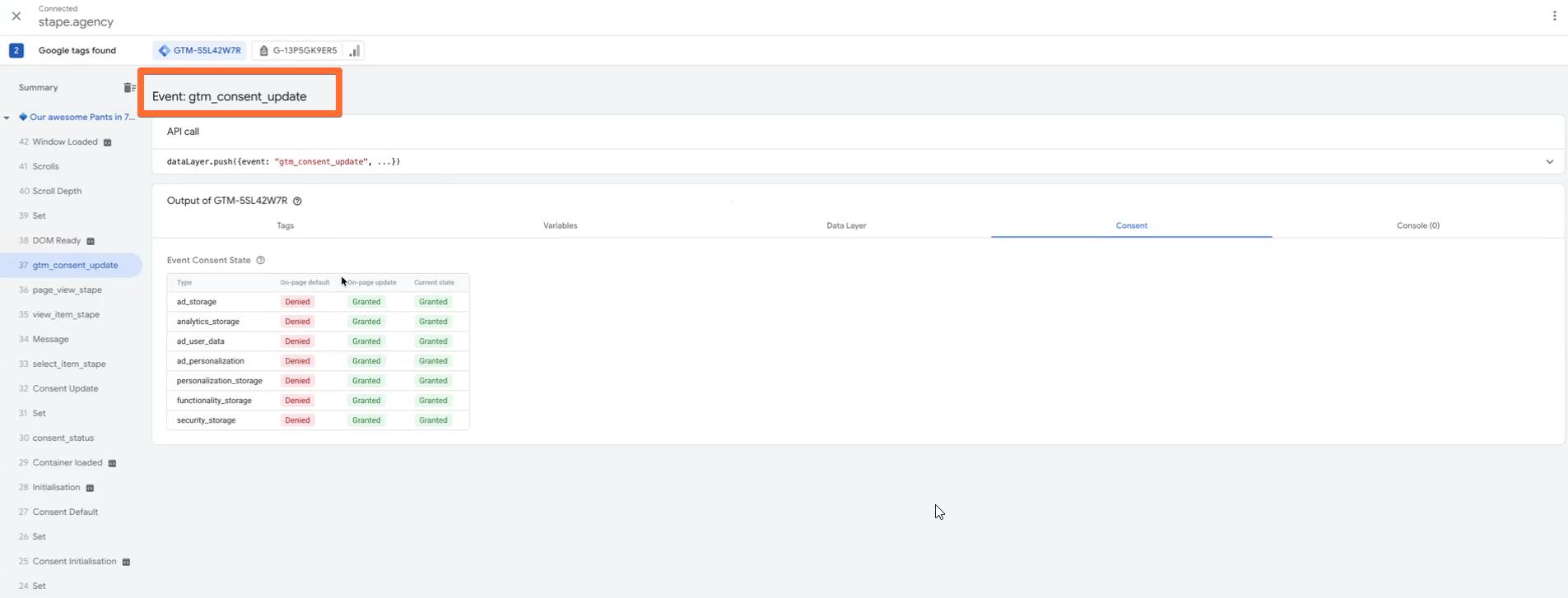
2. Use this event as a trigger for any tags that are supposed to fire at first touch, such as Page View tags.
3. Test the setup by clearing cookies and cache, then checking if the tag fires correctly once consent status is known.
FAQ
Want to start on the server side?
Try for freeRecommended for you
Jul 4, 2025
Blog
How Google Tag Manager's preview mode helps you check and debug tags
Google Tag Manager preview and debug mode lets you test tags before they go live, showing fired tags, sent data, and errors for quick fixes.
Sep 2, 2026

Comments