Where to find LinkedIn Insight Tag ID, API Token and conversion IDs
Updated Aug 5, 2026
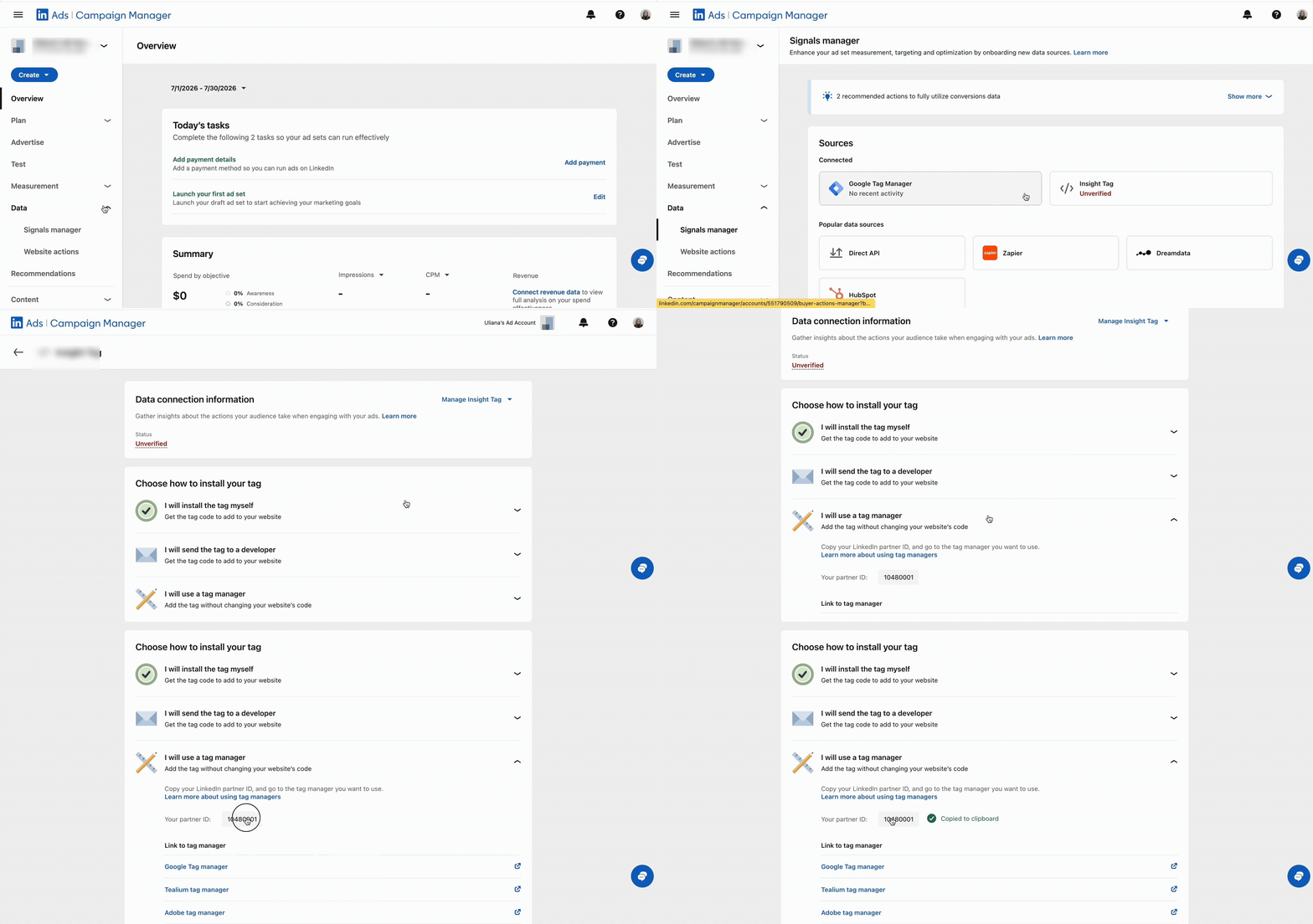
How to find Insight Tag ID?
- Log in to LinkedIn Campaign Manager → go to Analyze → Signals Manager → Insight Tag → select I will use a tag manager to reveal and copy your numeric Partner ID / Insight Tag ID.
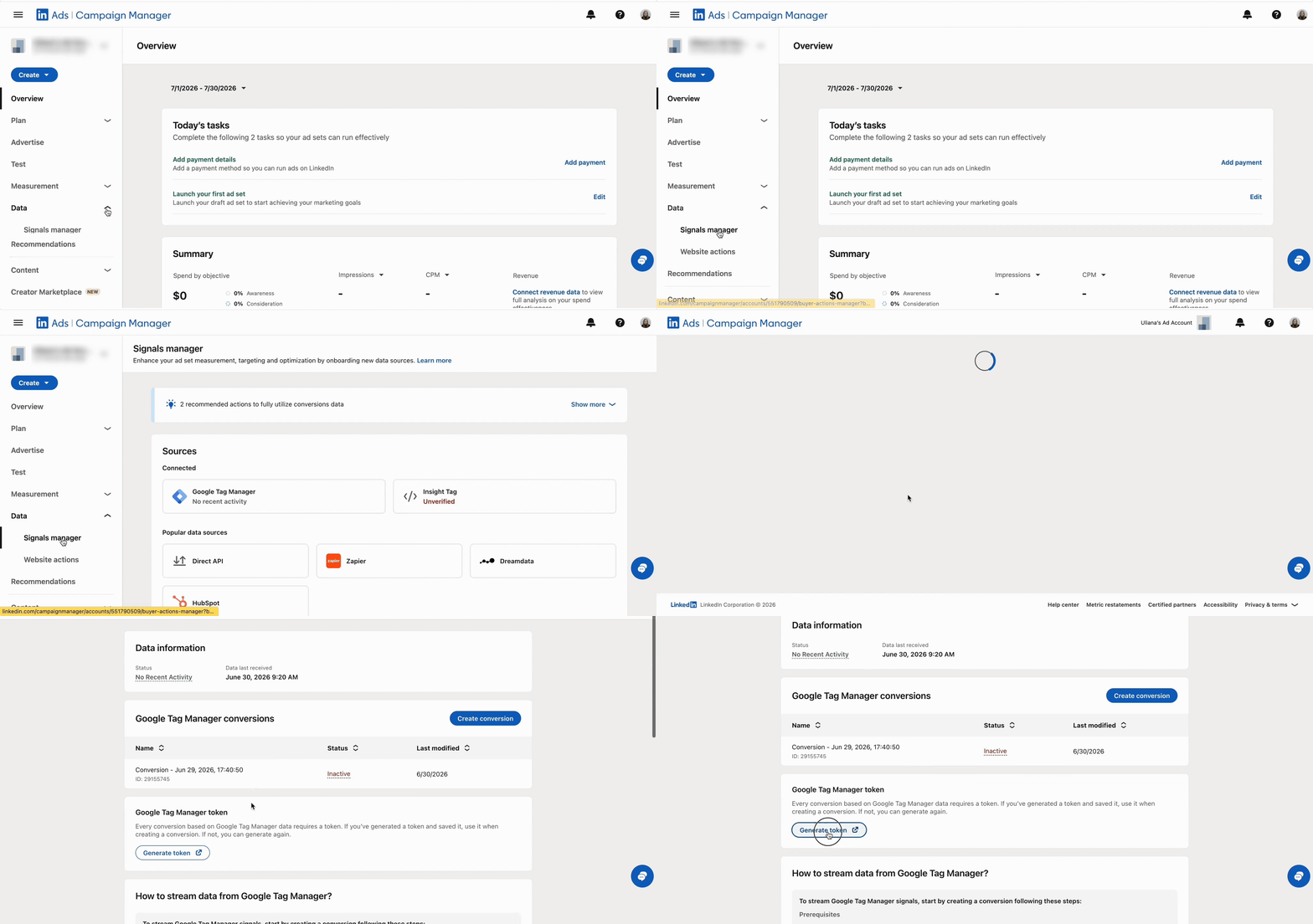
How to find API Token?
- Log in to LinkedIn Campaign Manager → go to Analyze → Signals Manager → Google Tag Manager → scroll and click Generate token.
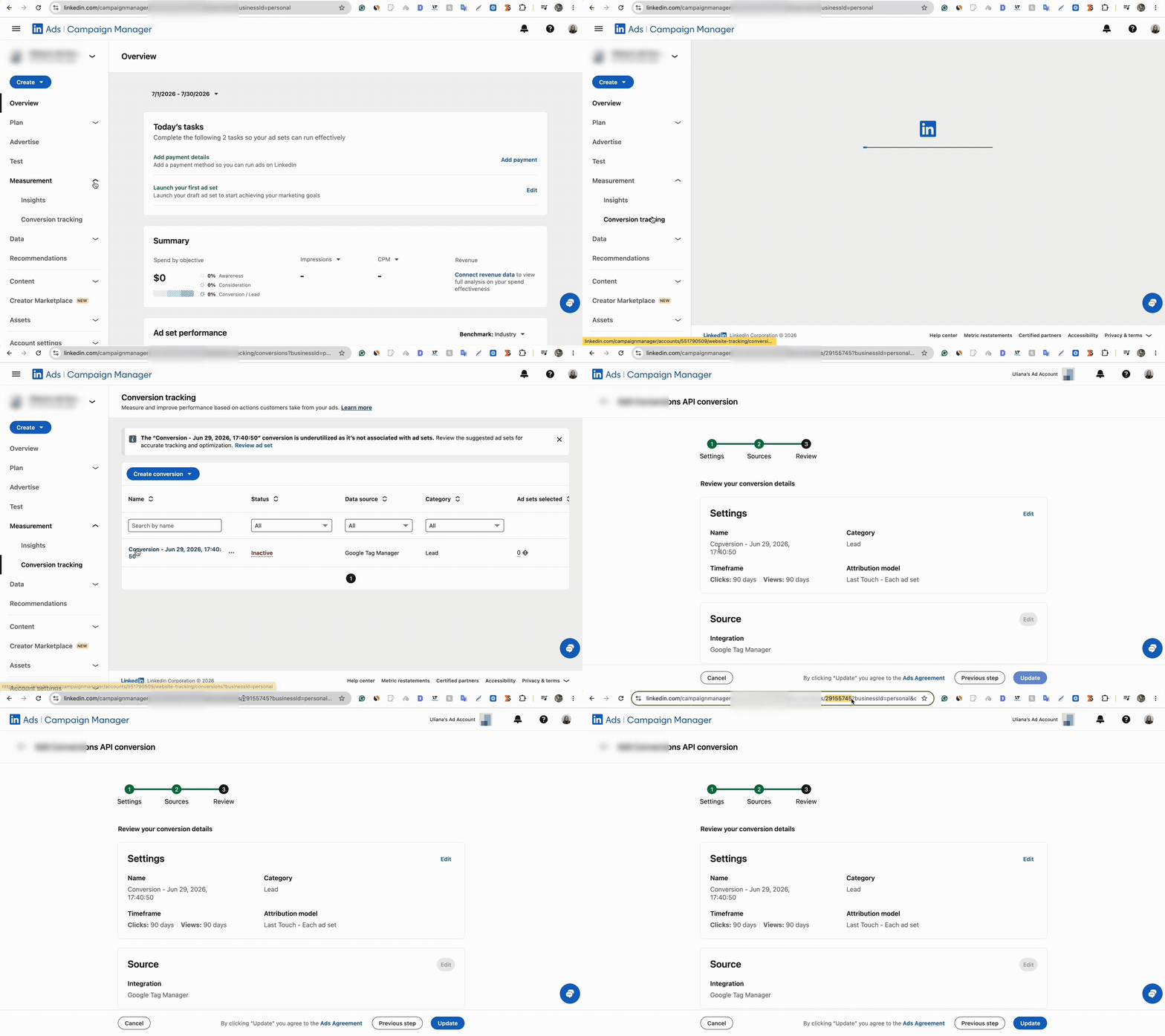
How to find Conversion IDs?
- Log in to LinkedIn Campaign Manager → go to Measurement → Conversion tracking → click the specific conversion action name to locate and copy its numeric Conversion ID from conversion URL.
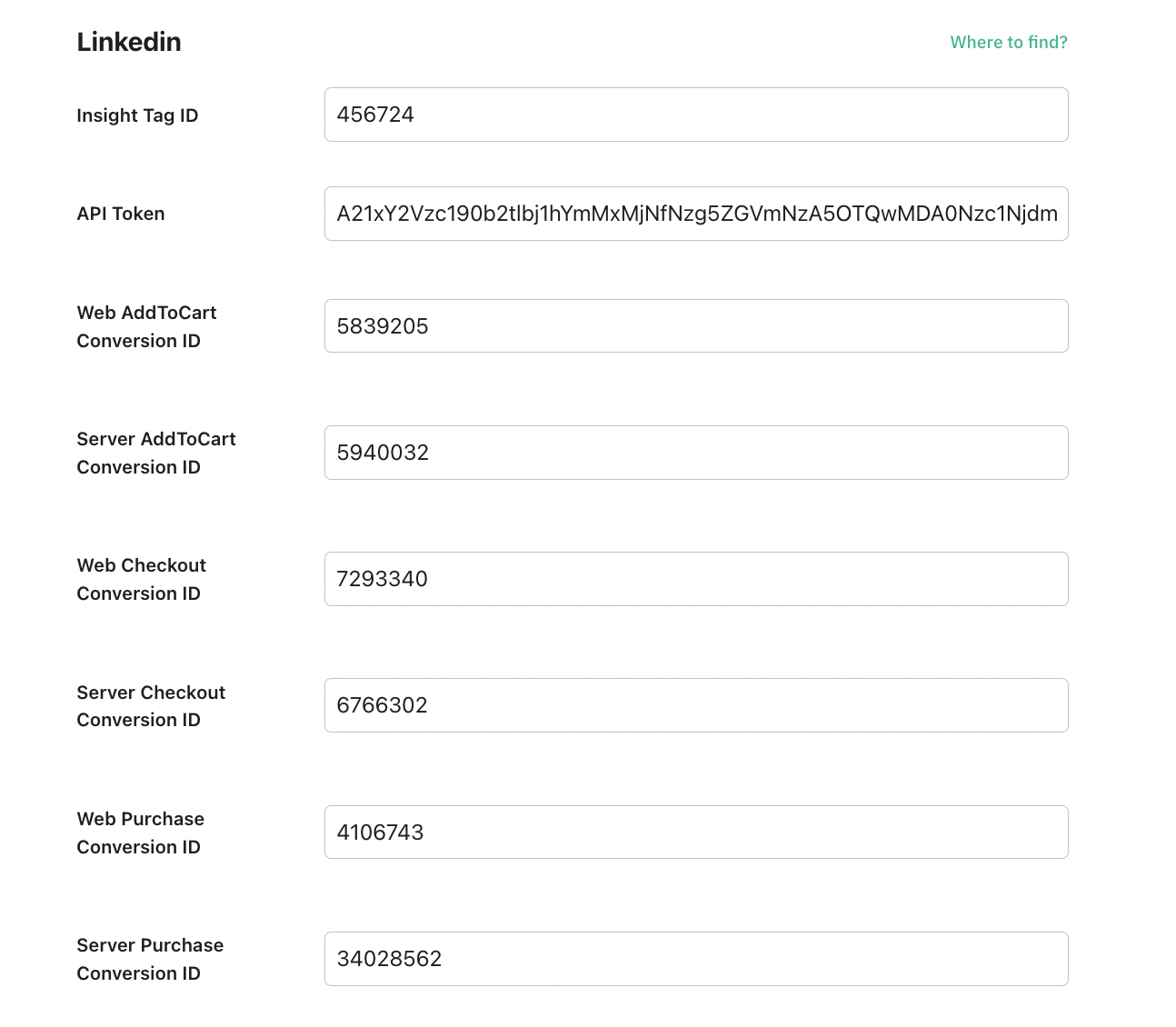
Here is an example of the fields configuration for the eCommerce type:
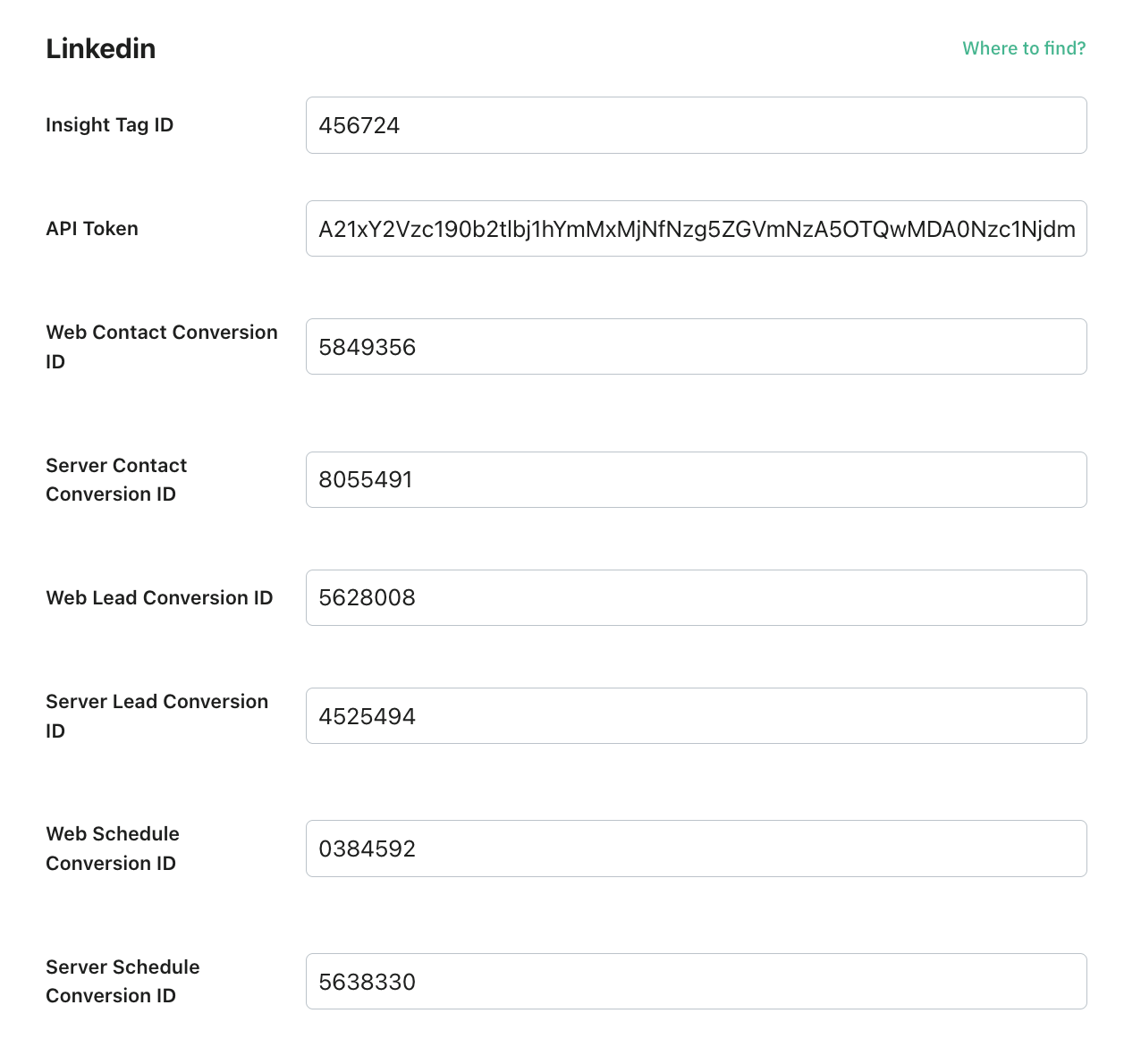
Here is an example of the fields configuration for lead generation type:
Was this article helpful?
Subscribe to product updates:
Can’t find what you are looking for?
Comments