Where to find Klaviyo Private Key
Updated Dec 8, 2025
The guide explains where to find the Klaviyo Private Key.
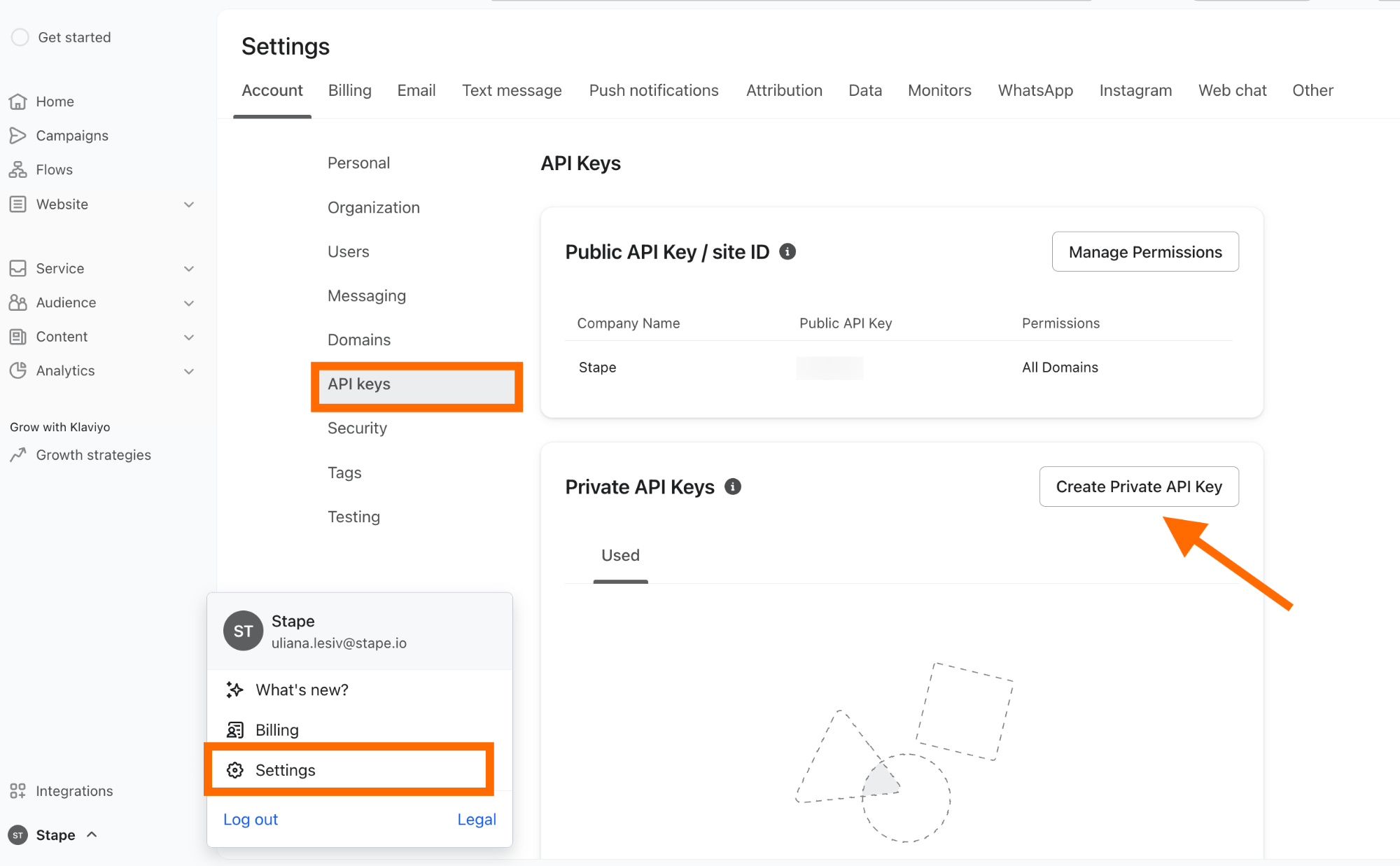
To create the Klaviyo Private Key, click on the organization name in the bottom left corner → click Settings → API keys → click Create Private API Key → name the key → choose the scope: Read-only, Full, or Custom → click Create.
Was this article helpful?
Subscribe to product updates:
Can’t find what you are looking for?
Comments