使用TikTok Events API设置TikTok服务器端跟踪
作者
Ira Holubovska
TikTok是月活跃用户超过10亿的热门社交媒体应用,因此大多数营销人员都决定将其纳入广告策略。
TikTok的使用以移动端为主。关于苹果隐私更新的讨论此前只有Facebook在提及,但这次新的iOS跟踪限制也将适用于TikTok广告。由于iOS限制,在iOS 14中选择退出跟踪的用户将不会被纳入TikTok自定义受众和事件统计。
如何提升TikTok跟踪的准确性?答案是服务器端跟踪。本文将介绍如何使用Google Tag Manager设置TikTok Events API。
什么是TikTok服务器端跟踪?
TikTok服务器端跟踪是一种从服务器直接向TikTok发送事件数据的方法,无需依赖基于浏览器的像素跟踪。与在用户浏览器中触发TikTok像素不同,服务器负责收集事件数据并将其转发至TikTok的Events API。这使得跟踪对广告拦截器、浏览器隐私限制和iOS跟踪限制更具可靠性和抗干扰性。
什么是TikTok Events API?
TikTok Events API是一种服务器端集成,允许您将网站或应用事件从服务器直接发送至TikTok服务器。其工作原理与TikTok像素类似。您可以使用TikTok Events API发送转化事件、收集自定义受众、投放动态商品广告并优化广告系列。
TikTok Events API是一种服务器端集成,允许您将网站或应用事件从服务器直接发送至TikTok服务器。其工作原理与TikTok像素类似。您可以使用TikTok Events API发送转化事件、收集自定义受众、投放动态商品广告并优化广告系列。
TikTok服务器端跟踪的主要优势是什么?
TikTok API事件与其他平台的服务器端跟踪解决方案具有相同的优势,二者非常相似。请参阅我们此前发布的 FB Conversions API 和 服务器端GA4 相关文章。
以下是使用TikTok Events API的主要优势:
1. 准确的事件跟踪。 借助服务器端跟踪,您可以收集更多事件。TikTok Events API能够抵御广告拦截器、ITP及其他跟踪限制。通过这种方式,您可以提高 广告系列转化跟踪 的准确性,更好地了解哪些广告系列正在带来转化并创造更多销售额。
2. 更高质量的自定义受众。 由于跟踪不会被屏蔽,您的自定义受众将涵盖所有用户。
3. 数据安全。 服务器端跟踪让您能够控制发送的数据内容及其处理方式,有助于符合GDPR或CCPA等隐私法规的要求。
4. 隐私控制。 在隐私要求快速演变的环境下保持营销活动的正常运转,灵活调整共享数据的内容和时机。
5. 数据丰富。 您可以向TikTok发送额外数据,例如来自CRM的数据。利用这些数据可以更好地了解广告系列效果或构建自定义受众。
TikTok服务器端标记的主要缺点是什么?
尽管服务器端跟踪是一项出色的新技术,但它也存在一些缺点。
1. 集成更为复杂。 服务器端跟踪(SST)的工作方式与浏览器跟踪略有不同,因此与网站的集成可能需要相当长的时间。设置TikTok Events API或任何其他平台服务器端跟踪的最佳方式是使用Google Tag Manager服务器容器。我们也可以提供帮助。
2. 需要云服务器和额外成本。 设置SST需要配置一台云服务器,用于向不同数据点发送请求。
3. 技术尚新。 TikTok Events API是一项新技术,这意味着后续将有更多更新。因此,您需要及时了解所有即将到来的变化。
TikTok Events API的TikTok服务器端跟踪是如何工作的?
TikTok Events API的工作原理与Facebook Conversions API类似。TikTok使用点击ID和用户数据将事件与TikTok用户进行匹配。向TikTok发送的用户数据越多,将事件归因于相应用户的可能性就越高。TikTok Events API具有与浏览器事件相同的功能,可用于创建受众、衡量转化以及优化TikTok算法。
自2022年2月28日起,TikTok支持事件去重。 现在,您可以同时使用像素和Events API,与Facebook CAPI的使用方式类似。如果您希望同时从浏览器和服务器发送事件,请确保添加event_id。
每当有人点击TikTok广告时,点击ID(ttclid)就会被添加到URL中。这是一个有效期为30天的唯一标识符。您可以存储TikTok点击ID(ttclid)并将其返回给TikTok Events API,以帮助将事件归因于您的广告系列。
要提高TikTok API事件匹配质量评分,您可以发送用户数据,例如电子邮件、电话号码、用户ID、用户IP和用户代理。所有用户信息应在客户端转换为小写并使用SHA256进行哈希处理。
除用户数据外,您还可以发送属性、对象和事件参数。TikTok建议同时使用像素和Events API。 这样可以提升信号质量,并支持去重功能,防止对从浏览器和服务器同时发送的事件进行重复计数。
设置TikTok Events API的方式
设置TikTok Events API有两种方式:Events API Gateway和使用服务器GTM。以下部分将详细介绍这两种方法。
TikTok Events API Gateway
Stape的TikTok Events API Gateway是设置TikTok服务器端跟踪的最新、最简便的解决方案。它让您无需进行复杂的事件去重配置,也无需在标记上花费大量时间。它支持直接从服务器发送用户参数和事件,同时在单个实例中支持多个像素,即使跨越不同的商家管理账户也不例外。
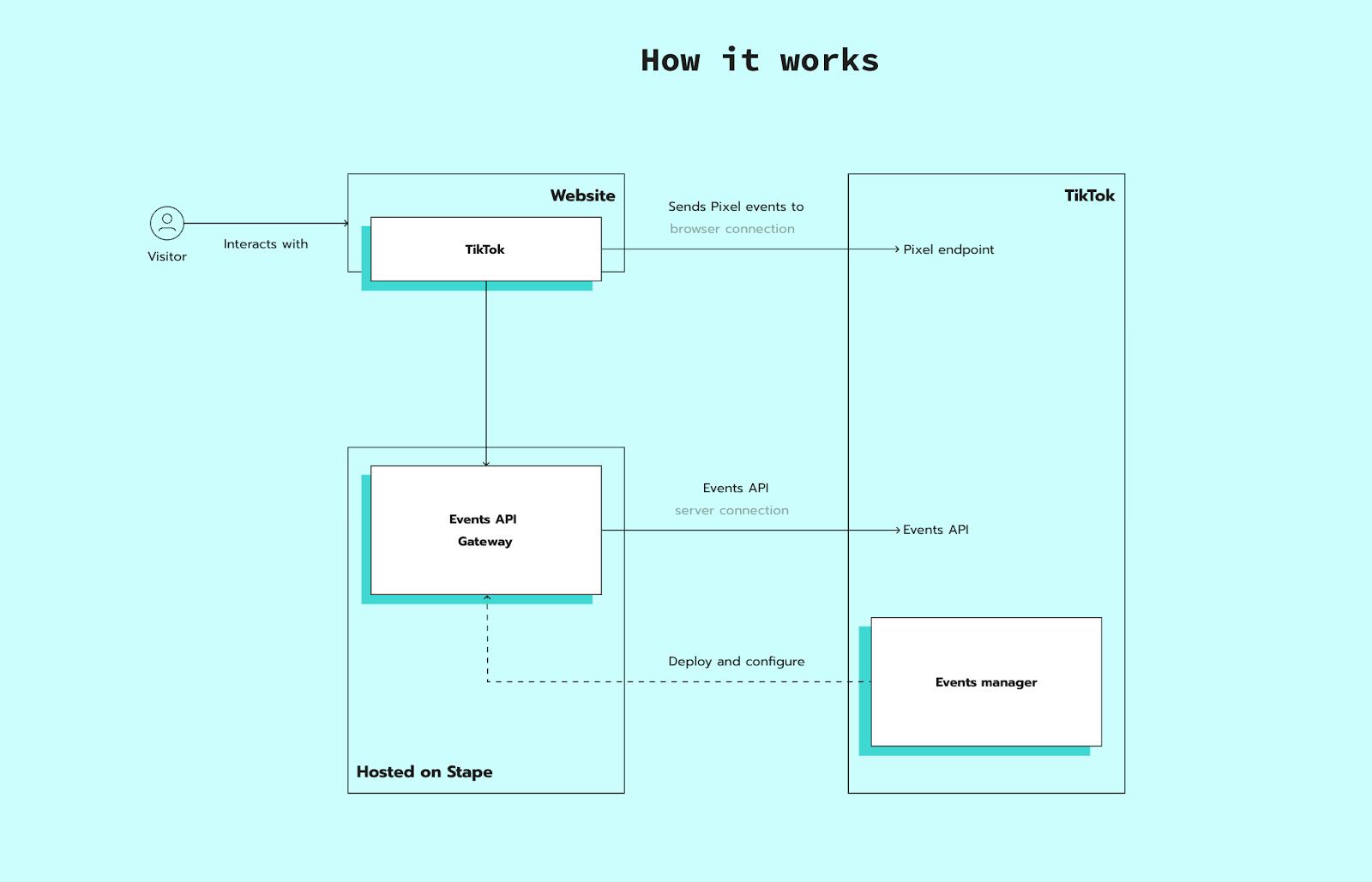
几分钟即可完成设置——无需手动实施服务器端标记即可设置TikTok Events API。借助TikTok Events API Gateway,您可以立即提升转化跟踪和归因的准确性。
通过sGTM使用TikTok Events API
Stape的TikTok Events API标签允许您通过安全、结构化的连接,将网站或应用事件从云服务器发送至TikTok的Events API。您可以收集自定义受众、创建动态商品广告并优化广告系列。
设置和配置需要技术知识,包括管理服务器托管和权限等基础设施。
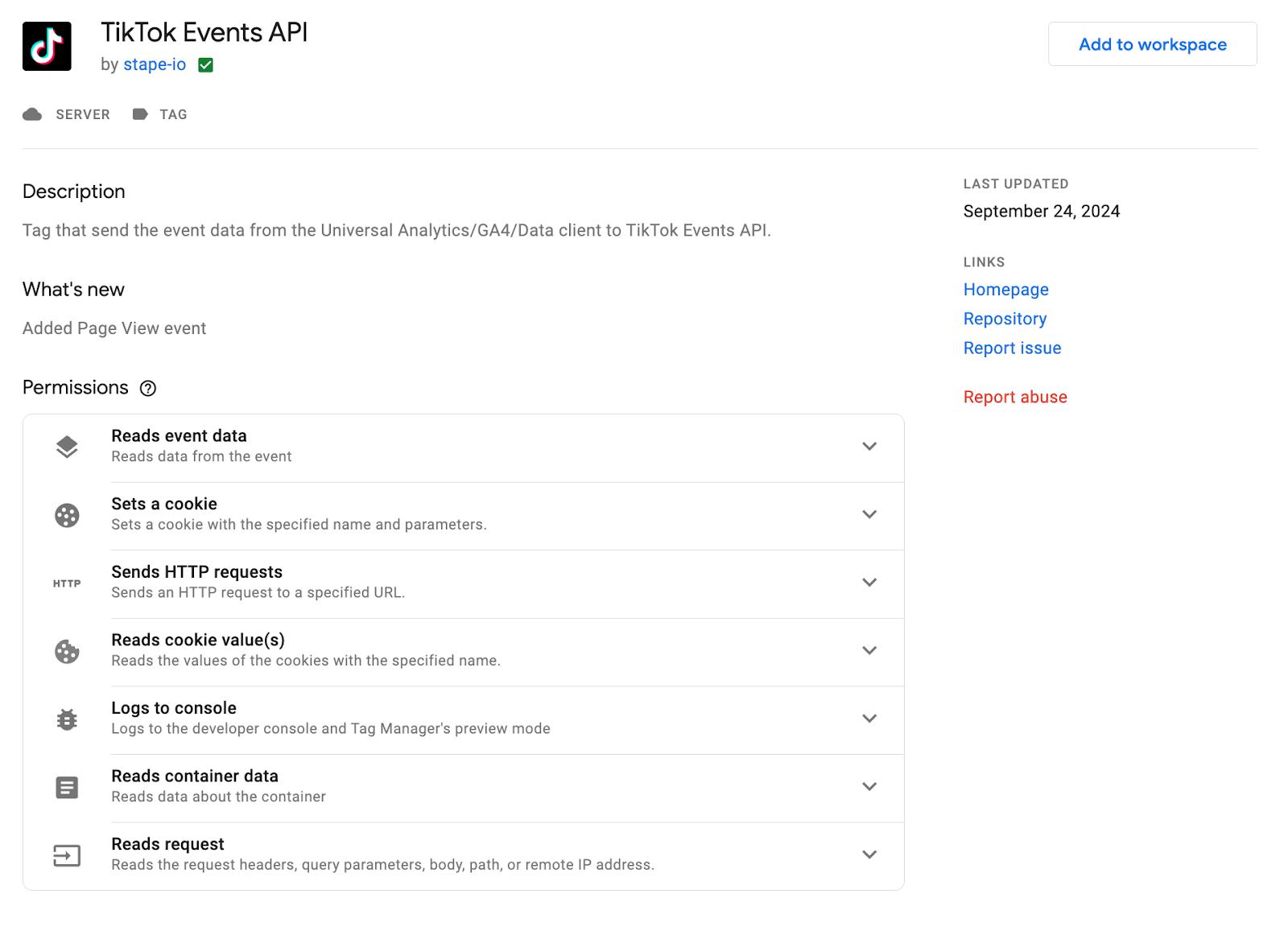
TikTok Events API标签设置的主要功能:
- 完全灵活地自定义和集成多个服务器端标签(不仅限于TikTok)。
- 支持高级配置,例如整合来自多个来源的数据,并在发送至TikTok前丰富事件数据。
- 适合已在其他平台(如Meta或Google Ads)上使用服务器端Google Tag Manager的企业。
- 需要持续维护和监控。
- Requires ongoing maintenance and monitoring.
TikTok Events API Gateway设置的主要功能:
- 由Stape完全托管。
- 自动处理服务器端转化跟踪及向TikTok的事件传递。
- 无需设置独立的GTM服务器容器即可提供可靠性和可扩展性。
- 与GTM相比,在自定义实施或添加TikTok以外的多个标签方面灵活性较低。
对比表
应选择哪种跟踪方式?
TikTok Events API标签最适合:
- 拥有内部技术专长或专属支持团队的企业。
- 希望完全掌控跟踪设置的高级用户。
TikTok Events API Gateway最适合:
- 投放TikTok广告、希望快速高效启用服务器端跟踪的中小型企业或广告主。
- 希望获得开箱即用解决方案、无需深度技术参与的用户。
如何设置TikTok Events API Gateway
| 开始前,请确保您的网站已配置TikTok网页跟踪,无论是通过GTM容器实施、直接嵌入网站代码,还是通过插件集成。此设置使您能够使用现有的网页事件。 |
1. 在Stape上创建TikTok Events API Gateway

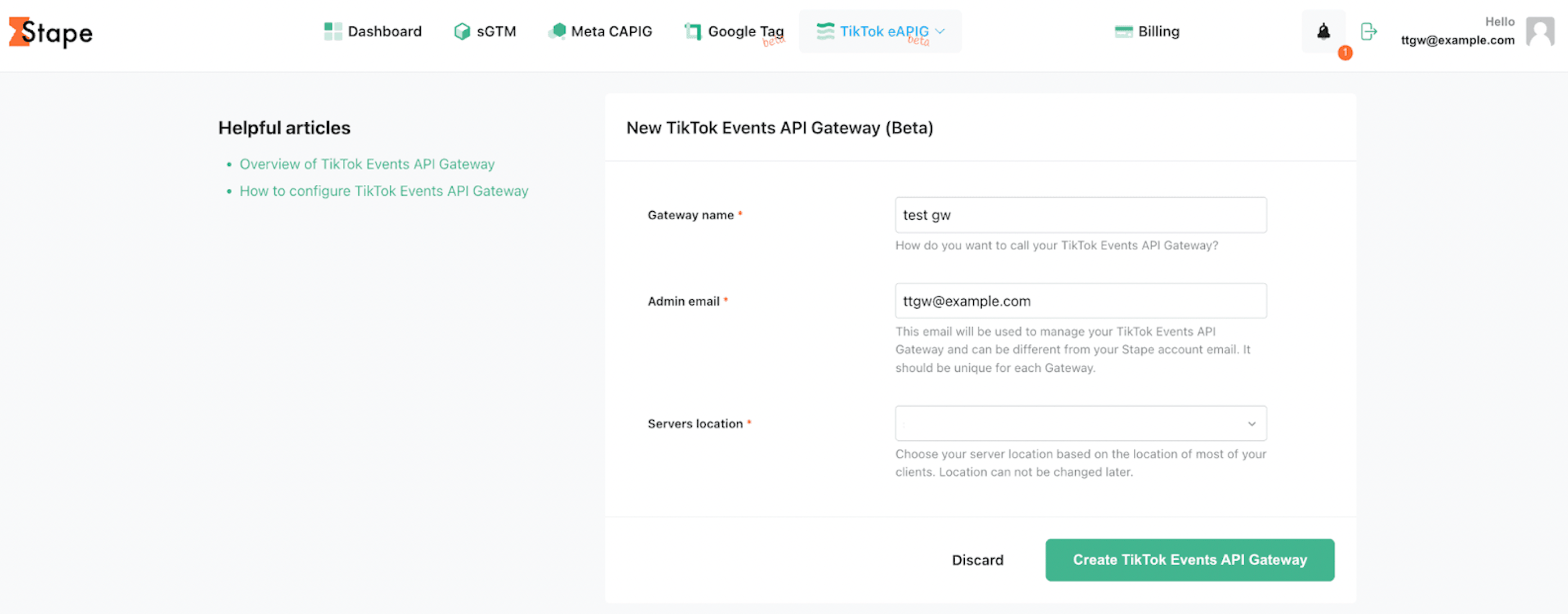
1.2. 填写以下信息:
- 网关名称。可使用任意名称。
- 管理员邮箱。此邮箱将用于管理您的TikTok Events API Gateway,可与您的Stape账户邮箱不同。每个网关须使用唯一邮箱。
- 服务器位置。选择距离您网站访客较近的位置。
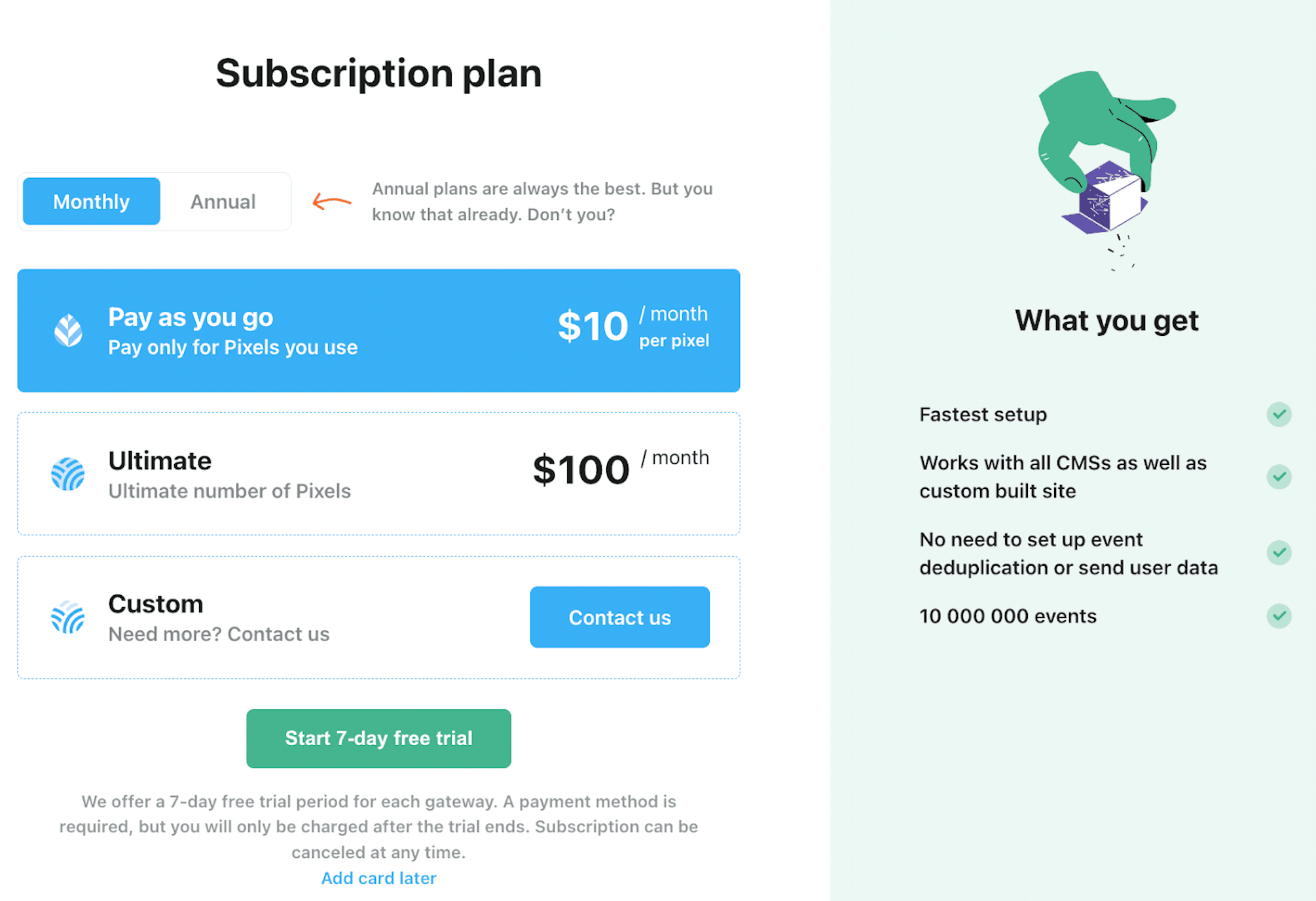
1.3. 选择订阅套餐。Stape提供:
- 7天免费试用。
- 按需付费套餐——每个像素每月10美元。
- Ultimate套餐——100个像素每月100美元。
1.4. 等待您的网关状态变为「Running」。

2. 连接您的像素
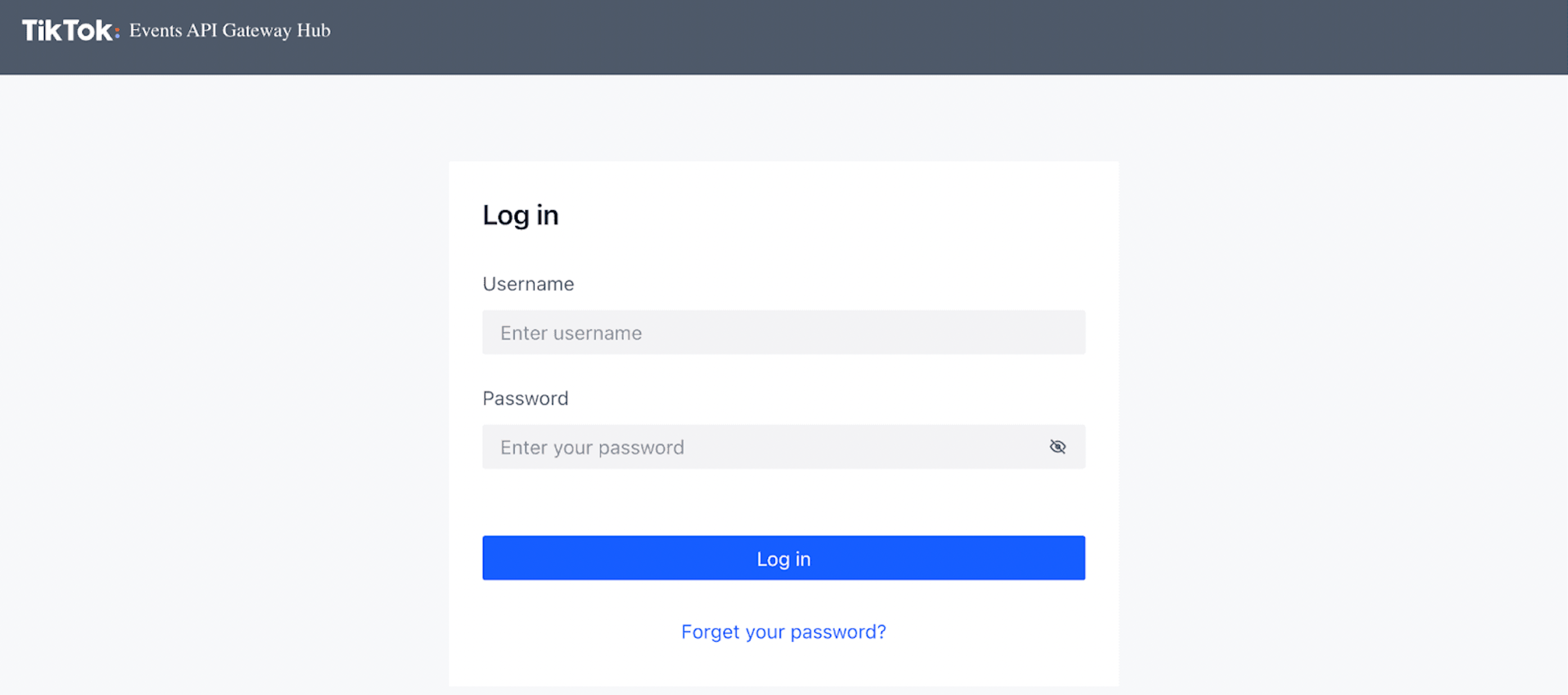
2.1. 点击「Finish TikTok Gateway setup」。您将被重定向至TikTok Gateway的登录界面。

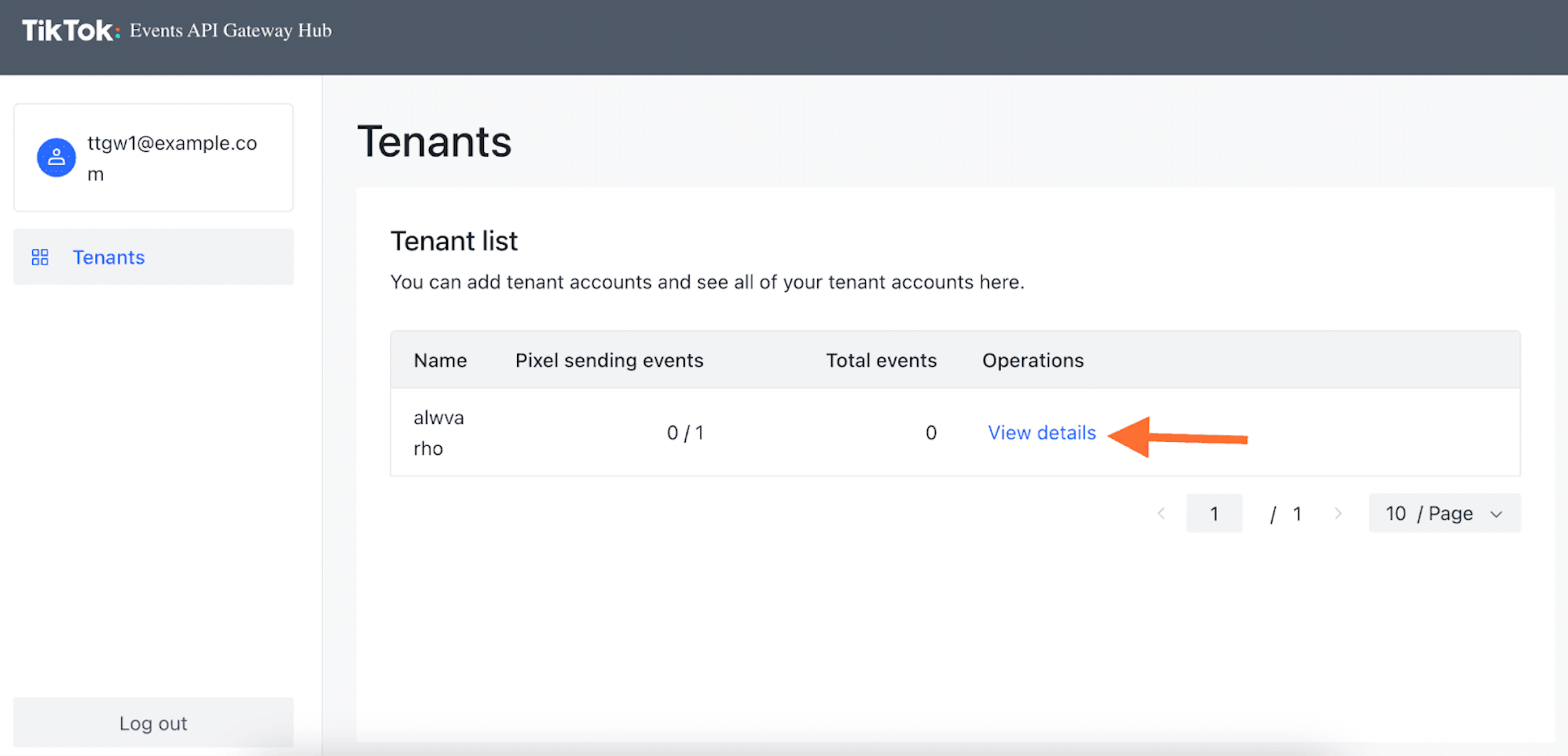
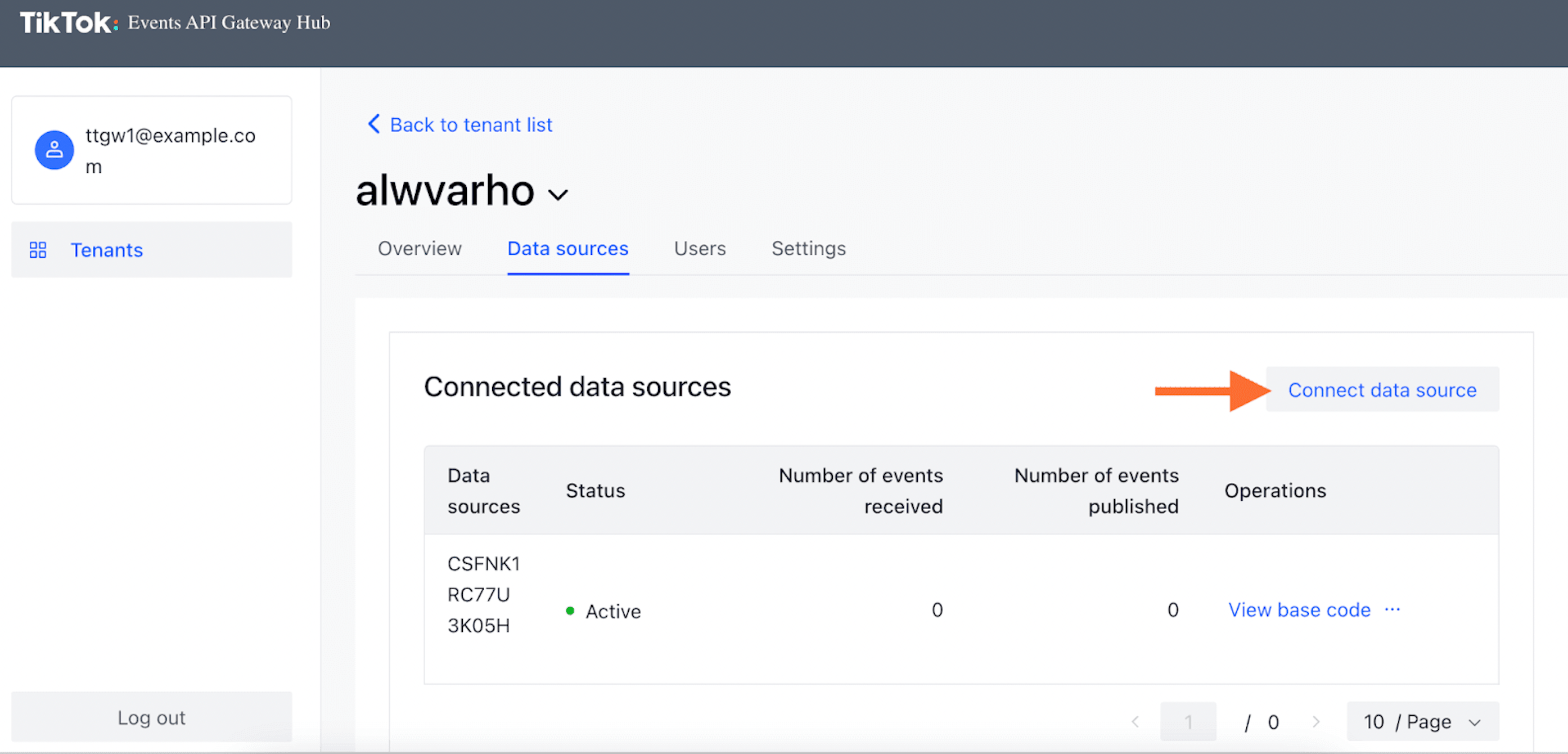
2.2. 在Events API Gateway中心点击「View details」,然后点击「Connect Data Source」。
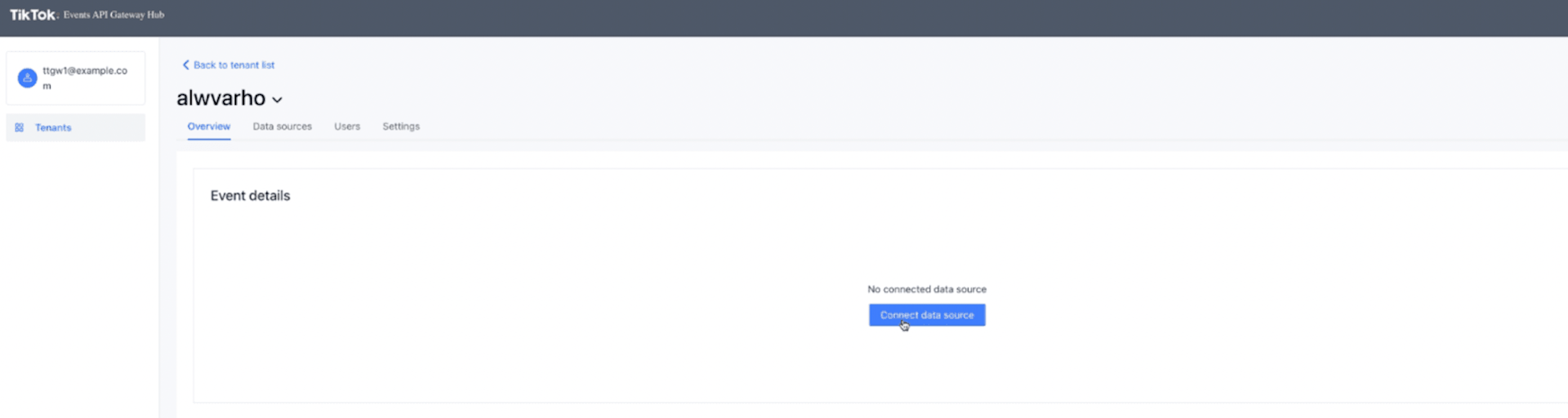
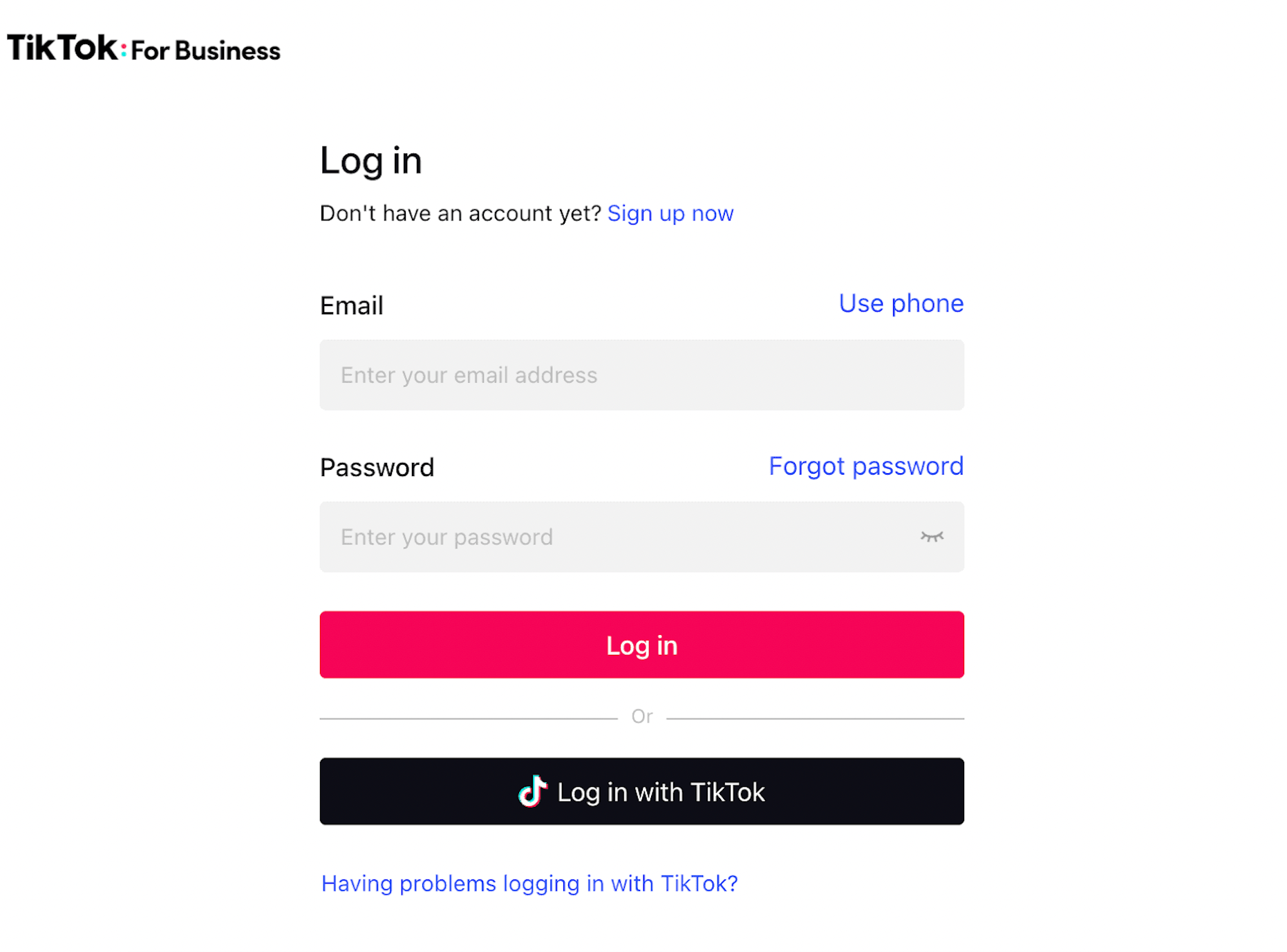
2.3. 选择要连接的账户和像素,并确认您的选择。
2.4. 添加的像素将显示在您的控制面板中。
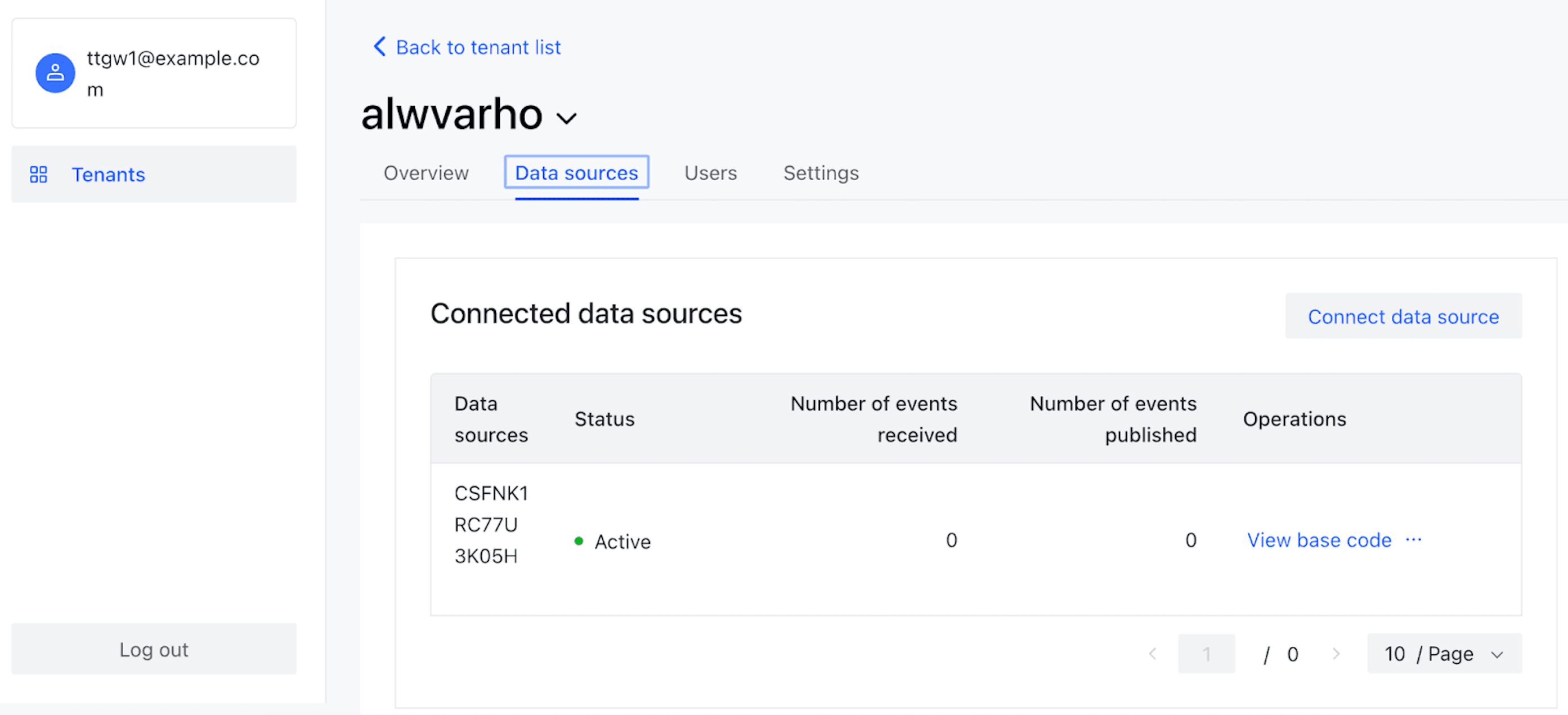
3. 【推荐】添加自定义域名
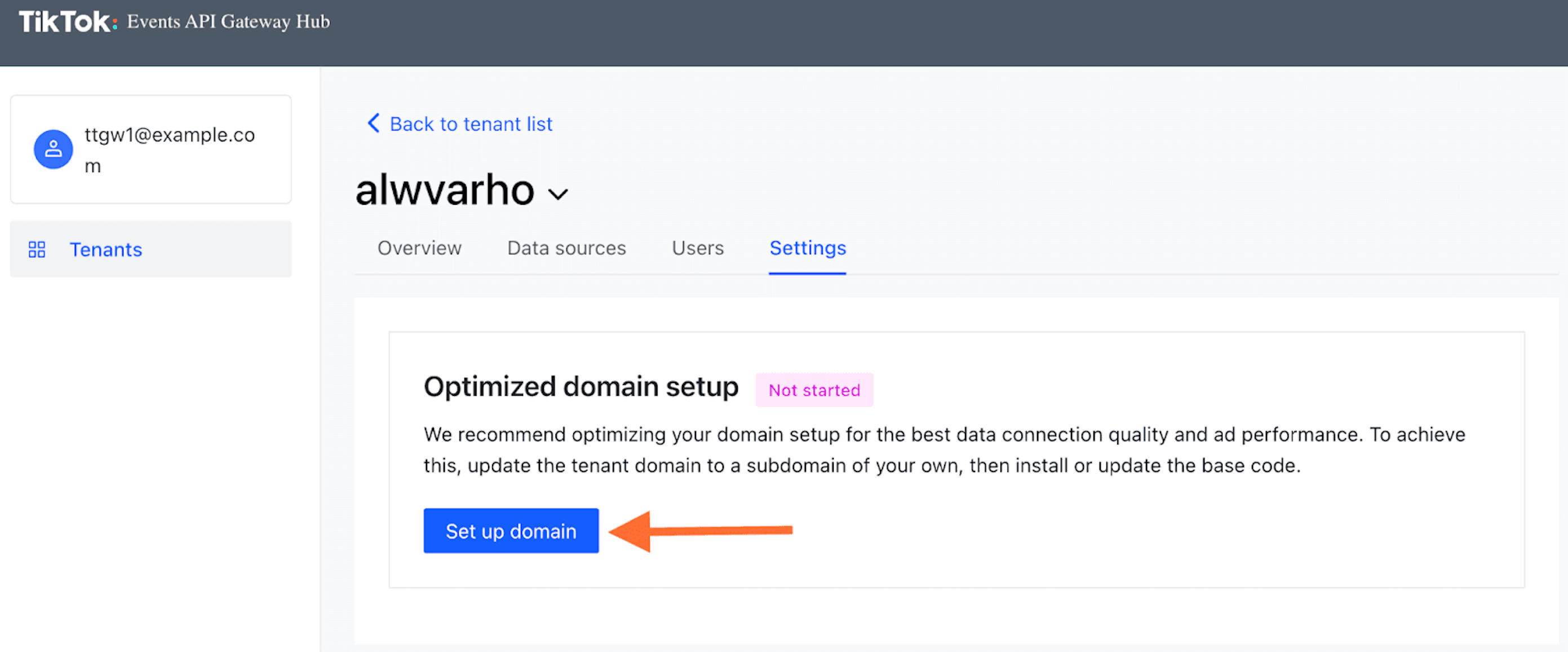
在TikTok Events API Gateway中使用自定义域名可以改善计量性能。它允许您选择像素与Events API Gateway通信所使用的子域名。此自定义域名应与触发TikTok像素所使用的子域名一致。
3.1. 点击菜单中的「Settings」,然后点击「Set up domain」按钮。
3.2. 选择域名并获取需要配置的DNS记录。
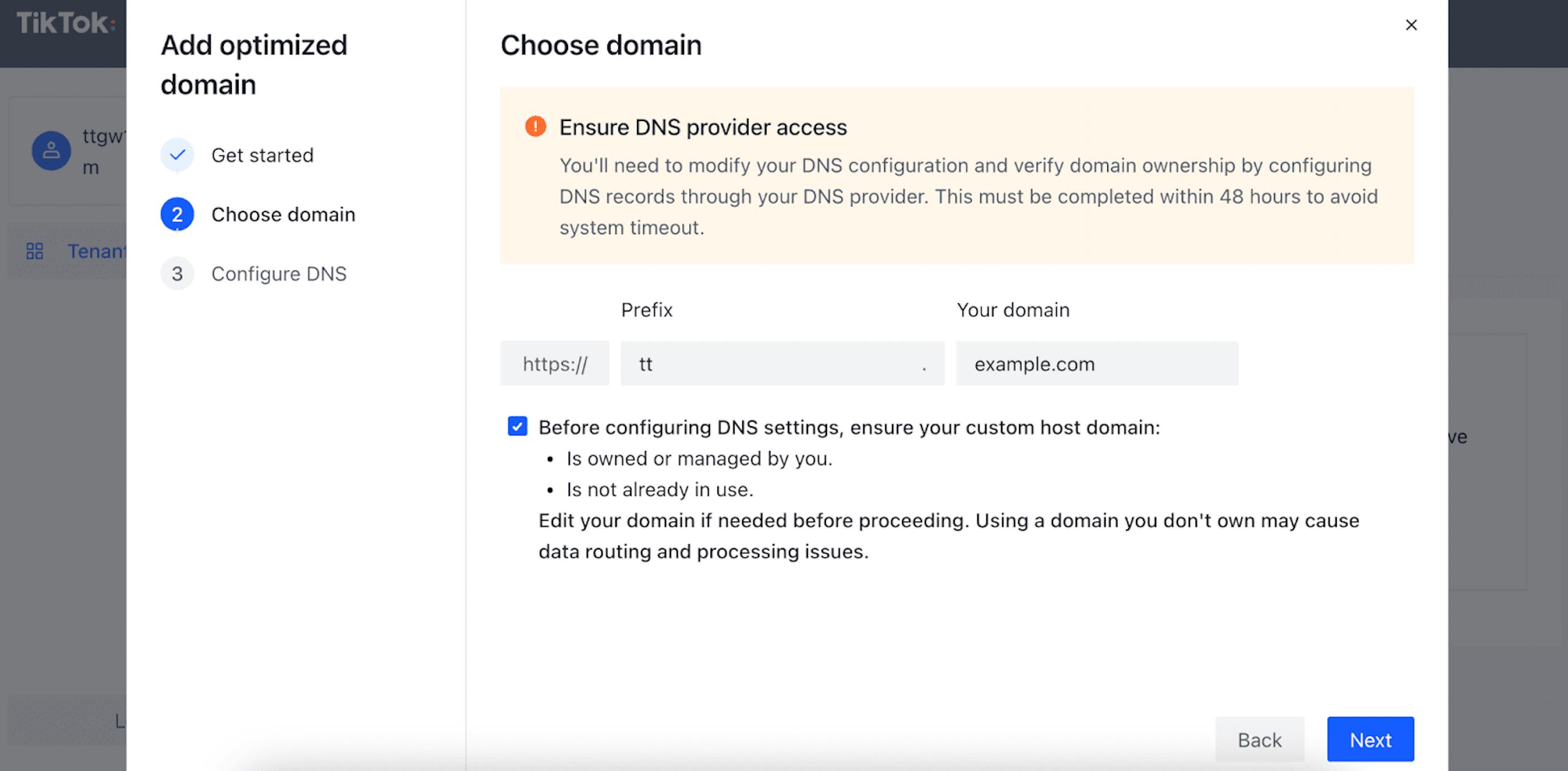
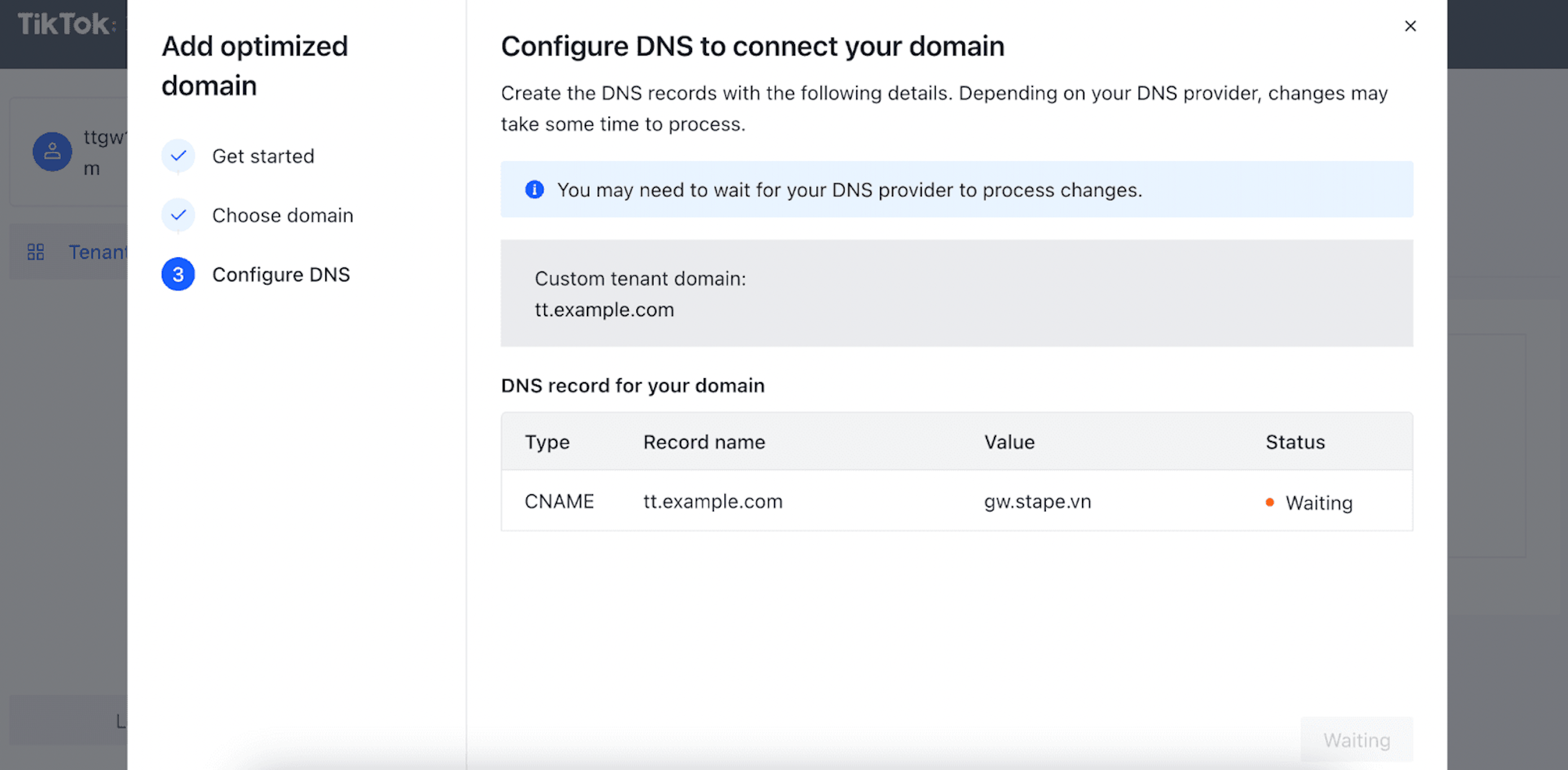
3.3. 登录您的DNS提供商并设置记录(如果您使用Cloudflare,设置应与截图一致)。
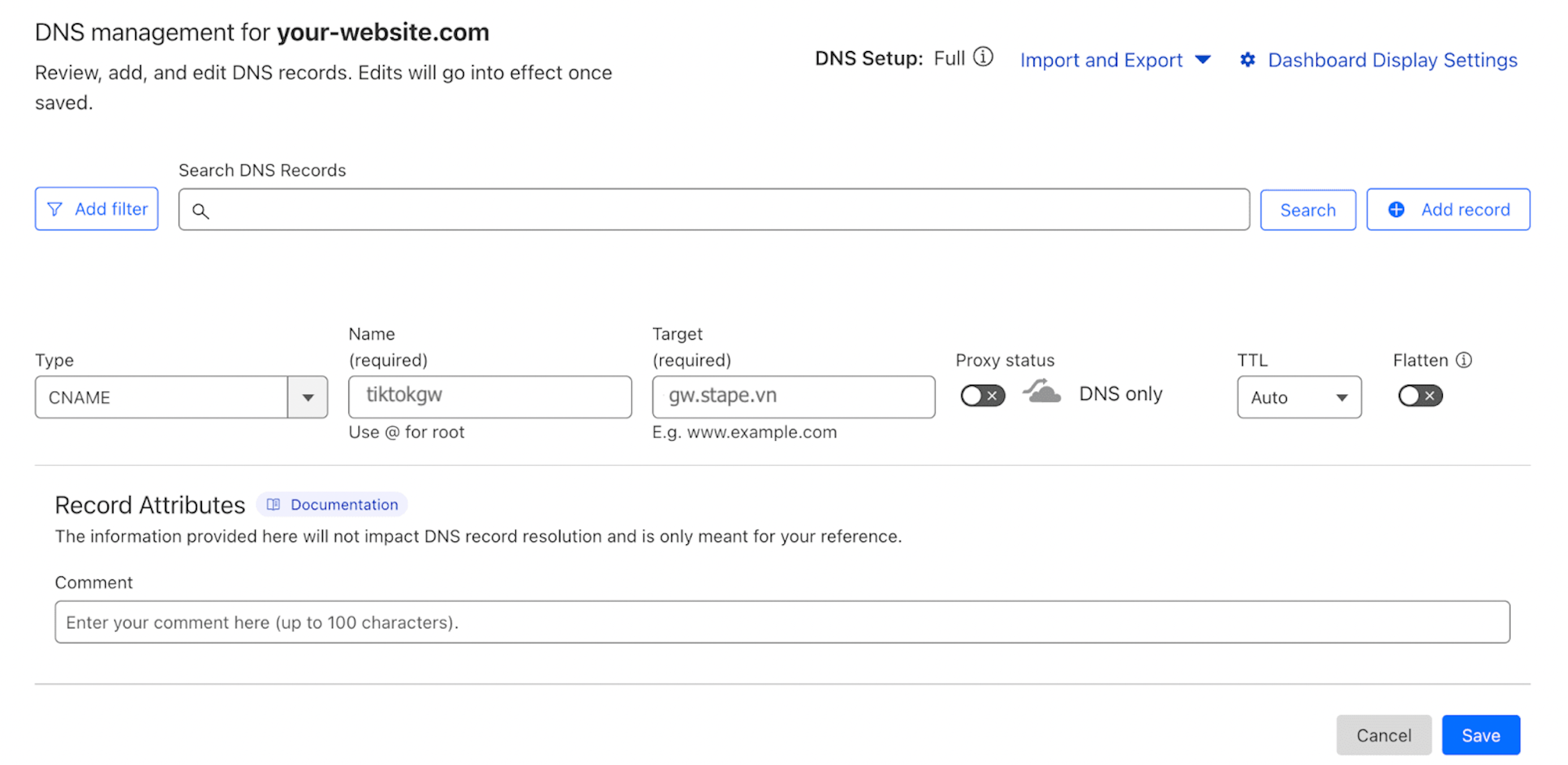
3.4. 完成!您已成功设置子域名。
4. 【推荐】从您的子域名加载TikTok JS
这将有助于提升您的事件对广告拦截器的防护能力。
验证数据路由域名后,您将看到一个可用于在网站上下载TikTok JS的链接。点击「View base code」并复制代码片段。
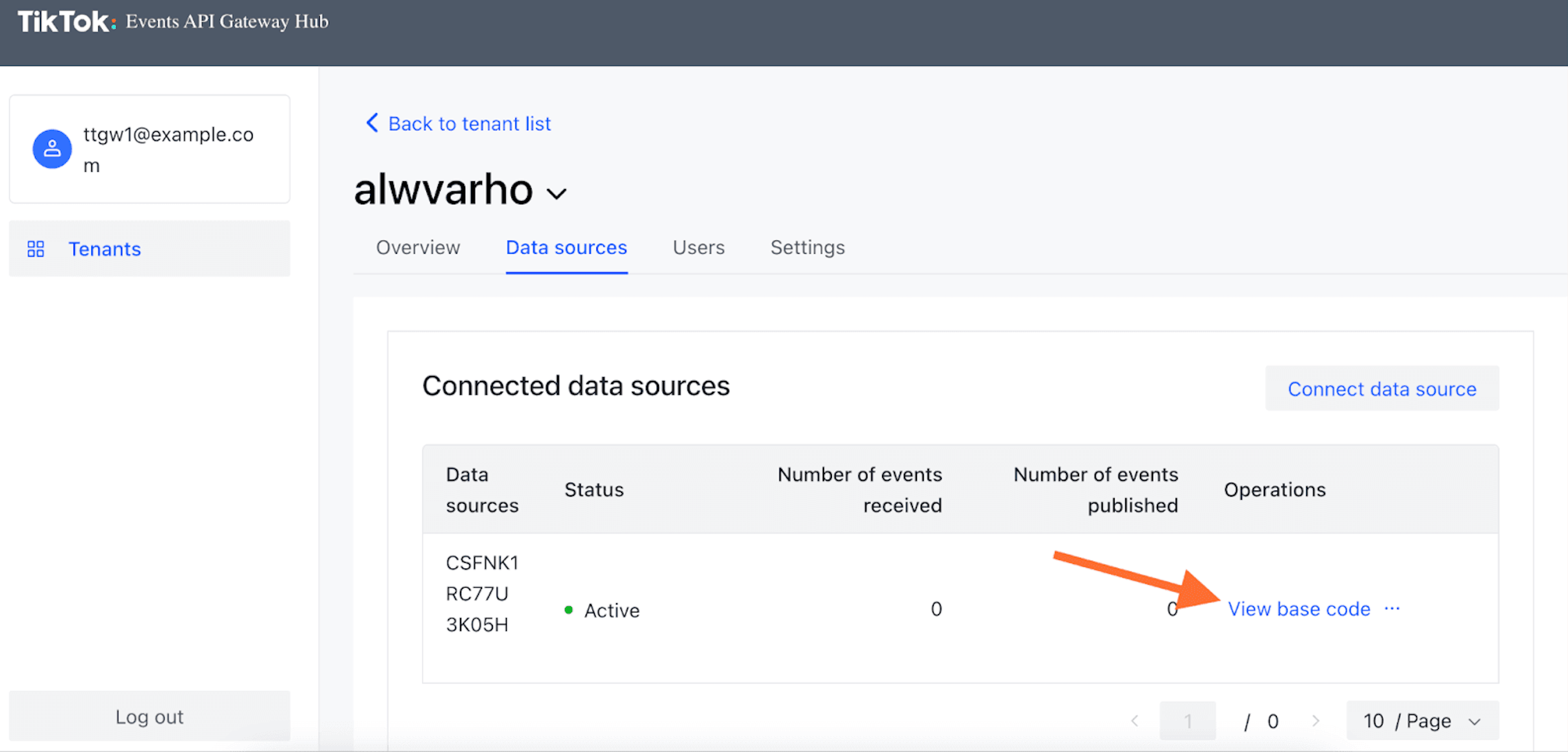
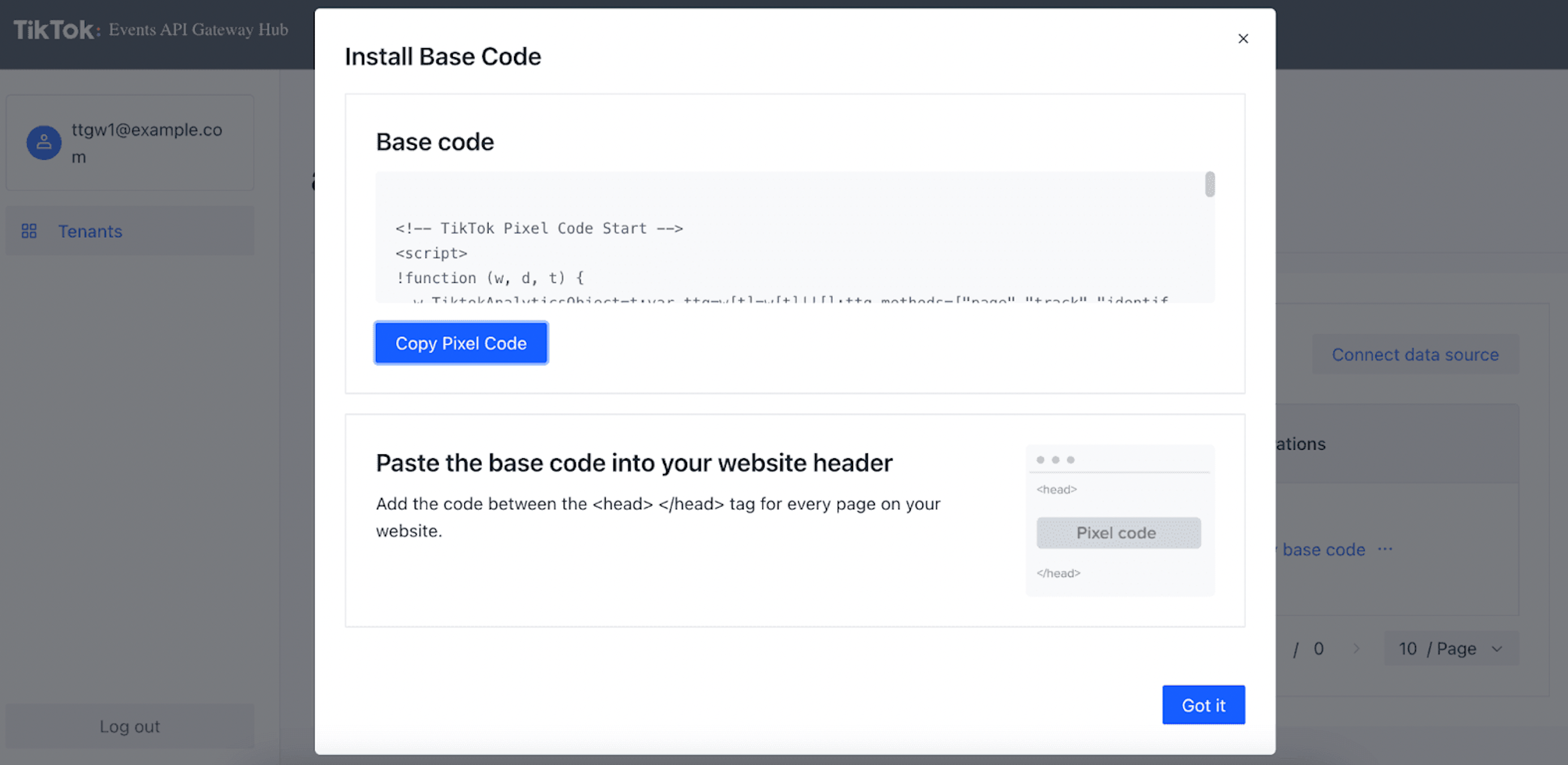
5. 【可选】添加新像素
您可以使用单个TikTok Events API Gateway设置多个TikTok像素。此外,只要您拥有所有像素的管理员访问权限,来自不同TikTok商家账户的像素也可连接到同一Events API Gateway。
操作流程简单:配置好您的TikTok Events API Gateway后,通过中心界面添加新像素,点击「Connect data source」即可。
6. 测试您的设置
如前所述,TikTok Events Gateway使用网页事件通过服务器进行路由。
6.1. 将像素连接到TikTok Events API Gateway中心后30分钟内,您应注意到事件计数不再为零,并可看到已接收事件的名称。
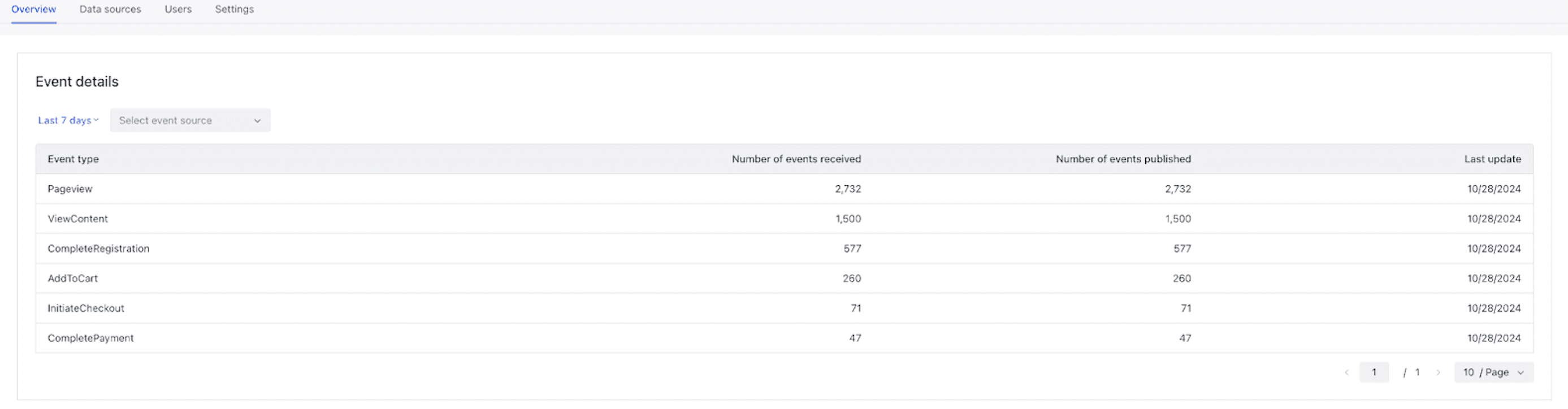
6.2. 您还可以通过检查网站控制台来验证事件是否已正确发送至TikTok Events API中心:
- 1.在您的网站上打开浏览器开发者工具的网络选项卡。
- 2.确认事件已发送至您的Events API Gateway URL(请参见下方截图)。

如何通过服务器GTM设置TikTok Events API?
自2022年2月28日起,TikTok支持事件去重
您可以将TikTok的网页跟踪与服务器跟踪结合使用。如果这样做,请确保在网页和服务器标签中均添加event_id。我们的TikTok Events API支持去重功能,event_id变量符合TikTok的event_id标准。以下指南仅介绍TikTok Events API的设置,不涉及像素事件或去重。
2. 向服务器容器发送所需数据。我们有两种方法的博客文章:使用服务器端GA4配置发送数据 或使用 Data Tag。
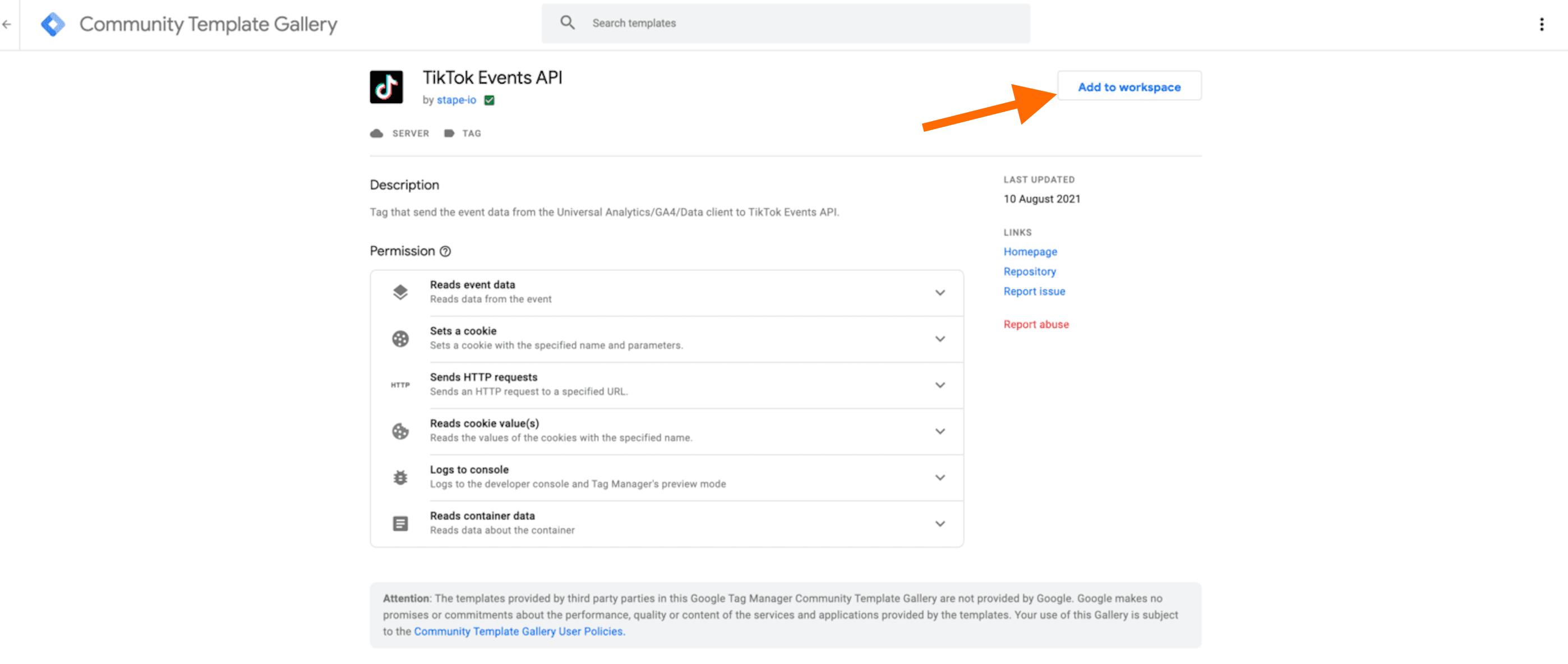
3. 从GTM模板库添加 TikTok Events API标签。
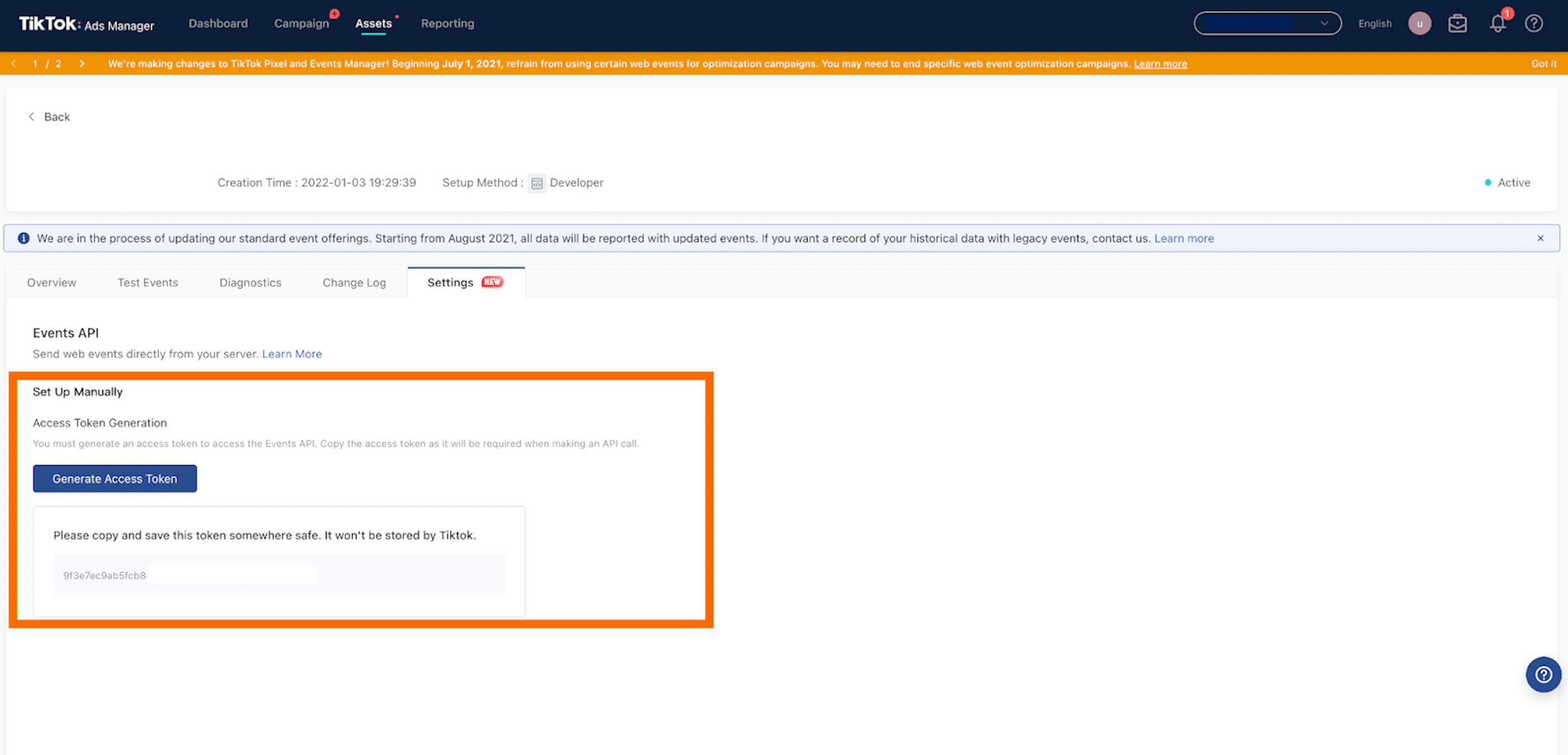
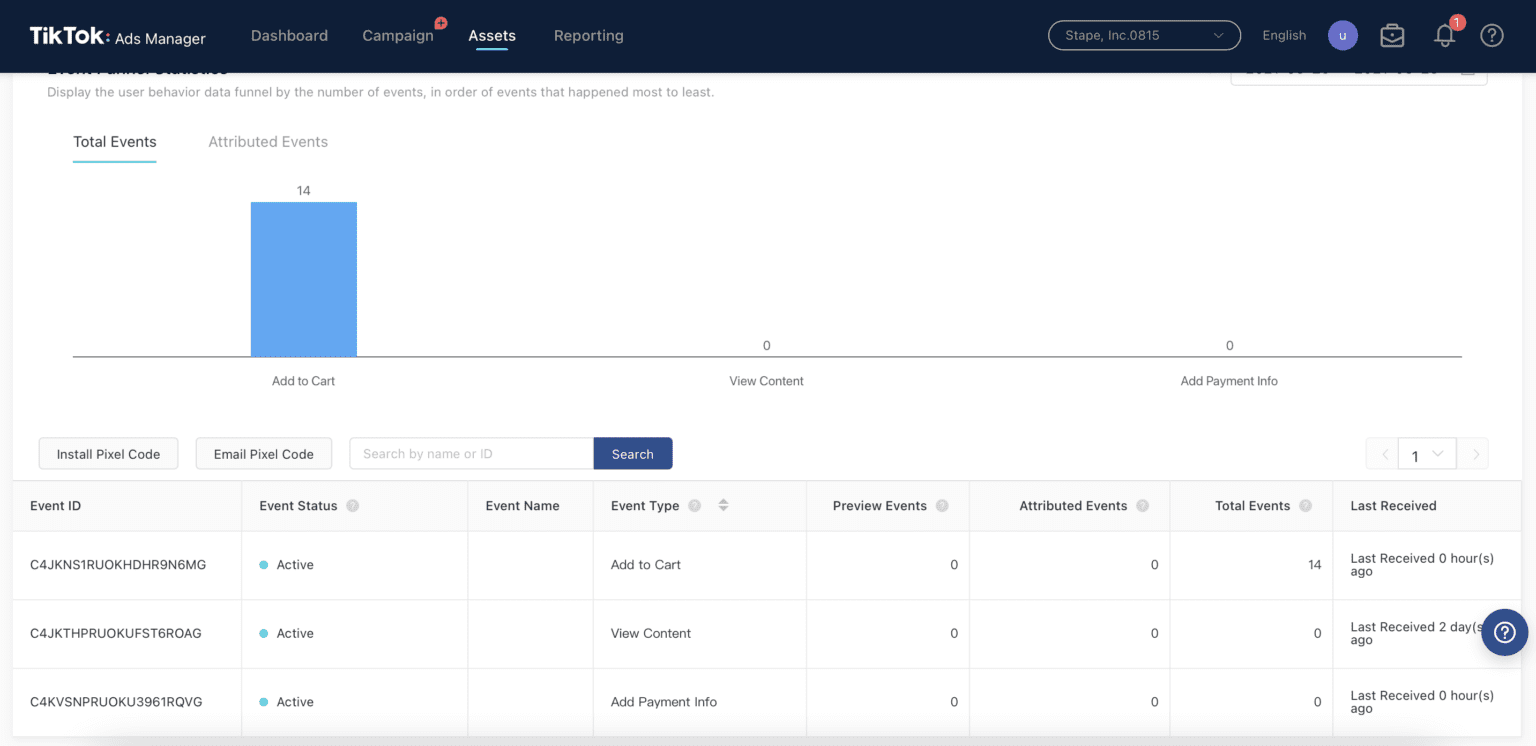
4. 生成访问令牌。操作步骤:Assets → Web Events → 打开像素 → 点击Settings → 点击「Generate Access Token」。
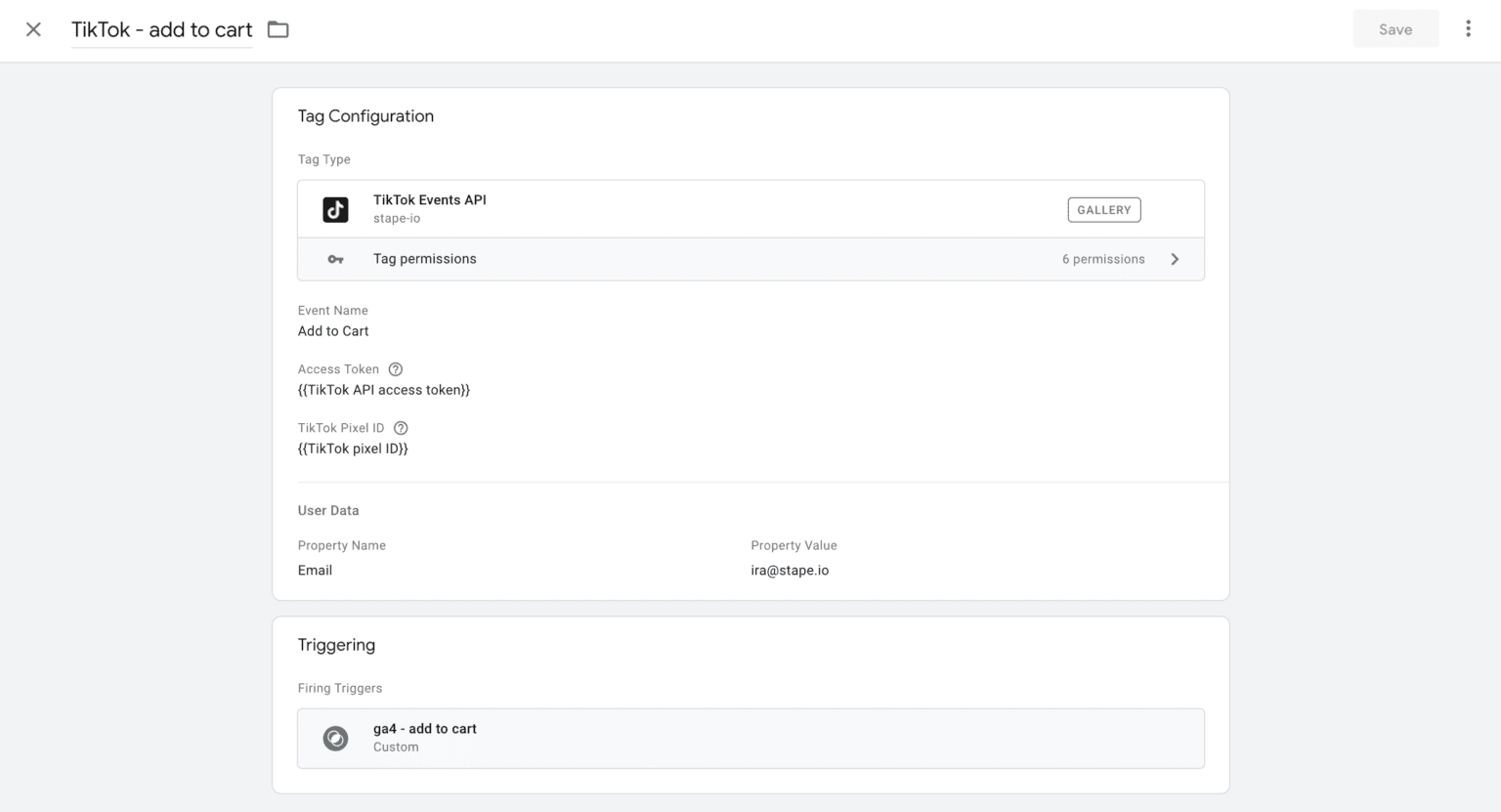
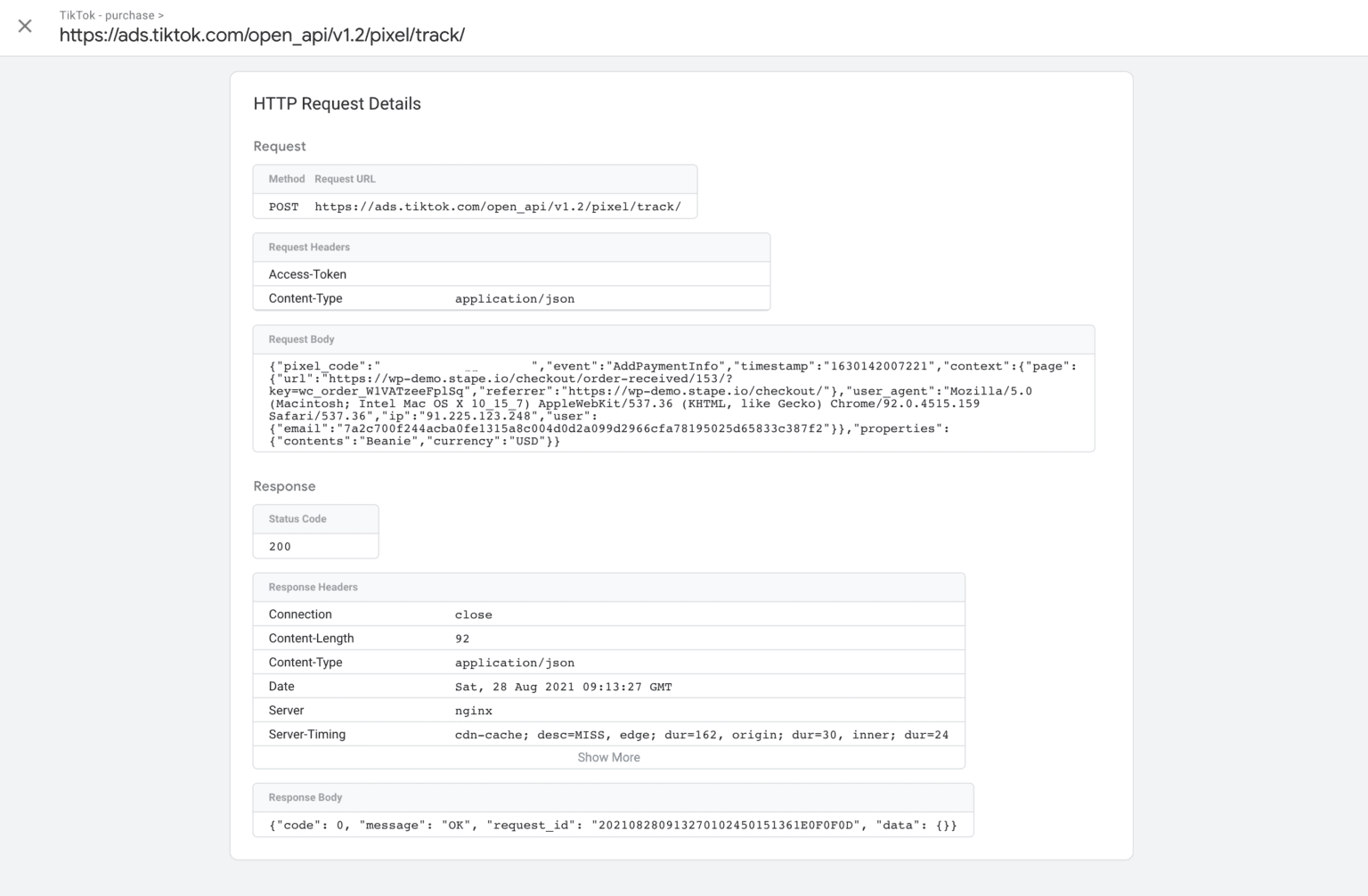
5. 在服务器容器中创建TikTok标签。选择事件 → 添加TikTok API访问令牌 → 添加TikTok像素ID(每个标签只能添加一个像素ID)。
6. 您可以在服务器事件数据替换(Server Event Data Override)下添加事件参数,包括event ID、引荐来源网址、时间戳和URL。标签会自动添加事件参数,但您也可以选择替换并手动发送。
7. 要发送用户数据,请打开用户数据部分。您可以在此添加IP地址、用户代理、电子邮件、外部ID和ttclid。IP地址、用户代理和ttclid将自动添加。
8. 要发送商品数据,请使用属性(properties)部分。您可以发送content、currency、description、query和value。
9. 添加触发器。
| 想了解 sGTM与网关的区别 吗?欢迎查看我们的博客。 |
总结
TikTok Events API支持从您的服务器向TikTok应用发送数据。您可以利用它提高事件跟踪的准确性并扩大自定义受众的规模。Events API具备与浏览器跟踪相同的功能,同时还能绕过客户端限制、获取更准确的用户行为信息,从而在隐私保护和性能方面带来更多优势。
开始使用服务器端方案了吗?
免费试用
评论