How to use the Pricing Calculator?
Updated Jul 27, 2026
1. Go to the pricing page and scroll down to the Pricing calculator section.
2. Select the form of Pricing calculator you wish to use:
- Advanced - to determine which subscription plan suits you best, based on the estimated number of requests your Stape container will receive and the paid features you’ll use.
- Impact on ROAS - to learn the impact that server-side tracking can have on your marketing performance.
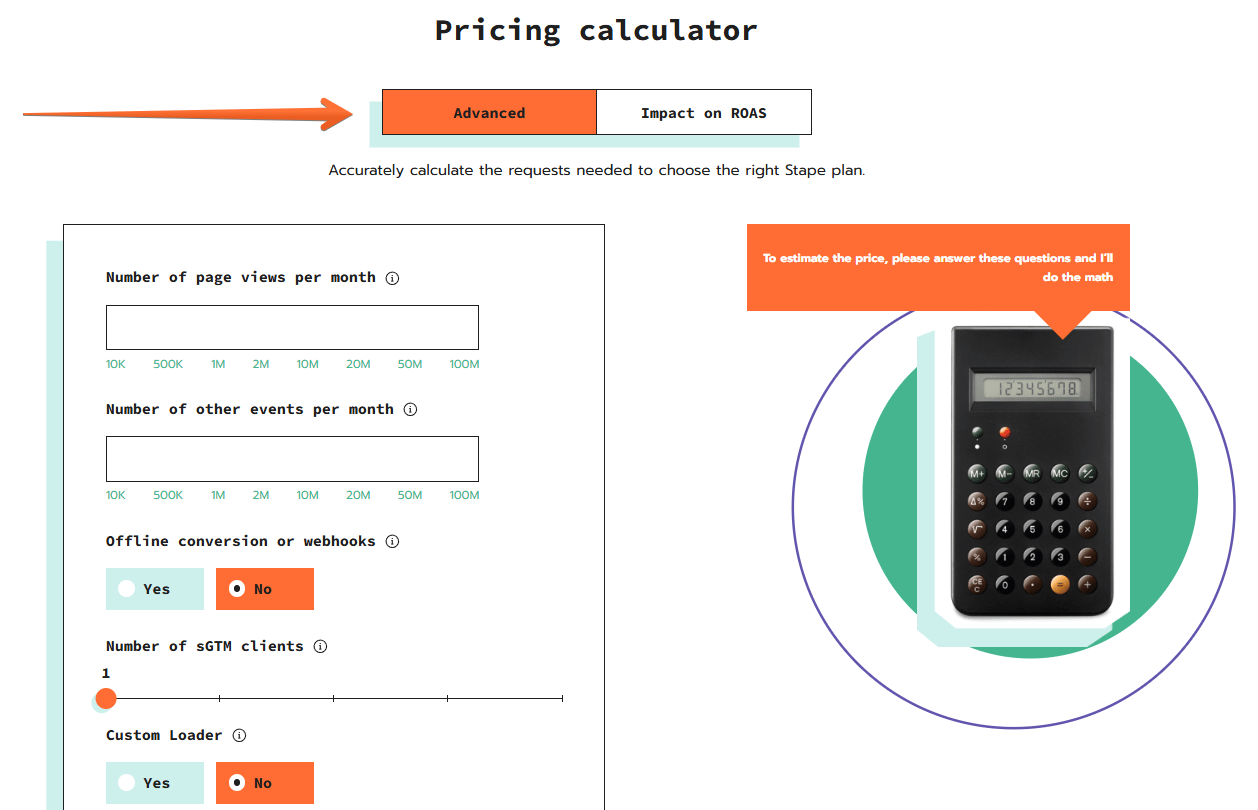
Advanced pricing calculator
- Number of page views per month - enter how many
page_viewevents your website or platform receives in a month. To learn the number of yourpage_viewevents, open GA4 → Reports → Engagement → Events → findpage_viewand see the number in the Event Count row for a month. - Number of other events per month - enter how many events of all types except for
page_viewyour website or platform receives in a month. To learn this number, open GA4 → Reports → Engagement → Events → see the Total number in the Event Count row for a month and subtract from it the number of yourpage_viewevents. - Offline conversion or webhooks - if you track offline conversions or use webhooks for other reasons, enter their monthly amount here.
- Number of sGTM clients - enter how many server-side GTM clients (Data Client, File Proxy Client, etc.) you’ll use for your tracking setup. If more than one, please specify whether you use them only to process webhooks. A client is the element of sGTM setup responsible for listening for incoming data, processing it, and converting it into structured event data that sGTM can work with.
- Finally, specify if you’re planning to enable certain Stape features: Custom Loader (for bypassing ad blockers), Cookie Keeper (for extending first-party cookie lifetime), Enricher (for enriching events with stored user data), File Proxy (for serving external files and scripts through your subdomain), and Stape Store (for storing and managing sGTM data).
Once you’re done, click Calculate, and you’ll get an estimated number of requests and a suggested subscription plan.
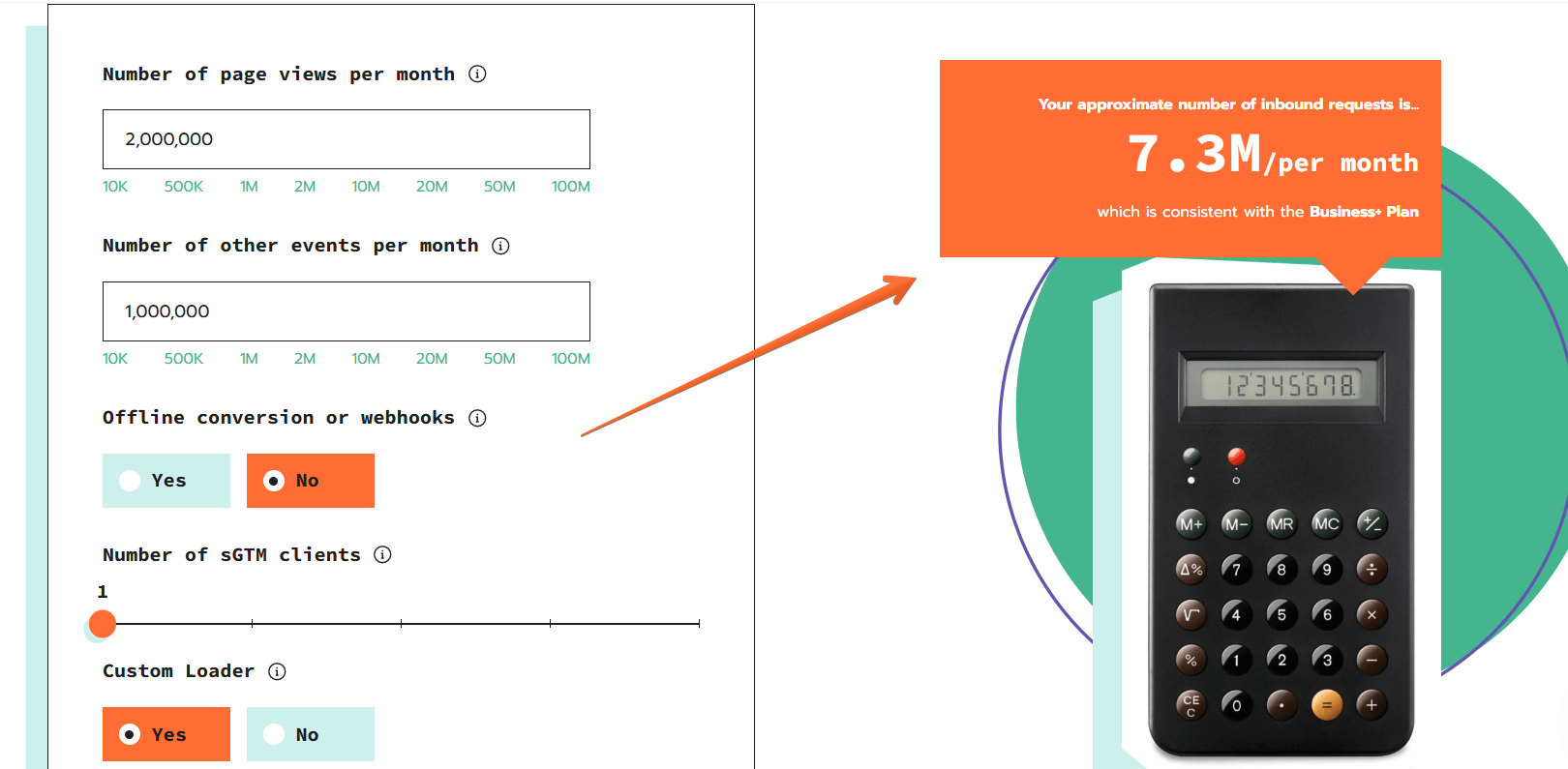
Impact on ROAS pricing calculator
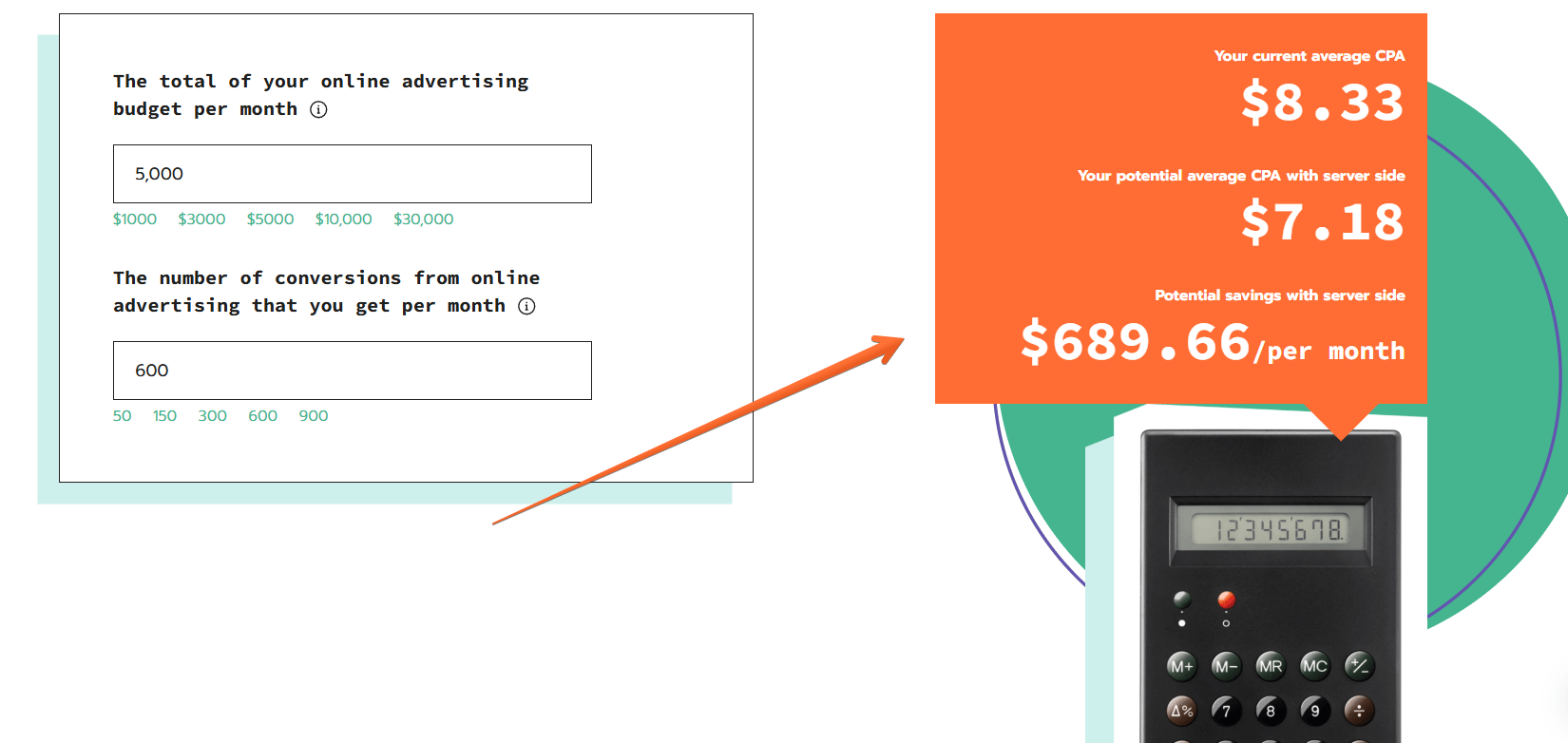
- The total of your online advertising budget per month - enter how much you spend on online advertising per month on the platforms that you’re planning to move to server-side tracking.
- The number of conversions from online advertising that you get per month - enter how many conversions you get from paid advertising on those platforms.
We’ll calculate your current CPA and estimate how it can change after switching to server-side tracking, and how much it would save you monthly.
Was this article helpful?
🍽 Table of content:
Subscribe to product updates:
Can’t find what you are looking for?
Comments