How to restore access to the Stape account
Updated Jun 18, 2026
Forgot password
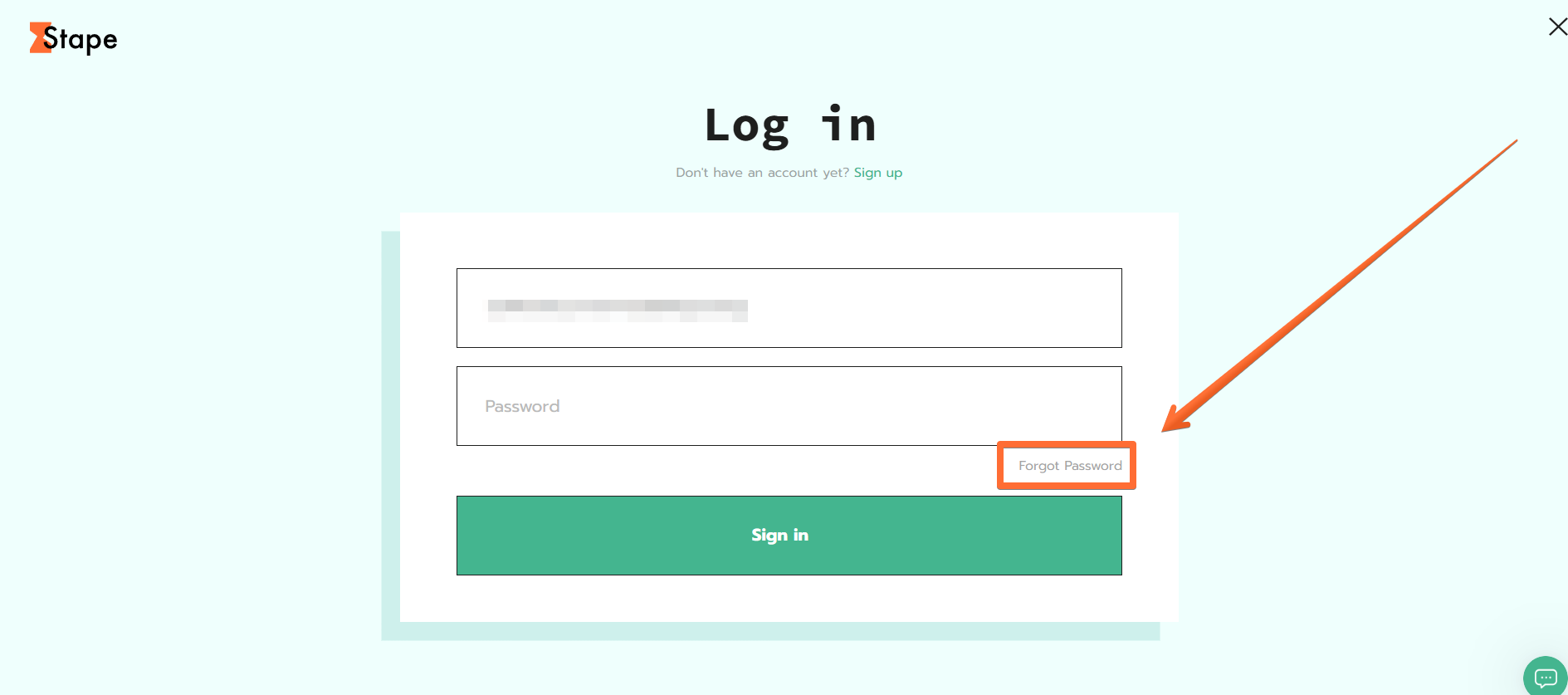
If you forgot your password, visit the login page and click Forgot password (you first need to enter your account email for the button to appear). You can also visit the password recovery page directly.
Two-Factor Authentication (2FA) issues
If you enabled 2FA, you selected the device to use for authentication (through services like Google Authenticator) and were provided with backup codes. To restore account access:
- 1.Open the authenticator app on the device you chose and use the randomly generated codes it provides to access the account.
- 2.If you no longer have access to that device, use the backup codes to restore account access.
Single Sign-On (SSO) issues
If your company has enabled SSO, you will be required to log in to your Stape account using your corporate email. Instead of entering your Stape password, you will be redirected to your company account authorization.
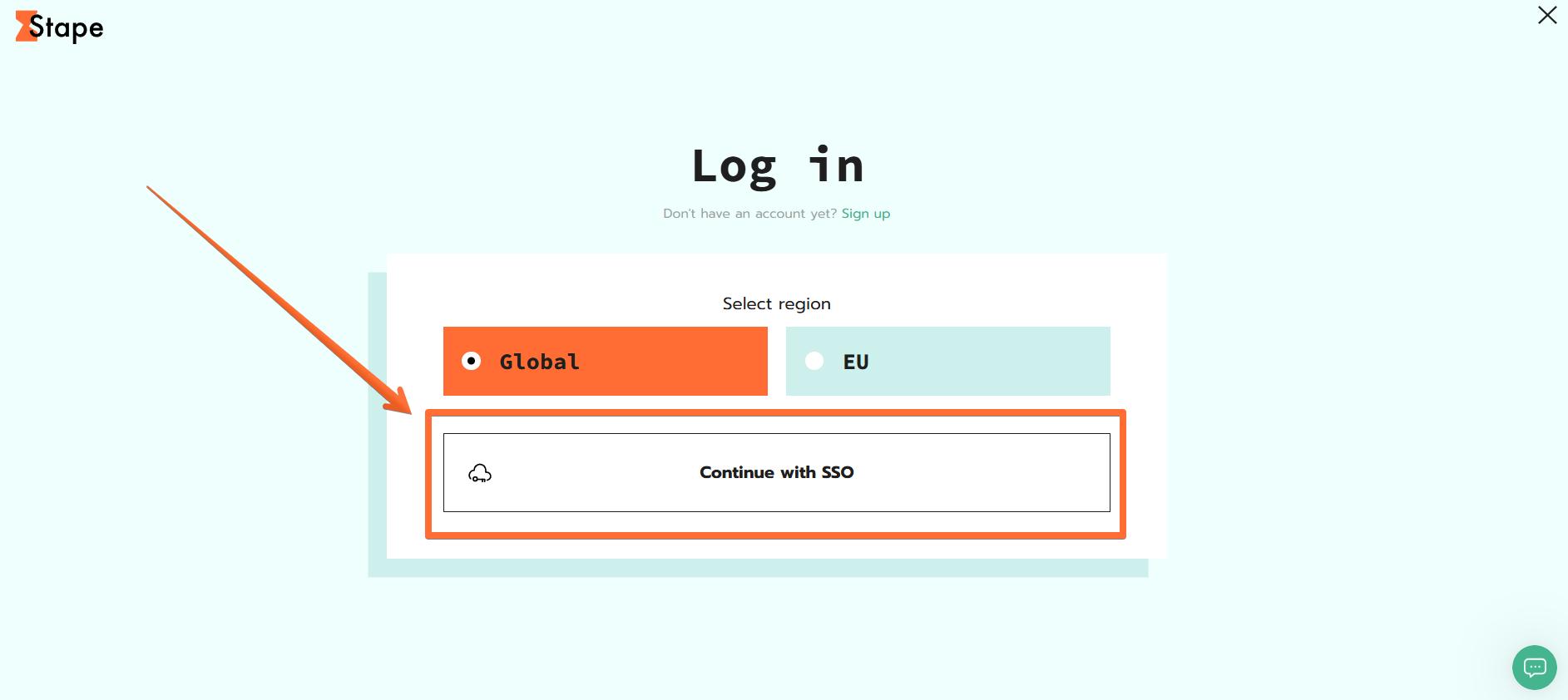
If your workspace moves away from SSO (e.g., Google SSO is disabled), your workspace administrator should provide you with new access rights.
Passkey issues
Stape supports Passkeys (WebAuthn) as a secure and passwordless way to sign in to your account. If you encounter issues with logging in via Passkey, you can choose an alternative login method.
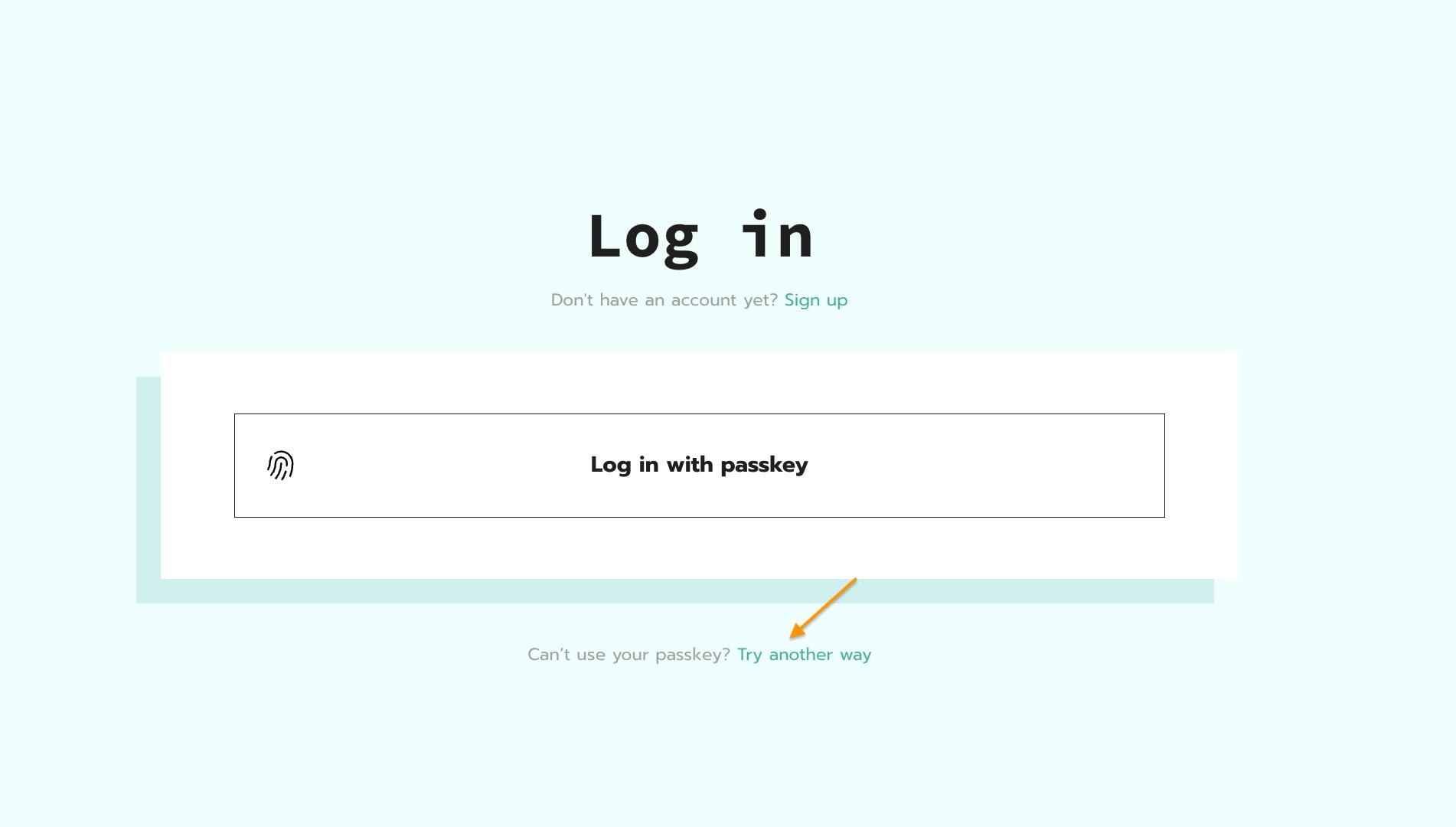
Also, you can use a different device or browser, as Passkey is only set up for a specific browser.
Other issues
If you encounter other issues with accessing your account, or the methods above do not work for you (e.g., you’ve lost your 2FA backup codes, or lost access to Stape’s SSO admin space), please submit a ticket or reach us directly at support@stape.io. Our support team will be happy to help you regain access to your account.
Was this article helpful?
🍽 Table of content:
Comments