How to share account access?
Updated May 10, 2026
Before you start, please note:
- you can only grant access to your account to other standard accounts. It is not currently possible to give access to agency accounts.
- you can only grant access to your account to users within your Stape branch.
For example, if you have a Stape Global account, you can only grant access to other Stape Global users. Similarly, if you have a Stape EU account, you can only grant access to other Stape EU users. It is not possible to grant access across different branches.
1. Open your account and click Account settings.
2. Go to Shared Access.
3. Enter the email of a user with whom you want to share your account. Do not forget to click Share access to save the changes.
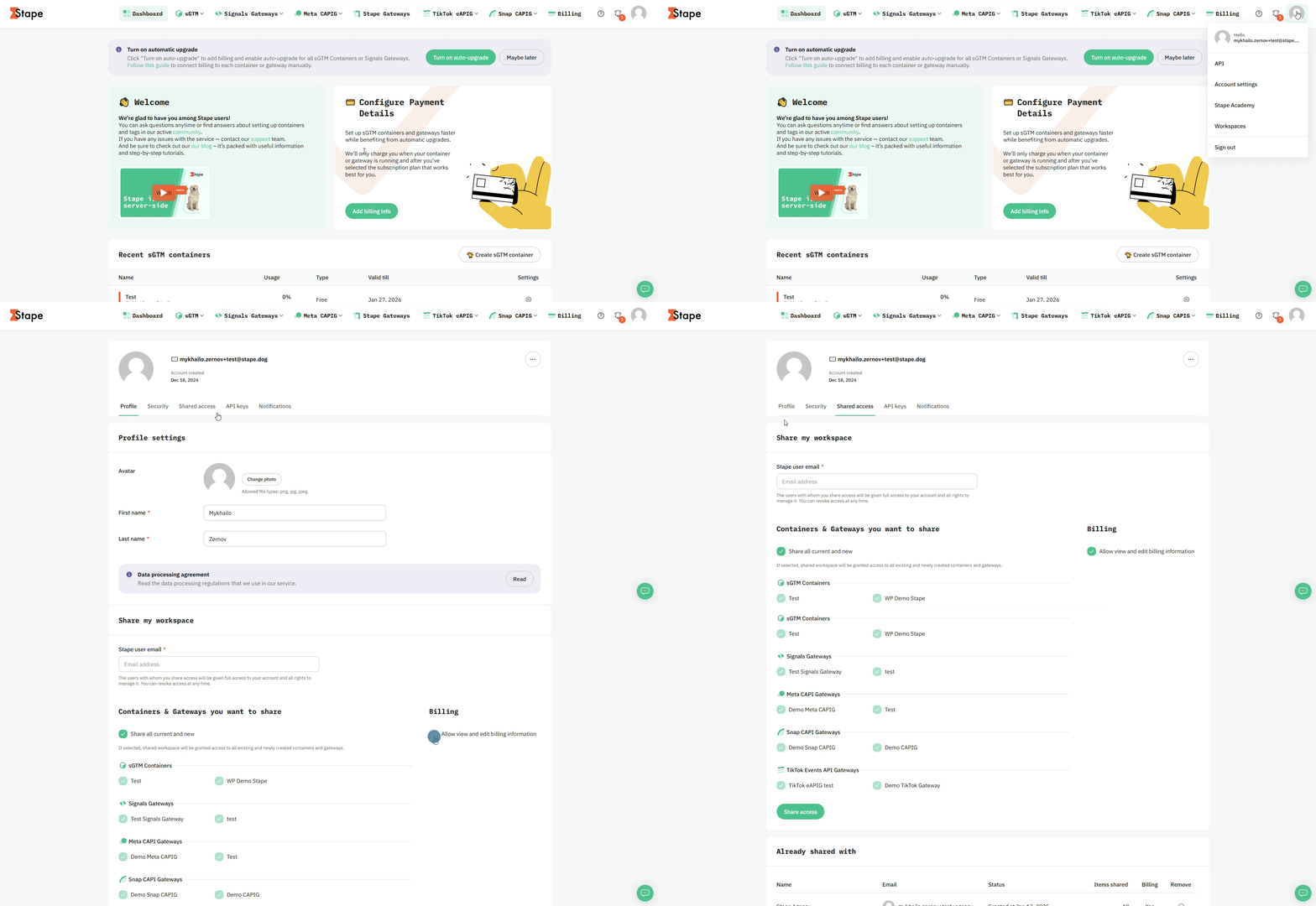
Important! The invited user will have full access to your container.
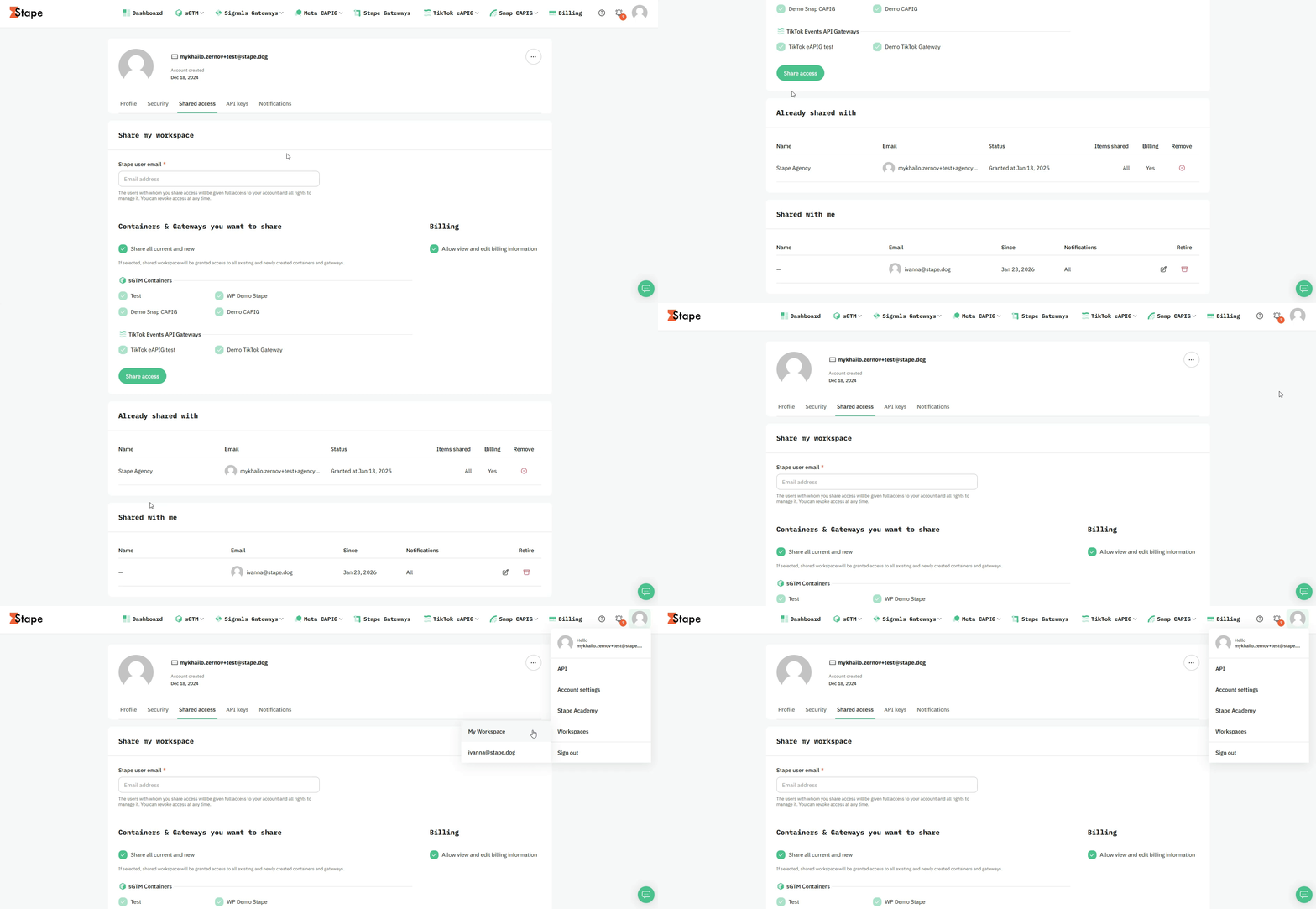
4. For invited users to see or edit the shared container, they need to log in to their account, click on their email at the top right corner and select Workspace.
How to revoke shared account access?
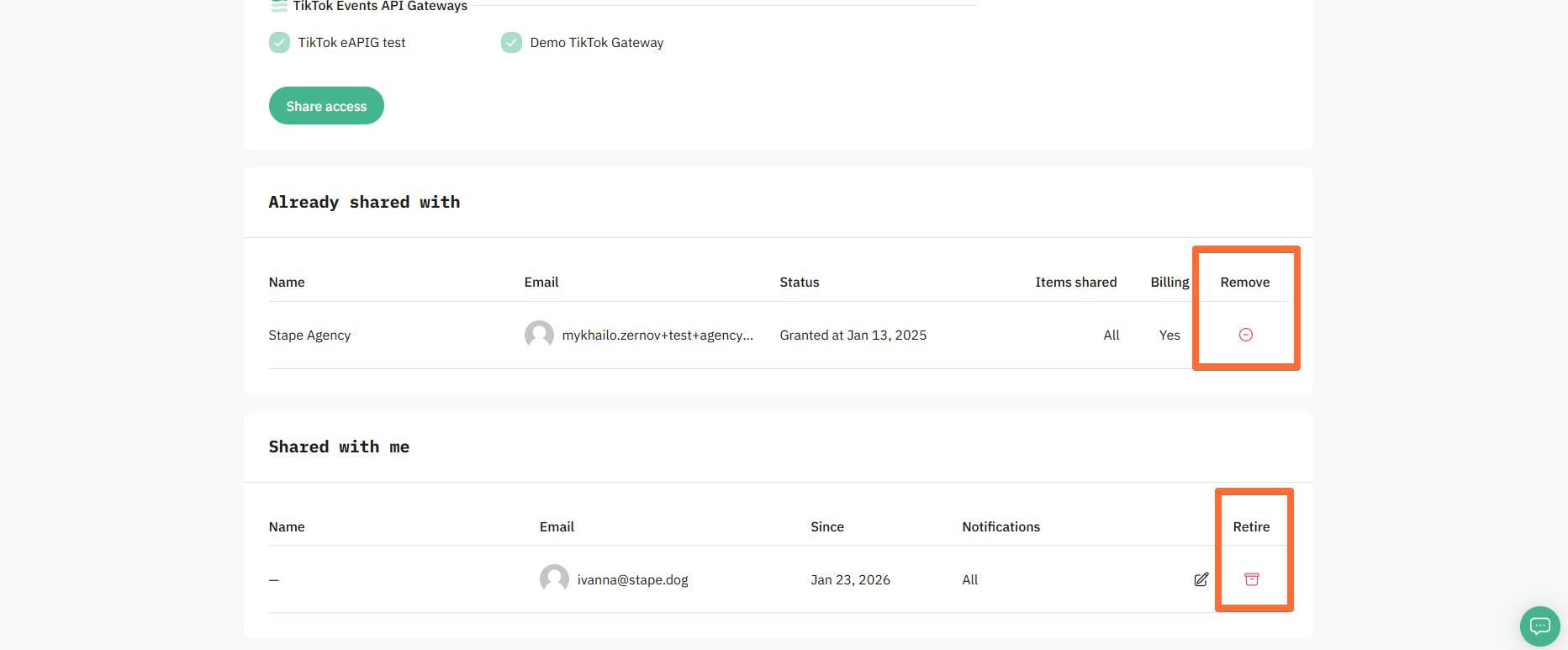
In the Shared Access menu, you can Remove access that you've previously shared with other users. Alternatively, users can also Retire themselves from having shared access to other accounts.
Troubleshooting
There are two most common issues with account sharing:
1. You are trying to share access with an Agency or Partner account. The Shared access menu only allows you to share your account with another Standard account.
Solution: if you need to add your account to the list of accounts managed by an Agency or Partner, the owner of that account can add your account on their dashboard. We have dedicated guides on how to do that:
This way, your Agency / Partner will be able to see your Stape products on their dashboard. Please keep in mind that you won't be able to view your Agency's / Partner's account through your Standard account.
2. You are trying to share access with an account registered in a different Stape region (Global or EU). It's only possible to share access with accounts registered in the same Stape branch.
Solution: unfortunately, due to privacy concerns and to ensure full GDPR compliance, the only solution for this problem is to create a new account in the same branch as the one you wish to share access with.
Was this article helpful?
🍽 Table of content:
Comments