How to set up Stape Conversion Tracking app for Odoo CRM
This Stape Conversion Tracking app for Odoo CRM allows you to track and report your Opportunity’s progress as conversion events to your Meta Dataset (formerly Pixel) using CAPI Gateway, Signals Gateway, or a server-side GTM container. After a configuration, it automatically monitors your Opportunities within Odoo CRM and sends the appropriate events without manual input.
How to configure the Stape Conversion Tracking app for Odoo CRM
App installation
1. Install the Stape Conversion Tracking app for Odoo CRM from the Odoo app store.
There are two installation options:
- Deploy on Odoo.sh
- Download app (On-Premise installations)
To deploy on Odoo.sh, do the following:
Click on “Deploy on Odoo.sh” → Sign in to your GitHub account and install the app.
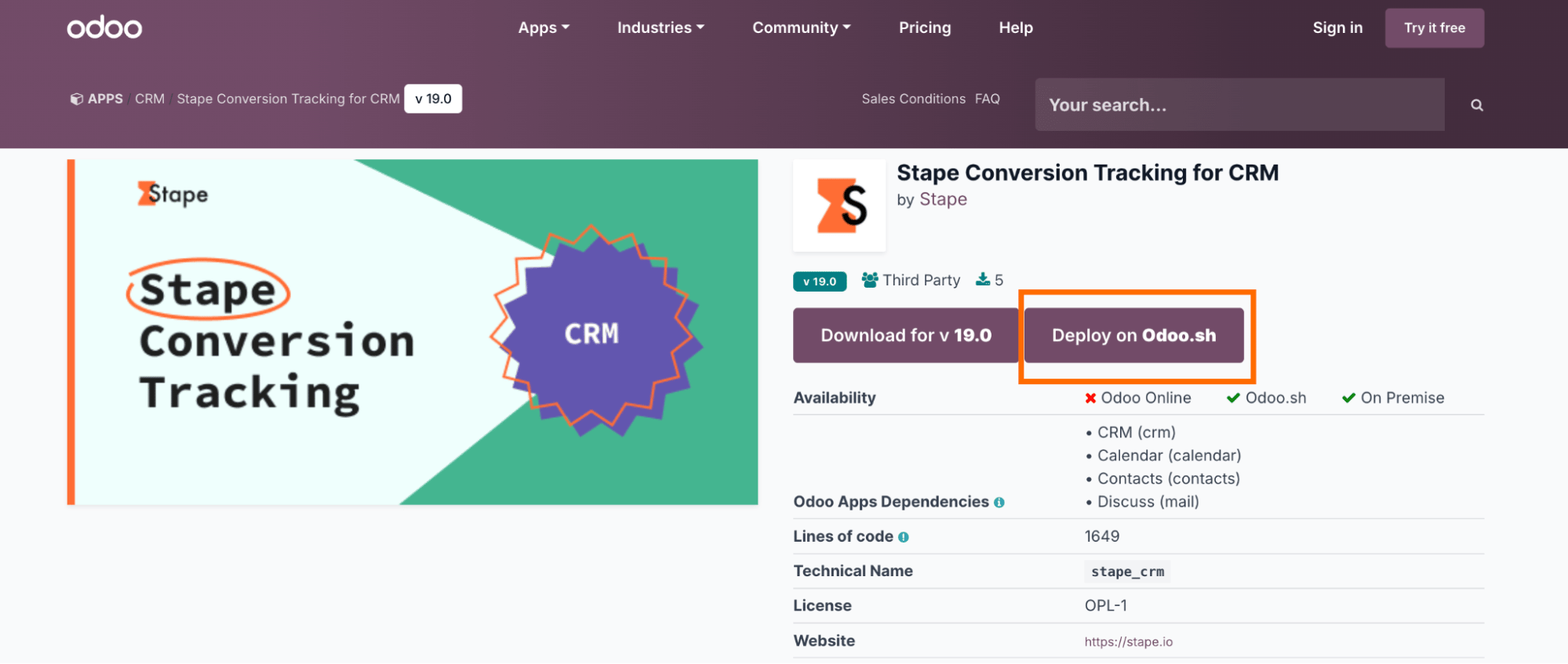
For On-Premise installations:
On the app store page, click Download for v19.0
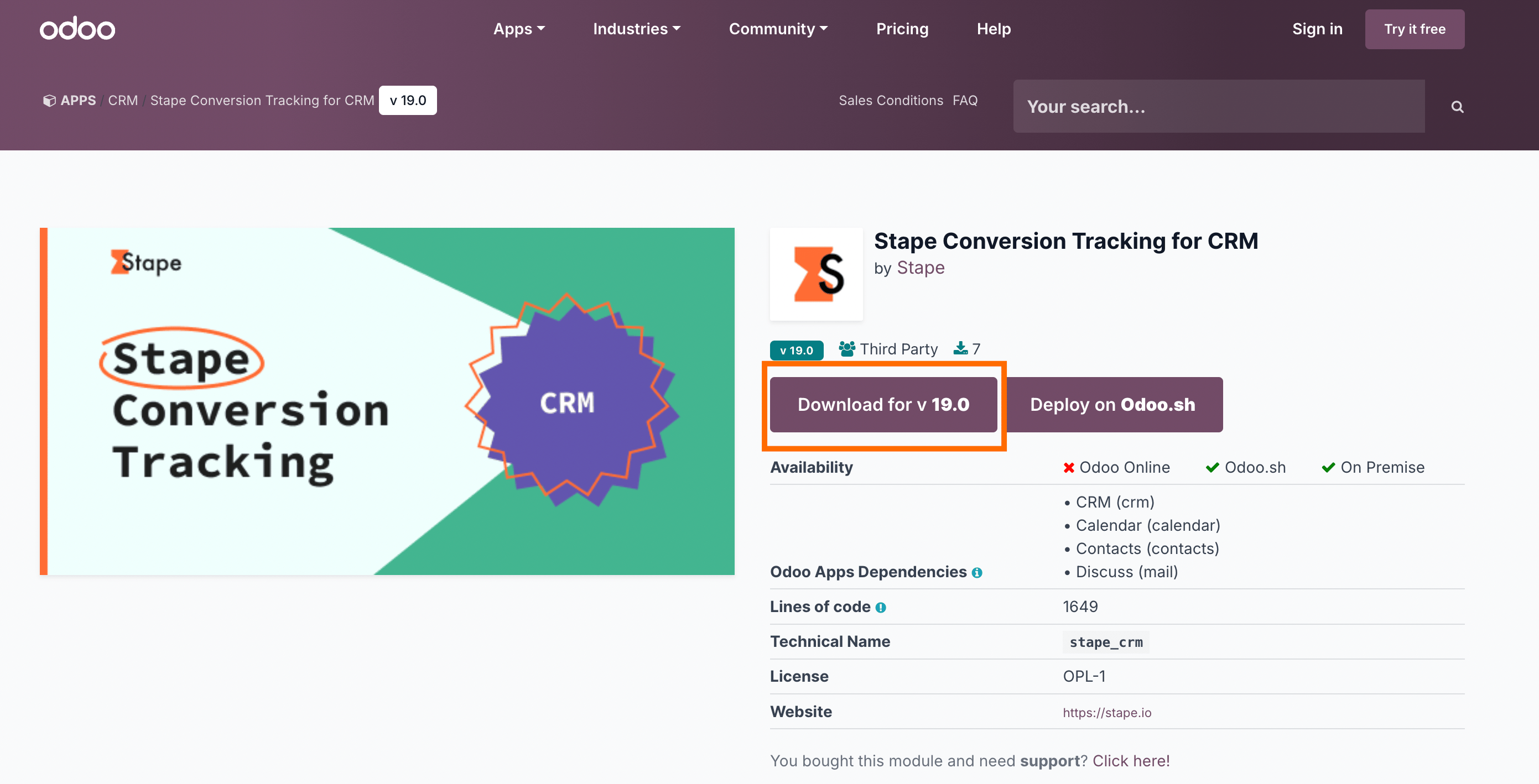
Extract the downloaded .zip archive into your Odoo addons/folder on your server.
Restart your Odoo server.
In Odoo, go to Apps → Update Apps List, then search for Stape Conversion Tracking for CRM and click Install.
2. Configure the app after installation.
Open the CRM module.
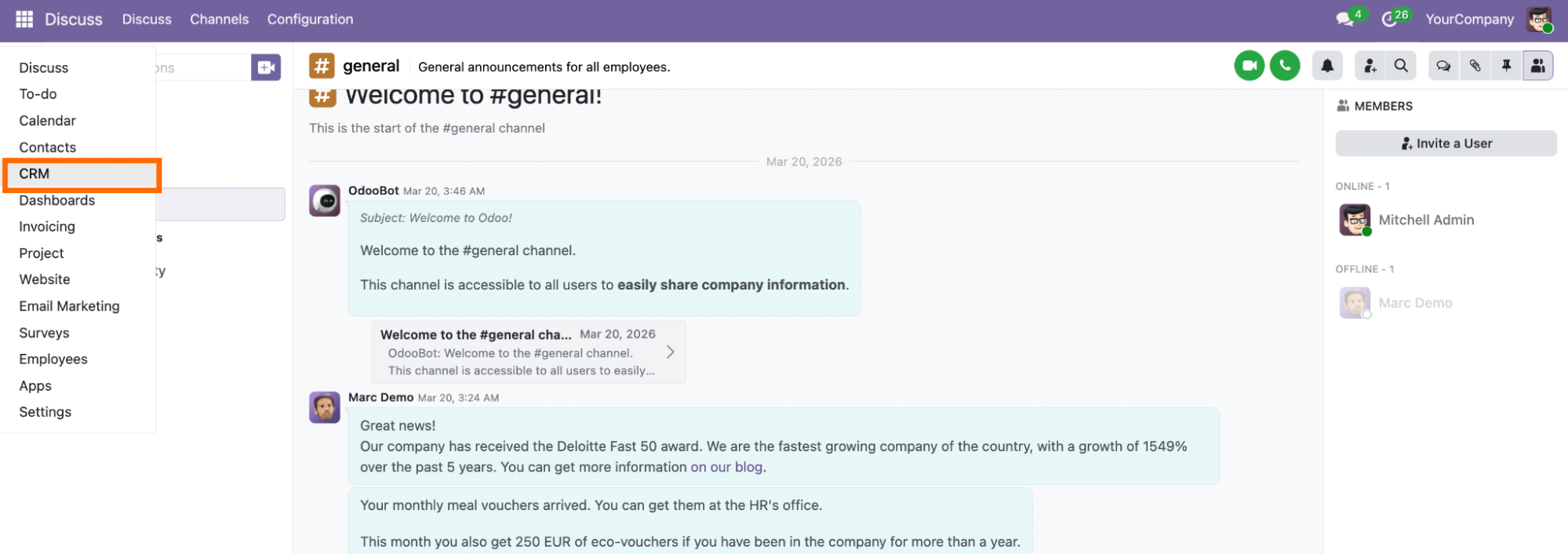
Then click on Configuration → scroll to find Stape Conversion Tracking → click on it.
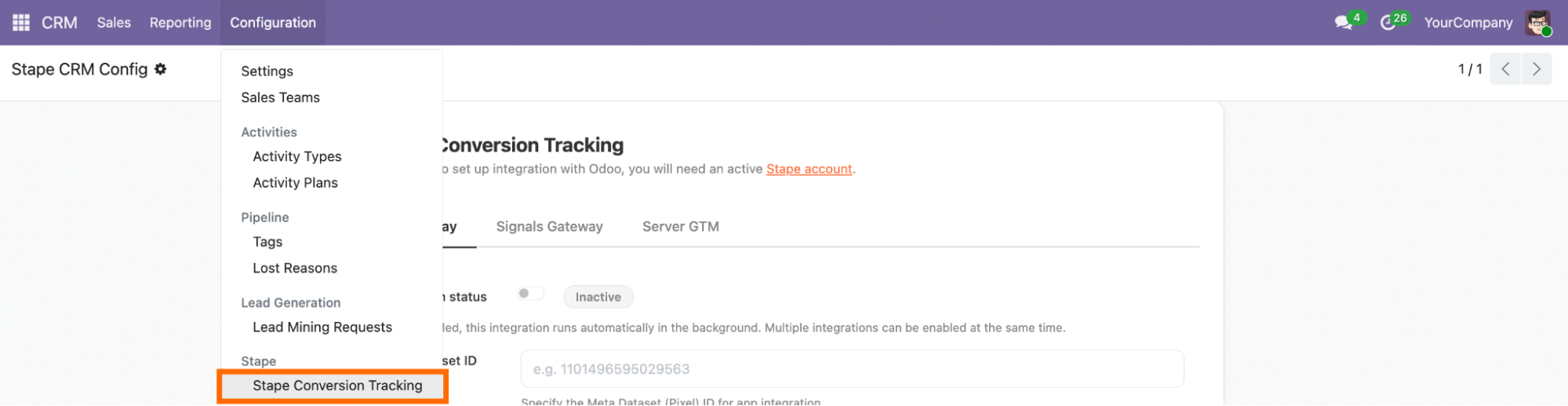
Integration methods: CAPI Gateway, Signals Gateway, or server GTM
❗Before you begin, keep in mind that Stape’s app can run multiple integrations at the same time. Each integration has its own tab with an “Activate integration” switch; turn it on for any integrations you want to send data to.

Integration method depends on your tracking setup and goals, and/or on your current experience with Stape. Click on the section below that corresponds to the tracking method you use:
Meta CAPI Gateway
Before you start
Make sure you have an active Stape account with the Meta Conversions API Gateway.
If you don't have an account on Stape, please create one or log in if you already have one. In the main menu, click More Gateways → Meta CAPIG → Create CAPIG on the top right.

Add name, email, and server location for new CAPIG. Then, choose the subscription plan and add billing details.
After creating the Meta Conversions API Gateway in your Stape account, connect your Meta Dataset (Pixel) - just click Add data source → authorize in Meta → select the Business Manager and Dataset (Pixel) you want to connect.

To increase the event's match quality, please enable Automatic advanced matching.

For more detailed instructions, check Stape's article on how to set up the Meta Conversions API Gateway.
App setup
The setting process can be divided into two parts:
- Meta and Stape accounts data
- Odoo CRM fields
Meta and Stape accounts data
You will need to fill in the following field:

- Integration - switch Activate toggler on to enable the current integration (tab) to run in the background.
- Meta Dataset (Pixel) ID - a unique identifier that is used to configure integrations and view events in Events Manager. You can find it in your Meta account in the Data Sources' Settings tab. See the detailed instructions on how to find the Meta Dataset (Pixel) ID.
- CAPIG API Key - an alphanumeric string value that is needed for app identification. Find the CAPIG API Key in the CAPIG settings section of your Stape account. See the detailed instructions on where to find the CAPIG API Key.

Odoo CRM fields
Next, you need to map your CRM fields to conversion event parameters.
- (Optional) Pick a field where the Meta Lead ID is stored.
- Configure additional User data you'd like to send to Meta, by choosing a parameter in the left dropdown and selecting an appropriate field in the right-side one.
- The app sends conversion Events based on the stages of your Opportunities. Whenever a deal reaches a status you define, a corresponding event will be sent to your Meta Dataset (Facebook Pixel). So we need to configure it by choosing one of two approaches:
- In the left-side dropdown, select an Opportunities stage to trigger an event; in a box to the right, type the event name you'd like to send to Meta.

- Select the Send all stages checkbox if you want to send all Opportunity stages as events to Meta. Events are then named automatically and consist of a Opportunity status name. You can also select stages to ignore in this case.

Once done, click Save and Connect. Once you see a success message, your installation is complete, and the application will send conversion events in the background based on your settings.

Signals Gateway
Before you start
Make sure you have an active Stape account with Signals Gateway.
If you don't have an account on Stape, please create one or log in if you already have one. In the main menu, click Signals Gateway → Create Signals Gateway on the top right.

Add name, email, and server location for new Signals Gateway. Then, choose the subscription plan.

For more detailed instructions, check Stape's article on how to configure Signals Gateway.
App setup
The setting process can be divided into two parts:
- Signals and Stape accounts data
- Odoo CRM fields
Signals and Stape accounts data
You will need to fill in the following fields:

- Integration - turn on the Activate toggle to allow the current integration (tab) to run in the background.
- Signals Gateway Pixel - a unique identifier that is used to configure integrations and view events in Signals Gateway. You can find it in your Signals Gateway account in the Data Sources tab. See the detailed instructions on how to find the Signals Gateway Pixel ID.
- Signals Gateway API Key - an alphanumeric string value that is needed for app identification. Find the Signals Gateway API Key in the Gateway settings section of your Stape account. See the detailed instructions on where to find the Signals Gateway API Key.

Odoo CRM fields
Next, you need to map your CRM fields to conversion event parameters.
- (Optional) Pick a field where the Meta Lead ID is stored.
- Configure additional User data you'd like to send to Signals Gateway, by choosing a parameter in the left dropdown and selecting an appropriate field in the right-side one.

- Application sends conversion Events based on stages of your Opportunities, whenever a deal reaches a status you define, a corresponding event will be sent to your Signals Gateway Pixel. So we need to configure it by choosing one of two approaches:
- In the left-side dropdown, select a Opportunities stage to trigger an event; in a box to the right, type the event name you’d like to send to the Signals Gateway pipeline.

- Select the Send all stages checkbox if you want to send all Opportunities stages as events to the Signals Gateway pipeline. Events are then named automatically and consist of a Opportunities status name. You can also select stages to ignore in this case.

Once done, click Save and Connect. Once you see a success message, your setup is complete, and the application will send conversion events in the background based on your settings.

Server GTM
Before you start
Make sure you have an active Stape account with a server GTM container hosted on Stape.
If you don't have an account on Stape, please create one or log in if you already have one. In the main menu, click sGTM → Create container on the top right.

Add your container name, the Container Configuration that you copied from your Google Tag Manager Server Container, and select the server location. Click Create Container.
For more detailed instructions, check Stape's article on how to set up a Google Tag Manager server container.
App setup
The setting process can be divided into two parts:
- Stape accounts data
- Odoo CRM fields
Stape account data
You will need to fill in the following field:

- Integration - turn on the Activate toggle to allow the current integration (tab) to run in the background.
- Container API Key - an alphanumeric string value that is needed for app identification. Find Container API Key in the Container settings section of your Stape account. See the detailed instructions on where to find the Container API Key.

Odoo CRM fields
Next, you need to map your CRM fields to conversion event parameters.
- (Optional) Pick a field where the Meta Lead ID is stored.
- Configure additional User data you'd like to send to server GTM, by choosing a parameter in the left dropdown and selecting an appropriate field in the right-side one.

- Custom data - add custom data to your events. Select a data point and the field to retrieve the value from.

- Application sends conversion Events based on the stages of your Opportunities, whenever a deal reaches a status you define, a corresponding event will be sent to your server GTM container. So we need to configure it by choosing one of two approaches:
- In the left-side dropdown, select an Opportunities stage to trigger an event; in a box to the right, type the event name you'd like to send to server GTM.

- Select the Send all stages checkbox if you want to send all Opportunities stages as events to the server GTM. Events are then named automatically and consist of a Opportunities status name. You can also select stages to ignore in this case.

Once done, click Save and Connect. Once you see a success message, your installation is complete, and the application will send conversion events in the background based on your settings.

Configure sending data to the required platforms
With the current setup, the app will send events to your server GTM container, but to distribute them to platforms like Meta, TikTok, Google Ads, or any other, you need to configure the CAPI tags inside GTM to fire accordingly.
1. Configure the Data Client to claim the JSON requests sent from the CRM app. Go to the Templates → click “New” → upload the Data Client template you’ve previously downloaded from GitHub.
2. Go to the Clients section of your sGTM container → click “New” → select Data Client. That’s basically it, your configuration will look like in the screenshot below. Click “Save”.

3. Select the platforms you need to send data to from sGTM. While setting up server-side tracking with sGTM, you might have already configured the CAPI tags for the required platforms, for example:
Or any other tags for platforms that support server-side tracking. You will need to use them to configure sending data from your CRM to the required platforms.
To give you an understanding of how to configure the tags this way, we will take the Facebook platform as an example. You should map the events according to the requirements of the platforms you use.
4. Create a new Facebook CAPI tag. Go to the Tags section in sGTM → add “Facebook Conversion API” as tag type.
5. Configure the tag.
Event Name Setup Method: Override
- Event Type: Custom. Select a built-in variable “Event name”.
- Action Source: System Generated.
- Add Pixel ID and generate API Access Token: for the detailed instructions on how to find these values, please refer to our guide on
Here is an example of how your configuration will look at this point:

- User data section: select properties from the drop-down list - Lead ID, Browser ID, Click ID. These three are basic.
For each property, add a variable that will take the appropriate value from the request sent from the CRM app.
Create a following variable for Lead ID:
- Variable Type: Event Data
- Key Path: lead_id

Create two different variables for Browser ID and Click ID:
- Variable Type: Event Data (for both), as the IDs will be retrieved from the event sent from CRM, not from the cookie.
- Cookie Name: fbp (for Browser ID variable) and fbc (for Click ID variable)


Here is an example of the user data section configuration:

- Custom data section: add a few custom fields to identify the source of the event.
Event_source property name with crm value.
lead_event_source - as property value, add a variable with the following configurations:
- Variable Type: Event Data
- Key Path: lead_event_source

Here is how this configuration will look like in the tag:

6. Add a trigger for a tag.
Use the following configurations:
- Trigger type: Custom
- This trigger fires on: Some events
Besides, add the following conditions for a tag to trigger:
- Client Name equals Data Client
- Action Source equals system_generated
The variable for action source must have configurations as on the screenshot below:

- Event Source equals crm
Configure the variable for the event source as shown in the screenshot:

As a result, your trigger will look similar to the example from the screenshot below:

7. Test the setup.
Since it is, in fact, a webhook that is sent from CRM to the server GTM, you can refer to the article on debugging incoming webhooks in server GTM for the detailed instructions.
Comments