How to find Meta Dataset (Pixel) ID?
Updated Aug 11, 2026
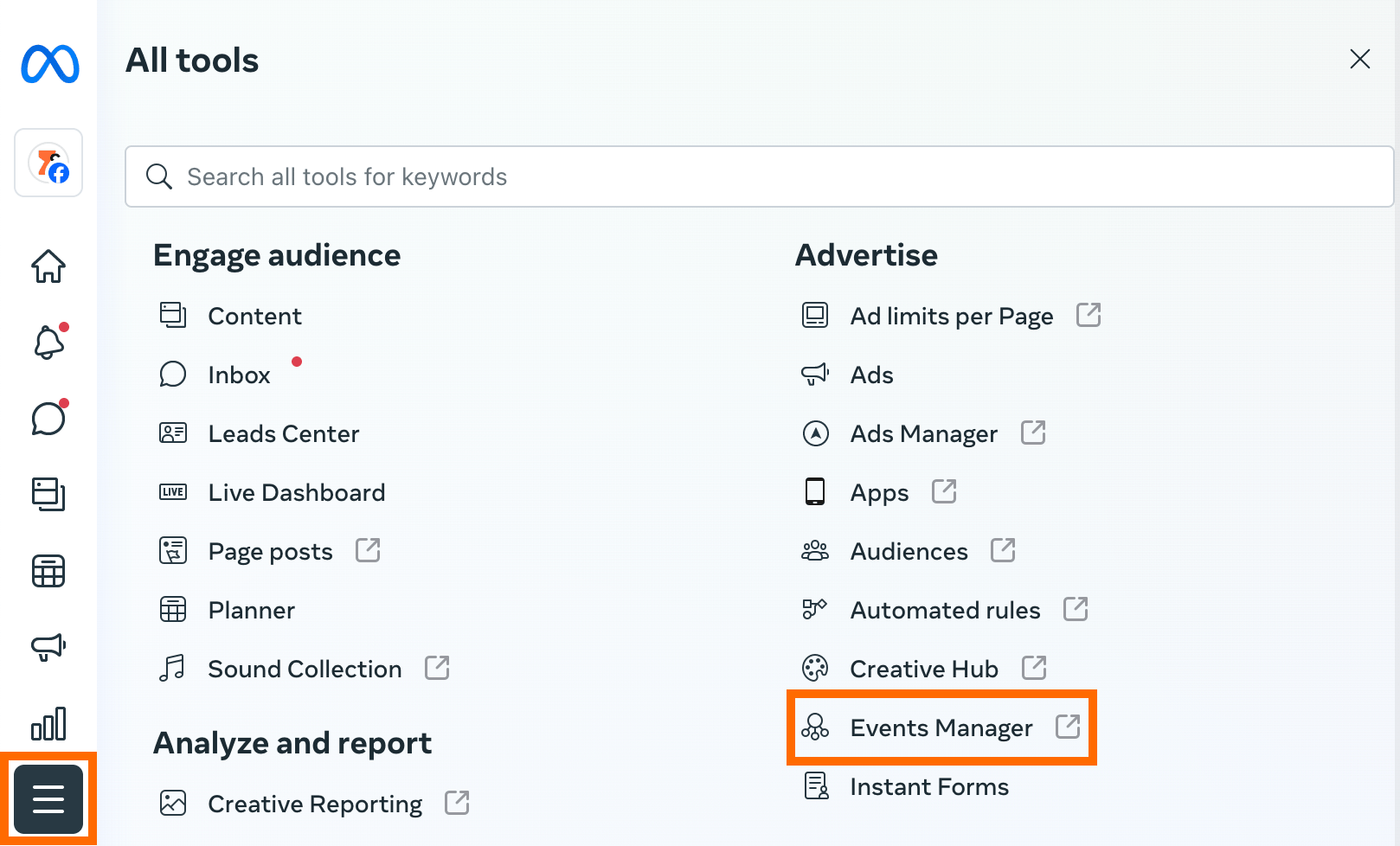
1. Log into your Facebook Business Manager → Click All tools in the left-hand menu options.
2. On the pop-up menu, find Event Manager → Data Sources.
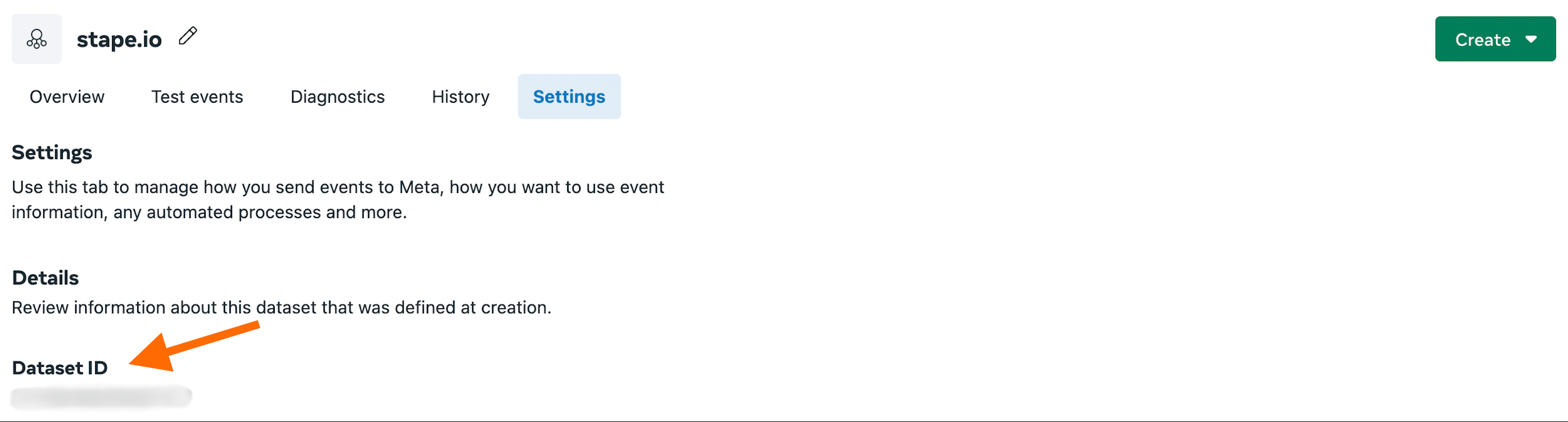
3. Go to the Settings tab and find Dataset ID.
Was this article helpful?
Subscribe to product updates:
Can’t find what you are looking for?
Comments