How to cancel a subscription to Stape Gateway?
Updated May 10, 2026
- 1.Log into your Stape account.
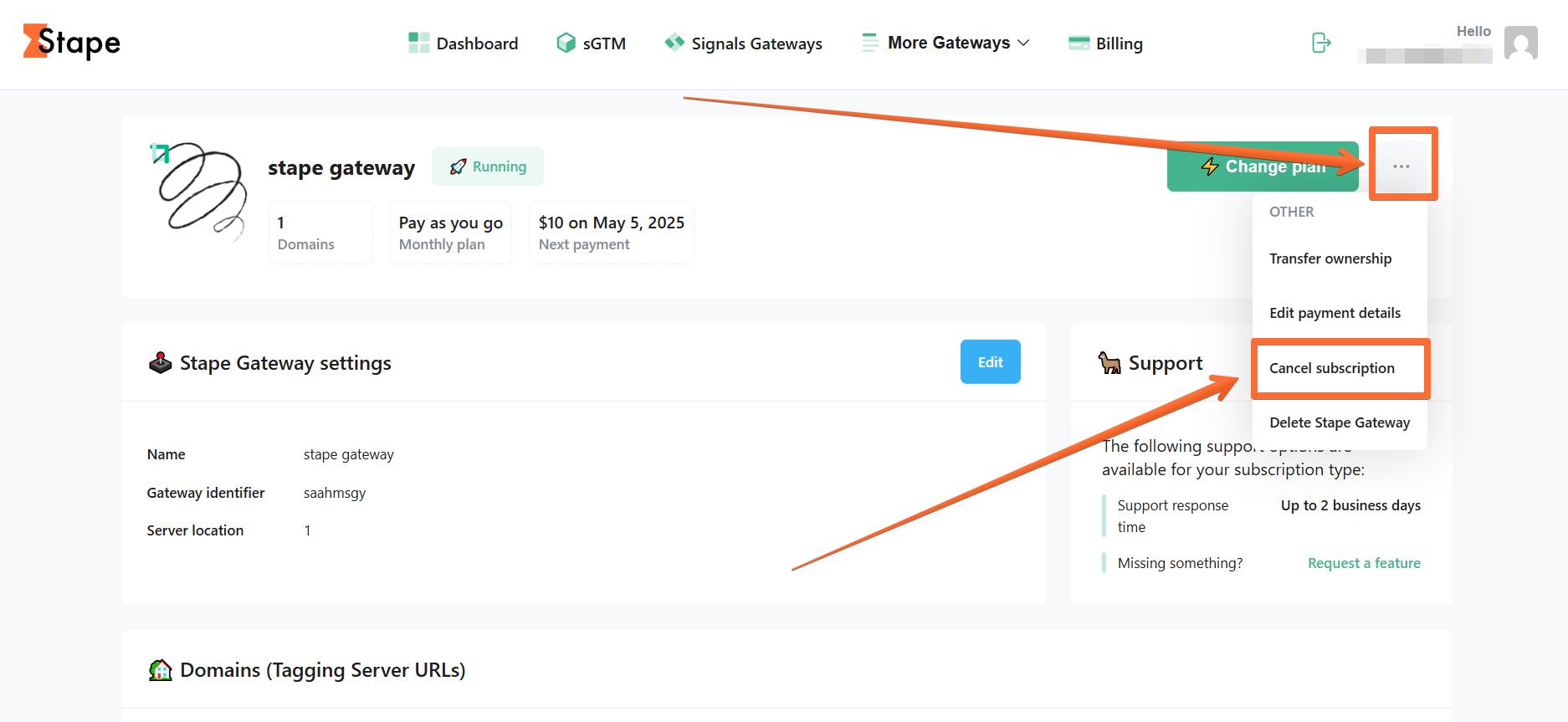
- 2.Go to your Stape Gateway.
- 3.Click on the three dots at the top right. Choose the option "Cancel subscription".
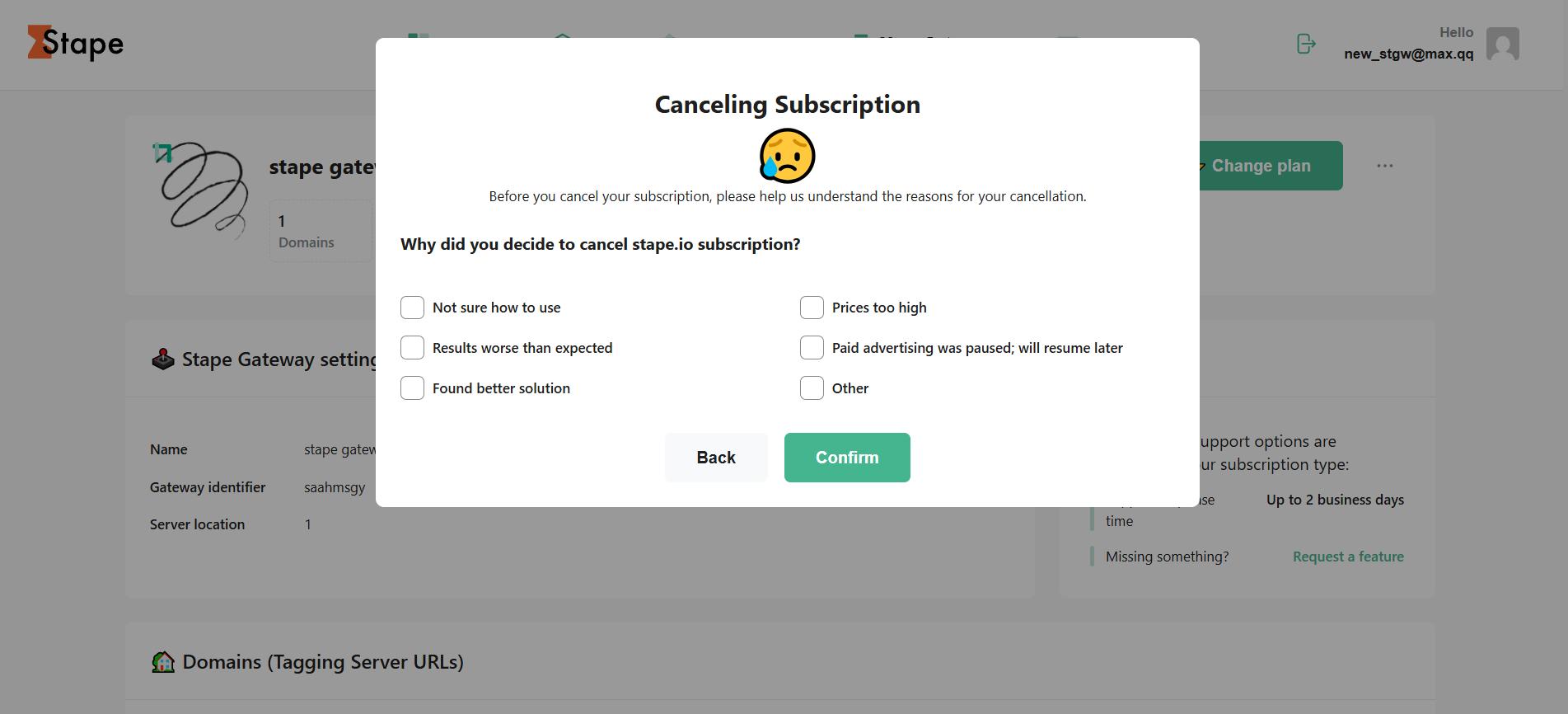
4. Please add the reason for cancellation and click “Confirm".
Was this article helpful?
Subscribe to product updates:
Can’t find what you are looking for?
Comments