How to configure data routing
Updated Nov 3, 2026
Routing Meta Conversions API Gateway through a custom domain on your own site measurably improves match quality and reduces ad-blocker loss.
- 1.Go to Data routing → click Optimize.
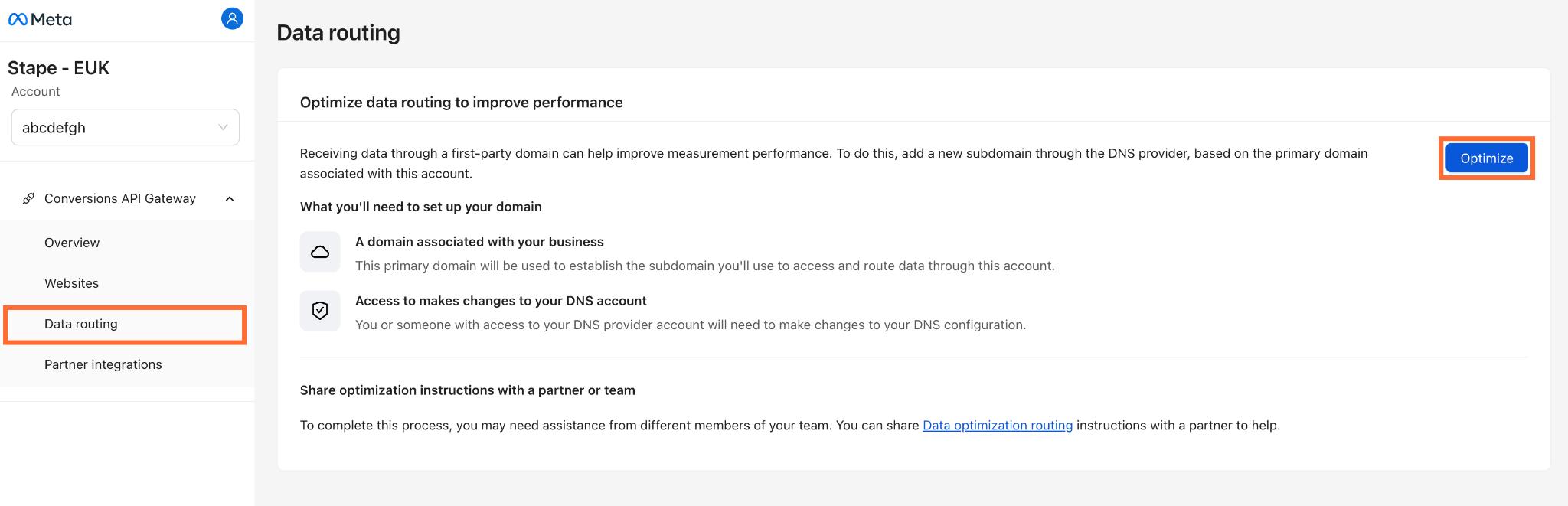
2. Enter your subdomain, which consists of a prefix (for example, data, events, or gateway) and the root domain of your website (for example, example.com)
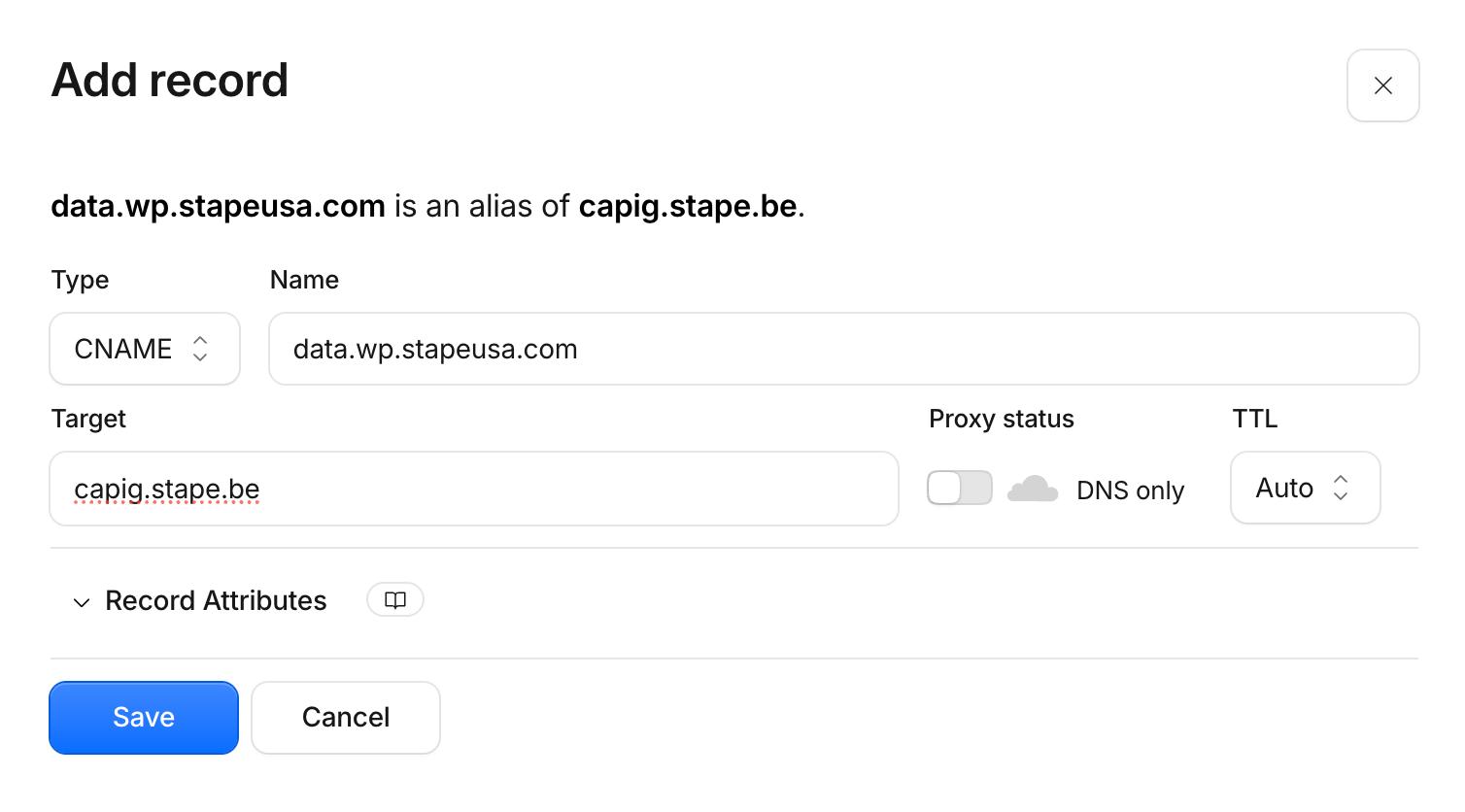
3. In your DNS provider (in our case Cloudflare), add a new record:
- Type -
CNAME - Name - the New managed domain from step 2.
- Target - the Conversion API Gateway domain from step 2.
- Proxy status - off. If you keep it on, the Stape support team might not see the record and help with debugging.
Click Save.
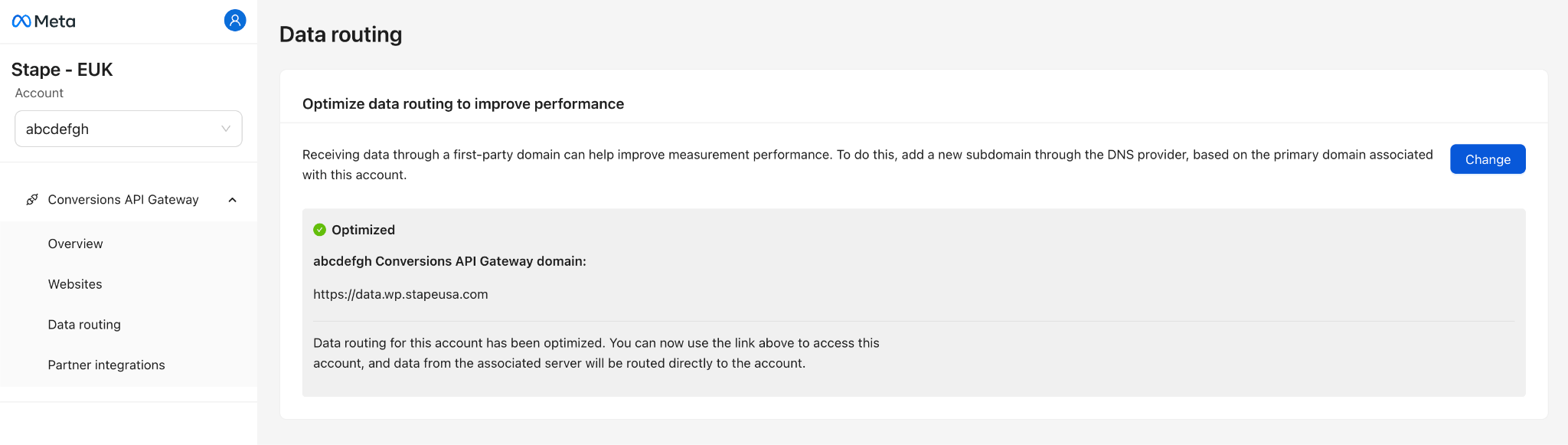
4. Back in CAPI, click Continue. You should see the Optimized status.
Note:
Disabling data routing is currently not supported. As a workaround, you can remove the existing DNS records. This will prompt the Conversions API to attempt sending events to the custom subdomain first, recognize that it is unreachable, and automatically fall back to routing events through the standard hub URL.
What to do if custom subdomain isn’t verified
Domain verification can take up to 72 hours, but it usually happens within 30-60 minutes if your DNS records are correct. If it takes more time for you, there may be a problem with your configurations.
There are the main reasons why a subdomain may not verified:
- Typo in the Name/Host field – some DNS managers automatically append your root domain. If you enter
data.yourdomain.comdatadata.yourdomain.com.yourdomain.comdata) should be entered in the Host/Name field. - Proxy status enabled – if you use Cloudflare, ensure the proxy status for the CNAME record is set to DNS only, not Proxied.
- Target mismatch – ensure the CNAME points to the exact gateway target provided by Stape, with no spaces or typos.
- Conflicting DNS records – ensure there are no existing A, AAAA, or conflicting CNAME records for the exact same subdomain name in your DNS settings.
- Missing SSL – if you configured the custom domain using an Own CDN setup, Stape cannot verify the domain until an active SSL certificate is in place on your side.
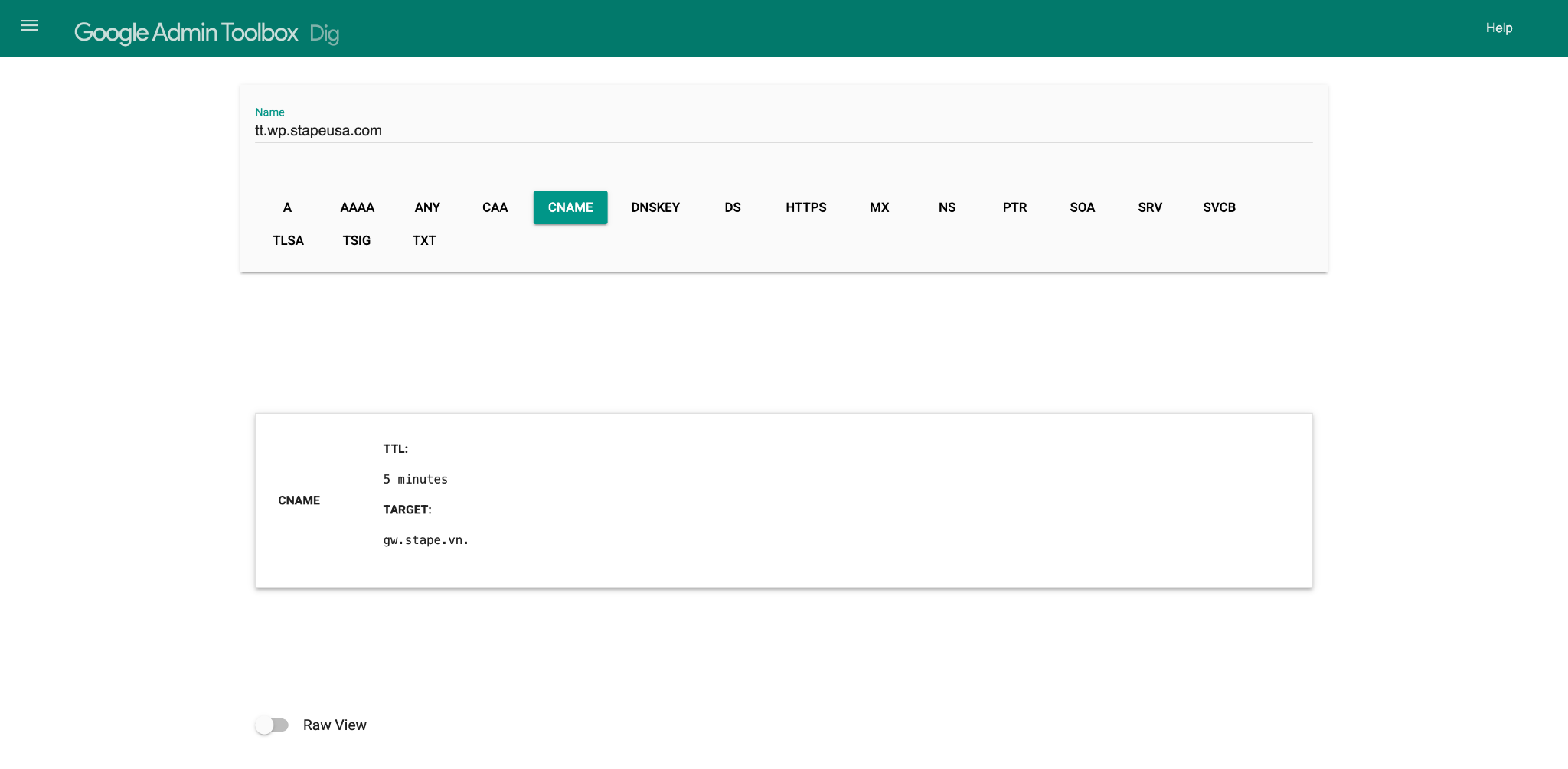
You can check your DNS records with the Google Admin Toolbox Dig tool.
- 1.Enter your custom subdomain (for example,
data.yourdomain.comhttps:// - 2.Select the CNAME tab.
- 3.Verify that the returned target matches the exact value provided in your Snapchat Conversions API Gateway dashboard.
Was this article helpful?
🍽 Table of content:
Comments