How to use automatic uploads in Meta CAPI Gateway
File upload lets you send events to Meta that never passed through your website Pixel, such as in-store purchases, phone orders, app events, or CRM conversions. You format the data as a CSV and deliver it to Meta CAPI Gateway, which processes and forwards it to Meta.
Automatic upload connects Meta CAPI to a cloud storage bucket. Once set up, your gateway processes any CSV files it finds in the bucket, then deletes them. No manual intervention needed after the initial configuration.
How to set up automatic uploads
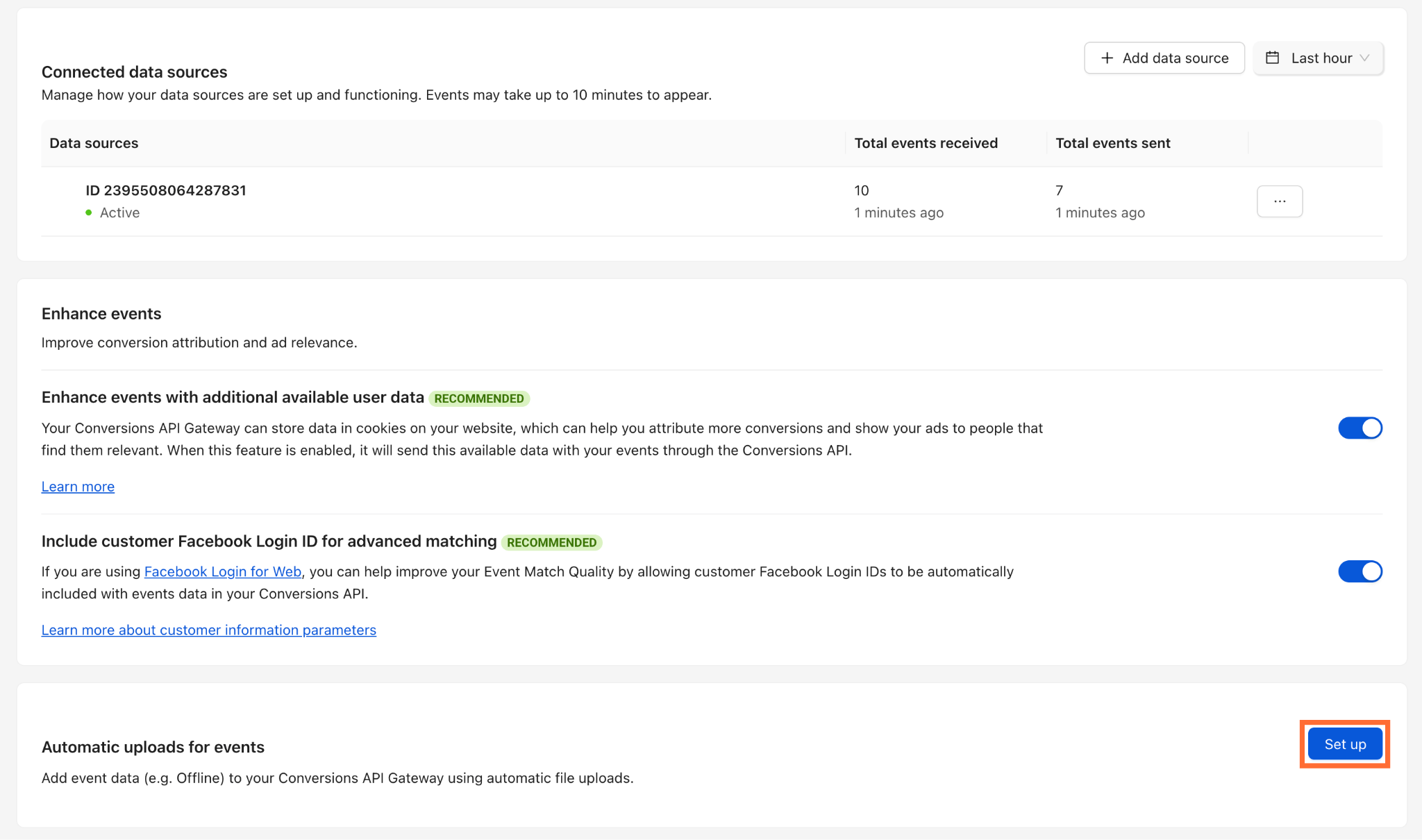
- 1.In the pixel's dashboard, under Automatic uploads for events click Set up.
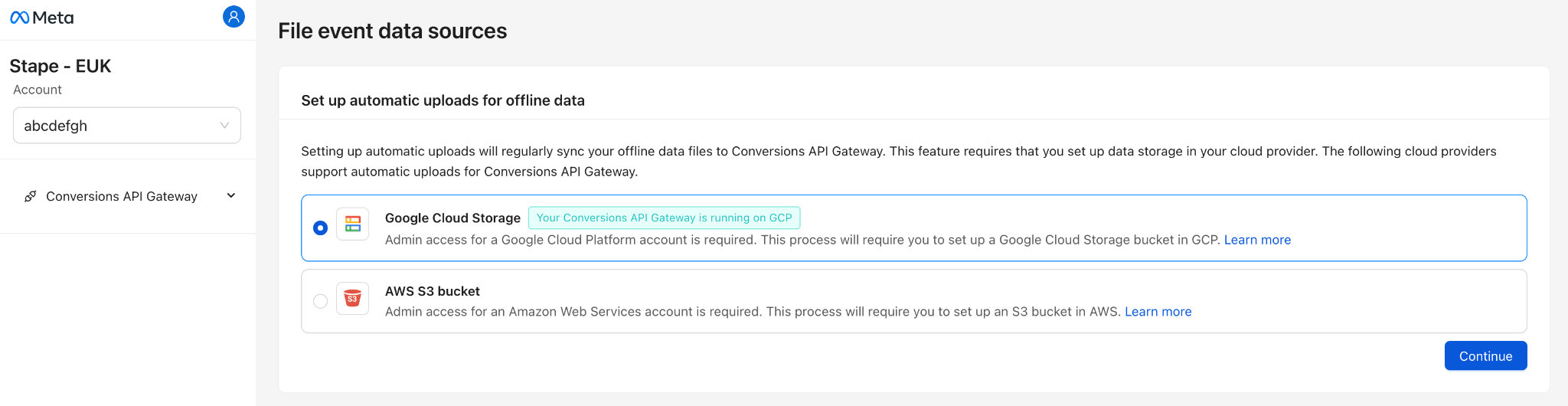
2. Select your cloud provider - AWS S3 or Google Cloud Storage.
Testing
After uploading, confirm events reached Meta:
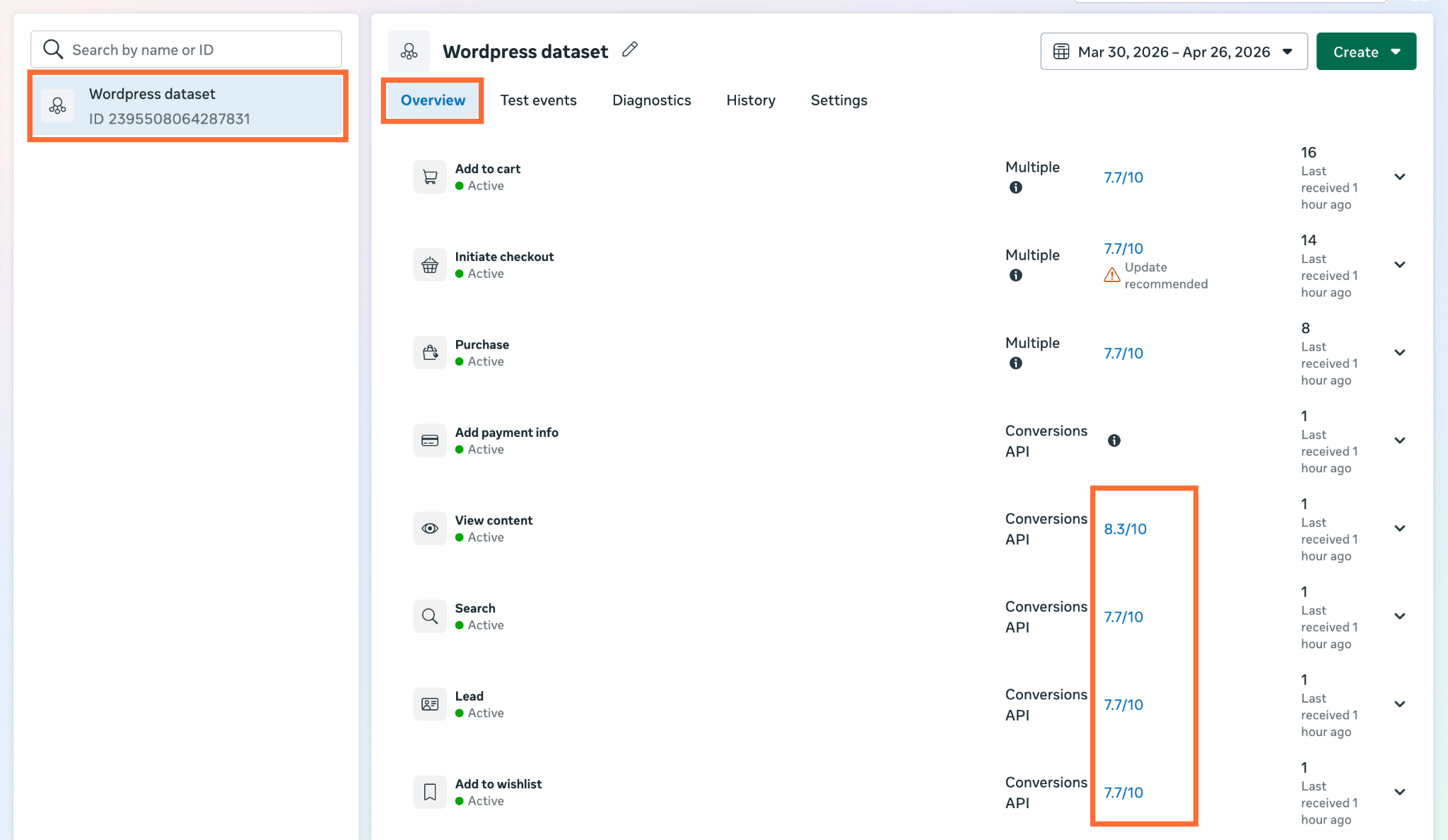
- 1.Open Events Manager → your dataset → Overview.
- 2.Find your manually uploaded actions.
- 3.Check Event Match Quality for uploaded events. If EMQ is <6.0, add more identity fields to your CSV.
Was this article helpful?
🍽 Table of content:
Subscribe to product updates:
Can’t find what you are looking for?
Comments