How to test Meta CAPI Gateway configuration
Updated Nov 3, 2026
Check the following:
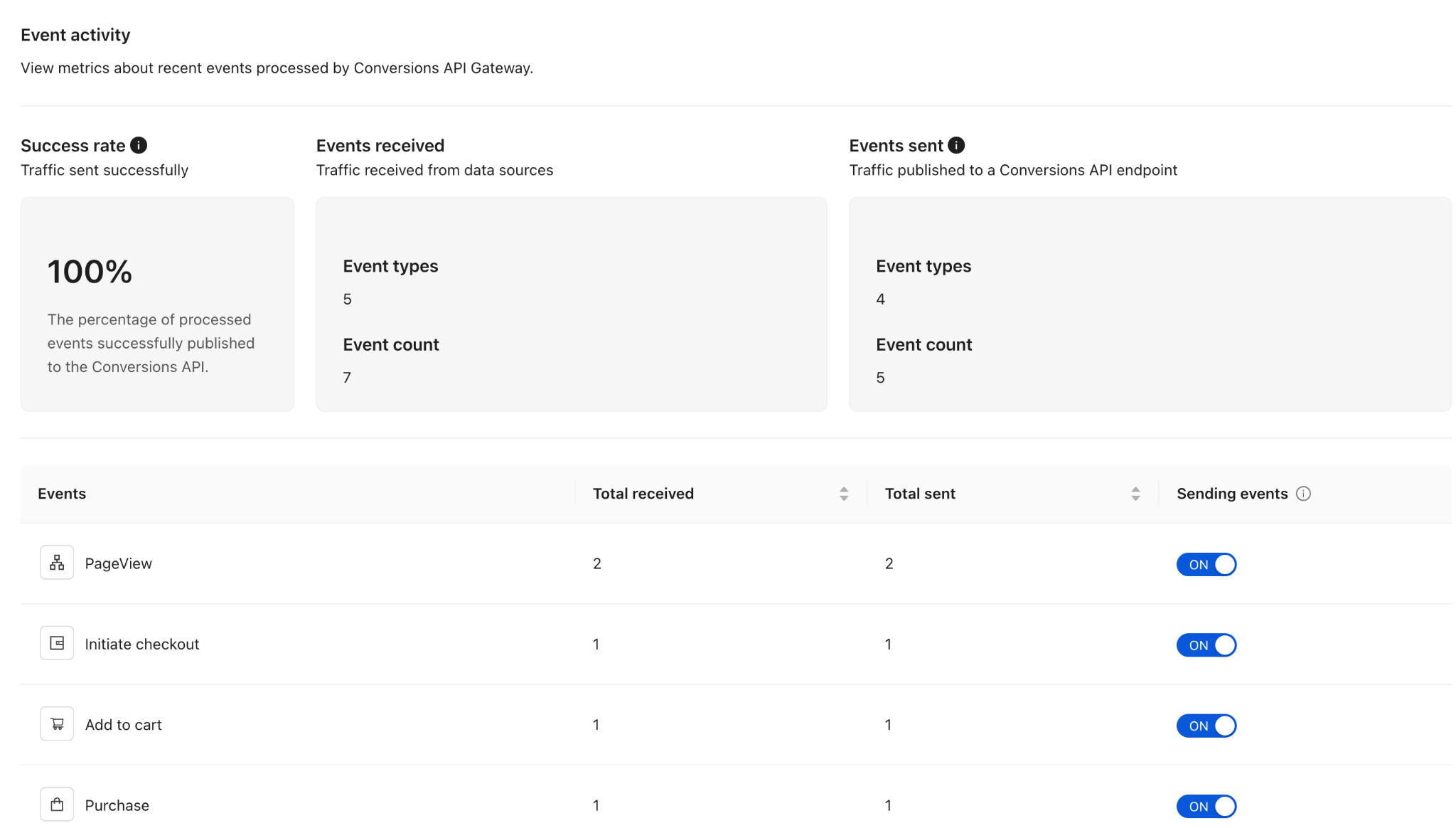
- Events in the Meta Conversions API Gateway. Open Overview, in 30 minutes after triggering the events, you should see them in the dashboard.
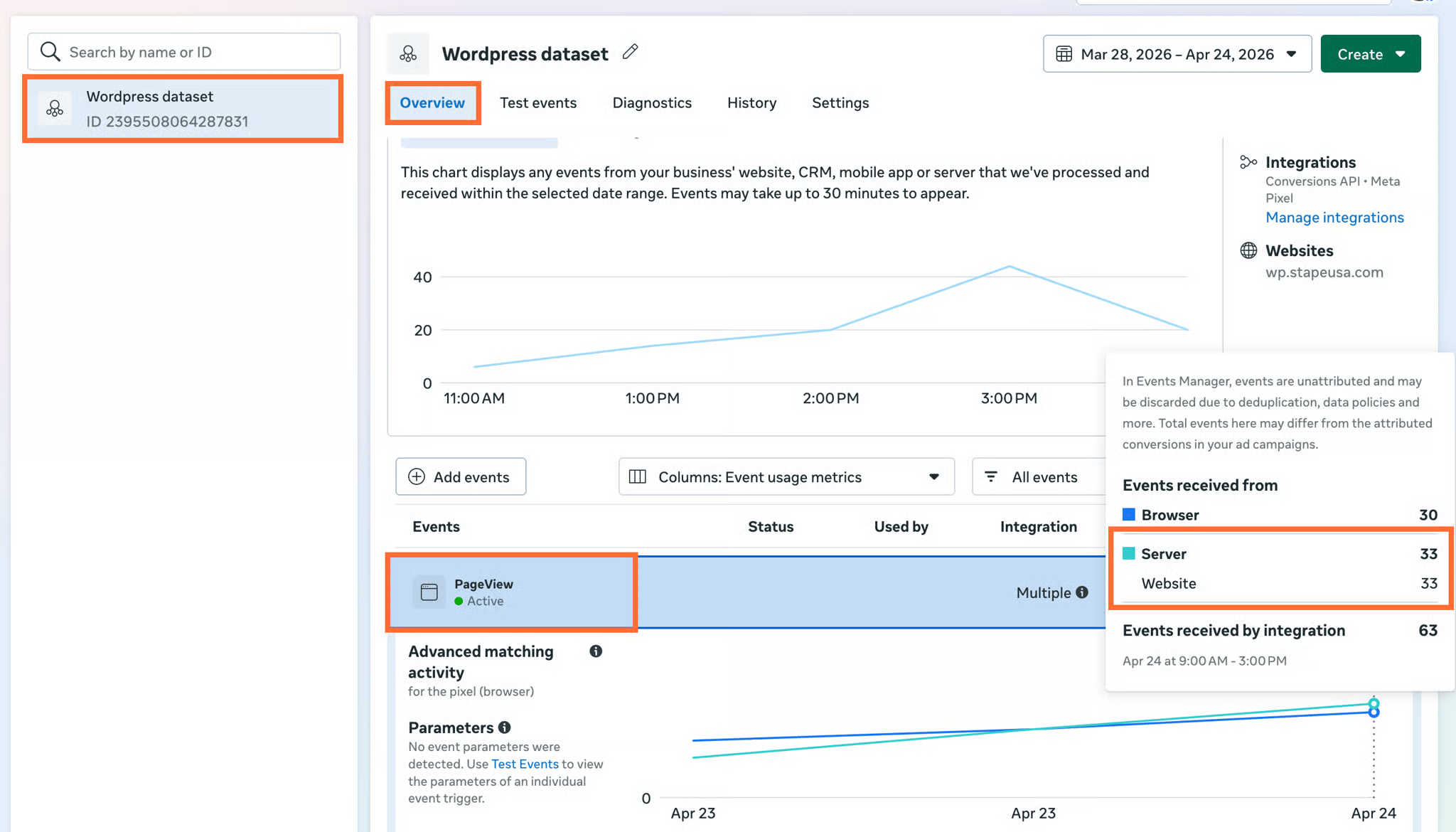
- Events in Meta Events Manager. Open the connected dataset → Overview. You should see events arriving with the server parameter populated.
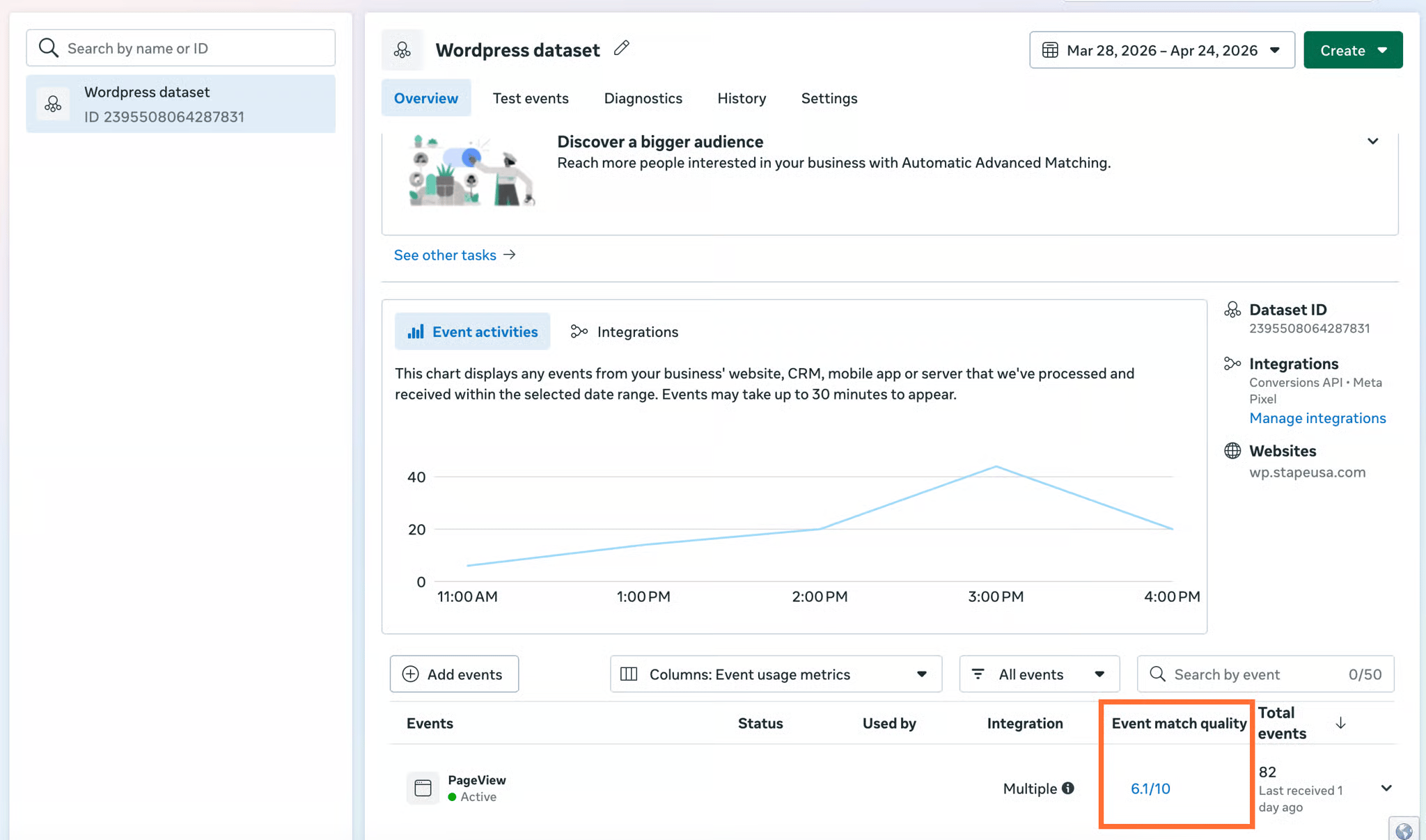
- Event Match Quality. In the Events Manager, check EMQ for each key event. Expect ≥ 6.0 once advanced matching data is flowing. If the score is <6.0, you can read the Facebook Event Match Quality – what it is and how to increase it article for more information.
Was this article helpful?
Subscribe to product updates:
Can’t find what you are looking for?
Comments