How to block events in Meta CAPI Gateway
Updated Jul 6, 2026
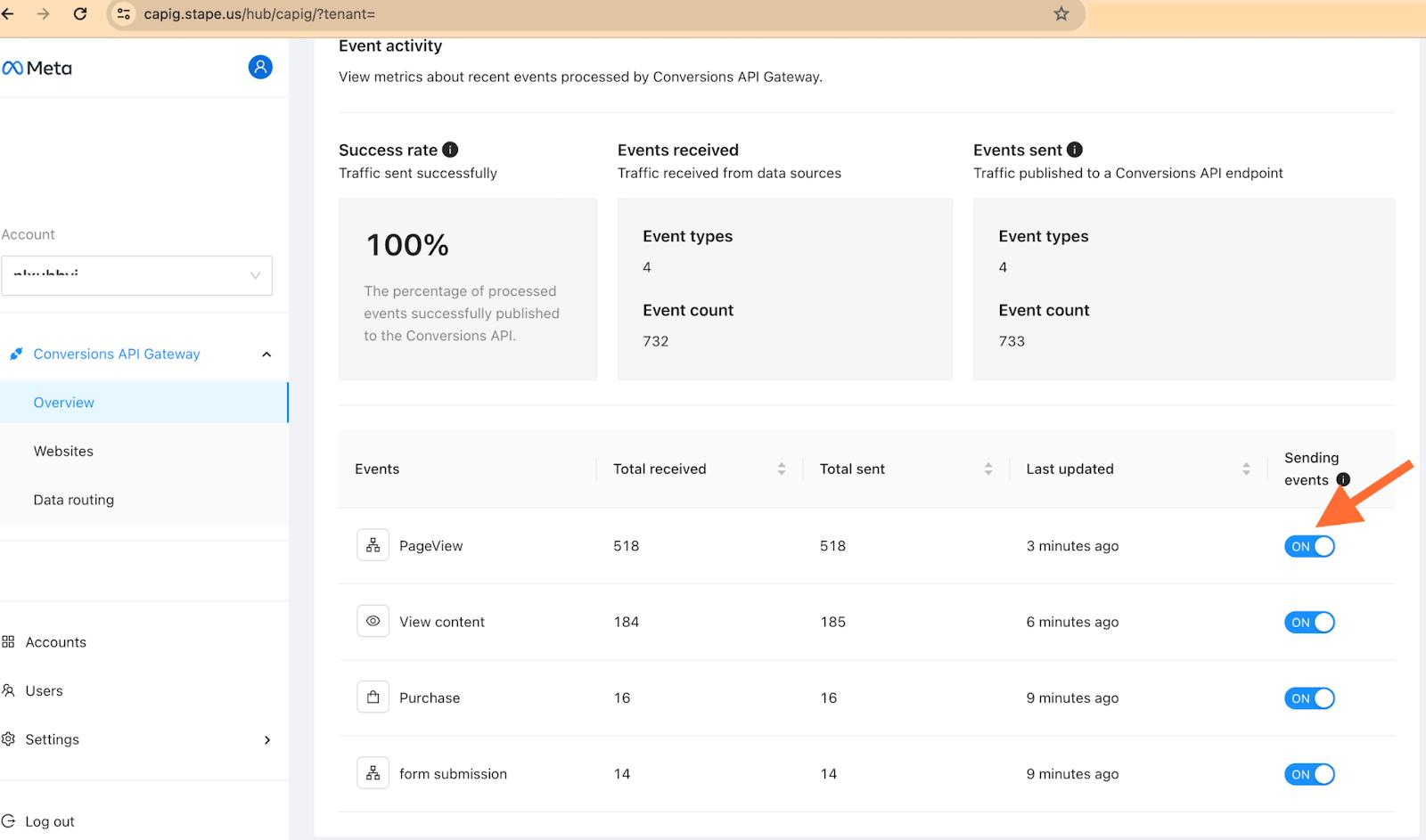
You can control which events get sent using an on-off toggle for each event.
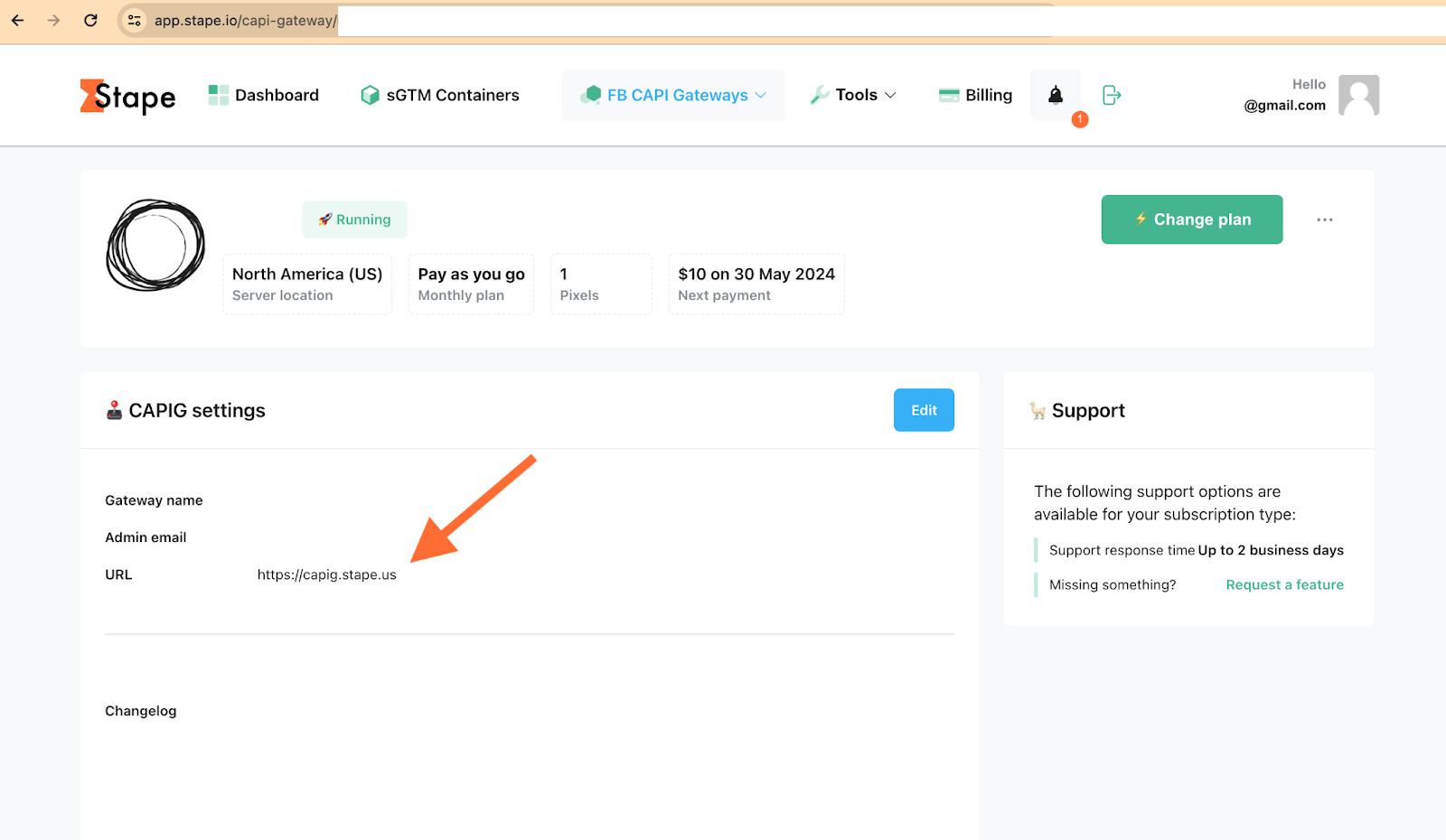
1. Log in to your CAPIG account at Stape. Here you can see the url of your CAPIG hub.
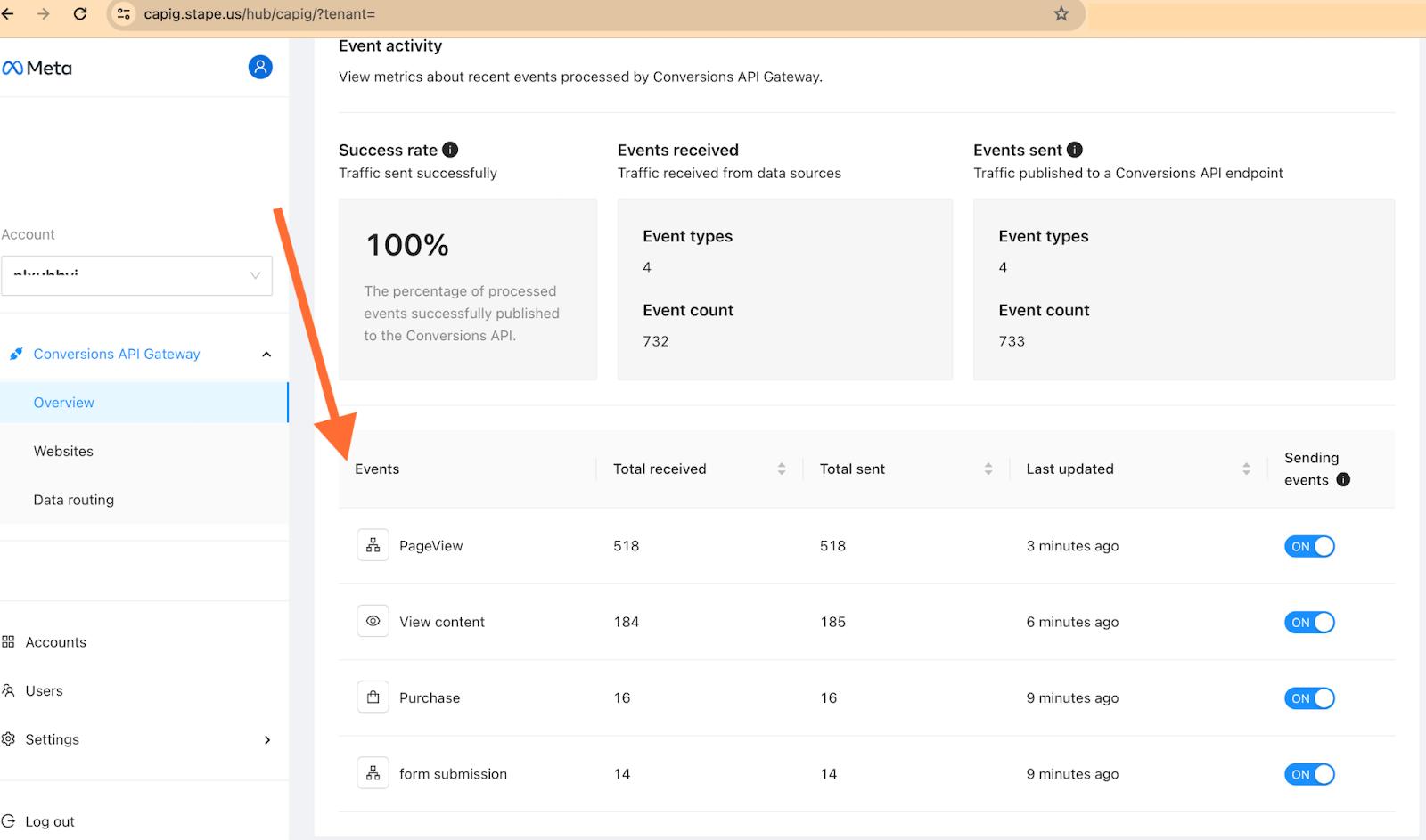
3. Go to your CAPIG hub and find events.
3. Turn the OFF the events you need.
Was this article helpful?
Subscribe to product updates:
Can’t find what you are looking for?
Comments