How to enable Automatic Advanced Matching
Updated Nov 3, 2026
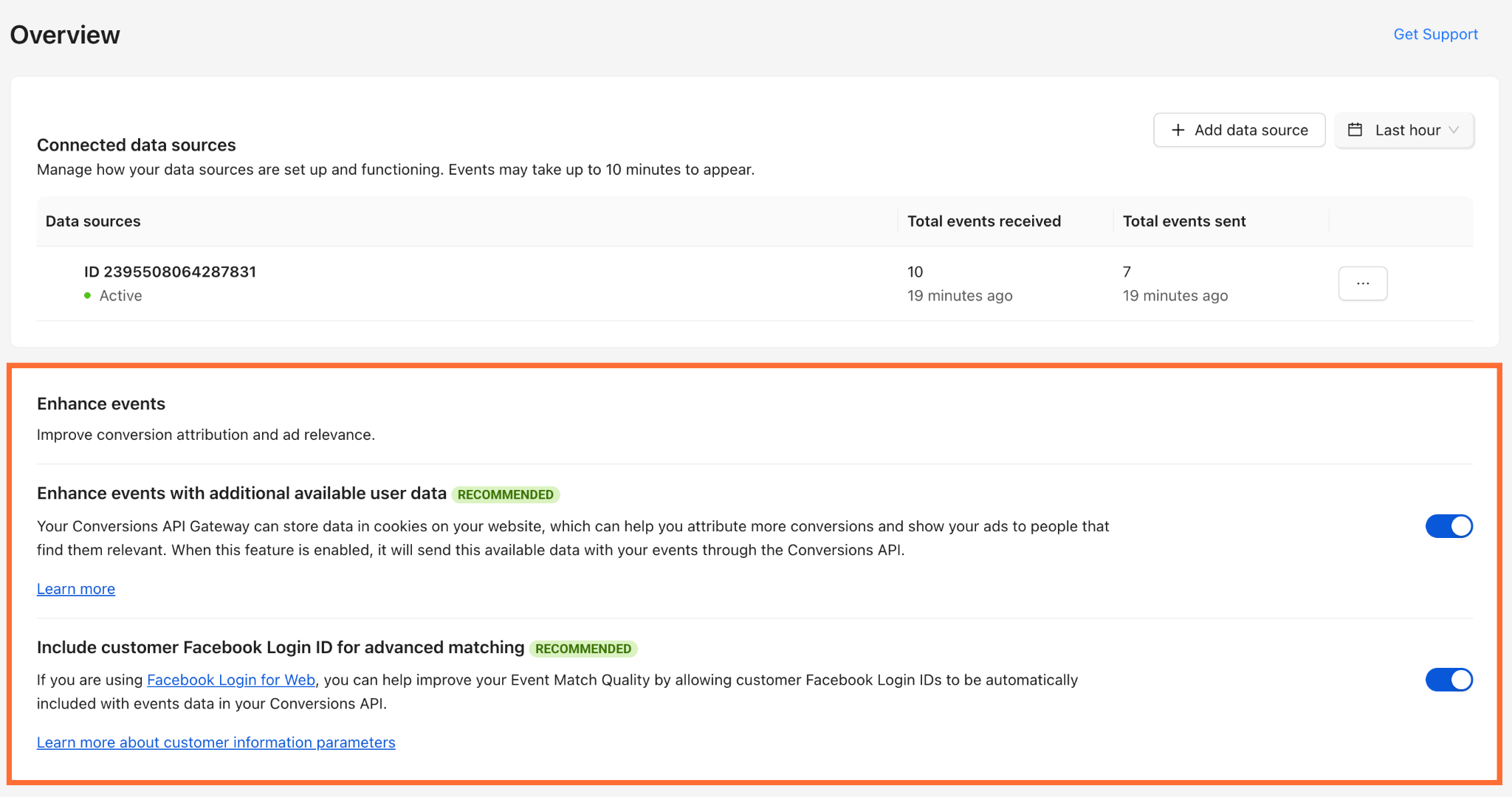
The automatic advanced matching (Enhance events with additional available user data) is enabled by default when connecting the Pixel. We highly recommend keeping it.
Also, you can improve your EMQ by allowing customer Facebook Login IDs to be automatically included with events data in your Conversions API. Toggle Include customer Facebook Login ID for advanced matching for this to work.
You can find these toggles on your pixel’s dashboard.
Was this article helpful?
Subscribe to product updates:
Can’t find what you are looking for?
Comments