How billing works
Updated Sep 1, 2026
This page is the starting point for everything related to billing in Stape. It explains what you can be charged for, how plans and billing cycles work, who issues your invoice, and where to go for the deeper guides on each topic.
What you can be billed for
Product subscriptions
Stape charges per product subscription. A single Stape account can hold subscriptions to sGTM container hosting or a gateway, billed independently. You can be billed for the following products:
- sGTM container hosting
- Stape Gateway
- Meta CAPI Gateway
- TikTok Events API Gateway
- Snapchat CAPI Gateway
- Meta Signals Gateway
A single Stape account can hold any combination of these. To see pricing and plans for each product, go to the Stape pricing page.
Note:
sGTM hosting and Signals Gateway have a permanent free tier (a recurring monthly allowance that doesn't expire unless you go over the limit). It allows up to 5 free containers / Signals Gateways per Stape account. The Gateway products have a 7‑day trial (free for the first 7 days, then you switch to a paid plan to keep using it).
Features and power-ups
Features and power-ups aren't sold as add‑ons, they unlock when you move up a plan tier on a product you already pay for.
The following features are available:
- Analytics - free for everyone.
- Logs - available on the Pro plan and higher. Export logs is available on the Enterprise plan and higher.
- Monitoring - available on the Business plan and higher.
- Store - available on the Pro plan and higher.
- Connections - free for everyone.
For the full list of power-ups and their pricing plans, go to Power-ups from Stape.
Paid apps
Stape has a catalog of apps and modules, such as Prestashop, Shopify, WooCommerce, HubSpot, Salesforce, and others. Some of those apps are paid and they’re priced independently of your sGTM/Gateway subscription. Installing one adds a new line to your billing alongside your existing subscriptions.
Subscription model
Stape subscriptions are recurring, monthly or yearly. Three things follow from that:
- Billing cycle. The cycle begins on the day you first subscribe, and renews on the same day each period.
- Quota cycle = billing cycle. Your monthly request/event quota resets at the start of each billing period, not on the 1st of the calendar month.
- Per‑subscription quota. Each container, gateway, or signals workspace has its own quota. Hitting the limit on one doesn’t affect the others.
sGTM quota
Each plan has a set amount of requests/events. When a quota is reached for the sGTM container/Signals Gateway, what happens depends on the plan:
- Free plan and paid plans with auto‑upgrade disabled: the container or gateway stops serving traffic until the next billing period. The quota doesn’t roll over.
- Paid plans with auto‑upgrade enabled: the subscription is moved up one tier, and traffic continues without interruption.
Gateway quota
Each gateway plan includes a fixed number of pixels (Meta / TikTok / Snapchat) or domains (Stape Gateway). You can pay as you go by adding additional pixels/domains, so a gateway with many pixels/domains is more expensive than one with a single pixel/domain. Alternatively, you can buy Ultimate and Unlimited plan tiers, which start charging every 100 pixels/20 domains. See each gateway's pricing page for the exact per‑tier numbers.
See Request limits and pause logic for the full rules, and How to use subscription auto‑upgrade for how the upgrade trigger works.
Account types
Stape has three account types, and the type determines who pays the invoice:
- Standard account - pays for its own subscriptions. This is the default for most users.
- Agency account - can hold sub‑accounts and pay for their subscriptions on a single consolidated invoice.
- Partner account - same consolidated‑invoicing capability as Agency, with additional Partner Program benefits.
For more information read Billing for Standard, Agency, and Partner accounts.
Payment methods
Stape accepts credit and debit cards. The payment processor used depends on your billing country.
For more information read Payment methods.
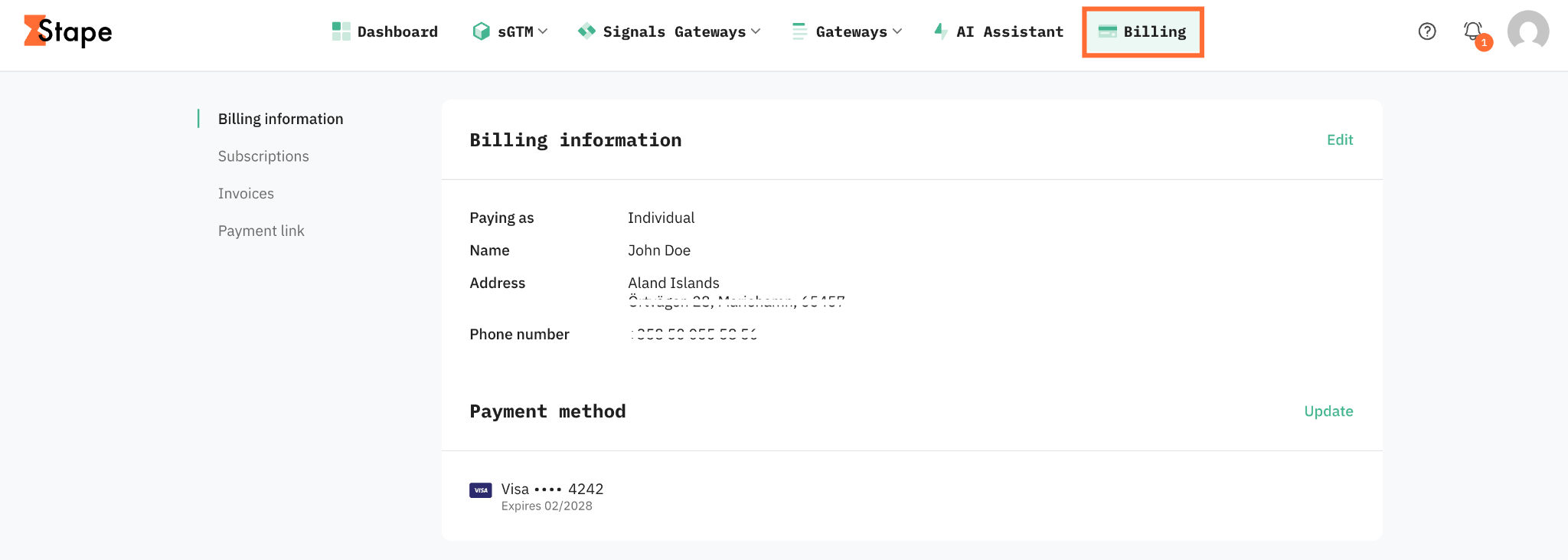
How to find billing
All billing actions are under the Billing tab in the top menu of your Stape account. From there you can:
- Add or update a payment method
- Add company info and a tax ID (VAT, GST)
- Add additional email recipients
- View and download invoices
If an Agency or Partner account is paying for your subscriptions, your Billing menu will show a notice and the options above will be limited.
Taxes
Tax is calculated based on your billing country.
- EU customers add a VAT number in their billing settings. Stape Europe collects VAT for OSS reporting. For more information read VAT for EU users.
- US customers are charged sales tax in the states where Stape is registered. For more information read US sales tax for the state list.
Refunds and cancellations
- Monthly subscriptions: refundable within 14 days of the most recent charge.
- Yearly subscriptions: refundable within 60 days of the most recent charge.
For more information read Refund policy.
Was this article helpful?
🍽 Table of content:
Comments