VAT for EU users
Updated Aug 5, 2026
When VAT is charged
Stape Europe OU is required by EU VAT rules to collect VAT on payments from customers using the service inside the EU. This also applies to a few non-EU countries that follow the same rules: Switzerland, the United Kingdom, and Norway.
Whether you're charged VAT depends on what you tell Stape in your billing info:
- You're a company in the EU with a valid VAT number - no VAT is charged.
- You're a company in the EU without a VAT number, or your VAT is invalid - VAT is charged at the rate of your country of residence.
- You're an individual (B2C) in the EU - VAT is charged at the rate of your country of residence.
- You're outside the EU - no VAT is charged. If you're not in the EU, Switzerland, the UK, or Norway, you should be on Stape Global at sign-up. See Payment country restrictions on Stape Europe.
How to add your VAT/GST number
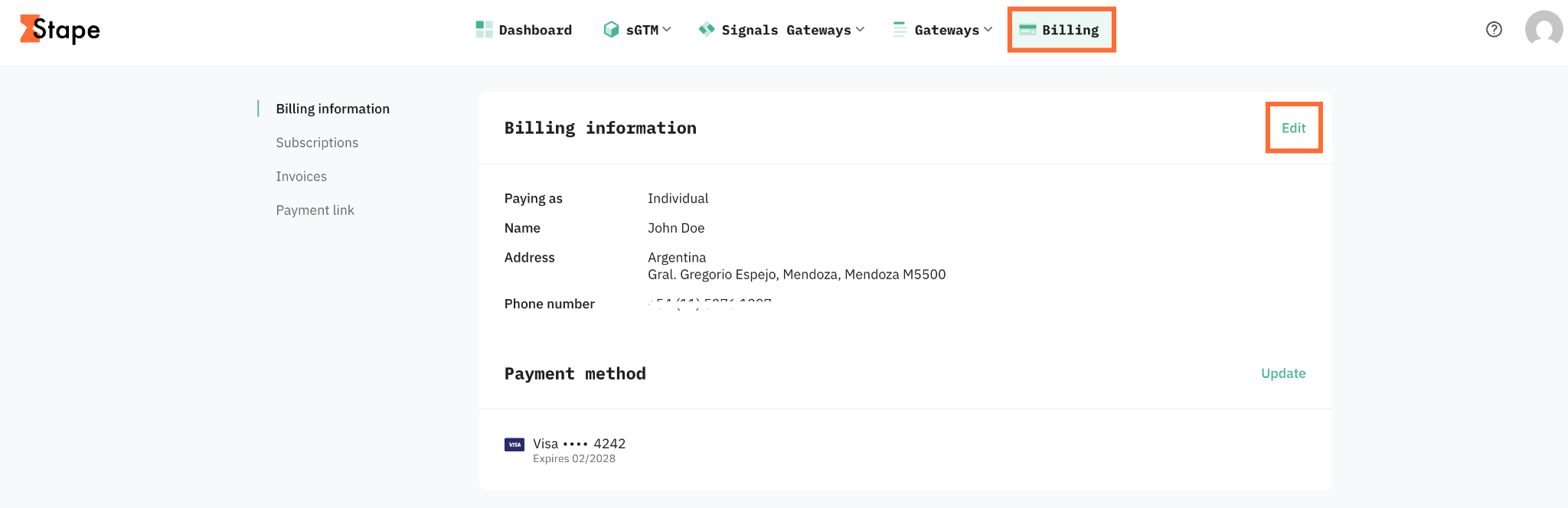
1. Click Billing in the top right menu.
2. Under Billing information, click Edit.
3. In Tax ID, click ID type and add your VAT/GST number. Include your country code at the start (for example, DE123456789).
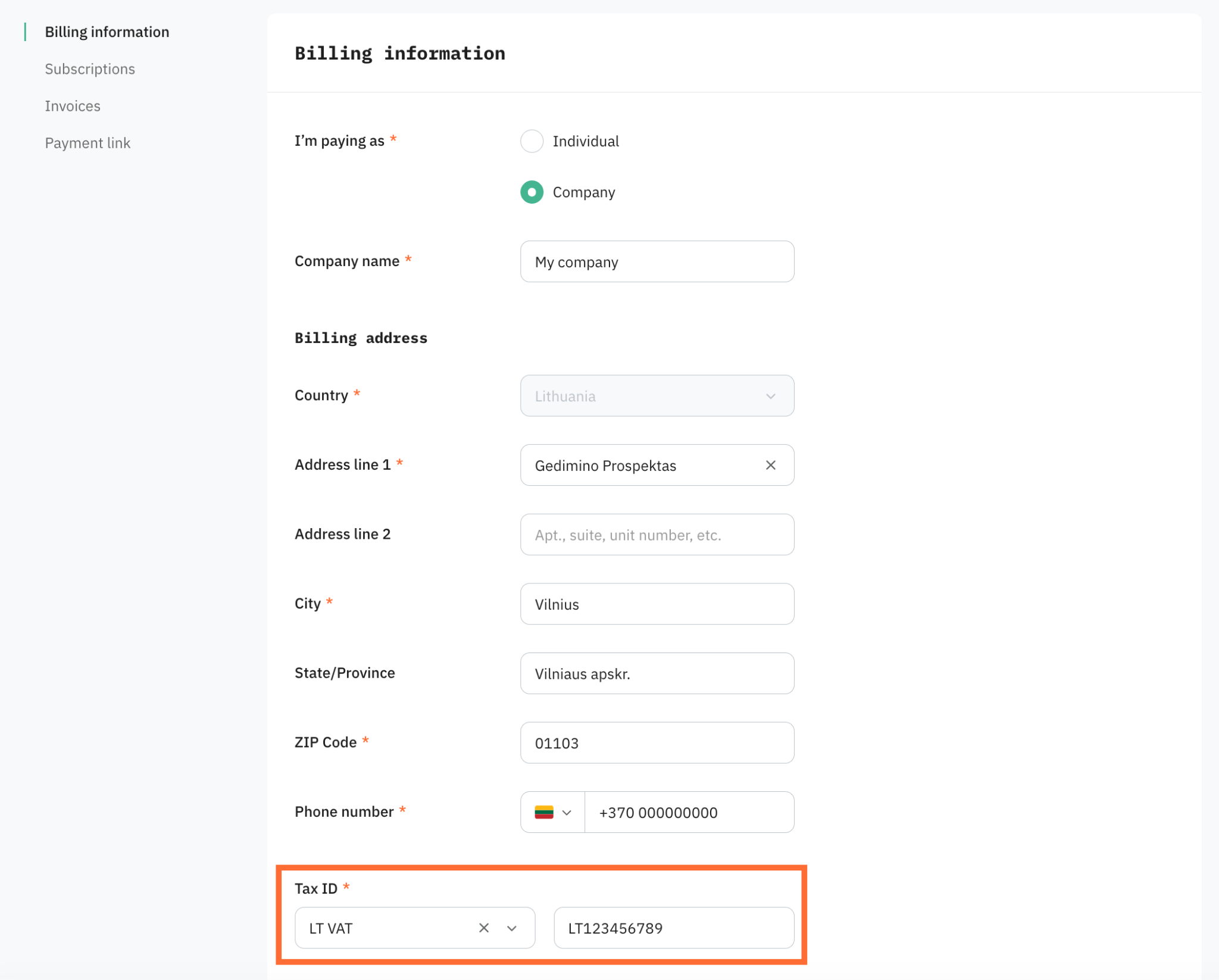
4. Click Save.
Stape validates the number. If the number is valid, no VAT is charged on your next invoice and on future invoices, as long as the number stays valid.
If validation doesn't succeed right away, Stape still processes your payment and charges VAT for that round. We try to validate the number again later and apply it from the next invoice once it's confirmed.
Make sure your VAT number is correct
Common reasons a VAT number is rejected:
- The country code at the start is missing or wrong.
- You're using a personal VAT number instead of a business one. See the EU's VAT identification numbers page for what counts as a valid business number.
- A digit is wrong or missing.
- The VAT number was valid before but has since been deregistered.
- If your number isn't validating and you believe it should, contact support@stape.io so the team can check.
What if you forgot to add your VAT number
You can add your VAT/GST number at any time in Billing. Once it's saved and valid:
- Future invoices - no VAT is charged on the future invoices, as long as your number stays valid.
- Past invoices - if VAT was already charged on previous invoices, email support@stape.io and the team will review whether the previously charged VAT can be refunded.
There's no penalty for adding the number late. The earlier you add it, the fewer invoices end up with VAT charge on them.
Was this article helpful?
Comments