How to fix error 404
Updated Mar 23, 2026
404 FETCH: container can't be deployed
Sometimes your container may show this warning because it cannot be deployed. If you receive an error when launching the container along with the warning message (see screenshot below), it usually means there is a configuration issue that prevents the system from downloading your sGTM container configuration.
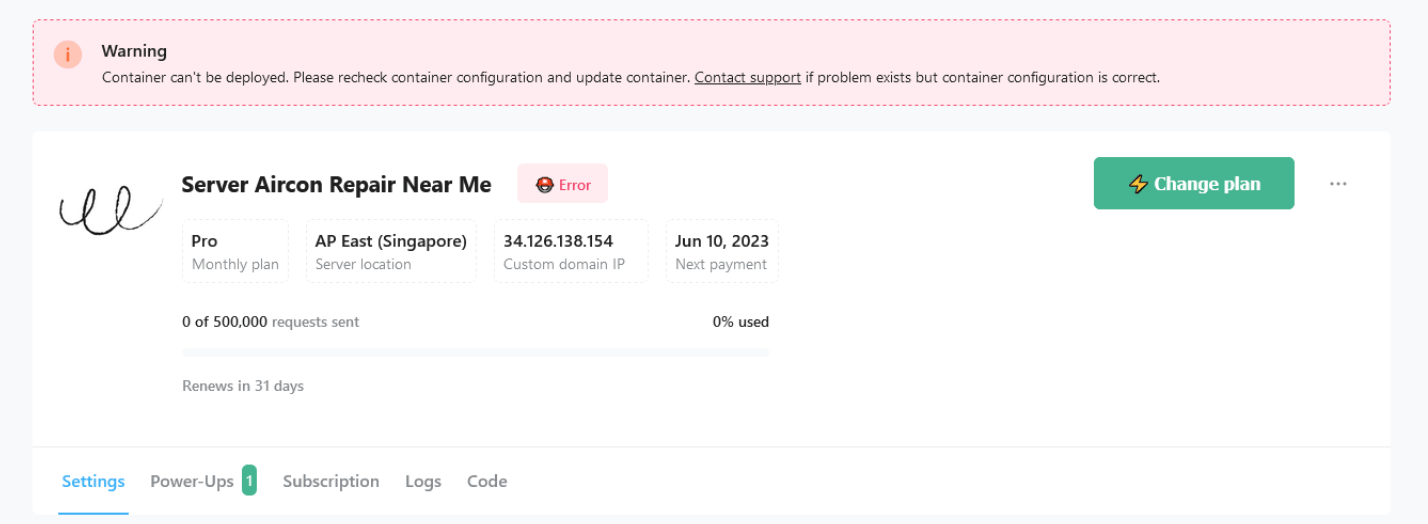
This error may occur because:
- The sGTM container was deleted.
- The sGTM container is not published.
- You are using an incorrect container configuration code.
Solution:
Make sure that your sGTM container exists, is published, and you’re using its configuration code. If it doesn’t help, we recommend creating a new sGTM container and using it instead. You can export your existing configuration to import it into the new container.
404 PAGE NOT FOUND (error on the GTM side)
When this issue occurs, server preview will not work, and you will see an error when trying to start preview mode, see below.
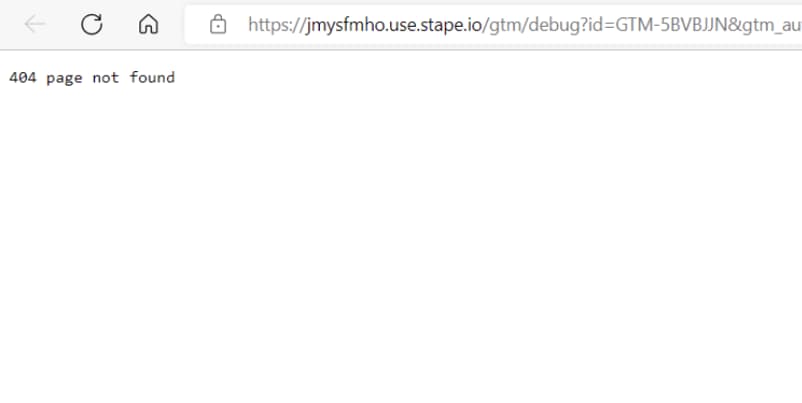
Solution:
You can fix this error the same way as the 404 FETCH subtype. Make sure that your sGTM container exists, is published, and you’re using its configuration code. If it doesn’t help, we recommend creating a new sGTM container and using it instead. You can export your existing configuration to import it into the new container.
Was this article helpful?
🍽 Table of content:
Comments