Nuvemshop app overview
Updated Oct 12, 2026
Stape's Conversion Tracking Nuvemshop app connects your Nuvemshop store with Google Tag Manager and server-side Google Tag Manager (sGTM). It simplifies the tracking setup by automatically adding GTM to your storefront and sending important e-commerce and transaction data to your tracking setup.
With the free app, you can configure web GTM, collect e-commerce events in the dataLayer, and send purchase and refund information to your sGTM container through server-to-server webhooks. You can use the app without creating a Stape account. You will need a Stape account if you want to use the following functionalities:
- Custom Loader power-up. You can use it on the free subscription plan.
- Cookie Keeper power-up. You will need a paid subscription plan.
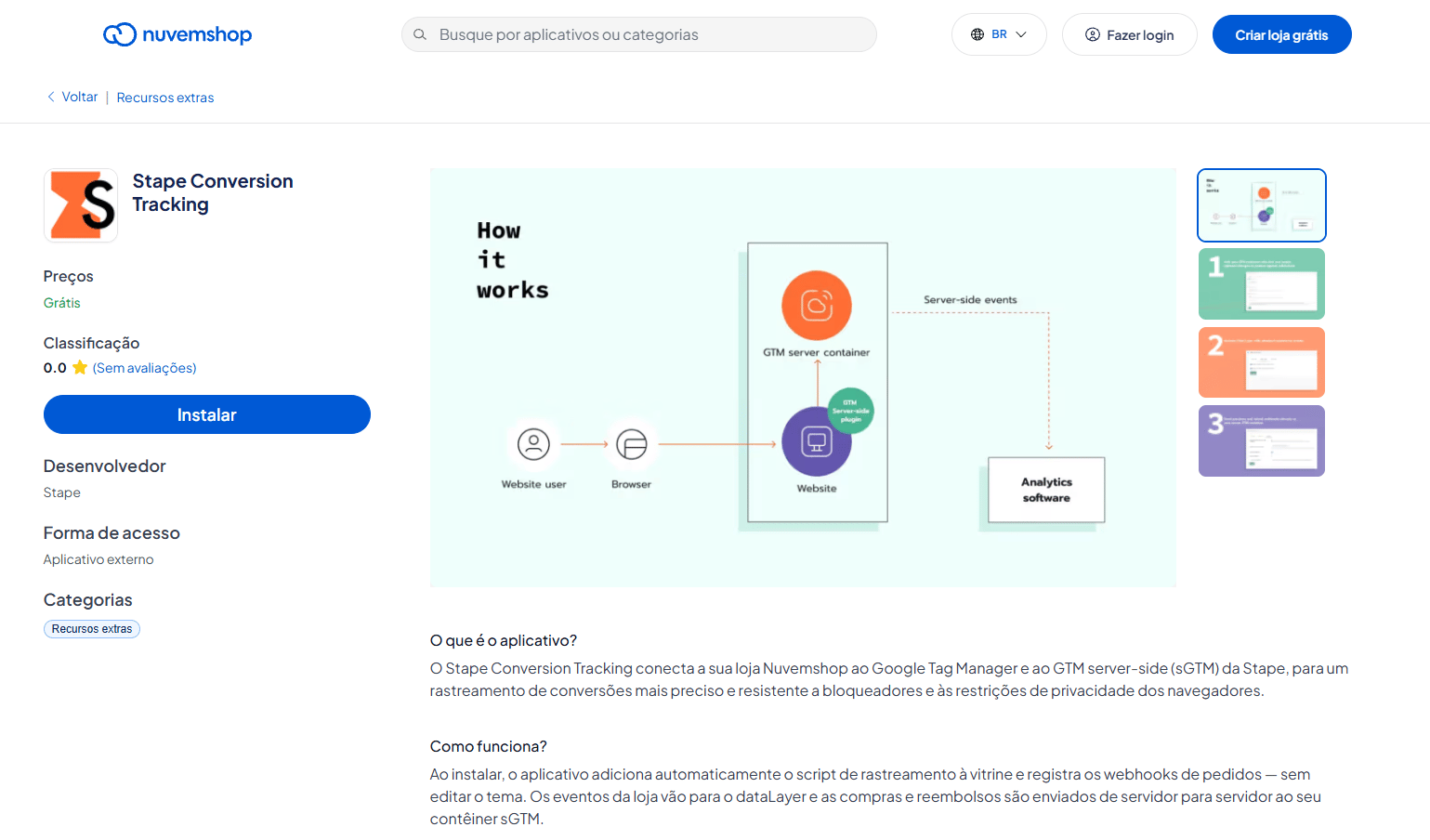
How it works
- 1.The app injects the GTM snippet in your store pages. If you don’t have a container on Stape, the snippet will be loaded from Google’s default CDN. You can load that snippet from your own domain in two ways, and it requires a container hosted on Stape.
- 1.1.Same-origin (recommended) – you can configure the same-origin domain together with Custom Loader that helps the script get past ad blockers, and cookie lifetimes stay intact. In this case, the Cookie Keeper power-up isn’t needed.
- 1.2.Custom Loader and Cookie Keeper power-ups – use this if same-origin isn’t feasible or not wanted (for example, proxying on the web server adds CPU overhead). Load GTM from a tagging subdomain (for example
sgtm.example.com) with the Custom Loader power-up so ad blockers are less likely to block the script, and Cookie Keeper so Safari ITP doesn’t expire cookies such as_gaand_fbpearly.
- 1.1.
- 2.When visitors interact with your store, the app can push standard GA4 e-commerce events into the dataLayer. You can also add available user data to these events and decorate event names to distinguish Stape events from existing dataLayer events.
- 3.Tags in your web GTM container pick up the data layer events and send them to your sGTM container. You can use GA4 tags or a Stape Data Tag to forward the events to your server container.
- 4.The sGTM container receives the events through the appropriate Client. Server-side tags can then process the data and send requests to the analytics and advertising platforms you use, such as GA4, Meta, TikTok, Google Ads, Snapchat, and others.
- 5.When a purchase or refund occurs, Nuvemshop can send the corresponding Purchase or Refund webhook directly from its backend to your sGTM container.
- 6.The sGTM container processes the webhook data and sends the relevant purchase or refund events to your analytics and marketing platforms.
Was this article helpful?
🍽 Table of content:
Subscribe to product updates:
Can’t find what you are looking for?
Comments