How to use same origin through Caddy
Updated Aug 12, 2026
If Caddy is already your primary web server or reverse proxy, you can also configure it to proxy your server GTM requests. Start by updating your configuration, as shown in the next step below.
This guide uses /metrics as an example of the same origin path. You can use any of your own.
You should also use the URL of your server GTM container instead of https://sgtm.example.com.
Update your Caddyfile
Add the following to your Caddyfile:
@sgtm path /metrics
handle @sgtm {
        reverse_proxy https://sgtm.example.com {
            header_up X-Forwarded-For {remote_host}
            header_up X-From-Cdn "cf-stape"
            header_up CF-Connecting-Ip {remote_host}
            header_up Host sgtm.example.com
        }
    }
If you are not using your own subdomain and are proxying requests to the standard Stape subdomain, you also need to add the X-Stape-Host header with the value of the host where the events are taking place (for instance, X-Stape-Host: www.example.com).
After following these steps, add your /path for the same origin to the Custom Loader's settings. Check the article on Same Origin Path to do this.
Testing your Same Origin setup
You can check that everything is configured correctly by sending a single test request using a GA4 tag.
1. Create a GA4 tag in your web GTM container.
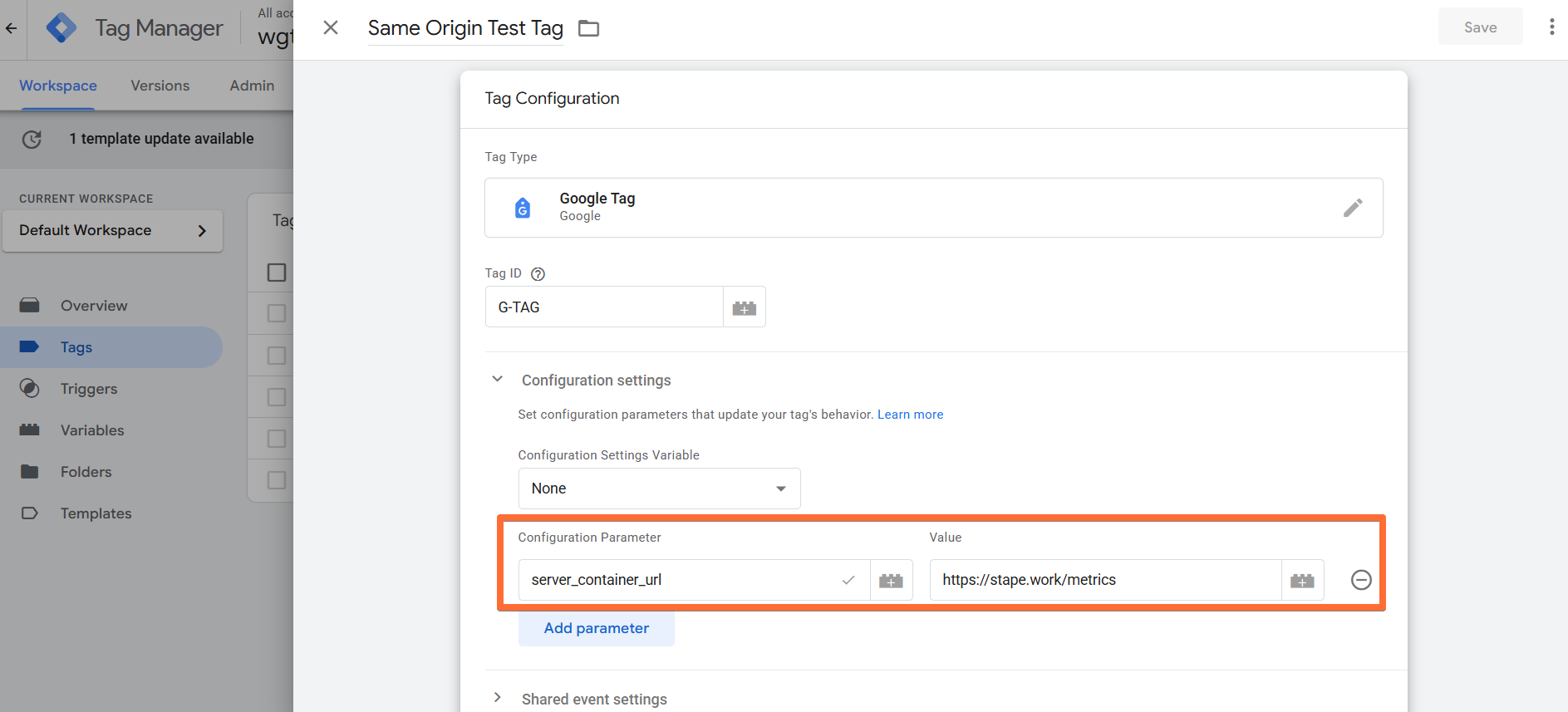
Add your Measurement ID (any ID works for testing) and set the server_container_url to the same-origin path you configured (we'll use https://stape.work/metrics as an example).
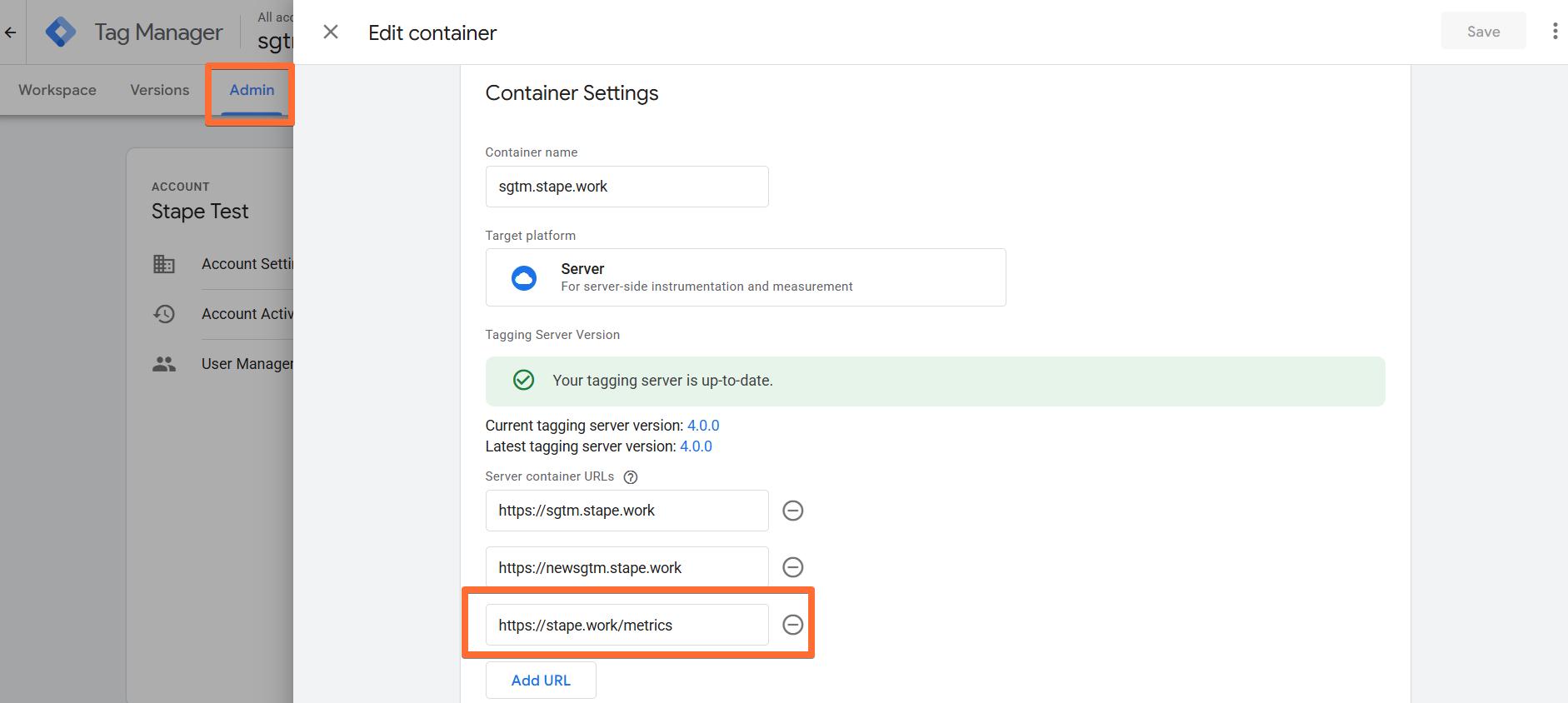
2. (Optional) To streamline testing, add your same-origin path (in this example, it's https://stape.work/metrics) to your server GTM settings. Click Admin → Container Settings → enter the path under Server container URLs.
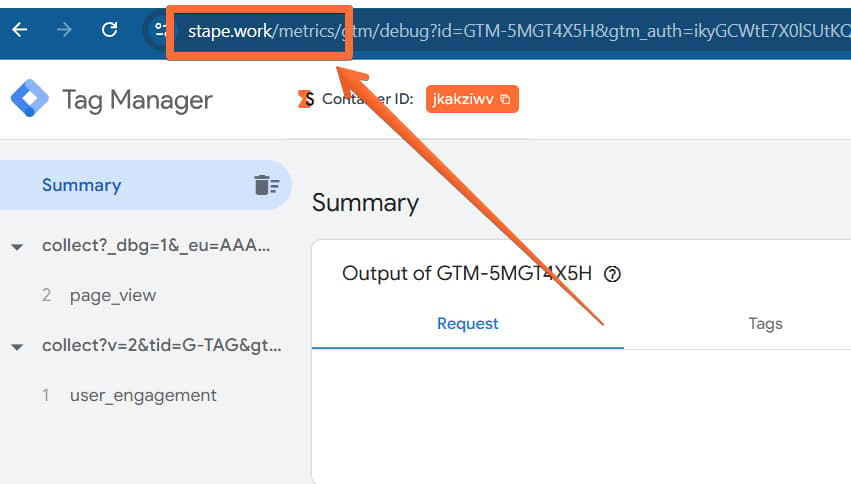
3. Open Preview mode in both your web GTM container and your server-side GTM container. If everything is set up correctly, the server container should open in preview at the new path you created.
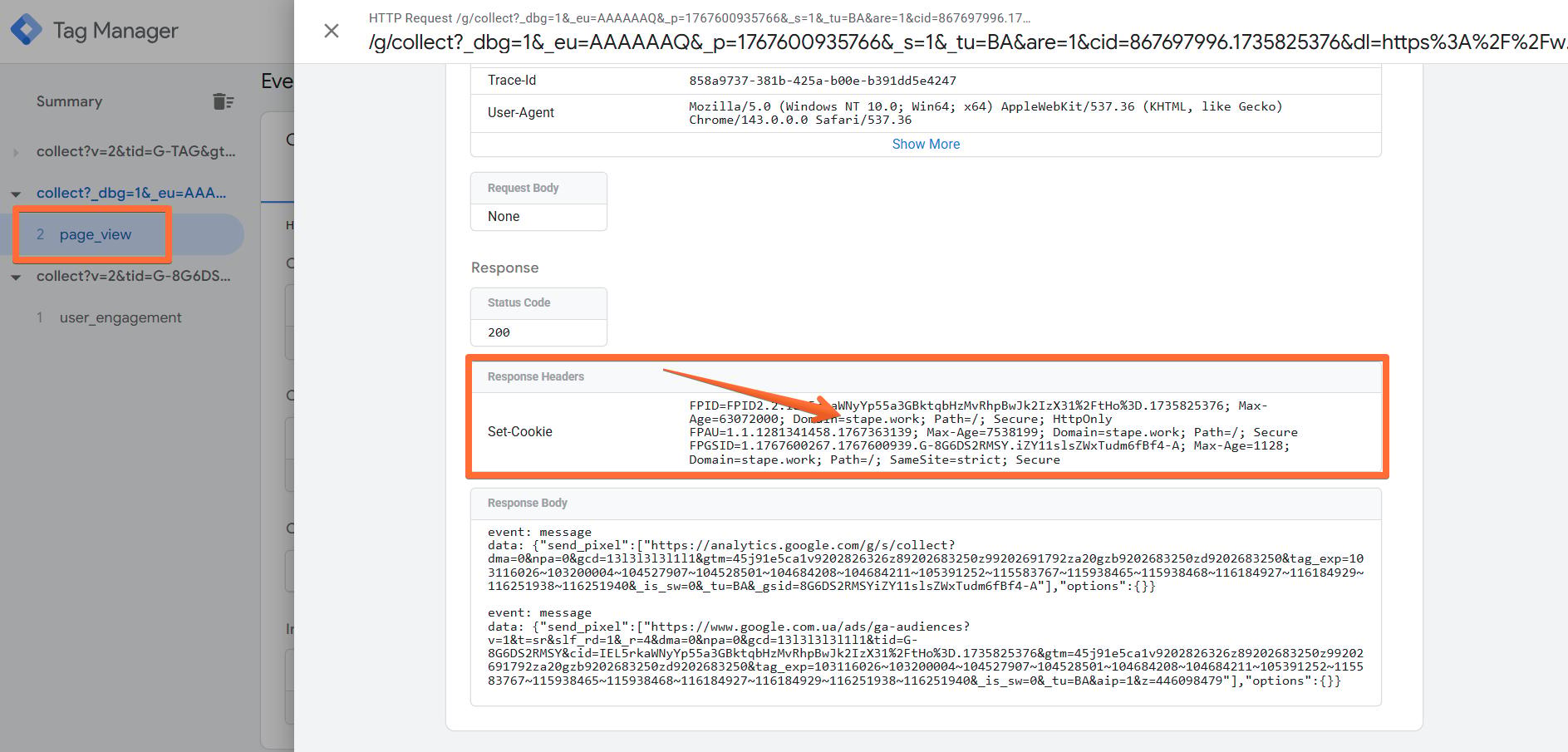
4. Trigger a page view on your site. In the server container preview, you should now see an incoming page_view request from your website’s real domain.
Was this article helpful?
🍽 Table of content:
Comments