How to use same origin approach for server GTM
Updated Aug 28, 2026
When working with server-side Google Tag Manager (sGTM), one of the key challenges is cookie lifetime and browser restrictions. Safari’s Intelligent Tracking Prevention (ITP) and other browser privacy features can shorten cookie duration when they’re set from a third-party or cross-domain source.
The Same Origin setup helps solve this problem. It allows your sGTM container to share the same domain as your website, for example, serving requests through example.com/metrics instead of a separate subdomain like metrics.example.com.
You can set up the same origin on the following providers:
Note:
If you are using some other platform/service that isn’t listed above, we would appreciate it if you could send the instructions to us at support@stape.io.
Same origin path in Stape
After setting up the same origin on your hosting platform, you can set it up in Stape as well. To use the same origin custom domain in Stape, you need to specify your same origin proxy path in the Custom Loader power-up.
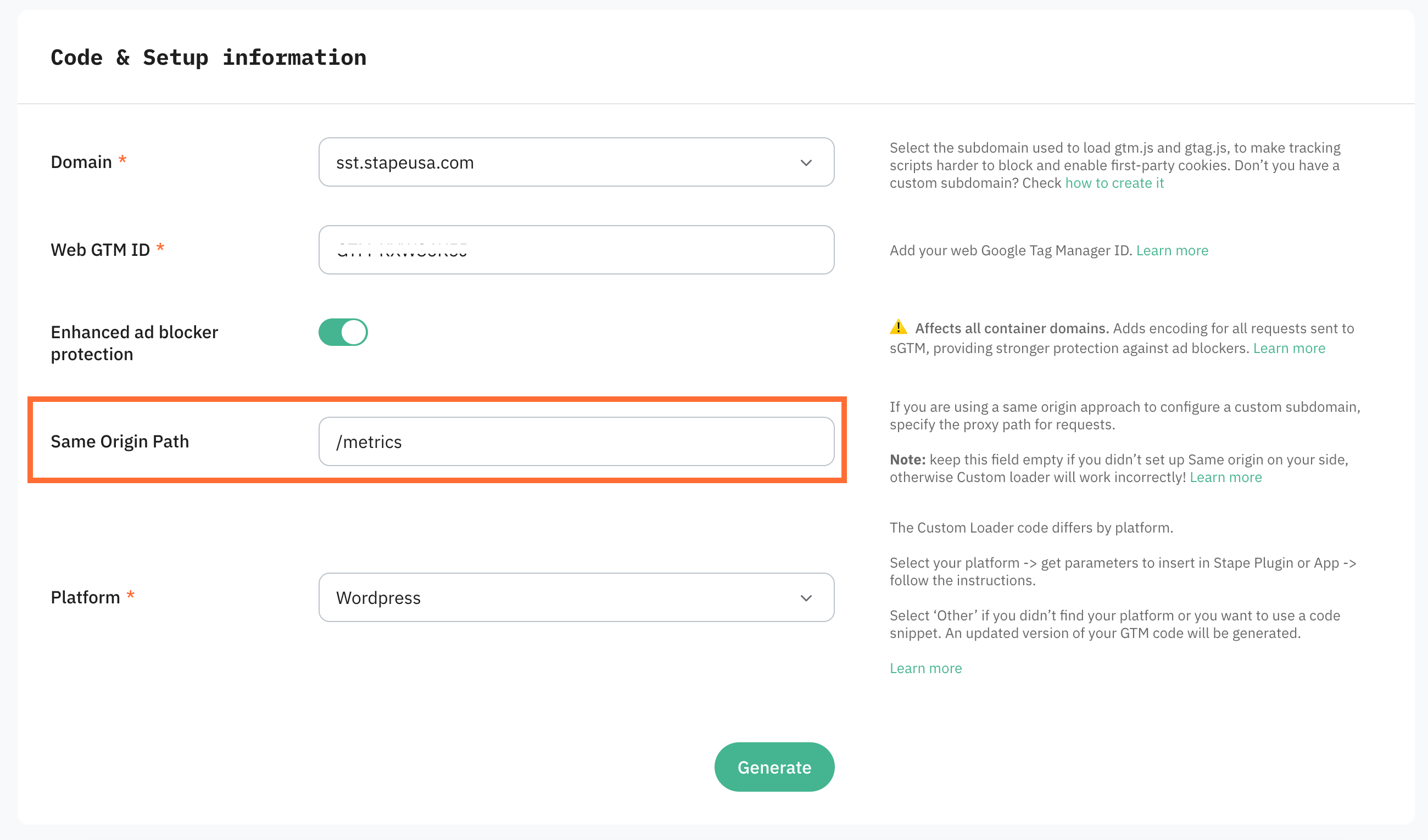
The Same Origin method means your tracking requests will appear to come directly from your main website domain, not from a separate tagging domain. This helps ensure cookies and GA4 encryption work as expected and are not limited by browser privacy rules. The proxy path ensures that requests to your server container are routed through the custom domain, making it look like part of the same content delivery network (CDN) or server, even though the data is being handled on the server-side.
Note:
Stape uses location.origin to determine the domain for GA4 requests. Please ensure that your server_container_url uses the same origin path on the exact same hostname as the page. Similar logic applies to subdomains.
Examples:
- Your hostname is
www.example.comand you use/metricsfor patch. Then yourserver_container_urlshould bewww.example.com/metrics. - Your hostname is
example.comand you use/metricsfor patch. Then yourserver_container_urlshould beexample.com/metrics
Was this article helpful?
🍽 Table of content:
Comments