How to set up TikTok Events API
Updated Oct 8, 2026
The following guide demonstrates setting up TikTok Events API via server-side GTM. You can alternatively configure it via TikTok Events API Gateway.
Requirements for setting up TikTok Events API
1. Please ensure that you already have Google Tag Manager web and server containers, as well as a configured server container and custom domain in Stape. Please follow these guides if you don’t have any of those:
2. TikTok supports event deduplication, meaning that you can combine web and server tracking for TikTok. If you do so, please ensure to add the same event_id to web and server tags. In this guide, we will explain how to do it using a Unique Event ID variable.
Step-by-step guide to configuring TikTok Events API
1. How to set up TikTok Pixel
1. In your web GTM container, open the Templates menu → click Search Gallery in the Tag Templates section → search for the official TikTok Pixel tag and add it to your workspace.
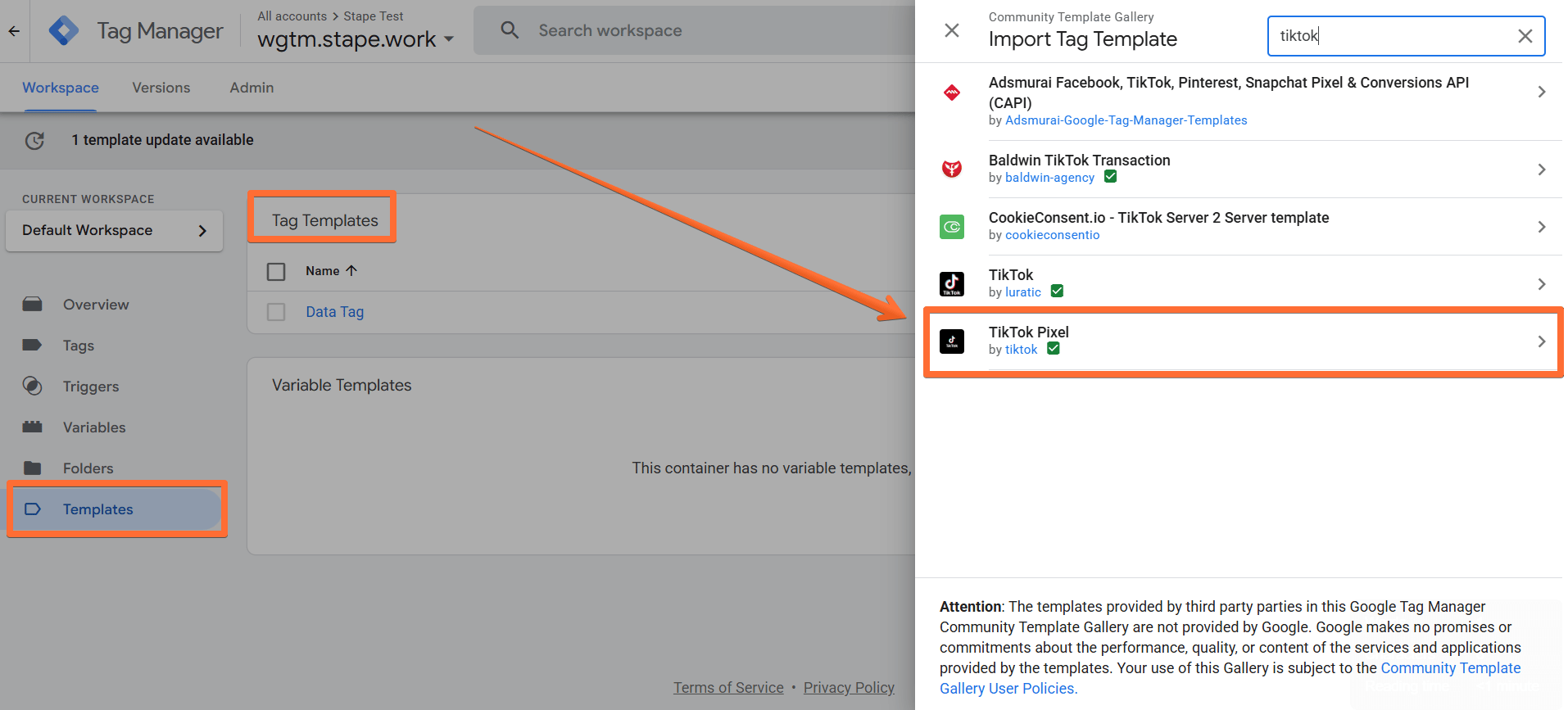
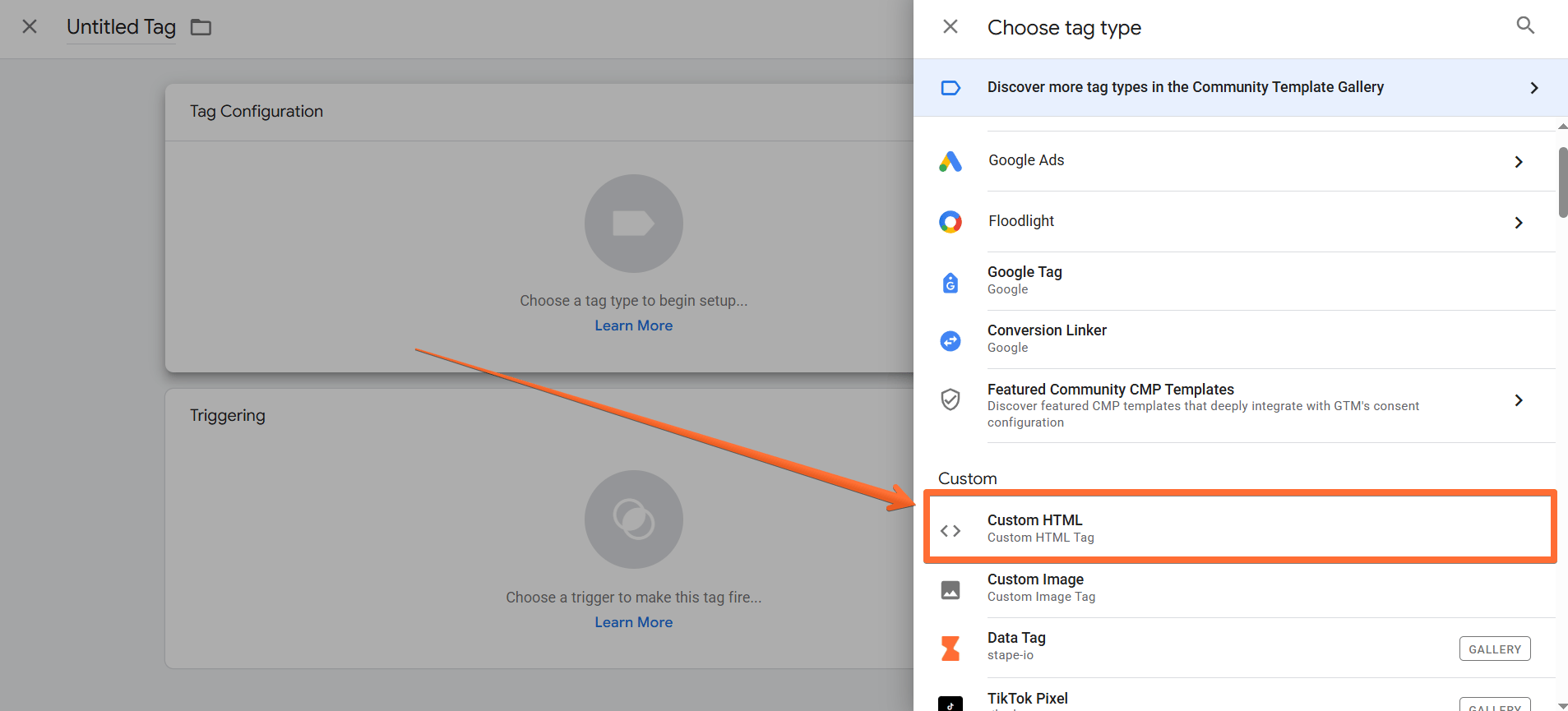
2. TikTok tag doesn’t support the Pageview event, so you should add a custom HTML of your TikTok-based code. To do that:
- Open the Tags menu → click the New button → click on the Tag Configuration section → select the tag type Custom HTML.
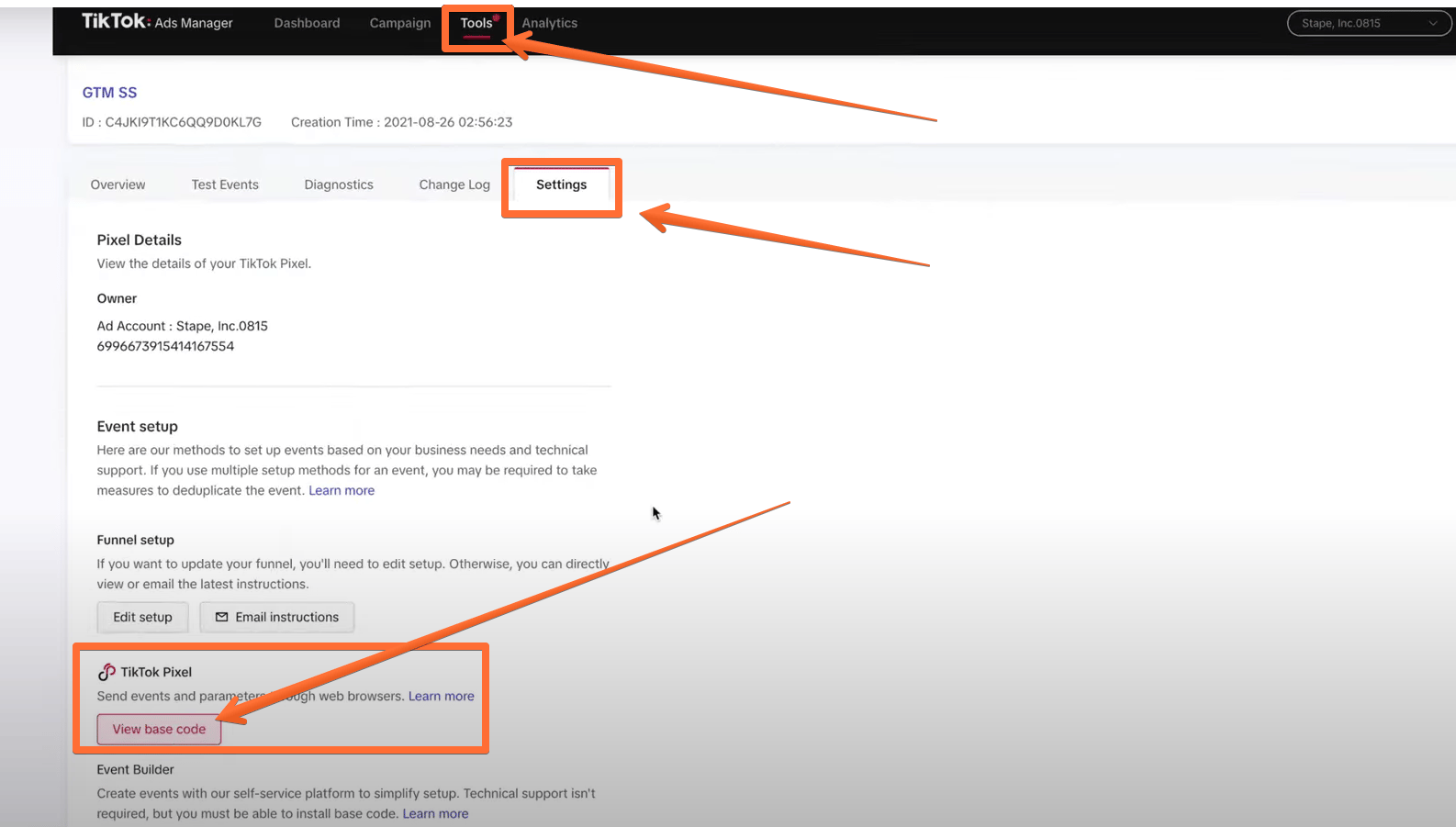
- In the HTML section, paste your TikTok Pixel code. To find it, go to your TikTok Ads Manager account → open the Assets page → select Web Events → open pixel → click Settings → click View base code.
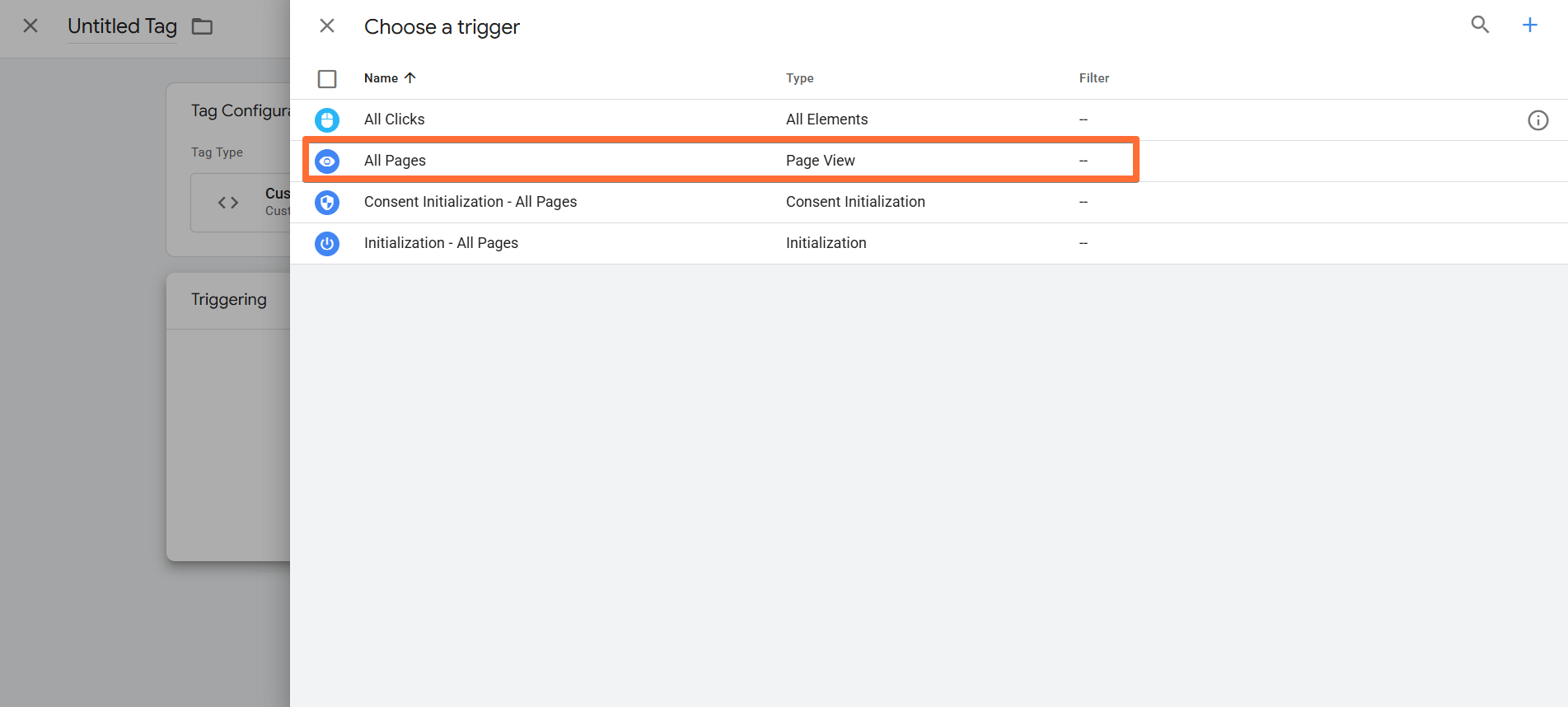
- Finally, as the tag’s trigger, select All Pages.
3. Next, create the TikTok Pixel tag in the web GTM container:
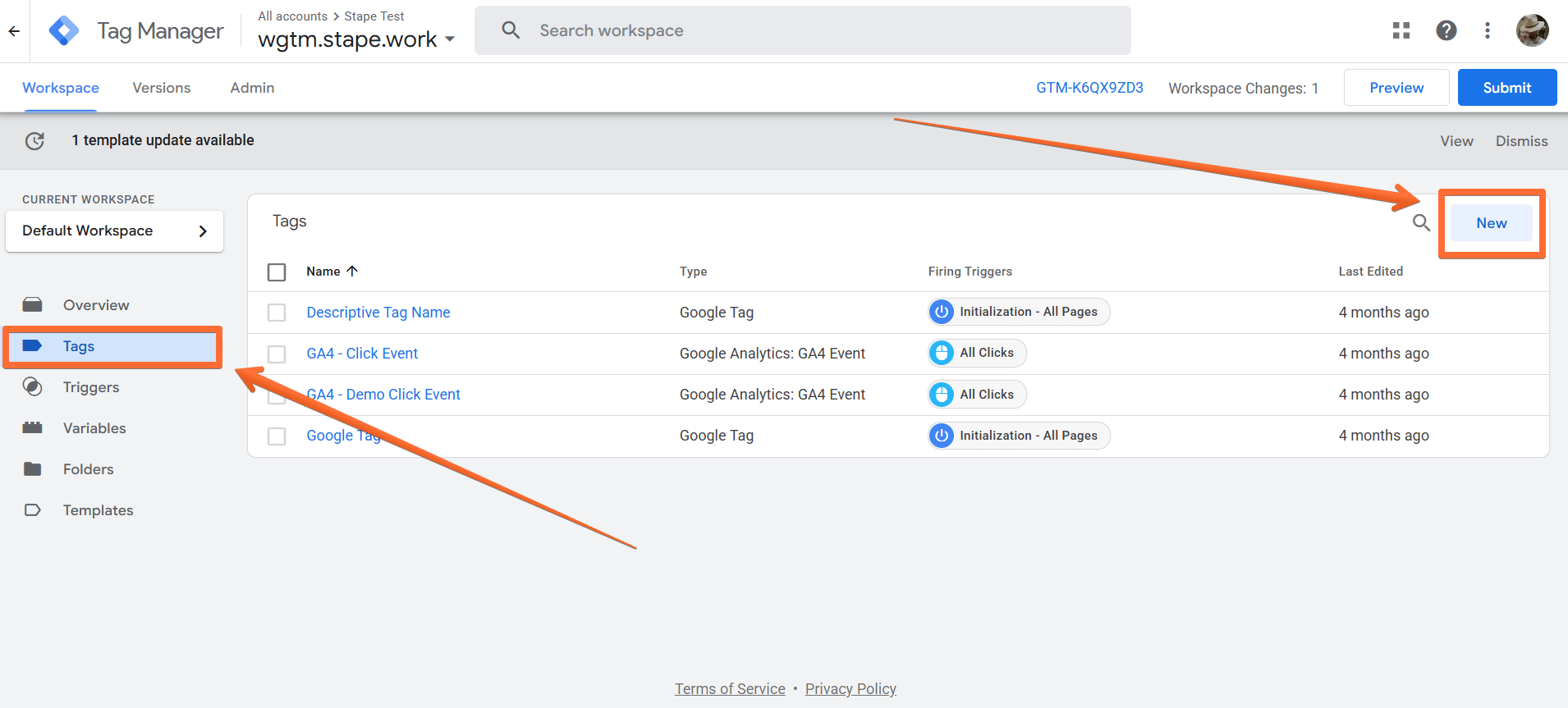
- Go to the Tags menu → click New.
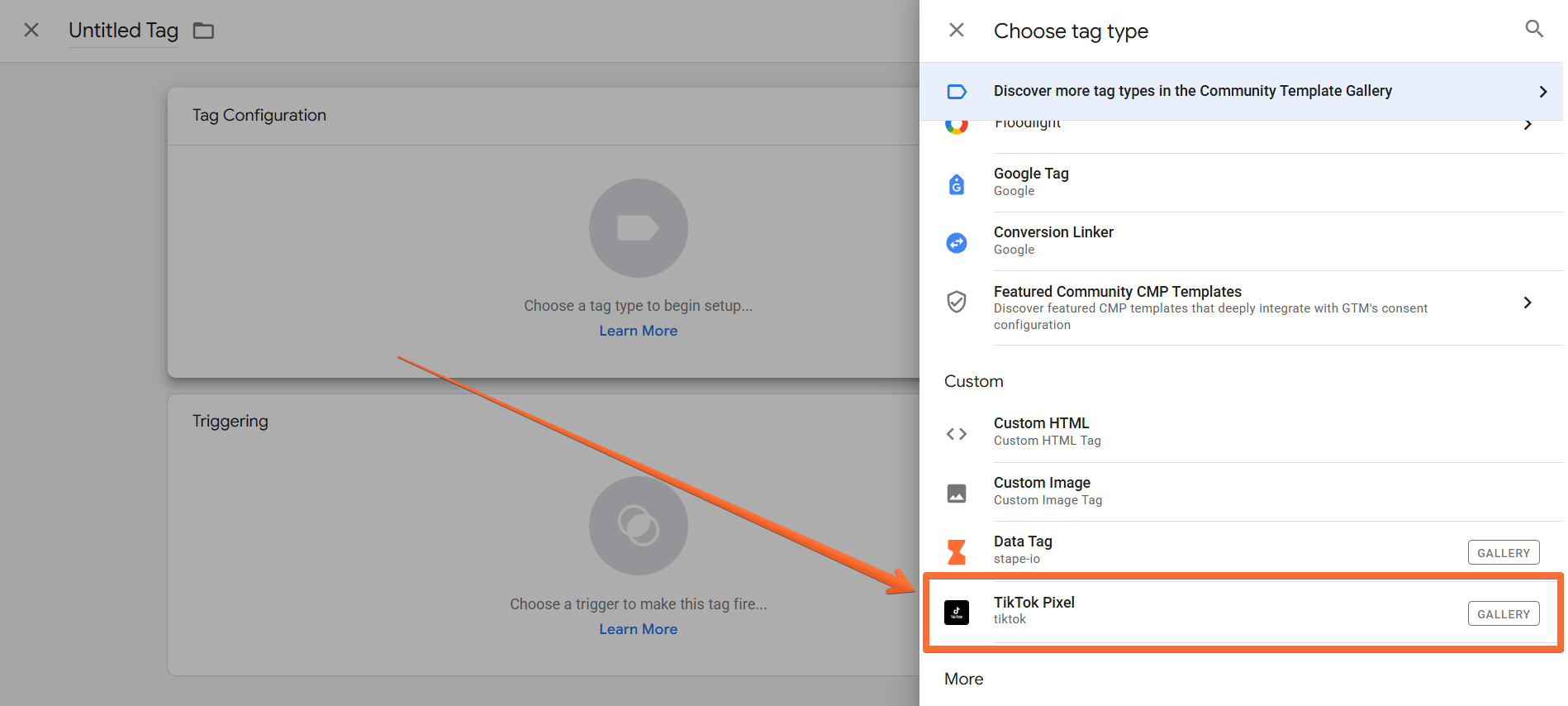
- Click Tag Configuration → select TikTok Pixel.
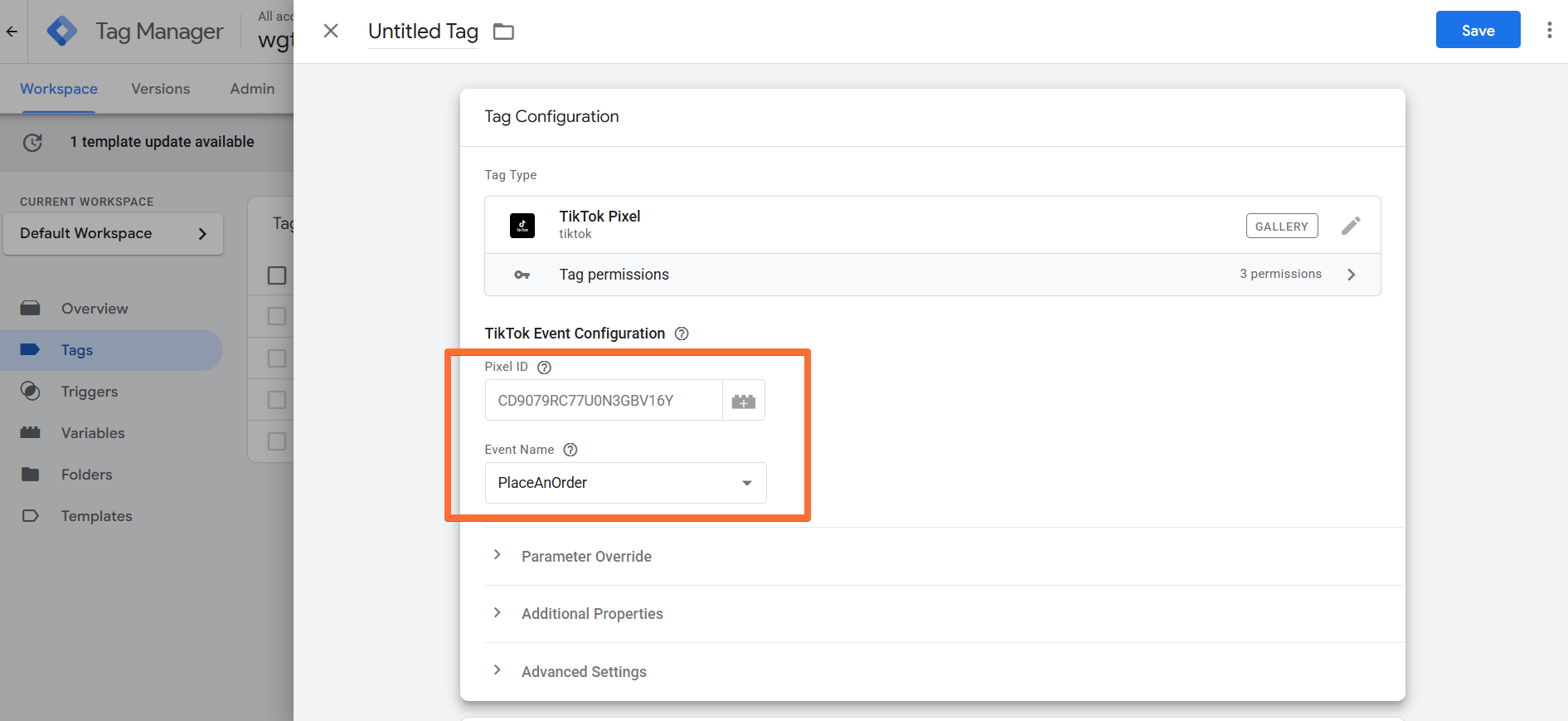
- In the TikTok Event Configurations, add TikTok Pixel ID (see below how to find it) → choose an event type.
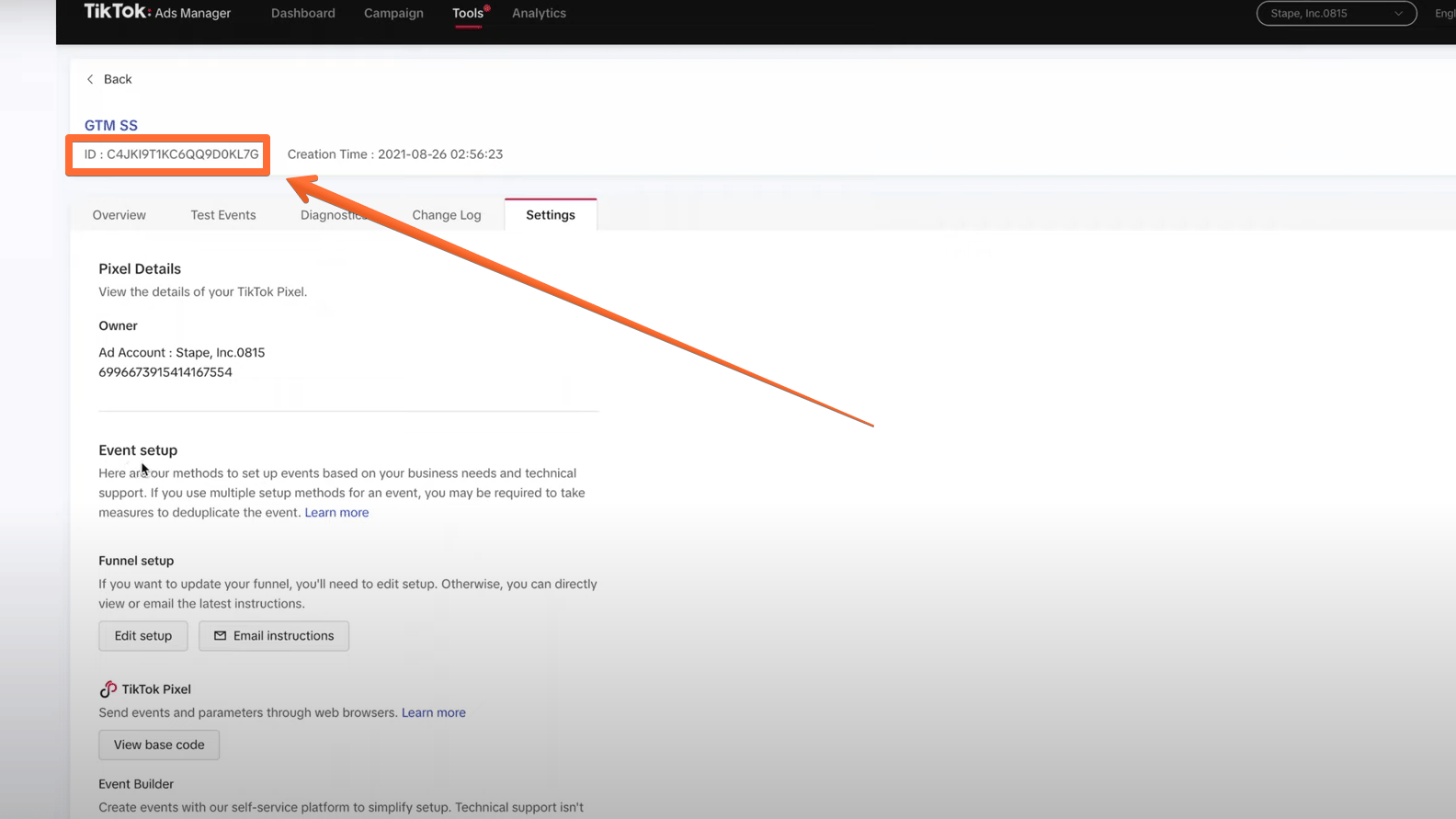
- You can find your TikTok Pixel ID in your TikTok Ads Manager → open the Tools tab → open the Events menu, see the screenshot below.
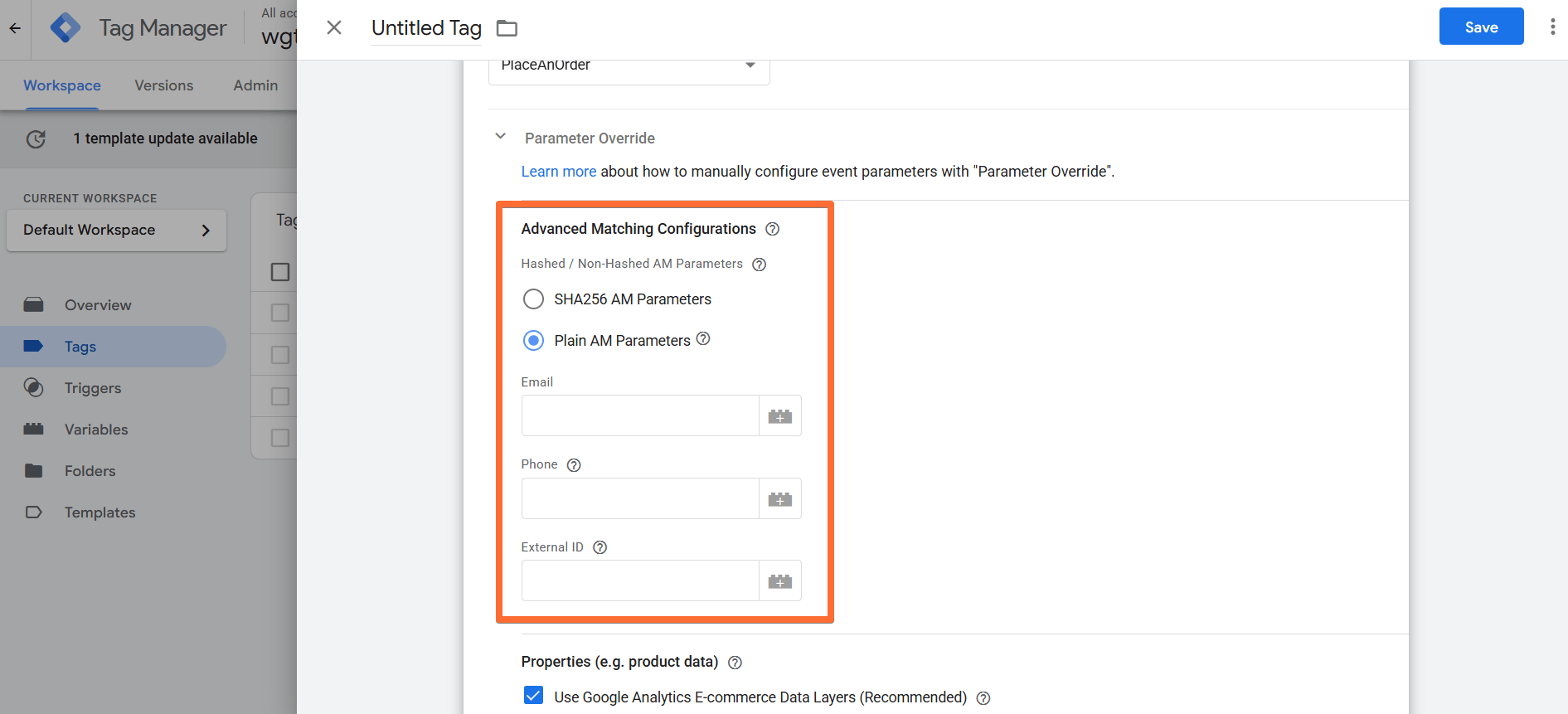
- Under Advanced Matching Configurations, you can indicate whether the data you’re sending is already hashed according to TikTok’s requirements, or whether it’s plain data that the tag should hash itself.
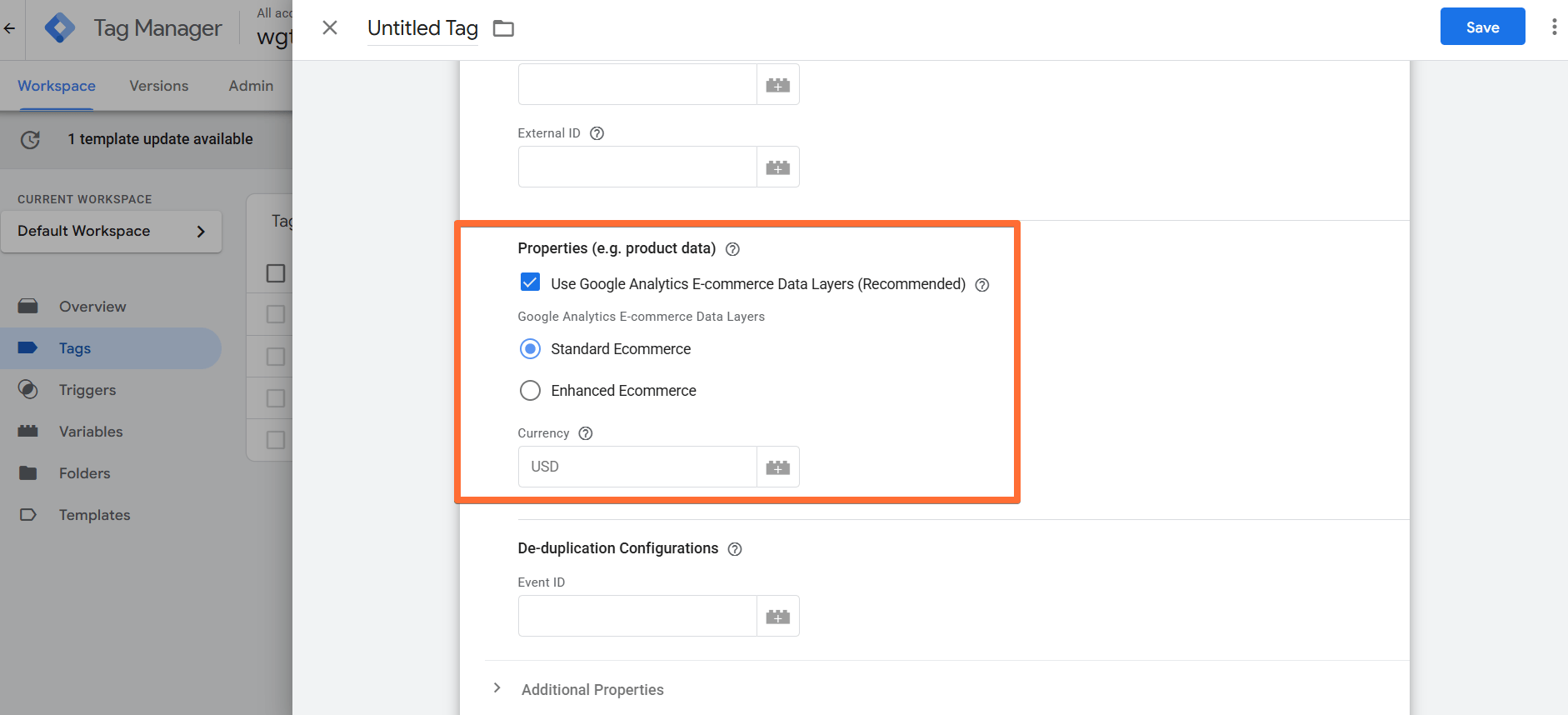
- To send product data, use the Properties section. There are two ways to send product data: by autoparsing or by manually entering parameters to the tag.
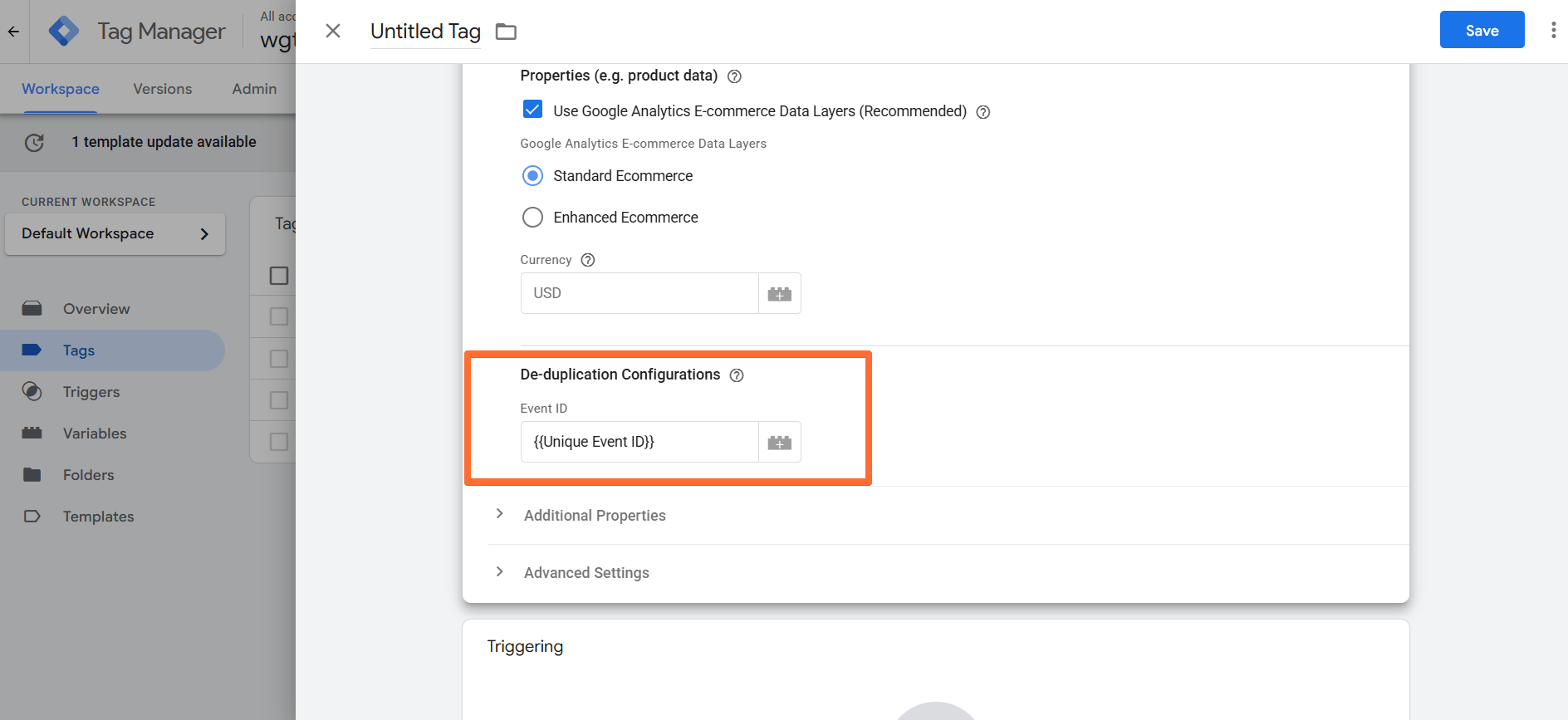
- A crucial step in configuring TikTok Pixel is the De-duplication Configurations section. It lets you assign an Event ID that will allow TikTok to understand which events are identical. As a result, TikTok will deduplicate one of the identical events it receives from web and server tracking. To get an Event ID, you can use one of the predefined variables that generate the unique ID. We will describe how to do it in the next section.
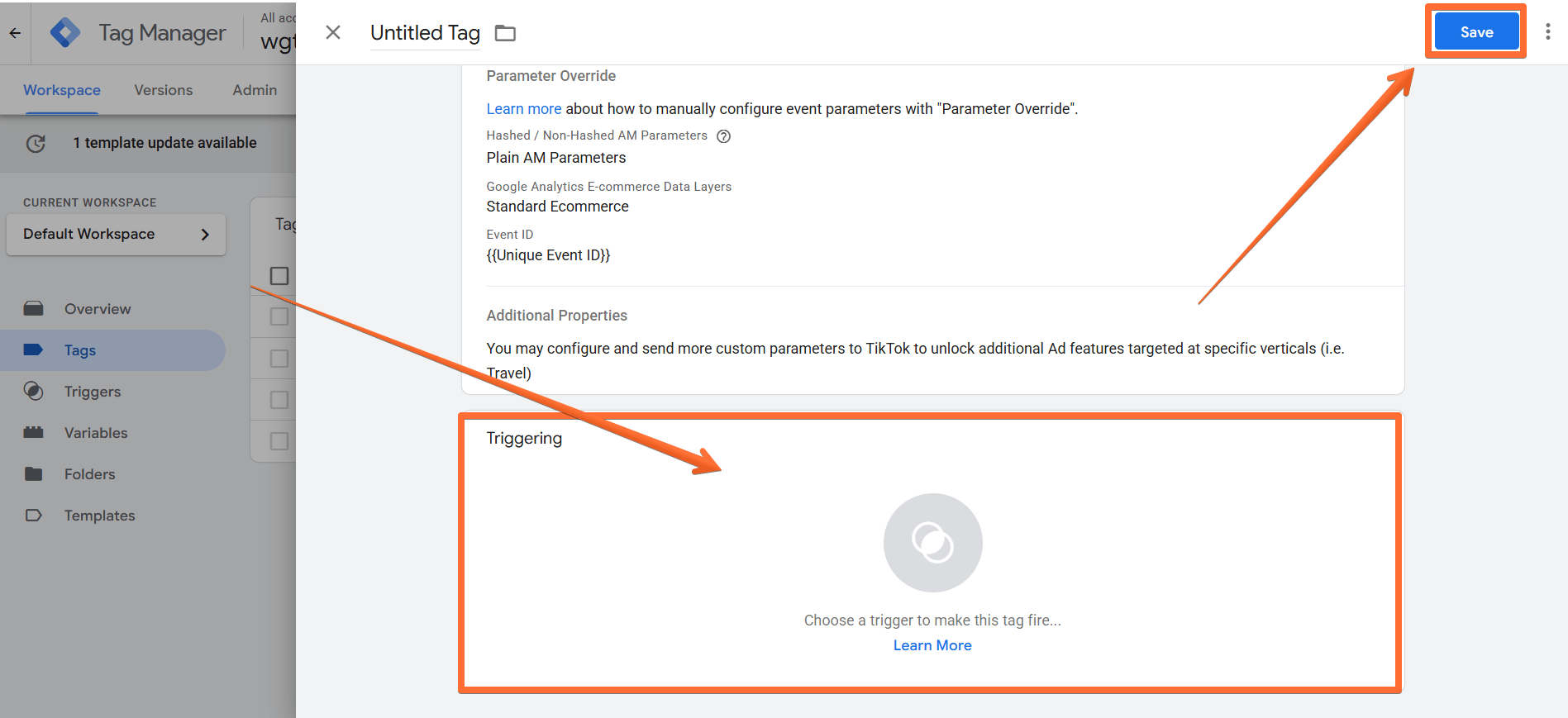
- Add a Trigger, complete the rest of the setup, and Save the TikTok Pixel tag.
How to create a Unique Event ID
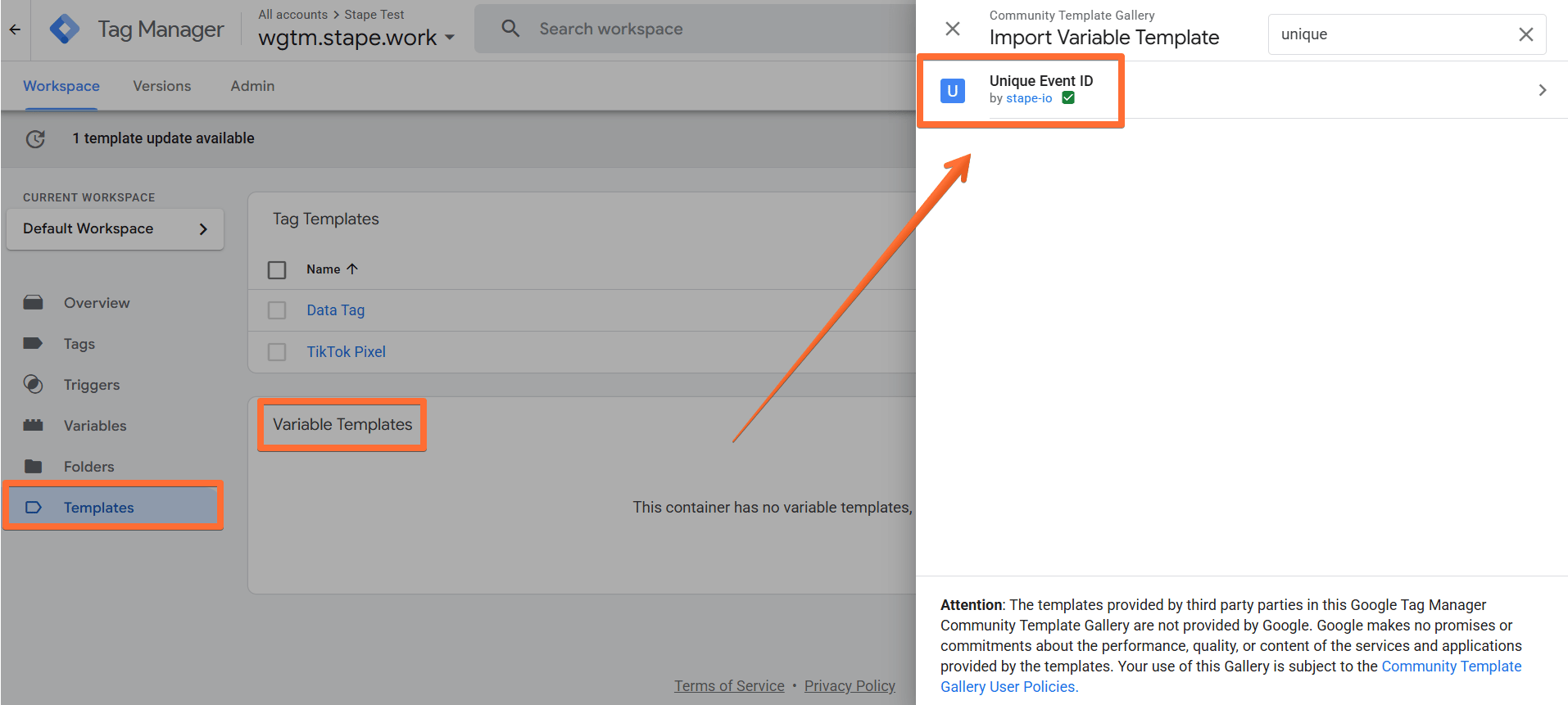
1. Open the Templates menu → in the Variable Templates section, click Search Gallery → search for Unique Event ID and add it to your workspace.
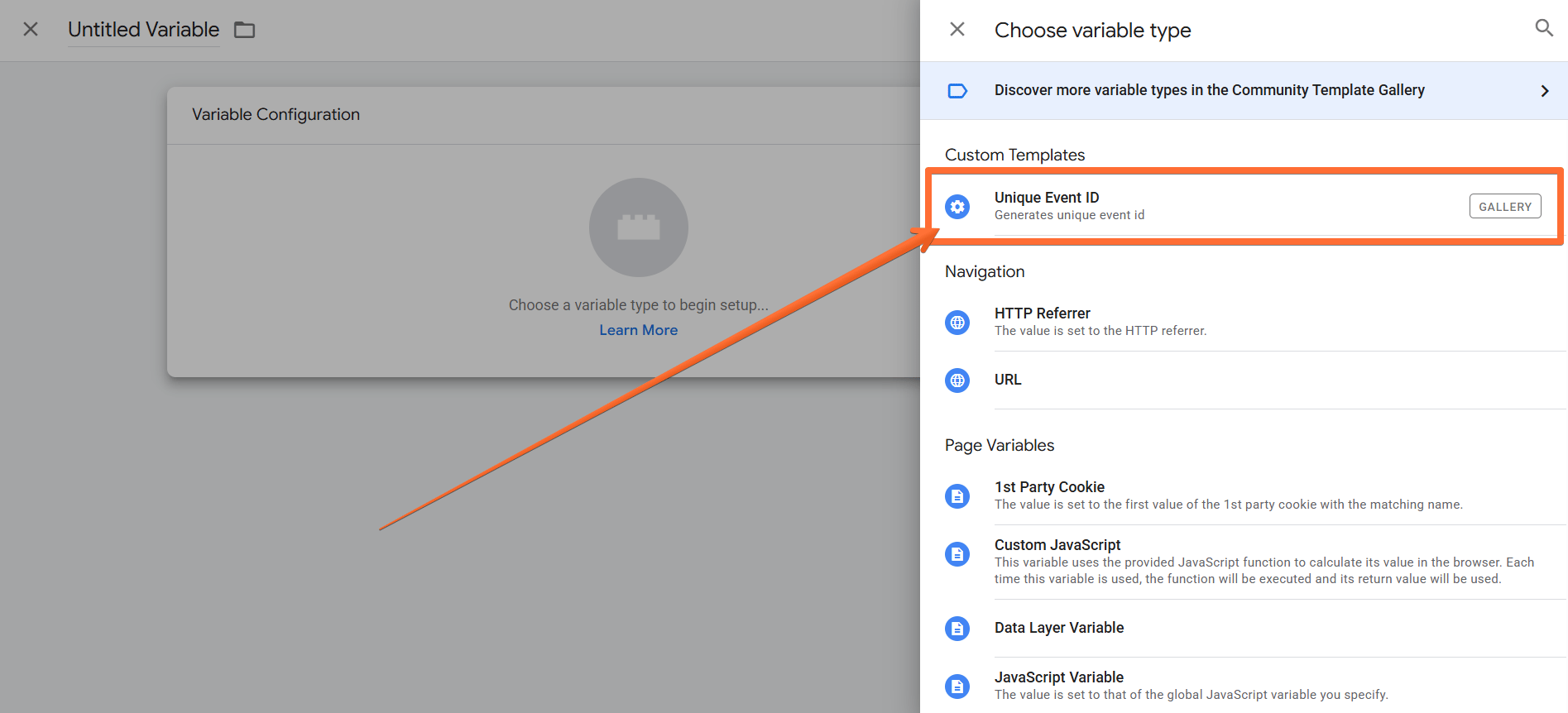
2. Open the Variables menu → in the User-Defined Variables section, click New → select the variable type Unique Event ID and save the new variable. Now, you will be able to use it for TikTok Pixel tag event deduplication.
2. How to configure TikTok Events API
1. Configure sending data to the server GTM container. The two most popular options for sending data to sGTM are Google Analytics 4 and Data Tag/Data Client. Here is a step-by-step guide on sending data to sGTM.
Important! Be sure to use the same Unique Event ID (see the previous section) when configuring data sending from web to server GTM container.
2. Add the TikTok events API tag. You can install it from either sGTM Template Gallery or GitHub.
Option 1. Importing the tag from the Template gallery:
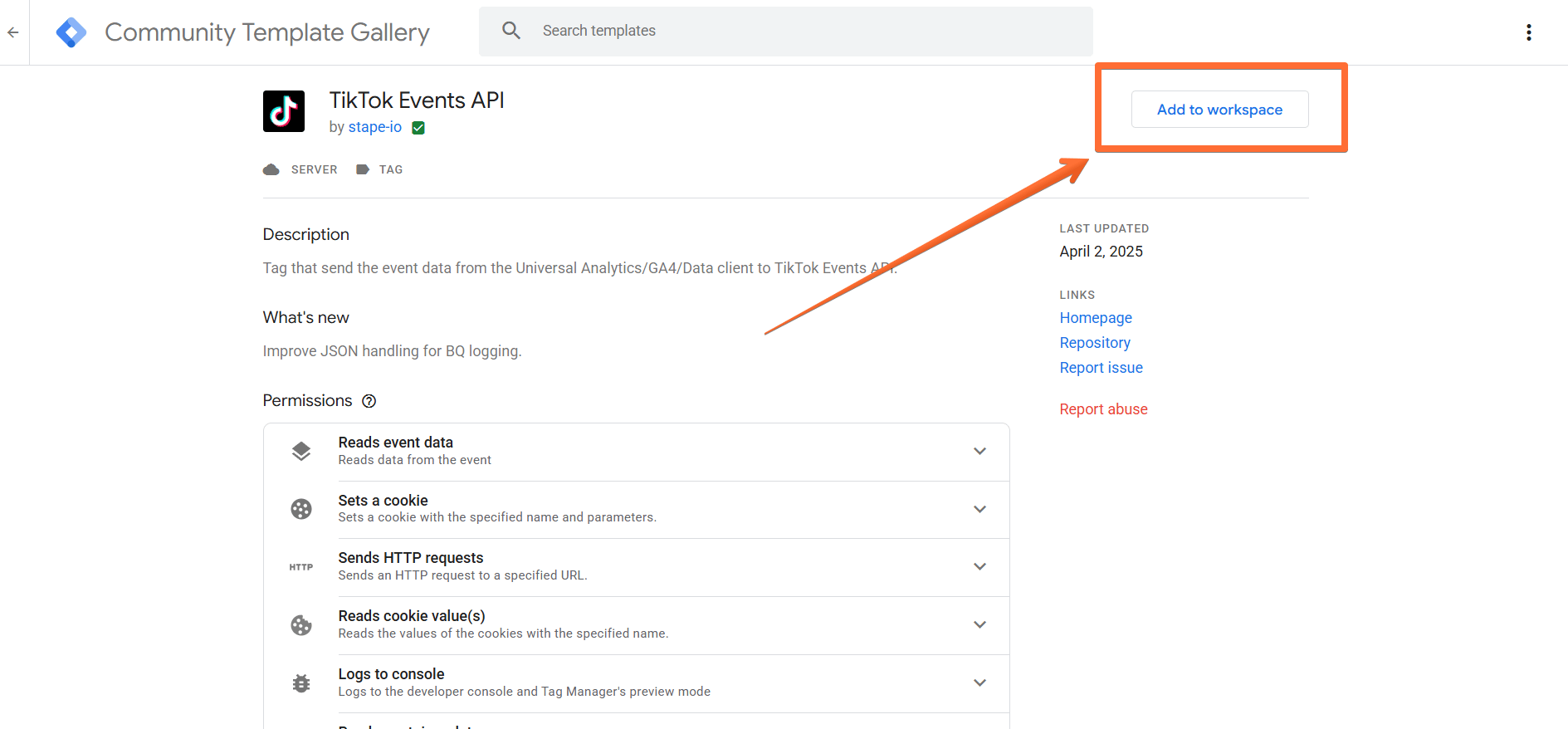
- Follow this link or search for TikTok events API from Stape in the Google Tag Manager Tag Template gallery.
- Click Add to workspace.
Option 2. Importing the tag from GitHub:
- Follow this link and download the tag template.
- In Google Tag Manager, open the Templates menu → click New.
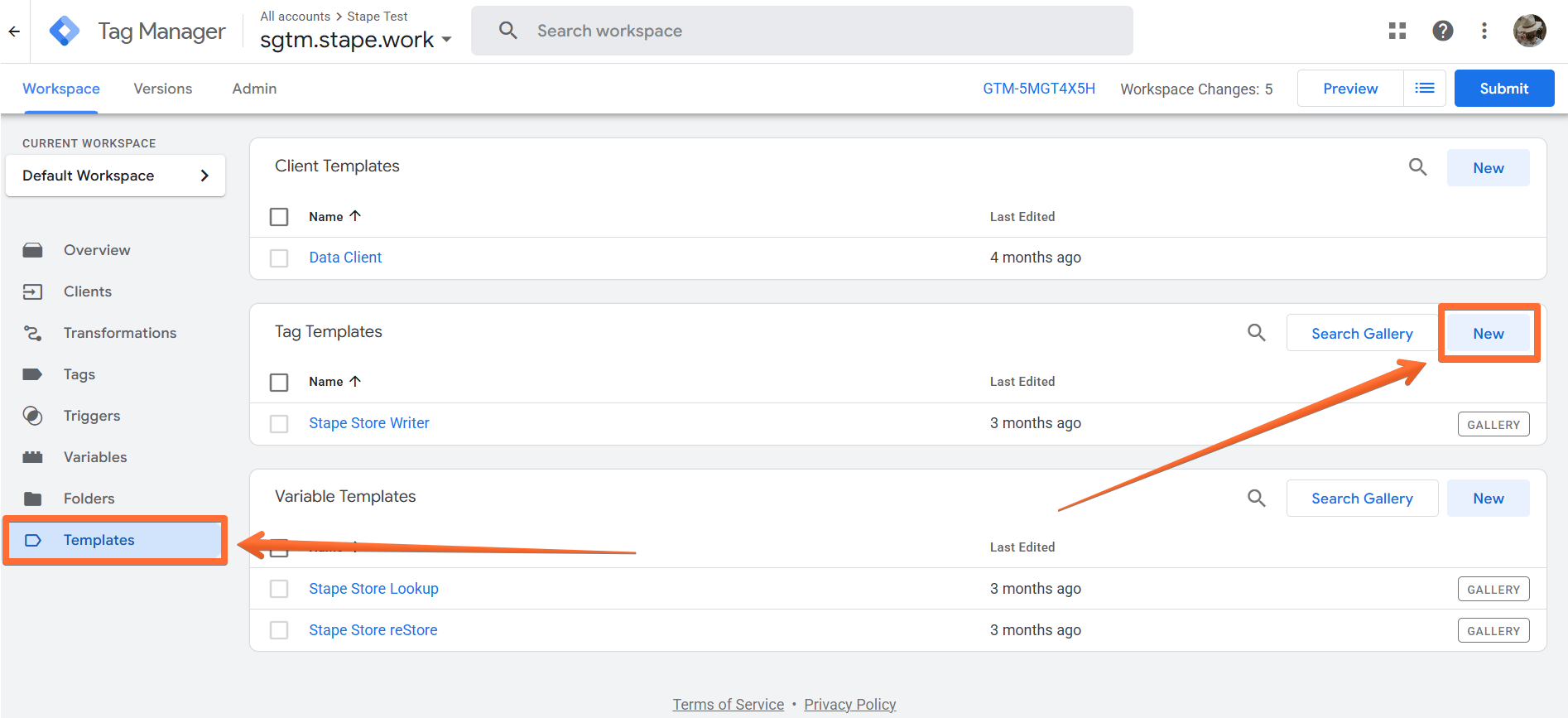
- Click Import → select the TikTok tag template you’ve downloaded from GitHub → click Save.
3. Generate a TikTok Access Token. To do that, go to your TikTok Ads Manager account → open the Assets page → select Web Events → open Pixel → click Settings → click Generate Access Token.
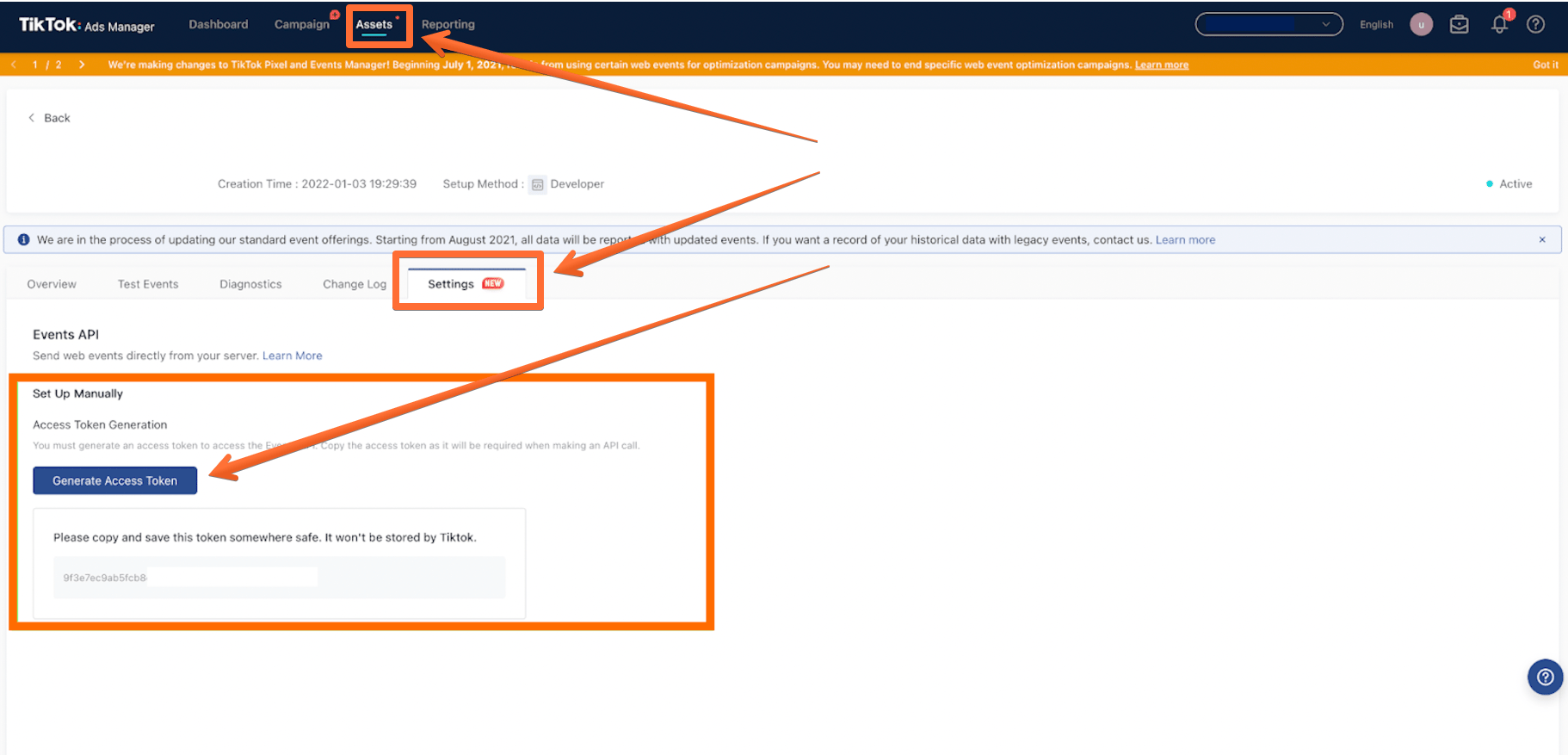
4. Create a TikTok Events API tag in the server GTM container:
- Go to the Tags menu → click New.
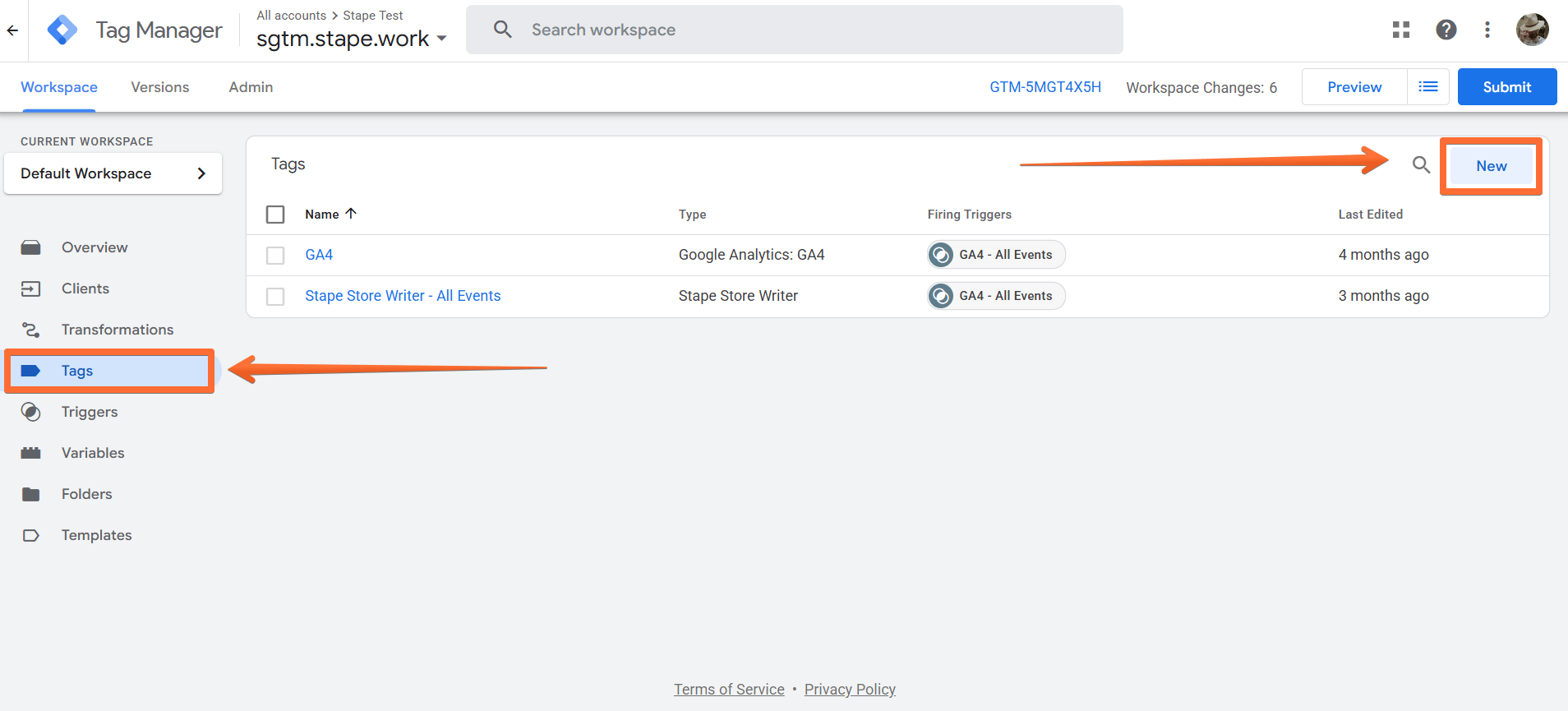
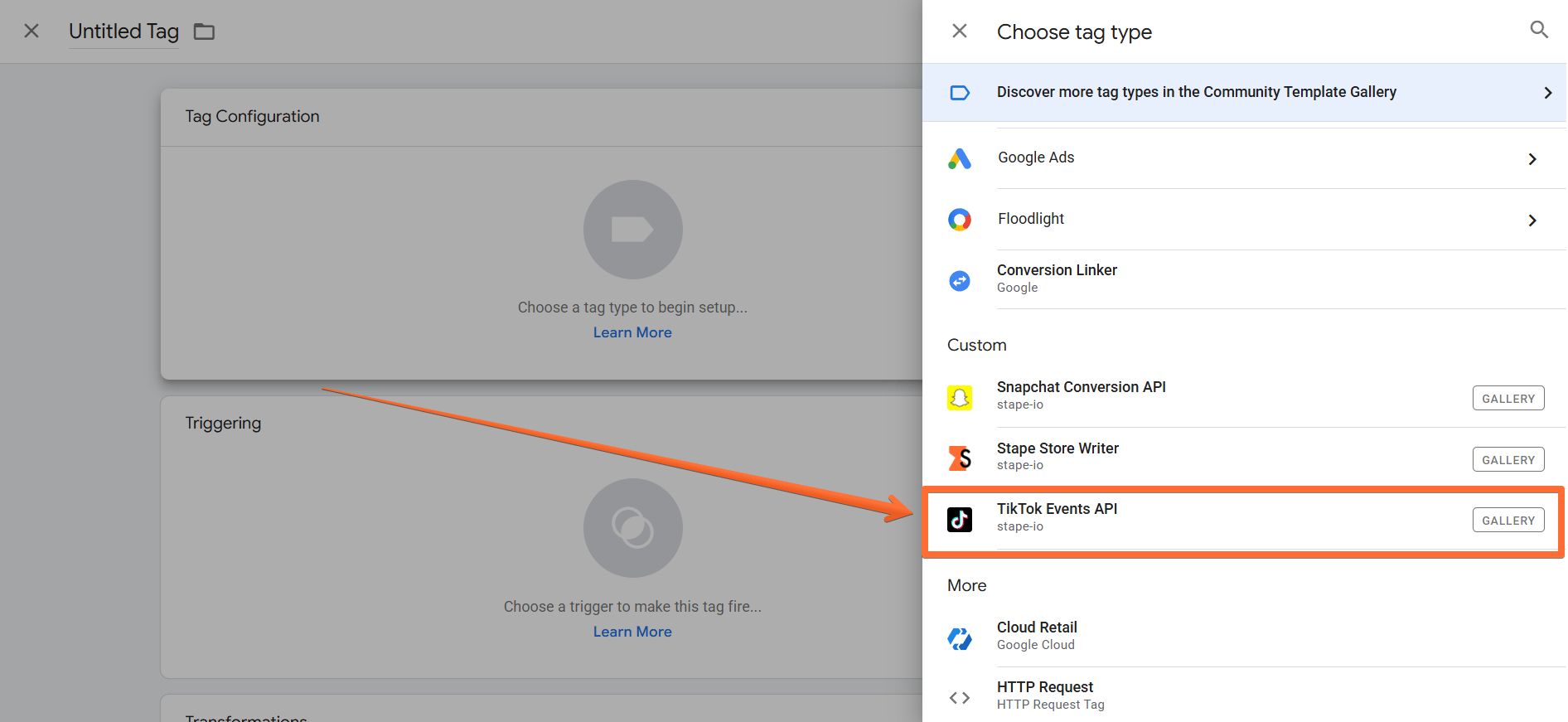
- Click Tag Configuration → select TikTok Events API.
- In the configurations, add the TikTok API Access Token (that you’ve generated in step 4) to the Access Token section → add TikTok Pixel ID and Test Event Code (see below how to find them).
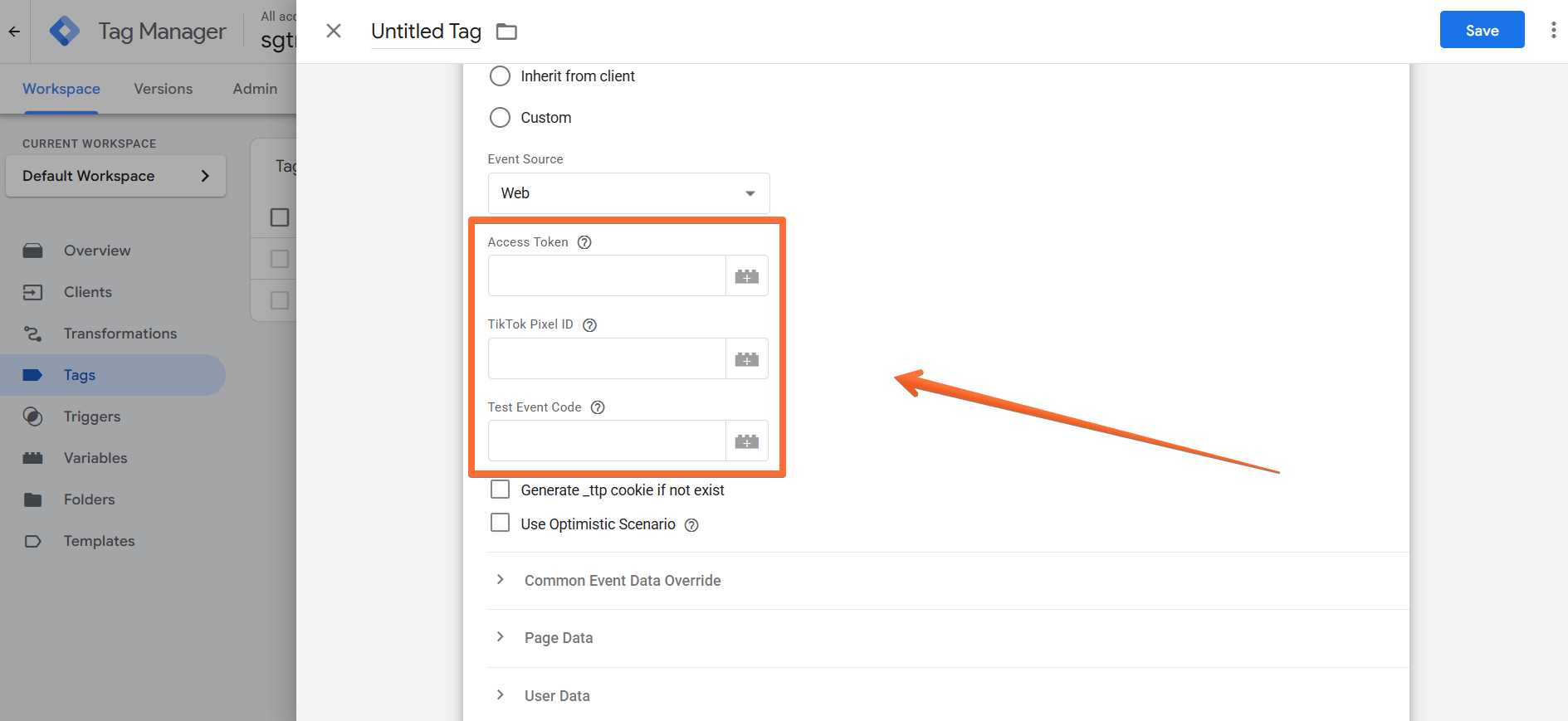
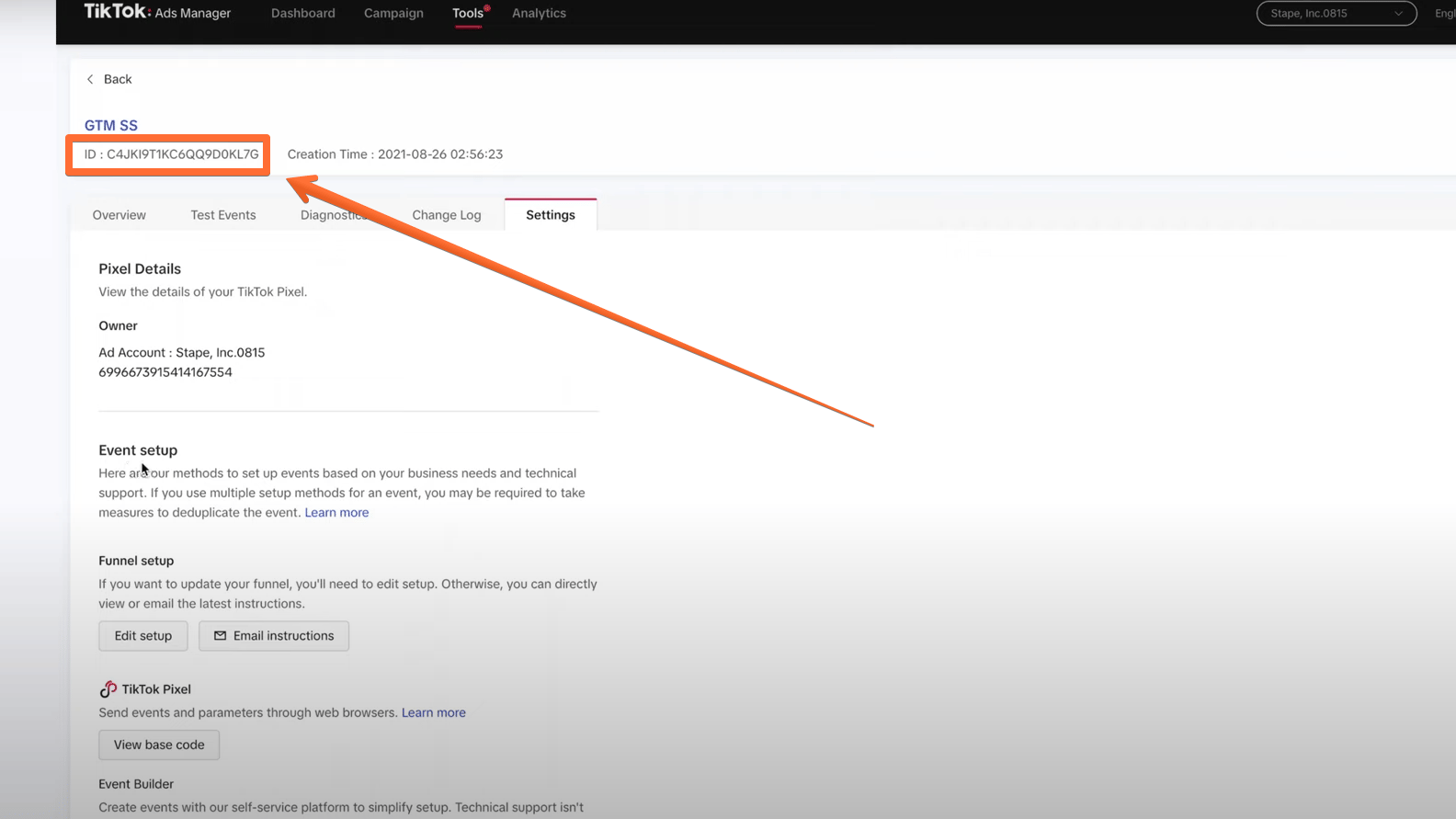
- You can find your TikTok Pixel ID in your TikTok Ads Manager → open the Tools tab → open the Events menu → copy the ID parameter on the Settings tab.
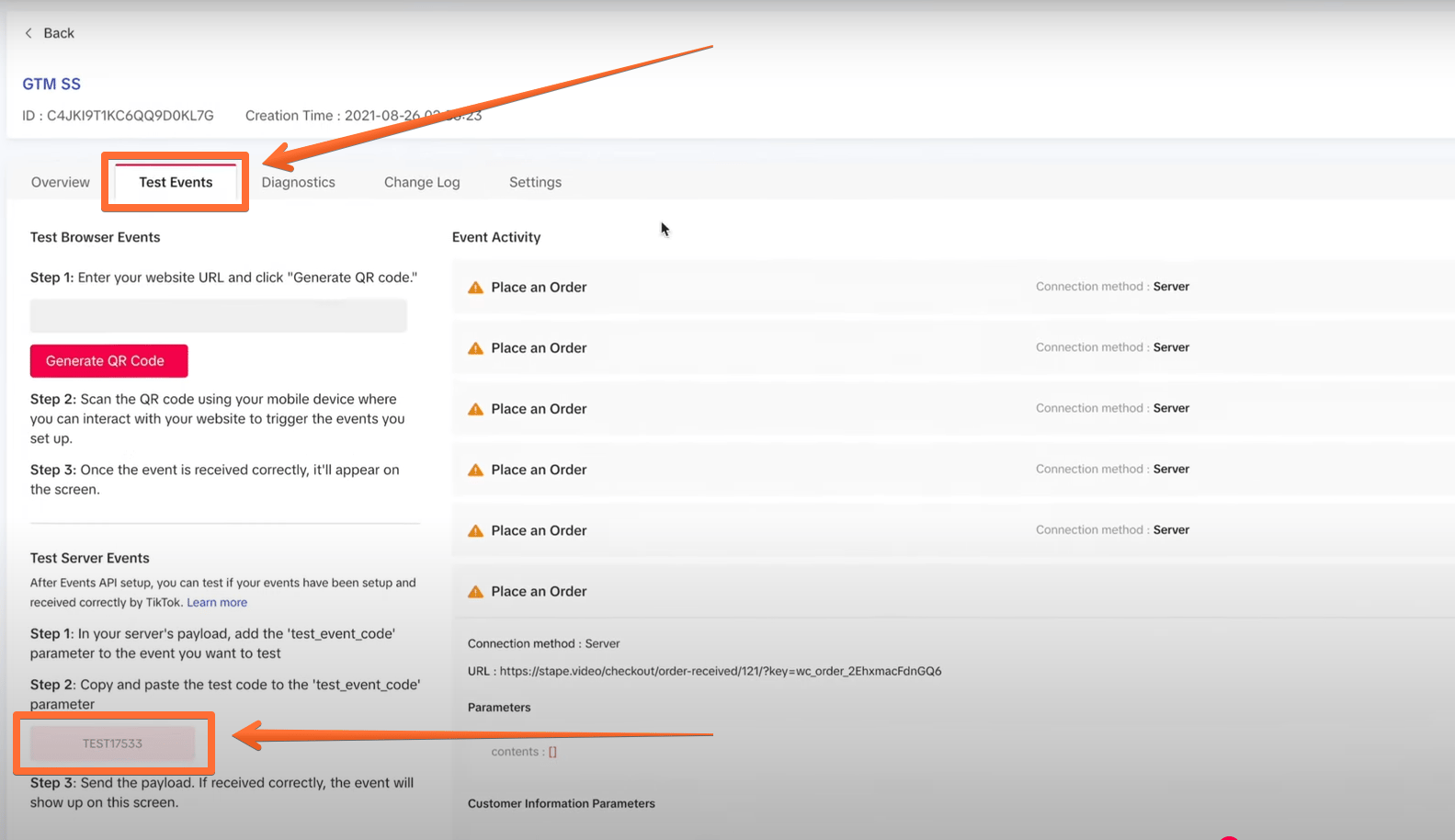
- You can find your Test Event Code in your TikTok Ads Manager → open the Tools tab → open the Events menu → copy the TEST parameter on the Test Events tab. Make sure to include Test ID parameter only during debugging process.
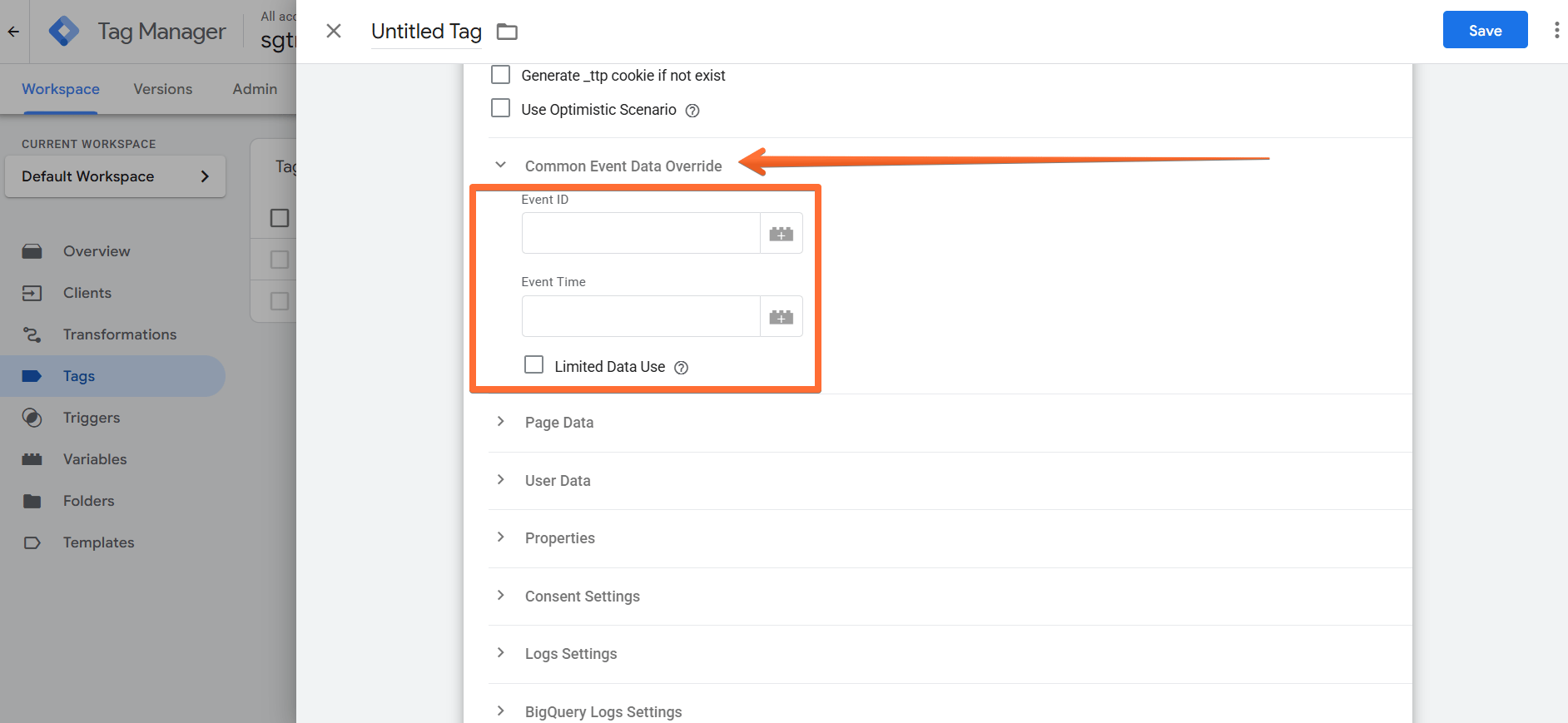
- Under Common Event Data Override, you can add event parameters. Our tag will automatically add event parameters, but you can select to override and send it manually. Make sure to use the same Unique Event ID that you used when setting up TikTok Pixel and data sending from web to server GTM container (so that event deduplication works correctly.)
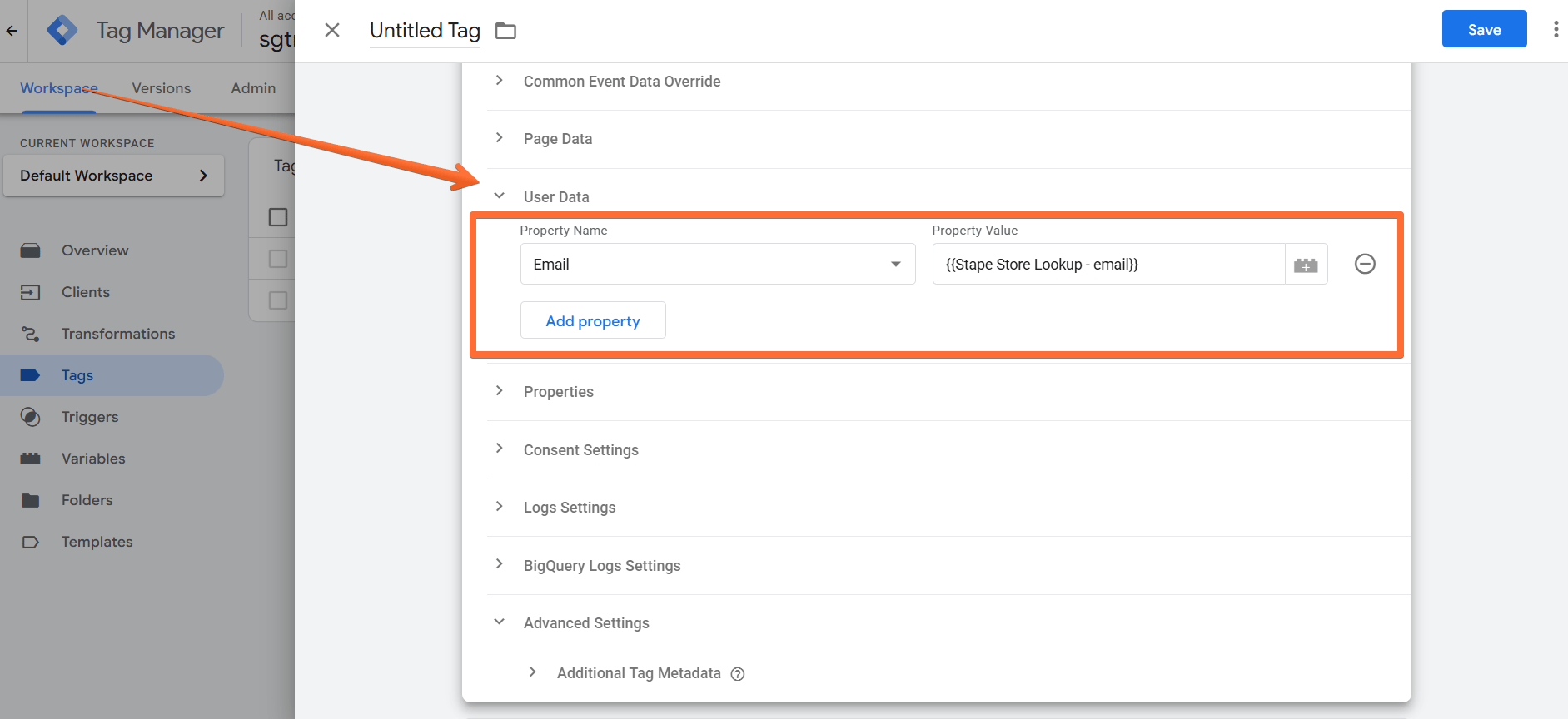
- To send user data, open the User Data section. Here, you can add all sorts of parameters, including IP address, user agent, email, external ID, and ttclid. IP address, user agent, and ttclid will be added automatically either way.
- To send product data, use the Properties section. You can send content, currency, description, query, value, etc.
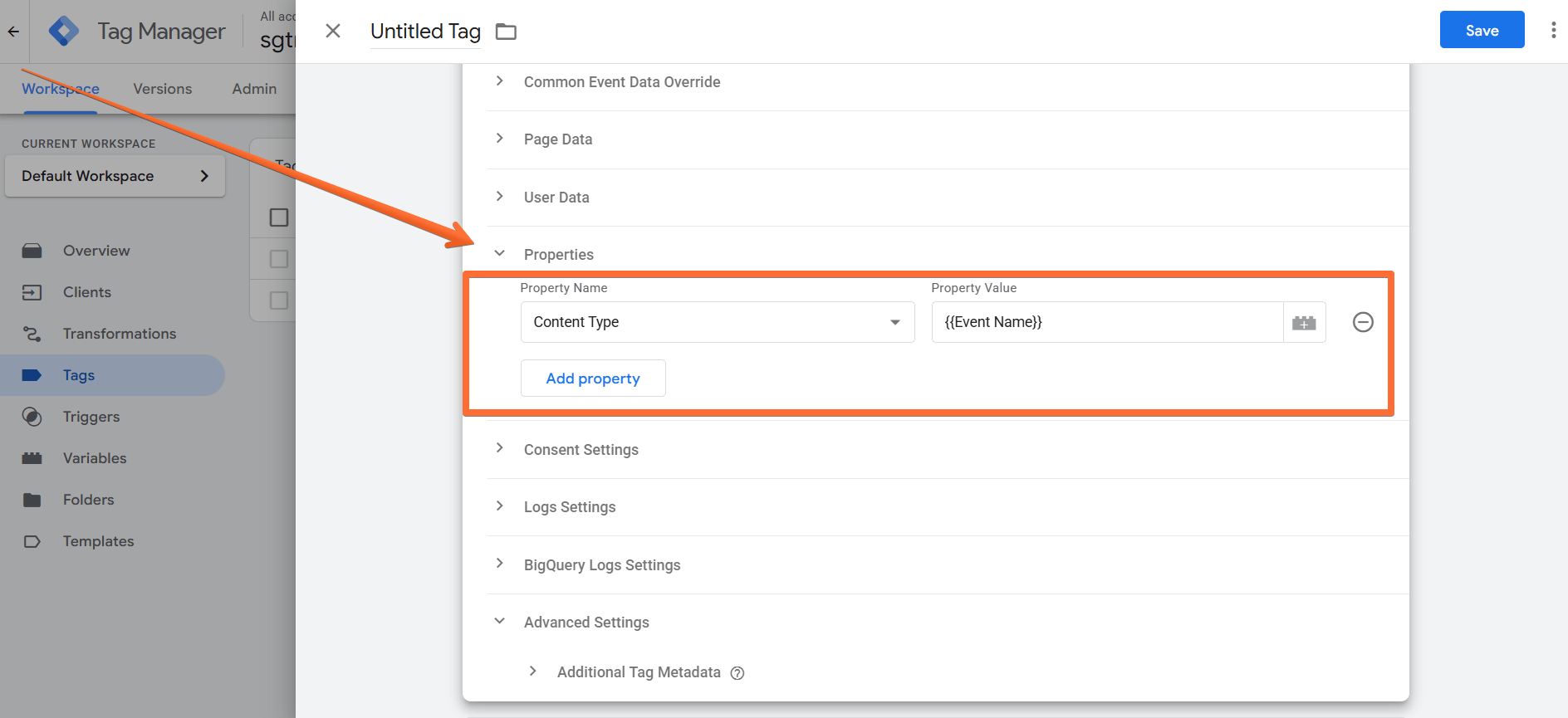
- Add a Trigger, complete the rest of the setup, and Save the TikTok Events API tag.
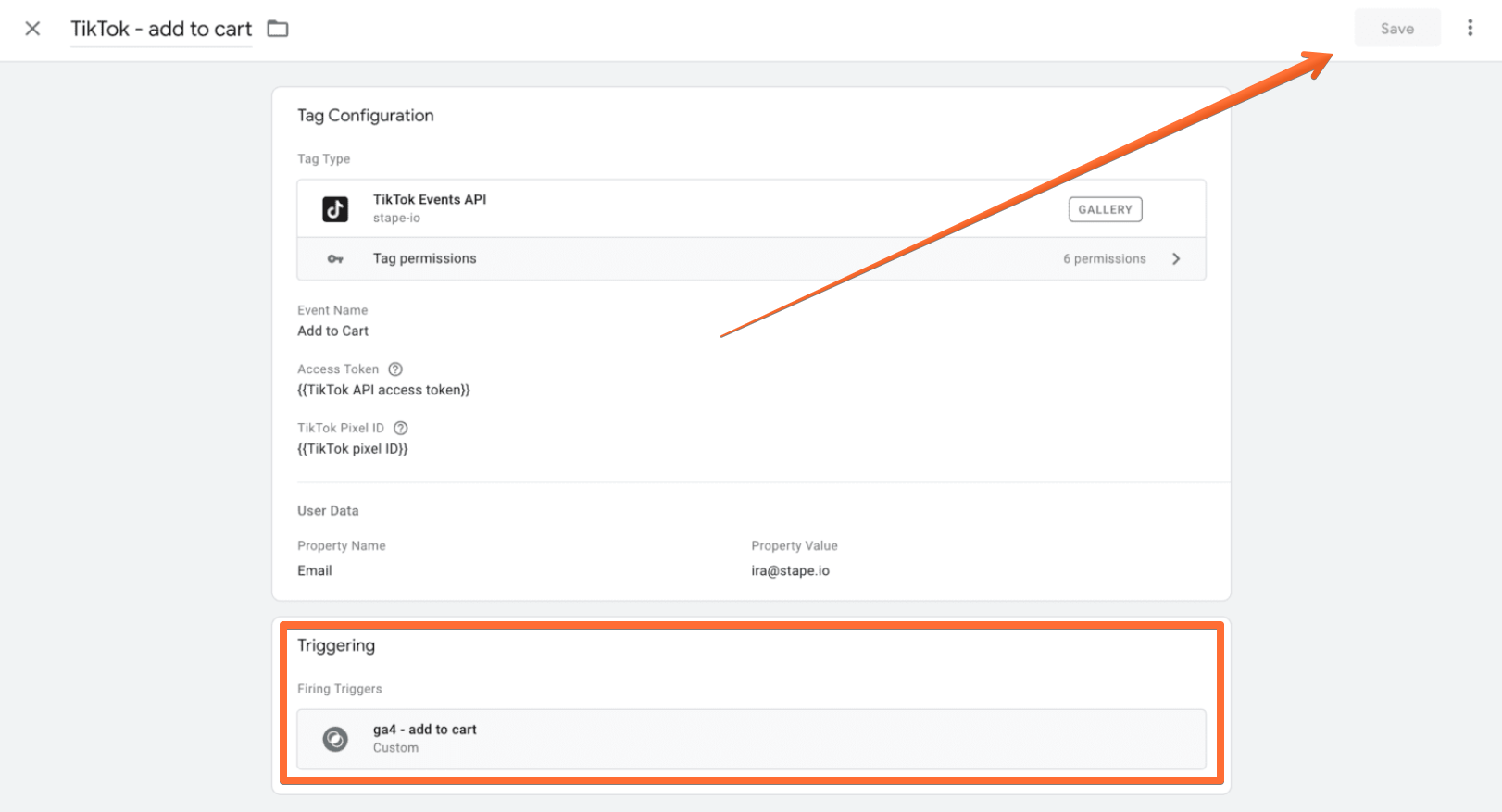
How to test and verify TikTok Events API setup
Open GTM debugs and test that TikTok tags are triggered correctly. Be sure to check that the Response Body section shows that the event has been received.
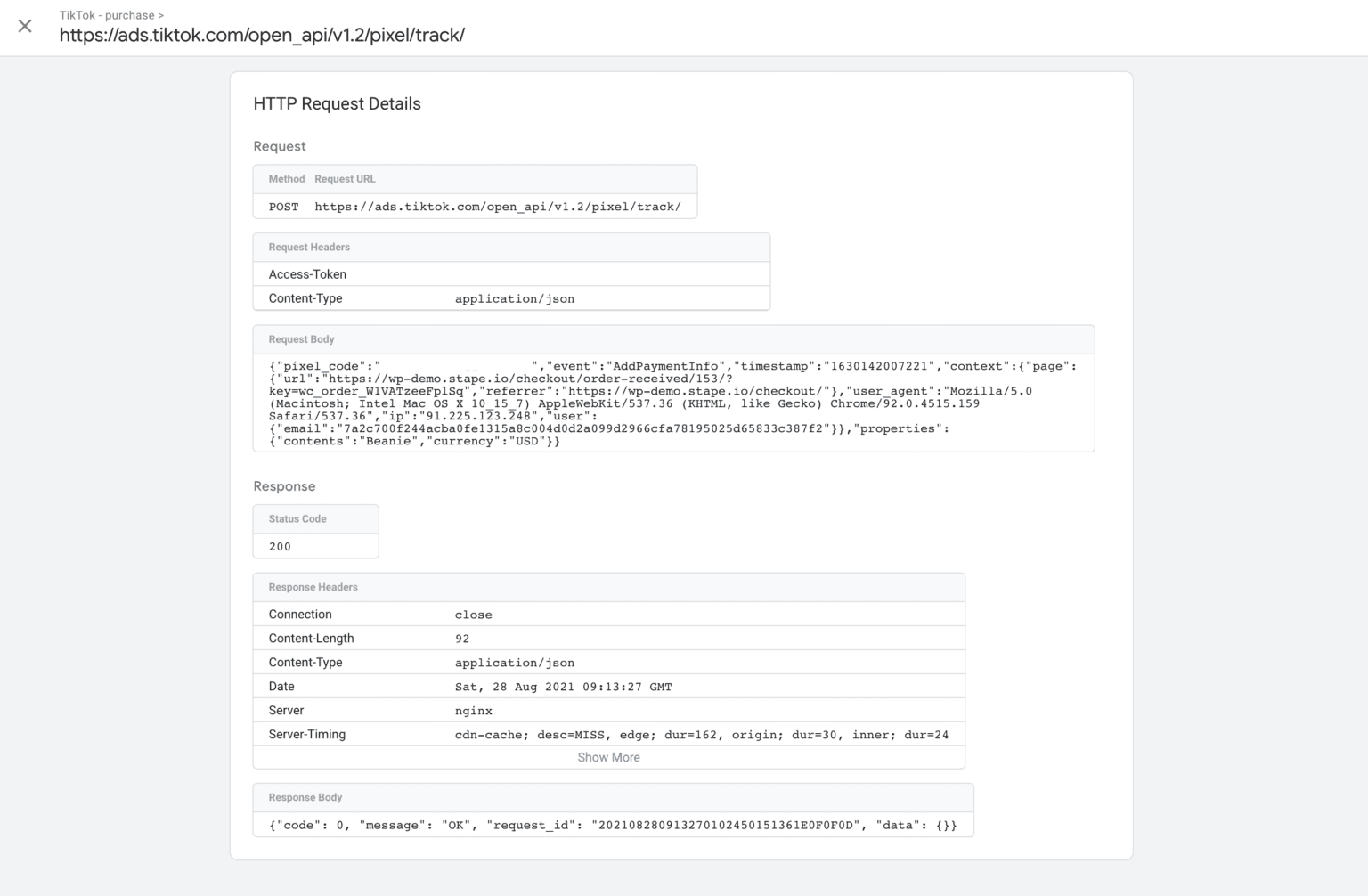
See our guide to learn more about debugging and monitoring server-side tracking configuration in GTM.
Next, follow this guide to test web events.
Finally, once you’ve launched TikTok Events API, wait for 24 hours and test that everything works as intended using TikTok’s Monitor and Diagnose feature.
Was this article helpful?
🍽 Table of content:
Comments