How to add company info
Updated Aug 5, 2026
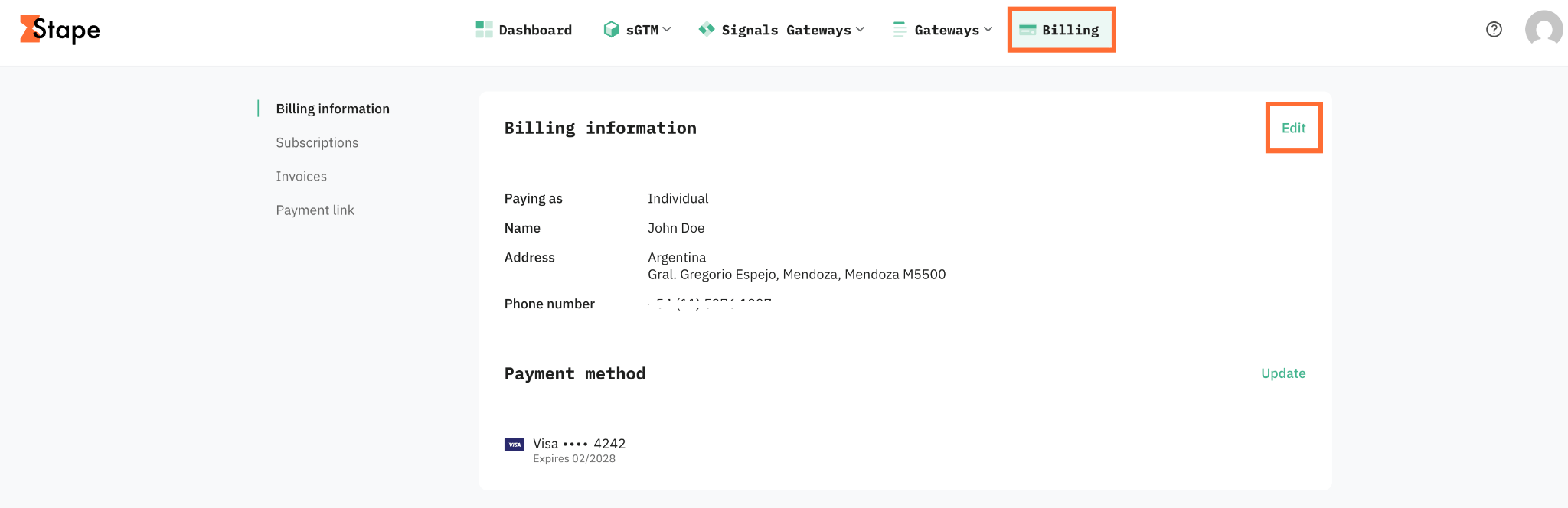
1. In the top menu, click Billing.
2. In the Billing information section click Edit.
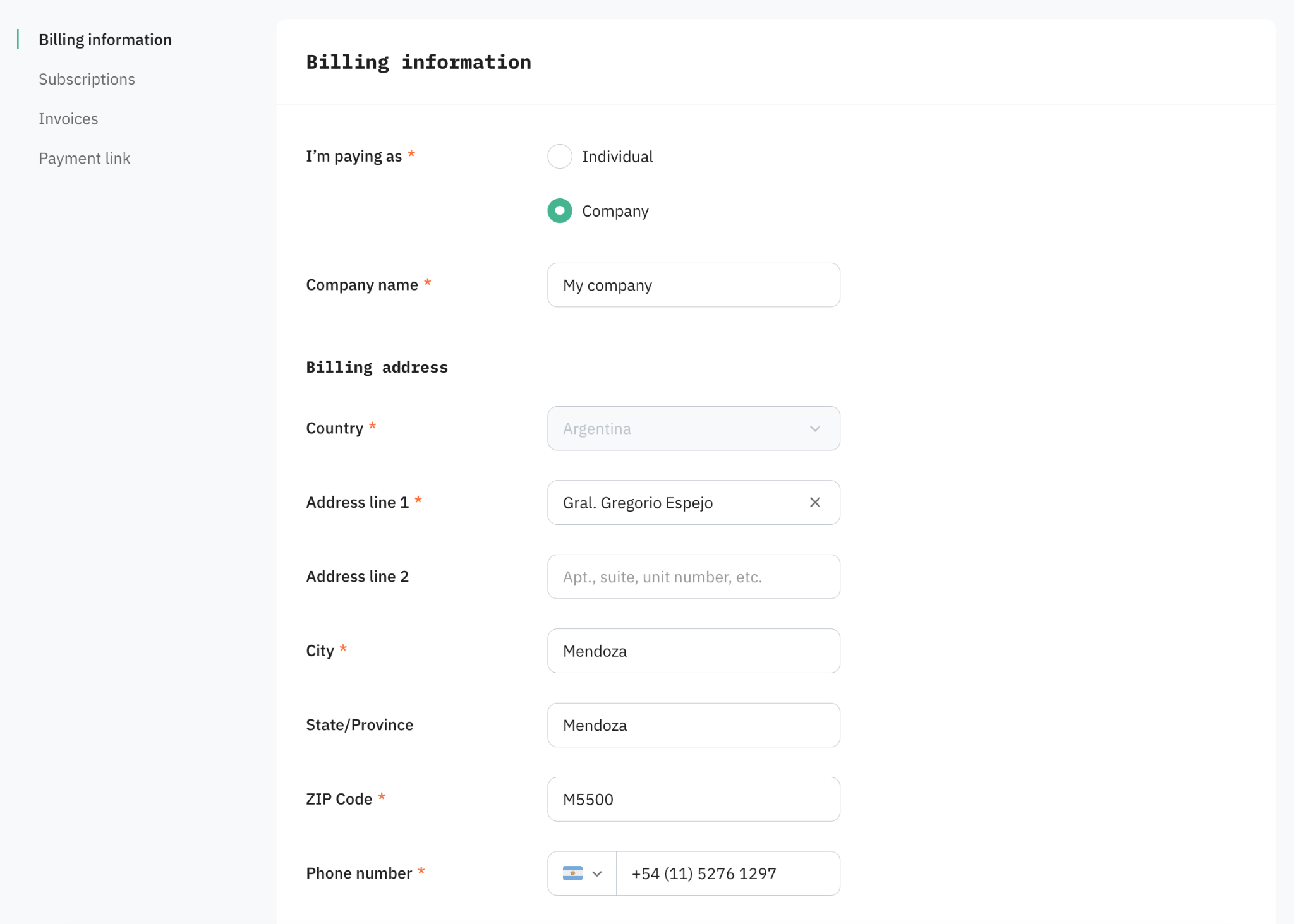
3. Fill in:
- I'm paying as - select Company.
- Company name - your company's legal name as it should appear on the invoice.
- Tax ID - your VAT, GST, or other tax-registration number. The label and format depend on your billing country.
- Billing address - the registered address tied to the company name and tax ID above.
4. Click Save changes.
Important:
Past invoices can't be changed. Once an invoice is issued, its company name, address, and tax ID are locked. The changes you make here apply only to issued invoices from now on. If you need a historical invoice corrected, you can contact support and explain what's wrong, they can advise whether a credit note or reissue is possible.
Was this article helpful?
Subscribe to product updates:
Can’t find what you are looking for?
Comments