How to find Container Configuration for sGTM?
Updated Oct 1, 2026
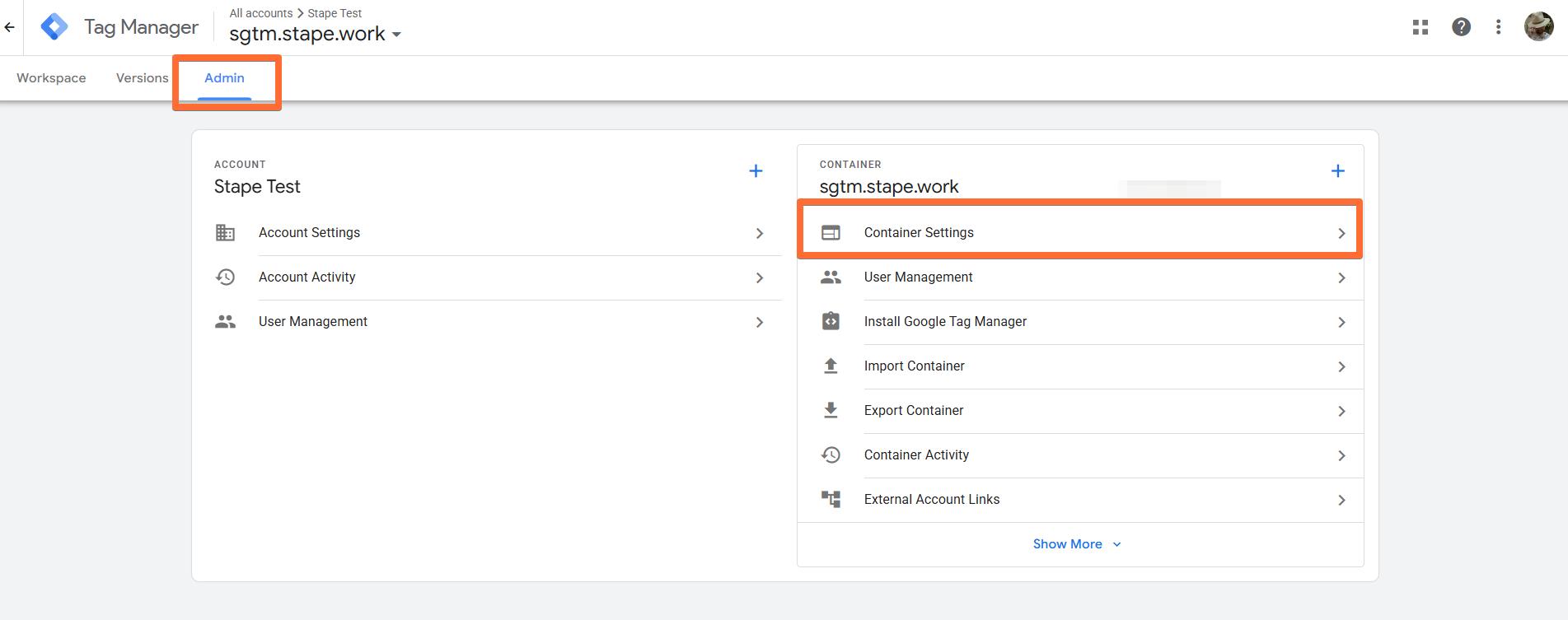
1. Log in to the server Google Tag Manager container → click Admin → click Container Settings.
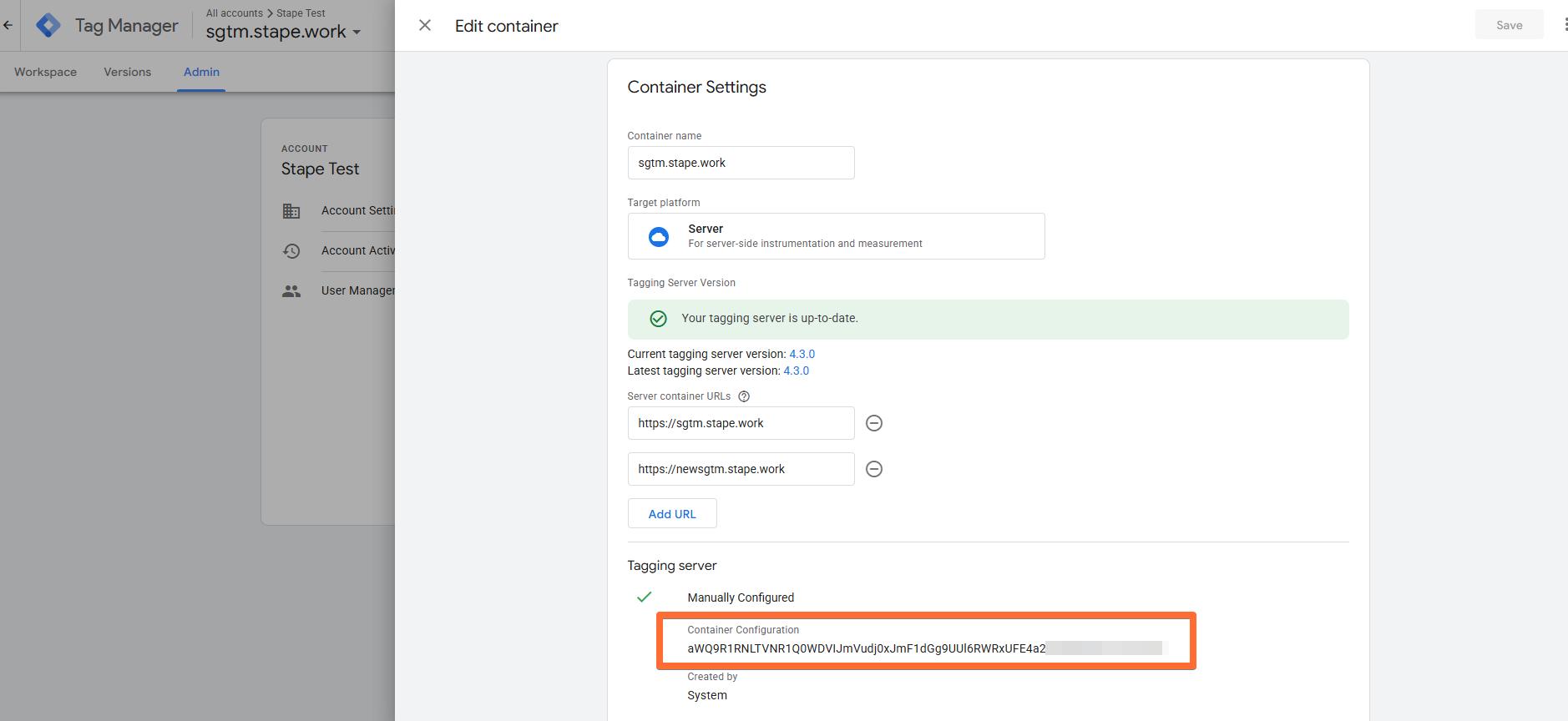
2. Scroll down to the Tagging server section and find your Container Configuration string.
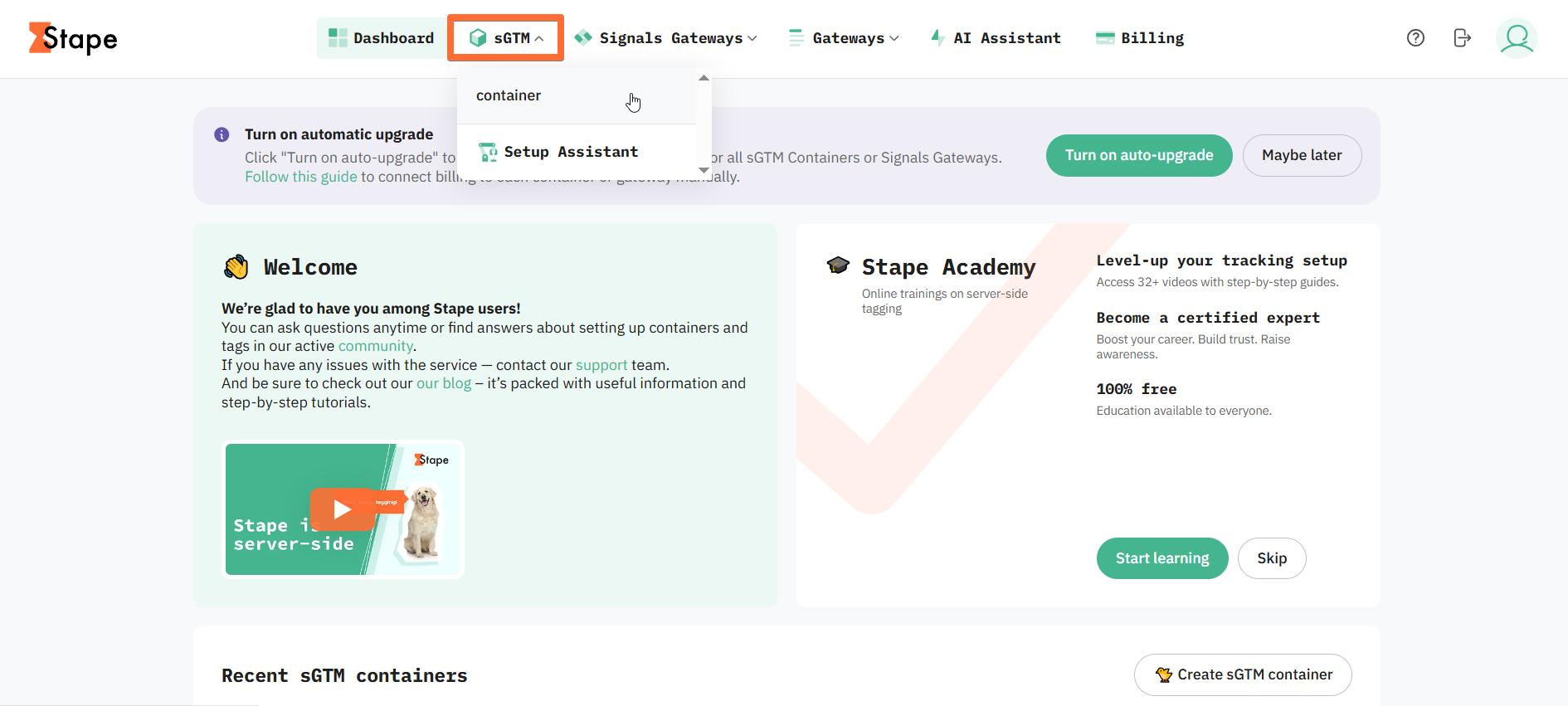
3. To use your Container Configuration for Stape container setup, log in to your Stape account → open your existing sGTM container or create a new one.
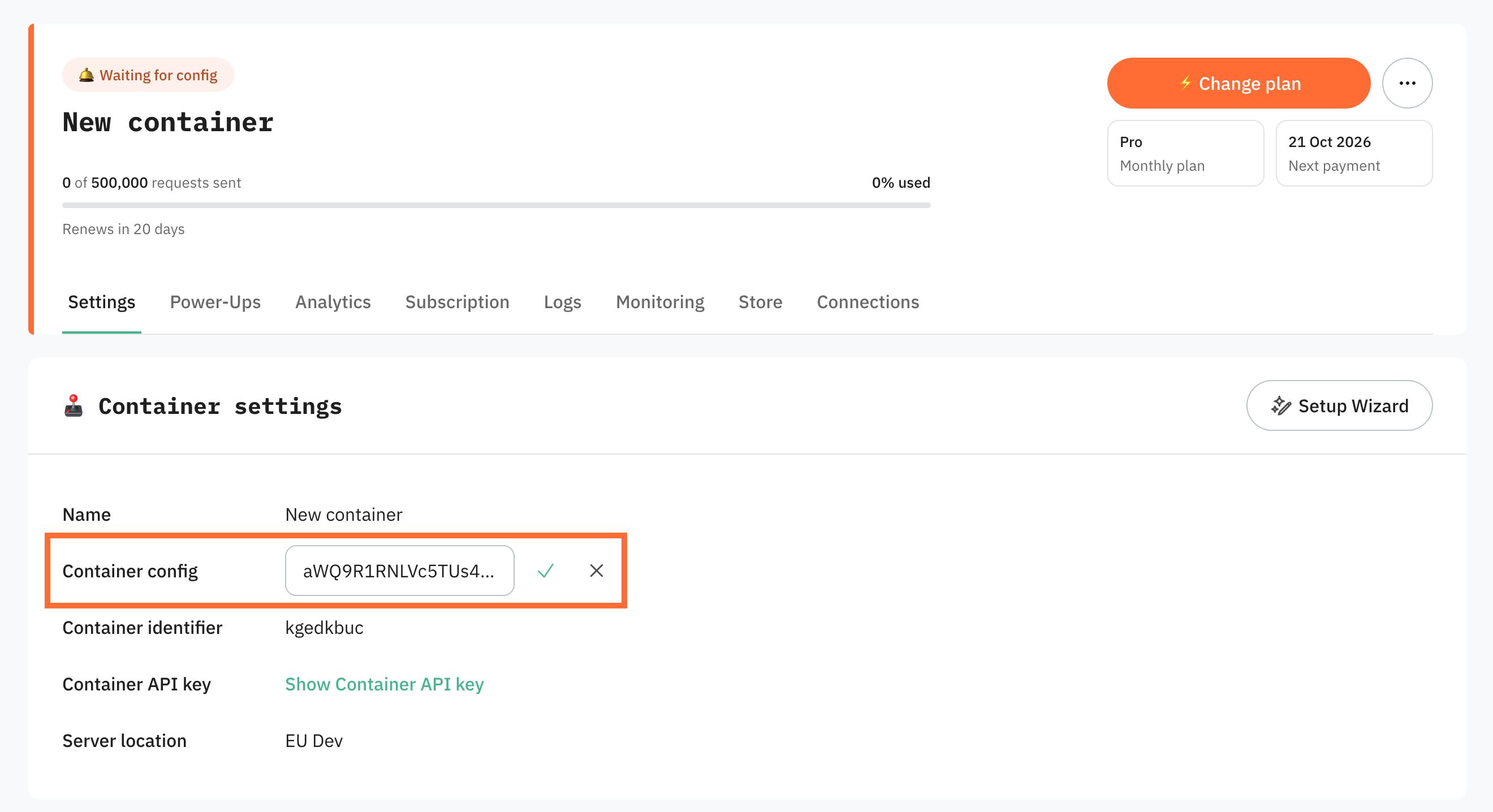
4. Near Container config click +Add.
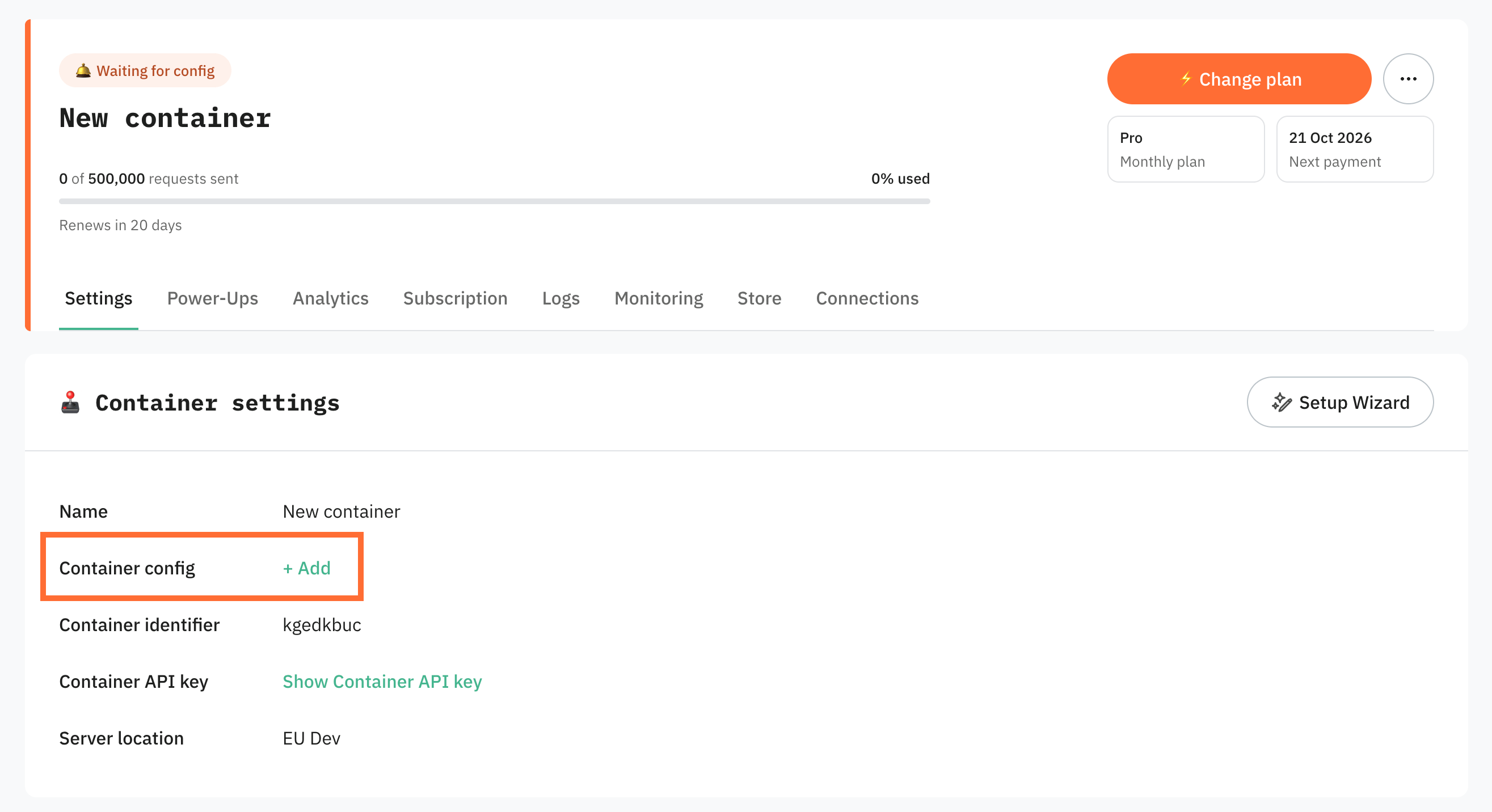
4. Paste your Container config string and click the check icon.
Was this article helpful?
Subscribe to product updates:
Can’t find what you are looking for?
Comments