Resources available to partners
Updated Jun 26, 2026
As a Stape partner, you gain access to core joint marketing activities designed to boost visibility, credibility, and early results. These activities are available to every partner and ensure your brand is featured across our channels from the start.
The resources include:
- All presentations and PDF materials that you can find in your Partner’s account, under the Partner info tab.
- Partner page published on Partners Directory.
- Partner case study.
- Template for the partner announcement on social media.
- Partner badge.
- Stape Media Kit.
- Partner manager.
These resources are available from Partner program Level 1. From Level 2 you can get even more perks and resources. Read Partner program levels for more information.
Note:
If you have any ideas for co-marketing, reach out to your partner manager, and we'll be happy to discuss.
Partner page
Every Stape partner gets a dedicated profile page published on Partners Directory. This page highlights the partner company, showcases expertise, and includes a link to the partner's website so visitors can learn more about their services.
The page:
- Is published on Partners Directory.
- Features company description, logo, and partnership start date.
- Contains a backlink to the partner’s website for direct traffic & SEO value.
- Is based on information from the partner program application – no extra work needed.
How to get the partner page
- 1.During the application process for the partner program, in the Partner Agreement's Website field enter your website name.
- 2.The Stape team will create the partner page according to the queue.
If you haven't entered your website name during the application process, you can request a page by creating a ticket or contacting your partner manager. Include your company name, logo, website URL, and description.
Case study
Case studies are a proven way to show measurable results and build credibility. Together with Stape, partners can publish their success stories and have them promoted across Stape's channels.
- The case study is published on Stape site + promoted via Monthly Digest.
- Flexible writing: you can draft yourself, or Stape will draft for you.
- The case study contains a backlink to the partner's website for direct traffic & SEO value
- Supports lead generation and sales enablement.
How to create a case study
1. Reach out to your partner manager and receive Stape's case study questionnaire.
2. Two options available:
- You can draft the story using the questions as a guidance
- You can share only the answers, and Stape drafts the story for you
3. Stape adds final adjustments and shares the story with you for review.
4. Stape publishes the case study on the Stape Case studies page and promotes it via Stape Monthly Digest.
Template for the partner announcement on social media
Stape provides a ready-to-use image template in Figma that partners can use to announce the partnership on social media.
You can either:
- Copy the template in Figma and add your logo, or
- Share your logo with the Stape team and we'll quickly prepare the image for you.
Stape Partner badge
The Stape Partner badge indicates official recognition by Stape. When used with a referral link, clicking the badge directs users to Stape and automatically attributes new signups to the partner dashboard.
How to get the badge
1. Open your Partner account and go to the Partner Info tab.
2. Copy the HTML snippet from the Partner badge section.
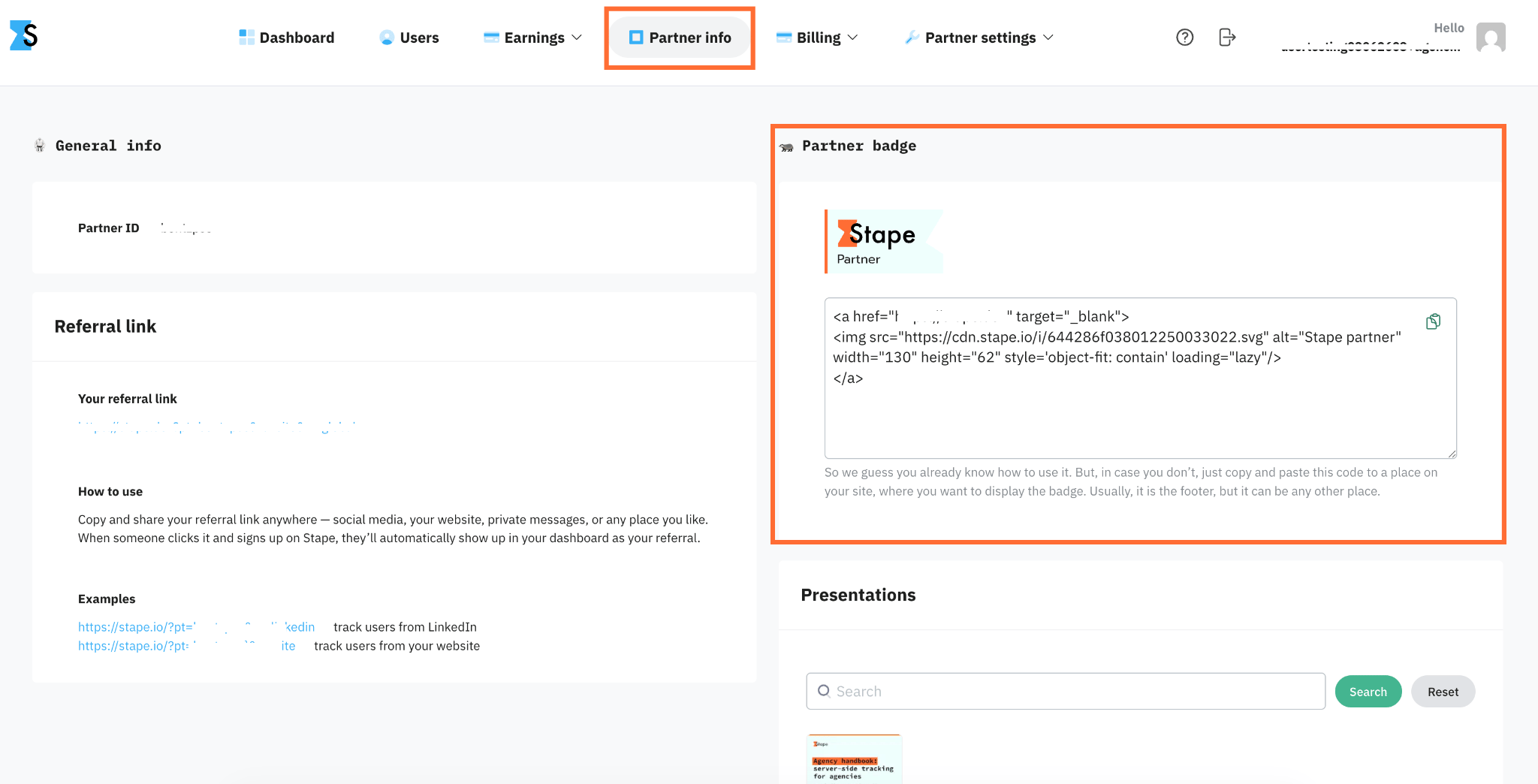
3. Paste the snippet wherever you want the badge to appear on your site.
4. In the pasted code, find the <a href=""> tag and replace placeholder with your referral link inside the quotes (""). The link in your code should end up looking like this: <a href="https://your-referral-link-here">…</a>.
Stape Media Kit
The Media Kit includes everything needed for co-branded or Stape-related communications:
- Official logos (symbol and wordmark) for bright and dark interfaces
- Brand colors and fonts
- Founders’ bios and links
- Product screenshots and dashboards
- Approved social media hashtags and channels
- Co-branding guidelines for articles and posts
You can explore the Stape Media Kit page.
Partner manager
Your dedicated Partner Manager at Stape is your direct point of contact for business and client-related goals. They provide prioritized assistance, ensuring you get specialized support rather than navigating general support channels.
Partner managers can help with:
- Client product setups and tracking configuration.
- Managing your Partner program level, tracking your progress through tiers, and handling referral payouts.
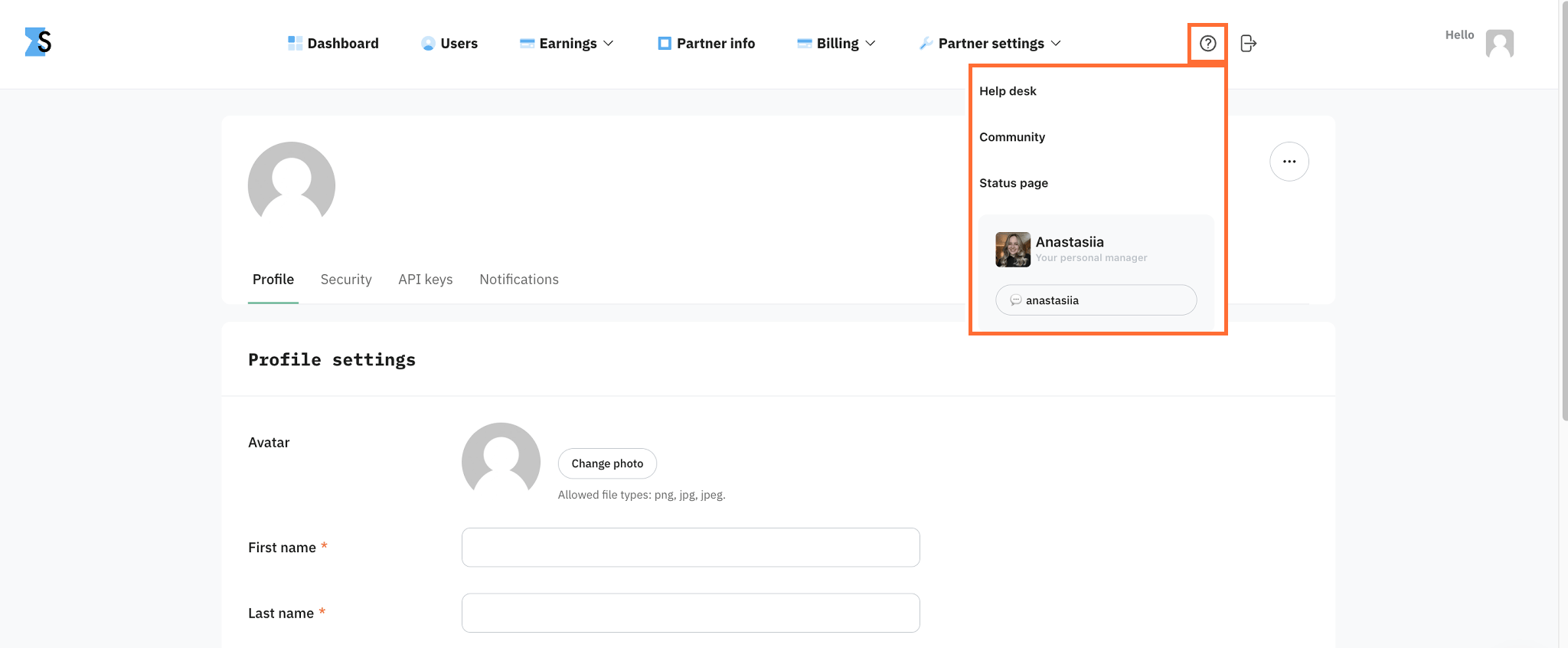
To contact your manager, click the question mark in the top menu and select the contact option.
Was this article helpful?
🍽 Table of content:
Comments