How to update invoice details
Updated Aug 5, 2026
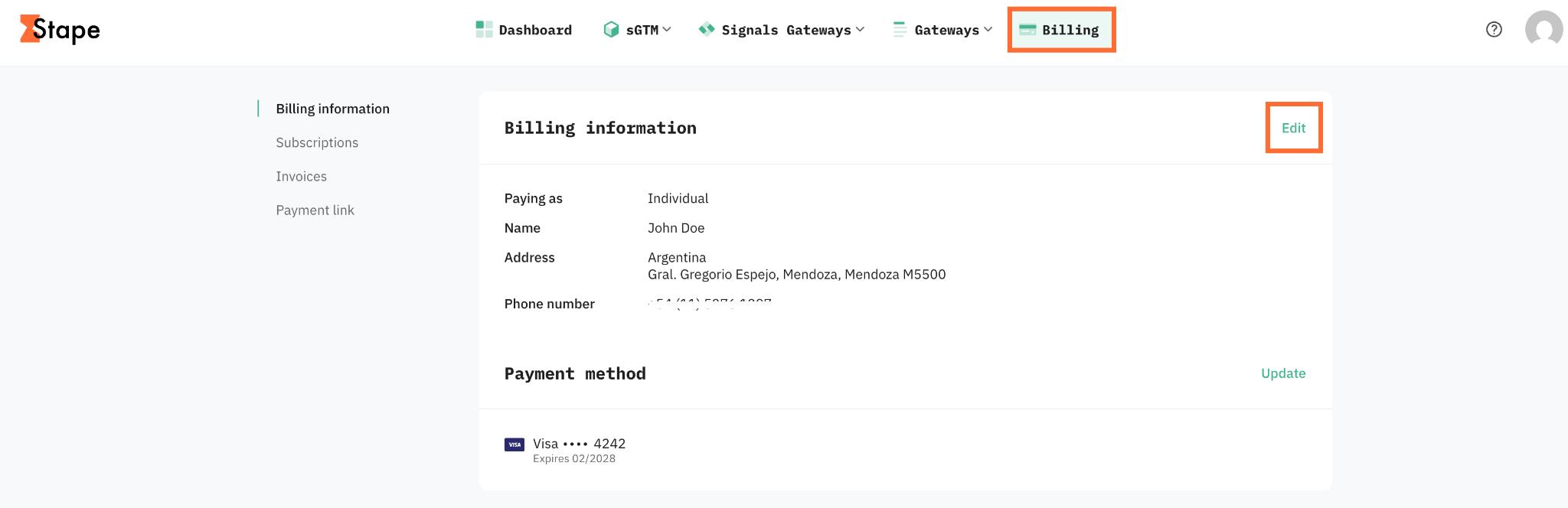
1. Click Billing in the top menu.
2. In the Billing information section, click Edit.
3. Update your billing information.
4. Save changes.
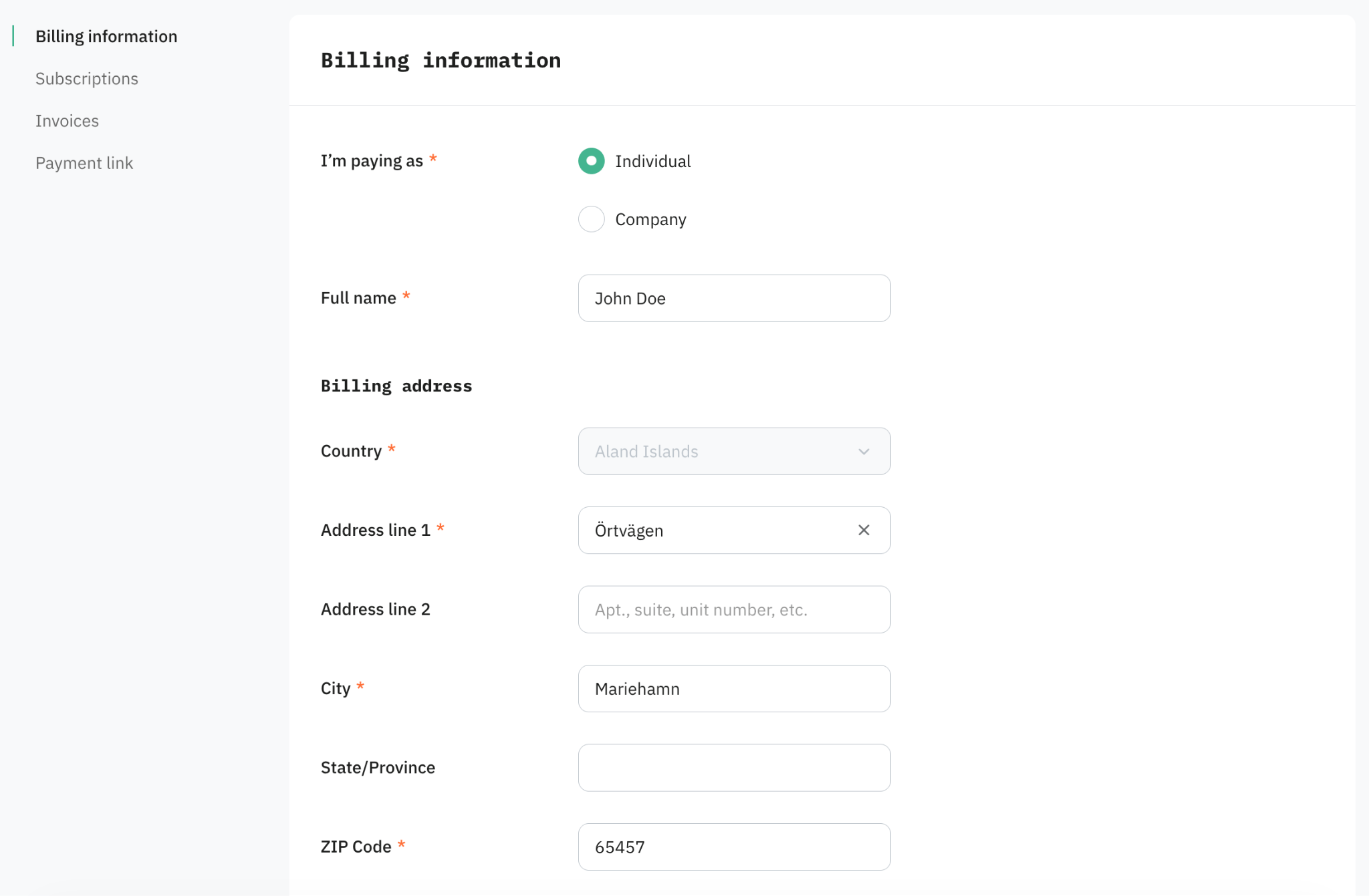
That's it. The new details are used on the next invoice Stape issues for your account.
Note:
Updates apply from the next invoice onward. Any invoices already issued (including the one for the current billing cycle if it's already been generated) stay as they are.
What you can change
You can update these fields yourself in the Billing menu:
- Company name
- Tax ID (VAT, GST, or local equivalent)
- Billing address
- Billing email
What you can't change
- Billing country. Changing your country affects which Stape entity bills you and which taxes apply, so it goes through support. For more information, see How to change your billing country.
- Invoices that have already been issued. Once an invoice is issued, the details on it are final.
Was this article helpful?
Subscribe to product updates:
Can’t find what you are looking for?
Comments