How to find your invoices and receipts
Updated Aug 5, 2026
Invoice vs receipt
An invoice is the document Stape issues for a subscription payment. It lists what product subscription you bought, the price, taxes, your company info, and your tax ID. Most accounting teams need invoices for bookkeeping.
A receipt is proof the payment went through. It confirms the amount, the date, and the card used. Receipts are shorter and don't include all the company-and-tax detail an invoice does.
If you’re on the Stripe payment processor, both documents are available. If you’re on Paddle, you can get only the invoice.
Where to find invoices
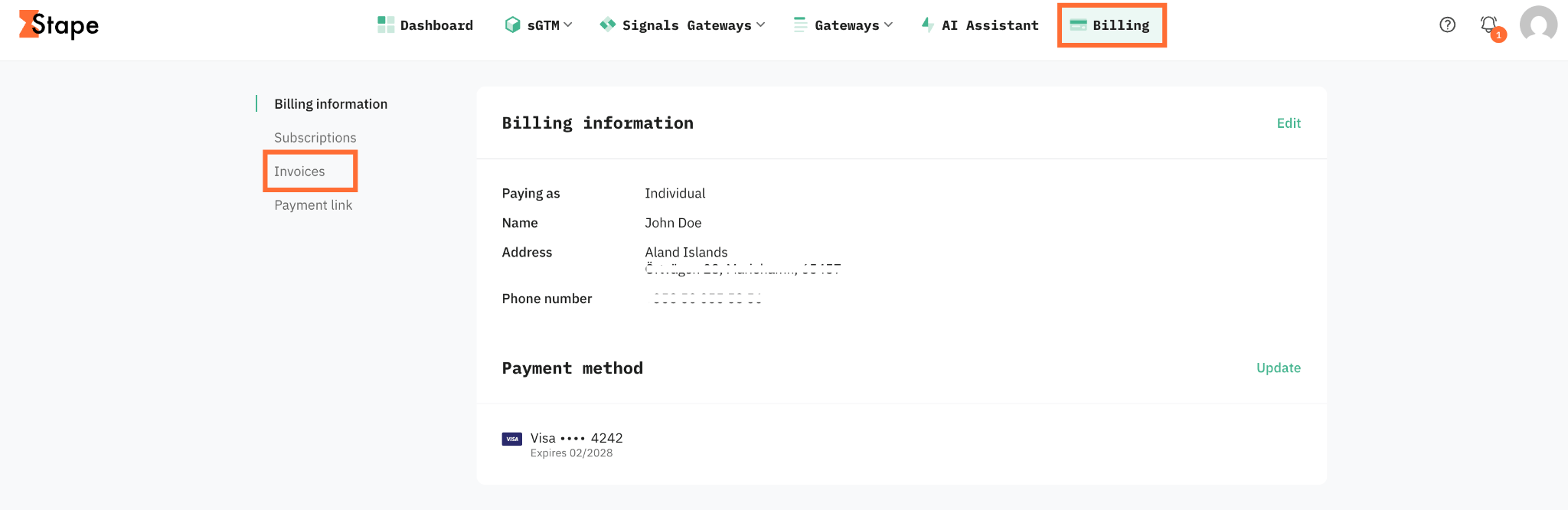
1. In the top menu, click Billing.
2. Go to the Invoices section.
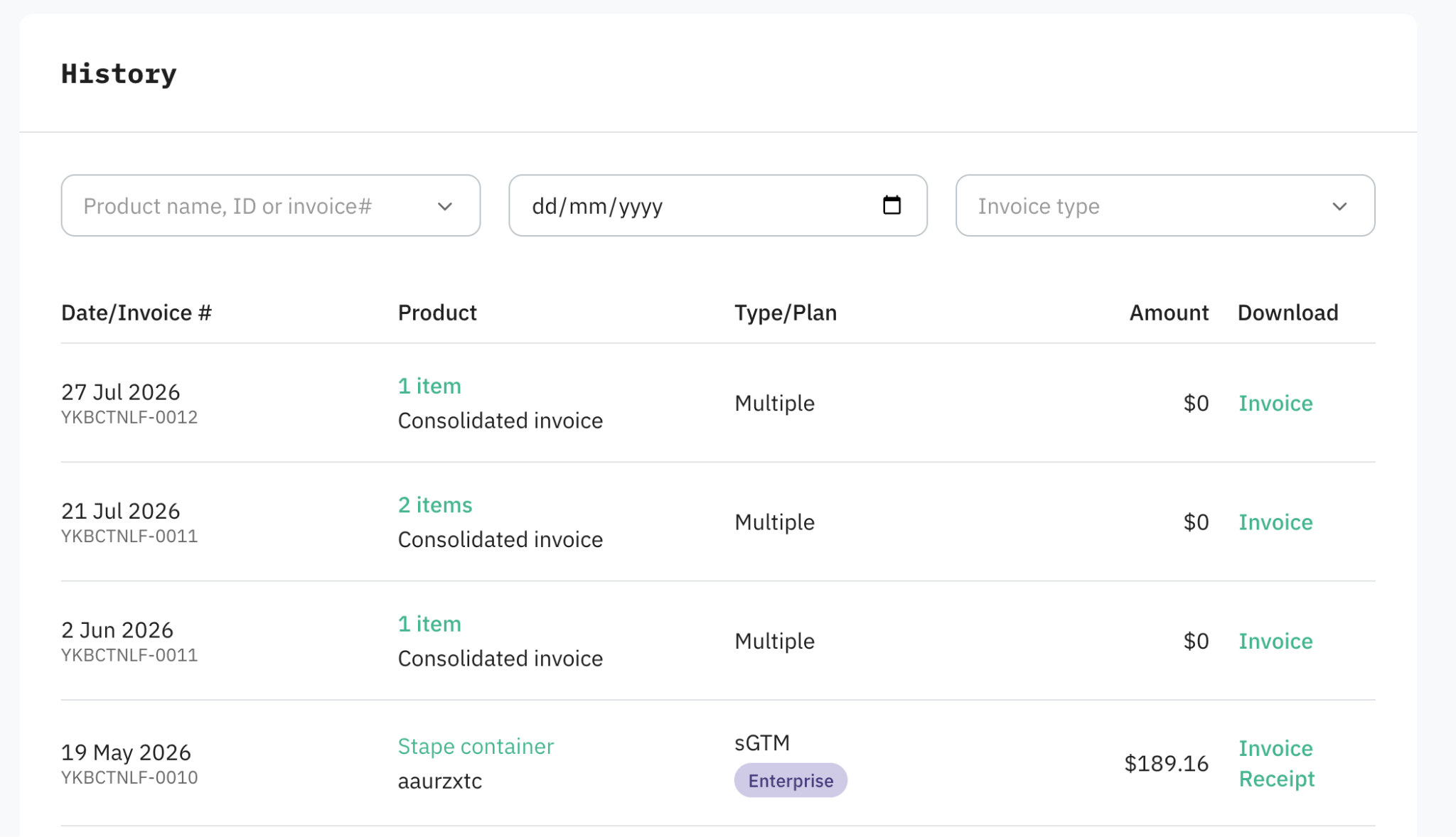
3. You'll see a list of every invoice/receipt, sorted by date.
For each entry you can download the invoice as a PDF, and see whether it's paid. The matching receipt is in the same place.
If your account uses consolidated invoicing
With consolidated invoicing on, Stape issues one combined invoice per billing period that covers all your subscriptions, instead of a separate invoice for each one.
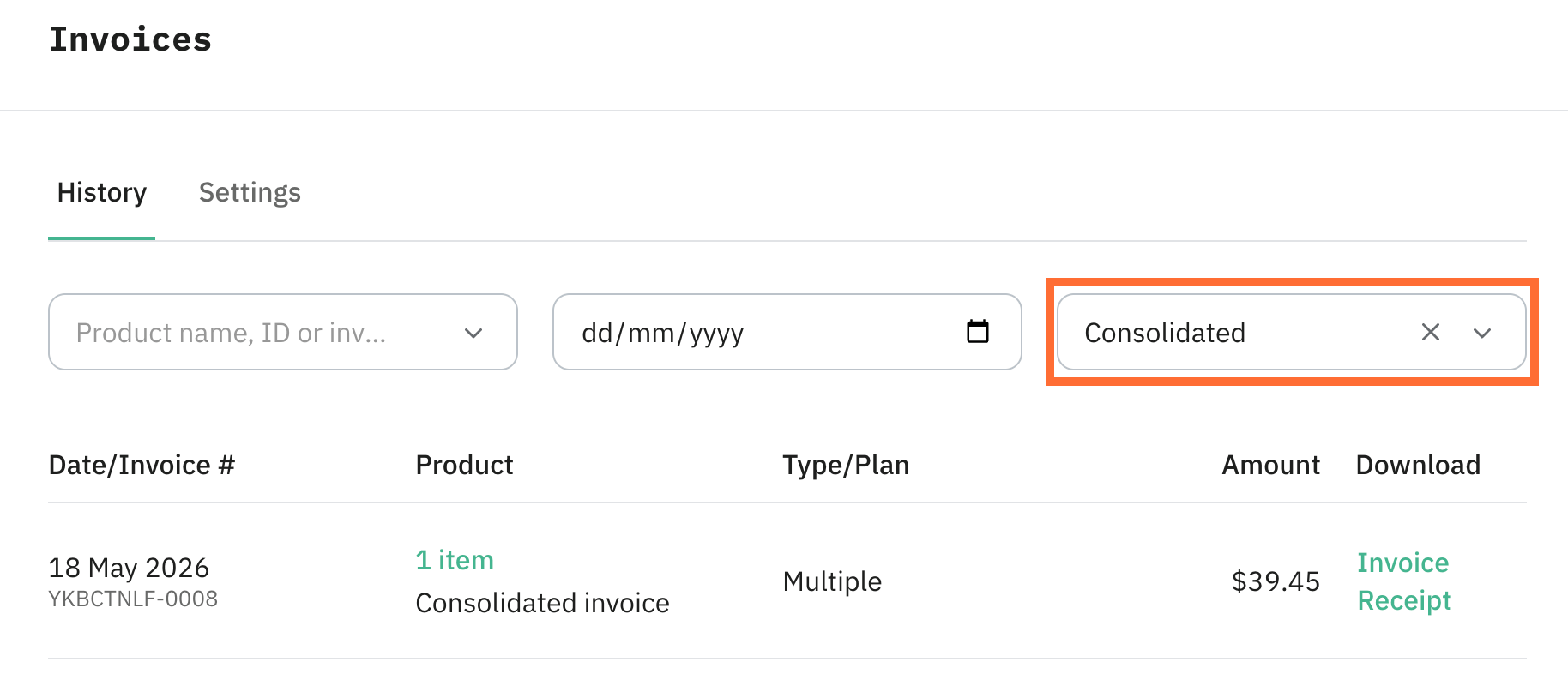
Consolidated invoices show up in the Invoices section, you need to select the Consolidated invoice type. You can download them the same way as regular invoices.
See Consolidated invoicing for Standard accounts for more information.
If an agency or partner pays for your account
If your Stape account is managed by an agency or partner, you won't see invoices in your own Billing menu. The invoices are issued to the agency or partner, and they pay for your subscriptions and handle billing on your behalf.
To get a copy of an invoice, ask whoever manages your billing (the agency or partner account holder).
Was this article helpful?
Comments