How to configure Signals Gateway
Updated May 15, 2026
This guide walks you through setting up Signals Gateway from scratch. By the end, you'll have a working pipeline sending events to your chosen destination and a verification checklist to confirm everything is flowing correctly.
Before you begin
You need to setup a dataset in your Meta Events Manager.
Step 1 | Create Signals Gateway on Stape
- 1.Log in to your Stape account and click Gateways in the dashboard.
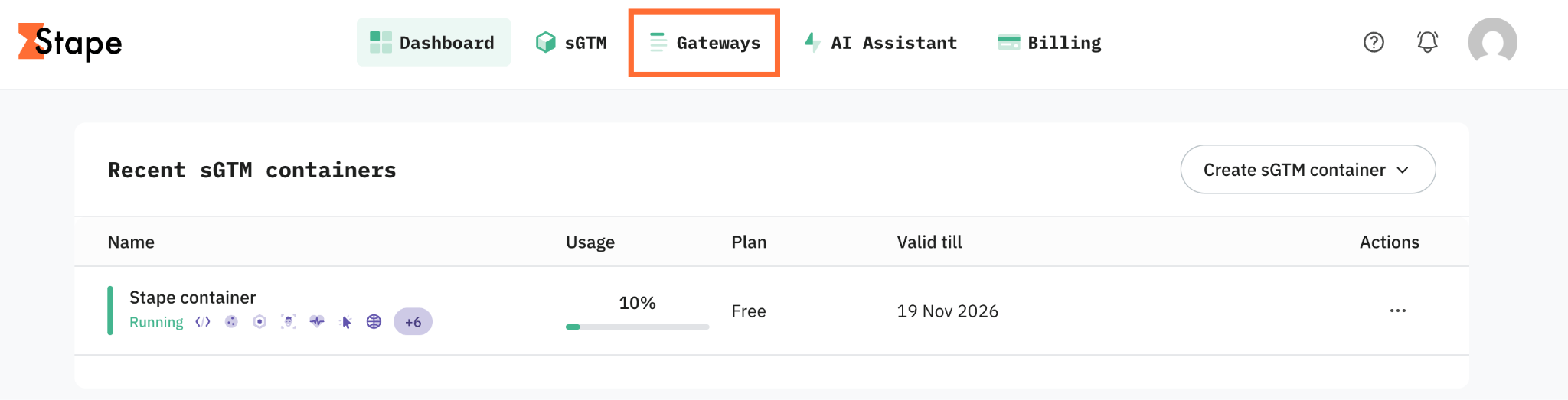
2. Click Create Gateway → Create Signals Gateway.
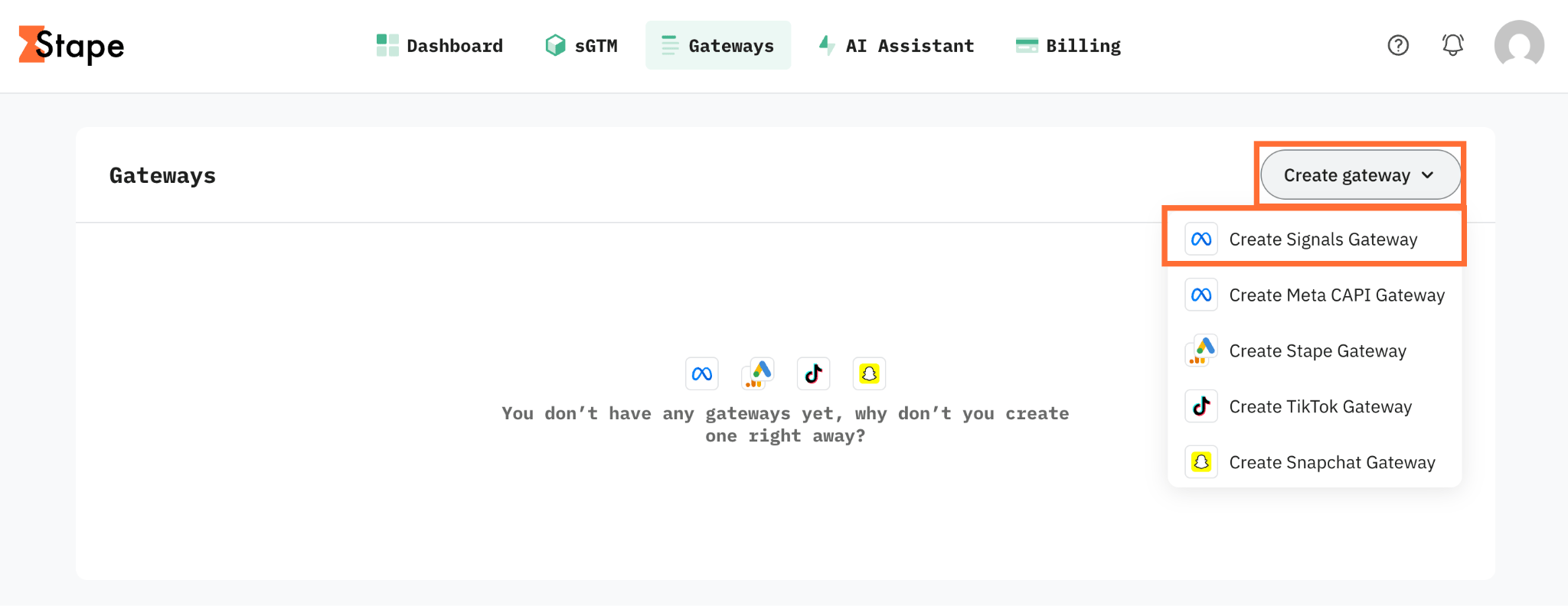
3. Fill in:
- Gateway name - a descriptive label.
- Admin email - the account you'll use to log in to Signals Gateway. It can be different from your Stape login.
- Server location - pick the region closest to the majority of your traffic.
4. Click Create gateway.
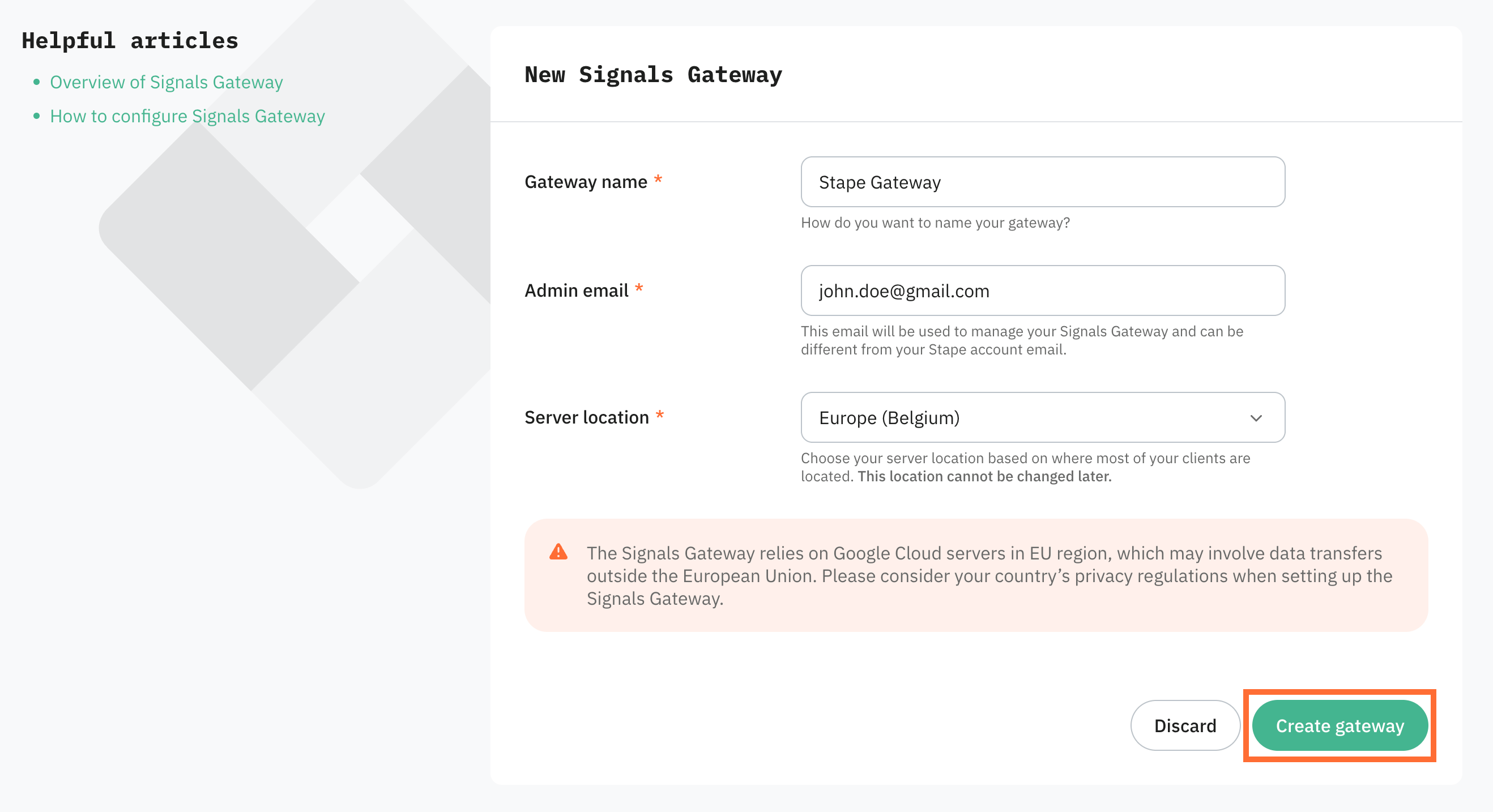
5. Select a subscription plan and click Continue.
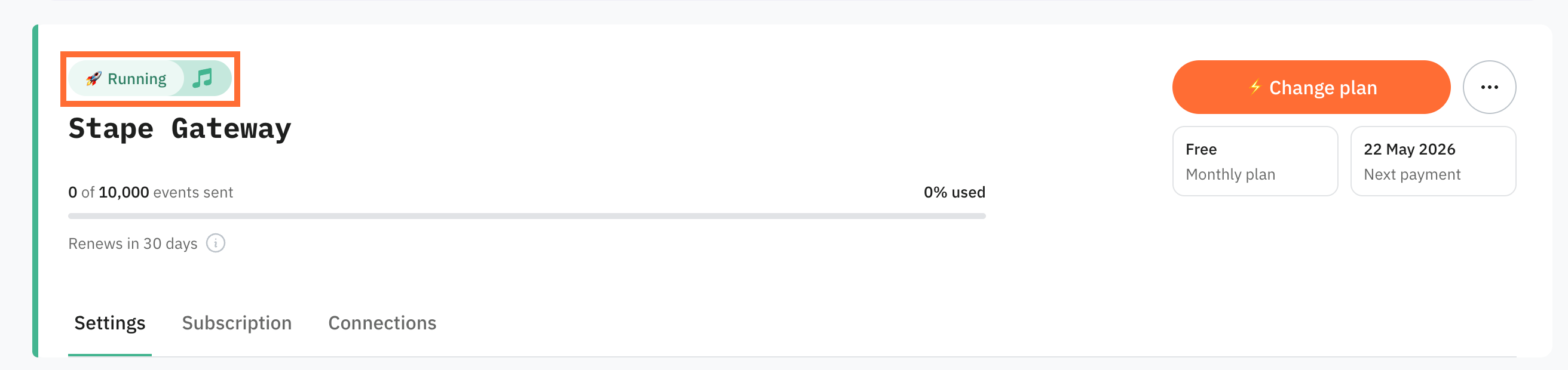
6. Wait for the gateway status to change to Running.
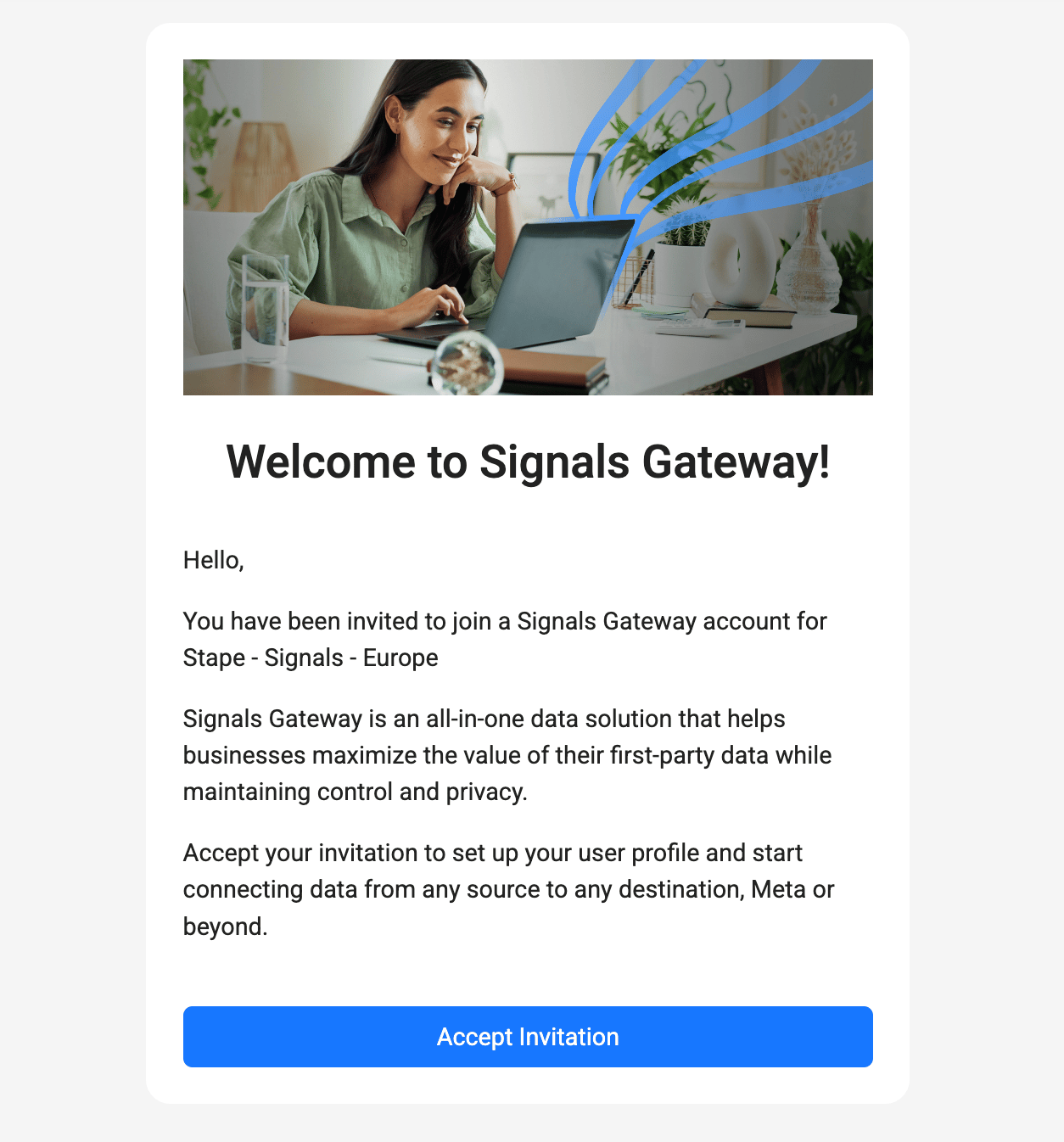
7. Open the invitation email sent to your admin address and click Accept Invitation.
Tip
Didn't receive the email? Click Finish Signals Gateway setup from the Gateway's menu on Stape, it opens the same flow.
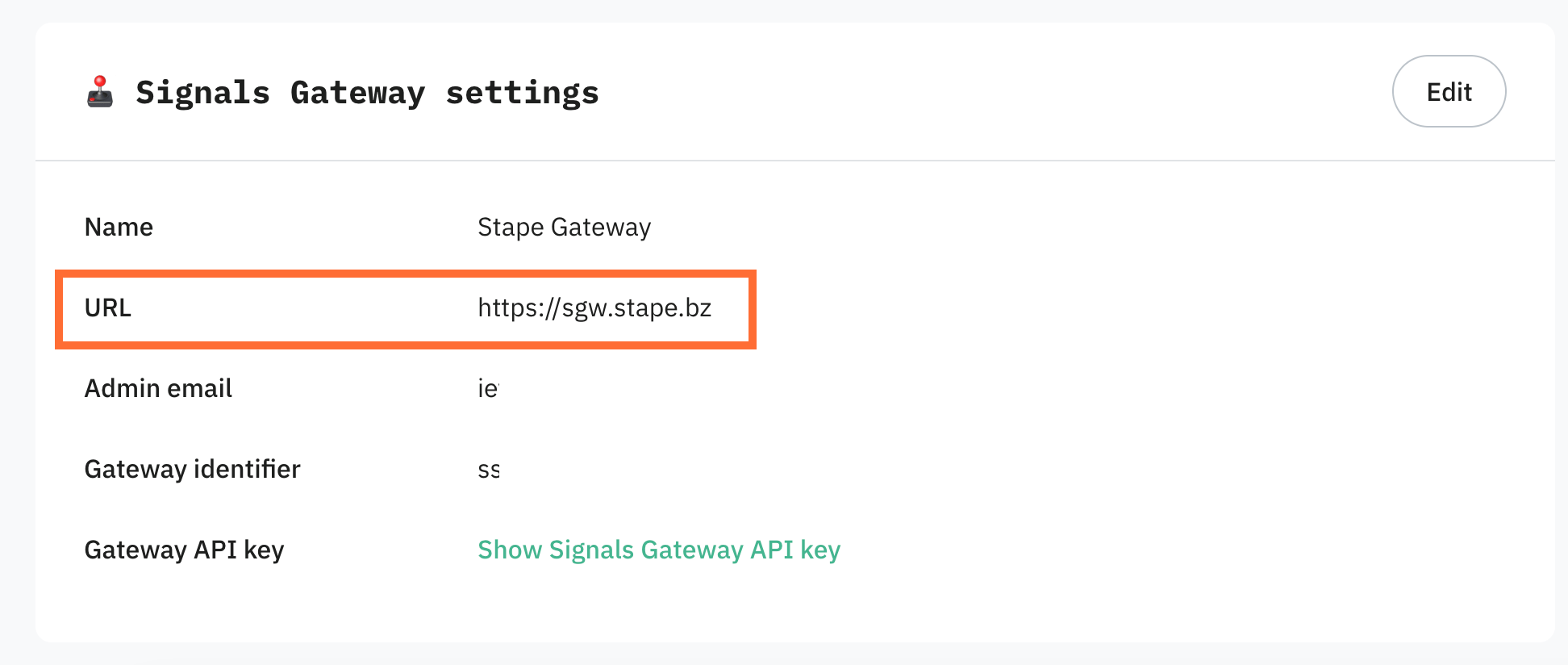
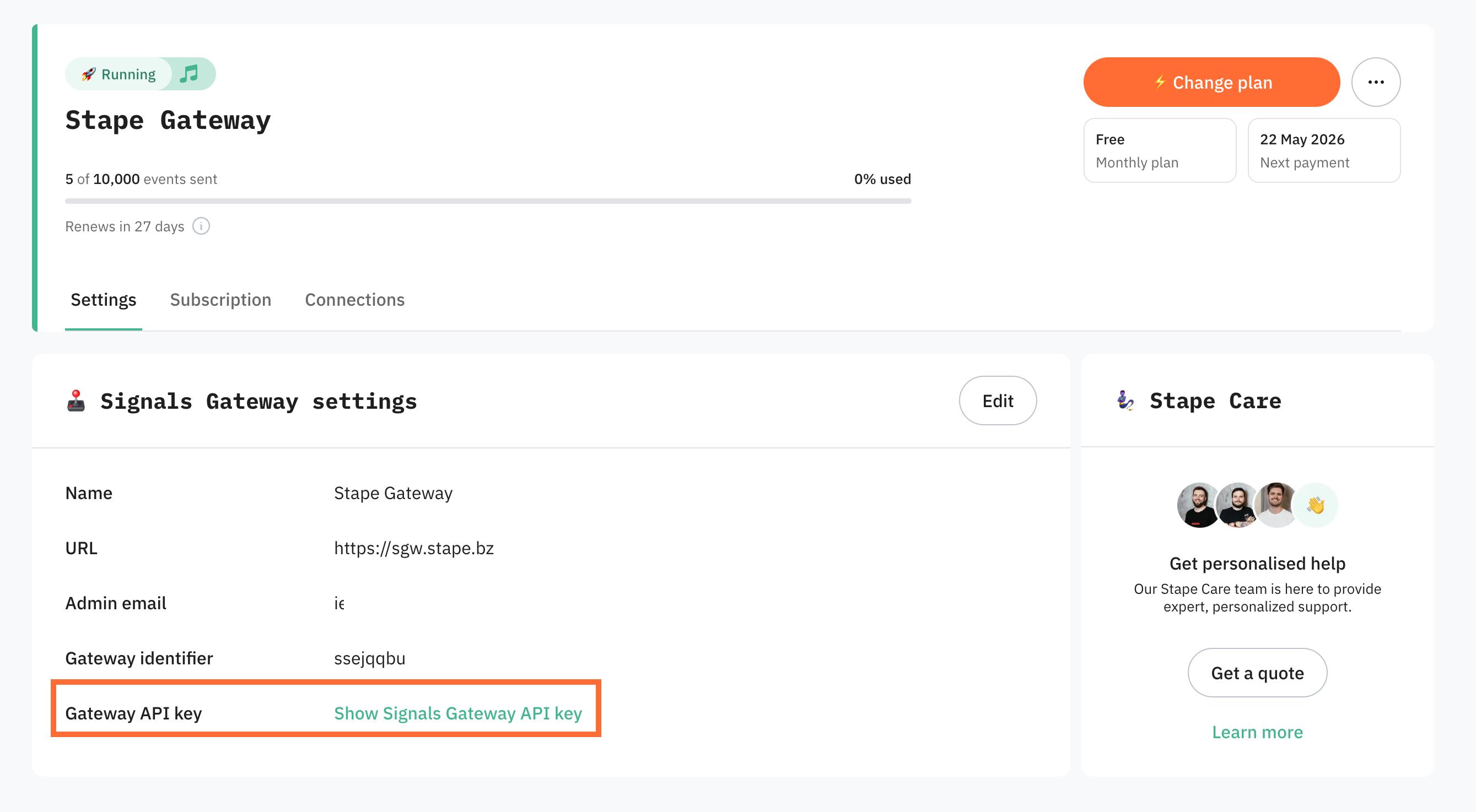
8. Save your admin URL. Once the gateway is running, copy the URL shown in the Signals Gateway settings. That's your permanent login link, bookmark it. You'll log in with the admin email and the password you're about to set.
Step 2 | Create your first data connection
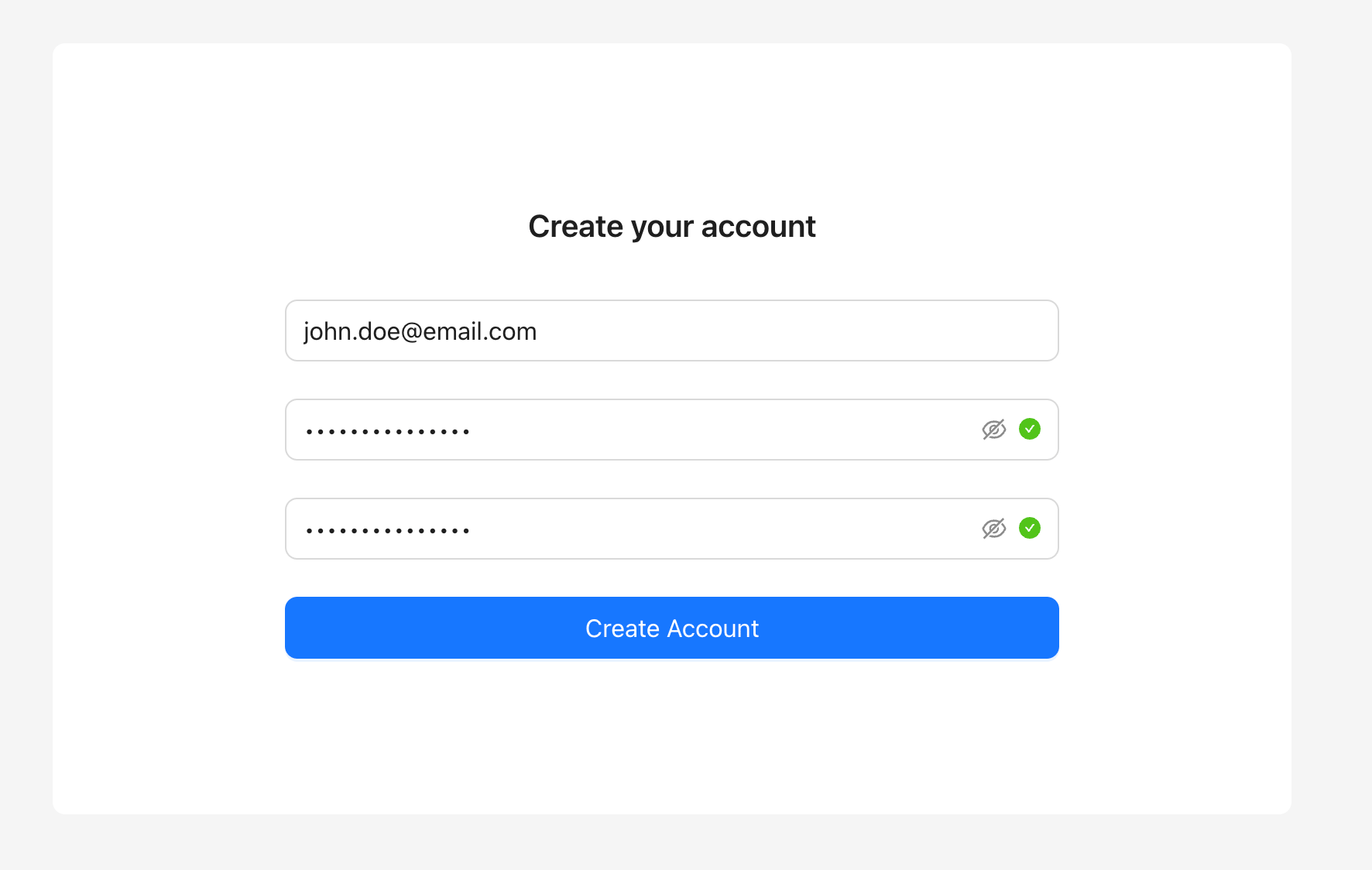
- 1.Log in to the gateway with your admin email, set a password, and click Create Account. Stape never sees this password, store it somewhere safe.
2. Click Get Started.
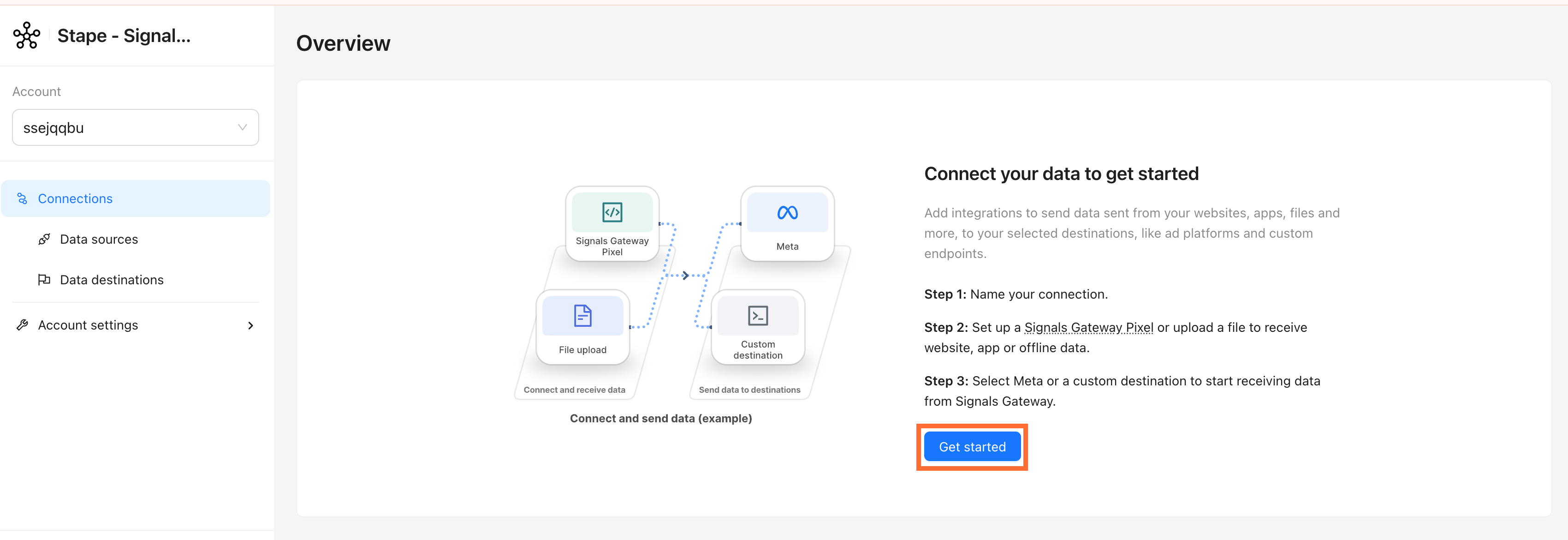
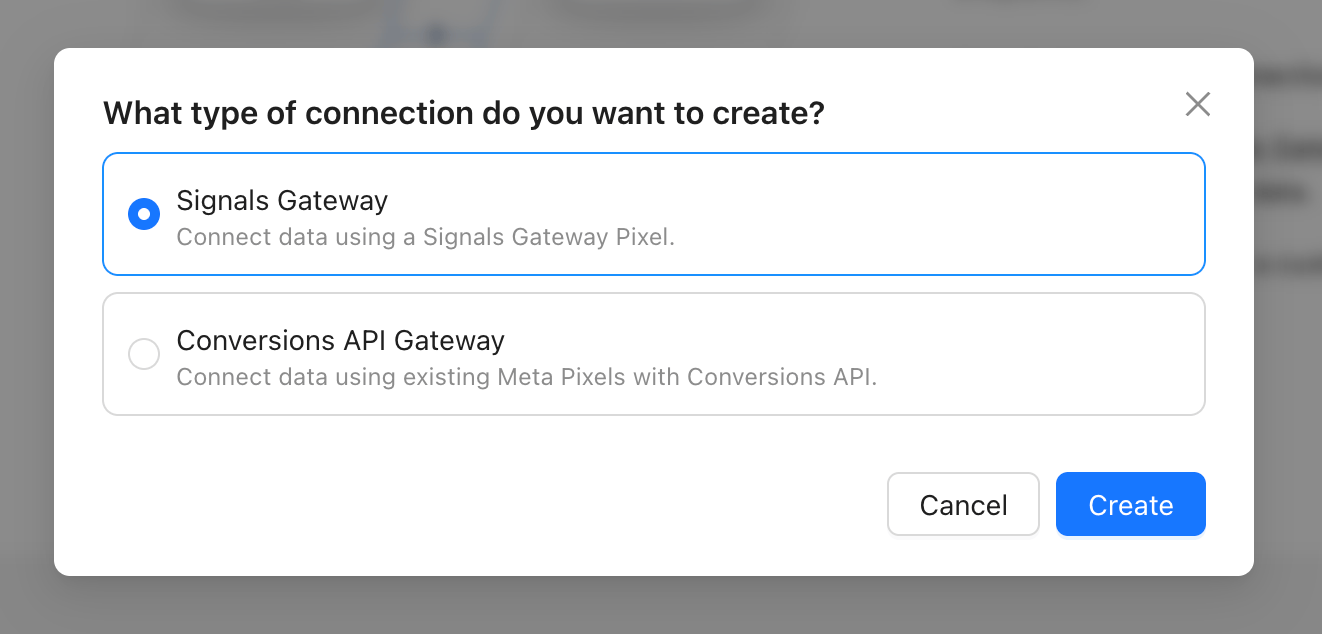
3. Pick the connection type that matches your use case:
- Signals Gateway - you want Stape to generate a new Pixel and handle Meta CAPI for you. This is the best option if you’re new to this.
- Conversions API Gateway - you already have a Meta Pixel and just want to add server-side CAPI on top of it.
Click Create.
Step 3 | Route traffic through your own domain (recommended)
Routing Signals Gateway through a subdomain on your own site measurably improves match quality and reduces ad-blocker loss.
- 1.Go to Account settings → Data routing → Optimize.
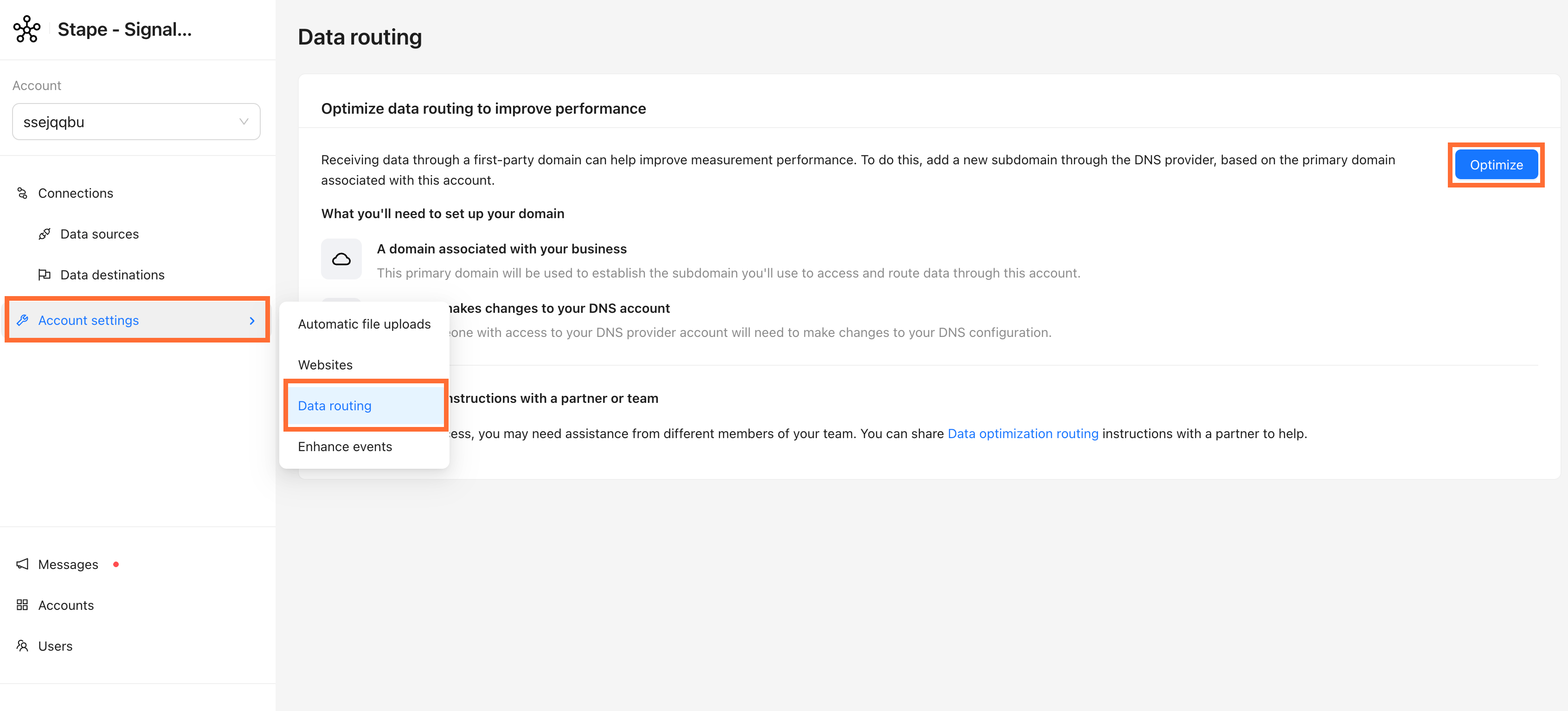
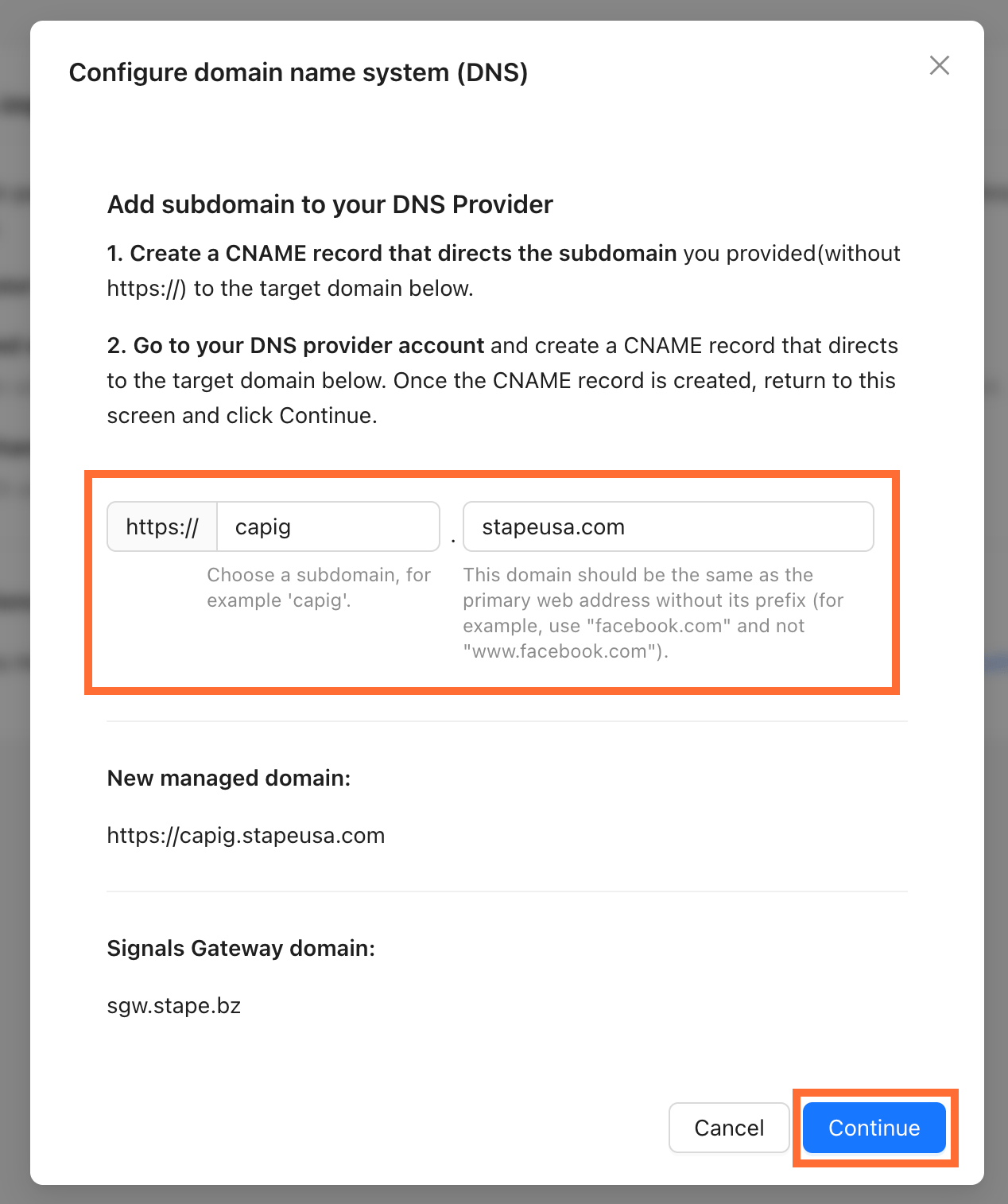
2. Copy the Signals Gateway domain shown on the pop-up.
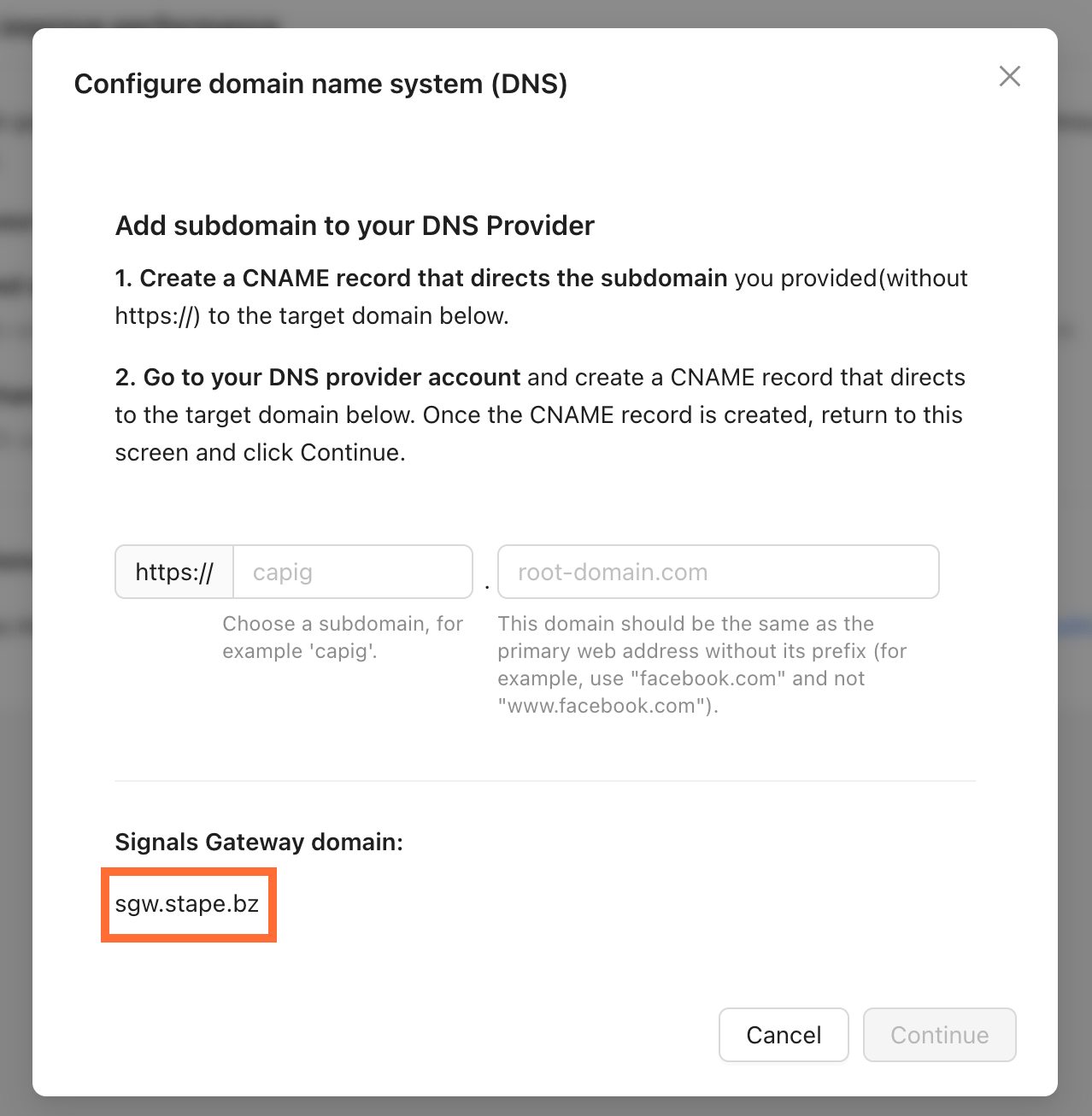
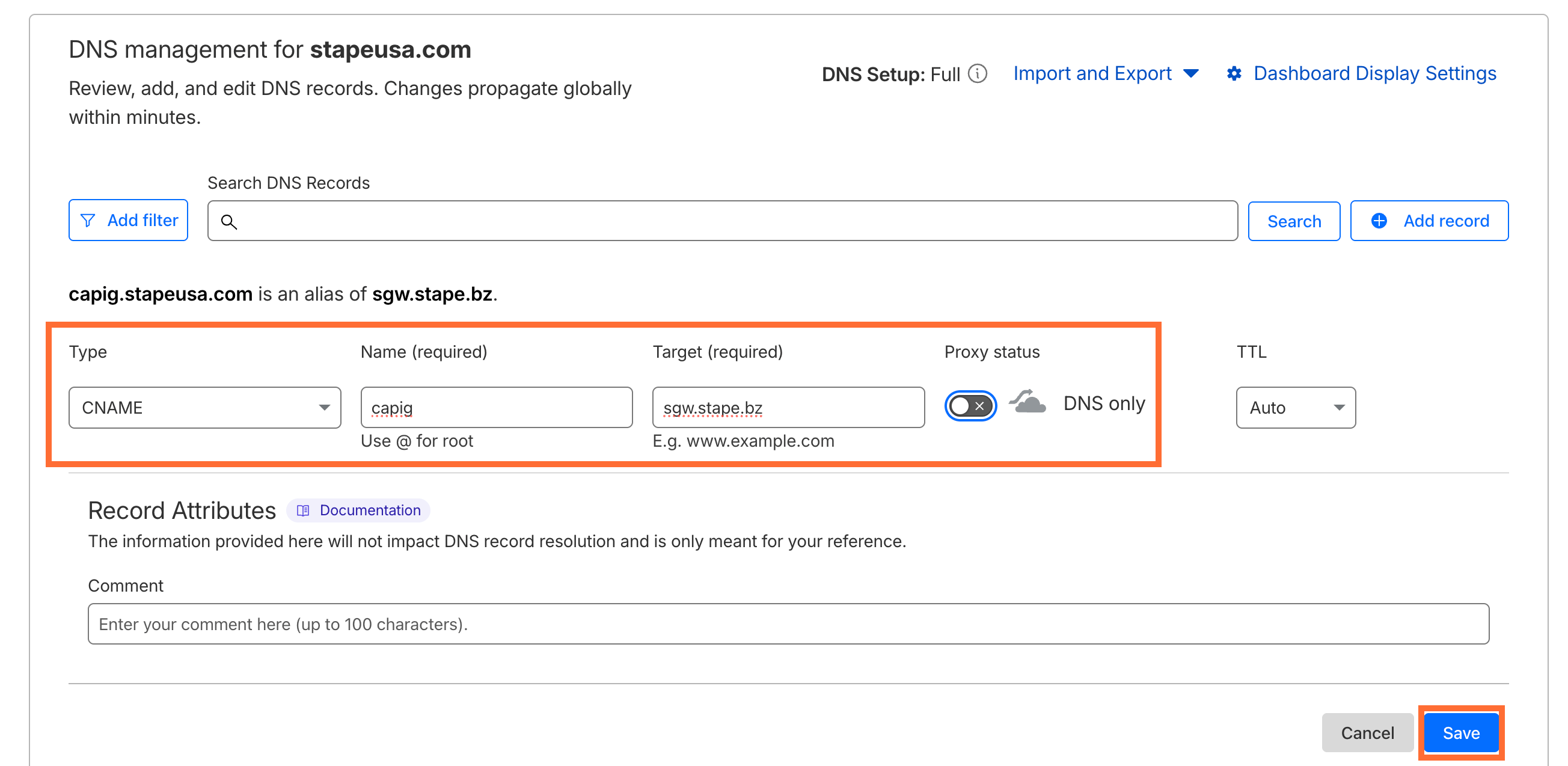
3. In your DNS provider (in our case Cloudflare), add a new record:
- Type -
CNAME - Name -
capig(or any subdomain of your choosing, e.g. events, metrics) - Target - the domain you copied in step 2
- Proxy status - off
Click Save.
4. Back in Signals Gateway, enter your subdomain and root domain, then click Continue.
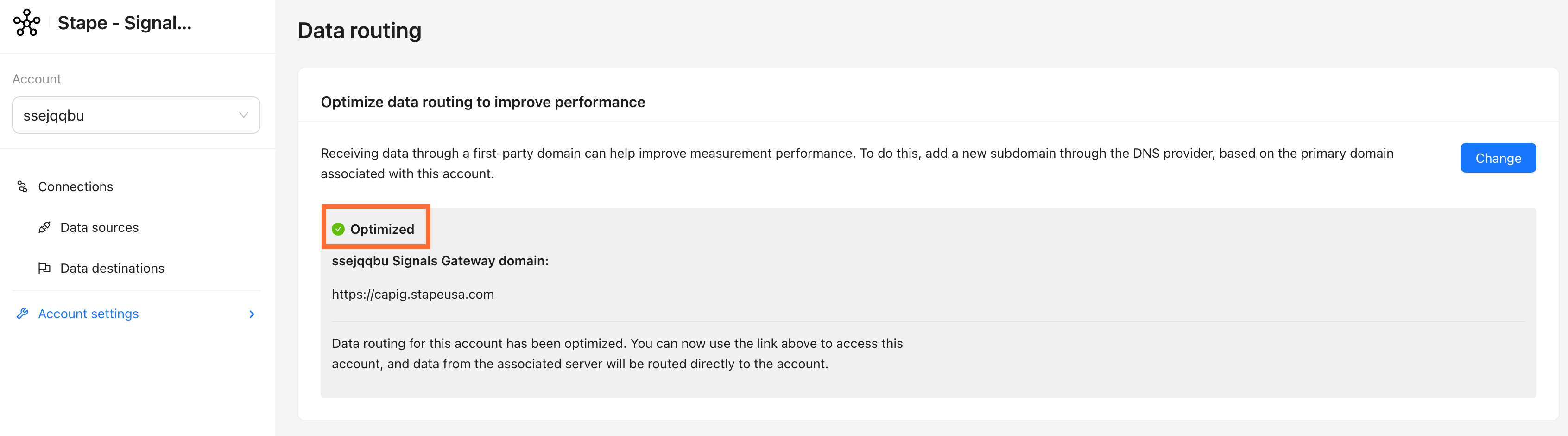
5. The subdomain will appear with a green Optimized indicator once DNS has propagated.
6. Your Signals Gateway Pixel is now reachable at your custom domain, but your GTM tag or site code still points to the old Stape host. Go to your Pixel → Setup guide tab. The snippet and values shown there will already reflect your custom domain. Use them to update whichever installation method you used:
6.1. For GTM template:
- In GTM, open your Signals Gateway Pixel tag and update Signals Gateway Pixel Script URL.
- Save the template.
- Publish the GTM container.
6.2. For the Custom HTML method:
- Copy the complete updated snippet.
- Paste it in your GTM Custom HTML tag (or directly in your site's )
- Save and publish. If the snippet is hardcoded in your site template, clear your page cache after saving.
Optional configuration
Edit or add data sources
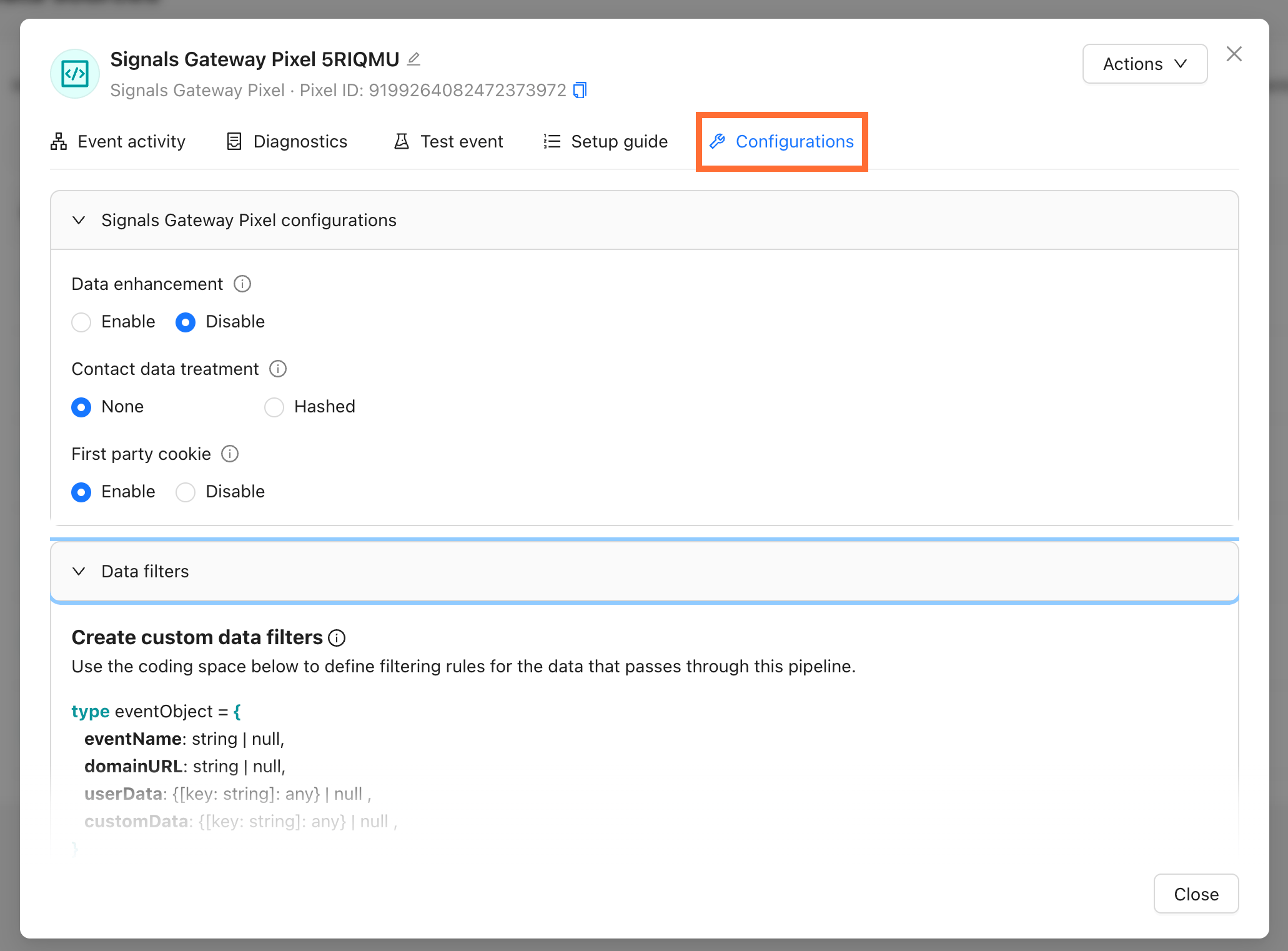
Click an existing Data source and go to the Configuration tab to change its settings, such as:
- Data enhancement - allow to send advanced matching data with your events
- Contact data treatment - you can choose to hash contact data upon collection using the SHA-256 format. Data that is hashed can’t be reverted to its original form and can’t be used by some data destinations or for audience creation.
- First-party cookie - enabling the use of first-party cookies events can help improve matching.
Also, you can tweak Data Filter to set how incoming data is processed before being forwarded to destinations.
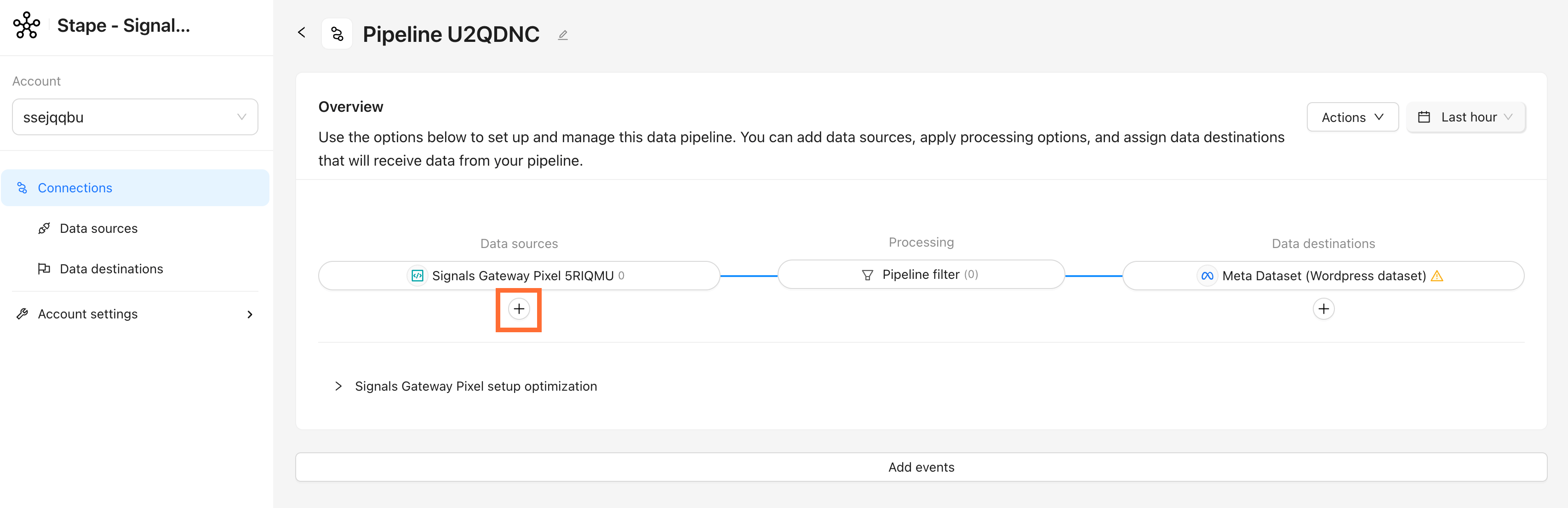
Click + under Data sources to add a file-based source, either automatically via scheduled upload or manually. For detailed instructions read the Add offline events to Signals Gateway article.
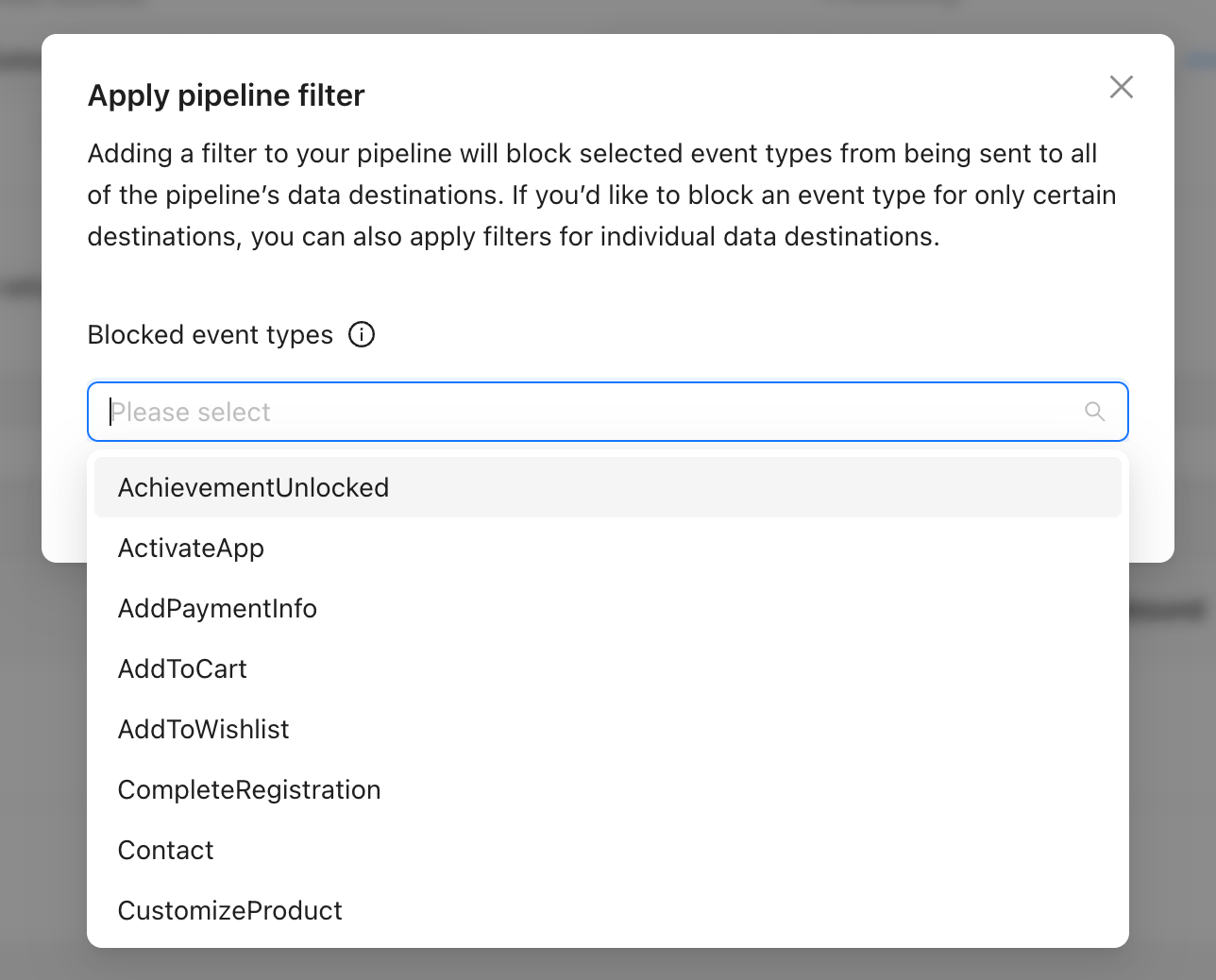
Pipeline filter
Click on the Pipeline filter in the pipeline’s dashboard to block specific event types from reaching any destination on this pipeline. Useful for suppressing test events or PII-heavy events.
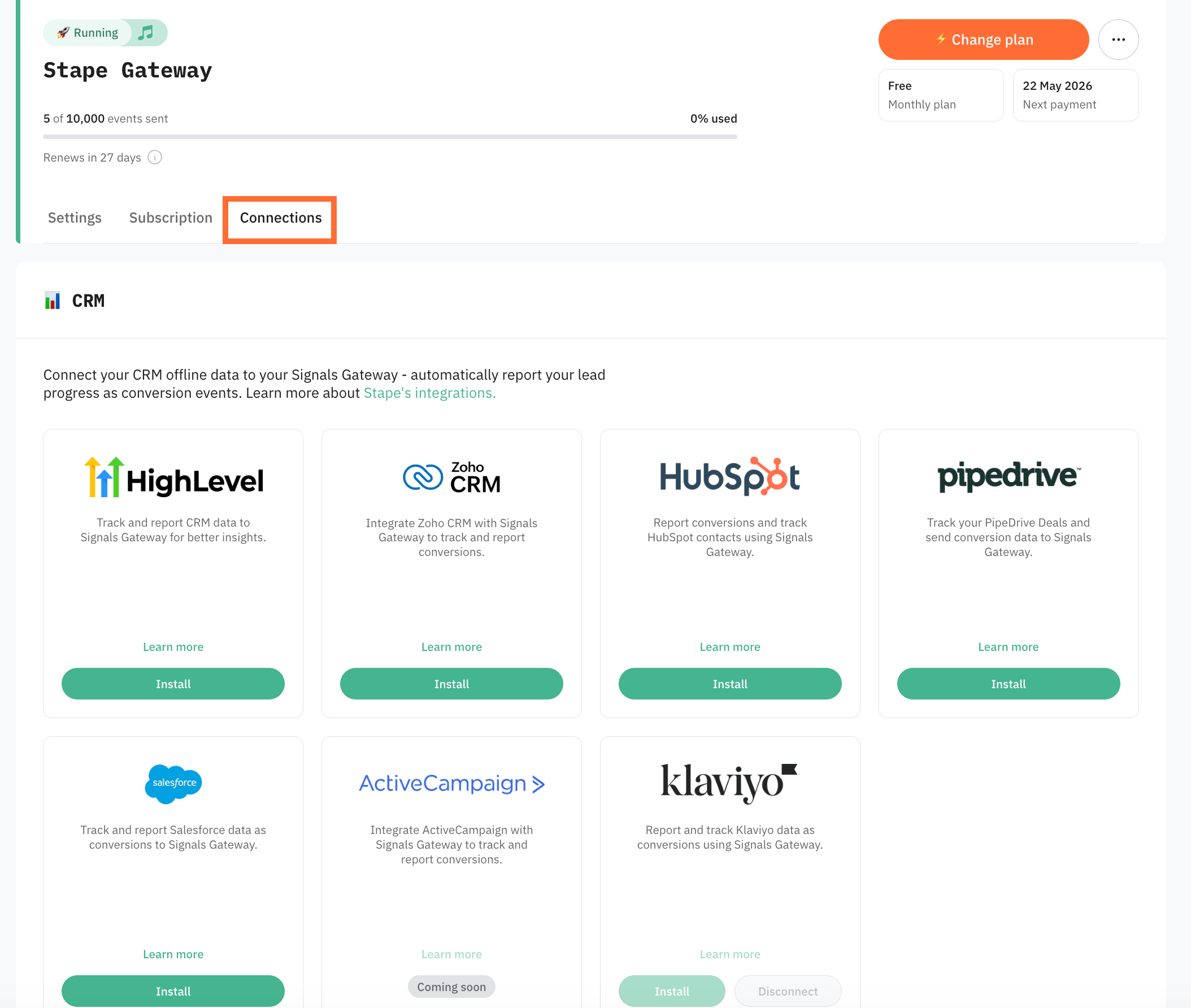
CRM integrations
Stape's CRM apps push your CRM pipeline stages into Meta as conversion events, without needing to route them through your website.
CRM integrations are configured from the Connections tab inside Signals Gateway. Read more in Stape's Conversion Tracking CRM Apps: use cases and benefits.
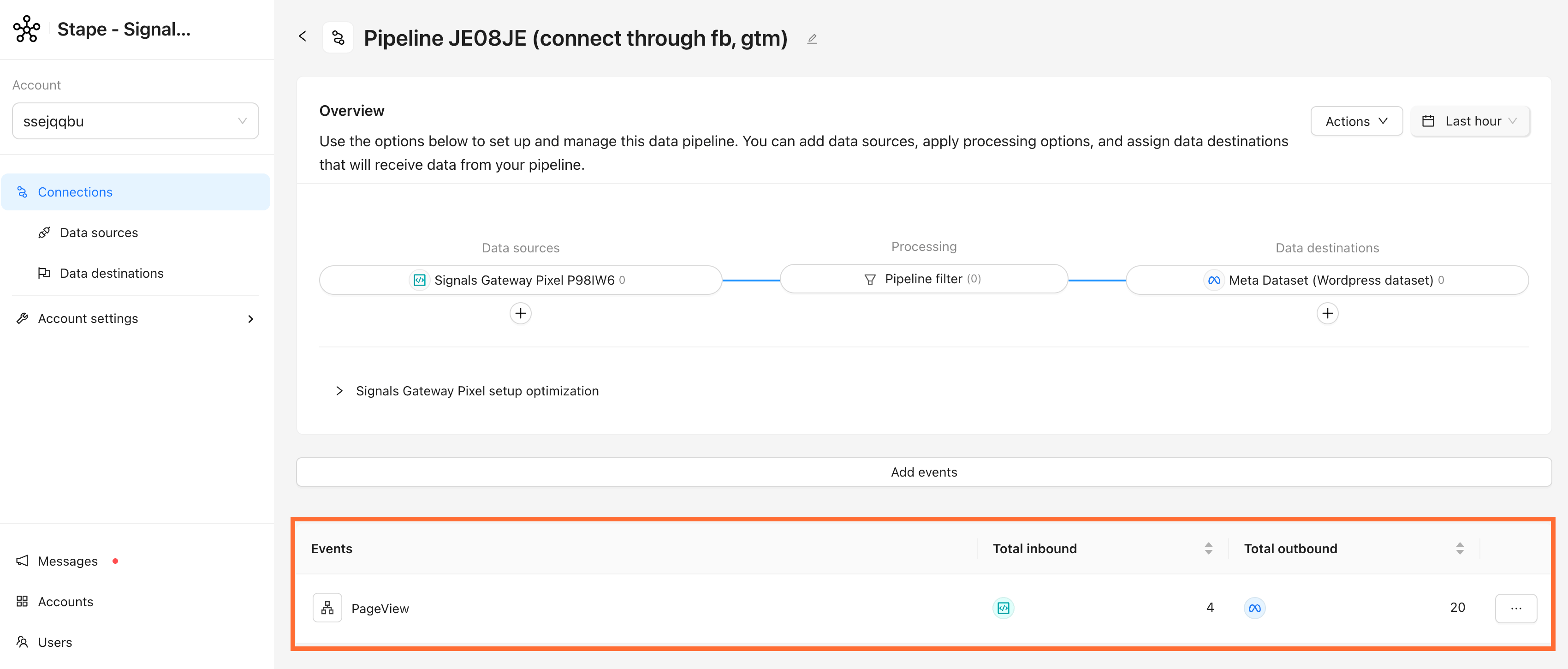
Testing
Check the following:
- Events in the Signals Gateway. Open your pipeline's dashboard, the event counter in Data sources should start moving within a few minutes of live traffic.
- Events in Meta Events Manager. Open the connected dataset → Overview. You should see events arriving with the server parameter populated.
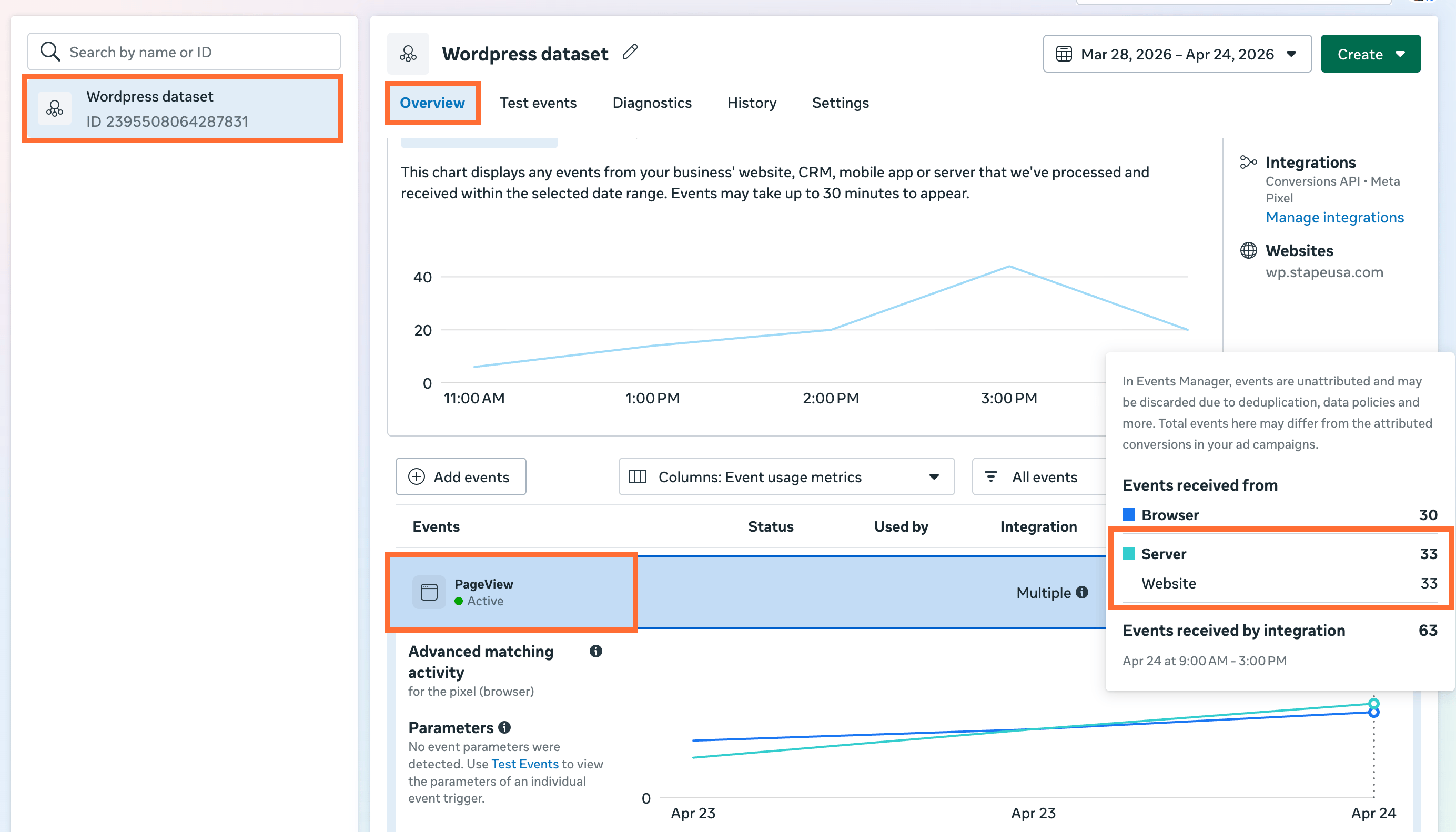
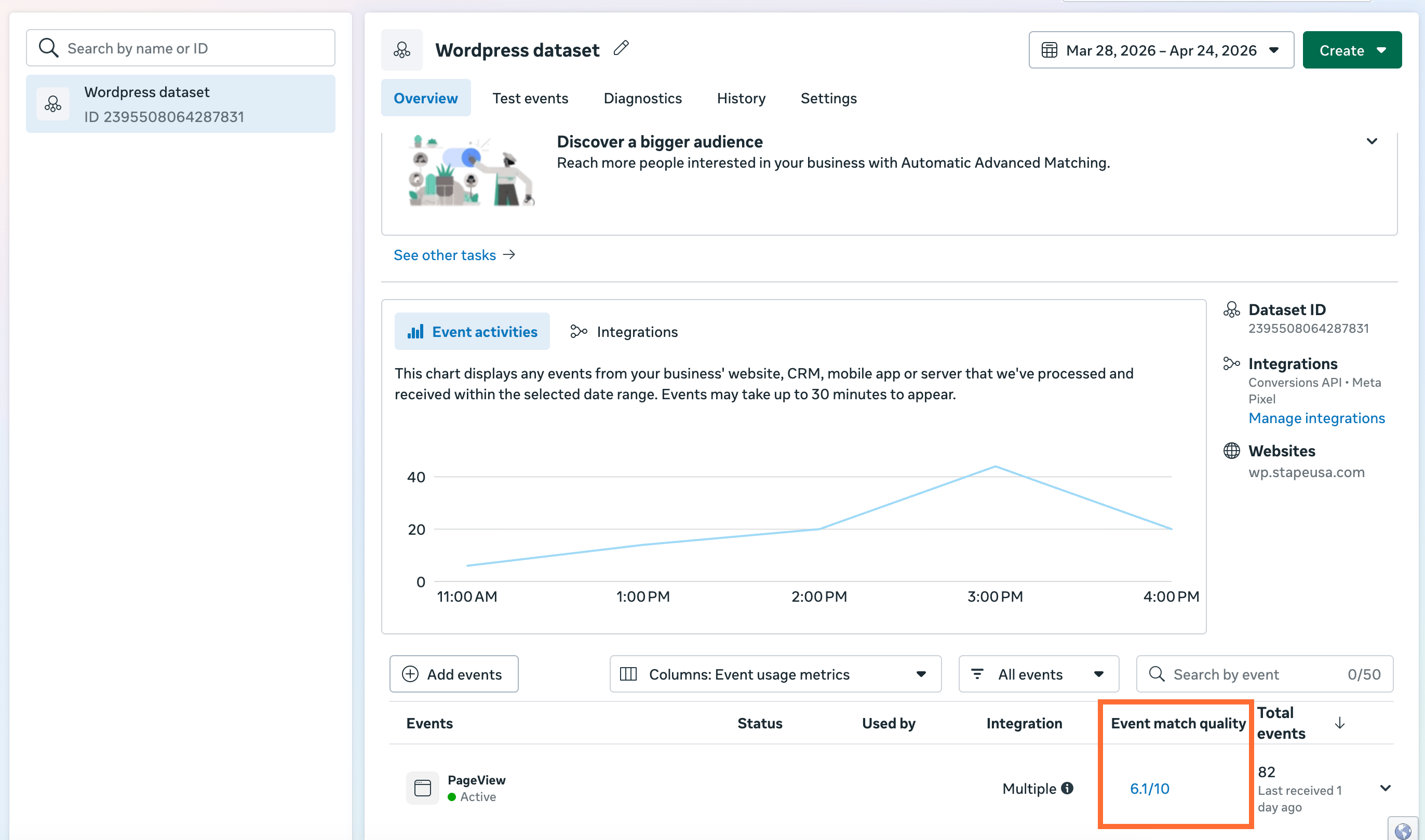
- Event Match Quality. In the Events Manager, check EMQ for each key event. Expect ≥ 6.0 once advanced matching data is flowing. If the score is <6.0, read Facebook Event Match Quality – what it is and how to increase it.
Quick reference
How to find your Signals Gateway Pixel ID
- 1.Go to Data Sources → click your data source.
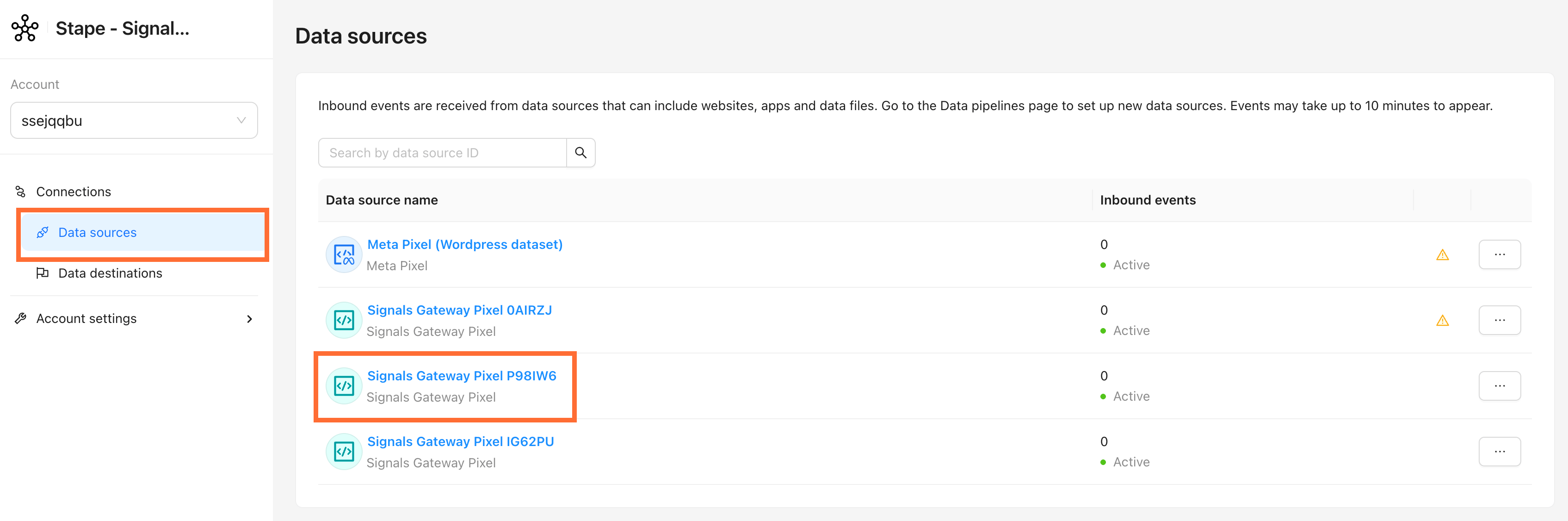
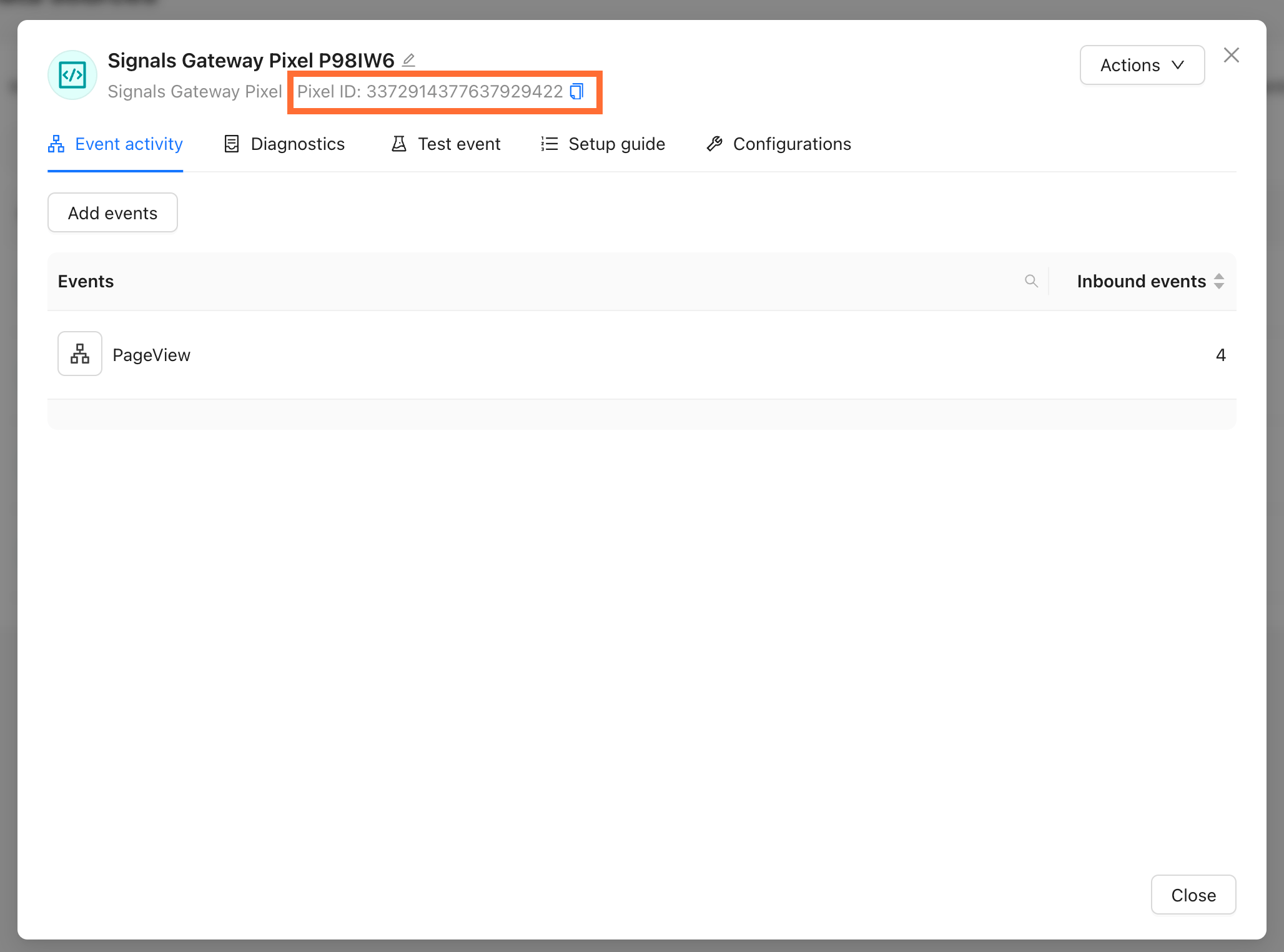
2. The Pixel ID sits at the top of the panel.
How to find your Signals Gateway API Key
In your Stape account, open Signals Gateway → your gateway. The Gateway API Key is listed under Signals Gateway settings.
Was this article helpful?
🍽 Table of content:
Comments